Flashes & lighting
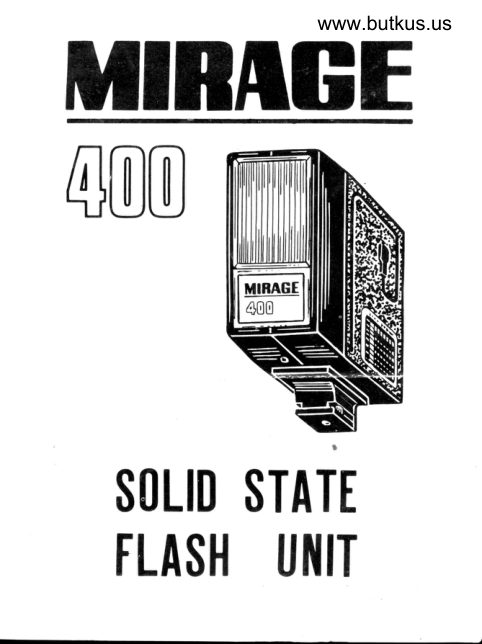
Mirage 400 flash Standard hotshoe flash User manual
User manual for Mirage 400 flash Standard hotshoe flash. 5 pages in English. Read the original PDF, download or print a copy without registration.
5 pagesEnglish0.9 MB PDF
Loading your manual…Open PDF directly
Document details
- Brand
- Mirage
- Model / document
- Mirage 400 flash Standard hotshoe flash
- Document type
- User manual
- Language
- English
- Pages
- 5
- File size
- 0.9 MB
- Category
- Flashes & lighting
- Document date
- Not specified in catalog
Search available document text
Find a term, then jump to its page in the original PDF. Image-only pages may not be searchable; check the PDF for exact wording and diagrams.
Page 2 · Read text
This is a high-powered, transistorized electronic flash
 unit for use on D.C. power source. It isneat and micro
 size,light in weight, and has an attractiveunbreakable
plastic body, and strong light output, and is ideal for
color photography.
The P.C. cord is neatly placed into a channel on  the
body.

           OPERATION
Unlike the flash bulb. the electronic flash is so fast in
its duration that all of its light output synchronizes
completely if the P.C. cord is connecteo to X-setting
of your camera. If your camera is equipped with a
between-the-lens shutter, this flash unit synchronizes
at any shutter speed. If with focal plane shutter, set
the speed slower than l/50 as a speed faster than
l/50 will cut off part of the subject.

   HOW TO DECIDE EXPOSURE
The correct lens opening (F-stop) is easily obtained
from the exposure tabl e fitted to the side of the body.
The exposure depends upon the distance but has rela-
tion with the shutter speed.


                                                                             'ir     __''_'t"                       '   "              't"gl* '''
View original page 2Page 3 · Read text
Venmo @mike-butkus-camera  Ph. 2083
PayPal Name  Lynn@butkus.org      www.PayPal.me/lynnbutkus
View original page 3
Page 4 · Read text
www.butkus.us
        HOW TO USE
 l) Open the battery cover and insert 2 penlite batteries
    into the battery compartment in correct order.
2) Turn the switch to ON and you will hear the hum of
   the capacitor.
3) If your camera has a hot shoe, insert the plug of
   the P.C. cord into the hot shoe terminal on the
   back of the shoe of the unit.
4) If your camera has no hot shoe, insert the plug of
   the PC. cord into the "X" contact of the camera.
5) When the pilot lamp glows, the flash is ready for
   use (see caution note 2). Determine your F-stop
   (lens opening) from the exposure table.
6) If  it takes more than one minute before the pilot
  lamp lights or if no humming sound can be heard, the
   batteries are weak, and should be replaced,
          EXPOSURE TABI.E
        M          1.5    2     3    1.5
                 F     3    5    7    l0    t5
     ASA  DIN
         25   r5         5.6    1    2.8    2
         50   r8      il      I    5.6   4    2.8
            6t:   l9              ll     8    4    2.8
        r00   21    t6      ll     8    5.6   1
       200   21   22    t6      ll    8    5.6
       400   27   32         l6      ll     8


                                                                                                  Digitally signed by Mike Butkus
                                                                          DN: cn=Mike Butkus, o=Butkus camera manuals, ou=butkus.org,
                                                                                email=mike@butkus.org, c=US Mike Butkus                             Date: 2023.11.22 19:03:48 -05'00'
View original page 4Page 5 · Read text
CAUTION
Don't forget to set the switch to "OFF" after each
flash otherwise the batteries will become exhausted.
l) When using color films in particular, a little longer
   exposure time is recommended. Also if several ex-
   posures are made in very quick succession, the ca-
    pacitor should be allowed to recharge for a period,
   otherwise lens aperture should be increased som--
    what.
2) The neon lamp lights before the capacitor is fully
    charged. Allow a few seconds extra before firing.

         SPECIFICATIONS
Flash Duration        : 1/1000 sec.
Recycling Time           : 7.10 sec.
Colour Temperature   : 6000' kelvin
Guide Number            : 2p with Kodachrome II
             ASA 25
Power Soure                 : D.C. 3V
                     (Battery UM3X2)
Battery Life                     : Approx. 40 Flashes

                                        )Printed in Japan
                                                          t
View original page 5From the M. Butkus archive. Original publisher and archive notices are retained.
Check the model and edition against your equipment.
PDF verified 2026-10-10.