Photography reference
National Camera SYNC Module Product booklet
Product booklet for National Camera SYNC Module. 19 pages in English. Read the original PDF, download or print a copy without registration.
19 pagesEnglish9.0 MB PDF
Loading your manual…Open PDF directly
Document details
- Brand
- National
- Model / document
- National Camera SYNC Module
- Document type
- Product booklet
- Language
- English
- Pages
- 19
- File size
- 9.0 MB
- Category
- Photography reference
- Document date
- Not specified in catalog
Search available document text
Find a term, then jump to its page in the original PDF. Image-only pages may not be searchable; check the PDF for exact wording and diagrams.
Page 1 · Read text
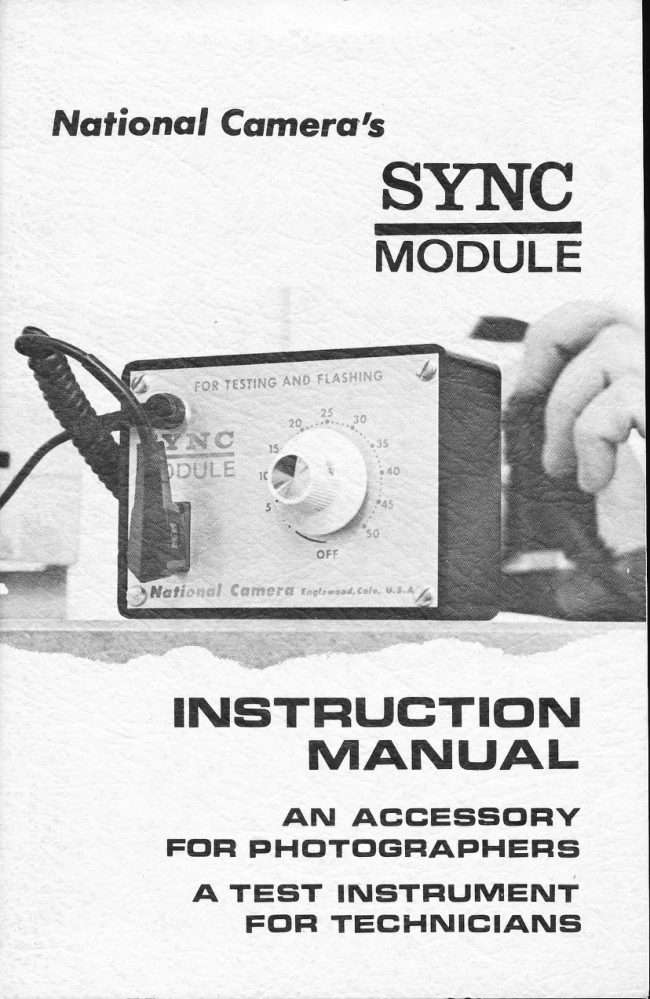
Nofional Comertr.|s
         Sn\TC
          MODULE


     INISTFIIJGTIcIN
        MANI.JAL
        AN ACCESSGIFIY
        FG'FI PHclTclGFIAPHEFIsi
     A TEsiT TIUSTFIIJMENT
             FclFI TECHNICIANS
View original page 1Page 3 · Read text
rI


I

      NATIONAL CAMERA'S SYNC MODULE


                                                                        .SETT!NG DIAL


                                                       Yli\rs At{s FtA$,  .t-tt


                                                                                                                                                                           Digitally signed by Mike Butkus
                                   Mike Butkus DN:org, cn=Mikeemail=mike@butkus.org,Butkus, o, ou=Butkus.c=US
                                                                                                                                                     Date: 2026.04.20 22:20:52 -04'00'

       DELAY.SETTING OIAL
        Serves both as the delay-setting dial and as the on/off switch.
         Turning the delay-setting dial clockwise to set the delay turns on the
          unit. Calibrated in milliseconds, the dial controls the time delay
        between the input signal and the  f iring of the  f lash. Leave the delay-
          setting dial in the 'OFF' position when you're not using the Sync
        Module to avoid battery drain.
       INPUT CONNECTOR
        Connect the sync cord of the camera you're testing or using here.
        The camera's contact closure provides the signal that activates the
       Sync Module. You can also plug a slave trigger into the input
         connector to fire the Sync Module with an electronic-flash unit. Or
        you can trigger the Sync Module with another Sync Module.

      OUTPUT TERMINAL
       Hook the sync cord from the electronic-flash unit here. The Sync
        Module then  f ires the f lash unit after receiving the input signal at the
          input connector. According to the setting on the delay-setting dial,
         the Sync Module may  f ire the  f lash at the same time as it receives
        the input signal (0 ms setting) or up to 50 milliseconds after
         receiving the input signal.

      POWER SUPPLY
      The Sync Module uses a 9-volt battery. To reach the battery,
       remove the four screws on the instrument panel. Then, lift the
          circuit module out of the case.
View original page 3Page 5 · Read text
INTRODUCTION

    The action-stopping ability of electronic  f lash lets us see things
too fast fortheunaided eye. A fast-moving subiect illuminated by
 electronic flash appears frozen in position     its position at the                                            -                                      and so does your instant of the flash. Your eye sees it that way
camera.
    With your Sync Module, yoU can now stop the action exactly
where you want it   the instant  it occurs or up to 50 milliseconds*                   - later.     And that's why the Sync Module serves both the
 technician and the photographer.
    For the technician, the Sync Module is a compact instrument for
 testing  f lash synchronization and other shutter actions. All you must
 add is an electronic-f lash unit.Any unit will do.You can then use the
 electronic-flash unit to illuminate the shutier yov're testing. When
 illuminated by the electronic flash, the shutter appears stopped                                                               - frozen in motion at the inslant the flash flres. So by changing the
 delay setting on lhe Sync Module, you can stop the action at any
 point during the shutter cycle.
    For the photographer, the Sync Module makes possible unique
 stop-action effects on  f ilm. Normally, your shutter  f ires an
 electronic-flash unit when the blades (or curtains) reach the full-
 open position. But with the Sync Module, you can  f ire the  f lash after
the shutter's contact closure. So you cpn freeze action when  il
 occurs, after it starts, or even at any number of places during the
                             Sync Modules      You          can even use event.                          several
want                                              - onas onemanyframeas youof                                          of actions                    an         to photograph                            entire series      - film.
   ln this manual, we'll describe the lwo worlds of the Sync Module
-asphoiographer.a test instrument for the technician and as an accessory for the


x Special versions with delays up to 5 ms and .5 seconds are
  available on special order.
2
View original page 5Page 6 · Read text
TESTI NG FLASH SYNCHRON IZATION


                                                                                                                                                                                                                                           ,,,:,1: n'


www.butkus.us


WHY TEST?

   For maximum usable light from a flashbulb, the shutter of a
camera must be synchronized with the light flash. But the peak
amount of the light available from a flashbulb doesn't occur
immediately. Rather, it's delayed several milliseconds after
applying electrical energy to the f lashbulb. So the shutter mu5t have
a corresponding delay   a delay between the contact closure that                      -      release of the shuiter. That gives thefires the flash and the actual
flashbulb a running start; the shutter waits until the flashbulb
approaches  its peak intensity before opening.
   The shutter's delay is usually adiustable. Proper
synchronization occurs when the delay permits the greatest amount
of light available  f rom the  f lashbulb to pass through the shutter.

WHAT IS PERFECT SYNC?
    ldeally, the shutter should be open for the same number of
milliseconds before the flashbulb reaches its peak brilliance as it is
after this peak. For example, suppose a shutter delivering an
accurate  I /100 second  ( half-open to half-closed time of l0
milliseconds)  is to be perfectly synchronized with a flashbulb that
takes 20 milliseconds to peak. The shutter should then reach its half-
open point l5 milliseconds after the flash is first fired (5
                                     3
View original page 6Page 7 · Read text
milliseconds before the bulb peaks). And the blades should be half
 closed 5 milliseconds after the bulb reaches its peak.

   SHUTTER           BULB           SHUTTER
    HALF                    PEAK            HALF
    OPEN                            CLOSED
       15 ms                    20 ms                   25 ms

    So obtaining ideal "Mt' synchronization over a wide range of
 speeds requires a change in delay time for each shutter-speed
 setting. A few shutters do indeed offer a variable M-sync delay. ln
 some, changing the shutter speed automatically sets the M-sync
 delay time. ln others, there's an external control to vary the time
 between,contact closure and blade opening.
    But most modern shutters deliver the same amount of delay
 regardless of lhe speed setting. The delay is generally adiusted to
 insure the shutter will be wide open when the  f lashbulb reaches ils
 peak at the fastest shutter-speed setting. The remaining speeds then
 deliver acceptable (though not ideal) synchronization.  lf the shutter
 under test uses a high-speed spring for the fastest setting   and if
 there's no automatic compensation for the quicker blade opening-
 the delay adiustment must be compromised accordingly.         -


PRINCIPLE OF CHECKING SYNC DELAY
WITH ELECTRONIC FLASH

   By illuminaiing either shutter blades or curtains with electronic
flash, you can see exactly where they are at the moment the  f lash
fires. Suppose, for example, that you're checking a camera for
proper "X" sync    here, the shutter should be fully open when the
 f lash fires. One technique                 -           is to first hook an electronic-f lash unit to
the X-sync contacts. Then, release the shutter while looking through
the focal'plane aperture at the electronic-f lash unit.

   CAUTION: When using this technique, be sure to somehow cut
down the amount of light put out by the  f lash unit. Unshielded, the
 f lash unit emits a blinding burst of light at such close distances. You
ean use a piece of opal glass, frosted plastic, or similar translucent
material as we're doing in the illustration. Or you can simply wrap a
handkerchief around the  f lash unil; use a couple of layers over the
flashtube to cul down the light to an intensity you can look at
comfortably.
4
View original page 7Page 8 · Read text
OPAL€LASS "FLASH BOARTY'


  CHECKING "X" SYNC WITH AN ELECTRONIC-FLASH UNIT

       lf the X-sync contacts are properly adiusted, you'll see the full
shutter opening as a white splash of light. But if the X-sync contacts
are out of adiustment, the opening will be partially blocked by the
blades or curtains.
    For example, say you're checking a focal-plane shutter. And the
X-sync contacts close before the opening curtain completely clears
the aperture. You'll then see the trailing edge of the opening curtain
frozen in position. Or perhaps the contacts close after the closing
curtain has been released. Then, you'll see the lead edge of the
closing curtain in the focal-plane aperture.
   When checking a leaf-type shutter, you should see a clear
aperture when the  f lash fires   a rot nd circle of light.  lf the X-sync
                            - you'll see the iips of the blades in thecontacts are out of ad iustment,
opening.
    But what will you see if you're checking "M" sync? Here, the
                                            So you                                         open.contacts                                                      see nothing         close               before the                          shutter                                    starts to
                                                            the  f lash-the                                        ihe    blades                                          when           or curtains                     are                                          aperture                                     still covering
fires. What you now need is a system to delay the firing of the  f lash
after the contact closure. And that's the function of the Sync Module.


                                     5
View original page 8Page 9 · Read text
SETTI NG U P THE SYNC MODU LE AS A FLASH-
 SYNCH RON IZATI ON TESTER

    The illustration below shows a technique very similar to that
 shown in the previous illustration. But now we're using the Sync
 Module to delay the  f iring of the electronic-f lash unit.


                          www.butkus.us

          TEST SETUP USING THE SYNC MODULE

    You'll need two sync cords. Hook one sync cord  f rom the shutter
or camera you're testing to the input connector of the Sync Module.
Hook the other sync cord from the output terminal of the Sync
Module to the electronic-f lash unit.


6
View original page 9Page 10 · Read text
NOTE: You can use any electronic-flash unil for testing
 purposes. Especially ideal, however, is the automatic unit. The
 automatic  f lash unit cuts off when the light striking the opal glass or
 the focal-plane aperture bounces back io the unit's photosensor. As a
 result, you get a very brief pulse of light   and the briefer the light                                       - pulse, the greater the action-stopping  ability.
    Varying the delay setting as yot trip the shutter allows you to
 see the entire shutler cycle. To illustrate the procedure, assume that
yo.r're checking a leaf-type shutter. And suppose that the M-sync
 contacts close 15 milliseconds befor6 the shutier starts to open. So
 with the delay-setting dial of the Sync Module at 0 ms to 15 ms, you'll
 see no light through the shutter opening.
    At adelay setting of 15 ms, the blades start to open. Then, you'll
 see a small opening at the center of the blades. Further, let's say
 that our sample shutter takes 2 ms to open. At a delay setting of 16
 ms, then, you'll 3ee the blades extending half way into the opening.
 And you'll see the full opening at a delay setting of 17 ms.
     Continuing to increase the delay setting allows you to measure
 how long the blades stay open at the particular shutter-speed
 setting. We'll say that the shutter in our example stays open for I
 ms. Consequently, at a delay setting of l8 ms you'll still see the full
 opening. Then, at 18.5 ms, you'll see ihe tips of the blades entering
 the aperture. At 19 ms, the opening is once again half covered by the
 blades. And at 20 ms, you'll see the small opening at the center of the
 blades iust before the shutter closes.
    So you can measure the delay between contacl closure and any
 point in the shutler's cycle. Also, you can measure blade-opening
 time, full-open time, and blade-closing time. These  f igures allow you
 to check shutter speeds:
 l/2 opening time plus l/2 closing time plus full-open lime equals
 effective exposure.
   When checking the "FP" or "M" flash-sync delay in a focal-
 plane shutter, you'll see a slit of light    the faster the shutter-speed                                    - setting, the narrower the slit. You can then measure the delay
 between contact closure and the shutter opening at any point across
 the focal-plane aperture. Typically, you'll see lhe slit at the opening
 side of the focal-plane aperture with a delay setting of 8 - 16 ms.
 Check focal-plane shutter speeds by noting the time for the opening
 to pass a particular point.
    Test "X" sync in either a focal-plane or a leaf-type shutter by
 first setting the Sync Module to 0 ms (turn the delay-setting dial as
 far as it will go in a counterclockwise direction without turning off
 the unit). You should now see the full shutter opening, as previously
 described.
                                      7
View original page 10Page 11 · Read text
CHECKING FLASH.SYNC DELAYWITH A SOLENOID
   To check a solenoid-synchronized shutter, use a power pack
 (battery pack) to both power the solenoid and trigger the Sync
Module. Use a double-ended male cord to connect the power pack's
 outpui receptacle to the input connector of the Sync Module. Use the
appropriate solenoid cord to connect the solenoid to the output
receptacle of the power pack. Connect the flash unit used to
 illuminate the shutter blades to the output terminal of the Sync
Module.
    The flash unil should fire as you depress the test br.rtton of your
power pack. Try holding the test button depressed and make sure
the  f lash fires. lf, however, the  f lash fires when you let up the test
button, lhe polarity to the Sync Module is reversed. ln that case,
simply remove the plug at the input connector of the Sync Module.
Turn the plug 180 degrees to change the polarity.

MEASUR  I NG CU RTA  I N.TRAVE L TI MEs
   The procedure for measuring curtain-travel time in a focal-
plane shutter is very similar to that used in measuring flash-sync
delay. All you're doing is checking the  f lash-sync delay measured at
the starting point of the curtain travel and the flash-sync delay at
the ending point. Subtracting the first figure from the second figure
gives you the curtain-travel time.
   For example, the accompanying illustrations show typical
results with a Copal Square shutter. Here, we're checking the  f lash-
sync delay at the fastest shutter speed (l/1000 second in the Copal
Square). The shutter's FP-sync terminal is hooked to the input
connector of the Sync Module.
    The curtains (blades) in the Copal Square travel from the top of
the focal-plane aperture to the bottom. So in (A) of the illuslration,
we've adiusted the delay-setting dial until lhere's a slit of light at the
top of the focal-plane aperture    12 ms in our example. Wd've                                -                                          until the slit is at the bottom of theincreased the delay setting in  ( B)
focal-plane aperture   20 ms in our example. Subtracting 12 msf rom 20 ms gives us 8 ms,-   the edge-to-edge travel time.
    There's only one problem with this technique     it's a little                                                   - aperture anddifficult to tell exactly when the slit of light enters the
exactly when it reaches the end. of the aperture. The width of lhe
light slit further complicates inlerpretation.
   For more precise travel-time measuremenfs, you can use the
National Camera Travel-Time Masks. There're two masks    one                                                          -for vertically traveling shutters and one for horizontally traveling
shutters. Each travel-time mask has two fine slits. All you have to
do is measure ihe time for the curlains to reach the first slit and
8
View original page 11Page 12 · Read text
then the time for the curtains to reach the second slit. The travel-
 time masks come with instructions and a list of proper travel times
 for several representative cameras.


                                     Nikan   JAPAH


   SLITATTOP OF
  APERTURE; DELAY
   SETTING  l2 ms.
         www.butkus.us


   SLIT AT BOTTOM OF
  APERTURE; DELAY
   SETTING 20 ms.


CURTAIN.TRAVEL TIME
20 ms _ 12 ms EQUALS 8 ms EDGE- TO-EDGE.
                                   9
View original page 12Page 14 · Read text
USING THE SYNC MODULE AS A PHOTOGRAPHIC ACCESSORY
    As a photographic accessory, you can use the Sync Module to
 delay the firing of an electronic-flash unit. lf you wish to expose a
  f lash picture at some discrete time after an action, you can simply
 dial the delay into the Sync Module.
   You can also chain together a group of Sync Modules for
 multiple-flash  effects. One Sync Module then fires the next. Or you
 can trigger any number of Sync Modules using slave triggers. So
 it's possible to set up a series of  f lashes at equal or unequal intervals
 for a unique series of photographs or a stroboscopic record of a
 particular action.
    The arrangement shown here provides two  f lashes at different
 delay times using a slave trigger. The camera fires one Sync
 Module and the  f irst  f lash unit triggers the second Sync Module. You
 could get three  f lashes from the same two Sync Modules by firing
 the first  f lash unit with the camera; the Sync Modules would then
 f ire the second and third  f lash units.


                          SLAVE TRIGGER

   ln photography, the Sync Module offers advantages over
conventional stroboscopes or repeating flash units. Being able to
select the delay setting allows you to precisely time repeating
actions. Also, you can use the Sync Module with any electronic-f lash
unit. That may be an advantage when you need more light than a
stroboscope can deliver. And by using an automatic electronic-f lash
unit, you have greater action-stopping ability at close flash-to-
subiect distances.

                                             11
View original page 14Page 15 · Read text
As an example, suppose that you wish to record the position of a
 moving obiect 30 ms after the action starts. You can use an external
 switch   a switch operated by the moving obiect    to trigger the Sync Module.-     So the Sync Module gets its input signal-  at the start of
 the action.  lt then  f ires the  f lash unit after the delay you've selected.,
    Depending on the obiect, a simple "normally open" switch may
 be all that's necessary; the obiect closes the switch to trigger the
Sync Module at the start of the movement. Or you may require a
more refined switch such as a photoelectric trigger. The moving
 obiect then actuates the pholoelectric trigger by breaking a beam of
 light.
    The series of photographs on the next page shows the effects of
 varying the delay selting. ln the illustrations, we're simply dropping
a ball into a bowl of water. As it falls, the ball breaks a beam of light
 to trigger the Sync Module through a pholoelectric device.
     ln (A) of the series, the ball is iust about to strike the surface of
the water. The next illustration (B), taken with a slightly longer
delay setting, shows the ball entering the waler. And increasing the
delay setting for the next two illustrations shows the difference  in
the resulting splashes.
     lllustrations (E) and (F) show the same setup. But here we've
added another  f lash unit to show the ball in two positions. A second
Sync Module, triggered by a slave, fired the second flash. ln these
 illustrations, we changed the delay setting of the second Sync
Module to catch ihe ball in two positions   suspended in the air andentering the water.                     -


t2
View original page 15Page 17 · Read text
The setup we've described and illustrated is iust one of many
combinations you can use for multiple  f lash. By using a cube tap, for
example, you can hook additional   f lash units to the input connector
of the Sync Module. The following diagrams show several other
possible combinations, starting with the simplest setup for a single
delayed-f las h exposure.

    Notice that in some circumstances you must observe the proper
polarity of a connection.  lf the polarity is incorrect for a slave
trigger or an auxiliary  f lash, it may prevent the  f lash  f rom  f iring; or
it may prevent the Sync Module from triggering. ln that case,
simply unplug the slave or the auxiliary flash and reverse the
connection.


L4
View original page 17From the M. Butkus archive. Original publisher and archive notices are retained.
Check the model and edition against your equipment.
PDF verified 2026-10-10.