Film cameras
Nikon 150 ED / ED QD User manual
User manual for Nikon 150 ED / ED QD. 24 pages in English. Read the original PDF, download or print a copy without registration.
24 pagesEnglish3.1 MB PDF
Loading your manual…Open PDF directly
Document details
- Brand
- Nikon
- Model / document
- Nikon 150 ED / ED QD
- Document type
- User manual
- Language
- English
- Pages
- 24
- File size
- 3.1 MB
- Category
- Film cameras
- Document date
- Not specified in catalog
Search available document text
Find a term, then jump to its page in the original PDF. Image-only pages may not be searchable; check the PDF for exact wording and diagrams.
Page 1 · Read text
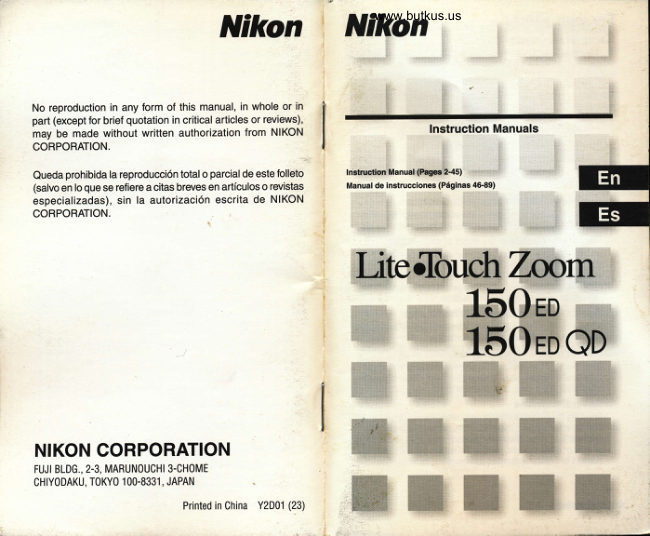
Nikon   Nikonwww.butkus.us


No reproduction in any form of this manual, in whole or in
part (except for brief quotation in critical articles or reviews),
may be made without written authorization from NIKON                        lnstruction Manuals
CORPORATION.

Queda prohibida la reproducci6n total o parcialde este folleto
(salvo en lo que se refiere a citas breves en articulos o revistas
especializadas), sin la autorizaci6n escrita de NIKON                                                                                                                                  : i..:  :i 1::ir;i
CORPORATION.                                                                                                                                                                                             ,:'
                                                                                                                                                                                       ,;.  :..."la


                                   iffi                                                          Effi#ffiffi'


NIKON CORPORATION
FUJI BLDG., 2-3, MARUNOUCHI 3-CHOME
CHIYODAKU, TOKYO 100.8331, JAPAN

                                     Printed in China Y2D01 (23)
View original page 1Page 3 · Read text
F for your safety                                                                                                 ;l
  (Caring for the Camera and Battery)                                      t
  To prevent damage to your Nikon product or injury to yourself or to    A Observe proper precautions when handling batteries
   others, read the following safety precautions in their entirety before                                                                                            Batteries may leak or explode  if improperly handled. 0bserve   using this equipment. Keep these safety instructions where  all those                                                                                 the following precautions when handling batteries for use in  who use the oroduct will read them.                                                                                          this product  The conseouences that could result from failure to observe the                                                                                                                      . Be sure the product is off before replacing the battery.   precautions listed in this section are indicated by the following symbols:
                                                                                                               . Use only a 3 V CR123A or DL123A lithium battery.
                                                                                                  inserting the battery, do not attempt to insert it upside  S'i-'" This icon marks warnings, information that should be i$$i           i,          .When
            read before                       using your Nikon product to prevent                        f[                    . downDo notorshortbackwards.or disassemble the battery.    l\     possrble                           Inlury.                                                                                                                      . Do not expose the battery to flame or to excessive  heat.
                                                                                                               . Do not immerse in or exoose to water.
                                                                                                                      . Do not transport or store with metal obiects such as necklaces  WARNINGS
 A Do not look at the sun through the viewfinder                                     . orlmmediatelyhairpins.   after use, or when the product is used on battery
      Viewing the sun or other strong light source through the                      power for an extended period, the battery may become hot.
      viewfinder could cause permanent visual impairment.                            Before removing the battery, turn the camera off and allow
 A Turn ofl immediately in the event of malfunction                                   . theDiscontinuebattery tousecool.immediately should you notice any changes
      Should you notice smoke or an unusual smell coming from                        in the battery, such as discoloration or deformation.
      the equipment, remove the battery immediately,  taking care to     avoid burns. Continued operation could result in injury. After     A Keep out of the reach of children
     removing the battery, take the equipment to a Nikon-                          Particular care should be taken to prevent infants from putting
      authorized service center for insoection.                                    the battery or other small parts into their mouths.
 A Do not use in the presence of llammable gas          A Observe caution when operating the flash
     Do not use electronic equipment in the presence of flammable                Using the flash close to your subject's eyes could cause
      gas, as this could result in explosion or fire.                               temporary visual impairment. Particular care should be
 A Observe caution when using the camera strap                         observed  if photographing infants, when the flash should be no                                                                                           less than one meter (39") from the subject.
      Caution should be exercised to orevent stranoulation when
     wearing the camera strap around your neck. ilever place the
      strap around the neck of an infant or child.
 A Do not disassemble
     Touching the product's internal pafts could result in injury. In the
      event of a malfunction, the product should be repaired only by a
       qualified technician. Should the product break open as the result
       of a fall or other accident, remove the battery and then take the
      product to a Nikon-authorized service center for inspection.

2 Getting Stailed                                                                                                                                   Getting Staded 3
View original page 3Page 12 · Read text
www.butkus.us
  Holding the camera properly              Selecting Regular or Panorama mode
      When holding the       When holding  tl                         (Lite Touch Zoom 150ED 0D onlY)
                                                                          Panorama mode?                                                F' *nr,'.
                                                                                                       In panorama mode, a portion of the top and bottom part of the frame is
                                                                                                cut exposing an area of approx. 13 x 36mm (0.5 x 1.4 in ) and is
                                                                                                usually printed in approx. 89 x 254mm (3.5 x 10 in )size.

       ..r Prop your elbows against your body and hold the camera with both hands          Select Regular 0r Panorama mode with the
    r When holdrng the camera vertically, ma ke sure that the flash is on top as       Panorama switch,
      shown.                                                                             Regular mode            Panorama mode
  S Do not block the lens, autofocus window, or flash with your  f ingers or
          hair. or the strap.
  S Be careful not to press down on the flash unit when  it ls in the popped-
       up position.

  Operating the shutter release button
                                              Press all the     Before pressing      Press halfway
               -a           way down                          ]'/          -,,                       \/
                                                                                   t:t                                              Regular mode
 1                                                        e The date/time can also be imprinted in Panorama mode    '  focus.Press the shutter release button nuli*u1l io              (ue p 18)
     o: When you press the button halfway, focus and exposure are automatically              f  Wfren compared with regular-format pictures, extra time and cost may
       achieved. and the green LED lights up.                                               be required {or developing/printing panorama  pictures.
     it While the shutter release button is pressed halfway, the focus and
      exp0sure functions are locked. (Focus lock lg p 26)                           Caution:
                                                                   To prevent possible injury to your eye, hold the camera away from
      Press the shutter release button all the way               your face when you operate the Panorama swltch. 7  -  down to take a picture.
  S Pressing the shutter release button abruptly can result in picture blur
      Make sure to press the shutter release button slowly
20 Basic 0perations                                                                                                                         Basic 0perations
View original page 12Page 15 · Read text
When lhe main subject is notin lhe cenler ollhe picture
   (Focus lock photography)
    Focus lock is useful in autofocus shooting when you want to                             Compose the picture,    capture a sublect that's  f ramed outside of the autofocus  f rame              ?                                                                                              pressing the shutter    marks, and in situations where subiects mav be difficult to focus.                      -  while
  (u€ p 27)                                                                        release button halfway
                                                                           and press the shutter                    o Depending on the effect y0u want to achieve, your
                               sublect may not be at the center of the final                               release button all the way
                               composition  in the left example  lf your subject                             down.
                                          is not at the center of the  f rame marks when the
                                shutter release button is pressed halfway, the
                           camera will focus on the background and the
                            main subject may not be in focus. Focus lock
                            allows you to adjust the composition after
                                focusing on your subject
                           Center the autofocus           1                         D ilf icu lt-to-focus su biects                                '  frame marks on the main
                             subiect, then press the            The following subjects may be diff icult to focus.
                             shutter release button              Use the focus lock (gg- p 26) to focus on another subject
                           halfway.                                  equidistant Jrom the camera, then compose the picture to shoot.

                                                                     .,, The green LED lights up when the                      Subiects of low contrast
                                         subject is in focus, and the focus  is                  such as blue sky, or shiny
                                                                                               subjeuts such as a shiny
                                       locked as long as the shutter release                    car body or water surface.
                                        button is pressed halfway.

        Oo not change the camera-to-subject  distance    P'
      While the green LED lights up the iocus is locked Do not change the
      camera-to-su  biect distance.

                                                                                                 Subltblects with conlinuous          Strongly back lit sublects
                                                                                andC rrepealed patterns such        or those having a bright
                                                                   :rq,buildings.                      shiny background.
                                                                                      tl;t
                                                                 i-')!  ....E!,tt.
26 Advanced 0peralions                                                                                                 Advanced 0perations
View original page 15Page 20 · Read text
www.butkus.us
                                                                                    distant view or landscape lhrough aGIose-up photography                              Shooting a
                                                                                 (lnfinity Focus mode)                                         'Jttindotlt
Use the parallax compensation marks when the camera-to-sublect         Use Infinity Focus mode to shoot a distant view more sharply, or a
distance is shorter than 1 meter (3.3 ft.).                                   landscape through a window.
  pt minirur camera-to-subject  distance is approx. 0.75m                      LiteTouchZoom l50ED                                               _ 1 preSS the Lilt bUttOn Until         (2.5 ft.), 0r approx. 0.8m (2,6 ft.) in Telephoto shooting                          r                                                  "@a" aPPears on the    lf you wish to shoot a subject such as a flower as large as possible in a        r-,fi't:g-]
                                                                LCD Paner'  picture, you can get up t0 as close as approx.0.75m (2 5 tt ) in Wide-              ;li.g(                                     i-lgl
  angle setting, 0r approx. 0.Bm (2.6 ft ) in Telephoto setting from the
                                                    (telephoto) position, a                          Lite Touch Zoom  1 50ED QD  subject. By setting the Zoom button to tne 0l
  larger image can be obtained.

     Regular mode        Compose the picture          1                         within the parallax              __l    '
                              press the shutter                                     press the shutter release   t7             thencompensation marks,                              Compose the picture, then
                        release button halfway.                                   button halfway.
                                          or The shaded area (marked wilh '///2.) in
   Panorama mode             the left illustrations  is included in the
   i -ite Touch Zoom 1 50ED 0D only)           pictu re.
                                                                                                                                                                                                  f-l                      Check that the green LED
                                  D       lights up, then shoot.
                                                                                                                                                                                                                                                                                  tttl

                     Check that the green LED          7                -   lights up, then shoot.            d Flash is automatically canceled in this mode


 S  tt tfre sublect is closer than approx. 0.75n (2.5 ft ) in Wide-angle setting
    or 0.8m (2.6 ft.) in Telephoto setting, the green LED slowly flashes as a
    warning. Move away from the subject untilthe green LED lights up.
 Advanced 0perations                                                                                                  Advanced 0perations 37
View original page 20Related documents and language editions
From the M. Butkus archive. Original publisher and archive notices are retained.
Check the model and edition against your equipment.
PDF verified 2026-10-10.