Film cameras
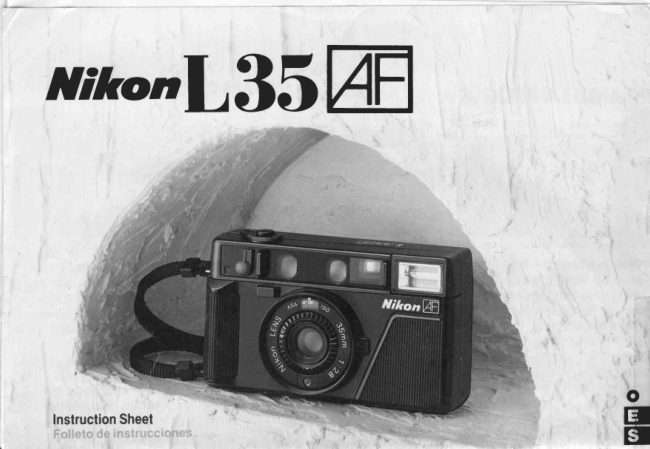
Nikon L35 AF User manual
User manual for Nikon L35 AF. 21 pages in English. Read the original PDF, download or print a copy without registration.
21 pagesEnglish3.6 MB PDF
Loading your manual…Open PDF directly
Document details
- Brand
- Nikon
- Model / document
- Nikon L35 AF
- Document type
- User manual
- Language
- English
- Pages
- 21
- File size
- 3.6 MB
- Category
- Film cameras
- Document date
- Not specified in catalog
Search available document text
Find a term, then jump to its page in the original PDF. Image-only pages may not be searchable; check the PDF for exact wording and diagrams.
Page 3 · Read text
Type of Camera     35mm compact camera with autofocus, auto exposure, auto pop-up flash, auto flash exposure,
                      auto shutter lock, auto film loading, auto film speed setting, auto film advance, auto film
                       rewind, auto film rewind stop and auto ready lens cover
Picture Format     24mmx36mm
Lens                Nikon lens 35mm f /2.8; four elements in three groups
Lens Cover         Opened by sliding lever; opening cover switches camera on; closing cover locks shutter release,
                      switches camera off

Film                 Only DX-coded 35mm film from ISO 50 to ISO 1600, and non-DX-coded ISO 100 film.
                               (All non-DX-coded films are automatically set to ISO 100)

Film Speed Setting    Automatic

Film Loading          Film automatically advances to first frame when shutter release button is depressed
                      once; film advance indicator pole rotates to show film is properly loaded and being
                   advanced
Film Advance         Film automatically advances by one frame at 0.8* seconds per frame when shutter is
                        released; stops automatically at end of roll

Shutter            Programmed electronic shutter; also serves as diaphragm blades
Viewfinder            Reverse-Galilean Albada-type bright-frame viewfinder; 0.52X magnification; approx.
                85% frame coverage (at ∞); -1 dioptry

Viewfinder Information  Picture frame marks, parallax compensation frame marks, autofocus frame
                      marks, focus symbols and focus indicator needle
Focusing              Active autofocus system (0.7m- ∞); focus locks when shutter release button is
                     pressed lightly
Exposure Metering    Using CdS- programmed automatic exposure control from EV6 (f/2.8 at 1/8 sec.) to EV17
                           (f/17.5 at 1/430sec.) with ISO 100 film
Film Rewinding        Via sliding rewind lock switch and rewind button. approx. 20 sec.* per 24-exposure
                                roll, stops automatically when film is rewound
View original page 3Page 4 · Read text
Frame Counter        Additive type; automatically reset when camera back is opened; counts back white
                         film is rewinding
Self-Timer             Activated by setting lever and depressing shutter release button; 10-second delay
                     with indicator light.
Built-In Flash         Automatic pop-up with ready light; guide number 10 (ISO 100, m); shutter locks if flash
                               is not charged; recycling time is approx. 6sec.*
Automatic Flash      ISO 50          0.7 — 2.5m
Shooting Range       ISO 100        0.7 — 3.6m
                    ISO 200-1600  0.7 — 4.0m

Data Imprint Functions  Year/Month/Day, Hour/Minute or no imprint, as selected; 24 hour built-in clock
                     with timing accuracy to within ±75 seconds a month at normal temperatures
Power Source        For main functions: Two 1.5V alkaline-manganese AA-type batteries (NiCd batteries
                    cannot be used)
                    For data imprint One lithium (CR 2025) battery

Number of 24-exposure  Approx. 100 rolls* (without flash): approx. 10 rolls*(with flash for each exposure);
film rolls per fresh       shutter release locks when batteries are exhausted
alkaline-manganese
batteries
Dimentions           125.5 mm(W) x 73mm(H) x 53.5 mm(D)
Weight               Approx. 335g (without batteries)

* With fresh alkaline-manganese balteries at normal temperatures.
Specifications and external design are subtect to change without notice.


NOTE
Text OCR-ed from large sheet Operating Instructions 2018-05.
View original page 4Page 5 · Read text
FOREWORD/PROtOGO
la     Thank you for buying the Nikon L35AF.This  Ante todo. mLtctritsr(tlilcl.lspor la corlrprade la
       compact, easy- to - use 35 mm  camera  is  NrkonL35AF Estatc:trrl;ttitde 35mnl corlpacta
       equippedwitha varietyof features,including:    y d e  f a c t  t t t i l t e l o ,p t e s t : l l i , tr ' f l t t e o t r a s ' l a s
       Automatic film loading                            c a r t i c I e t r t s t t c a sq L ] e s e € l l L l l l l € ir r
       Automatic lilm winding                            c r o n
       Automatic focusing                    Cargaautom6ticade la Pelicula
       Automatic programmed exposure control    Avanceautom6ticode la Pelicula
       Automatic pop-up flash                  Enfoqueautom6tico
       Automatic exposure flash control            Controlde exposicionautom6tico
       Automatic shutter lock while charging flash  programado
       Automatic film rewindingand rewinding      Flashde aparicionautom6tica
        stop                                    Controlautomaticode exposicioncon flash
       Wide film speed range up to ASATISO1000    Bloqueoautomaticodel obturadordurante
         In order to get the most enjoymentfrom your   la cargadel f lash
       NikonL35AF,pleasereadthis instructionsheet  Rebobinadoy paradaautom6ticosde la
       thoroughlybeforeusingthe camera.            pelicula
      To insureproperservice,make sure the Nikon  Amplio margende sensibilidadde pelicula
       WarrantyCard is enclosedin the camera box.  hasta1000ASA/lSO
                                               Para fin de que pueda sacar el maxtmo pro-
                                              vecho de su NrkonL35AF'le recomendamosla
                                                       lectura completa de este folleto de Instruc
                                                                    c l o n e s a n t e s d e u t t l t z a rl a c a m a r a
                                                   P a r a  c o f l t a r  c o f l  L l r l  s e r v l c l o adecuado
                                                             a r s i e q l t e t s ed e : q L t e l a G a r a t l l t t t d e Nrkonest
                                                                                                       r n c l u t d ae n  l a c a l a d e  l a c a m a r a

                               DE LA CORREA

                                                                                            Atlach the neckstrap
                                                                                          both neckstraPeYelets
                                                                                and adiust its length
                                                                               shown


                                     (opctoNALES)    ACCESSORIEStoptloNAL)TACCESORIOS
                          L37 Filter                                        CS.L35CameraCase
                        The L37 Filter-with an altachment                       This sophisticatedsoft leatheret
                              sizeof 46mm-cuts ultra-violetrays                       case, designed exclusivelYfor tht
                          and orotectsthe front of the lens                         Nikon L35AF, protects the camer
                                                                          and can be attachedto a belt
                          F tro L37


                                                           e )


                               www.orphancameras.com
View original page 5Page 6 · Read text
FLASHSHOOTING'


                                                                      3 6 m
                                                                                                                    ( 1 18 f r )


lf your subjectis too dark for    ASA/lSO50  0 B-2 5m (2 6 ._821t)   Withinthe flash shootingranoe,
normalshooting,the flash l4    A S A / l S O6 4  O B - 2 8 m ( 2 6 - 9 Z t t )    the exposurers alwaysaccurate                               A S A / l S BO0  0 B - 3 2 m Q 6 - 1 0s f l )
automaticallypopsup whenthe   Thc  cnrrpr:t PYnoSUfe Can be   her:arrspthp anprture ls autr_r
                                                               maticallycontrolledshutterreleasebuttonll  ls de-                                    o b t a r n e d w i t h i n  t h e  f l a s h s h o o t -
pressedhalfway                                                     oF or llash shooting depr ess lhe shulte                                                                                         i n g r a n g e o f e a c h  f r l m s p e e d
rThe shuller cannot be released belore                                                                              r eleasebuttongently
  the las h s c harq e d a n d t h e r e a d y 'l rq h t
  23. lrghtsup


 FOCUSLOCK/


Totakea picturewrthyour sub1ectoutsrdethe auto   Continue to depress the shutter release button
focusf rame marks.use the focus lock Centerthe  halfway,change your compositionand depressthe
autofocusframe marks on your sub1ectand de-  shutter release button completely lf you change
pressthe shutter releasebutton  ll  halfway This  your mind, cancel the focus lock by taktng your
causesthe focus rndicatorneedleto move withtn  finger from the shutter releasebutton before re-
 thefocussvmbol area                           leasingthe shutter Do not change the distance
                                        betweenthe camera and your sublectwhile using
                                                   thrsfeature
View original page 6Page 7 · Read text
iCAMERACAREt-           TIPS/CUIDADODELA CAMARA


1. Do not leaveyour camerain htgh   2. Storeyour camerain a cool, drY   3 Cleanall lensand autofocuswin-
  temperatureareas sucn as a     and cleanplace.Removethe bat'    dow surfaceswith a blower-tYPe
  closedcar for long periodsof a      teries if the camera will not be     brushand a soft clean cloth.An
  time.                         usedfor more than two weeks.      approved photo lens cleaning
                          Whennot usingthe camerafor a      liquidcan be used,too.
  '     l r ,         l r   r       : t  c a n l a r a  d l r i t ' l l r ,      longtime,f irethef lasha few times
            , i  '  - l I P r l l p o e n 1 t l ( l ; Pi f q o , l { '  '  '      everymonth Afterf iring,waituntil  3 Lrnrpar its ertlcsY ;t vflr        :
      . t f i (. i f , l l t l e r l : t  1 e : | f t r ' l i r i , , ' i r        the ready-lightlights uP, then       dcll enloq[]e  atllor ]littlco  (
      ! , ; lcl. l t ale ls c o 'l  . .    , "    i  /           removethe batteries.                ceo  o soPlanle Y []fr Pilr lc        I
                                                                                                                                                            \' :.1,1\.,rT, ,intbr t:ttpuetdit ttl
                                                                                                                                                         r l l , ( l i r i ' , f r a , (i -t l n i l l i l  l l "  I    '  ,  r


 BATTERYAND FIIM TIPS'RECOMENDACIONESACERCADELA
 c Batteries                                     5. Alwaysbe surethe ON/OFFswitchis turnedoff
 1.Withoutbatteries,the camerats inoperative.     beforeplacingthe camerain the optionalcase.
  Beforeshooting,checkto see if the batterieswtll   Otherwise,the flashmay pop up and consume
  need to be changedsoon.When the batteries   the batteryPower.  are almostworn out, boththe film windingtime                                                  6. lf the batteryterminalsare converedwith per-  andflashchargingtimetncrease                                               spiratronor fingerprints,clean them with a dry 2.The batterrespackedwith this cameraare for                                                   cloth.
   test purposesonly.Therefore,their life rnaynot   Neverthrowusedbatterresintoa fire.
  conformto the batterylife shownin the specifi- 8 Becausebatteryperformancedecreasesin low
   cations.                                 temperatures(thoughit returnsin normaltem-
 3. The test batteriesreferredto herein are not    peratures),keep an extra pair of batteries
  packagedwithL35AFcamerassoldin the U.S.A.                                    warm in your pocketwhen shootingin temper-
  andCanada,andare not includedin the priceof                                             aturesbelow0'C (32'F).   the camera Batteriesmustbe purchasedsepa-
   rately                                   o Film
 4. When replacingbatteries,alwaysreplaceboth  1. Filmwith an extremelybentleadingend cannot
   at the sametimewithfreshbatteriesof the same   be used.
  brand.Do not use NtCdbatteries.Althoughman-  2. Alwaysusefilmbeforeitsexpirationdate.
  ganesebatteriescan be used,their life will be  3 Avoidloadingfilmin directsunlight
  shorterthan that of alkaline-manganesebat-  4. When you have finishedshootinga roll of film,
  tenes                                 sendit out to be processedas soonas possible.


                              www.orphancameras.com
View original page 7Page 8 · Read text
BACKLIGHT


lf your subjectbecomeslighter To shoot subjectswhich are lit  A subjectwhich is lit f rom behind
just before shooting,Push the     f rombehind,holddowntheback-  too dark in photographsunlesstl-
flashbackdown.Also,afteruse,   light compensationlever 17   tureis used.lt providesapproxima
pushthe flashback into Place  while you depressthe shutter  is also effectivewhen photograph
lf theflashis lettup,the battertes releasebutton Evenif the flash  the reachof flashilluminatton.
willbe exhausted            pops up, hold down the lever   rWhen shootrnga back'lit sublecl a ratnbov
                         andusethe flash.                     lrnrshedpiclure dependingupon the shoottr

                          s l (                                                                                                                                                                                                                                                                                                l  '  l  '
                                                                               l .


Wtth the followingsublects,focus on another object at approximatelythe same distance f rom the camera and use
the focus lock
.Subjects behind glass. oSmall subjectsthat cannot cover the autofocusframe marks .Glossy surfaces such as
a car body oWater surfaces wrth strong reflectrons.Surfaces with almost no light reflectionsuch as black harr
oSublectswtthouta delrnttemass such as f ireworks.f lame and smoke o Brrghtlrghtsourcessuch as lhe sun or neon
stgns.strong reflectrnglrght or completebacklightinsideor near the autofocusf rame marks
'Sublectsbehrndglasscan alsobe focusedby placrngthecameralensdrrecllyagatnsttheglasssurfaceor by shootingal an angle
 of morethan20olo onesrdeas shownabove


 O

  a  ,
View original page 8Page 9 · Read text
4. lf your camera is exposedto rain   5. Do not drop your cameraor allow   6. When using your camera in cx-
     or mist, or if it is used near salt         it to get wet. lf the camera mal-    tremely low temperatures,try to
     water, gently wipe it with a soft     functions,do not attemptto repair    keep it warm. lf the temperdwc
     cloth. Do not use any organic         it yourself because of the high-    suddenlychanges from very low
     solventsuchas thinneror benzine.    voltage circuits inside. Instead,    to high,condensationmay appeer
                                      take your camera to any author-    insidethe camerabodyand caur
   4 Si la cdmaraha estadoexpuesta    ized Nikon dealer or  service     trouble.
    a la lluviao niebla,o si se la utiliza    center.
    en las proximidadesdel mar o de                                  6 Si se utilizala cdmaraa temoera-
    aguasalada,limpiarlacuidadosa- 5. Procurarque la cdmara no se     turas extremadamentebaras.
    mente con un pano suave. No     caiga ni se moje En caso de    procurarmantenerlatempladaSi
     utilizar disolventes orgdnicos   averia,no intentarrepararlauno     la temperaturacambia brusca-
     talescomo benclnao diluvente   mrsmo,ya que existencircuitos   mente de muy alta a muy baja,
                                de alto voltale en su interior.   puedenformarsegotas de agua
                                     Llevarlaa un concesionarioNikon   en el interiordebidoa la conden-
                                  autorrzadoo a un centrode serv-    saciony produciraverias.
                                           iciotecnico


L; l
r-
      Y LA PETICULA                                                                                                                  l r '
  o Pilas                                   5 Antes de introducirla cdmara en el estuche
  1. Lacamarano puedef uncionarsinpilas.          opcional,comprobarsiempreque el interruptor
   Antesde utilizarla,comprobarel estadode las   ON/OFF(encendido/apagado)est6 en la posi-
   mismas.Cuandoestas estdn casi agotadas,   cionOFF(apagado).Si no es asf,puedesublrel
   aumentael tlempode bobinadode la pelicula      f lashy consumirselaspilas
    y de cargadelflash.                       6 Si losterminalesde laspilastienentranspiracion
  2. Laspilasque se suministrancon la cdmarase    o impresionesdigitales,limpiarloscon un pano
    facilitanunicamentecon finesde prueba,por    seco.
    consiguiente,su duracionpudierano alustarse 7 No arrojarnuncalaspilasgastadasal f uego.
    a la indicadaen lasespecificaciones.         8. Comoel funcionamientode las pilases inferior
  3. LasCamarasL35AFvendrdasen los EE UU y    a baja temperatura(aunque a temperatura
   Canaddno vienenequtpaoascon las pilas de    normalse recuperan),cuandose vayana tomar
   pruebaaqul referidasni estanincluldasen el    fotosa temperaturasinferioresa OoCconvtene
    preciode la camara.Las prlasdebenser adqur.   llevarun par de pilasde reservaen el bolsrllo
    ridasen formaseparada.
  4. Al cambiarlas pilas,sustituirsiempreambasa  o Pelicula
     la vez por otrasnuevasy de la mismamarca. 1 No puedeutilizarsepeliculacon el extremode
   No utilizarlas de NiCd Aunquese puedenusar   enhebradoexcesivamentedoblada
    prlasde manganeso,su duraciones menoroue  2 Emplearsiemprepeliculano caducaoa
     la de lasalcalinas-manqaneso            3 No cargarla peliculaa plenaluzdelsol.
                                           4 Una vez impresronadoun rollo de pelicula,
                                                  llevarloa revelarlo antesoosible.

                               www.orphancameras.com
View original page 9Page 10 · Read text
b near a windowwill appear  To use the ftashfor fill-inlightingin daylight,carefullycover the
  backlightcompensationfea-  automaticexposuremeteringwindow @ with your hand and de-
  +2EVgreaterexposure,and  pressthe shutterreleasebuttonhalfwayso the flash pops up. Un'
  objectsat distancesbeyond  cover the window.The shootingprocedureis then the same as
                           normalflash shooting,but the effect of the flash decreaseswith
-shapedghostimagemay appearin the   lighterscenesand more distantsubjects.
  situalion
                         Para utilizarel flash de dia como iluminacioncomplementaria,
s o proxtmosa una ventana tapar cuidadosamentela ventanilladel exposimetroW con la
lnos que se utrllceesta com-  manoy oprimirel disparadorhastala mitad,de formaque subael
rrcionauna exposictonaproxi-  flash.Destapela ventanilla.El procedimiento,en estecaso,es el
ulta tambieneticazcuandoce  mismoqueen fotografianormalcon f lash,peroteniendoen cuenta
del alcancedel flash.                         oue el efectode 6ste es tanto menor cuantomds iluminadaestd
           posible                que                    en la fotografiale atrds, es
()gfima             rirco rrrs                  ciependrendo                             de la    la escenay m6s distanteslos objetos.        de

    'TIMER'DISPARADORAUTOMATICO


 Thr self-timeris idealfor sou-   After approximately10 seconds,the shutter is released.Three
 rtr   or group photos.To use  secondsbeforethe shutteris released,the indicatorstartsblinking.
 il, tufn the self-timerlever @    After using,returnthe leverto its originalposition.To cancel,re-
 I   frr as it will go and depress  turn the lever to its original positionbefore the shutter release
 tho shutterreleasebutton @    button is depressedcompletely.After the button is depressed
 curpletely. This causes the   completely,the shutterwill be releasedimmediatelyif you return
 rff-timer  indicator @   to   the leverto its originalposition.
 light up.
                           Transcurridosunos 10 segundos,el obturadorse disparardpor sf
 Esidealparafotosde recuerdo  solo.Tres segundosantes el indicadorempezaraa parpadear.
o fotosen grupo.Parautilizar Unavez utilizado,retornarla palancaa su posicionoriginal.Si se
 este  dispositivo, girar  la  deseaanularla funcion,llevarla palancaa su posicionoriginal
 palancadel disparadorauto-  antesde oprimira fondoel disparador.Una vez apretadoa fondo
 mdticol0 hastael topey apre-   el boton,el obturadorse disparardinmediatamentesi se retorna
 tar el botonde disparo I I todo   la palancaa su posicionoriginal
 su recorrido.Estoharaque se
   cienda  el  indicador del
View original page 10Page 12 · Read text
BASICOPERAIIONS'OPER
 INSTALTINGAND CHECKINGBATTERIES/COTOCACIOY (


Slideopenthebatterychamber  Install two M-type alkaline- Closethe batterychamberlid
lid @ir.                 manganesebatterieswiththeir  whilepushingit down.
                                          " + " and "-" ends facingas
Abrrrel comparlrmrenlode las  shown  inside the  battery  Cerrarel compartimientopara
prlasdeslizandola taprta2t     chamber.                    las prlaspresronandola tapita
                                    rSee "BATTERY AND FILM TIPS" on
                                          the reverse srde for more information

                       C o l o c a re n s u i n t e r r odr o s p r l a s
                              a l c a l i n a sm a n g a n e s ot r p o A A
                                 c o n l o s p o l o s " +  y '    e n l a
                           lorma qLre se rndrca en  la
                                                           f r gu r a
                                                                               :  l' -,i-  ,,,, ,-:-ir,.,.-     :l: :   ' _1.1.i.,' - :
                                             (,i()I!ES :;OI]RI   I A S P IL AS  '/ LA
                                  P LL ( , U LA t ' r rt '  , i r t v t r. t, ,
View original page 12Page 14 · Read text
D/AJUSTEDELA SENSIBILIDADASA/ISODELA PELICUTA  TOADINGFIIM'CAR

                                                ,"i'\:. ro zo0250! !,0t^
                                                                          *o-, .ss\-      %P.'    -q
                                                                     (=o O                                      : b
                                                           oo
                                                f;-o

 Removethe lens cap. Turn the  The dots betweenthe numbers Open the cameraback ,.6 by  F
 ASA/ISOfilm speeddial ts un-  on the ASA/lSOfilmspeedscale  slidingthe cameraback release   fi
  tii yourfilm'sspeed,as shownon   indicatethe filmspeeds         latch 3                                                  ti
  t ,e ASA/lSOfilm speed scale   .ASA/lSO 1600 color negalive film can                                                                 f(  'i6,      is alignedwith the white     be used wilh lhe film speed dial set at   A n , "  L i   l a p a d p   l r  c ; t , r t ; t r'  6       I
 rndexmarkl5.                       ASA/lSOthe usable1000f ilm Reversalspeed rangefilm cannoloutsidebeof   d e s t z ; i n d oe l r e s o r t ed e a p , , ' t , ' , 1
                                           used                           de  ir lr sn-ra 3
 Qutar la tapadelobletrvoClr;tt                                                                                                                                                    rl
  e  dral de sett-ctbtitdaitir:';ASA'   Los puntos entre los rlumeros                                                 r
  ISO lB hast:rqre e  v.r or co      (.i,: la  escitllt de veloctdades                                 C
   r r e s p o n d r e nal el a p e l i c ua u l    ASA/ISO corresponden a  los
 zadaapar ezca ert lil e ',c;tla l 6 Y   valoresrndtcadosarrtba                                             c
  corncd;r ccrrtla salit rlartcal5     O C o r   , ,   : 1 . , ( ; Od l r s e n : l t i l rt d l r j d t '    l t  i r , '
View original page 14Page 19 · Read text
tt!UcuLA


  Checkthat the film transport Openthe camerabackand re-  Move the oN/oFF switch to
  confirmationpole is rotating movethe filmcartridge.       the "OFF" positionand cover
  during film rewinding.Then,                              the lenswiththe lenscap.
  after the rewindingautomati-  A b r , r    l i t   [ , r p ; t L l -    , r   f - , r l l l . ] r i l y   eToprevenlthe lossof the lenscap, tie
   cally stops, confirm that the   sacar el carrretedr: prt cu ir    one end of a pieceof stringto the hole
   iilm frame counter indicates                                               in the lenscap, thentie the otherend   ''1."                                                                              to the neckstrapor to one or both of
                                                                              the neckstrapeyelels
      I It lhe rewinder stops during rewinding,
    replace the batteries with lresh ones
                                                           P o n e r e l c o n m u t a d o r O N / O F F    and finish
                                                                                                                      ( e n c e n d i d o / a p a g a d o )  e n       l a
  Corrprobarel gLrodel vastago                                    p o s r c r o n O F F  y  c u b r r r e l o b
   d e c o n f r n r a c r o nd e l a r r a s t r e                                                                                         l e t r v o c o n s u t a p a
   a l el a D € ,c l t l r d r r r a n t ee  r e b o                                                                                                        . P ; r r a  t ) v l ; l r    i 1 O " ' O , O ; r i t e    l a   l ; r i r , t d l
     : ) n i l d o  o e   e s l a r  L l e g o                                                      o l l l e l r v o a l a r U n e x l f e n t o d e   [ ] f t  l r o l o
  C e s p r r eesI i e e l r e b o b r n a d soe                                                             dr, c'orcje en e  agtrjero  cji.  it litpit (Jr,
        : j - l e " C . j         r . , l O r r t , r l ' C a ' r l e ' r t o                                                  o i t j ( ' l r v o v o  o l r o e x l r e n t o p n  a c t o l r r ; r
  conf r nralI oue e contador de                                                           cDj iel ll al t c, t; icl or ,rrrrf,rtao F n  t r n o o a m b o s o l e l c :
   e)(posrcroflesrtdrca  l


                               www.orphancameras.com
View original page 19From the M. Butkus archive. Original publisher and archive notices are retained.
Check the model and edition against your equipment.
PDF verified 2026-10-10.