Flashes & lighting
Nikon Macro flash User manual
User manual for Nikon Macro flash. 132 pages in English. Read the original PDF, download or print a copy without registration.
132 pagesEnglish12.2 MB PDF
Loading your manual…Open PDF directly
Document details
- Brand
- Nikon
- Model / document
- Nikon Macro flash
- Document type
- User manual
- Language
- English
- Pages
- 132
- File size
- 12.2 MB
- Category
- Flashes & lighting
- Document date
- Not specified in catalog
Search available document text
Find a term, then jump to its page in the original PDF. Image-only pages may not be searchable; check the PDF for exact wording and diagrams.
Page 2 · Read text
Nikon

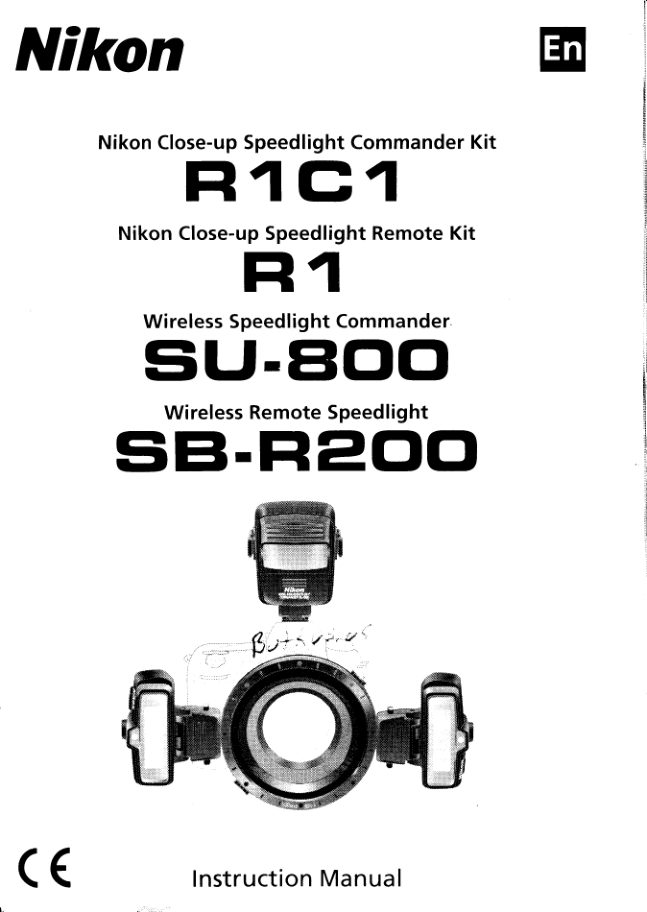
       Nikon Close-upSpeedlightCommanderKit
      FI 1G1
         Nikon Close-upSpeedlightRemoteKit


           WirelessSpeedlightCommander
    SlJ-BOO
             WirelessRemoteSpeedlight
   sEt,Fl 200


( (             InstructionManual
View original page 2Page 3 · Read text
-
                                                         : :
  Beforeusingyourproduct,pleaseread the followingsafetyprecautions
  carefullyand thoroughlyto ensurecorrectand safe use and to help
  preventdamageto yourNikonproductor injuryto yourselfor others.
  For quickreferenceby thosewho use the product,pleasekeepthese
  safetyinstructionsnearthe product.

  In thismanual,safetyinstructionsare indicatedwiththesesymbols:
                Disregardinginstructionsmarkedwiththissymbolcouldresult
   WARNING in personalinjury,or deathand propertydamage A
                Disregardinginstructionsmarkedwiththissymbolcouldresult
   CAUTION  in propertydamage.A

                  for the WirelessSpeedlightCommander IWARNINGS
    SU-800and the Wireless RemoteSpeedlightSB-R200
           lf corrosive liquids seep from the batteriesand get in your eyes,
      immediatelywash your eyes with running water and consult with a
      doctor.Youreyescould be seriouslydamagedif they are not treated
      quickly.
           lf corrosive liquids seep from the batteriesand come in contact with
      your skin or clothes, wash immediatelywith running water. Prolonged
      contactcouldinjureyourskin.
     Neverattemptto disassembleor repair the flash unit by yourself, as this
     couldresultin you receivingan electricshockand couldalsocausethe unit
      to malfunction;such malfunctioncouldleadto personalinjury.
          ff the flash unit is dropped and damaged,do not touch any exposed
       interior metal parts. Such parts,especiallythe speedlight'scapacitorand
     associatedparts,couldbe in a high-chargestateand if touchedcould
     causean electricshock.Disconnectthe poweror removethe batteriesand
     be surethatyou do not touchany of the product'selectricalcomponents,
     and then bringthe flashunitto your localNikondealeror authorizedservice
      centerfor repair.
           lf you detect heat, smoke or notice a burning smell, immediatelystop
      operation and remove the batteriesto preventthe unit from catchingon
       fire or melting,Allowthe flash unitto cool down so thatyou can safelytouch
          it and removethe batteriesThenbringthe unitto your localNikondealeror
      authorizedservicecenterfor repair.


                          www.butkus.us
View original page 3Page 4 · Read text
The flash unit should never be submerged  in liquid or exposed to rain,
    saltwater  or moisture unless  it is properly protected from the liquids                                         I i  l . . : : . l : : : :
    and moisture. Underwater use requires a certified underwater housing.
       lf water or moisturegets inside the unit, this could cause the unit to catch on
     fire or cause an electricshock In such instancesyou should tmmediately        N\
    remove the batteriesfrom the speedlight and then bring the unit to your         T
     local Nikon dealeror authorrzedservice center for repair.                            o
                                                                                                                                                    Eg)     Nole. etectronrcdevrces that are penetrated by water or moisture are often
           nof economrcally reParrable.                                                                        0).+
                                                                                         o
   Do not use the unit in the presence of flammable or explosive gas.
        lf the flash unit is operated in areas where there is a flammable 9as,
    including propane, gasoline and dust, it could cause an explosionor fire
   Do not fire the flash unit directly at the driver of a moving car, as this
    could temporarilyimpair the driver'svision and cause an accident,
   Do not fire the flash unit directly into the eyes of someone that is at
    close range, as it could damage their eyes'retinas Never fire the flash unit
    closer than 1 meter from infants
10 Do not fire the unit while the flash head is touching a person or obiect.
   Suchuse can resultin the personbeingburned,and/ortheirclothes
    ignitingf rom the heatof the f lash'sf iring
ll  Keep small accessoriesout of the reach of children to avoidthe
    possibilityof the accessorybeingswallowedlf an accessoryis
   accidentallyswallowed,immediatelyconsultwitha doctor
12 Use only the batteriesspecifiedin this instructionmanual.Batteries
   otherthanthosespecifiedcouldleakcorrosiveliquids,explodeor catchon
    fireor otherwisenot performsatisfactorily
l3  Non-rechargeablebatteriessuch as manganese,alkaline-manganese
   and lithium batteries should never be charged in a battery charger
   becausetheycould leakcorrosiveliquids,explodeor catchon fire

Symbol for separate collection applicable in European countries
            This symbol indicates that this product is to be collected
            separately The following apply only to users in European
           cou ntries.
                     r This product is designated for separate collectionat an
              appropriate collectionpoint Do not dispose of as household
 I                      . WASIC.For more information,contact the retaileror the local authorities
                  in charge of waste management
View original page 4Page 5 · Read text
Ni,,    :,r:
Nii:,      ,i
Nii      rr
Hi   ,j Foryoursafety
$'.
                   for the WiretessSpeedlightCommander   -SU-800AaoUTtoNS           andtheWirelessRemoteSpeedlightSB-R200
       Do not touch the flash unit with wet hands, as this couldcausean
          electricshock
        Keep the flash unit away from children to prevent them from putting the
          unit in or near their mouth, or otherwisetouching a dangerouspart of
         the product;as suchcontactcouldcausean electricshock
       Do not apply strong physical shocks to the unit, as this could causea
         malfunctionfnatcouldcausethe unitto explodeor catchon fire
        Never use active agents that contain flammable substances such as
         paint thinner,benzeneor paint removerto clean the unit, and never
         store the unit in locationscontainingchemicalssuch as camphor and
        naphthalene,as this coulddamagethe plasticcase,causea fireor cause
        an electricsho\
       Removeany batieries from the unit before storing the unit for a long
         time to preventthe unitfromcatchingon fireor leakingcorrosiveliquids
       Do not point the CommanderSU-800'scommandertransmit window
          directlyinto the eyes of someone at close range,as this can cause
         seriouseye damage.

                      for Lithium Batteries   IwARNINGS
        Neverheat or throw batteriesinto a fire, as this could causethe battertes
          to leakcorrosiveliquids,generateheator explode'
       Do not short-circuitor disassemblethe batteriesbecausethis could
        causethe batteriesto leakcorrosiveliquids,generateheator explode
       Do not install batteriesin the reversedirection as this could cause the
          batteriesto leakcorrosiveliqurds,generateheator explode
       Do not carry or store batteriesalong with metallicmaterialssuch as
         necklacesand hair pins becausesuch materialscouldcausethe batteries
           to short-circurt,leadingto batteryleakage,heatgenerationor an explosion
           In addition,speciallywhen carrying a quantity of batteries,place them
          carefully in a storage case that prevents the battery terminals from
         touching another battery'sterminalsbecauseif theytouch in reverse
         orderit couldalsocausethe batteriesto short-circuit,leadingto battery
         leakage,heatgenerationor an explosion.
                 lf corrosive liquids seep from the batteriesand get in your eyes'
         immediatelywash your eyes with running water and consult with a
          doctor. Youreves could be seriouslydamagedif they are not treated
         q u ickly
                             www.butkus.us
View original page 5Page 6 · Read text
.'f:ir:::,:::::::::: 6    lf corrosive  liquids seep from the batteries and come in contact with
    your skin or clothes, wash immediately with running water. Prolonged                         $iii:.:i:.., ..
    contact could injureyour skin
 7  Always follow the warnings and instructions  printed on the batteries to                              \ i : i , ' ,
    avoid activitiesthat could cause the batteries to leak corrosrveliouids,                     N.\
    generate heat or catch on fire                                                                   -o
  I  Be sure to use only batteries specified in this instruction manual, to                                                                                                                                                                                oa0)    avoid the possibilityof batteriesleaking corrosive liquids,generating heat
    or exploding                                                                                                             g)=.o
 9  Never open the casing surrounding  batteries or use batteries whose                                     f
    casing has been breached as such batteries could leak corrosive liquids,
    generate heat or explode
10 Keep batteries out of the reach of children to help avoid the possibilityof
   them being swallowed  lf a battery is accidentallyswallowed, immediately
    consult with a doctor
| 1  Batteries should not be submerged  in water, exposed to rain, moisture
    or saltwater unless they are properly protected from the wet
   environment. lf water or moisturegets inside the batteries,this could cause
   them to leak corrosiveliquids or generate heat
12 Do not use any battery that appears abnormal in any w?y, including a
   change in color or shape. Such batteriescould leak corrosive liquids or
   generate heat
13 When recycling or disposing of batteries, be sure to insulate their
   terminals with tape.  lf the battery'spositiveand negative terminals
    shortcircuitafter coming into contact with metallicobjects, it could cause
    fire, heat generation or an explosion Dispose of used batteriesin
   accordance with local government regulations.
14 Non-rechargeable batteries should never be charged in a battery
   charger because they could leak corrosiveliquids or generate heat
t5 Remove dead batteries from your equipment immediately, as they could
    leak corrosive liquids, qenerate heat or exolode
 A            for Lithium BatteriesI!\CAUTION
   Do not throw or apply strong physicalshocks to the batteriesas this
   couldcausebatteriesto leakcorrosiveliquids,generateheator explode
  A             for TTL Cord SC-30I!\WARNING
   Neverattempt to disassemble or repair the cord by yourself, as this
   couldresultin an electricshockand couldalsocausethe unitto
   malfunction,whichcouldlead to injury
View original page 6Page 7 · Read text
Foreword

Thank you for purchasingthe Nikon Wireless Speedlight system. To get
the most out of your Speedlight system, please read this instruction
manual thoroughlybefore use. Also read "Close-up Speedlight
Photography Eiamples," a separate booklet that provides an overview of
Speediight flash-shootingcapabilities and contains photographic
examplds. Keep your camera and Speedlight instructionmanuals handy
for quick reference.
f.ii: Main  teatuies  and function_s            .       ___",,
This Speedlightsystem,which featuresthe NikonCreativeLightingSystem.
(CLS),'providesa varietyof wirelessmultipleflashand close-upflashoperations.
ine SpeeOlightsystemmainlyconsistsof the WirelessSpeedlightCommander
SU-800,whichcontrolsflashoutputwhen mountedon CLS-compatiblecameras;
the WirelessRemoteSpeedlightSB-R2OO,which has a guide numberof 1O/33
(lso 100,m/ft.)or14146(lso 2OO,m/ft.);and the AttachmentRingSX-1,which is
used to attachthe SB-R200to the front of the lens.
o WhenusingCLS-compatiblecameras,you can dividethe Speedlightunitsinto
  threegroupsand controlthe flashoutputindependentlyfor each group.
 r Wirelessclose-upflashoperationis possiblewhen the SU-800is mountedon
  a ClS-comoatiblecamerato controlthe SB-R200(p' 65).
o TheSB-R2OOcan be attachedto the frontof the lens,held in your hand,or
  freelypositionedby usingthe SpeedlightStandAS-20,which comeswith
  the unit.
o The SU-BOOfeaturesa Commanderfunctionthat can trigger wirelesslyremote
  flashunitssuch as the SB-R2OOand 58-600withoutfiringitself(p 79)
o Includedwith the kit are a varietyof accessoriesto help you enjoy close-up
  flashshooting,such as the ExtremeClose-UpPositioningAdapterSW-11,
  ColorFilterSet S.J-RZOO,DiffuserSW-12,and FlexibleArm Clip SW-C1'
 . Whenusingthe SU-B0Owith camerasnot compatiblewith CLS,only close-up
  flashoperation(usingcords)is possiblein use with the optionalTTL Cord
  SC-30(p. 10e).


                                     :.!i:.L.-:;       II          www.butkus.us
View original page 7Page 8 · Read text
Nikon Creative Lighting System (CLS)                                            GIr:Hiri
                                                                                                                            $]iSli
 CLSoffersvariousflashshootingpossibilitiesby takingadvantageof the           $:,  improveddigitaldatacommunicationcapabilitiesof NikonSpeedlightsand         R,,.
  cameras.                                                           a
  Themajorfeaturesareas follows:                                                                             1l
                                                                      6
    . i-TTLMode
    Thisis a TTL autoflashmode in CLS.When using the i-TTLauto flash mode,    g
    MonitorPreflashesare fired at all times.The flash outputlevelis adjustedby       of
   measuringthe flashilluminationthat is reflectedback fromthe subject,
    resultingin an exposurethat is less affectedby ambientlight (p. 116).
   AdvancedWirelessLightingr&   Thewirelessmultipleflash operationin TTL (|-TTL)mode can be accomplished
   withClS-compatiblecameras.The remoteflashunitscan be dividedinto
   threegroupsand flashoutputcan be independentlycontrolledfor each group,
   expandingthe rangeof creativemultipleflashshootingtechniques(p. 26).t'ffi. FlashValueLock
 s, FlashValue,or "FV" is the amountof flash exposurefor the subject.Using FV
l#  Loct<with compatiblecameras,you can lock in the appropriateflash exposure
iff  forthe mainsubject.Thisflashexposureis lockedin, even if you changethe
lffi apertureor composition,or zoomthe lens in and out (p 9B).
    . AutoFP High-SpeedSync
   High-Speedflash synchronizationat your camera'shighestshutterspeed is
l$ nowpossible.This is usefulwhenyou wantto use a widerapertureto ensurea
   shallowdepthof field blursthe background(p 96)l$
  Seeyour ClS-compatiblecamera instructionmanualfor detailson the Nikon
  CreativeLightingSystem(CLS).


                                                  7
View original page 8Page 9 · Read text
Foreword

I  Life-long learning
As part of Nikon's"Life-longlearning"commitmentto ongoingproductsupport
and education,continuallyupdatedinformationis availableonlineat the
followingsites:
o For users in the U.S.A.:http://www.nikonusa.com/
o For users in Europeand Africa:http://www.europe-nikon.com/support/
. For users in Asia,Oceaniaand the MiddleEast:http:/iwww.nikon-asia.com
Visitthesesitesto keepup-to-datewiththe latestproductinformation,tips,
answersto frequentlyaskedquestions,and to receivegeneraladviceon digital
imagingand photogiaphy.Additionalinformationmay be availablefrom the
Nikonrepresentativein your area.See the URL belowfor contact information:
http://nikonimaging.com/

                   "Watch and learn!" Digitutor
              http://www.nikondigitutor.com/index-eng.html
 The NikonDigitutorwebsite uses moviesand samplephotosto demonstrate
 the basicfunctionsof the R1C1.
 Usethe Digitutortogetherwith this manualto makethe mostof your R1C1.

$fl Notes
o Default:Functionsand flashmodes presetbeforebeing shippedfrom the
           factoryare referredto as "Default"settingsin this manual'
 o CLS:   Hereafter,NikonCreativeLightingSystemis abbreviatedto CLS.
 r "Camerascompatiblewith NrkonCreativeLightingSystem"are abbreviatedas
  "CLS-compatiblecameras."
 o ln this manual,the WirelessSpeedlightCommanderSU-800is calledthe
  "commandersU-800"or "sU-800"and the wirelessRemotespeedlight
  SB-R2OO,the "RemoteSpeedlightSB-R200"or "SB-R200."
 Symbols used in this manual
 . V    : Denotesimportantpointsto preventmalfunctionor shootingfailure.
 . A    . Usefulpointsthat should be rememberedto betterenjoythe Speedlight.
 . 9    : Providesconvenientreferenceinformationfor usingthe Speedlight
      system.


                        www.butkus.us                                J
View original page 9Page 10 · Read text
r
IContents
 Preparation
  . Foryour safety                                        ...2                                                             Preparation
 r Foreword                                               .......6
  . Tipson usingtheSpeedlight                                      . .12
  . Recommendedcamerasand lenses                              . 13
                                                                  operation                                                            Flash  . Confirm receiptof contentsin yourkit              15                                                    R1C1                                                                   the                                                           using
    Availabtef lashoperationsdependingon each kit
    Contentsvaryaccordingto eachkit
  . Speedlightparts,theirf unctions,and accessories.         . '18  Flashoperation
    SU-800s LCDoaneland icons                 20   usingthe R1
  . Wirelessmultipleflashoperationin the NikonCreative
    LightingSystem(CLS)                       26
                                                          Functionsanduse
 Flashoperationusing the Nikon Close-upSpeedlight         of theSU-800
 CommanderKit R1C1
 (Usedwith Nikon ClS-compatibfecameras)      ....,......27
  r Proceduresfor close-upflashoperation..                       . 28   Functionsanduse
  r Proceduresfor Commanderf lashoperation....          ...38    of theSB-R200
 Flashoperation using the Nikon Close-upSpeedlight        Detailson close-up
 RemoteKit R1                                                    flashoperationand
 (Usedwith Nikon CLS-compatiblecameras)        ........45  shootingprocedures

 Functionsand use of the SU-800                              Detailson
  . SU-BOO'savailablef lashoperations                                                                                                                ,  .  .      \AJ - Ai   Commanderoperationandflash
  . Usingthe SU-800                            55   shootingprocedures
  r Functionsof the SU-800                     5B
 Functionsand use of the SB-R200                           0therfunctions
  . SB-R200'savailableflashoperations                        .  . 60


                                                            accessories

                                                            Flashshootingusing
                                                  SLRsnotcompatible
                                                                  withCL$


                                                         Reference
                                                                inlormation
View original page 10Page 11 · Read text
F    Contents  $F
                Details on close'upflash operation and shooting
               procedures
              (Used with ClS-compatible cameras)
              o Close-upf lashoperation...'...                               "' " ' ' 66
                             . Overviewof close-upflashoperation'.............'  ..." """" 68
                            . Proceduresfor close-upflashoperation          """"'70
                Detailson Commanderflash operation and shooting
              procedures
             (Used with CLS-compatiblecameras)
                            . Commanderflashoperation                          .'."""' B0
                            . Overviewof Commanderflashoperation           ....."'82
                            . Proceduresfor Commanderflashoperation.  .          "' 84

              Other functions
              o Testfiringto confirmexposure                              ..'.'.BB
              o Checkingilluminationbeforetakingpictures
                (modelingillumination)                     .'........'.""'89
              o Usingthe TargetLight(focus-assistilluminator)'.."""""' 90
!              o Autofocusflashoperationin low 1ight........'.'....".........'...'.91
.41                         . Flashoutoutlevelcompensation....        .......".."".'92
                            . Repeating(RPT)flashoperation.."..."..          """"" 93
              o Auto FP High-SpeedSync...                       ......'...96
              o FlashValueLock(FVLock)                        .'........98
               Flash operation using various accessories
I             oo FlashFlashshootingshootingwithwith thecoloredExtremegelfiltersClose-UpPositioning.'..'.".'.100
                AdapterSW-11                                        ..'..'.103
                             . Flashshootingwith the DiffuserSW-12and Flexible
              Arm Clio SW-C1
                             . Flashshootingwith SpeedlightStand
               Flash shootlng using SLR cameras not compatible
                with CLS
              o Overviewof close-upflashoperation(usingcords)'....'.110
               o Proceduresfor close-upflashoperation(usingcords)...112


   1 0                                www.butkus.us
View original page 11Page 13 · Read text
Tipsonusingthe$Peedlight

   Take trial shots
   Taketest photosbeforephotographingimportantevents,such as weddingsand
    graduations.
   Have Nikon regularlyspot-check your Speedlight
    Nikonrecommendsthatyou haveyour Speedlightservicedby an authorized
    dealeror servicecenterat least once every two years'
    Using your SpeedlightcorrectlY
     ffre Nifon Speedlighi'sperformancehas been optimizedtor use with Nikon
   brand camerasand accessortes,includinglenses'
   Cameraand accessoriesmade by othermanufacturersmight not meet Nikon's
    specificationcriteria,and nonconformingcamerasand accessoriescould
    O'"*ug" the Speedlight'scomponents.Nit<oncannotguaranteethe Speedlight's
    oerformancewhen used with non-Nikonproducts


1 2                           www.butkus.us
View original page 13Page 14 · Read text
Recommendedcamerasandlenses

  Recommendedcameras
 Camerascompatible with Nikon Greative Lighting System (CLS)
A varietyof wirelessmultipleflashand close-upflashoperationsusingthe
 SU-800and the SB-R200are availablewith NikonCLS-compatiblecameras.                                                                   s . Referto yourcamerainstructionmanualfor detailson availablecamerafunctions.
  UsableClS-compatiblecameras:D3,D700,D2-Series,D300,D200,DBO,
  D70-Series,D60,D50,D4O-Series,F6,etc.                                                                                                                                                                                                                                                                                                                                                          ll-oo-g)
 &'   Recommendedlenses                                                       ora.f
 MicroNikkorlenses
 MicroNikkorlensesorovidea maximumreoroductionratioof 1:.1or 1:2.These
 lensesofferhigh opticalperformancethat is best suitedto Nikoncameras,
 allowingyou to taketexture-qualitypicturesanywherefrom close-upto infinity.
  AF Micro-Nikkor60mm t/2.8D
  AF-SMicroNIKKOR60mm fl2.8c ED
  AF Micro-Nikkor105mmt/2.8D
  AF-SVR Micro-Nikkor105mmt/2.8GlF-ED
  AF Micro-Nikkor200mmt/4D IF-ED
 Note: The AF Zoom-MicroNikkor70-180mmf/4.5-5.6DED cannot be used with
      the SB-R200attached,as the weight of the flash unit may affectaccurate
     focusino.
  I Usingthe Nikon D70-Seriescamera's Commander mode
 Besureto set the channel numberof the remoteflash unit(s)to 3 and set the
 groupof the remoteflash unit(s)to groupA when performingwirelessmultiple
 flashwitha Nikon D70-Seriescamera'sbuilt-inflash as a Commander,otherwise
 theremoteflashunit(s)will not fire.
 E With SLR cameras incompatible  with CLS
 UsetheTTLCord SC-30(optional)to connectthe SU-800and the SB-R200(p. 109).
 V COOLPIX-Series digital cameras
 TheSU-800and SB-R200cannotbe usedwiththe COOLPIX-Seriesdigital
 cameras(p. 126).
        1"":= *,tn !!=ul"                lf"it:
 Themaximumnumberof SB-R200unitsthat can be attachedto the front of the
 lensandwhichfocal lengthscan be used varydependingon the lensin use.For
 noredetarls,referto "2 Usable lenseswith limitedfunctionswith the SB-R200"
   r 120).
  f t:_n"""ulu""Ot"       t                     tlh
 AFNikkorlenseswith a ring that rotatesduringAF operation.
r*                                          13
rIE                                                                                                                                                                                  ,  '  ,  i  j  . "  .  .  .  .
View original page 14Page 15 · Read text
RecommendedcililterasandlensssF-M Using lensesthat extend and retreatduring AF operation
     Nikkorlensesthatextendand retreatin lengthduringAF operationmay not
     autofocuscorrectly,or may lead to damageof the lensor camera'sautofocus
    mechanismdue to the weightof the flashhead.Therefore,do not perform
     autofocusooeration,but use manualfocus instead.
   M Using an AF Micro-Nikkor60mm tl2.8Dlens
            . Be sure to attach the Dedicated Adapter Ring UR-s (optional)to the AF Micro-Nikkor
     6Omm tl2.BD lens, then attach the SX- 1 to the lens with the Adapter Ring SY-1-72.
   tru-amsY-1-72

    9 Notes on using an AF Micro-Nikkor105mmtl2,8Dlens
      Autofocus operation is possible if you attach the Attachment Ring SX-1 to the AF Micro-
      Nikkor 1O5mmf l2.BD lens using the Adapter Ring SY-1-62


1 4                             www.butkus.us
View original page 15Page 20 · Read text
ii t i: :t  '
                                                                                                                                                                                                                                          ii :i i',i.i

 20                        14
 19                        15
 18                                                                                                                                                                                        tls
 17                                                                                   o
                           16                                          a0)0)
                                                                                                                                                                                                        f.o=
t Controfbuttons on the SU-800
f4 [ON/OFFJButton                   17 Test Button
i Presstoturnthepoweronoroff.                Pressto testfiretheflash(p BB)
i Toavoidaccidentalfiringora malfunctionwhen  18 [<]  (left) Buttoni carryingtheSU-800inyourcamerabag,turn
,  offtheflashunit                                               []l  (right) Button                                      Pressto changethevaluesof theitemsor
15[SEL](FUNC.)button                     settingsthatareblinking    . Presstoselecttheitemsto beset Tne
                                  19 [MODE] Button   selecteditemwillblinkandcanbechanged                                      Pressto settheflashmode   usingthe[{] and[]l buttons
    . Pressforapprox2 sec to displayanother   20 [A-_*B] Select Button
|    )utusettingt tu.                                      Intheclose-upm0de,pressto settheflash
                                           unitsin groupsA andB tofireor to cancelf6TargetLight Button
   . PresstoturntheTargetlight(focus-assist|
   illuminator)(p 89)
   . Pressforapprox.1 sec.toactivateorcancel
   thetargetlight(p 90)

                simultaneouslypressthe [oN/oFF]and IMODE]buttons
                 (two-buttonreset)to resetall settings(selectedby the      rtiGillF'r
               commander/close-upselectswitch)to theirdefaurt
  @6', @*    values.The LCD panelwillblink3 times.

  [ging_the SU-800in low tight
   anybuttonon the SU-800to turnthe illuminatoron (whenthe SU-BOO's
     ison),and it willremainlitfor about16 seconos.
r TheSU-BOO'scontrol button illuminatorcomes on when the camera's LCD panel
  illuminatoris turned on.
r Thecontrolbutton illuminatorgoes out when the shutter is releaseo.


                                                    1 9
View original page 20Page 21 · Read text
Speedlightparts,theirfunctions,andaccessories
 .
   SU-800'sLCDpaneland icons
     lcons on the SU-BOO'sLCD panel show the status of the operations set.
    These icons vary dependingon the settings and the combinationof camera and
     flash units in use
         . The below illustratronsarefor referenceonly and maydifferto the actualdisplay
     lcons in close-upflash operatisn


               (2  {?   tt TT L   FPc-l
                                      A$"nn,n^, i/^q\i /n      cHf
                                      A^,  i /n
        C A , A , i / i h
                 Display in TTL mode                   Display in M (manual)mode
        Wireless Flash                @ Flash Output Level (GrouP B)
       A control signal is sent from the SU-BOO       Visually indicates the group B's flash
         to the remote flash untts such as the           output level in the TTL mode.
      SB-R2OO                                            r'$ Flash Output Level Ratio (Groups A  : B)
       Close-up Mode                              Indrcatesthe flash output level ratio
       Close-uo function is set to "activated."        between grouPS A and B in the TTL
                                            mooe.        Monitor Preflashes
        Just before the f lash f ires,the Speedlight     i10,Channel
         fires a series of imperceptible preflashes      Represents the communication channel
         to collect necessarv data for actual flash      number through which the SU-800 and
                f i r i n g                                SB-R200 exchange data.
       TTL Mode                                          (t1;Flasn Output Level Compensation
       Measuring the f lash illuminationreflected       (Groups A, B)
       back from the subject, the camera            Represents flash outPut level
        automaticallycontrols the flash output         compensation for groups A and B in the
         level to give the correct exPosure,           TTL mode
                 i 5 Auto FP High-Speed SYnc                                it 2,C ts-co m pati ble camera
       Auto FP High-Speed Sync is available       The SU-BOOis connected to cameras
       when the SU-BOOis connected to             compatible with CLS.
       cameras compatible with Auto FP High-      (9 Manual Flash
       Speed Sync (p 96)                      The flash always fires at a specified
               , Low Battery-power                            outout in combination with the aperture
       Replace the battery                       and light output level (guide number)
               , Flash Output Level (GrouP A)           t@ Manual Flash OutPut Level
         Visually indicates the group A's flash          Represents flash output level for each
        outout level in the TTL mode                 orouo in Manual flash mode


20                         www.butkus.us
View original page 21Page 22 · Read text
fu s"sns-inggnm-e-n-.{*e-ffl-?-t"-lt-9p"etet",_en                                                             I::i::::::.:::::,:::$i::: r:l:::::r::::
                                       (O Channel                                                                                                                                                                                                            \ : ! : : : : : : : : : : :
                                         Represents the communicationchannel
                                      number throughwhich the Commander
                                        and Speedlightexchange data.               -U,N
                                             a5)C Ls-com patible camera                    o    ATTL\$-f-Lfr Ev
   B A.^,i\*|*fr                   ThecompatibleSU-800withis connectedCLS.     to cameras                 Eg)g)
     c  / A A $ - - 1 ,                          '-E AF-Assist  llluminator activated              o
                                       The AF-Assist llluminatorcomes on. NO
                                           AF-lLL appears when the AF-Assist
@ WirelessFfash                                                                          l l l u m i n a t o irs c a n c e l e d( p 9 1 )
  A controlsignalis sentfromthe SU-800       i'7, Group
  to theremoteflashunitssuch as the          Representsthe group names and flash
  SB-R2OO                         mode in each group.
@CommanderMode             @ Flash Output Level Compensation
  Commanderfunctionis activated.           Value
@Low Battery-power                        Flash output level compensation value
  Replacethe battery            @ Manual Flash Output Level
                                         Represents flash output level for each
                                          group in Manual flash mode
$' lconsin close-up flash operation (using cords)


                                                  $ A       mR\.wro:"FT I TTL B L                       A nn  l/n
                       B n,n, i /H      W-LR-F:i]

         Display in TTL BL mode              Display in M (manual)mode

QClose-upMode               @ Balanced Fill-Flash
  Close-upfunction is activated.              The flash output level is automatically
@Monitor Pref lashes                            controlled for a well-balanced exposure
  Justbeforethe f lash fires, the Speedlight        of the main subject and background
                                                               '5,   firesa series of imperceptible               Low Battery-power
   preflashes.                              Replace the battery
 0TrL Mode                                         r-6,Flash firing (Group A)
  Measuringthe flash illuminationreflected       Flash unit(s)in Group A fires in the TTL
  backfrom the subject, the camera          mode
   automaticallycontrols the flash output          '7; Flash firing (Group B)
   levelto give the correct exposure.            Flash unit(s)in Group B fires in the TTL
                                      mooe.
                                                    21
View original page 22Page 23 · Read text
.  $peedlishtpr*C;itililiunrtld#*;andt**dffi
ffi
   @ Using Cords              @ Flash Output LevelCompensation
       The SI-AOOis connectedto the SB-R2OO    Value(GroupsA' B)
        usingcords whenmountedon cameras      Indrcatesthe flashoutputlevel
        not CompatiblewithCLS.ThisIndicator     compensationfor groupsA and B in the
        blinksif the SB-R200is not correctly       TTLmode'
        connected.                      C0ManualMode
                                              The flash always fires at a specified
                                                     output in combination with the aperture
                                               and light output level (guide number).
      :+ffilDisplays when blinking          ---  . *-**_ \..r..
                            Indicatethattheseitemscan be adjustedor
                        changed.Stopafterblinkingsix timesunlessan               (2    ,lZ JSiil"i'                           r ! ' ! r        c H    adjustmentis made.
                   n                 " i i i r

           . lconsblinkingalsoindicatewarningand errors
           . Whenthe [ON/OFF]+ IMODE]buttonsare simultaneouslypressed(two-buttonreset)for
       approx.2 sec.,the displayblinksthreetimes(p 19)


     Press any button on the SU-BOOto turn the illuminatoron (when the SU-800's
     power is on), and it will remain lit for about 16 seconds
           . TheSU-BOO'scontrolbuttonilluminatorcomeson whenthe camera'sLCD panel
        illuminatoris turnedon.
           . The controlbuttonilluminatorgoes out whenthe shutterts released.
   V Characteristicsof the LCD Panel
            . Due to the directional characteristrcsof LCDs, the LCD display is difficultto read when
       viewed from above. However, the display can be seen clearly from a somewhat lower
        a n g l e .
            . The LCD display becomes darker at high temperatures (approx.60"C/140'F), but returns
          to normal at normal temperatures (20'Cl68'F).
            . The LCD's response time slows down at low temperatures (approx. 5"C141"Fand below),
         but returns to normal at normal temperatures (20'Cl68"F)


22                             www.butkus.us
View original page 23Page 24 · Read text
I WirelessRemoteSpeedlightSB-R200


                                                                                                               s-u
                                      12      o
                                                                                                                                  E0)
                                                                                                                                         g)=.
                                      13       o=


 ICHANNELIselect dial              10 Terminal cover
 Setsthecommunicationchannelthroughwhich      ClosethecoverwhennotusingtheTTLcord
 theCommanderandSB-R200unitsexchanoe  11 Ready-light
 data(p 35)                           Thelamplightsup in greenwhenthepoweris
 IGROUPIselect dial                   on lt turnsredwhentheSB-R200is fully
 Setsthegroupof theSB-R200(p 36)             recycledandreadyto fire
 TargetLight (Focus-Assist             Thegreenlampblinkswhenbatterypoweris
 llluminator)                          weak.
 Flashhead                        12 Battery chamber lid (p. 30)
 Releasebutton                     13 Light sensor window for wireless
 HolddownandslowlymovetheSB-R200until      remote flash
 itcomesto thedesiredposition,thenrelease   14 Lock switch
 thebuttonto secure(p 31)                   SecurestheSB-R200to theAttachmentRino
 MountingFoot (p. 31)                     (p 31)
 TargetLight Button
 Setsthetargetlightto turnon or off(p 90)
 [ON/OFF]button
 Presstoturnthepoweron or off.
 Toavoidaccidentalf iring or a malfunctionwhen
 carryingtheSB-R200in yourcamerabag,turn
  offtheflashunit
 TTLcord terminal
 ConnectstheSU-800to theSB-R200viaa cord
 whenusedwithcamerasthatarenotcomoatible
 withCLS(p 110)

                                                23
View original page 24Page 29 · Read text
Proseduresforcl;a*,*'up:flas:h'fi*rafionffi"           fnstaflingbatteries in the SB-R200.

                                              {r  Slide open the battery chamber lid                                         in the direction of the arrow.


   @                             -t   Installbatterythechamberbattery,lidthenby slidingclose theit into
                                 place.
                          UseCR123A(3V)lithiumbatteries,
       (ffi)ff
                                  Replacing the battery
                           Whenthe SB-R200'sbatterypoweris
                                weak,the greenready-lightblinksafterthe
                               power is turnedon or afterthe flashhas
                                                                     f ired.
                                                                                            .  Replace the battery.   ffi


30                          www.butkus.us
View original page 29Page 31 · Read text
Procedure$forclo$e-up flashoperationN               5  Adiust the SB-R200'sflash head.                                 The f lash head of the SB-R200tilts 60'
                                    toward the optical axis and 45' in the
                                      opposite direction The flash head can be
                                          set at click stops every 15'


        I  Using the SB-R200off-lens
     u;; il; ilil";   s;;   d;i siil ;s-;oi;;;i  il  il; s;-R;ooatanyrocation(p r07)


32
                             www.butkus.us
View original page 31From the M. Butkus archive. Original publisher and archive notices are retained.
Check the model and edition against your equipment.
PDF verified 2026-10-10.