Flashes & lighting
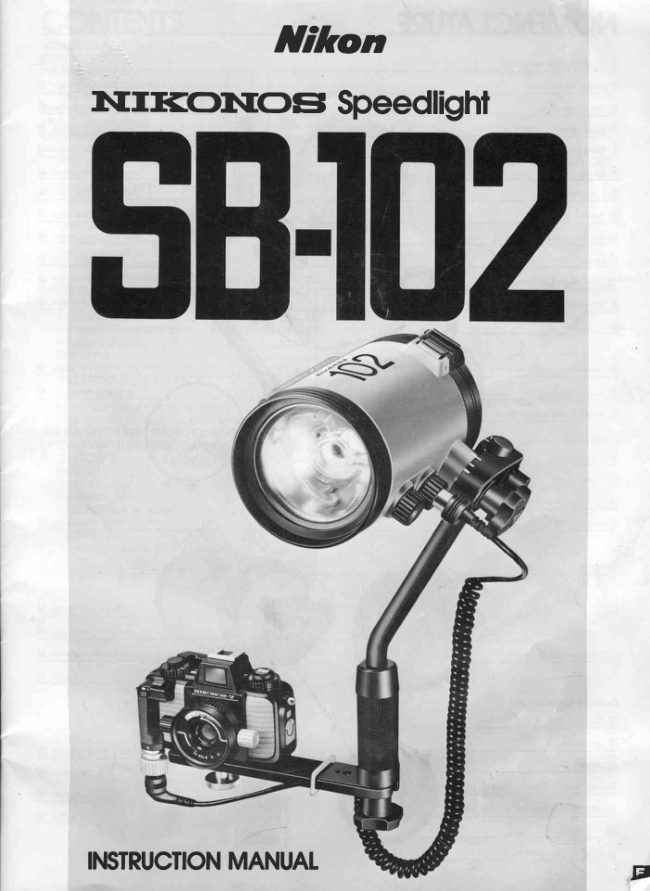
Nikon Nikonos Speedlight SB-102 User manual
User manual for Nikon Nikonos Speedlight SB-102. 36 pages in English. Read the original PDF, download or print a copy without registration.
36 pagesEnglish4.8 MB PDF
Loading your manual…Open PDF directly
Document details
- Brand
- Nikon
- Model / document
- Nikon Nikonos Speedlight SB-102
- Document type
- User manual
- Language
- English
- Pages
- 36
- File size
- 4.8 MB
- Category
- Flashes & lighting
- Document date
- Not specified in catalog
Search available document text
Find a term, then jump to its page in the original PDF. Image-only pages may not be searchable; check the PDF for exact wording and diagrams.
Page 5 · Read text
FOREWORDThe NikonosSpeedlightSB-102,an amphibioushigh-   firingcapabilityfor wirelessmultipleflashphotography,
performanceelectronicflash unit with a silicon-con- and a target-lightfor close-upshootingThetarget-light,
trolledrectifierand seriescircuitry,is designedfor use   positionedin the center of the flash head, shootsa
with the Nikonos-V.NikonoslV-A.and Nikonoslll. The  beam of lightat the subjectto help you aim the flash
SB-102can be submergedto a depth of 50 meters  headat the subject.In additionto the equipmentmen-
(t0O teet) and withstandpressureof up to 6kg/cm2   tioned,a varietyof optionalaccessoriesis availableto
(85 lb/inz),enablingit to be usedin environmentswhere   increasethe versatilityof the SB-102.
regularspeedlightscouldnot be taken.              Eventhoughthis speedlightis extremelyeasyto oper-
In combinationwith the Nikonos-V,the SB-102features  ate, you shouldstill familiarizeyourselfwith the pre-
automaticthrough-the-lens(TTL)flash exposurecon-   paratorysteps and basic operationsexplainedin the
trol. This means the siliconphotodiode(SPD)in the    first two sectionsof this manual.For more detailed
Nikonos-V'sshutterbox readsthe lightpassingthrouEh  information,refer to "CONTROLSlN DETAIL"and
the lensand then automaticallysignalsthe speedlight  "TIPS ON FLASH PHOTOGRAPHY."A few minutes
to turn itselfoff whenthe exposureis correct.Because  wiselyinvestednow will pay off laterin yearsof reward-
TTL flashoffersa wide rangeof useableaperturesand   ingphotographicexperiences.
shootingdistances,depthof field is easyto controland
shootingas closeas 0.3m(1ft)is possible.
With the optionalSensorUnit SU-101,the SB-102can
be used for non-TTLautomaticflash photographyin
combinationwith the Nikonos-V,NikonoslV-A,and
Nikonoslll. In this mode,flashoutputis automatically
controlledby theSU-101.
This speedlighthas the same area of coverageas a
28mm lens. When the Wide-FlashAdaoter SW-102
(provided)is used,the area of coverageincreasesto
thatof a 15mmlens.
The SB-102also featuresmanualcontrolwith three
powersettings("FULL,""M114,"and "M1/16"),slave
PREPARATION
STOP!READTHISNOTICEBEFOREUSINGYOURSB.1O2.THEO.RINGSEALS
MUSTBE EXAMINEDAND LUBRICATEDBEFOREUSETO AVOIDDAMAGING
THESPEEDLIGHT.
This NikonosSpeedlightSB-102uses O-ringsto seal   the accidentaluseof a defectiveO-ring,alwaysdiscard
and waterproofthe junctions between parts. Your   old rings.
 NikonosSpeedlightSB-102shouldnot be considered The channelsintowhichthe O-ringsfit must be free of
waterproofuntilyou have examinedthe user-service- anyforeignmatterandin theiroriginal,smoothlyf inished
 ableO-rings(oneeachfor the batterychambercap@,   condition.lf they are not,the O-ringswill not seat pro-
the sync cord's'll$cameraand speedlightplugs,and   perlyand mayallowwaterto enteryourflashunit.lf any
 the synchrosocket and sensorsocket covers@ @).   channelin your NikonosSpeedlightSB-102becomes
They must be in perfect, undamagedconditionand  damaged,send the unit to a qualifiedtechnicianfor
 properlylubricatedprior to each use. Readthe follow-  servicebeforethe nextuse.
 ing instructionsthoroughlyto familiarizeyourselfwith  Your NikonosSpeedlightSB-102containsa seriesof
 the maintenanceof the O-rings.                     O-rings.Some are factory-installedand cannot be
 Becausethe outersurfaceof your NikonosSpeedlight servicedby you. Once each year,sendyour flashunit
 SB-102has been speciallytreatedto make it water-   to a qualifiedtechnicianso that theseO-ringscan be
 proof,it must be protectedfrom impact.lf it becomes  serviced.Do not attemptto disassemblethe unit and
 damaged,send it to a qualifiedtechnician{or service  servicetheseO-ringsyourself.
 beforethe nextuse.                                       All of the O-ringsin your NikonosSpeedlightSB-102
 YourNikonosSpeedlightSB-102is watertightonlywhen   that can be servicedby you must be examinedat the
 in perfectlyservicedcondition,when all O-ringseals  end of eachdiveday and,if possible,aftereach dive.
 are in perfectcondition,and when all componentsare
 properlyassembledand closed.
 Pay specialattentionto the instructionsfor installing
 the O-ringsbecausethey are what make the Nikonos
 SpeedlightSB-102watertight.For the O-ringsto per-
 form properly,they must be in perfect condition(with
 no cuts, tears, or other imperfections)and properly
 lubricated.lf theyare not,theywill not performproperly
 and may allowwaterto enteryour flashunit.To prevent
                          www.orphancameras.com4
View original page 5Page 6 · Read text
-PREPARATION  continued
Examiningand lubricatingthe O.rings:                tions lf an O-ringis properlylubricated,it willglisten
1. To removethe O-rings,exceptthosein the synchro    andwillnot have"gobs"of lubricanton it.
  socketand sensorsocketcovers,graspthe ringbe-    To ensurethe longestpossibleflash unit life,apply
  tweenyourthumband forefinger.Pinchyour f ingers     lubricantwhenevernecessaryLubricationprotects
  togetheras you slide them in the directionof the     the O-ringsfrom excessivewear; it also makes it
  arrowto createslackin the O-ring.Thengraspthe     easierto attachor removeotherparts.
  slackportionwith your otherhandand pullthe ring   5. Visuallyexaminethe channelsintowhichthe O-rings
   off(seeFig 1)                                                          fit to determinethateachis cleanandsmooth.lf any
  To removethe O-ringsin the synchrosocket and     channelis dirty,cleanit with a non-lint-bearingmate-
  sensorsocketcovers,use the edgeof a creditcard       rial,Coateach channelwith a thin film of lubricant
  or divecard or somethin,blunt,instrument.Never    whilebeingcarefulnotto applytoo much.
  use a knife or other sharp-edgedobject. Pushup    6. Reseatallof the O-ringswithyourf ingertipsby insert-
  on the centerof the coverwith a fingertip(or pointed    ingonesideof the ringintothe channeland holdingit
  object),insertthe card underthe ring,and pullit up      in positionwhilerollingthe othersideof the ringinto
   to liftthe O-ringout (seeFig.2). Do not scratchthe     place(Fig.3).To insertthe O-ringsintothe channels
  O-ringin the process.                                  of the synchrosocket and sensorsocket covers,
2 Visuallyexamineeach O-ringfor imperfections.lf     push up on the centerof the coverwith a fingertip
  any O-ringis damaged(by tears,cuts,or otherim-     (or pointedobject),placethe ringover the channel.
  perfections),discardit immediately.lf anyO-ringhas     then pressit down intoplace Checkthat the O-ring
   dirt,sand,hair,or foreignmatteron it,rinsetheO-ring      is not twistedand that each of its edgesis properly
   in f reshwaterto removeit.                        seated(seeFig 4)
3. Whenlubricatingthe variouspartsof yourflashunit,   7. Checkthe surfaceswhich are oppositethe O-rings
  use only the special non-water-solublesilicone      to determinethat each is clean,smooth,and f ree of
  lubricantsuppliedwith the speedlight.Neveruse     foreignmatter.Cleanand lubricatethe surfacesin
  otherlubricants(suchas Vaseline)whichare water-    thesamemanneras thechannels
  soluble.                                           8. WhenreattachingthepartswithO-rings,be surethat
4 TolubricatetheO-rings,smeara smallamountof the    each O-ringseatsproperlyand securelyAll of the
  specialsiliconelubricanton yourfingertipsand then    O-ringsmustbe properlyalignedand not "pinched"
  gently run each O-ring betweenyour fingertips
  Neverusea brushor similarobjectto applythe lubri-
  cant;smallhairsmay fall intothe channeland allow
  waterto enterthe flashunit Whilelubricatingeach
  O-ring,examineit with your fingertipsfor imperfec-


                                                                                                                                                           \
View original page 6Page 7 · Read text
-PREPARATIONcontinued
Theprecedinginstructionsmustbe performedon each
user-serviceableO-ringprior to each dive day and, if
possible,prior to each dive. By followingthese pro-
ceduresand all other proceduresin this instruction
manual,you will be able to enjoy usingyour Nikonos
SpeedlightSB-102for manyyears
Reminder:An extraset of O-ringsand a tube of lubri-
cantare suppliedwiththe flashunit.AdditionalO-rings                      \
and lubricantare availablefrom authorizedNikon
dealersandservicecenters
The O-ringsand their sealing method
Themethodusedby the O-ringsto sealand waterproof
thef lashunitis shownin the followingillustrations.
Whena low levelof pressureexists(for instance,just
underthewater'ssurface),eachO-ringsealsits groove
by its own elasticforce(seeChartA). Whenthe pres-
sure increases(at greaterdepths),the O-ring'sshape
is alteredand itssealingabilityis increasedto withstand
the greaterpressureThe pressurechangesthe ring
from its original"O" shape(whenlookingat a cross-
sectionalview)toa l'D" shape(seeChartB).                                   O.ringlubricanl
                                    Pressure

                              3-oo-,
Charl A                  Chart B
O Slight compression
                                                                                    O.rings
                          www.orphancameras.com
View original page 7Page 8 · Read text
TIPSON SPEEDLIGHTCARE
     1. After using the speedlightand camera under-      circuitry.lf the batterychambercap must be
      water, rinse them both as soon as possiblein     removedin one of thesesituations,for instance,
      fresh runningwater with the sync and sensor       to exchangebatteries,use a vinylbag to prevent
      cords attached. When the speedlight/camera    wateror saltfromenteringthe unit.
     assemblygets dirty,rinse it thoroughlyin fresh    8. When the speedlightwill not be used for more
      water. lmmediatelyafter using it in salt water,     than two weeks, removethe batteriesto avoid
      rinseit thoroughlyin freshwater to removeany      possibledamageto the unit'selectricalcircuitry
      residue.Otherwise,corrosionmay occur in     causedby batteryleakage.The batterychamber
     minuteplaceslike smallholesor the junctions      of this speedlightis air-tight,so gas may be
       of parts. To preventthis, soak the speedlight/    trapped inside. lf the inside of the battery
     camera assemblyovernightin a basin of fresh     chamber becomes corrodedby leakage,take
      water,then rinse it vigorouslyin runningwater      the unit to an authorizedNikondealeror service
      whilepayingspecialattentionto the joint@, arm      center.
     13, bracketscrew t! , buckles5t, andsimilaroarts    9. To removedirt or fingerprints,wipe with a soft,
     where it is very difficultto removemud or salt.     dry or silicon-treatedcloth. Never use thinner,
       Finally,dry the speedlight/cameraassemblywith     benzine,or alcoholbecausethey may damage
     a softcloth-never by heating-before removing     plasticparts.To clean the Wide-FlashAdapter
      the syncand sensorcords.Be sureto wipe away     SW-102,wash it with soap and water. Never
     any drops of water that may have speededin     usea brush.
     pastthe O-ring.                             10. lf this speedlightis frequentlyused underwater
    When the unit is completelydry, check the      (especiallyin salt water or dirtywater),take it to
      O-rings.lf any of themis scratchedor damaged,    an authorizedNikondealeror servicecenterfor
     immediatelyreplaceit with a new one by follow-     inspectionon a regularbasis.
      ingthe proceduresin "PREPARATION."       11. lf the speedlightis droppedor bumpedagainst
       All movingpartsshouldbe lubricatedto prevent     a hard surface,take it to an authorizedNikon
     corrosionand facilitateattachment.Applylubri-     dealer or servicecenter for insoectioneven if
      cantsparinglyandbe sureto wipeoff anyexcess.     thereis no surfacedamage.
    When the speedlightwill not be used for some   12.After usingthe speedlight,attachthe dust-proof
      time,storeit in a cool,dry,cleanplacewith the      plasticcaps to the sync and sensorcord plugs
      batteriesand batterychambercap removed.         to protectthemfrom damage.
    2. Never submerge the speedlight in water with
      the sync or sensor socket cover removed, or
            rral   lha   errna    art  eatteatt    arrrr{   nlrrrrc    rrral   Ahrrarro
View original page 8Page 11 · Read text
BASICOPERATIONS-confinued


tltl  Insertfhe joint plote       Lockfhe joinf.          .l?  Loosenthe joinf                                                                                                     '                                                                                     rr'r  '                t2                                       Alignthe flashheadposition-                                                               tever 09.   "  info the joinl collor q?.
Whileholdingthe base of the joint   ing index@ withthe "normal"posi-  Turn the joint lever counterclock-
knobagainstthe joint,slidethe joint   tion mark on the flash head posi-  wiseas far as it will qo to loosenit.
plateinto the joint collaruntil it is   tioningscale,then turn the joint
fullyseated.                  knob clockwiseuntil the joint is
oWhen inserting the joint plate into the joint   lockedin position.
  collar, be sure the f lat edges of the ioint plate     .See page 18 for informatton about removing
  remain parallel to the flat edges of the ioint        the ioint


                                                                                              lv'                                            tv'14' Inserllhe orm @,info   .15  Positionthe orm.      tA  Lockthe orm,                                      Align the arm positioning     the ioinf.                                                          After aligningthe arm posi-Insertthe arm positioningscrew t0   screw with the arm positioning tioningscrewwiththe arm position-
into the slot in the joint.The arm   indexaaon the joint by turningthe   ing index,turnthe jointleverclock-
can be insertedfrom eithersideof   arm 90".                       wise as far as it will qo to lock the
the joint. The normal positionis                             arm intoposition.
shownin the ohoto                                                                      o Normally, the joint is locked aI the top of the
                                                                                   arm
                                                                                                 .Before  diwng. be sure the ioinr knob and
                                                                                                                               joint lever are locked tightly


                          www.orphancameras.com
View original page 11Page 13 · Read text
BASICOPERATIONS-continued


,,   Connect the sync     Check the O-ring: Before con-   ,"   Removethe synchro                                                                           -r'r--r                                                                                                                            ,     cord rslo lhe           necting the camera plug to the                                                      socket covgr                                                                                     9,.                            camera,examinethe plug'sO-ringcomero.                                                 Turn the synchro socket cover                                      for dustand scratchesand be sure                                                            counterclockwise,then pull it up.Removethe dust-proofplasticcap                                                          it is properlyseatedand lubricated
from the sync cord's cameraplug        . Do nol apply excesstve force to the sync (silver).Insertthe cameraplug in     cord s camera plug. and avord twisttng lhe
the camera's f lash socket after     cord as much as possrb/e
aligningthewhiteindexon the f lash
sync socketwith the red indexon
 thecameraplug.Whenthe camera
 plugis inserted,turnitslockingring
clockwiseas far as  it will qo to
securethe plug.


                                       the                                           O-ring:Before                                                   connect-     Connect the sync     Check                                                     Confirmthe posifion                                                           ,1                                                                  alt                                                 plug                                                               to the24'                                  ing the                                        speedlight     cord to the SB-'102.                                     of the floshfreod.
Removethe dust-proofplasticcap   speedlight,examine the plug's  Confirmthat the arm positioning                                O-ringfor dust and scratchesandfrom the sync cord's speedlight                              screwis alignedwith the arm posi-
plug(black) Insertthe speedlight be sure it is properlyseatedand   tioningindex,the flashhead posi-
plug into the synchrosocketafter   lubricated.                      tioningindex is alignedwith the
aligningthe synchrosocketindex    .To keep the sync cord out of the way while   "normal"oositionmarkon theflash
  r with the red indexon the speed-     shooting,f astehing hanger.attach  it to the hook of the cord   head positioningscale, and the
 lightplug.Whenthespeedlightplug                                     flash head is facing in the same
 is inserted,turn its lockingring                                   directionas the camera'slens.lf
clockwiseas far as  it will qo to                                    the arm positioningscrew is not
 e o ^ r r r o    t h o  n l r r n                                                    properlyaligned,loosenthe joint
                                                                   lever to repositionit. lf the flash
                                                       head positioningindex is not pro-
                                                                   perlyalignedloosenthe joint knob
                                                                          to repositionit
                                                                                         .See page 18 for intormation about position-
                                                                                                        ing the  flash head  for close-up shootrng
                          www.orphancameras.com        within approximately 1m (3 3ft)12
View original page 13Page 16 · Read text
I
                                                                                 g


B-5.Select an f/stop with the      rangeis f rom0.6m (2ft)to a m ( 13ft).   8-6. Set the selectordiat on
exposurecalculationdial.              .Ihe  c/osest shooting distance for non-TTL   the SensorUnit SU.101.
Select an aperture by using the     automaticoperationis 0 6m Qft) regardless  Setthe indexon the selectordialto
                                                 the                                                             film                                                             whether                                                speed                                                     andnon-TTL auto shooting aperture     of                                                                                or not the   eitherthe pinkcircleQ or the green                                                    lash                                               wide-f                                                                                 is                                                    adapter                                                             being                                                            usedscale€! and non-TTLauto shooting                                 square!to correspondto thecolor
apertureindex€9.                                                         of the aperture selected in Step
For example,when the shooting                                  B-5. For example,if you selected
situationmark (e     : underwater                                           f/4 in Step 8.5, set the indexto the
photography)issetto ASA/lSO100,                                   pinkcircle.lf you chosef/8, set the
the non-TTLauto shootingaperture                                 indexto the greensquare.
index is oppositethe f/B on the
greenscaleand the tl4 on the pink
one. These then are the useable
f/stops.At f/8, the useableflash-
to-subjectdistance range is from
o.6m(ztt)to 2m (6.6ft).At f/4,the
useable flash-to-subiectdistance


                                                                                       -e"

B-7.Set the f/stop on the lens.         Turnon lhe floshunit.                                                                      tIn the photograph,f/B is set.    29                                   Turnoowerswitchto "ON." 30.                                         rAs soon as you turn on the SB-102 when   As soonffil8l$,i'^Tas the flash ready-light
                                           using the Nikonos-V,the shutter speedLED    lights,the SB-102is readyto fire.                                                   indicator inside the viewfinder will blink if
                                             the shutter soeed/modeselector dlal ls sel   Exceptfor the Nikonoslll, if the
                                                   at "A," or at any shutter speed from 1/1000  camerayou are usinghas a view-
                                                   to 1/30sec. As soon as you turn on the    finderready-light,it will lightwhen
                                      SB-102 when using the Nikonos lV A, the   the SB-102is completelyrecycled.                                             viewfinder LED turnsotf                                                         Note that with the Nikonos-Vand                                            .For normalshooting,the IS switch should
                                      be in the "OFF" pcsition For information  NikonoslV-A,the exposuremeter
                                         about the I-S swilch, see pages 29 to 30      must be turnedon to activatethe
                                                                viewfinderready-light.
View original page 16Page 18 · Read text
CONTROLSIN DETAIL
                                                                              SensorUnitSU-101
              Nlkonoslll                                                              attachedto the
                                                                                          bracketwith the
                                                                                     sensorholder.


Brockef@
As indicatedin the diagramthere are two positionsfor    in the sensor holder:then screw the knob clockwisc
the bracketscrew @: one for Nikonos-Vand Nikonos   untilit is tight.
lV-Aand anotherfor the Nikonoslll. To repositionthe   The small hole on the undersideof the bracketis the
bracketscrew,unscrewit, then screw it back into the    tripodsocket@.
hole or the threadedend of the bracketslot @. Once   oWhen the bracket and arm are attached to the Nikonos lV-A,certain
screwedintothe bracketslot,the bracketscrewcan be       optical finder models fsr older UW-Nikkor 15mm f/2.8 /enses cannot
movedto any position.                                    be attached. lf this presents a problem for you, authorized Nikon                                                                      dealers and service centers can perform the necessary modification.The largerhole in the centerallowsthe sync cord to be
connectedthroughthe bracketto the Nikonoslll.
Thesmallholethatgoescompletelythroughthe bracket
is the sensorholdersocket @. When a plasticframe
finderor opticalunderwaterviewfinderis mountedon
the camera's accessory shoe, the optional sensor
holderis used to attachthe SensorUnit SU-101to the
speedlightbracket.To attach,align the sensorholder
positioningpin @ on the top of the bracketwith the hole


Arm @
Toattachthe arm to the joint@, insertthe arm position-  tioningpins in the two indentationson the bracket,and
ing screw @ into the slot in the joint from eitherside.   turn the arm knob clockwiseas far as it will go to lock
Alignthe arm positioningscrewwith the arm positioning  the bracketintoposition.The correctarm/bracketposi-
index@ on the joint by turningthe arm 90o.After align-   tion is with the two washerson the undersideof the
ing the arm positioningscrew with the arm positioning  bracket,the rubberside of the bracketfacing up, and
index,turn the joint lever@ clockwiseas far as it will go   the flat sideof the grip perpendicularto the bracket.
to lock the arm into position.Whenthe arm is attached
in this manner,the speedlight'saxis will always inter-
sectwith the lens'sopticalaxis,evenif the flashheadis
moved up or down on the arm. (Normally,the joint is
lockedat the top of the arm.)Beforediving,be surethe
jointknob@ andjoint leverare lockedtightly.
To attachthe arm to the bracket,turn the arm knob @
counterclockwiseas far as it willgo to loosenit (thetwo
bracketpositioningpinson the bottomof the grip @ will
be visible).Slidethe open end of the bracket between
the arm knob and the grip, seat the two bracketposi-

                                                                                17
View original page 18Page 19 · Read text
CONTROLSlN DETAIl-confinued
 @  @ @ €,


Joint@                                                     To detach
Thejointconnectsthe arm to the speedlightand allows   tioningscale.The "normal"positionis usedfor shooting.
the flashhead to be positionedas requiredfor various  between1m (3.3ft)and infinity.For close-upshooting
shootingsituations.                                 withinapproximately1m (3.3ft),loosenthe joint knob,
The arm can be insertedfrom eitherside of the joint,   pointthe f lashheadtowardthe subject,thentightenthe
the normalpositionis shownin the photo.When using   jointknob.In additionto the "normal"positionmarkon
two SB-102Speedlightsand the optionalDoubleFlash   thef lashheadpositioningscale,"0.6m(2l0" and "0.3m
Bracket,insertthe arm that is nextto the camera'sfilm    (1ft)" positionmarks@ Og-lare providedfor use when
advanceleverintothe jointf rom the directionopposite  shootingsubjectsat these distances.However,when
thatshownin the photo.(Flashheadpositioningscales   the flashheadis not in the "normal"position,the joint
are providedon bothsidesof thejoint.)              mustbe attachedto the too of the arm.
Thejointleverallowsthe f lashheadto be turnedon the   For informationaboutusingthe target-lightto position
arm'saxisand movedup or downthe arm as required.  the flashhead,see page29.
The joint knob is usedto adjustthe angleof the flash
head(theangleof intersectionbetweenthe speedlight's To detach the joint from the speedlight,turn the joint
axisandthe lens'sopticalaxis).Thenormalangleof the   knobcounterclockwiseand slidethe joint plateout ol
flashheadis with the flashheadpositioningindex@ at   thejointcollarwhilepullingthejointknob.
the "normal"positioningmarkO on the flashheadposi-

Close-UpShootingin the Non-TTL
Automotic Mode
Whenusingthe SB-102in the non-TTLautomaticmode
for close-upshootingwithinapproximately1m (3.3ft)to
0.3m (1ft),the flashheadshouldbe pointeddirectlyat
the subject.Exposurecompensationwill be necessary,
though,to preventthe subjectf rom beingoverexposed.
As a rule of thumb,choosean aperture112to 1 step
smaller(numericallylargerf-numbers)than indicated
by the exposurecalculationdial.Of course,the exact
amountof exposurecompensationdependsupon the
shootingsituation,so additionalcompensationmay be
required.
Todeterminethe exactamountof exposurecompensa-
tion requiredbeforegoingto the actualshootingloca-
tion,test-shootin a locationwith conditionssimilarto
thoseof the actualsituation(similarwaterquality,sur-
roundings,subjects,and so on). lf the conditions
change,the amountof the exposurecompensationwill
need to be changedcorrespondingly.Naturally,data
calculatedon landwill not be applicableto underwater
photography.


                           www.orphancameras.com
18
View original page 19Page 20 · Read text
SYItN@HHIO


     SynchroSocket @
      To connectthe sync cord @ to the speedlight,remove   cord is not beingusedor the speedlightis beingwashed
       the synchrosocketcover @ by turningit counterclock-  with the sync cord removedfrom the synchrosocket,
      wise and pullingit up. Removethe dust-proofplastic   attachthe synchrosocketcover to protectthe socket,
      cap from the sync cord's speedlightplug @ (black).  Toattachthe socketcoverpressit againstthe socketto
       Insertthe speedlightplug into the synchrosocketafter   seatthe O-ring,then turn the lockingring clockwiseas
       aligningthe synchrosocketindexO with the red index   far as it willgo.
      on the speedlightplug.When the speedlightplug is        . Tosimplify identification,both the tip of the sync cord's speedlightplug
       inserted,turn its lockingring clockwiseas far as it will    and the insideof the synchrosocketare color-codedyellow
      go to securethe plug.
      Never submerge the speedlight in water with the
       synchro socket cover removed or get the sync cord
       plugs wet. Alwaysmakesureeitherthe synchrosocket
      cover or the sync cord plugs are securelyattached
      beforeenteringthe water.
       After shootingunderwater,wipe off any water droplets
       with a soft cloth before removingthe plug to prevent
      water from enteringthe socket.Wheneverthe sync


               SEt\l->,,JnJ


    SensorSockete
      To connectthe sensorcord to the speedlightfor non-   cord is not beingusedor the speedlightis beingwashed
     TTL automaticflashcontrol,removethe sensorsocket   with the sensorcord removedfrom the sensorsocket.
      cover@ by turningit counterclockwiseandpullingit up.   attach the sensor socket cover to protect the socket.
     Removethe dust-proofplastic cap from the sensor  Toattachthe socketcover,pressit againstthe sockettoIt     cord's speedlightplug (black).Insert the speedlight  seatthe O-ring,then turn the lockingring clockwiseas
       plug into the sensor socket after aligningthe sensor   far as it willgo.
      socket index @ with the red index on the speedlight  oTosimpliftyidentification,both the tip of the sensor.cord's speedlight
       plug.Whenthe speedlightplugis inserted,turn its lock-    plug and the insideof the sensorsocketare color-codedblack
       ing ringclockwiseas far as it will go to securethe plug.
      Never submerge the speedlight in water with the
       sensor socket cover removed or get the sensor cord
       plugs wet. Alwaysmakesure eitherthe sensorsocket
      cover or the sensorcord plugsare securelyattached
      beforeenteringthe water.
       After shootingunderwater,wipe off any water droplets
       with a soft cloth before removingthe plug to prevent
      water from enteringthe socket.Wheneverthe sensor

                                                                                                      19
View original page 20Page 21 · Read text
CONTROLSlN DETA|L-continued


                                           Mountingthe SU-101on the camera:Turnthe sensorSensorUnitSU-'|0'l(Optionol)
In combinationwith the optionalSensorUnit SU-101,  unit'slockingwheelcounterclockwiseas far as it will
the SB-102providesnon-TTLautomaticflashexposure  go, slip the unit's mountingfoot into the camera's
control.With the SB-102'sshootingmode selector  accessoryshoe,and turn the lockingwheelclockwise
switchrz at "AUTO,"the SensorUnitSU-101readsthe   to tightenit.
lightreflectedback from the subjectwhile the speed-  Mounting the SU-101on the bracket: Insert the
lightis firingand tells the speedlightto turn itselfoff   sensorholderpositioningpin ro on the bracketintothe
whenthe lightoutputis sufficientfor correctexposure.  sensorholder,then screw the sensorholder'sscrew
The selectordial on the back of the SU-10'1allowsone   into the sensorholdersocket 1! on the bracket.To
of two aperturesettingsto be selected.               attachthe SU-l01to the sensorholder,followthe same
                                            proceduresas when attachingthe SU-101to theNormally,the SU-101is attachedto the camera's
accessoryshoe.However,when a plasticframefinder  camera'saccessoryshoe.
or opticalunderwaterviewfinderis mountedon the   Operatingthe SU-101:The two-positionselectordial
camera'saccessoryshoe,the optionalsensorholderis   on the backof the sensorunitmustbe set accordingto
usedto attachthe SensorUnitSU-101to the speedlight  the instructionsin Step 8-6 (page 15).To obtainthe
bracket.                                         correctexposure,positionthe sensoras close to the
                                                 lensas possible.
                                                                                                                                             . For more information about non-TTLautomatic operatron, see page 24

                         SynchronizqtionSpeed
                           Theshutterspeedat whichtheSB-102synchronizeswith
                               a cameradependsuponthe camerabeingused.The
                                  tableshowsthef lashsyncspeedsof variouscameras.
                              Both the Nikonos-Vand NikonoslV-Acamerasauto-
                                 maticallyswitchto the propersynchronizationspeed
                         whenthe SB-102'spowerswitchis turnedon;whenthe
                                switchis turnedoff, theautomaticswttchoverfunctionis
                               canceled.For convenience,the SB-102providesinfor-
                              mationandwarningsthroughthesecameras'viewfinder
                                  ready-lights.
                                                     .Aperture-prioilty automatic exposure mode ("A")  operation on the
                                              Nikonos-Vand Nikonos lV-A rs canceled when the SB 102 ts turned on
                                           To determine the correcl aperture, use the S8.702's exposure calcula'
                                                         tion dial(see page 22)


                               1/1000to 1/125sec                           Cor r ecl shulter speed blinks- -
                   1/90 sec or slower
                                   1/60to 1/30sec

                                                                         LED does not lighl
  NikonoslV-A-  1/90sec or slower                                                           TTL inoperable
                        M ( 1 / 9 0s e c ) o r B
                       .1  N ik ono sl l l        /60 sec  or slower
  ' When batteriesin the Nikonos-Vor NikonoslV-Aare exhausted,resetthe Nikonos-Vs shutterspeed/modeselectordial to M90(1/90 sec ) or B
   ( B u l b ) . o r t h e N i k o n o s t V - A ' s s h u t t e r s p et oeMd d( 1i /a9l 0 s e c ) o r B ( B u l b )T T L a u t o m a t i c f l a s h c o ni st nr ooll p o s s l b l e w h e n t h e N i k o n o s - V i s
  in the M90 or B modes
-.ThisindicateslhecorrectshutterspeedasdeterminedbythesubieclsbrightnessandtheaperturesettingAlthoughlhisrsnotaspeedlight
    f unction.it is helpful when ustngdaylightfill-in tlash shooting
View original page 21Page 22 · Read text
ShootingMode Selector@
                                         The shootingmode selectorlz has five click-stopset-
                                                      tings.Theshootingmodesthatcan be usedwithspecific
                                         camerasare listedon page28.
                                              "TTL" position-TTL (through-the-lens)Automatic
                                               Flash Mode
                                                Thismode,whichcan be usedonly in conjunctionwith
                                                 the Nikonos-Vcamera,automaticallycontrolsthe flash
                                           exposureThrough-The-Lens(TTL).In this mode,the
                                              Nikonos-V'sSPD (siliconphotodiode)reads the light
                                             passingthroughthe lensand automaticallysignalsthe
                                         SB-102to turn itselfoff when the exoosureis correct.
                                         Becausethe rangeof useableaperturesis larger(from
                                                      fl2.Bto tl22 when usingASA/lSO100 film) than with
                                          non-TTLflash,you can shootat a varietyof flash-to.
                                                subjectdistances.The fartherthe subject,the more
                                                          lightemittedby the flashunit; the closerthe subject,
                                                 the lesslightgivenoff. In addition,theTTL modemakes
                                                  daylightfill-inflash and close-upphotographyeasier
                                              thanever
                                                       oThe useablefilm speed range for TTLoperationrs f rom ASA/lSO25 to
                                                          400 For informationabout the aperturesthat can be used at various
                                                                                film speeds,seepage 23
                                                             tTTLooerationis not possib/ewith Ihe NikonoslV-Aor lll or when the
                                                              Nikonos-V'sshutterspeed/modesetectordial is set at M90(ttg)sec )
                                                                     or B(Buto)
                                                        cEven if the Nikonos-y'sshulter speed/modese/eclor dial rs set f ronr
                                                                 1/30 to 1/1000sec,,TTLoperationis not posslb/ewhen the sync cord
                                                                                        ls nol securely connected, the ASA/ISOfilm speed ls set beyond
                                                     ASA//SO400,or the batteriesare comoletelvexhausted


"AUTO"- Non-TTLAutomatic Flash Mode         "MFU LL","M114"and "M1/16"- ManuaIFlash
When the optionalSensorUnit SU-101is used,this   Modes
mode providesnon-TTLautomaticflash operation.In   Manualcontrolis very convenientwhen the correct
thismode,the sensorunitreadsthe lightreflectedback   exposurecannot be obtainedthroughnon-TTLauto-
from the subjectwhilethe speedlightis firingand tells   maticoperation.The SB-'102has three manualcontrol
the speedlightto turn itselfoff when the lightoutputis   modesfor selectionaccordingto the camera-to-subject
sufficientfor correctexoosure.The selectordialon the   distanceand the shootingsituation.The guidenumbers
backof the SU-101allowsone of two aperturesettings  are GN 32 (16)at the "MFULL"position,GN 16 (8) at
to be selectedaccordingto the flash-to-subjectdistance  "Ml14,"andGN B (a)at "M1/16"(whenusingASA/lSO
andthe shootingsituation.                      100 film.The guide numbersin parenthesesare for
o ln both the TTL and non-TTL automatic  f lash modes, the SB-102 emits   underwaterphotography).To determinethe correcl
 amounts  of  light suffrcient  for subjects having average  reflectivrty.   aperture,use the exposurecalculationdial or perform
  Therefore,                       may             correct                  exposure                                    not be obtainable if the sublecl's    the calculationsyourself(seepages25 to 2d.  reflectivity                is                               high              extremely                       low or


                          www.orphancameras.com
                                                                                        21
View original page 22Page 23 · Read text
CONTROLSlN DETA|L-continued


ExposureColculolion Diol @              Removingthe ExposureCalculationDial:
In flash photography,which aperturescan be used is  Removethe exposurecalculationdialscrew 23by turn'
closelyrelatedto the flash-to-subjectdistance.To deter-   ing it counterclockwisewith a coin,then pull up on the
minethe useableapertures,alignthe shootingsituation  dial.
markon the exposurecalculationdialwith the ASA/lSO  To re-attachthe dial,correctlyalignits centernotches
film speedin use,find the flash-to-subjectdistanceon   with the mountingnotcheson the back of the flash
the distancescale,then followthe correspondingdis-  head and push down on the dial, Insertthe exposure
tancelineup to the aperturescale.                    calculationdial screwand turn it clockwiseas far as it
The dots on the ASA/lSOfilm speedscale indicatethe   willqo.
followingintermediatesettings:
 ASA,ISOfllm speed scale


.The exposurecalculationdial can be removedto clean sand or other
 foreionmatter f rom behindit


TTLAulomolic FloshControl               Example1:
 In TTL automaticflashphotography,the useableaper-  When the shootingsituationmark A   is oppositethe
turesare from tl2.Bto fl22 (whenusingASA/lSO100   100on the ASA/lSOfilm speedscaleand you want to
 film),althoughthe actualrangefor a specificshooting  shootat f/5.6,you can take picturesof subjectslocated
 situationdependsupon the flash-to-subjectdistance.  between1m (3.3ft)and5.6m(ta.+tt)
The actualrangesfor specificsituationscan be easily   In the samemanner,whenthe shootingsituationmark
determinedwiththe exoosurecalculationdial.             <tl is oppositethe 400 on the ASA/lSOfilm speedscale
                                          and you want to use f/5.6, you can shoot subjects
                                               locatedbetweenO.7m(z.gtt)and4m (tg.t tt).
                                               Beforeyou selectan apertureto use, alwaystake the
                                                   flash-to-subjectdistanceintoconsideration.Toincrease
                                                 the flash-to-subjectcouplingdistanceas much as pos-
                                                       sible, select a larger f/stop (a numericallysmaller
                                                f-number).In the oppositecase, close-upshooting,
                                                   selecta smallerf/stop(a numericallylargerf-number)
View original page 23Page 24 · Read text
Example2:                                Example3:
Whenshootinga subjectunderwaterat 4m (tgtt)witn-  When shootinga subjecton land at2m (6.6ft)without
out the wide-flashadapterwhile using ASA/lSO 100   the wide-flashadapterwhile using ASA/lSO 100 film
film,you mustuse112.8.                        and you want the largestdepthof field possible,select
When severalf/stops are useableat a specificflash-   f/16.lf you want to minimizerecyclingtime as much as
to-subjectdistance,make your selectionby takingthe   possible,selecttl 2.8.
desireddepthof fieldand speedlightrecyclingtime into   In the TTL automaticmode, the SB'102'suseable
consideration.                             ASA/lSOfilm speedrange is from ASAiISO 25 to 400,
                                                                   its useableaperturerangeis f rom t12.8to t|22, and its
                                                    flash-to-subjectcouplingdistancerange is from 0.3m
                                                                           (t tt)to 22mQ2.2ft).However,the relationshipbetween
                                                  the useableaperture range and the flash-to-subject
                                                 coupling distance range varies according to the
                                         ASA/ISOspeed of the film in use, the type of photo-
                                             graphy(on landor underwater),and whetheror not the
                                                  wide-flashadapteris beingused.


TTL Auto ShootingRange                                                                                        Unit:m(lt)


      2.8                              4 to 22 (13to 72)      3 to 16 (9.8to 52)     2 to 11 (6.6to 36)     1.4to I (4 6 to 26)
        4    2.8                       3 to 16 (9.8 to 52)     2 to 11 (6.6to 36)     1.4to 8 (4.6to 26)     1 to 5.6 (3.3to 18)
      5.6         2.8                 2 to 11 (6.6to 36)     1.4to I (4.6to 26)     1 to 5.6 (3.3to 18)     0.7 to 4 (2.3to 13)
       8     5.6    4    2.8           1.4to 8 (4.6to 26)     1 to 5 6 (3.3to 18)     0.7 to 4 (2.3to 13)    0.5 to 2.8 (1.6to 9.2)
        1 1     8      c o      4    2.8    1 to 5.6 (3.3to 18)    07 to 4 (2.3to 13)    0.5 to 2,8 (1.6to 9.2)    0.3 to 2 (1 to 6.6)
       1 6     1 1     8     5.6    4      0.7 to 4 (2.3to 13)    0 5 to 2.8(1.6to 9.2)    0.3 to 2 (1 to 6.6)     0.3 to 1.4(1 to 4.6)
      22             t o     11         x     5.6   0.5 to 2 8 (1.6to 9.2)    0 . 3 1 o 2 ( t1o 6 6 )     0.3 to 1.4(1 to 4.6)     0.3 to 1 (1 to 3.3)
                  zz     16     1 1     8      0.3 to 2 (1 to 6.6)     0 3 to 1.4(1 to 4.6)     0 3 t o 1 ( 1 1 o 3 . 3 )    0.3 to 0 7 (1 to 2.3)
                 22             t o      1 1    0.3 to 1 4 (1 to 4.6)     0.3 to 1 (1 to 3.3)     0.3 to 0.7 (1 to 2.3)    0.3 to 0.5(1 to 1.6)
 'These figures should only be used as a guide because flash-to-subiectcoupling distanceranges are affected by the existingconditions
 (water quality,surroundings,sublects,and so on) For best resu/ts, test-firethe flash belore actually shooting.
                         www.orphancameras.com
View original page 24Page 25 · Read text
CONTROLSlN DETA|L-continued


Non-TT[Aulomofic FloshControl            Example:
Whenusingthe optionalSensorUnit SU-101,you can  WhenshootingunderwaterelwhileusingASA/lSO100
selectone of two useableaoertures.                      film,the useablef/stopsindicatedon the non-TTLauto
The useableaperturesvary accordingto the ASA/lSO  shootingaperturescale are 114and f/8. Usingthe aper-
speedof the film in use, but they can be easilydeter-   ture scale, distancelines, and distancescale, the
minedwiththe exoosurecalculationdial.                flash-to-subjectcouplingdistance ranges are deter-
When the correct shootingsituationmark is aligned  minedto be from 0.6m (2ft) to 4m (tS.t tt) lor il4 and
withthe correctspeedon the ASA/lSOfilm speedscale,  from 0.6m (2ft) to Zm (0.0tt)for f/8. Therefore,when
the non-TTLauto shootingapertureindex@ abovethe   the subjectis beyond2m (6.6ft),you must select f/4.
shootingsituationmark indicatesthe useableapertures  When the subjectis within2m (6.6ft),you can choose
(color-codedgreen and pink) on the non-TTLauto   eitherll4 and f/8. lf largerdepthof field is desired,use
shootingaperturescale.                                     f/8; if shorterrecyclingtime is preferable,selectf/4.
To obtainthe correctexposure,chooseone of the two  Rememberto set the sensorunit'sselectordial to the
useablef/stopsand set the indexon the sensorunit's  same color-codedposition as the aperture on the
selectordialto eitherthe pinkcircleor the greensquare  exposurecalculationdialyouhaveselected.
to correspondto the color of the apertureselected.
Beforedoingthis rememberto takethe flash-to-subject
distanceintoconsideration.

                                       Non-TTLAuto ShootingRange                                                                                                                             Unit: m (lt)


                                                                               O(pinkcircle)     0.6 to 8 (2 to 26\
                                                                                 tr(greensquare) 0.6 to 4 (2 to 13)
                                                                               O(pinkcircle)    0 6 to 5.6 (2 to 18)
                                                                                      l(green square)  0.6 to 2.8 (2 to 8.9)
                                                                               O(pinkcircle)    0 6 t o 4 ( 2 1 o 1 3 )
                                                                                     I(green square)  0 6 t o 2 ( 2 t o 6 . 6 )
                                                                               O(pinkcircle)    0 6 to 2.8 (2 to 8.9)
                                                                                           [lgreen square)   0 . 6 1 o 1 4 ( 2 t o 4 3 \
.When the shooting situation mark index is aligned with an intermediate
 settng on the ASA//SO film speed scale Uor example, ASA/ISO 64,
 the non-TTLauto shooting aperture index indicates lwo useableinter-
 mediateapertures on the non-TTLauto shootingaperture scale.ln this
  situation,set one of the two intermediateapertures on the lens.
o ln non-TTLautomatic operation,the minimum f lash-to-subjectcoupling
  distanceis always0.6m (2il. Themaximum flashto-subjectcoupling
 distance is determined by your choice of shooting situation marks
 regard lessof the ASA//SOspeed of the fi Im i n u se. The coupl i ng ranges
  that correspond to the four shootingsituation marks are shown in the
  chart.
View original page 25Page 26 · Read text
MonuolFloshConlrol                          or 4)thedistancelinewillintersectan unmarkedportion
 Manualflash operationallowsyou to controlthe light   of the f/stopline.fhe first three conditionsindicatethe
 output of the SB-102by setting the shootingmode  manualflashmodethat can be usedat thoseparticular
 selectorto one of three positions:"MFULL," "M114,"  f/stops.
 or "M1/16."                                    Before shooting,set the shootingmode selector to
Todeterminewhichsettingto use,beginby aligningthe   correctpositionandset the correctaoertureon the lens.
 correctshootingsituationmark with the correctspeed
on the ASA/ISOfilm speed scale. Next, locate the
flash-to-subjectdistance on the distance scale and
followthe correspondingdistanceline up as it crosses
the aperturescale. At each intersectionbetweenthe
distanceline and an f/stopline on the aperturescale,
one of four conditionswill be present:t) the distance
line will intersectthe extreme right-handedge of the
f/stoptine(the"MFULL"mark),z)tne distanc-elinewill
intersecta semicircle(the "M114"mark),3) the Ois-
tancelinewill intersecta triangle(the "M1/16" mark),


Example1:                                 Example2:
Whenshootinga subjectunderwaterat 1m (3.3ft)with- When shootinga subjectunderwateral 4m (tg.ttt)
out usingthe wide-flashadapterwhile usingASA/lSO  without using the wide-flash adapter while using
100 film, you can selectone of three aperture/mode ASA/ISO100film and "MFULL,"dividethe GN (tO)Oy
settings:f/16 at "MFULL," f/B at "M114,"or il4 at   the shootingdistance[am (tStt)] to get the correct
" M1/16."                                        aperture(f/4).
lf the shootingdistancechangesto 5m (tO.+tt)butyou
still want to use "MFULL,"you shoulduse an inter-
mediateaperturesettingbetweent\2.8 andIl4.
To determinethe correctf/stopwithoutusingthe expo-
sure calculationdial,dividethe GN (fromthe chart on
page 26) by the flash-to-subjectdistance(in meters).

                           www.orphancameras.com
View original page 26Page 27 · Read text
CONTROLSlN DETAll-continued
Example3:
Shootinga subjecton landat 8m (ZA.Zfiwithoutusing
the wide-flashadapterwhile usingASA/lSO100 film
and "MFULL":The GN for "MFULL"at ASA/ISO100
on land is 32 (from the chart below).Dividethe GN of
32 by the flash-to-subjectdistanceof 8m to get the
correct aperture,f/4. Becausewater absorbsa great
deal of light,however,you cannot use the same GN
underwateras on landor yourshotwillbe underexposed.
lnstead,multiplythe on-landGN by 1l2lo 1/3for under-
waterphotography.(TheunderwaterGNs shownin the
followingchart are 112of the correspondingon-land
GNs.)
                                             Exposure Compensation
Guide Numbers in the Manual Mode             Whenthe Nikonos-Vis usedwith the SB'102in the TTL
                                                      or non-TTLflash mode,exposurecompensationis re'
                                                 quiredfor over-or underexposingthe pictureto match
                                                  subjector shootingconditions.Each procedureis dif-
  1600  128 (90) 64 (45) 32 (22)  64 (45)  32 (22)  1 6 ( 1 1 )    ferent,so read the followinginstructionscarefullybe-
                                                     fore shooting.   800   90 (64)  45 (32) 22 (16)  45 (32)  22 (16)  1 1(8)                                                             ln addition,if you photographa subjectwith very high  400  64 (45)    J Z    \ Z Z I   1 6 ( 1 1 )     J Z    \ Z Z )    1 6 ( 1 1 ) 8 (s.6)                                                          reflectivity,suchas a mirroror metallicsurface,under'   200  45 (32)  22 (16)  1 1(8)   22 (16)   1 1 ( 8 )  5.6(4)                                             exoosureis almostcertainto occur.To preventthis,use
   100     J Z    \ Z Z )   1 6 ( 1 1 ) I (5.6)   1 6 ( 1 1 )  8 ( 5 6 )  4 (2.8\    manualflashcontrol.
    50   22 (16)   1 1(8)  5 6 ( 4 )    1 1 ( 8 )   5.6(4)  2 8 ( 2 )
   25   1 6 ( 1 1 )  8 (5.6)  4 (28)   8 ( 5 6 )   4 ( 2 8 )  2 ( 14)
 oThe valuesin parenthesesare when the Wide-FlashAdaptor
  SW-l02 is being used
 o The full amount of light is emitted when the shootingmode selector
   is at "MFULL"and, evenif not gynchronized,at "AUTO"


TTL Exposure Compensation
When using TTL automatic flash control with the
 Nikonos-Vcamera,you can use its ASA/lSOfilm speed
 dialtomakean exposurecompensationfor the shooting
 situationor to createintentionallyover-or underexposed
 photos.
 The relationshipbetweenthe exposurecompensation
 value and ASA/lSOfilm speeddial settingis shown in
 the followingchart:


                                                                                                                                                                                                                                                                                                                              I              - z                 + 2     + 1       0
                                               For example,to make a + 2 exposurecompensation        25                      25      )U    100                                       when usingASA/lSO100 film, resetthe ASA/lSOfilm
       50               25           100    200                                           speed scale to ASA/ISO25, then read the modified
        1 0 0        25     50    100    200    400     shootingdistancef romthe dial.
        200         50    100    200    400                .Positive (l  exposure compensationcannot be made at some film
       400        100    200    400                       speeds,and negative(-) exposurecompensationcannot be made at
                                                                     other f ilm speeds ln these cases.make the necessa(ycompensation
 The useableaperturerange for TTL automaticflash      in the non-TTLautomaticmode(seepage 24 or useone of the manual
 photographychangesaccordingto the exposurecom'      flashmodes                                                  oWhen you finishmakingthe exposurecompensation,be sure to reset pensationvaluebeingused.Beforeusingthe exposure                                                                     the ASA/lSOfitm speed dial on the Nikonos'Vand the ASA/lSOfilm
 calculationdial to determinethe useableaperture   speedsca/eon the speedlight.
 range,align the correct shootingsituationmark with
 new (compensation)settingon the ASA/lSOfilm speed
 scale.
View original page 27Page 28 · Read text
Non-TTLAutomatic Flash ExposureCompensation  Reody-Lighf@
Whenshootingin the non-TTLautomaticflashexposure   After its power switch is turnedon, the ready-lighton
mode,exposurecompensationcan be made by stop-   the SB-102will lightto indicatethat the SB-102has re-
ping down or openingup the lens.To compensatefor    cycled and is ready to fire. lf you are using either a
a dark subject,use a 112-to 2-stepsmalleraperture  Nikonos-Vor NikonoslV-Acamera,its viewfinderready-
(a numericallylargerf-number).To compensatefor a     lightwill alsolightat the sametime to let you knowthe
light subject,use a 112-to 2-steplargeraperture(a    flashunit is readyfor the nextshot.
numericallysmallerf-number).                         In addition,the viewfinderready-lightsof the Nikonos-V
                                           and NikonoslV-Ablinkto warn of impropersettings.lf
                                                        this happens,checkthatthe cameraand flashunitare
                                               securelyconnected,and the shutterspeed/shooting
                                      mode and ASA/ISOfilm speed on the camera are
                                                   correctlyset.


cThe ready-lightwill light up when the SB102 has recycled to 80o/oof
   its f ull capacity.Therefore,if you want to shool a subiectat either the
 minimum or maximum camera-to-subjectcoupling distance in the
 non-TTLautomaticmodeor one of the manualmodes,ltls best to wait
  untila few secondsafter the ready-lighthaslighted
.As the voltageof the batteriesdecreaseswith use,the GN of the flash
 unit dec reasesslightly
 .The voltageof NiCd batteriesdecreasesrapidly when their power is
  almost exhausted,increasingthe recycling time When this occurs,
  stop uslng them immediatelyand recharge them or they may be
 damaged
cWhen using alkaline-manganesebatteries, if recycling takes 30
 secondsor longer,replacethe batterieswith a f resh set
 . Theready-lightgoes out when the f lashunit is turnedoff.
oWhenthe exposuremetersof the Nikonos-Vand NikonoslV-Aare not
  activated,the cameras'viewfinderready-lightswill not light even if the
                     (except  speedlight             rs turned                on                       when                                  the                                       shutter                                     speed/mode                                                         selector
  dial or shutter            speed                        dial                               ls sel                                 at Mg)                                      or                               M) Always                                               confirm                                                             that the  WorningFunction:BeyondAufoShoofing
  viewfinder ready-lightis lightedbeforeshooting,          Ronge
o Whenthe shutterspeed/modeselectordial or shutterspeeddial of the    In the TTL and non-TTLautomaticmodes,the ready-
  Nikonos-Vor Nikonos/y-Als set at M90or M. the viewfinder readv-lioht   lightson the flashunit and in the camera'sviewfinder  lightswhen the f lashunit's ready-lightlights
                                                       blinkfor approximately2 secondsif the flash unit has
                                                       fired at its maximumoutputto indicatethat the light
                                                 outputmay not have been sufficientfor correct expo-
                                                  sure.lf this happens,recheckthe flash-to-subjectdis-
                                                tance.lf it is beyondthe couplingdistancerange,use
                                               a largeraperture(a numericallysmallerf-number),if
                                                   possible,or movecloserto the subject.
                                         Becausethe voltage.ofbatteries(especiallyalkaline-
                                       manganesebatteries)decreaserapidlywith use, the
                           www.orphancameras.comGN of the flash unit will decreaseslightly.The flash
                                                                         orrtnrrt of  the SR-102 alsn  varics  anr:ordino  tn  lhp
View original page 28Page 29 · Read text
CONTROLSIN DETA|L-conlinuedBecauseof these three factors, the ready-lightmay   Other Warning Functions:
blinkto indicatethat the light outputwas insufficient  1. When the shutterspeed/modeselectordial of the
for correctexposureeven if the subjectwas withinthe     Nikonos-Vis set to M90 (tlgOsec.)or B (Bulb),or
couplingdistancerange.                        when the shootingmode selectorswitchof the flash
                                                           unit is set to "TTL" when usingthe NikonoslV-A.
                                                         2. Whenthe sync cord is not securelyconnectedto the
                                                 Nikonos-V.
                                                         3. When the ASA/ISOfilm speed setting dial of the
                                               Nikonos-Vis set to beyondASA/lSO400.


Camera and Speedlight Ready.Lightsl


                      A, 1/1000to 1/30               TTL                   Lights        Lightsor blinks2  Does not light
                      A. 1/1000to 1/30      MFULL,M1/4,M1/16,AUTO3        Lights            Lights     Does not light
  Nikonos-V                 M90 (1/90),B                TTL                    Lights                              Blinks
                 M90(1/90),B        MFULL,M1/4,M1/16,AUTO3        Lights                            Lights
                      A                    TTL                     Lights             Blinks      Does not light
                      A            MFULL,M1/4,M1/16,AUTO3        Lights            Lights     Does not light
  NikonoslV-A               M (1/90),B                 TTL                    Lights                              Blinks
               M (1/90),B         MFULL.M1/4,M1/16,AUTO3        Lights                              Lights
                      1/500to 1/304               TTL                    Lights
  Nikonoslll                     1/500to 1/304       MFULL,M1/4,M1/16,AUTO'        Lights
 1. Whenthe speedlighthas recycled.
2 When the ASA/ISOfilm speeddral ls set to beyond ASA/ISO400
3 tn the auto mode, the optionalSensorUnit SU'101is required.
4 Speedsof  I /500 second,I /250 second,and 1/125 second cannot be usedbecausethe sync shutter speed ls 1/90 second or slower.
 l-l     = Properf lashsynchronizationls not posslble becausethe shutterspeed/shootingmode is improperlyset.
 c When the camerals set at M9Oor M, the camera's exposuremeter will not operateeven if the shutterreleasebutton is depressed.


TeslFiring
To determinewhetheror not the flash illuminationis   socket and the flash unit's sync socket cover before
 sufficientfor a correctexposure,especiallywhenusing   entering the water.)
 the non-TTLautomaticmode with distantsubjectsor     oAfter test f iringor open-flashfiring, resetthe speedlight'spower switch
when using bounce-flashphotography,test-fire the      to "oN" or "oFF."                                                                                                                                        flash                                                                                                                           the                                                                                                                               to test-fire                                                                                   must                                                                                       be released                                                                  mode,                                                                                      the                                                                                             shutter                                                                              tn the                                                            TTL flashunit.To test-firethe SB-102,turn its powerswitch                                                                                                            even                                                                                                                                                         will blink                                                                                                         the ready-light                                                                                                                                                              f ilm                                                                                                            is no                                                                                                              in the                                                                                       camera,                                                                                                                                           if there                                                                                  unit,                                                                          but
 to "TEST"afterthe ready-lighton the flashunitlights.ll           if the light output was sufficientlor correct exposure.
 the ready-lighton the flash unit begins.blinkingafter     To avoid this,ptace a stripof cut f itm (providedit ls not too old or a
 test-firing,switch to a largeraperture(a numerically    piece of gray paper under the camera's film pressureplate, then
 smallerf-number),if possible,or move closerto the        . Evenreleaseif twospeedlightsthe shutter.  are connectedby theoptionalDoubleSyncCord,
 subjectbeforeshooting.                                        onlythespeedlightthatis beingtestJiredwillfire
 Thissettingalsoenablesyou to repeatedlyfire the flash
 manuallywith the cameraset at B (open-flashfiring)to
 create multiple-exposurestroboscopic effects or
 "oaint" the scenewith lioht.Whendoinothis.discon-
View original page 29From the M. Butkus archive. Original publisher and archive notices are retained.
Check the model and edition against your equipment.
PDF verified 2026-10-10.