Film cameras
Nikon SB-25 Quick Guide Quick start guide
Quick start guide for Nikon SB-25 Quick Guide. 9 pages in English. Read the original PDF, download or print a copy without registration.
9 pagesEnglish1.2 MB PDF
Loading your manual…Open PDF directly
Document details
- Brand
- Nikon
- Model / document
- Nikon SB-25 Quick Guide
- Document type
- Quick start guide
- Language
- English
- Pages
- 9
- File size
- 1.2 MB
- Category
- Film cameras
- Document date
- Not specified in catalog
Search available document text
Find a term, then jump to its page in the original PDF. Image-only pages may not be searchable; check the PDF for exact wording and diagrams.
Page 2 · Read text
www.orphancameras.com
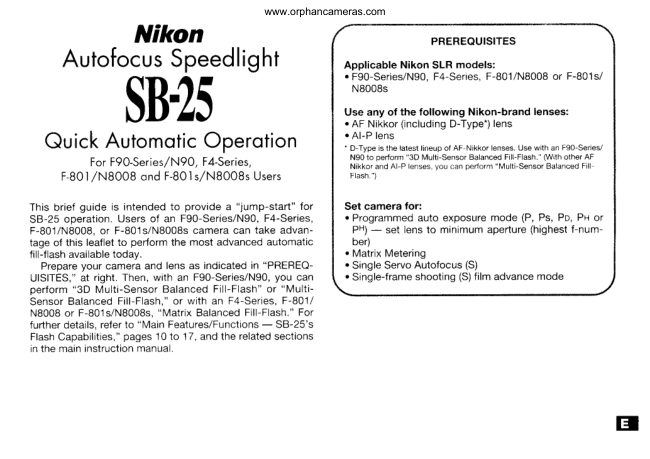
        Nikon                               PREREOUISITES
  AutofocusSpeedlight       ApplicableNikon SLR models:
                                                                                                            . F90-Series/N90,F4-Series,F-801/N8008or F-801s/
                                               N8008s

                                               Use any of the following Nikon-brand lenses:
                                                                                                            . AF Nikkor(includingD-Type.)lens   SB'5              o Al-P lens
                                                                                                                                                                                                                  ' D-Typeis the iatestlineupof AF Nikkorlenses.Use with an Fgo-Series/ QuickAutomoticOperotion
                                                             N90 to perform"3D Multi-SensorBalancedFill-Flash.'With other AF          For F9O-Series/N90, F4-Series,                     Nikkorand Al-P lenses.vou can oerform"Multi-SensorBalancedFill
     F B0l /N8008 ond F-BOls,/N8008s Users                Flash.")

This brief guide is intendedto provide a "jump-start"for     Set camera for:
SB-25 operation.Users of an F90-Series/N90,F4-Series,        . Programmedauto exposure mode (P, Ps, Po, Pr or
F-801/N8008,or F-801s/NB008scamera can take advan-     PH)-  set lens to minrmumaperture(highestf-num-
tage of this leafletto perform the most advanced automatic      Der)
fill-flashavailabletoday.                                                                    . MatrixMetering
  Prepareyour cameraand lens as indicatedin "PREREQ-    o SingleServo Autofocus(S)
U|S|TES,"at right.Then, with an F90-Series/N90,you can          . Srngle-frameshooting(S)film advancemode
perform"3D Multi-SensorBalancedFill-Flash"or "Multi-
SensorBalancedFill-Flash,"or with an F4-Series,F-801/
NB00Bor F-801s/NBO0Bs,"Matrix BalancedFill-Flash."For
furtherdetails,referto "Main Features/Functions-  SB-25's
FlashCapabilities,"pages10 to.17, and the relatedsections
in the maininstructionmanual.

                                                        r
View original page 2Page 3 · Read text
www.orphancameras.com

SelectingMeasurementSystem,Metersor Feet             InstallingBatteries


    Slidethe batterychambercover in  O  Slide the meter/feetlever (small   e   Load four 1.5V AA-type penlight
    the )  directionand lift to ooen.     Z   switch in the mouth of the cham-    vt  alkaline-manganeseor 1.2V NiCd1                                       ber) to select desired indication(m or    batteriesinto the battery chamber. Be
                                                     ft.); this will appear in the LCD panel   sure to follow the l- t.sv+t indication
                                     whilethe speedlightis in use.           insidethe chamberto ensurethe bat-
                               The lever is presetto meters (m) when   teriesare properlyloaded.
                                   shippedfrom the factory.
View original page 3Page 4 · Read text
www.orphancameras.com

                          AttachingFlashUnitto GameraAccessoryShoe


   Close the battery chamber lid,    tr  Turnthe SB-25'smountingfoot  A   Slide the mounting foot forward
    then slidecoverto close.               \.,  lockino wheel to the loosened   Lt  onto the camera's accessory4                                       positionas Taras it goes, without forc-   shoe as far as it goes.
                                        ing.
View original page 4Page 7 · Read text
www.orphancameras.com


                                                           Automatic adjustment for ISO film speed,
      Press the f-u ) button.                                    aperture and zoom head
1 0                                                   Confirmationof flash shooting distance is an indis-
With the F90-Series/N90,confirm [o]!appears in the LCD     pensablestep for successfulflash photography.An
oanet.                                                 appropriatedistance is determinedusing three vari-
With the F4-Series,F-801/N8O08or F-801s/N8008s,con-      ables: ISO film speed in use, aperturevalue set on the
firm F,l appears.                                       camera/lens,and zoom-headpositionfor lens' focal
                                                           length. Once these are input in the SB-25, indicator
1  1  ChooseIIII   (flash mode selector).Confirm lllll  ;n     bars I    appear to show the distance range where
  I    I  the LCD oanel.                                      the subject will be correctly exposed with flash light-
                                                              ing.
I  o  Choose GEEilE[f   position (flash sync mode       With these camera/lenscombinations,no manual
  I Z   selector).                                       adjustmentis required;variablesare automaticallyset
                                                 and indicatedin the SB-25' LCD oanel.All vou do is
      Confirmthe ISO film speed,the aperturevaluecho-     confirmthe settings.1 e
  |  \,  sen on the camera and zoom-head position have            lf no indicationappearsin the LCD panel, lightly
beenset and appearsin the SB-25'sLCD panel.               pressthe camera'sshutterreleasebutton.
lf not shown in the LCD panel, lightly press the camera's     When film is not installedin the camera,ISO 100 is
shutterreleasebutton.                                       indicated.
View original page 7Page 9 · Read text
l                                       www.orphancameras.com


                                      F90-Series/N90
                                          viewfinder(left)


              ready-lishthas comeon and subjectis in   1 7   Fullydepressshutterreleasebutton to fire flash.
1 6   3:lT.                                                                                     I I
Confirmready-lightis on in the camera'sviewfinderI or on
theSB-25 i                                          Recheckready-lightand to see if it is blinking.
                                  t.,la              1lf ready-lightB         blinks for a few seconds after shooting,the                ^ 4,    lu'f               flash has fired at its maximumoutput but the light may have                                    jl                 been insufficient.                   ,\ti,                            l);r,^                                J  ir.  / 4-t                 l;                                                  Then, reconfirmshootingdistanceand, if necessary,move                           ''
                      It't.,                       closerto subjectto compensateunderexposure.
View original page 9Related documents and language editions
From the M. Butkus archive. Original publisher and archive notices are retained.
Check the model and edition against your equipment.
PDF verified 2026-10-10.