Lenses & filters
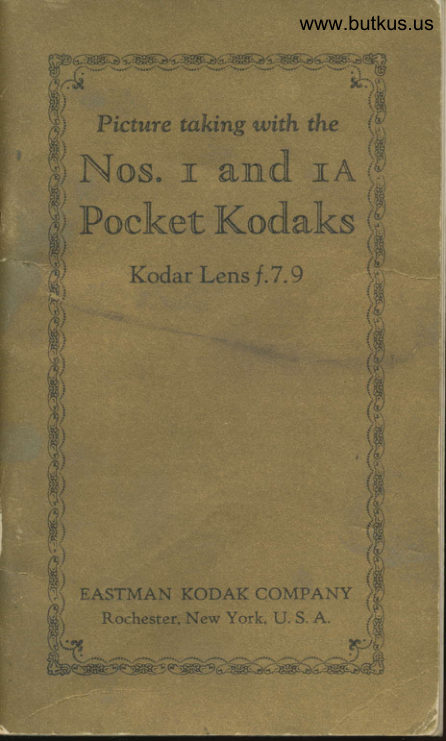
No 1 and 1A Pocket Kodak User manual
User manual for No 1 and 1A Pocket Kodak. 44 pages in English. Read the original PDF, download or print a copy without registration.
44 pagesEnglish4.3 MB PDF
Loading your manual…Open PDF directly
Document details
- Brand
- Kodak
- Model / document
- No 1 and 1A Pocket Kodak
- Document type
- User manual
- Language
- English
- Pages
- 44
- File size
- 4.3 MB
- Category
- Lenses & filters
- Document date
- Not specified in catalog
Search available document text
Find a term, then jump to its page in the original PDF. Image-only pages may not be searchable; check the PDF for exact wording and diagrams.
Page 1 · Read text
www.butkus.us


  Picanre talcing with the
Nos.  It anndl nA
          rTF I                             )Poak, tV Kodancs
    Kod rLr


EASTMAN KOD
   Rocheste   , New
View original page 1Page 3 · Read text
..KODAKERY''
rfHIS  most interesting and pro-
 I  fusely illustrated monthly mag-
azine shows how to make better pic-
tures, and describes many novel and
unusual methods of making photo-graphs. Anyone who purchases an    II
Eastman camer& is entitled to receive           I
"Kodakery," free of charge.
                                                                                                   1  Return the post card included with
this manual, properly filled out, and
your name will be put on the mailing
Iist, to receive "Kodakery."
  "Kodakery" will be sent for six
months on this offer. A post card will
be enclosed with the fifth copy;if this
post card is filled out and returned to
us, it will entitle you to an additional
six months, free of charge. After that
the subscription price will be sixty
cents for one year, or one dollar for
two years, but you are under no obli-
gation to renew.
  Send us the card promptly, and
start enjoying "Kodakery" at once.
There is no charge, no obligation.
 EASTMAN KODAK COMPANY,
                RocnBsren, N. Y.
View original page 3Page 4 · Read text
www.butkus.us

     Picture talcing with the
 Nos. 1 and 1A
 Pocket Kodaks
       Kodar Lens f .7.9


':

             Pubtished, by
EASTMAN KODAK COMPANY
    Rocsnsrnn, N. Y., U. S. A.
View original page 4Page 6 · Read text
www.butkus.us


       IMPORTANT
 f)pf.Oltll  taking any pictures witlr I)  \rour Kocla,k, ancl before loading it
 u,itlifilnr, r(.a(l aricl follow these instruc-
 tions earefull-v. Take especial care to
 Ietrrn hclu, to opctrtrter the shutter.
   Whilt' loa,cling anrl unloading,  t,re
 \'('rv cllrcf ul t,o keep the recl paper
 \\roun(l tightlv around the fihn to pre-
vcnt light striking it. The Koclak can
 lrc loat[c'tl or unloacled in claylight.'fhis shoukl be clone in ir subclued
 liglrt , not in clire'ct sunlight.
  Caution: Prokrngecl exposure to
rlirect sunlight rnight cuuse the colored
eovering of the carnenr to fa,rle. Do
not use alcoholic solvents to clean a
eolorerrl Koclak or carrying case.

    To Loan
    flse filnr numbe'r:
A120 for No. 1 Kodak.
A116 for No. 1A Koclak.


                              3
                                                                                                                                                                                                                                                                                                                                                                                                                                                                                                                                                                                                                                                                                                                                                   ,Ij
View original page 6Page 7 · Read text
I'ictrtre takirts rvith tlrc


                              Slirle over tltc
                         lock.
\-t/

   'I'tkc thc  f ront
of the  cllrIIcl'rt
ln'the edgt's tttttl
lift  tlrt' ctttl oll
n'hich the loelt is
fustenerl, tlteu
tlr:lrv out autl rc-
urovc thrt   pa,r't    fientirelr'.
View original page 7Page 8 · Read text
www.butkus.us
              Nos. 1 and lA Pocket Kodaks

  Drarv out the winding key as far as
it rvill conle, ancl reruove the empty
spool.


   Ilenror.e the lxrnrl fronr arounrl the
spool of fihn. Hokling the fihn securel\',
unfolrl anrl threatl the tapered entl of
tlre rerl l)apcr into the longer opening
of tlre errrptv spool, as.far as it will go.
One enrl of eilch spool is slotted, and
the rerl paper nrust lte so threaded
that these slots are on opposite edges
of the red papcr, see illustration at
top of page 6.
  Give the ernpty spool three or four
turns, enough to bincl the paper on the
reel. The paper rnust draw straight
and the full spool rnust not loosen.
View original page 8Page 9 · Read text
Picture taking with the


  Pln,ce the spools into the filrn
pockcts, keeping the red pa,per taut.
Thc slotted end of the empty spool
must be placecl next to the winding
key. The rvorcl "TOP" printecl on the
recl paper must be torvarcls tht. wind-
ing key.


  Press in ancl turn the wincling key
until it fits into the slotted end of the
empty spool. The red paper must draw
from the under side of the full spool.
View original page 9
Page 10 · Read text
www.butkus.us
              Nos. I and 1A Pocket Kodaks


                  *-.,. -f

  Replace the front, first inserting the
end opposite the lock; the edge of the
roll holder must fit into the groove on
this end of the front. Press the end on
which the lock is attached into place
and push over the lock, fastening it


  Press in ancl turn the winding key,securely.@lwatching the red window. After a few
turns, a warning hand will appear,
                         7
View original page 10Page 11 · Read text
Pictrrre trrkinq rrith the
then ttrrrr slon'lv until tht' figurt' I is in
thc ccntcr of tlrt' n'inr[on'.
    'flrt' filrn is nou' in llositiort f<lr tlrc
first cxllosllr'('.  Aftt'r' t':Iclt t'x1t<lsur'('  l)('
srlrc' to n'inrl tlrc filtrr, lrrinuing tltt' trt'xt
ttunrllcr into lrositiott.'-l'lris  1)rt'l't'ttts
tttrrking trt'o lrictur'('s on tlI(' sl,llI(' s('c-
tion of filrrr.
     OpBNIxc rHE FRoNT
    l'r'('ss  t lrt' sllri ng k rck rvi t h t ltt' t lt tttttl  r,
to opt'n tlrt' front of tlrt' Iiotlrtli. tlrcn
uttslr tlor-rr tlrc lrt'tl of tltt'  crIlI)('l'rr.
      -l


    To Focus rHE Koper
  'fhc foerrsirtq scltk' on tltt' lretl of tltt'
clurr('r'a, is ttutrkt'rl:(i,8, 10, 1ir,25 lintl
View original page 11Page 12 · Read text
www.butkus.us
              \os. 1 rnrl l.\  l'or:ket liorhks
 100 ft't't.  'l'ht' sclrl(' is :rlso rrrrrrk('(l for
 nr('tors tlntl clll't' shortlrl lrt' tttkt'n ttot
to confttst' tlrt' figttlt's.
    I)r'tu- orrt tlrc lens stlrntllrrrl bv the
 linolr otr tltt' sli<lt' nllrtt'.


   \\'ht'n tlrc lcns sttnrltlrl is rlrtn-n
out,  (f,\ .ftrr ns it  L.ill cont(, it  n'ill locli
lttttorrrtticullr'.  'l'lrt' Iiorltli is n<ln' in
foetts fol lnt'thing 100 fct't or lrt'\'onrl.
  To atljtrst thc focus frlr srrlrjects ut
tlistrtttecs  lx'lrr'('r' thlrn I00 feet. ttrn-r
thc ltuttrlctl sert.n' lrr' pushing it rvith
thc thurnlr, until tlrt'inrlicutor rlver thc
foeusing sclrlc is t'xuctlv lrt the linc
View original page 12Page 13 · Read text
Picture taking with the
marked with the figure corresponding
nearest to the distance in feet, between
the camera and the principal object
to be photographed.
  The distance between the subject     t*{and the Kodak can be estimated with-
out measuring, when the subject is
                                                                                                                                                                                                                                        ,beyond fi,fteen feet; for instance, if the
focus is set at 25 feet (the usual dis-     4
tance for ordinary street scenes) the
sharpest part of the picture will be the
objects at that distance from the
camera, but everything about 15 to
about 60 feet will be in good focus.
  For ordinary street pictures the
focus may be kept at25 feet, but where
lhe principal objecf is nearer or farther
away, the focus should be changed
accordingly.
  For distant views set the focus at
100 feet. Everything beyond 100 feet
is in the 100-foot focus. Nothing
nearer than six feet can be focused with-
out using a Kodak Portrait Attach-
ment, see pages 35 and 36, or a small
stop opening, see tables on page 17.
View original page 13Page 14 · Read text
www.butkus.us
                   Nos. 1 and 1A Pocket Kodaks
          THB SHurtBn


r
rc
l.)


             A-Speed Indicator
             B-Stop Opening Lever
             C-Exposure Lever
            D-Cable Release

       Instantaneous Exposures
         ,        "Snapshots"
     Move indicator A to 25 or 50, and
   move the lever B to the correct stop
    opening (see the Exposure Guide on
     inside back cover or the table on pages
    13 and 14).
                                  1l
View original page 14Page 15 · Read text
Picture taking with the
  Press push-pin of the cable release
D, or the exposure lever C. This makes
the erposure.
       Time Exposures
                                     ((T."  Move indicator A to the letter
  Move lever B to/.7.9, 11, 16, 22,32
or 45, according to the time of expo-
sure and nature of the subject. See
tables on pages 13, L4, 32,33 and 37.
  Press the push-pin of the cable re-
lease D, or the exposure lever C. This
opens the shutter. Time the exposure
by a watch. Again press the push-pin
or the exposure lever. This closes the
shutter.
  For short time exposures of ten sec-
onds or less, "Bulb" Exposures are
recomrnended.
        ttBulb"               Exposures
                                      ((8."  Move indicator A to the letter
  Move lever B to/.7.9, 11, 16, 22,32
or 45. See tables on pages 73, 14,32,
33 and 37.
   Press the push-pin of the cable re-
lease D, or the exposure lever C to
open the shutter and release it  to

                              L2
View original page 15Page 16 · Read text
www.butkus.us
                   Nos. 1 and 1A Pocket Kodaks
     close the shutter. The shutter will
     remain open as long as the Push-Pin
     or the eiposure lever is under pres-
      sure.
      Time and "Bulb" EnPosures must
     neaer be made with the Kodak' held in
      the hands.
      Important: I'{euer oil the*                                          shutter.       In case of accident, return the cam-
     era to your dealer or to us for repairs'
           SroP OPBNtNcs
     The stop oPenings regulate the
    amount of lighi passing through the
      lens. The openings are enlarged or re-
                                             see     cluced by moving the lever B,
     page 11.
         1.7 .g-For instantaneous exposures
                                       use     oi stightly"25." cloudY ot hazY daYs,     speed     For scenes on narrow and
      .iishtlv shaded streets, use speed 25;
     for"moving objects in bright sunlight,
     use speed 50; also for  - portraits out-
      doors, when the sun is shinin^g, and for
      portraits indoors, see pages 34 and 35'
          /.t l-For  all                     ordinarA outdoor -pic-       tuies, such as nearby landscapes show-
      ing little or no sky, groups and street
                                   13
View original page 16Page 17 · Read text
Picture taking with the
scenes, when the subject is in bright
sunlight, use speed 25.
  /.16-For open views, when the sun-
light on the subject is unusually strong
and there are no heavy shadows, such
as views at the seashore and on the      {
water, use speed 50; for ordinary
landscapes, in bright sunlight, with
clear sky overhead, use speed 25; also        d
for Interior Time Exposures, the time
for which is given on page 33.
  f.22-For instantaneous exposures
of extremely distant landscapes, ma-
rines, snow scenes with no prominent
dark objects in the foreground, and
clouds only, in bright sunlight, use
speed 25; also for Time Exposures.
  I.32 andf .45-For Time Exposures
Outdoors on cloudy days, see table on
pages 37 and 38. For Interior Time
Exposures, see pages 32 and 33. Neaer
f or instantaneous enp osures.
  The smaller the stop opening the      {
greater the depth of focus, see pages
15 and 17.
  Failure will result, if stops f.32 or
f .45 are used for instantaneous erpo-
sureg.
                           l4
View original page 17Page 18 · Read text
www.butkus.us
                    Nos. I and 1A Pocket Kodaks
         All exposures given for outdoor sub-
      jects are for the hours from two and a
       half hours after sunrise until two and a
      half hours before sunset. If earlier or
     later the exposures must be longer.
    For subjects in the shadow, under
     porches or under trees, no definite
     directions can be given; experience
(    only can teach the correct exposure.
             '    DBpTrr oF Focus
      Depth of focus is the distance from
     the nearest to the farthest objects that
      will appear sharp in the negative or
     print. The depth of focus of any lens
    depends upon the size of the stoP
     opening used. The smaller the stop
     opening the greater the depth of focus.
     See the table on page 17 for the depth
     of focus or range of sharpness of the
     Nos. 1 and 1A Pocket Kodaks.

          THn  ".,;f." SYsTDMa
    A lens is said to work at a certain
     "speed;" this means that the lens will
     give a sharp image from corner to cor-
     ner of the film, with an opening a cer-
     tain proportion of its focal length.
    The focal length of a lens is the dis-

                                  15
View original page 18Page 19 · Read text
Picture taking with the
tance between the lens and the film
when the Koda,k is focused for 100
feet. It should be borne clearly in mind
that this "speed" depends nof upon the
size of the opening, but upon the size
of the opening in proportion to the
focal length of the lens. The lens that
will give sharp irnages with the largest
opening is said to liave the greatestttspeed.t'
  The proportional size or "value" of
the stop opening is designated by the
'f." number and is the quotient ob-
tained by dividing the focal length of
the lens by the diameter of the stop
opening.
View original page 19
Page 22 · Read text
www.butkus.us
                   Nos. 1 and 1A Pocket Kodaks
    When using the Kodak as a fixed
     focus type, nearby subjects must be in
    bright sunlight, to obtain fully ex-
    posed negatives.
     The range of sharpness when your
I   Kodak is adjusted as a fixed focus
I   camera will be found in the table on
    page 17.
$t           TnB FrNnnn
     The finder shows what will appear
     in the picture, but on a much reduced
     scale.
     Look into the finder from directlv
    over the center of it and include what
     is wanted by turning to the right or
      left, see illustration on page 20.


        Holding Kodak
          tor a aertical
             picture.
View original page 22Page 23 · Read text
I'icture taking rvith the


 When nla,king instantaneous expo-
sures or snapshots rvith any Koclak,
holct it finnl1' against the body and
when pressing the push-pin or the
exposure lever, hclld the breath for the
instant. If the Kodak is rnoved dur-
ing the exposure, the picture will be
blurred.
View original page 23
Page 24 · Read text
www.butkus.us
             Nos. 1 and 1A Pocket I(odaks

  To rnake a vertical
picture, holcl the
Kodak &s sholvn tln
page 19. The view
inclurle.rl rvill &ppear
in that part of the
fincler represt'ntetl by
the rvhite portiou in the tliagram.


           To make rr hori-
              zontal picture, turn
             the fincler and hold
              the Koclak as shorvn
             above. The view in-
                  clutlerl will show in
                that part of the finder
              represented by the
rvhite portion in the diagram.


                            2I
View original page 24From the M. Butkus archive. Original publisher and archive notices are retained.
Check the model and edition against your equipment.
PDF verified 2026-10-10.