Flashes & lighting
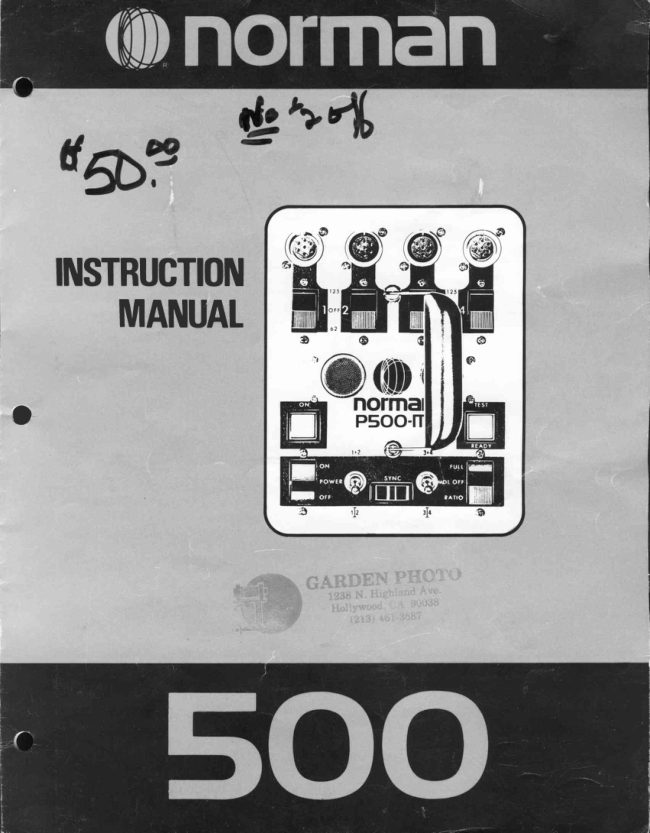
NORMAN 500 flash User manual
User manual for NORMAN 500 flash. 7 pages in English. Read the original PDF, download or print a copy without registration.
7 pagesEnglish1.4 MB PDF
Loading your manual…Open PDF directly
Document details
- Brand
- Norman
- Model / document
- NORMAN 500 flash
- Document type
- User manual
- Language
- English
- Pages
- 7
- File size
- 1.4 MB
- Category
- Flashes & lighting
- Document date
- Not specified in catalog
Search available document text
Find a term, then jump to its page in the original PDF. Image-only pages may not be searchable; check the PDF for exact wording and diagrams.
Page 3 · Read text
Welcometo the Normanfamilyof interchangeableflash equipment.
You havejust purchaseda Norman500 unit that will provideyou with years of dependableservice.lt has a heavyduty 500
watt-secondcircuit,and severaldesignfeaturesand conveniencesnot found in other commerciallyavailableflash
equipment.
            A separatethree-waycontrolswitchfor each lightthat has full power,half power,and off         (:I.l|)                positions.
         (I.l!)A fail-to-flashalarmsystemthatprovidesan audiblesignalin the eventof a lampheadmisfire.
            A plug-insolid-statecircuitcard for ease of servtce.     0)
            A full 250 watt-secondscan be channeledto each of two lights (availableon models         (.ll)
              manufacturedsince September1977).
              Interchangeablewiththe completeNormanSeries450equipmentlinewhichincludesover50      0l items- reflectors,snoots,lampheads,barndoors,powersupplies,umbrellas,diffusers,etc.
It is our sinceredesirethatyou willbenefitf romthe engineeringand manufacturingexpertisethathasbroughtyou thisunique
system.


    #4 LampheadOutlet
    #3 LampheadOutlet
    #2 LampheadOutlet                                                      #1 ControlSwitch
                                                                                   #2Control Switch
    #1 LampheadOutlet                                                                            #3 ControlSwitch
                                                                           #4 ControlSwitch


                                                                 TEST Button,READYLight
                                                                    (100%whenlit)


                                                           MDL (ModelingLamp)
          ON Light                                                            Switch
      POWER Switch
                                                                           250 w-s Switch
                                                                                (channels3 & 4)
        250 w-s Switch
       (Channels1 & 2)                                                             RESET
        SYNC Outlet                                                          7 amp CircuitBreaker

           AC Inlet


                        www.butkus.us
View original page 3Page 4 · Read text
Save fhese lnstructions

         IMPORTANTSAFEGUARDS
                           in accordancewithUL 122specificationsfor photographicequipment.

  Whenusingyourphotographicequipment,basicsafetyprecautionsshouldalwaysbefollowed,includingthefollowing:
   1. Readandunderstandall instructions.
                                            e modelinglamp.
                                                 liancehasbeeddroppedordamageduntilit hasbeenexaminedby
                                                       rntratingshouldbeused.Cordsratedforlessamperagethanthe
                                                  re cordso thatit willnotbetrippedoveror pulled.
                                     whennotinuse.Neveryankthecordtopullfromtheoutlet.Grasp
                                                iance,buttakeit to a qualifiedservicemanwhenserviceor repair
                                                               tricshockhazardwhentheapplianceis subsequentlyused.


EXPTANATIONOFINDIGATORSANDCONTROTS

              AC lnlet                      TESTButton,READYLight
Connectsto the AC powercable.The AC inputvoltageis     llluminateswhen the circuit reaches 100% voltage
115volt,60 Hz.                                           stabilizedoutput.The unitcan be flashedby depressingthe
                                        TEST/READYlight.
           POWER Switch                            SYNC Outlet
Controlsthe AC powerto the flash circuit.Must be on for     Triggersthe flash.Plugyour camerasync extensioncord
the modelinglamp dimmersto work.                         into this outlet. Proper polarityis importantwith most
                                              cameras(cameraswith groundedsynccontacts).TocheckNote -   it is not necessaryto turn the POWERSwitchoff                                                          polarity,simplytouch any exposed(non-paintedand
when connectingor disconnectinglampheads,on power                                                   non-anodized)metalon the camerabodyto any exposed
suppliesmanufacturedafter serial #13480. lt is always                                                     (non-paintedand non-anodized)metalon the flashunit.lf
best that the ControlSwitchfor that respectivelamphead                                                       the unitflasheswhenthis is done,reversethe synccordto
be turnedoff when connectingor disconnecting.                                                 achievethe correctpolarity.This establishesa common
                                                 groundbetweenthe camerabody and the flashunit.lf the
      MDL (Modeling Lamp) Switch                polarityis incorrect,the unit could self flash or flash
Turnsthe modelinglampson or off. lt has threepositions:      intermittently.
                                      RESET7 amp CircuitBreaker FULL  -  The modelinglampsremainat full brightness                                                      Automaticallyprotectsthe flash circuitagainstexcessive           regardlessof the powersettingon the flash.                                                     overloads.lf the ON lightgoes off but the POWERSwitch
 OFF    -  The modelinglamps are all off.             and the modelinglampsare on, the RESETBreakeris
                                                    probablyactivatedcausingthe buttonto pop out about7a
  RATIO -  The modelinglampsautomaticallyratiotothe      inch.To reset,simplywait 30 secondsand depress.
            flash outputsetting.                                                             250 W-S Switches
                                                      Thisfeaturecombinesor isolateschannels#1 and#2 (lett
             ON Light                     handswitch),and combinesor isolateschannels#3 and
llluminateswhen the POWERSwitchis on and whenthe     #4  (righthand switch). This can provide250 w-s on a
power is reachingthe circuit.                             singlelamphead.Referto page 4.
View original page 4Page 6 · Read text
5€RVrcE          GUID€ NUMBCRCHART
Should your 500 assemblybecome inoperative,this sec-
tion can help you identifythe malfunctioningcomponent.
Many times you can correctthe problemin the field simply
by havinga good understandingof your unit. Substitution
is often the best form of servicebecause it gets your unit
back into operationquickly.
Actual service work should be performed by a qualified
electronicstechnician.

      SERVICEBY SUBSTITUTION

A. LAMPHEAD
    1. WILL NOT FLASH.OTHER LAMPHEADSFLASH
    ON THE SAME POWER SUPPLY.
       a. Substituteanother flash tube.
      b. Inoperativelamphead.
   .2. WILL NOT FLASH.NO LAMPHEADWILL FLASH
    ON POWER SUPPLY.
                                                                                                          B. C. P. S.
                                                                                       GUIOE                                                                                                                                                                 A. S. A.                                                                                                       Candlc                                                                                           lBcam       a. Defectivecamera sync cord.                                                                                 NUMBER                                                                                                           EXPOSURE                                                                                                     Powrr                                                                                                               Sccondsl       b. Reversedsync cord polarity.                                                                                    INOEX
       c. Defectivecamera sync contacts.               Selectthe ASAfilm speed(exposureindex)and locate
      d. Malfunctioningpower supply.                  the numberon the righthandcolumn.
                                              Then,locatethe B.C.P.S.ratingof theflashuniton the left
    3. SELF FLASHES.                         handcolumn.
       a. Reversedsync cord polarity.                Laya straightedgeacrossthesetwopointsandtheguide
       b. Defectivecamera sync cord.               numberwillbe foundwheretheedgeintersectsthecenter
       c. Intermittentbreak in lampheadcable. Bend the     line.
        cable near the connector.You may be able to    For example:
        completean assignmentby bendingthe cable in      ASA 100speedfilmand 1875B.C.PS.lightoutput.
        such a way as to prevent self-flashrng.           The guidenumberequals110(as shownabove).
       d. Flashtube too hot.                      To determinef/stop,simplydividethe distance,fromthe
                                                              lightto subject,intothe guidenumber.
    4. FLASHTUBE GLOWS WHEN FLASHED.         For example:
       a. Orange glow -  Flash tube too hot.               Guidenumberof110.Let'ssaythatthelight-to-subject
       b. White glow -  Malfunctioningpower supply       distanceis 10 feet:thecorrectf/stopwouldbe 110+
         (plug-incircuit).                          10 : t|11.
                                                                                 It shouldbe rememberedthat due to variablesin film
                                                processingandpersonalpreference,it maybe necessary
                                                        to slightlyalterthe guidenumberfromthatindicatedbyB. POWER SUPPLY                                                  the GuideNumberChart.
    1. CIRCUITBREAKER"POPS OUT''
      a. Malfunctioningpower supply.

   2. WILL NOT TURN ON.
      a. Lampheadnot connected(part of the safety in-
        terlockcircuit).
      b. DefectiveAC power cord.
       c. No voltage at AC inlet.
     D. Blown fuse.

   3. WILL NOT TRIGGERTHE FLASH.READYLIGHT
     IS ON.
      a. Malfunctioninglamphead.
      b. Defectivesync cord.
       c. Reversedsync cord polarity.
      d. Inoperativepower supply(plug-incircuitcard).                      Savefhese lnstructions
View original page 6From the M. Butkus archive. Original publisher and archive notices are retained.
Check the model and edition against your equipment.
PDF verified 2026-10-10.