Film cameras
Olympus AF 10 Mini Infinity Hi Lite User manual
User manual for Olympus AF 10 Mini Infinity Hi Lite. 56 pages in German, French, Spanish. Read the original PDF, download or print a copy without registration.
56 pagesGerman, French, Spanish5.6 MB PDF
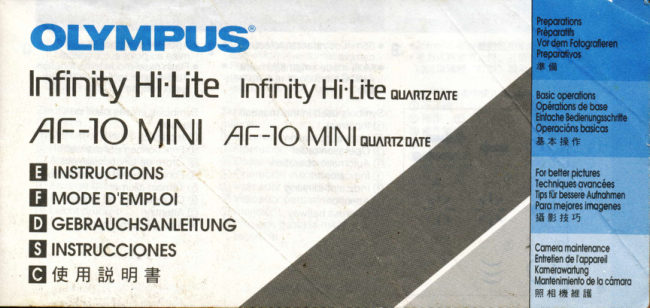
Loading your manual…Open PDF directly
Document details
- Brand
- Olympus
- Model / document
- Olympus AF 10 Mini Infinity Hi Lite
- Document type
- User manual
- Language
- German, French, Spanish
- Pages
- 56
- File size
- 5.6 MB
- Category
- Film cameras
- Document date
- Not specified in catalog
Search available document text
Find a term, then jump to its page in the original PDF. Image-only pages may not be searchable; check the PDF for exact wording and diagrams.
Page 1 · Read text
oLyMPUS
Infinity Hi.Lite   Infinity Hi'Lite ru^rmo rE

                             MlNlou^R'zo rEAF.IO MINI  AF-1O
   rrusrnucnorusE
E uooe D'EMprol
E egeRAucHsANrEtTUNe
E rrusrnucctoNEs
g{FHEH,EE=
View original page 1Page 3 · Read text
G
 fu  xnurrMERKMAr."E fficARAcTEilsncAs  pRrNcrpAES *,  , *    *S++*t
6 o Kompakre Klernbrld-Autofocus-     o Camara compacta de 35 mm.v   Kamera                         con enfoque automdtico    c  o. 35mm&fi=\ffiffi70YcfH,4'4 H 9:Sf ftrF,fiE  flffiHHtrl&      -s
  o Multimode-Blitz  mit Auto-S-        o Flash inteligente con m0ltiples        thfrzuffiw'firrlR" rE*.
     Funktion zur Minderung des       modos y funcion Auto-S para
     "Rote-Au gen'-Effektes.                 reducir los "ojos rojos                                                                                      AltrffiffiHH+{trffiF!-iBffi
                                          O TrEffi   Zeichenerkldrung:                  Simbolos usados en este
 O Falsch                           manuat:                                    @ffi..TF
 @ Manueller Betrieb        @ Incorrecto             @ ffiiFlllFtf
 @ Reihenfolge           @ Operacion manual        @ EtE l*fF
 @ Automatischer  Ablauf      @ Orden de operacr6n        @ fFz.fHffif,
 @ Anzeige leuchtet         @ Operacion automatica       @ ffizrffiFq4                                        @                                                                                                          if.ri     Anzeige                                          Indicador encendido                  blinkt         @,. @                                        @                                                               +f4                                             parpadeando     Achtung @                   @ Indicador
 @ Leicht drucken          @ Atencion
                   @ Presione hasta la mitad del
                                            recorrido
View original page 3Page 4 · Read text
.'NTENTS              soMMArRE  fu*          .           *T
     PREPARAIIONS                  PREPARATIFS
    Names of parts         6F  Descriotion des commandes '  6     Vrewfinder/LCD panel""""" "'  10     ViseurfEcran ACL """"""""""' 10
      Attachrng the strap             10      Fixation de la courroie      10      Loading the batteries'           12     Mise en place des piles ' """  12
     Checking the batteries          14     ContrOle des piles.""        14                                                                                                           '16      Holding the camera"'             to     Prise en main de l'appareil"" "
     BASIC OPERATIONS               OPERATIONS DE BASE      Loading the film'.'."'  "'          18    Chargement du film ""        '       18
      Taking pictures              22     Prrse de vues     "         22
     Using the focus lock          26     Verrou de mise au ooint       26      Unloading the film            28    Ddchargement du film "      '    28
    FOR BETTER PICTURES           TECHNIQUES AVANCEES
      Flash photography            30     Photographie au flash                 '  30
       Selftimer                              Retardateur
       Printing the date and time"""   '  3B      lmpression de la date et de I'heure-     '  38
      Correcting the data.          40     Correction des donn6es-'    '     40
    CAMERA MAINTENANCE           ENTRETIEN DE LAPPAREIL
      Troubleshooting              42    En cas de difficultes     '         +a
      Specifications  ''             48     Fiche technique """"'         48
www.butkus.us-QUARTZDATE  models onlv           -Modeles QUARTZDATE uniouement
View original page 4Page 6 · Read text
@ Shutter release button       O D6clencheur
        @ Selftimer signal          @ Temoin de retardateur
       @ LCD panel            @ Ecran ACL
       @ MODE and SET buttons      @ Boutons MODE et SET (Modeles
              (QUARTZDATE models only)        QUARTZDATE unrquement)
        @ VieMinder            @ Viseur
        @ Selftimer button         @ Bouton du retardateur
       O Mid-roll rewind button       O Bouton de rembobinage
       @ Flash mode button        @ Bouton de mode flash
       @ Flash              @ Flash
       @ Strap eyelet            @ Oeillet de courroie
       @ Lens               O Objectif
        @ Power switch          @ Intenupteur d'alimentation
@@@    @ Light sensor            @ Capteur de lumiere
        @ Autofocus windows        @ Fen6tres de mise au point


           www.butkus.us
View original page 6Page 7 · Read text
BESCHSIEUNG DER BEDIENUNGSETTMENIT                           NOMBRES DE TAS PARTES
     e$a,                                                       q@^         *gp{fe f6                                     dg$

                                                             Bu,tor  I                                                      oul                                             ulrl.rriloo(        (\                                             v  o{J(Fl$fi                                                     delf1- @O AustoserSelbstausloser-Anzeige         -e O@ Senal                                    autodisparador                                     @ H+ne5f6zrfE
 @ LCD-Feld             @ Panel LCD             @ ififtffiZ.&
 @ MODE- und SET-Tasten (nur    @ Botones IVODE y SET (Modelos   @ MODE  ( fFrt ) & SEr  ( i#E  )
     QUARTZDATE-Modelle)             QUARTZDATE  solamente)                   ift ( {EPR QUARTZDATE  ( E'{
 @ Sucher             @ Visor                                $68ff1) &{F  )
 @ Selbstauslosertaste        @ Bot6n del autodisparador      @ qTF€
 @ Ruckspulknopf          O Boton para rebobinado a mitad   @ H+nfl*
 @ Blitztaste                          de pelicula            @ trttl"lHifi
 @ Blitz               @ Boton de modo de flash       @ Fq/E{H-tift
 @ Tragegurtose           @ Flash                @ F$EfA
 @ Objektiv             @ Ojalde la correa          @ FffiA*fl]
     /;\\5/ u^,,^r^^h^r+^.| rouvtJUr rorLEl          @ Obtetivo              @ fHFE
 @ Belichtungsmesser        @ Interruptor de energia        @ €itrIffiFfl
 @ Autofocus-Fenster        @ Sensor de luz            @ )bf*,*ffi6
                   @ Ventanillas para enfoque      @ HElrSiftHE
                                          automatico
View original page 7Page 8 · Read text
Bitte spenden Sie 2,50 Euro, um diese Website über E-Bay zu unterstützen ... www.PayPal.me/butkusView original page 8
Page 9 · Read text
F @ Film window                     f @          - @ Viewfinder                                 ' @ ViseurFen€tre du film
       @ Battery compartment cover    @ Couvercle du compartiment des
       @ Back cover release                        pites
       @ Back cover            @ Venou du dos de l'appareil
\       @ Tripod socket          @@ DosEcroudedel'appareilpied


          www.butkus.us
View original page 9Page 11 · Read text
Vievvfinder Display                     Affichage du viseur
   @ Flash indicator (orange)       O T6moin de flash (orange)
   @ Focus indicator (green)       @ Temoin de mise au point (vert)
   @ Close-up conection marks     @ Repdres de conection de cadrage  gros-plan
   @ Autofocus mark          @ Repere de mise au point

     LCD Panel                            Ecran ACL
@   @ Flash modes           @ Modes de flash
   @ Battery check          @ Controle des piles
@  O Date indicator-          O Indicateur de date-
   @ Selftimer             @ Retardateur
   @ Exposure counter         @ Compteur de vues


www.butkus.us
View original page 11Page 17 · Read text
Hold lhe camera correctly.      F Tenir correctement l'appareil.   O Correct                                        ' O Conect
   @ Correct             @ Correct
   @ Inconect            @ lncorrect
      . Hold the camera firmly with both       . Tenez fermement l'appareil a
      . nanos.In the vertical position, hold the        . deuxEn positionmarns.verticale, tenez
       camera with its flash positioned          l'appareil avec le flash plac6 en
         at the top.                                  haut.

      Caution: Keep your fingers away        Attention: Eloignez vos doigts de
     Irom the lens, flash, autofocus              l'objectif, du flash, des fenCtres de
     windows and light sensor.            mise polnt automatique et du
                                            capteur de lumidre.


www.butkus.us
View original page 17Page 23 · Read text
1.
                                                    1. Set the power switch to G to         1. Mettre I'interrupteur d'alimentation
                                                          turn on the camera.                      sur G pour mettre sous tension.

                                   Make sure: The lens orotector           S'assurer que le volet de l'objectif est
                                           opens, and the LCD panel              ouvert et que l'6cran ACL s'allume.
                                                   activates.
                                                                                   2. Cadrer en plaqant le repere de
                                          2. Aim the camera at your subject.        mise au point automatique sur le
                                                        Position the autofocus mark on             surel.
                                               your subject.                         3. ASipuyer sur le d6clencheur d
                                             3. Deoress the shutter release             mr-course.
                                                 button halfway.
                                                                                                     S'assurer oue le t6moin vert s'allume.
                                   Make sure: The green lamp lights.      La mise au point et I'exposition restenl
                                        Focus and exposure are locked        m6moris6es tant oue le d6clencheur
                                                   while the shutter release button is        est maintenu presse d mi-course.
                                              held down halfway.
                                                                                        4. Appuyer compldtement  sur le
                                             4. Deoress the shutter release              d6clencheur  pour prendre une F=-l[Il        button fully. The film automatically         photographie. Le film avance
                                              advances  to the next frame.             automatiquement A la vue  Lg-l l=sl
22                         www.butkus.us                                 suivante.  Fll  lFIl
View original page 23Page 51 · Read text
Selft imer: Electronic selftimer              Retardateur: Electronique avec d6lat
                                                           12-sec. delav.                       de 12 s
                                                         Film speed: Automatic setting. (For    Gamme de sensibilite du film: Reglage
                                               DX.coded film with speeds less          automatique.  Pour un frlm code DX
                                                    than ISO 400, film speed  rs            de moins de 400 lSO, la sensibilit6
                                                            automatrcallv  set to ISO 100  . For       se reqle automattquement  sur 100
                                              DX-coded film with ISO 400 or         ISO Four un film code DX de 400
                                                      more, film sPeed is automaticallY        ISO ou plus, la sensibilit6 se rdgle
                                                              set to ISO 400. For non-DX-              automatiquement  sur 400 lSO. Pour
                                               coded  film. film sPeed is               un film non code DX, la sensibilit6 est
                                                         automaticallv set to lso 100.)             r6ol6e sur 100 lSO.
                                                         Film loading: Automatic loading.       Chaioement du film: Automatique
                                                               (Automat-ically advances to first           (Av-ance automatique d la premiere
                                                   irame when iamera back is            vue lorsque  le dos de I'appareil est
                                                           closed).                                      ferme).
                                                         Film advance: Automatic film          Avance du film: Automatique
                                                     windinq                           Rembobinage du film: Automatique
G                                                      Film(automaticrewi-nd: Automaticrewind activationfilm rewindat            (activationiembobinaqeautomatiqueir la fin du dufilm, an6t
                                              bnd of frlm automatic rewind            automatiqu-e du rembobinage)
                                                              stop). Rewind Possible  at anY         Rembobinage Possible d tout
                                                           ooint with rewind button.              moment avec le bouton de
                                                                                         rembobinage      50                           www.butkus.us
View original page 51Page 56 · Read text
Bffi#ffi**fif6                               LA        .\'     EtlD TECHNISCHEDATENEINHEIT-DATEN FUR            ESPECIFICACIONESUNIDAD DE FECHA'DE                                                                                                                          ),.fi ("t : {ft $HFFfrtJ EFttlWfr L    Datenaufzeichnungsrichtung    : Auf         Direccion de imoresion: Datos                                                       "                                                                          BHffi[E: ,1*BHJ. +-,8-B- E-B-      Filmvorderseite (Objektivseite).           impresos en la pelicula del lado del    Datenformat: Keine Daten, Jahr-             ootelrvo.                   +. El-E-+. fuB-2J.ffi-ili&.     Monat-Tag, Monat-Tag-Jahr, Tag-      Codrficacion de datos: Sin datos,        Btrn'!tf*[*n   : HFz:r&i&ftfF l-.
     MonalJahr und Tag-Stunde-             ano-mes-dia,  mes-dia-afr  o, dfa-     w 6's'H.:apB  : H fu B€rtEit-ic.
      Minute.                             mes-ano y dia-horas-minutos.            AWrHffi Ktft : HgtEIL#. 20 1 3 +"
   Externe Datenanzeige: Auf dem           lndicacion externa de datos: Datos       c3iF: !51'({fEffi€iF+tH
     LCD-Feld                                 indicados en oanel LCD                      * {SFR QUARTZDATE  ( EJ€AH Etr  )
    Filmempf indlichkeitseinstellung:           Ajuste de la velocidad de la pelicula:        #4'1.     Automatisch.                              Ajuste automatico.
   Automatischer                                             de                                                          calendario                                                                    automdtico:                  Kalender: Bis zum        Sistema                                                                                                                                Irltff F-l AEff i,JfE€ g .  ffi T94?TE                                                             201 3     Jahre 2013                                               ano                                          Hasta el
    Stromouel  le: Kamera-Batterien           Fuente de energia: Normalmente          Fl.
       ' Nur QUARTZDATE-Modelle                 usada con el cueroo de la cdmara.
                                                                                               ' Modelos QUARTZDATE exclusivamente
  AruorRuncrN orR
  TECHNISCHEN DATEN UND DER      LAS ESPECIFICACIONES Y EL
  AUSFUHRUNG OHNE                DISENO ESTAN SUJETOS A
  ANKUNDIGUNG VORBEHALTEN.      CAMBIOS SIN AVISO U OBLIGACION
                                 DE PARTE DEL FABRICANTE.                                                                                          :                                                                  uum
View original page 56Related documents and language editions
From the M. Butkus archive. Original publisher and archive notices are retained.
Check the model and edition against your equipment.
PDF verified 2026-10-10.