Lenses & filters
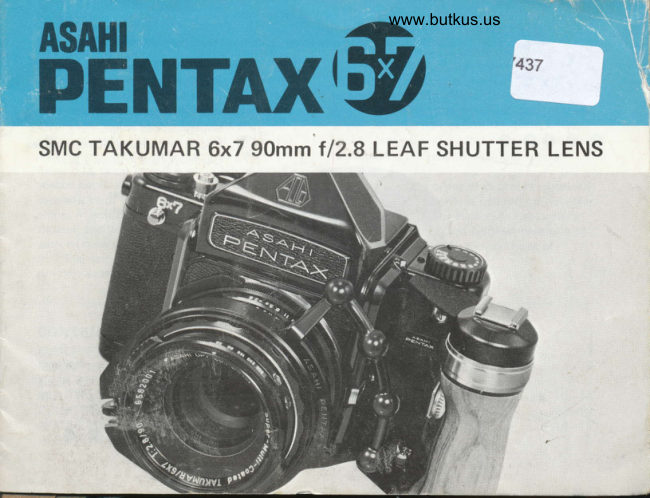
Pentax 90mm leaf shutter lens User manual
User manual for Pentax 90mm leaf shutter lens. 16 pages in English. Read the original PDF, download or print a copy without registration.
16 pagesEnglish4.9 MB PDF
Loading your manual…Open PDF directly
Document details
- Brand
- Pentax
- Model / document
- Pentax 90mm leaf shutter lens
- Document type
- User manual
- Language
- English
- Pages
- 16
- File size
- 4.9 MB
- Category
- Lenses & filters
- Document date
- Not specified in catalog
Search available document text
Find a term, then jump to its page in the original PDF. Image-only pages may not be searchable; check the PDF for exact wording and diagrams.
Page 2 · Read text
1.  Aperture Scale
  2.  Depth-of-field Scale
  3.  Flash Terminal
 4.  Cable Release Socket
     Shutter Speed Ring
 6.  Focusing Distance/Aperture   I ndex
  7.  Depth-of-f ield Preview Lever
 8.  D istance Scale
  v.  Lens Cocking Lever
10.  U/S Lever (on back)
View original page 2Page 3 · Read text
www.butkus.us
The SMC Takumar 6x7  f l2.B leaf shutter           using the lens shutter jointly with the camera
lens is a multipurpose lens which greatly           shutter. The lens shutter may also be used
enhances the picture-taking versatility of the      alone with the camera shutter locked opened
Pentax 6x7 interchangeable lens system. Not       to enable easy and eff icient multiple exposures,
onlV does this lens feature an automatic         and also to lessen the effects of camera shake
diaphragm and of  f er the  f ull open-aperture          in the case of single exposures. Both a  f lash
metering capabilities of a normal lens, but it      synch terminal and a cable release socket are
also features a built-in leaf shutter, which,         provided on the lens to facilitate special
depending upon how it is set, enables various       applications.
special applications which are beyond the              Basically, the types of exposure obtained
capabilities of the camera's focal plane shutter     with the leaf shutter lens depend on how the
alone. In addition to incorporating its own         lens shutter is set in relation to the camera
shutter, the leaf shutter lens is also provided        shutter. Please read this booklet carefully to
with its own shutter speed settings  f rom 1/30      acquaint yourself with the methods of
to 1/500 sec. to enable high-speed   f lash            operating the lens.
synchronization  for fill-in flash, etc., when.


CONTENTS
DESCRIPTION OF PARTS                                                                           . . .2
MOUNTING/USEASANORMALLENS                                   .......5
HIGH SPEED FLASH SYNCH (for fill-in flash. etc.).                                           . .7-B
MULTIPLE EXPOSURES/REDUCED CAMERA SHAKE WITH SINGLE EXPOSURES .10-11
USING THE LENS SHUTTER WITH ACCESSORIES. .                                . . . .12_13
NOTES ON FLASH PHOTOGRAPHY/PRECAUTIONS.  . . .                       .14_15
SPECIFICATIONS                                                       ....15
View original page 3
Page 4 · Read text
Venmo @mike-butkus-camera  Ph. 2083
PayPal Name  Lynn@butkus.org      www.PayPal.me/lynnbutkus
View original page 4
Page 6 · Read text
www.butkus.us


          When used without cocking the lens          Use as a Normal Lens: After mounting, simply
           shutter, the SMC Takumar 6x7 90mm lens         focus, set the lens aperture as with other 6x7
         functions in the same manner as any other         lenses and release the camera shutter to take
           fully automatic diaphragm SMC TAKUMAR      the picture.
         or SMC PENTAX lens. The angle of view
il        produced by its 90mm focal length is slightly     Note: The position of the lens' U/S lever does
            less than that obtained with a 50mm lens in             not matter when the lens shutter is not
          the 35mm format, which places it in the                 being used.
         standard lens category. A quick bayonet
         mounting system has been employed that
         enables mounting the lens to the inner mount
          of the Pentax 6x7 camera; and fully automatic
        diaphragm action assures bright, full aperture
ill         focusing.
iii

i.T
H        Lens Mounting: To mount the lens, simply
i$
l$         align the red diamond-shaped aperture index
        on the lens with the red dot on the camera
        body and insert the tabs of the lens mount
           inside the camera's inner bayonet mount.
         Then, twist the lens clockwise until  it locks
          into place. To remove the lens, depress the
         bayonet lock lever and twist the lens
         counterclockwise,  until it releases from
         the bayonet.
View original page 6Page 11 · Read text
(Using the lens shutter with the camera        1.  Set the lens' U/S lever to S (Special) - this
shutter locked opened)                           prevents the lens shutter from tripping when
Multiple Exposures: When the camera's focal       you trip the camera shutter. Photo 1.
plane shutter is locked opened and the lens         2.  Set theramerat shutter speed dial to the
shutter alone is used to make the exposure,           special "time" setting, approximately
the leaf shutter lens proves extremely               halfway between 1 /1000 sec. and X on the
convenient for making multiple exposures as          shutter speed dial. Photo 2.
the lens shutter can be used independently           3.  Set the lens shutter speed by turning the
without advancing the film. The procedure for        lens shutter speed ring. Photo 3,
making multiple exposures is as follows.             4.  Advance the film and focus.


                                                                                                                                     Digitally signed by Mike Butkus
                                                                                                    DN: cn=Mike Butkus, o=Butkus camera
                                                                                                             manuals, ou=butkus.org,                  Mike Butkus email=mike@butkus.org, c=US
                                                                                                                    Date: 2022.02.13 12:23:07 -05'00'


                                                                   www.butkus.us
View original page 11Page 12 · Read text
www.butkus.us

5.  Press the camera shutter release button.       7. Repeat step 3 and step 6 above for each
    (This locks the camera shutter opened. and        additional exposure.
   simultaneously closes the lens shutter).       8, After you've made as many exposures as
6.  Release the lens shutter either by:              you desire, release the camera shutter from
   a) attaching a cable release to the lens'           the "time" position, by turning the camera's
       cable release socket, Photo 4; or                 shutter speed dial either back to 1/1000 sec.
   b) sliding the lens' U/S lever slowly back          or X.
      toward U to the point where it releases.     Note:
      Photo 5. (Let go of the lever so that it       .  Steps 1-4 above may be performed in
       springs back to S after the shutter           random order. All steps must be performed
        releases. )                                             fully as indicated, however, to assure that
                                                      the desired exposure is obtained.
                                                   Single Exposures: The lens shutter can also
                                              be used to lessen the effects of camera shake
                                               with single exposures. In this instance, simply
                                                 follow steps 1 -6 above; then. release the                                                      shutter from the "time" position.
                                                 Use of the lens shutter is also recommended
                                                      for reducing camera shake even with Pentax
                                         6x7 cameras featuring a mirror lock-up provision,
                                                    as this is more effective than use of the mirror
                                                   lock-up alone.
View original page 12Page 13 · Read text
j  rt6
liaI    euto Extension Tubes: With both types of shooting, Auto Extensions Tubes nos. 1, 2      I                    '.$I                                                                                                                                                                                         3     and 3 may be synchronized for close-up shooting with the lens shutter if used              I
I     inaependently.  Joint use of the extension tubes is not recommended, however, as they    |             {
                          l$
View original page 13Page 14 · Read text
www.butkus.us

Auto Bellows
   When the auto bellows is used, joint use of      3.  Ready the lens and the camera shutter as
the lens shutter and the camera shutter is not          indicated in steps 1-4 on pages 10 and 11.
recommended as proper synchronization  is          4.  Depress the double cable release button and
difficult to obtain. However, the auto bellows         lock it by tightening the locking screw.
and the lens shutter can be used together with       Photo 2. (This closes the lens' shutter.)
the camera shutter locked open. The procedure     5.  Next, press the camera shutter button to
is as follows.                                          lock the camera shutter oPened.
1. Attach both the camera and the leaf              6.  Complete the exposure as indicated in
   shutter lens to the Auto Bellows Unit.              steps 6 and 8 on page 1 1.
2. Screw the end of the double cable release          After tripping the lens shutter, do not
   with the red ringed tip into the bellows' cable       release the stopper screw of the double
    release socket. Photo 1. Leave the other           cable release until after you have closed
   end hang free.                                   the camera shutter.
View original page 14Page 15 · Read text
+Electronic  Flash


               f0         20                30                 40 ms
         . Graph comparing flash synch characteristics of electronic flash, MF and M flash bulbs in
           relation to shutter speeds and shutter movement in milliseconds using the lens shutter.

Flash Photography                                    shutter speed setting,
1. Hook both electronic flash units and flash       .  MF bulbswill produce 112ar1160sec.
   bulbs to be svnchronized with the lens      o  FP bulbs will give 213 flash at 1/30 sec;
    shutter to the lens' flash terminal and                    1 /5 flash at 1 /60 sec.
   follow the shooting procedure indicated        Precatuions:
   on pages 7 and 8.                  e  Follow all shooting instructions carefully
2. Electronic flash units synchronize at all            to guarantee optimum results.
    lens shutter speed settings from 1 /3O sec.        .  Do not leave the depth-of-field preview
   to 1 /500 sec.                                            lever set at MAN. after closing down the
3. MF and M flash bulbs are the most suitable        aperture for depth-of-field preview. Alwayq
    flash bulbs to use with lens shutter. Both            returri the lever to the AUTO Dosition
   types will give full flash at the 1 /30 second        before shooting.
View original page 15Page 16 · Read text
www.butkus.us        SPECIFICATIONS


         Lens mount:          Pentax 6x7 inner bayonet
          Construction:         6 elements in 5 groups
         Angle of View:         52.5'
          Shutter:               Copal "C" special SLR shutter
         Speeds:                       1 /30 sec. - 1/500 sec.
         Diaphragm:             Fully automatic  lf 12.8 -   f l22l          Focusing:            0.85m 12.75  f eetl to infinity
           Flash:                     Built-in X flash terminal
           Filter Size:            Accepts 67mm bayonet  f ilters
        Other Features:        Cable release socket, depth-of-field preview lever, shutter cocking lever
           Size:                91.5mmlmax. dia. x 62mm lenqth  (excluding mount)
         Weight:             610 grams


il


                                                                                                                            15
View original page 16From the M. Butkus archive. Original publisher and archive notices are retained.
Check the model and edition against your equipment.
PDF verified 2026-10-10.