Film cameras
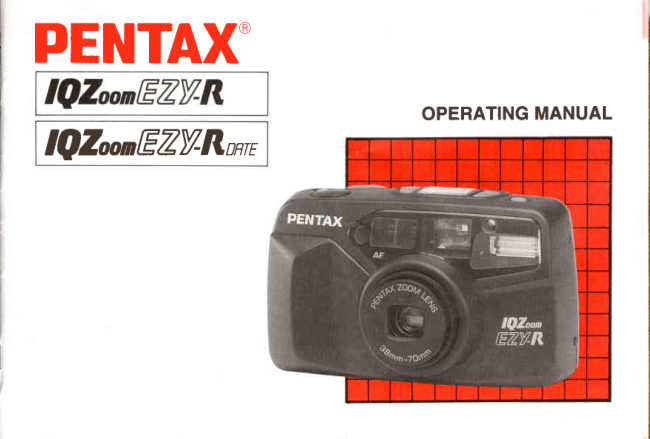
Pentax IQ Zoom-EZY-R User manual
User manual for Pentax IQ Zoom-EZY-R. 38 pages in English. Read the original PDF, download or print a copy without registration.
38 pagesEnglish2.6 MB PDF
Loading your manual…Open PDF directly
Document details
- Brand
- Pentax
- Model / document
- Pentax IQ Zoom-EZY-R
- Document type
- User manual
- Language
- English
- Pages
- 38
- File size
- 2.6 MB
- Category
- Film cameras
- Document date
- Not specified in catalog
Search available document text
Find a term, then jump to its page in the original PDF. Image-only pages may not be searchable; check the PDF for exact wording and diagrams.
Page 3 · Read text
Congratulations on your purchase of the
PENTAX IQ Zoom EZY-R and welcome to
the word of Pentax zoom compact photogra-
hy!

‘+ Please read this manual carefully before op-
erating the camera to take consistently supe-
rior pictures.

‘ay special attention to the cautions and

notes in this Operating Manual. Pictures and
illustrations used in this manual may differ
from the camera's actual appearance.

‘Illustrations in this operating manual are the
DATE MODEL.

con indications used in this manual

Operation direction _
Automatic operation
Attention

Lamp lighted

Lamp blinking

Correct

Incorrect

‘The name of the camera's working parts are
listed on the front and back flaps of this man-
ual. Keep the flaps unfolded for quick refer-
ence while reading the manual.

‘wwnw.orphancameras.com

|
|
|
|
View original page 3
Page 19 · Read text
FOCUS LOCK SHOOTING
                                              o


If you shoot without positioningthe autofocus      l. Focus on the subject with  the autofocus
frame t  t ]   ] on the main subject as shown     frame i  il   l.
above,only the backgroundwill be in focus.    2. When the shutter releasebutton is depressed
When the main subject is off the autofocus     halfway down, the green lamp in the view-
frame in the center of the viewfinder. use the       finder lights up and the exposure and focus
focus-locktechnique.(Focus lock ls the func-      are temporarily locked.
tion to lock focus on an off-center subject.)


14
View original page 19Page 20 · Read text
HARD.TO.AUTOFOCUS SUBJECTS
                                       The autofocus system is highly precise, but
                                                not perfect. Some subjectsmay not focus as
                                          you wish. In  this case, use the focuslock
                                              technique on another subject near the actual
                                         one and equidistant from the lens. Subjects
                                            which may fool the autofocus system in-
                                                clude:
                                                   a) Black or very dark objects,which don't re-
3. While holding the shutter release button          flect much light (and therefore don't re-
  halfway, re-aim the cameraor recomposethe          flect infrared autofocus beams.)
  picture, then releasethe shutter by depress-    b) Wire netting, latticework, iron exercise-
  ing the shutter releasebutton all the way.          bars, etc.
                                                      c) Flickering  light sources such as neon
Note:                                                signs,fluorescentlamps, TV images, sun-
o You can releasethe focus lock simply by lift-          light coming through trees, etc. and sub-
  ing your finger from the shutter releasebut-        jects illuminated by theselight sources.
  ton.                                             d) Glossy and reflective surfaces like glass,
                                                        mirror, car bodies,etc.
                                                   e) Fast-moving objects, like trains or auto-
                                              mobilesin motion.
                                                                         f) Water jets, water surface, smoke, flame,
                                                      fireworks, etc. which have no distinct or
                                                   consistentform, or a subject in mist.
                                                                      15
View original page 20Page 27 · Read text
BULB, BULB_SYNCHRO  SHOOTING

                         Bulb Mode
                         tO Bl Purpme
                      The  shutter  re-
                        mains  open  as
                          long as the shut-@D         ter release button
is held down. This mode is useful for long ex-
posures required for shooting fireworks and
night scenes,for example.

How to Set
Depressthe mode button until [O B ] appears
on the LCD panel.                           Bulb mode, approx. 3 sec. (ISOI00)
Note:
The camera should be mounted on a tripod so   How to Set
that the camera will be steady.                Depreesthe mode button until  I I $  ] appears
                                        on the LCD panel.
                         Bulb-Synchro
                   Mode t  t  Bl        Notes:
                         Purpose            o Make sure you're within the flash effective
                          This  mode  lets     range even when the Bulb-Synchro Mode is
                        you us€ the flash        in used. Seepage 13.T @D   M l i n a d d i t i o n t o t h e     o The camera should be mounted on a tripod
Bulb mode, so you can take a portrait  photo-      so that the camera will be steady.
graph with a night scenein the background,for
example.
22
View original page 27Page 28 · Read text
SELF-TIMER PHOTOGRAPHY

                            Self-Timer
                        Purpose
                     Use the self-timer
                                               if you wish to get
                               in  the  picture.@D      Use of a tripod is
recommended.

How to Use
o Depressthe AF/infinity  drive button until
   [e)-] app"urs on the LCb panel.
o Focus on the subject first by depressingthe
  shutter releasebutton halfway, and then de-    Notes on the self-timer shooting
  pressthe shutter button fully.                o Use of a triod is recommended.
                                          o Keep in mind that when starting the Self-
How to Cancel                                Timer while standing in front of the camera,
o To stop the self-timer operation at any time      the camera may not focus on the subject.
  after  it's been activated, push the main    o When you want to use the flash with the self-
  switch again.                                      timer, ensurethat the lamp is lit indicating
o When the self-timer is working, the lamp      the flash has been charged before operating
  lights up for approximately 7 seconds and      the self-timer.
  then will start blinking 3 secondsbefore the
  shutter is released,letting you know when to
  smile.


                                                                      23
View original page 28Page 31 · Read text
BATTERY EXHAUSTION WARNING AND IOADING,/
REPII\CING BAITERY Use one 3V lithium battery(CR-123A or DLl2ilA).
@D
Battery  exhaustion warning
When th_e_b_atteryis nearly exhausted, the battery
symbol L !  I appears on the LCD  panel to warn
you._Replace the battery as soon as possible. When
 I   ll  I  starts blinking, no operations can be per-
formed.
Battery    life   (using  24-exposure   filn     rolls):     Ensure that the power is off before replacing the
Approx. 15 rolls                                           battery.
Using fTash5O% of the time (using the CRl23A
battery and under  Pentax  testing  conditions).      1. Open the battery chamber cover by using the
Actual battery life,/prformance   may vary drasti-        strap clamp's protrusion.
                                                     one                                                                        lithium                                                             2. Insert                                                                             battery with                                                                                       the plus/minus     dependingcally               on                  usage                               of Auto-Focus,                                    Power
                                                                 matching                                                                                  the indications                                                                                                                     in the                                                          (+  ,/  -                                                                                                ) slidesZoom,       Flash and                  external                           conditions                                           tem-                                 such as
perature and freshness of the battery.                     battery compartment.
                                                              3. Close the battery chamber cover. Ensure that
Notes on replacing  the battery:                           the cover is locked with a click.
o Ensure that  the power  is off before  replacing     o  If the battery  is correctly loaded, the zoom lens
  the battery.                                   moves slightly and the motor operates for a few
o After  the battery  is replaced, correct  the time       seconds.                                                o On the DATE MODEL,  the data is initialized  and date.
26                                         when the battery chamber cover is opened.
View original page 31Page 32 · Read text
PRACTICAL SHOOTING  GUIDE


            Landscape photography  -

     Taking a picture of people with sunset sceneryin the background              ""'p.20
     Taking a picture of night scenery.'                                        """""'p.22
     Taking a picture of people with night sceneryin the background            """"p.22


                                                                      27
View original page 32From the M. Butkus archive. Original publisher and archive notices are retained.
Check the model and edition against your equipment.
PDF verified 2026-10-10.