Film cameras
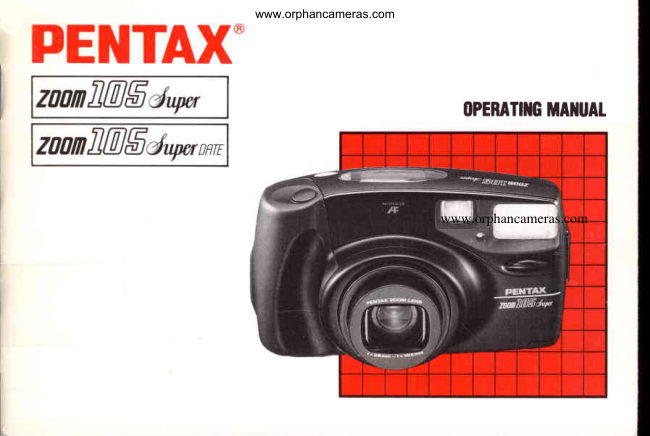
Pentax IQZoom 105-Super / IQZoom 105-Super date User manual
User manual for Pentax IQZoom 105-Super / IQZoom 105-Super date. 52 pages in English. Read the original PDF, download or print a copy without registration.
52 pagesEnglish4.7 MB PDF
Loading your manual…Open PDF directly
Document details
- Brand
- Pentax
- Model / document
- Pentax IQZoom 105-Super / IQZoom 105-Super date
- Document type
- User manual
- Language
- English
- Pages
- 52
- File size
- 4.7 MB
- Category
- Film cameras
- Document date
- Not specified in catalog
Search available document text
Find a term, then jump to its page in the original PDF. Image-only pages may not be searchable; check the PDF for exact wording and diagrams.
Page 3 · Read text
www.orphancameras.com
Welcometo the world of Pentaxzoom compact        lcon indicators used in this manual:                                                              il
photography!This compact,lightweightcamera is
a greatcompanionto help you preserve              Operationdirection                      <r
memorablemoments.A built-in38 - 105 mm
zoom lens allowsgreatflexibilityin shot framing.       Automaticoperation                     !rrrr
A varietyof features,mostlyautomatic,make great
                                                                                                                                  \
                                                                                                                                                                                                                         Ipicturespossible.The modelwith the date function      Attention                                                                               I\
makesit easy to rememberwhen photosare shot.
r Pleaseread this manualcarefullybefore          Lamp glowing                                              -:.i,j-
  operatingthe camerato learn how to take
  consistentlysuperiorpictures.                Lampflickering
r Pay particularattentionto cautionsand notes in       Correct  this operatingmanual.Picturesand illustrations          o
  shownwithinmay differfrom the camera'sactual                                                    Incorrect  appearance.                        X
r lllustrationsin this manualshow the DATE
  model.

Namesof the camera'sworkingpartsare listedon
the frontand back foldoutflaps of this manual.
Keepthe flaps unfoldedfor quick referencewhile
you reao.
View original page 3Page 4 · Read text
www.orphancameras.com


                                     (O Shutterrelease'button
                     @ Macrobutton
                     @ llluminationbutton
                     @ Autofocuswindow
                            O tCo panet
                     @ ViewtinOerwindow
                     @ tignt-sensorwindow
                     @ Built-inlasn
                     @ Straplug
                     @ crip
                     @ Zoomlens
www.orphancameras.com            @ Sett-timertamp
View original page 4Page 5 · Read text
OFBAS|COPERATTONSwww.orphancameras.com%.ouTLrNE
  EE

                          o_L1'"O


    Open the back cover        Load the film and close the   The film automatically       Switchon the power
     (see page 8).              back cover.               advancesto the first frame.   (see page 4).


    Frameyour subjectand     Focusyour subject          Pressthe shutterrelease    When the film reachesits
     operatethe zooming leverto  (see page 14)               button.In dark conditions,    end,the camera
    determinethe composition                               the flash fires automatically.  automaticallyrewindsit
     (seepage 6).                                                                  (see page 18).
View original page 5Page 6 · Read text
e'cAUTtO*t                      www.orphancameras.com

     o Shieldthe camerafrom saltyair and waterat the beach,splashingof any kind,and rain.
             lf immersedin water,the camerawill be renderedinoperable.
     o  lf the camera is exposedto dirt,mud, sand,dust,moisture,toxic gas or salt water,the
      cameramay be damagedor renderedinoperable.
     o Avoidleavingthe camerafor extendedperiodswheretemperatureand humidityare
       high,suchas in a car.
         . Neveruse solventssuch as thinner,alcoholor benzineto cleanthe camera.
     o Be carefulnot to drop or otherwisesubjectthe camerato strongvibrations,shock or
       pressure.
     o Do not applyforce to the zoom lens;do not placethe camerawith the lens facing down.
     o The electriccircuitryinsidethe cameracontainshighvoltageworkingparts.Never
       attemptto disassemblethe camera.
     o Keep the batteriesout of the reach of children.
     o Do not use an old batterytogetherwith a new one.Overheatingor fire mightresultif you do.
    o The misuseof batteriescauseshazardssuch as leakage,heating,explosions,etc.
       Batteriesshouldbe insertedwith the "+" or "-" sidesfacingcorrectly.
    o To preventexplosion,nevertry to break up or rechargethe batteries,or throw
      exhaustedones into fire.

                                       o
View original page 6Page 8 · Read text
www.orphancameras.com1. STRAPATTACHMENT

PREPARATIONSBEFORE
TAKINGPHOTOGRAPHS                                                        . :
You should be aware of certain fundamentals to
make it easier to use this camera in the best way.


                                                        Attach and adjustthe camera strap as illustrated.
                                             Use the tool'sprotrusion@ ( G  )   a screwdriverto
                                               open the batterychambercover.Use                                                                                                                            ". protrusion@
                                                 (O<<) to pressthe film auxiliaryrewindbutton(ifyou
                                                   want to removethe film beforethe roll is comoletedl.
                                                        Note:
                                                    o Adjustthe strap so that the camera is positionedabove
                                                       your waistto minimizecamerasway when you walk.
                                  @
View original page 8Page 9 · Read text
2. POWERSWITCHAND BAfiERYwww.orphancameras.comCHECK


 Power switch                                   Batterycheck
 To switchon, slidethe powerswitchupward.The lens          After power is switchedon, the lens extendsslightlyand
 coveropens,and the LCD indicationsappear.The            the lens protectoropens.The camerais then readyto
 camerais now readyfor settingand shooting.To switch        shoot.
 off,slidethe powerswitchupwardagain.Makesure to
                                                       Notes: switch it off when the camera is not in use.
                                                    o When the camerais left unusedwiththe poweron for
 Caution:                                                over 3 minutes,its power automaticallyswitchesoff.
 The lens cover automaticallyopens when the power          o lf you have a DATE model,do not removethe batteries
 switchis turnedon, and closeswhen the powerswitchis          untilthey are exhausted,sincethey are used by the
 turnedoff. Never attemptto open the lens cover by hand.        date functionto keeo constanttrackof time.
                                                    o Referto page 41 for directionson batteryinsertion.

(9
View original page 9Page 10 · Read text
3. HOWTO HOLDTHECAMERAwww.orphancameras.com


When shooting,holdthe camerasecurelywith both           Caution:
hands.Keepthe cameraas stillas possible,and gently      Do not hold the zoom lens becauseit moves back and
pressthe shutterreleasebutton.(lf pressedforcefully,the       forthwhen zooming.
camerais likelyto shake,and the picturewill be blurred.)                                                       Note:Try to brace your elbowsagainstyour body,or support                                                    o Keep your fingersand hair away from the lens,yourselfand the camera againsta stable,stationary                                                        autofocuswindow,sensor window,flash,etc.object,such as a wall.
When using flash with the camera in a verticalposition,
holdthe cameraso thatthe flashis abovethe lens.

                                      o
View original page 10Page 12 · Read text
www.orphancameras.com1. USABLEFILM


          DX FILM             Perforations Filmcartridge


                            DX mark


              Automatic  film speed setting
               This camerais designedto use DX-codedfilmswith ISO
                 ratingsfrom 25 to 3200. When such film is loaded,the
             camera automaticallyadjuststo the film's speed.
               Notes:
              o When buying DX film, make sure the packagebears the
               "DX" mark.
              o lf non-DXfilm is loaded,the film speedwill be set
                 automaticallyto ISO 25, regardlessof the film'sactual
               speed.
              o Use high-speedfilm with an ISO ratingof 1000 - 3200
                   for shootingindoorsor in dimly lit conditions.
                      o
View original page 12Page 13 · Read text
www.orphancameras.com   ,. FILMLoADTNffi         ffi*W*JW,ffi,n;W,*orr.
  E


              Go                    v
                r6lI   tll
                                                 FH I
                                                    IrlvE||


    E StiOethe back cover releaselever in the directionof       E Placethe film cartridgein the film chamber,fittingits
        the arrow,as illustrated,to open the back cover.                    flat side on the top of the rewind shaft.


 @
View original page 13Page 14 · Read text
www.orphancameras.com


                                                                  Slack
                      */-)\  tr      W
                                                        Ftat         ffi
                          9.9-p , o o
!  Rutlthe film leaderout far enough from the cartridgeto       Notes:ry
   reachthe take-upspoolQ. Alignthe film'stip with the      o Make sure the film perforationsproperlyengagethe
   film leaderend mark @.                                  sprocketteeth @.
                                                    o Makesure the film is properlyplacedbetweenthe guide
                                                                     rails@.
                                                    o Make sure the film is taut as illustrated.Take up any
                                                         slack in the film by pushingit back intothe cartridge.
                                                    o lf the end of the film leader is extremelybent,straighten
                                                                                                           it or cut off the bent portion.

                                      o
View original page 14Page 15 · Read text
www.orphancameras.com


E Close the back cover.The film automaticallyadvances     E Wnen "   |  " appearsin the exposurecounteron the
    to the first frame.                              LCD panel,the film automaticallystopswinding.lf
                                                                                      "   I  " ooes not appearon the LCD panel,the film is not
                                                           properlyloaded.Reloadthe film.
                                                       Notes:
                                                    o Even if no film is loaded,the motor operatesfor a
                                                    second or two afterthe back cover is closed.
                                                                                       r The exposurecounterremainsvisibleeven when the
                                                   power is off.


@
View original page 15Page 17 · Read text
www.orphancameras.com5. TLLUMINATIONOFrHE LCDPANEW


                                                                                                  \ , , , ,


                                                             lex                                      Q_


When you pressthe shutterreleasebuttonhalfway,the        Pressthe illuminationbutton( i})  to illuminatethe LCD
 lampsO  ( AF ) and O(   ,   ) shownaboveglow or flicker.    panelso that it may be seen in the dark.The illumination
                                                        continuesfor approx.8 seconds afterthe buttonis Ocreen lamp ( AF )                                                     pressed.Whilethe zoomingleverand the mode,drive,   When it glows,the subjectis in focus.Or, with the
                                               SETTING,and shutterreleasebuttonsare being operated,   focus lockfunction,focus and exposureare                                                        the LCD panelilluminationremainson even after8 sec.   temporarilylocked{referto page 16).                                                      passes.
 Oneotamp(t  )
   When it glows,flash is readyto fire. When it flickers,
    flashis beingcharged.
 Note:
  .  lf the greenlamp ( AF ) flickers,the subjectis too close.
   Adjustthe camera{o-subjectdistanceso that the green
  lamp ( AF ) glows,then releasethe shutter.
@
View original page 17Page 18 · Read text
iffiffi
     6. ORDTNARYPHOTOGRAPHYwww.orphancameras.comffi


                     Ilex


     When the LCD panelis as shownabove,the camerais in      Notes:
       the Auto and Single-FrameShootingmodes.These          o lf the LCD panel displaysindicationsother than those
      modesare usedfor ordinarypicture{akingsituations.The        above,switchingthe power off,then on again resetsthe
        flashfiresautomaticallyin dimly lit places.               LCD panelto appearas above.
                                                          o The shutterspeed when the flash fires automaticallyis
                                                       betweenapproximately1 140sec. (wide-angle)and
                                                             1/60 sec. (telephoto).
View original page 18Page 21 · Read text
www.orphancameras.com


  lf you shootwithoutpositioningthe autofocusframe ( [   ] )             I  Firstpositionthe autofocusframe([   ]  ) on the main
 on the main subjectof the pictureas shown above,only           subject
 the backgroundwill be in focus.When the main subjectof                                            E As you pressthe shutterreleasebuttonhalfway,the your pictureis off the autofocusframe in the centerof the                                                     greenlamp ( AF ) glows,and focusand exposureare vieMinder,use the focus-locktechnique.                                                          temporarilylocked.


@
View original page 21
Page 22 · Read text
www.orphancameras.com


                                                   Hard -to-autofocus  subjects
                                                           Like many otherautofocuscameras,this camera's
                                                       autofocussystemis highlyprecise,but it may not
                                                        focus as you wish on certainsubjects.In such
                                                      cases,use the focus-locktechniqueon a subject
                                                    whichis bothnearthe actualone and at an equal
                                                        distancefromthe lens.
                                                        Subjectswhich are hard to autofocusinclude:
                                                                 1. Blackobjectslike hair,whichdon'treflectmuch
                                                                          light(andthereforedon't reflectinfraredautofocus
                                                     beams).
                                                                   2. Wire netting,latticework,iron exercise-bars,etc.
!  Wnitecontinuingto pressthe shutterreleasebutton            3. Flickeringlightsourcessuch as neon signs,
   halfway,re-aimthe cameraor recomposethe picture,                                                           fluorescentlamps,TV images,sunlightcoming
   then fully depressthe shutterreleasebutton.                                                        throughtrees,etc.,and subjectsilluminatedby
Notes:                                                  theselightsources.
o You can cancelfocuslock simplyby takingyourfinger           4. Glossyand reflectivesurfaceslikeglass,mirrors,
  off the shutterreleasebutton.                                 car bodies,etc.
o When in the ConsecutiveShootingmode,focuslock             5. Fast-movingobjects,like trainsin motion.
 cannotbe used.                                                6. Waterjets,watersurfaces,smoke,flame,
                                                               fireworks,etc.,which are formless.


                                  @
View original page 22Page 23 · Read text
9. UNLOADINGFILM ,WwWetherirmwww.orphancameras.comtro',t"Wi"  inttffin"o".
E
                                                                                               tI+


                        a
E Rfteryou have exposedthe last frame of the roll,film      E Open the back cover,and removethe cartridgefrom
   rewindsautomatically.Then,the motor stops,and the          the chamberby pullingon its top with your fingertipas
   back cover open mark ( t--       ) flickersas shown to         snown.
   indicateend of rewind.
Notes:
o The shutterwill be releasedfor a frame or two afterthe              . A 24-exposurefilm rolltakesabout20 secondsto be
  assignednumberof exposureshave been shot, but the        rewound.
   last frame may not be developed.                       o The entireroll of film includingthe film leaderis always
o Duringrewinding,the exposurecountercountsframe         rewoundinto the cartridgeto avoid leakageof lightonto
  numbersin reverse.                                 any partof the film.


@
View original page 23Page 24 · Read text
www.orphancameras.com


Rewindlngthe film in mid-roll
lf you wish to unloadthe film beforeexposingall the
frames,pushthe auxiliaryrewindbuttonwiththe
protrusionO  ( O<<  ) (see page 3) of the strap'stool;film
rewindingstarts.When rewindis completed,the motor
stops,and the back cover open mark ( t--'-     ) flickers,       Caution:
indicatingthe cover may be safelyopened.                Neveropen the back cover untilrewindingis completed.
View original page 24
Page 25 · Read text
www.orphancameras.comMACROPICTURES

. TAKINGBETTER'*.. PHOTOGRAPHS-
                                                                                                 ,v   There are a variety of ways to take the picture you
   want.

    (_b-tsir_l=,,
    rffi                                                 Note:o When the autofocusframe ([  ) ) is off-centerof the       I=--:--_a7O_  tExO)                                       picturearea in macrophotography,use the techniques
                                                         describedin "Focus-LockShooting"on pages16 and 17.
   This is one of two modes used to take close-up pictures.
   Comoosethe shot withinthe macroframe.


 @
View original page 25Page 26 · Read text
Shooting Range:O.75m12.5ft - 1.35 m/4.4www.orphancameras.comftffiiwii{

 t


I


              !  Pressthe macro button( r?  ) to engagethe Macro                 I  fne macroshootingrangeis 0.75- 1.35meters(2.5
        mode." @ " appearson the LCD panel,and the lens              - 4.4 ft\. Pressthe shutterreleasebuttonhalfway,
        movesforward.To cancelthe Macromode,just move       make sure the green lamp ( AF ) glows,then release
          the zoomingleverto the left(f ll)  or right(    |    ).             the shutter.

                                                                                                                           lf the camera-to-subiect   distance  is more
                                                              than 1.35 meters (4.4 ft), the Macromode will
                                                                                         '105                                                                    automaticallyshiftto the  mm telephotosetting
                                                     when the shutterreleasebuttonis pressedhalfway.
                                                              Press the shutterreleasebuttonall the way down to
                                                                    shoot.The Macro mode will be restoredafterthe shot.
View original page 26From the M. Butkus archive. Original publisher and archive notices are retained.
Check the model and edition against your equipment.
PDF verified 2026-10-10.