Film cameras
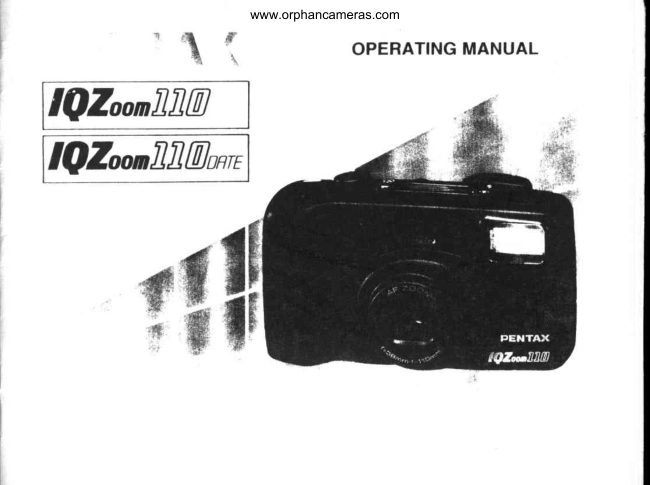
Pentax IQZoom 110 / IQZoom 110 date User manual
User manual for Pentax IQZoom 110 / IQZoom 110 date. 49 pages in English. Read the original PDF, download or print a copy without registration.
49 pagesEnglish1.4 MB PDF
Loading your manual…Open PDF directly
Document details
- Brand
- Pentax
- Model / document
- Pentax IQZoom 110 / IQZoom 110 date
- Document type
- User manual
- Language
- English
- Pages
- 49
- File size
- 1.4 MB
- Category
- Film cameras
- Document date
- Not specified in catalog
Search available document text
Find a term, then jump to its page in the original PDF. Image-only pages may not be searchable; check the PDF for exact wording and diagrams.
Page 4 · Read text
www.orphancameras.com
()T].I'I,INI.]OF'BASIC OPERATIONS

                                                                                                                                                                                                    i


()pcrr thc lrat'h eover (scc    I -o:rtlthc lllrn and close the The llhn will aul(nrralically Push the Main Switch but-
pagc li ).                huck eort'r (scc pirgc91.   advancc to the lirst li'ante ton to switch on powe r (scc
                                                    (scc page 9.)             pagc 4).


                {'(\


l;ranrc your  sub-iect and  ljorus on your sutr.iccl(scc  f)eprcss lhe shulter rclease When thc llhn is lrnishcd.
()J^-rillclh(' l(xrnting lever  pugc l4).                  button. ln dark conditions, lhc carnera will autolrrali-
kr eorrrposcthe shot (sce                             lhc  l'lash will  dischargc cally rewind  it (sec papc
gragc6).                                                  aut()nutically( scepage I 5).     l 8 ) .
View original page 4Page 5 · Read text
www.orphancameras.com


\ l     I f { f Y i                                                                                  t " : r  (    \ t     i l ( ) N s     |  ( ) f {   l l  \   !   |
Thc electric circuitry inside the camera contains               .  Thc nrisuse()l'ballery can causc hazards such its                                                                                                                 -l'hchigh voltage working parts. Never attcmpt to           lcakage. overhcating, explosions, ctc.       blt
disasscmhlelhe canrera                                  tery should be insertedwith thc "+" and "-" sidcs
Be carcful nol to drop or subjecl the camera to            l'acingeorreclly.
strong vihrations, shtrck or pressure.                                   .  Never try to disasscmble, shori or rccharge lhc
f)o n()t apply force lo the zoom lens; do not place           hattery.
the carnera with the lens facing downward.               Also, do not dispose of the battery in a l-ire, as it
Never altenrpt to manually ope n the lens cover:        may cxpkxle .
it will automatically opcn and ckrse as thc main        o  Baltcry lrrlirrmance may be tenrporalilv hindcrcd
switch is turned on and off.                                     in low te lnperalurcs, but will rec()vcr in norm:tl
Make sure nol to obslrucl the autofocus window,            tclnpcralurcs.
lcns, light sensor window, or the built-in flash               .  Kecp a spare hattery on hand lbr rcplaccrncnl
with your lingers or hair.                            convenience when shtxrting ouldoors or while
Avoid leaving the camera forextended periods in           lravcling.
placcs where temperatureand humidity arc high                .  Kecp lhc baltery oul of the reach ol'chiklrcn.
such as in a car.                                                            r Whcn the carnera is in a bag, cllsurc thc tnain
Dirt, nrud, sand. moisture, toxic gas, waler, sal(          switch is of[: <ltherwise, batlcry l.rowernurl lrc
water, etc., pcnctrating the inside of the camera         wastcd il the shutter release bulton is accitlcn-
may cause damage or rendcr  it  inopcrable.             tally pushed.
Damage of any kind will not bc repaired under
the lerms of lhe warrantv. Therelirre. handle the
eanlera with grcal carc.
Ncvcr usc solvrnls sut'has paint thinner,llcohol
or bcnzinc lo clcan the camera.
View original page 5Page 7 · Read text
www.orphancameras.com
                          STRAP ATTACHMI'NT

                                          Attach  the  strap  to  the  canrer;l  (st'c
                                                   illttstralion) by  Jrassing the  shortcr  crrrl
PREPARATIONSBEFORE       tltrotrgh Ilre loll  of  the straJr lrrg. ll   llrr'
TAKING PHOTOGRAPHS      longerthe strapen<llugof fronrthe strapthc top,is passc<lthe disl;rrr<:cttrrorrglrol'
                                        0.45rn (1.5ft) cannot be mcasured in  llrr:
For optimum performance you should      Super Macro Mode: when tlre shorter end of
familiarize  yourself  with   certain      the strap reachcs ttre top  of  the  lrrg, llre
fundamentals  before  taking  any      strap is in proJler position. Use the lrrb on
photographs.                               the clarrrp (scc illustration) to deprcss llrc
                                          AI)JUSl' button and  to open the  lxrtlt'ry
                                                ch;rnttrcrcover.
                                                                                    . To prcvcntlhc canlerafrom swayinga lol while
                                                   walkirrg,ad.justthe straps()lhe cameraridc'sabovc
                                           yourwaisl.
View original page 7Page 9 · Read text
www.orphancameras.com a"Fgl  How ro HoLD THEcAMBRA


   When shooting, hold the carnera securely with both        ( , t r t t i r r t | :
    hands.Keepthecamera as srill as possible,and gently    Do not hold thc zqrm lens bccause it lnovcs buck anrl
    dcpress thc shulter releasc hulton. 1ll'too nrucliforci       lirnh whilc in ()pcrati()n.
     isapplied,the carnerais likcly toshake,andthcpicrure
      will be blurred.) Try to bracc your e lbows against your     Note:
     hrdy, or supp()rt yoursell' and the .anreri  acainst a          .  Makc sure not to obstruct the aulofrx.us winrftru,.
     stable, staticlrraryobject, such as a wall.                        lcrrs,light scnsorwindow or lhe built-irr flash with
    Whc'n using the llash with the camera positione<Iver_       your lingers or hair.
     tically, hold the calnera so that the fla.shis above the
     lcrrs.
View original page 9Page 12 · Read text
www.orphancameras.com

   l','ll,l\l  I,OADING      (nntnr" the power is olf before inserting the film.)


Slitlc the back covcr releasc lcvcr down  in lhe     Notes:
clircctiorr 0l thc arrow lo ()pcn thc back c()vcr as         .  Flnsurethe filrn is placed properly between the guide
illrrs tr i r l c r l .                                            ra ils @ .
l)lace t lre l'iI nr cartridgc i n the f'ilrn cha mbcr hy fi tt i ng        r  ll'there is dirt on the film detect<lrO,  film cannot be
rtr llat sitlc orr top ol'thc rcwirtd shalt first and then      wound propcrly.
slitlt:tlrc top cntl into thc canlcra.
l'rrll the lrlttt lcitdcrotll larcn()rtghliom thecarlridge
lo rr::rchthc takc.up slxxrl {S. Align the tip ol thc
Iilrrr u rtlr the l'illn learlcrcnd lnark t|.
                                                                       'f .rvr(-l                              BJ-
                                                         Slack                   YES!
View original page 12Page 15 · Read text
www.orphancameras.com
   I,AMP INDICATIONS


                                                        Notes:
                                                                                         r     l l ' t h c subjccl is lrxl ckrsc, thc grccn lirlrrphlrrrks.
                                                         Atlp sl                                                                      .thc canrcra-lo-subjcctdislitncc :o Ilr;rt llrt.
a                                                     grccnshuttcr.l;rtrpThe lightsshutterconlilruously.cannol hc ielc:rst.tltht.n r.clt.rrrt.wlrr[j rrlht.r.
                                                             blink ing.
o                                                        crrrrtrnuously-ll'thc'subjectisevencloscr,In this elsc.thekcipgrecnrrrlarrrprrrrri,lnr.rrrli;rrlightrlrt,
                                                          shutler will r*+ rcleascd whcn ihc shrrltcr releirrc
                                                            hrrttonis dcprcssctllirlly.


               thc                 shurrcr                                     l,rrr,,n                               g".l':                                        r,,,rr*aytlowrr,Y.}:i, :,:::,,1,.:rcsstlrc larnpsO,                     an,Jlor           Q                 O lighrs                                     up,r,                                                      t,iini u',shownabove.
{}  (jreen lamp: Whcn the subject is in lrrus.   it will
                   light up to indicate thal you can take
                 lhe picture; when thc subie..tis not in
                   lirus,  ir wiil  blink. injicarirrg rhilt
                 y()u cann()t takc thc picturc hccause
                 lhe camera-to.subjccidislance rs too
                   r.krsc.   '
  Rcd l;rmp:  Whcn thc ll:rsh is rt,ady to dischargc,
                         ir will lighr up. Whein rhc llirsti is
                  tx..rrrgt.hargc<I.ir u ill blink.
     I rrI rrrrty,l;rrrtlsttrpe
   larrrll:      Whe'nthc inlinity-landscape rnodc is
                   sc'l.ir will lighr up.
View original page 15Page 16 · Read text
www.orphancameras.com
 ,4g   oRt)tNARYPnolocRAt'HY


   Whcn thc powe r is switchcd olr try de prcssing thc matn
   srviteh huttolr, lhc earrrcrl aulorrralicallyselccts the
   A ulo a r r d S i n g l c - l j r a r r r cS h rxrlin g lrlo d cs lrrd lh c
   e \tr()\urrc()untet ittdicalionrctrtainsoltas shownahovc.       'l
      ltcrc rrtrxlrsarc uscd lor taking ortlinary picturcs.The
    brrilt'rrrllash will dischargc autornatieally n,lrcn lhc
   sub.jcel rs prxrrly rllurnirratcdor backlit.
      .   lvVltt'tttltt' l-('l)  pancl display is dillc'rr'rrt lionr the        r Whcn thc built-in llash autontatically disch:rrgcs.
      ortc rhowll lhovc (whiclt indicatcs lhc olhcl rt.totles       lhc carnera uses a shutler speed in the rangc lirrnr
       lrc \r't ). su'itt hing powcr ()lil; arrdlhcrr()N restorcs       appr()x. l/4(Xh lwide-anglc) to  l/60th sec. (tcle-
       tlrc n ut() lnd Singlc-lirarncSh(x)tingltttxlcs.             position) when lSOl(X) I'ilrn is uscd.


   1 2
View original page 16Page 17 · Read text
www.orphancameras.com
 ,P
U   DIoPTERADJUsTMENT

                                                          Ainr thc camerilloward a hright iubicct While lrxrking
                                                                 lhrotrgltthc vicwl'indcr. a,liirrrrt,..f ,,,pr.:,:t,u,,u,r,,,g
                                                           thc rliopter adjusrrnc'nrlcvcr lo rhc righior lrli rrrirrI r ht:
                                                                                       r\t  triune apl^-itrsclearest.   r@)
    \
View original page 17Page 18 · Read text
www.orphancameras.com

  attt
   t&it'  'l'AKINGlf              PICTURI|S     Strootingdistance:0.65m(2.lft)-,'' (infinity)


                                                                                               -l Ohecking  the lamp  indication
                                                         l)cprcssthc shuller rclcasebullorrhallway down. Whr:n
     ('onr;rosirrg  lhe scene                             the suhjcctis in lrrcus.thc grccrrllrtrp rvill light up. ll tlrc
  Altcr zrxrrrrrrrglhc lcns urrtl cortrposingyour scr:nc,    subjcr:t is clost:r tlrarr 0.ti5rl {2.lft) in wrdc iltlrrll
  Itrcrrson thc srrhjcctwitlr thc uut()l()cusliarnc irr thc    and 0.tl5rn (2.tlft) ilt  lclt'  I lSrmrlr, thc grr:t:rrlantp
  ('tnlcr r)l lltt' r tt'g lintlt'r                                      will  lrlin k to wir r n you. In lhis t:;tsc,extcnr l tlr c
                                                      cantcra-to-subycctdislartce until  tlrc gret'n lalrp  is                                                                                           'l'he                                                                                                     lil  corrlrnuorrsll'.     shutter cann()t bc relt'ascd
                                                                   wlrilt: il is b lin k r ng.

                                                                                           r Whcn thc rcd larnp lights up,  it indicatcs lhat lhc
                                                                     huilt-rrr llash will discharge. llnsurc lhll  y()u irre
                                                                     withirr thc llash ef'l'ectivcrangc bcl()reslroolirrg.( scc
                                                         p lg c 1 5 .)
View original page 18Page 20 · Read text
ro                      www.orphancameras.com    l'ocus-r,ocKsHooTrNco


ll vott shrxrl withoul Jrositiorringthc aulolircus lranrc          I  l;trrrs on thc suhjcct wilh the autolircus lianrc
( I ; )orr llrr rrririrrsrrbjcctol'thc lriclureas shown atxtve,        ( t l ) .
{)nlv tlrc baekground will r^L in lircus. When thc rnarn      Whcn you wish to l-crcuson the lace, which appears
subir:ctis oll thc uut()lixus l'rarncin thc centcr ol'thc        very srnall in the viewf inder, lirus  on lhc chesl
vit:wlindcr, rrscthc firus-lrrk  techniqlle.                  instcad to  l'ill the lirus  liarnc with lnore ol the
( l'txus lrrk  is the lunction to ltrck lirus.)                    subiccl.
                                                                                                                                                             ' Whcn the shuttcr releascbulton is dcprcssedhallway
                                                   down. thc grccn lamp on the leli-hand sidc ol the
                                                           viewlindcr lights up and the exp()sureand lircus arq,
                                                              tenrporarily ltrked.


r6
View original page 20Page 22 · Read text
www.orphancameras.com
n                         (Removethe film fronr thc camera in the shadeor use your body to
V    liNl,()Al)lNG    FILM   shadeihe camera.r                                                                                                                                                                                                                                                                                                                                                                   IIIItII
                                                                                                                                                                                                                           I{I
                              ' t l l - \ -
      t-'  JDiai,. *                                    :r;"                                                                                                                                    III
                                                                                                                       II             ,,    . - .         ,      l.l..--.        ./-fl---.       I   u_'I  <'- L   !JbEJ                                   .':'.

    '  Rertinding   the film                                                               I  Unloading   the film
 Al'lcl you huvc cxposctl thc lust lratrtc ol the roll,-l'hcn.the    To unkrad thc I'ilrrr.open thc back cttver, and remove lhe lens rclraets arrtllhc lilrn rcwinds autornatically.          cartridgc lrotn lhc chantber by pulling the top out lirsl
 lhc rrrolorslops. attd ( C ) blinks as shown ttl irrdicatc    with your l'inger.
 lhat thc lrlrrrhas hccn rcwound.
                                                        Notes:
  .  A 2,:l-cl;xtsurcroll ol'l'ilrrt lakcs abottl 2O sccondslor     .'Ihc  shullermayhc relcaseda frattrctlrtwocvcn alicr
    bt'tcwttttrltl.                                               thc spccified nunttrer ()f l'ranreshavc hecn uscd trp as
 o   | )uri rtg rcw i nd i rrg,thc cx [x)surc c()urrlcrc()unlsli'itntc        inrlicated by thc nunrber ol slrots shttwn on thc l'ilrn
     nttrttlrc'rs llr rct crsc.                                 can islcr. I l'this rrcurs, tlrcseexlra l ralncs nuty bc losl    'l'hc  .         crrtirc roll ol'l'ilrn including thc l'ilrrrlcadcr is         in lltc prrressing.
    llwln's rctrottnd rnt() tht cartridge l() prevcnl ilny        r  Ncvcr opcn lhe back cover until thc whole lilln roll
     l)lrt ol'the lilrrr ht'ing cxlxrscd to light.                         is rcwound.


 1 8
View original page 22Page 26 · Read text
www.orphancameras.com

HOW TO SELECT MODES/RED-EYE REDUCTION FLASH MODE
                                                                         .  T() scl vari()us requircd m()des,(lepresslhe buttons (}  and/tlr tl'       't
                                    o  }jrlr nrlrtnal use. sct llrt' Atllo and Singlc--FrarneShooling nxxles as
                                 shown rln the right. whcrr the nrain switch is turncd oN,  this rrxxlc is                                          aulorttatieallYsel.                                        il


       scl larious cxp(tsure mrxles, dcpress the Mtxle Butlon.
o Ln-El-n-n-H-n-lr'fo
         Ar,ro      Dayhshr.sym                            Burb       Burb_syrc
                                               1J}..,?ll,i,lor,,  ;l"J;f#;,r""
 . Whcn thc burton (f  is deprcsscrJalier the shutteris releascdin any exJrosuremrxle, the Auto mode will
    aut()rililtr(illly rclttrn.

 Rr:d-Eye Reduction Flash Iunction
 'l-p    rctlucc the rcd-cye phcnonrcnolr in the picrure. depress the red-eye reduction flash bullon (<E)  tJ. With this rrr14c.thc lllsh disr:haig.cslw(, consccutiveilirrrcs,rcducing lhe apJrearanceof the red-eye effect significantly. T() s
canccl llrc trtodc, dcprcss the red-eyc rcduclion hutton again.                                                    t


22
View original page 26Page 27 · Read text
www.orphancameras.com


       To sel various shooting modes, depress the Drive Button €).h
{


              r When the button @ is depressedalier the shutter is releasedin any shtxrting rnrxle,the Single-Frame nl<ile will
           aulomatically relurn.
                 .  Holding down the Drive Burton frrr more than three secondssels the mid-roll rewinding rnode (see page  I9.)


;
II
View original page 27Page 28 · Read text
www.orphancameras.com
I)A Y I,I(;HT.SYNCHRO S}IOOTING


                                      l)t'prt'ss lhc  M'tlc                   I      l i r r t t o r t u l r l i l   t h c
                                                  ( t  I  irl)l)cirls'l'heolr lhc    i,7   .r            i'                         | .('l) pirrrc|     l'llslr
                              u ill rlrse llrrg inc b o lh                                               IIltl;ul antl hr rtlrl r'ort-
                                       tltttotts.W'hcttlt pgr-
 ll;rrt r\ tlLcn t'rcrr il thc srrbjret is rrrl irr a hacllit
 rlttr.ttiott.tltc lirrrtlrrl-llrcsrrhlt.tilrnir\'ht't.lrstin slrirtkru,.
 It t s t t t h il ( i t \ ( '. r r s t 'l l r r , I ) . r r l r r :lrtlstrr..lr,.rSlto o tirtg
 trtrxlc( l ;l;rslt,()N rrrotlcl *  it h i rrthc lllrrlr el let'tir,'cnrnsc
Io lllc  J)t('turc\.I his uill cn\ltrc th.ll .t l)teturci\ w;ll
t'lposctl uillrorrl lnv  shadou. Whcl  !ou  wish  t()
tlisthurgc tlrr'lllrsh. ltsc lht\ nrodc. lrr tlii'  ltrrxlc,thc      \['rtlrrrulI ):rl,lightS_vnr
l'lashu'ill irluays discltargc.

Noles:
.   l'itrsrrrcthlt thc rcrl lurrrporr lhc k li-hanrlsidc ol-the
   vit'ulrrrrlcr is lit uhcrr the slruiltr rclctrscht[on  is
   tlcPlgqrs{ lurllw'ay dow,rr bclirlc shrxrting. A  rctl
    lrrrrtplrlirrhinu ind icutcslhlt tlre llash is trt ing chargcd.
.   l'.rrsrrrrr'tru'rcw ithin llrc llirsh e llt'clivc r.lngc c\/cn
   u lt c t r 1' o ut r s ct h c h r r i l t - i nl l l s lr rrsl  lill irr lla sh in
   tl:rvtrruc.(sctt page  15.)


                                                         Witlr I )rrvliu h t-Svllc
24
View original page 28Page 29 · Read text
www.orphancameras.com

 TAKING PICTURES AT A SLOW SHUTTER SPEEI)

                      Slow Shutter                             Skrw-Speed-
                     Speed( l'lash-                           Synchro
                         oF'F)                                  Shmting (l'lash-
                                I)eprcss                                          the                                   Modc                        r-'---h-             On)                         B u t t o n u                                        n t i                                                                                                             l    l h e     'si                                                                                          l)cpress lhc Modc
                              (A  O) syntbol ap-                                 Bulton  l( ) sct thc
                              pears ()n the LCD                                              slor.l'- sJrced- sync
panel. In this mode, thc llash dr^*s not dischargc, anrl a    m<xlc until the (!l   1) symbol appcars on rhc  l.('l)
picture is takcn al a sl()w shutter spccd up to approx.  l /     pancl. ll is possible to photogrilph subiecrs :rnd hrrek,
-5 sccond. Usc it in placcs wherc llash ph<xographyis     grouncl in a balanccd way (as shown irr lhc photo) by
prohibitcd, such as in thcaters and lnusc.ums.I.'urther-    using the built-in flash to propcrly cxpose thc lorcgrorrrrd
more.lhis ntode is also uscl'ul lirr a naturalexisting light     suhjcct and a slou'-shullcr-spcedl()exp()scthe krw light
effect in low anrbicnt photography.                    background.

Note:
. Whcn shrxiling in low light, thc shultcr spccd gcts
   slowcr, anti camcra shakc is likcly  to blur your
   picturc. Use ol'a triptxJ is reconrrncrrdcd.


                                                                    25
View original page 29Page 32 · Read text
www.orphancameras.com


   Noles on the self-timer  shooting
      Kct'p in rnind thlt whcll \tlrting thc Scll'-Tirner
      u,hrlt'st:rndilrgin lronl ol lhc cuircra. lhe canrcra
         tllil\, n()l lrru.^ustlrc suhicct.      'lircanc'e
                          I the scll'-tinrcrltany titnc alicr it's bccn
     ructrrated.push the rnain swileh. In this instance,
       lht powcr will not be turnc<jol'l'.
    Whcn you w:lnt lo use thc llash with thc sclf-
      lirucr.cnsrrrt'thurthe rcd llrnrpis lit indit.atins lhc
      llirsh has hccn t'hargcd ht'lori, opcrarirrl rhc'icll_
     Ilntcr_
         ll thc hittteryis exhaustetl.thc scll tirrrcroJx,ra_
      lrol 111;q1,nol ht' contplclcd oncc startctl. In this
     c'ase. re.placerhe batrcry (see page 32.)
    Whcrr the Bulb nrtxle is used in cloritbinationwith
     thc scll-timer, a shuttcr spccd <ll'approx. l/2 sec.
      ts aul()ntalieally sclecled.


28
View original page 32Page 33 · Read text
www.orphancameras.com

    CONSECUTIVE PHOTOGRAPHY

                                                                                                                           .  Whcn using llash in this mode , conseculive shrxrting
                                                                                       is possiblc only altcr the llash is chargcd (thc rt:d
                                                                     larnp is lit; lirllowing cach exposurc.rm   Cbiqr'

        Deprcss the Drive Bufton untilthc (Q   ) symbol appcars
        on thc l-('D paneL Whilc lhe shuitcr rclcasc buttorr is                                                              'l'he         hcld down, a franrc is shot cvery 1.7 scc.    carncraiffif<ruses on the subject franre by liame in this mode, so
        rnake sure lo kccp the autofrrcusliarrre on thc subject.

$
 *.,
View original page 33Page 34 · Read text
www.orphancameras.com
M UI,'I'I.EXPOSURESHOOTING


                                   M u I t i l')xposrrrt' nrorle u'i I I d isengage thc li I nt itdvance.
                                                                  lcttirrgyorr supcrirnposcintagcsrtn a singlc lrarrrclirr
                                                              lrrn l;rslicillrrsr ons.
                                                 Your  i rttagirurlion crrnprrxlrrtc slri k ing crclrti vt' c l'l'ects.


                                                                        b
View original page 34Page 36 · Read text
www.orphancameras.com
IN T.'INTTY.LANDSCAPF]SHOOTING


                                         Whcn you wish lo talc a sharp picturc of a distant
                                                            llrtttlseapcor a tlist;rrrlsrrh.jccltltrough a wirrdou. lhe
                                                               irrlinity,llrrrtlscnpcnrrxlcalkrws you lo caplrrrr rlistanl
                                                       sccncr)'u,ith clrrritt
                                                                                                         I )cprcssI hc I n l i lrit v - I -arrtlscapcltrrltorrlntl r eA ) irl)l)cars
                                               on lhc l-('l) grarrcl. m
View original page 36Page 39 · Read text
www.orphancameras.com


            ('orrecting   the date                     OPF]RATI()NAI, PRRCATI'TIONS                                                                                       'l'hc           l.l)epress thc Sclcct hutton  ..  to lnakc a dill'crent          tlata on thc [-('l) parrel is irrrJrlintcdolt each li'attreff catcgory ol'digits on thc l-Cl) panel you want t()    yOu cxlx)sc.
            charrgeblink.
            2. Itpress the Adjust truttorr   , to cltangc digits ol'the          .  "Ycar-Month-[)ay" and "l)uy-Hr]ur-Mirrute" carl
              spccilied catcg()ryyou chose with thc Sclecl button        not be irnprirrtedat thc sanlr tnlrc.
                g). Digits incrcasehy onc cach linrc you deprcsslhc        r  As you rclcasc the shuttcr. the bar {,) nt.rrh ()n thc
             Acljust butlon rrt. Holdirrg dowrr lhc buttorr will        displav blinks lirr a l'ew scconds, inclicatirrgthe data
           advancedigits continuously.                         has hcen irnprintcd.
          o Thc blinking ":" allows prccise l-inc-tuningol thc          .    ll thereisa whileoryelkrw ob.it'ctitt iltccorttcrol thc
              intcrnalcltrckto thc bcgirrningol'a spccilir:tlrrrinulc.       picturc whcre lhe data is irnprintcd. tht'datu rrray l--l*        To drr so, dcprcssthc SclceI butlon ,  t l() nrakc lhc ":"          dilficult to rcutl. When  corrrposirrgyottr pltolo.
               blink, and thelr de pressthe Atl.lustbutton  : " in sync       graphs, try to avoid brightly-cokrred subiccls itr thal
                willr a tirnc signal.                                    e()nlcr.
                   l.  Alicr thc data has becn rrtljusletl.dcprcss thc Selcct
              butlon. Thc bar nrark (- | appcarson thc [.('l) pancl,
             indicatingthal dala irrrprirrtingchoicesarc possiblc.t*                 r    ll you rL'lcascthc shutlcr u'hilc the hlinking dala is
             bcing corrcclcd, thc dala eannot bc inrprintcd.

          o Nurncrical indication
            Ycar   = tt7- 19 t lt)tl7 2019 t
                       l\ lot t l h =   l - 1 2
                l)iry   =   l - . l l
                  l'rrttc   = 0-21
              IVlrrtute= (X)-59

                                                                             35
View original page 39From the M. Butkus archive. Original publisher and archive notices are retained.
Check the model and edition against your equipment.
PDF verified 2026-10-10.