Film cameras
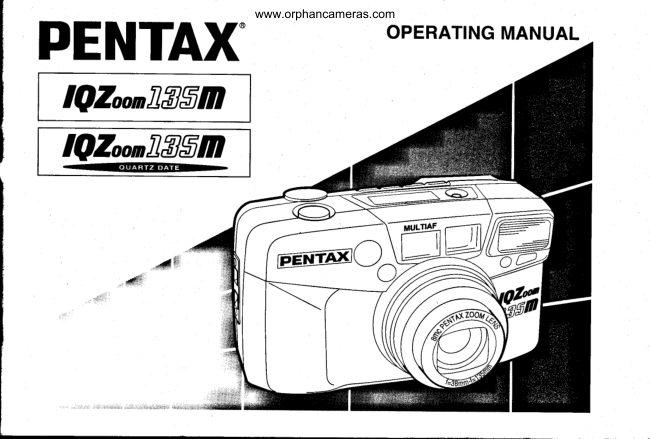
Pentax IQZoom 135M / IQZoom 135M date User manual
User manual for Pentax IQZoom 135M / IQZoom 135M date. 39 pages in English. Read the original PDF, download or print a copy without registration.
39 pagesEnglish1.9 MB PDF
Loading your manual…Open PDF directly
Document details
- Brand
- Pentax
- Model / document
- Pentax IQZoom 135M / IQZoom 135M date
- Document type
- User manual
- Language
- English
- Pages
- 39
- File size
- 1.9 MB
- Category
- Film cameras
- Document date
- Not specified in catalog
Search available document text
Find a term, then jump to its page in the original PDF. Image-only pages may not be searchable; check the PDF for exact wording and diagrams.
Page 1 · Read text
www.orphancameras.com
                        OPERATINGMANUALPENTAX
  IQZoonflflSm
 IQZoonllggm


                            tr'rfltrtrl%
View original page 1Page 2 · Read text
www.orphancameras.com

Congratulationson your purchaseof the    lcon indicationsused in this manual
PENTAX lQbllflSn   and welcome to the                                            Operation direction                 .(F
world of Pentax zoom compact photogra-
phy! Your compact,light weight camera is     Automatic operation              {rurf
a great companion to Preserve Your
favoritememories.Pleaseread this manu-     Attention                                                                                                                 l  l
al carefullybefore operatingthe camera to                                                                                                   t.ir'
take consistentlysuperiorpicturesand pay    Lamp lighted                       7:'.

                                                                                                                                                                                                                                                 taia'specialattentionto the cautionsand notes                                                                                            a
                                                                                                                                                                                        ataoain this OperatingManual.                Lamp blinking                                                a    a a
. Pictures and illustrationsshown herein     Correct       o
 may differ from the camera's actual                                                  lncorrect                             X appearance.
 . lllustrationsin this operatingmanualare
  the DATAMODEL.
View original page 2Page 3 · Read text
FORSAFEUSEOF YOURCAMERAwww.orphancameras.com

Althoughwe have carefullydesignedthis camerafor safe operation,please be sure to fol-
low the followingprecautions.

AWARNING  This mark indicates precautions that if not followed, could result in
              serious injury to the operator.
ACAUTION   This mark indicates precautions that, if not followed, coutd result in
             minor or medium iniury to the operator or damage to the equipment.
AWARNING                     ACAUTION
 ' The electric circuits inside the camera      . Use of the flash near anyone'seyes may
 containhigh voltageworkingparts.Never    be harmful,especiallyfor infants.
 attemptto disassemblethe camera your-      . Remove the battery from the camera
  self.                                  immediatelyif it becomeshot or beginsto
' Never touch internalparts of the camera    smoke. Be careful not to burn yourself
  if they becomeexposed,as there is dan-    duringremoval.
 ger of electricshock.
. Wrapping the strap around your neck is
 dangerous.Makesure that small children
 do not the strap caughttheir neck.
. Be sure to store batteriesout of the reach
 of children. Seek medical assistance
 immediatelyif accidentallyswallowed                                       1
View original page 3Page 4 · Read text
PRECAUTIONSFORYOURwww.orphancameras.comCAMERA

Precautionswhen taking pictures              Precautions for storage
. Do not allowthe camerato get wet. Shouldthe       . Avoid leavingthe camerafor extendedperiods
 cameraget wet wipe it off immediatelywith a       in placeswhere temperatureand humidityare
  dry soft cloth.                                   high, such as in a car.
. Do not drop the cameraor allow it to hit a solid       . Storethe camerain a cool, dry placewith good
  object.lf the camerasuffersa severeshock or       air circulationthat is free of dirt, dust, or chem-
 impact, take it to a Pentax service center for      icals.
 inspection.
. Be careful not to subject the camera to strong    Precautions for proper care
 vibrations, shock or pressure. Cushion the       . Use a blower and lens brush to remove dust
 cameraduring transportation.                accumulatedon the lens or the viewfinderwin-
. Condensationon the interioror the exteriorof     dow.
 the camera may be harmful to the camera       . To clean the externalcamera surfaces- but not
 mechanism.When taking the camera from a     glass surfaces - use a dry or silicone-treated
 warm temperatureto a subfreezingone or vice      cloth.
 versa, put the camera into a case or plastic      . Never use solventssuch as paintthinner,alco-
 bag so that any changesin temperaturediffer-     hol or benzeneto clean the camera.
 ence is minimized.Do not remove it from the
 bag untilthe temperaturehas stabilized.
. Regular size color prints may cut off what
 appears on the extreme edges of the film
 frame. Composeyour picturewith a margin of
 safetyat the edges.

2
View original page 4
Page 5 · Read text
www.orphancameras.comPHECAUTIONSFORBATTERYUSAGE

Other precautions                                                     . Use one 3V lithium battery,type CR-123Aor
 . The temperaturerange at which this camera     the equivalent.
  functionsproperlyis 50"C to -10"C (122"F to        . Misuseof a batterycan cause hazardssuch as
  14'F\.                                       leakage,overheating,explosions,etc. The bat-
 . The PENTAXwarrantyprovidedis only for the      tery should be inserted with the "+" and ,,-"
  repair of defects in materialsor workmanship.    sides facing correctly.
 Damage of any kind cannot be repairedat no       . Nevertry to disassemble,shortor rechargethe
 charge under the term of the warranty.lf the      battery.Do not dispose of the battery in fire.
  difficultyis caused as a direct result of the       . Battery performancemay be temporarilyhin-
 product being used in conditionscontrary to     dered in low temperatures,but will recover in
 the instructionsoutlined in this manual,    normaltemperatures.
 chargeswill be assessedor a repairquotation
  will be provided.

LGD (Liquid-crystal disptay)
. When the LCD is exposed to high tempera-
 tures over about 60'C,  it may blacken, but
 when the temperaturenormalizes,it will return
 to normal.
. The LCD may also slow down in responseto
 lower temperatures,but this is a normal char-
 acteristicof an LCD.
View original page 5
Page 7 · Read text
www.orphancameras.com                           LCD PANEL

O Snutter release button                 All indicationswill not actuallyappearsimultaneouslyas shown@ Rrnntinity-Landscapebutton
O Drivebutton(p.27)
@ Red-eyereductionflash button(p.25)
 6  tritoOebutton (p.25)
@ Date button (p.34)
O LCo panet
@ Buitt-inftash
g Remotecontrolreceiver(p.31)
@ Self-timerlamp (p.30)
(D Viewtinderwindow
@ Lens
(D Autofocuswindow
@ Spotbeamwindow (p.18)
(D Ugnt senser window
(D Strap lug (p.7)
(E Diopteradjustmentdial (p.11)
@ VievfinAereyepiece
(D Green lamp
@ Red tamp                  Q Data information(p.34)    @ auto (p.zg)
(D Panoramaswitch (p.24)       @ Exposurecounter(p.13)    @ ReO-eye Reduction function
@ Main switch             @ Battery exhaustion warning    (p.25)
@ Zoom lever (p.17)                  (p.e)            @ Remotecontrolshooting(p.31)
@ BacXcover release lever (p.12)    @ lntinity-LandscapeMode (p.20) (D Self-timer(p.30)
@ aattery chamber cover (p.b;         (O Flasnoff (p.28,29)      @ SpotAF Mode(p.21)
@ Mid-rollrewindbutton(p.15)     @ Flasnon (p.26, 28,29)        (D Zoom lever(p.17,35)
@ tripod socket               O Slow-speed-shutter(p.28)
@ fitm informationwindow
@ Back cover
View original page 7
Page 8 · Read text
www.orphancameras.com
TABLEOF CONTENTS

. For safe use of your camera        '.... 1   TAKING PHOTOGRAPHS
. Precautionsfor your camera       .....2   Operatingthe 38-135mmzoom lens ..' 17
. Precautionsfor batteryusage       ..." 3   Composingand Focusing       .'......18
. Namesof workingParts              .... 4   Hard-To-AutofocusSubjects               ' ' '.. 19
. L C Dp a n e l                                   . ' . . . . ' . 5  lnfinity-LandscapeMode                ...' 20
 . Tableof contents                     ...'.. 6   SpotFocus....                      ."- 21
                                  Focus-LockShooting            .'.....22
ABOUT THE CAMERA              PanoramaMode                 ......24
Strapattachment.....           ...'.......7   FlashphotograPhY                        ..' 25
                                                                            . Flasheffectiverange            ...'...26Installing/ ReplacingBattery        "'..8
Batteryexhaustionwarning        ...."'. I    ShootingModes                       '....' 27
M a i ns w i t c h                                  . ' . . ' . . . 9  Slow ShutterSpeedsModes        ....' 28
ViewfinderDisplays                     ... 10   BulbModes                      .'...29
LampIndications                   .'.... 11   Self-timerphotography...        ..'.30
Diopteradjustment ...            .......11   Usingwirelessremotecontrol(option)'..31
Loading/ Unloadingthe film  ...... 12 - 14   DateModel....                             .'.' 34
RewindingFilmin mid-roll       ..'..... 15
Holdingthe camera                        '.. 16   Troubleshooting                            . '. '. ' 36
                                        Specifications.                           .... 38
                                   Warrantypolicy                    .'..'...' 40
View original page 8Page 9 · Read text
www.orphancameras.com
                      STRAP ATTACHMENT


ABOUTTHECAMERA


                                          Fit the strap on the camera as illustrat-
                                 ed.
                                                              . Use the illustratedpart for opening the
                                     battery chamber cover or pushing the
                                     mid-rollrewindbutton.
View original page 9Page 10 · Read text
www.orphancameras.com
I NSTALLI NG/R E PLACI NG BATTERY


Ensure that the power is OFF before replac'        . On the DATE MODEL,the time is initializedto
ing the battery.                              0 00 and (----) bar appearson the LCD panel
                                     when the battery chamber cover is opened.
1 Open  the  battery chamber  cover  as     Correctthe time. See page 34.
  shown.
2 Insert one lithium battery (type CR-123Aor
  the equivalent) with the plus/minus (+/-)
   sides matching the indications in the bat'
   tery compartment.
3 Close the battery chamber cover. Ensure
   that the cover is locked with a click.

8
View original page 10Page 11 · Read text
BATTERYEXHAUSTIONWARNINGwww.orphancameras.comMAIN SWITCH

 @
           I    o  N)oot  AF
 @o                ->.

When the battery is nearly exhausted,the bat-
tery symbol(cr)  appearson the LCD panelto
warn you. Replacethe batteryas soon as possi-
ble. When (a)   starts blinking,no operations  To switch ON, set the main switch to the ON
can be performed.                               position.
Battery life (using 24-exposure film rolls):     When the power turns ON, the lens slighily
Approx. 13 rolls using flash 50o/oof the time    extendsand the lens cover opens. The camera
(using the CR-123A battery and under Pentax     is now ready to shoot.
testing conditions).Actual battery life/perfor-
                                                                                     . lf the camera is ON and left unusedfor over 3mancemay vary drasticallydependingon usage
of Power Zoom, Flash and externalconditions    minutes, the lens automaticallyretracts and
such as temperatureand freshnessof the bat-     the power is switchedOFF to save the battery.
tery.
View original page 11Page 12 · Read text
www.orphancameras.com
VIEWFINDERDISPLAYS


   t-@l
      \ll 16   t     lJl            LOj


O Spot AF Frame                          Close distance compensation frame.
   Selectthe Spot AF frame to focus on a par-   When the camera-to-subject-distanceis closer
   ticularspot in the frame.                    than 1.4m,composethe scenewithinthisframe.
@ and O tvtutt-tocus Frame
   For normalphotography,composethe scene       . When the camera-to-subjectdistance is less
   withinthis frame. When the lens is set at the     than 1.4m, the panoramaphotographyis not
  38mm setting,composethe scene within the    recommendeddue to a substantialdifference
  AF frame O. When the lens is set at the     betweenwhat you see through the viewfinder
  135mm setting, compose the scene within    versesthe pictureyou willobtainthe actualpic-
   the AF frame (O.                                ture taking area.
 . For other lengths, the range widens as the
  focal lengthincreasesfrom 38mm to 135mm.

 1 0
View original page 12Page 13 · Read text
LAMP INDICATIONS       www.orphancameras.comDIOPTERADJUSTMENT


   -t--
                    r-t))                        -l---_\-
   -i   -                         ) [     ]'sl5lf    I         cle,til                            -                            I- . r l l     i oc- li
                                                     ---a-^)'!=1",5JL
                                                                                               I


When you depress the shutter release button   Aim the camera toward a bright subject.
halfwaydown, the green lamp and/or red lights   While looking through the viewfinder, rotate
up or blinksas shown above.                    the diopter adjustment dial to the right or left
                                                        until the AF frame appears in the sharpest
O Green lamp (Focus status AF) :              focus.
  When the subjectis in focus, it will light up to
   indicatethat you can take the picture.When
   the subjectis not in focus, it will blink, indi-
   catingthat you cannottake the picture.

O ReOlamp (Flash status r ) :
  When the flash is ready to discharge,it will
   light up. When the flash is being charged,it
   will blink.                                                                    1 1
View original page 13Page 14 · Read text
www.orphancameras.com
FILM LOADING


                       e - a \>-  \w\


1 Slide the back cover release lever down    Notes:
  and pull the back cover'                                       . lf there is dirt on the film detector@, film can-
2 Place the film cartridge in the film cham'      not be wound ProPerlY.
   ber by fitting the flat side onto the top of        . Ensurethe film is taut as illustratedon the illus-
   the rewind shaft first and then slide the      tration.Take up any slack in the film by push-
   top end of the film cartridge into the cam-      ing it back into the cartridge.
   era.
3 Pull the film leader out far enough from
   the cartridge to reach the take-up spool.
   Align the tip of the film with the film leader
  end mark @ and ensure the film is placed
   properly between the film guides.            X Slack  No!      O Flat Yes!
 1 2
View original page 14Page 16 · Read text
www.orphancameras.com
UNLOADINGFILM


                   t
            "^l F-'rfi*[y:
1 Rewindingthe film                        2 Unloadingfilm
   After you have exposed the last frame of     To unload the film, open the back cover,
  the  roll, the lens retracts and the film      and remove the cartridge from the cham-
  rewinds automatically, the motor stops,      ber by pulling the top of the film cartridge
  and (c) blinks as shown to indicate that      out first with your finger.
  the film has been rewound.
                                                                                     . Neveropen the back cover untilthe whole film
 . A 24-exposureroll of film takes about 20 sec-       roll is rewound.
 onds to be rewound.
 . Duringrewinding,the exposurecountercounts
 frame numbersin reverse.

1 4
View original page 16Page 17 · Read text
REWINDINGA FILM IN MID.ROLLwww.orphancameras.com


lf you wishto unloada film beforeexposing
allthe frames,pushthe mid-rollrewindbut-
ton with the protrusion part of the strap
clamp; the lens retracts and then film
rewindingstarts.When rewindis complet-
ed, the motor stops, and (fi) blinks,indi-
cating that the back cover may be opened
safely.


                                                                               1 5
View original page 17Page 18 · Read text
www.orphancameras.comHOLDINGTHE CAMERA


Keep the camera as  still as possible,   Notes:
and gently depress the shutter release      . Do not hold the zoom lens because it
button. lf too much force is applied, the    moves back and forth while in operation.
camera is likely to shake, and the pic'       . Make sure not to obstructthe autofocus
ture will be blurred. When using the    window,lens, light sensorwindow or the
flash with the camera positioned verti-      built-in flash with your fingers, hair or
cally, hold the camera so that the flash     other object.
is above the lens.


1 6
View original page 18
Page 20 · Read text
www.orphancameras.com
INFINITY.LANDSCAPEMODE

 @
          I  @  Uo'rr  AF
 @o

Use the lnfinity-LandscapeMode to lock
the focus at infinityor to take a pictureof a
distantscenethrougha window.

Press the AFflnfinity-Landscape button
repeatedly until  (.e') appears on the
LCD panel.
. After the picture is taken, this mode is
 canceled.
. The flash will not discharge in the auto
 exposuremode even in dark light situa-
  tions.
20
View original page 20Page 21 · Read text
$POT FOCUS              www.orphancameras.com


Selectthe Spot AF Mode to focus on a par-
ticularspot in the frame.

1 Depress the AFllnfinity-Landscape   2 Focus on the subject
  button so that the [SPOT AF] appears     Focus on the subject with the Spot
  on the LCD panel.                  AF frame [ 1 1] in the center of the
                                             viewfinder.


                                                                      21
View original page 21Page 22 · Read text
www.orphancameras.com
FOCUS.LOCKSHOOTING


                                                                                                                                                                                                                              i,'?J


1 When taking a photograPh like the   2 Focus on the subiect with the SPot
  one shown above, if the PhotograPh    AFframe(( )).
   is taken with the camera in this set-
   ting, the focus will be Placed on the
   subject in the very front of the ( (  ))
  and will not focus on the main sub'
   ject in the back. In this case, use the
  Spot AF Mode and focus-lock tech'
   nique.


22
View original page 22Page 24 · Read text
www.orphancameras.com
PANORAMAMODE


You can switch between the panorama format    2 Compose the scene as you would normal'
and standardformat picturetaking mode at any        ly and release the shutter.
time by moving the panorama switch. The
panorama format picture allows horizontally     . When the camera-to-subjectdistance is less
positioneddynamicpicturesto be taken (approx.    than 1.4m (4.6ft),use of the panoramaformat
13x36mmon film).                                       is not recommended.
 1 Move the Panorama switch  to  ( P  ) to        . Panorama format processing facilities differ
   select the Panorama format mode.           dependingon the area and requirements.Your                                                     local film processor of camera dealers will . When the pictureframe is switchedto panora-                                              adviseyou on all the optionsto you.  ma, the viewfinderswitchesto the horizontal
  panoramaformat frame.
 24
View original page 24
From the M. Butkus archive. Original publisher and archive notices are retained.
Check the model and edition against your equipment.
PDF verified 2026-10-10.