Film cameras
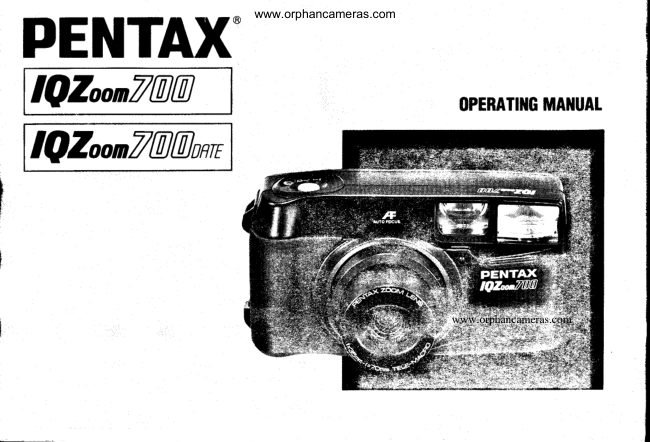
Pentax IQZoom 700 / IQZoom 700 date User manual
User manual for Pentax IQZoom 700 / IQZoom 700 date. 44 pages in English. Read the original PDF, download or print a copy without registration.
44 pagesEnglish2.9 MB PDF
Loading your manual…Open PDF directly
Document details
- Brand
- Pentax
- Model / document
- Pentax IQZoom 700 / IQZoom 700 date
- Document type
- User manual
- Language
- English
- Pages
- 44
- File size
- 2.9 MB
- Category
- Film cameras
- Document date
- Not specified in catalog
Search available document text
Find a term, then jump to its page in the original PDF. Image-only pages may not be searchable; check the PDF for exact wording and diagrams.
Page 2 · Read text
www.orphancameras.com
PENTAX'

IQZoonT@@anrc


                                                                           www.orphancameras.com
View original page 2Page 3 · Read text
www.orphancameras.com

Welcometo the world of Pentaxzoom compact photo-
graphy!Yourcompact,lightweightcamerais a greatcom-
panionto preserveyour favoritememories.
Its built-in35 -  70 mm zoom lens givesyou the
freedomto frame everythingfrom breathtakingland-
scapesto familyportraits,even detailedclose-ups.Built-in
autoflashhelpsyou capturea subjectin a dimly-litnight
or an indoorscenewithclarityand brilliance,and func-
tionsas a fill-inflashfor daylightflash-syncphotography.
Sincemostof the operations-  includingfilm loading,film
speedsetting,winding/rewinding,focus and exposure
control-  are automatic,you can take great pictureswith
littleeffort.The DATE model makes it easy to remember
whenyou take pictures.
Pleaseread this manualcarefullybeforeoperatingthe
camerato learn how to take consistentlyflawlesspictures.

Namesof the camera'sworkingparts are listedon the
frontand backflapsof this manual.Keepthe flaps
unfoldedfor quickreferencewhileyou read.
View original page 3
Page 7 · Read text
www.orphancameras.com


Soft case (optional)            Strap
When puttingthe camerainto       Fit the strap on the camera as illustrated.
the soft case, be sure to turn     Use the clamp'sprotrusion(D as a screwdriverto open
the main switchoff (Q  ).          the batterychambercover.
                       On the DATE model,use protrusionO to pressthe
                      SELECTand ADJUSTbuttONS.
View original page 7Page 8 · Read text
2. MAINSWITCHAND BATTERYwww.orphancameras.comCHECK


Main switch                                              Battery check
On {  |  ) : The power is on, and the camera is ready for         Afteryou turn the main switchon (  |  ), the lens slightly
         settingand shooting.                         extendsand the lens protectoropens.Then you can
Off ( O ) : The poweris off,and the camerais not in use.       shoot.

Caution:                                            Notes:
The lensprotectorautomaticallyopenswhenthe main         o lf you have a DATE model,do not removethe batteries
switchis on (  |  ), and closeswhenthe mainswitchis off          untilthey are exhausted,sincethey are used to keep
 ( Q  ). Neverattemptto open the lens protectorby hand.         constanttrackof time for the date function.
                                                   o Referto page 34 for directionson batteryinsertion.
                                      o
View original page 8Page 9 · Read text
3. HOWTO HOLDTHE CAMERAwww.orphancameras.com


  Whenshooting,holdthe camerasecurelywith both          Caution:
   hands.Keepthe cameraas stillas possible,and gently      Do not hold the zoom lens becauseit moves back and
   pressthe shutterreleasebutton.(lf pressedforcefully,the       forthwhen zooming.
   camerais likelyto shake,and the picturewill be blurred')
   Try to braceyour elbowsagainstyour body,or support        Note:
   yourselfand the cameraagainsta stable,stationary                   . Do not placeyour fingersor hair on the lens,autofocus
    object,such as a wall.                                 window,sensorwindow,flash,etc.
  When usingflashwiththe cameraverticallypositioned,
   holdthe cameraso thatthe flashis abovethe lens.

@
View original page 9Page 10 · Read text
4.@-.'   ...   -b;.     dr !fiffiffif$5,*'3*'n*r*.4g*gr+.*lu"'.                   ...s  ei!!{64*s.d,       www.orphancameras.com


70 mm                           When you pressthe zoomingleverto the right{ |  ), the lensframesthe
  65 mm                                    subjectmore tightly,movingtowardsthe 70 mm telephotosetting.When
    60 mm                             you press the zoomingleverto the left ( lll      ), the lens movestowards
        55 mm 50 mm 46 mm 42 mm         the wider-angle35 mm setting.
                                 38 mm      Frameyour subject.Releasethe zoomingleverwhen you attainthe
                                   35 mm    desiredcomposition.Then,pressthe shutterreleasebutton.

                                           Notes:
                                         o As you press the zooming lever,the lens focal length is displayedon
                                              the LCD panel.(Theshutteris not releasedwhen zooming.)
                                         o The zoom lens has two operationalspeeds.lt movesslowlywhen the
                                       zoomingleveris pressedlightly,and movesquicklywhen the leveris
                                           pressedfurther.
                                         o When the camerais leftfor morethan 3 minuteswiththe main switch
                                        on (  |  ), the lens automaticallyreturnsto the 35 mm (wide-angle)
                                                   position.
                                                      @
View original page 10Page 12 · Read text
www.orphancameras.com
 2. FILM LOADING     First, switch off power by setting the main switch to ( O ).
E                      E


E StiOethe back cover releaseleverin the directionof                I  etacethe film cartridgein the film chamber,fittingits
   the arrowas illustratedto ooenthe back cover.                    flat side on the top of the rewindshaft.


                                      o
View original page 12Page 13 · Read text
www.orphancameras.com


                        €>-c    ll            ll
                     *O     l--J

          5 i o o o t r " ' 6 "


  E  puttthe film leaderout far enoughfrom the cartridgeto
     reachthe take-upspoolO. Alignthe tip withthe film
      leaderend mark O.

   Notes:
   o Makesurethe film perforationsproperlyengagethe
     sprocketteeth O.
   o Makesure the film is properlyplacedbetweenthe guide
      railsO.
   o Makesurethe film is taut as illustrated.Take up any
     slackin the film by pushingit back intothe cartridge.
      .  lf the end of the film leaderis extremelybent,straighten
         it or cut off the bent oortion.                                                                                                                                                                                                                              I@
                                                                                                                                                                                                                                                                                                     . _
View original page 13Page 14 · Read text
www.orphancameras.com
                       E
                                 Ihx


I  Closethe back cover.The film automaticallyadvances          I When "1" appearsin the exposurecounteron the LCD
   to the firstframe.(Evenif no film is loaded,the motor          panel,the film automaticallystopswinding.The indica-
  operatesfor a second or two afterthe back cover is             tion as shownaboveappears.
   closed.)
                                                      Notes:
                                                   o l{ "1" does not appearon the LCD panel,the film is not
                                                         properlyloaded.Reloadthe film.
                                                   o Afterthe shutteris releasedfor each exposure,the film
                                                           automaticallyadvancesto the next frame,unlessthe
                                               camerais in Multi-ExDosuremode.
                                      o
View original page 14Page 15 · Read text
rc inqisr     3' VIEWFIHBER DISPLRVS AND                              SIIQOTING RA$lgE$            mainruitchlo t  t  f                                  www.orphancameras.com


                                       Q Autofocus frame
                                                              Positionthis frameat the subjectof focus.
                              @ Picture-areaframe
                                                            This is the ordinarypicturearea.Composethe picture    o                                                  withinthis frame.
                              @ Parallax-correctionframe
                                             When takinga macropicturein whichthe subjectis
                                                        about0.6 meters(2 ft) away,or an ordinaryshot in
                                                       whichthe subjectis aboutone meter(3.3ft) away,
                                                 composethe picturewithinthis frame.


                                                           {<r   Partof the lensfrontappearsin the viewfinderwhen the
                                                           lens is in its wide-angleposition,but this won'tappearon
                                                           the film when the pictureis taken.


                  Ordinaryshooting                                                      Shooting ranges
                           ,r'-____,--\       . Macroshootrng             (effective camera-to-subjectdistance)
                                             ,G-f       e The ordinarysettingallowsa shootingrangefrom -     '?\st                                   (infinity)to one meter(3.3ft).
                              u',                  o The macrosettingallowsa shootingrangefrom one                                           ,{ --fl         meter(3.3ft)to 0.6 meters(2 ft).No subjectcloserthan
                                                            0.6 meterscan be clearlyphotographed.       M@@
View original page 15Page 16 · Read text
4. GREEN/REDLAMPS       www.orphancameras.com5. ORDINARYPHOTOGRAPHY


                                              ,rr@f


                                                                                                         \


When you pressthe shutterreleasebuttonhalf-way,tfre     When the LCD panelis as shownabove,the camerais in
lamps@ and/or@ as shownaboveglow or flicker.            the Auto and Single-FrameShootingmodes.These
                                           modesare usedfor ordinarypicture-takingsituations.lf
@ Green lamp: When it glows you can take a picture.        the LCD paneldisplaysindicationsotherthan those
  When it flickers,you cannot.                          above,pressthe modeidriveclear ( Q ) buttonto resetthe
@ Red lamp: When it glows,flashis readyto fire.When it    LCD panelto appearas above.
   flickers,flashis beingcharged.

Note:
o lf the greenlampflickersin the ordinaryor macroset-
  tings,the sublectis eithertoo closeor too far.Adjustthe
  camera-to-subjectdistanceso thatthe greenlamp
  glows.then releasethe shutter.
                                                      @
                                                                                                      I
View original page 16Page 17 · Read text
6. TAKfi.IGPICTURES      www.orphancameras.com
 E


                                                                                                            I  Pressthe shutterreleasebuttonhalf-waywith your
                                                             subjectin focus,and the greenlampglows.
                                                                                                              lf the subjectis closerthan one meter(3.3ft),the green
  E  Rtterzoomingand composingyour shot,positionthe         lampflickersand the shuttercannotbe released.In
     autofocusframe(!   ) on the subject.                           this case,lengthenthe camera{o-subjectdistance.

                                                          Note:
                                                      o lf you wish to shift subjectfocus, releaseyour finger
                                                          from the shutterreleasebuttonand pressthe shutter
                                                             releasebutton half-wayagain.

@
View original page 17Page 18 · Read text
www.orphancameras.com


                                                                          * When taking pictures in the dark, the flash auto-
                                                         maticallyfires.
                                          When the shutterreleasebuttonis lightlypressedin
                                                       dark lighting,the red lampglows,indicatingthatflashis
                                                     readyto fire.A flickeringred lamp meansthe flashis
                                                      beingcharged.
                                                        Therefore,make sure the red lampglowsbelore
                                                         shooting.

                                                           Flash-effective ranges (Nega-color film used)

                                               LensISO     50      1 0 0     400     1600
                              3smm(f f f  1 - 3 . 5 m  1 - 5 m   1 - 1 0 m 1 - 1 8 m *I  Pressthe shutterreleasebuttonall the way down, and
   the shutteris released.                     70mm( |    t 1 - 2 . 5 m 1 - 3 . 5 m  1 - 7 m 1 - 1 2 m
  Then,the film automaticallyadvancesto the next          Macro( @  0 . 6- ' l m 0 . 6 - 1 m 0 . 6 - 1 n
   frame.
                                                                                      * Because of high film speed, overexposure may occur al
Notes:                                                         close range.
. Whenthe shutteris released,the self-timerlamp glows
  momentarilyto indicatethat a shot has been taken.          Red eye
o When the green lampflickers,the (O) macromark on        Shooting portraits with the flash may result in "red-eyel the
  the LCD oanelalsoflickersto recommenduse of macro       red spots in your subject's eye. Refer to page 39 for the
  mode.                                                             details.
o The shuttercannot be releasedwhile the lens is
  zoomrng.                               @
View original page 18Page 19 · Read text
7. FOCUS.LOCKSHOOTINGwww.orphancameras.com


lf you shootwithoutpositioningthe autofocusframe (!)                 I  Wnen takinga pictureol two people,lorexample,first
on the mainsubjectof the pictureas shownabove,only           positionthe autofocusframe ( 3  ) on one of the two.
the backgroundwill be in focus.When the main subjectof
your pictureis off the autofocusframe in the center ol the
viewfinder,use the focus-locktechnique.                                   I  Rs you press the shutterreleasebuttonhalf-way,the
                                                    greenlamp on the lefthandside of the viewfindereye-
                                                        pieceglows,and focus and exposureare temporarily
                                                          locked.
View original page 19Page 20 · Read text
www.orphancameras.com
E

                                                       Hard-to-autofocussubjects
                                                          Like manyotherautofocuscameras,this camera's
                                                      autofocussystemis highlyprecise,but is not almighty,
                                                     so it may not focusas you wish on certainsublects.In
                                                   sucn cases,use the focus-locktechniqueon a sublect
                           .               h "                                      whichis both nearthe actualone and equidistantfrom               J                  "s*
                                                        the lens.
                                                      Sublectswhich are hard to autofocusinclude:
                                                               1. Blackobjectslikehair,whichdon'treflectmuch
                ' f                                                                light(andthereforedon'treflectinfraredautofocus
                                                   beams).
                                                                 2. Wire netting,latticework,iron exercise-bars,etc.
E Wnitepressingthe shutterreleasebuttonhalf-way, re-         3. Flickeringlightsourcessuchas neonsigns,fluo-
  armthe cameraor recomposethe picture,then retease        rescentlamps,TV images,sunlightcomingthrough
   the shutter.                                                 trees,etc.,and subjectsilluminatedby theselight
                                                         sources.
Notes:                                                          4. Glossyand reflectivesurfaceslike glass,mirrors,
. You can cancel focus lock simply by taking your finger           car bodres,etc.
  off the shutterreleasebutton.                                  5. Fast-movingobjects,liketrainsin motion.
o When in the ConsecutiveShootingmode (lrr), focus            6. Waterjets, watersurface,smoke,flame,fireworks.
  lock cannotbe used.                                              etc.,whichare formless.


                                  @
View original page 20Page 21 · Read text
8. UNLOADINGFILM  (Be sure towww.orphancameras.comremove the lilm from the camera in the shade.)
  IT                      E


      I  nter you have exposedthe lastframeof the roll,film      E Open the back cover, and removethe cartridgefrom
     rewindsautomatically.Then,the motorstops,and             the chamberby pullingon its top with your fingertipas
         ( 00  ) flickersas shownto indicateend of rewind.          shown.

                                                          Notes:
                                                      o Duringrewinding,the exposurecountercountsframe
                                                  numbersin reverse.
                                                      o A 24-exposurefilm roll takesabout20 secondsto be
                                                      rewound.
                                                      o The entireroll of film includingthe film leaderis always
                                                   rewoundintothe cartridgeto avoidleakageof lightonto
                                                     any partof the film.
@
View original page 21Page 22 · Read text
www.orphancameras.com


        SS


Rewinding the film in midroll
lf you wish to unloadthe film beforeexposingall the
frames,pushthe auxiliaryrewindbuttonwiththe protru-
sion @ of the strap'sclamp;film rewindingstarts.When
rewindis completed,the motorstops,and ( 00  )flickers.

Caution:
Neveropen the back cover untilrewindingis completed.          '_
View original page 22Page 23 · Read text
www.orphancameras.com.:TAKNGII,I|IACHOPICTURES


                This shootingmode is usedto take close-upprctures.
            When the macrosymbol(@) appearson the LCD panel,
              you can take macropictures.When shootinga subject
               about0.6 meters{2 ft) away,composethe shotwithinthe
                parallax-correctionf rame.

                                        I
                           lu
View original page 23Page 24 · Read text
(Effective Range:0.6 -  one melerl2 -  3.3www.orphancameras.comft.)
E


                                                                                                                                                                                    \ l     / : )
                                                                                                                      fr',liL_-Jj@r o N -          l lDRI{ETL


 I  Pressthe macrobutton(@1 to engagethe Macro                 I  The macroshootingrangeis 0.6 -  one meter(2 -
  mode,and the lens movesforward.To cancelthe             3.3 ft).Pressthe shutterreleasebuttonhaltway, make
  Macromode,just movethe zoomingleverto the left          surethe greenlamp glows,then releasethe shutter.lf
    ( llt     ) or right( |   ) The ordinaryshootingmode is          the camera-to-subjectdistanceis morethan one meter
   then restored.                                             (3.3ft),and the camerais in macromode,the green
                                                  lampwill flicker,and the shuttercannotbe released.By
Notes:                                                    takingyour fingeroff the shutterreleasebutton,the
r When the autofocusframe ( !   ) is off-centerof the pic-        macromooe ts cancelled,and the ordinaryshooting
  ture area in macroor close-rangephotography,use the       mode is restored.Now a distantsubject(one meter/3.3
  techniquesdescribedin "Focus-lockshooting"on p. 14.             ft -  infinityaway)can be shot.
o The greenlampjust glowswhen the camera-to-subject
  distanceis extremelyshort(about30 cm).
                                  @
View original page 24Page 31 · Read text
€                                                    fwl-{>  f *,EI                                  www.orphancameras.com[-_l-'*lEl-*M   SELF-TIilICR.'


                     Use the Self-Timerwhenyou            I  Focuson the subjectfirst,and then depressthe shutter
                         wish to get yourselfintothe           releasebutton.The shutterwill be releasedin about10
                             picture.Use of a tripodis            seconds.
                      recommended.
                                             E Wnenthe Self-Timeris working,the Self-Timermark
                                                                                               ( 'U ) flickerson the LCD panel,and the Self-Timer
                                                     lamp glows.The lamp startsblinking3 secondsbefore
                                                             the shutteris released.


@
View original page 31From the M. Butkus archive. Original publisher and archive notices are retained.
Check the model and edition against your equipment.
PDF verified 2026-10-10.