Film cameras
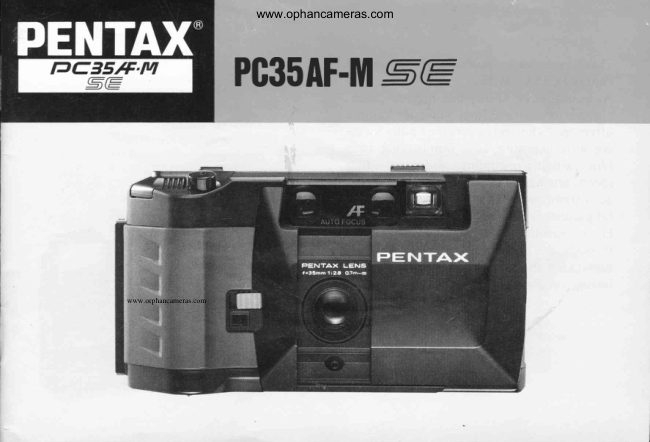
Pentax PC35AF-M / PC35AF-M date User manual
User manual for Pentax PC35AF-M / PC35AF-M date. 29 pages in English. Read the original PDF, download or print a copy without registration.
29 pagesEnglish2.3 MB PDF
Loading your manual…Open PDF directly
Document details
- Brand
- Pentax
- Model / document
- Pentax PC35AF-M / PC35AF-M date
- Document type
- User manual
- Language
- English
- Pages
- 29
- File size
- 2.3 MB
- Category
- Film cameras
- Document date
- Not specified in catalog
Search available document text
Find a term, then jump to its page in the original PDF. Image-only pages may not be searchable; check the PDF for exact wording and diagrams.
Page 3 · Read text
www.ophancameras.com


Thank you very much for choosingthe
PentaxPC35AF-MSE.
As you already know, this high-precision,
high-performance35mm compact camera
offers you the convenienceof auto focus-
ing, auto exposure,auto film loading,auto
film  winding/rewindingand auto film
speed setting. lt also featuresa built-in
auto flash that enablesyou to take beauti-
ful picturesin dim light.
Pleasereadthis operatingmanualcarefully
through and familiarizeyourself with the
cameraso that you can fully enjoy long-
lasting,reliableserviceit offers.
View original page 3
Page 6 · Read text
www.ophancameras.com


(D Fitm Leader End Mark
(D Flash Ready Lamp
@ Viewf inder Eyepiece
(D Fitm Type Indicator
@ Back Cover ReleaseLever
(D Flash Pop-up ReleaseLever
@ Film Transport lndicator
@ tF i t m R e w i n d B u t t o n
@ Film Rewind Lever
@ Tripod Screw Socket
@ Battery Chamber Cover
View original page 6
Page 7 · Read text
.'            .   .  i]l:i:;l:j::]::l::]s\$qsllHlitri]      www.ophancameras.com'"@Fqi$i!I)lf        lriTiji.il:::Y.si:-I.l.f    ,s,iqrrsF,ghl"*l"ei:1:Y.legq
            B A T T E R I E S{ry€ffii'c
I


                                                                   f 2 s 5 5  o E Z l
                                       o

                                                                                       l,tv <:Vf      ' Oi   J4tlt


 1. Open the battery chamber cover by sliding it in       2. Placetwo AA-size alkaline batteries in the
the direction of the arrow.                         chamber, with the (+) or (-) side facing correctly
                                                 as indicatedinsidethe chamber.


   At normal temperatures, the alkaline bat-         This camera does not operate       /C\     r€l
    tery should last about a year with general        without batteriesin it. Use two      lfD     |   | A     I
   photography without  using f lash, but  in        1.5V AA penlight batteries.Use     l*       |  l"       I
   extremely cold temperatures, will  greatly          of alkalinebatteries(LR-6) is             |         |   |         |
   lose its power.                                recommended,ratherthan                I         |   |        I
   The manganese battery can also be used       manganesebatterieswhichhave    I _    |   | _   I
   with this camera, but  it is far lesspowerful.       lesspower.Do Nor useNi-Cd   lC    I lCI  |
                                                                                                                                                             \\l/      \7/                                                                batteries.
View original page 7Page 9 · Read text
*!!      \/:!n..!          !!   t  . !/::!   !   ?:.,   ?;.:41    4t:   4E      \r.:    la/tn 9?     s.!     al:      www.ophancameras.com
f ope ruIruG/cLOSINGLENSPROTECTOR                                                   1I


      \
      \
            \\


1. Open the Lens Protectorby slidingthe Release     o When the Lens Protector is closed,or even when
Lever .i in the direction of the arrow.                              it is slightly pushedback, a safety devicelocks
2.   f o close,just push the Lens Protector €) back,      the Shutter ReleaseButton to preventth*accidental
locking it in its originalposition.                      shutter release.
View original page 9Page 13 · Read text
www.ophancameras.com


                                                                                   slack


                                  '!
                         d

2.  Insertthe film cassetteinto the f ilm chamber       o Take up any slack left in the film so that it is flat
and pull the film leaderout far enoughto reach        as illustrated.
the take-up spool.
r Align the f ilm-leaderend with the film-leader-end
mark O so that the tip is positionedalongsidethe
w h i t e b a r m a r k o n t h e t o P f i l m r a i l '
o Make sure that the perforations engagethe
sprocket teeth €).
o Also make surethat the film is properly placed
betweenthe two guide railsO.


1 0
View original page 13Page 14 · Read text
www.ophancameras.com


3. Closethe back cover,and the film will be           4 . W h e n t h e a u t o w i n d i n g s t o p s ,i n d i c a t i n g" 1 "   i n
automaticallywound up to the first frame.             the Exposure-Counterwindow, now you are ready.
o When the film is being wound, the red stripesin        to start shooting.
the Film Transport Indicatoron the back cover
flicker, indicatingthat the film is moving properly.
lf the stripesdo not flicker, reloadthe film.
View original page 14
Page 15 · Read text
www.ophancameras.com
( ceuene HoLDING


 It is important to hold the cameraproperly in         and relax the rest of your bddy in a secureposture.
 order to take blur-freephotos. Practiceholding        Bracethe elbow of the arm supportingthe camera
and operatingthe camerabefore insertingyour         againstyour body. Always pressthe Shutter
 f irst roll of  f ilm.                                 ReleaseButton gentlY.
 The illustrationsshow the basic holding positions.    When taking f lash pictureswith the cameraheld
 No matter which position you use,be sure to grip        vertically,be sure to keep the flash head on the
 the camerasteadilywith both hands,hold the          upper side.
 camera gently againstthe face in a f ixed position,
View original page 15
Page 16 · Read text
www.ophancameras.com
( n ecoMrtaENtEDCArvrinn-io-sueledi-o iSfry


o For best possibleresults,take your pictu res          o When you changefrom one subject to another,
with in the camera-to-subjectdistance from 0.7 m      be sure to keep your f ingeroff the Shutter Release
 (2.3 ft.) to -  (infinity).                             Button completely, and redepressthe Button.
                                                      Also, if you depressthe Button before the Distance
                                                      lndicator Needlereturnsto the originalposition,
                                                      the accuratefocus cannot be obtained.

                                                                                    1 3
View original page 16Page 17 · Read text
www.ophancameras.com
 TAKTNGPICTURES                                                                                                             )L
         Cffi              o

                       -tlo                        -


                                                            1. Looking through the viewfinder, composeyour
                                                      picture and bring tfre O Auto Focus Frame on
                                                     the subjectyou want to focus on.
                                           Be sure to keep your handsor hairsaway from the
                                               Auto Focus Windows,Taking Lens, Light Sensor
                                         Window or Flash Head.
                                                            2.  Lightly depressthe Shutter ReleaseButton,
O A u t o F o c u s F r a m e                                 a n d t h e G r e e n L a m p w i l l t u r n o n , w h i c h i n d i c a t e s
O p ic t u re A r e a F r a m e  ( G e n e r a l p h o to g ra p h y  ra n g e )     a fastershutter speedsuitablefor handheld
@ Pa rallax C o r r e c t i o n F r a m e (Sh o rt d ista n ce            shooting.
   photography  range)
O D is t anc e  I n d i c a t o r N e e d l e
€) z o n e Fo c u s M a r k s
G) R e d / G reen L a m p

1 4
View original page 17Page 18 · Read text
www.ophancameras.com


                                                    o When the Shutter ReleaseButton is partially
                                                depressed,the DistanceIndicator Needle
                                                   automaticallymovesalong the 6 Zone Focus
                                                Marks,accordingto the camera-to-subjectdistance.
                                            The camera-to-subjectdistancesof the Zone Focus
                                             Marks are:
                                                       9 = Approx. 0.8 m 12.6 ft.
                                                                                                                                         i i = A p p r o x . 1 . 5 m 1 4 . 9f t .
                                             A =  -   ( l n f i n i t y )
                                                    o W h e n t h e N e e d l ec o m e si n t h e v i c i n i t y o f 9 ,
                                          composeyour picture within the €) Parallax
                                                  Correction Frame.
                                                    o When the Red/Greenlamp turns on, accompanied3. Continue to depressthe Shutter Release                                                 by a beep with the Shutter ReleaseButton partiallyButton, and the O DistanceIndicator Needlewill                                                 depressed,it indicatesthe subject is so dark youmove with a hissingsound. Depressthe Button                                             haveto use flash. Refer to the pagesof FLASHcompletelyto releasethe shutter.                                           P H O T O G R A P H Y .Keepingthe f inger off the Button will automatically                                                    o The auto focus systemof this camerais highlywind up the f ilm for the next f rame.                                                 accurateand reliablefor ordinary picture-takingr During the picture taking, neverdepressthe Film                                                       situations.However,there are certainconditionsRewind Button at the camerabase;if depressed,                                             where the systemdoes not function properly. Forimagesmay be overlapped.                                               example,when there is a greatdifferencebetween
                                                     the distanceindicatedby the Needleand the actualPrecautions                                          camera-to-subject di stance,the subject distanceo This camera automatically focuseson the subject                                               cannot be accuratelymeasuredby the electronicin the Auto Focus Frame. Be sure to bring the Auto                                             systemof this camera.Refer to the pageofFocus Frame on the subjectyou want to shoot.                                        D I F F I C U L T A U T O . F O C U SS U B J E C T S .
                                                                                                1 5
View original page 18Page 19 · Read text
www.ophancameras.com
      q,-*
                              1 2
When the last frame of the roll
has been exposed, the motor will
automaticallystop. Rewind the
film and remove it from the
cartridge in the following order.


1. Slide the Film Rewind Levermarked O  in           2. Open the back cover and remove the film
the direction of the arrow, while pushingthe Film       cartridge by gently taking it out and turning it in
Rewind Button marked (D . Once the motor has        the direction of the arrows.
started, you can releaseyour finger f rom the
Button. The motor will then start rewindingthe
f ilm automatically.The red stripesin the Film
Transport lndicator f licker while the film is being
rewound, and the motor stops when the f ilm-rewind
action is over.


1 6
View original page 19Page 20 · Read text
www.ophancameras.com


.   lt will take you about 30 secondsto rewind a roll
of 36-exposurefilm.
o Never open the back cover before the motor stops.
o The Film Rewind Lever O does not return to
the originalposition until the back cover is opened.
o When the batteries become depleted, the motor
may stop during the f ilm rewind. lf it happens,
replacethe batteriesto complete the f ilm rewind.
o Unload the film in a shady spot, or shieldthe
camera from the direct sunlight with your body.


                0 o o o o 0 o o o o o i i .
View original page 20Page 21 · Read text
www.ophancameras.com
( rocus-r-ocKTEcHt'or,
    tl,. ,                                                                  I


 lf the subjectyou want to focus on is off the Auto       1. Bring the Auto Focus Frame on your subject
Focus Frame in the center of the viewf inder,          and partially depressthe Shutter ReleaseButton,
the main subjectwill be out of focus. In such         and the DistanceIndicator Needlewill move and
a case(especiallywhen shootingtwo personsas         the focus will be locked temporarily. (Confirm
illustrated,f or example),use the focus-lock            the position of the DistanceIndicator Needle
techniqueby taking the following steps:                  in the viewfinder. - seepage 14)
                                                            2. While keepingthe Shutter ReleaseButton
                                                             partially depressed,move the camera to recompose
                                                  your picture with the subject in the desired
                                                       position,then depressthe Button completely
                                                            to take the picture.


1 8
View original page 21Page 22 · Read text
www.ophancameras.com


                                                          DI FFICU LT AUTO-FOCUS SUBJECTS
                                                 The auto focus systemof this cameramay not
                                                           function properly in the situationsdescribed
                                                       below. In such cases,focus on a subjectnear thell                                                       actual subjectyou are shooting,and lock the focus
                                                       by usingthe focus-locktechnique,then f rame
                                                           the subjectand shoot.
                                                                    1. Black objectswhich are hard to reflect light
                                                                                                  ( i n f r a r e d ) .
                                                                   2. Wire netting, latticework,iron exercis6-bar,etc.
B                                                           with lesslight reflection.
g                                                                   3. When neon signs,f luorescentlamp, television,
                                                                 s u n l i g h tc o m i n gt h r o u g h t h e t r e e s ,e t c . a r e i n o r       o When the Shutter ReleaseButton is depressed                                                    around the Auto Focus Frame.
       partially,the DistanceIndicator Needlewill move                                                                   4. Glasspanelling,mirrors, car bodies,etc. which
       to the Zone Focus Marks,and as long as the                                                         are glossyand reflective.      Button is depressedpartially,the focus setting                                                                     5.  Fast-moving objects such as trains and cars.
      remainslocked even if the camerais pointed to                                                                   6. Water jets, water surfaces,smoke, flame,l     another subject.Releasingyour f inger from the                                                          fireworks and other transparentor translucent
      Button will cancelthe focus lock.                                                              objects.
           r After depressingthe Shutter ReleaseButton
               you                           if                                 your f inger                                                                                           f rom                    should remove
                     interruptl1    partially,the Button                   to                           your shooting,                                          the
      DistanceIndicator Needlemight not return to
       the originalposition. In that case,you have no
      choice but to depressthe Button further to
      releasethe shutter.
                                                                                          1 9
View original page 22Page 24 · Read text
www.ophancameras.com


     Number of films for flash photography
      About 10 rolls of 24-exposuref ilm or about 7 rolls
       of 36-exposurefilm can be used for flash
      photographywith a set of  f resh batteriesat normal
      temperatureand hum idity.
      Flash control range
      O.7 - 2 m 12.3-  6.6 ft.) with ISO 25 film
      0 . 7 -  3 m  ( 2 . 3 - 9 . 8 f t . ) w i t h  I S O 5 0 f i l m
    O . 7 - 4 m  { ' 2 . 3-  1 3 f t . ) w i t h  I S O 1 0 0 -  1 6 0 0 f i l m

      Notes:
      o During flash photography,the Green Lamp
        in the upper sectionof the viewf inder will turn on        Flash not used 1                                 Flash used  I
     when the Shutter ReleaseButton is partially
      depressed.However, be sure to releasethe shutter
       after making sure that the Flash Ready Lamp is on.
      o Releasingthe shutter before the Flash Ready
     Lamp lights up may result in underexposedpictures.
      o Take care not to depressthe Shutter Release
      Button even partially while the flash is being
      charged;if depressed,the chargingwill beil       interrupted.
      o Push the Flash Head back into the camera when
      not in use; if not, it will causethe batteriesto
      be exhausted.
View original page 24Page 25 · Read text
ir2!rl:?ree'.,q!.:r!xe.,pt:1.s,,!!www.ophancameras.com
 f,",.8*tfi,,fS'fjii'*-e8fFEfSKTat$


Taking pictures of people under back-lighted            Uncomoensated 1                         Compensated I
situationswhere the sun or bright sky is behind the
subject may produce underexposedpictures. In
such a case,releasethe shutter while keepingthe
Exposure Compensation Lever depressedin the
direction of the arrow; the subjectswill then be
exposed correctly.


22                                                                                                                        {
View original page 25Page 26 · Read text
r,{g{f,'#tffiit{'VtItrftr:Effiffflffff";:ze'awww.ophancameras.com


         @                     414,t*


You can use the Self-timer in combination with       When the self-timer photography is over, be sure
a tripod wheneveryou wish to take a family group       to return the Self-timerLeverto the oriqinal
p h o t o i n c l u d i n gy o u r s e l .f                             p o s i t i o n .
1. Set the Self-timerby slidingthe Lever in the         o The self-timeroperationcan be interruptedby
direction of the arrow as illustrated.                 pushingthe Lever back to the original position
2. Depressthe Shutter ReleaseButton, and the         before the shutter button is depressed.
Self-timerLamp will turn on and the shutter will
be automaticallyreleasedabout ten secondslater.
About three secondsbefore the shutter is released,
the Self-timerLamp will start f lickering,
accompaniedby a beep, indicatingthat a picture
will soon be taken. This Lamp also flasheswhen
a picture has been taken without the Self-timer
beinq used.
                                                                              23
View original page 26Page 28 · Read text
www.ophancameras.com

Type:                       All-automatic 35mm leaf-shuttercamera with built-in f lash.                      {
Usable Film:            35mm f ilm with 24 x 36mm format. DX-f ilm with ISO f ilm speedfrom 64                                to 1600; non-DX film with ISO 100 film speed.                            I
Lens:                    Pentax35mm f 12.8,5 elementsin 5 groups.                                                                                                                                                                                          *I
Focusing:                 Pentax infrared active triangular measuringsystem (0.7m to inf inity) with             I
                            focus lock device.
Exposure Control:          Frogrammedautomatic exposure control from EV6  lf 12.8 at 1/8 sec.) to
                      EV17 (f/16 at 11430sec.)at ISO 100 with CdS-cellmetering.Slow shutter
                         warning by LED displayand PCV sound.
Viewf inder:                Albada bright-frame viewf inder. 85o/opicture area.O.44X magnification.
                            Dioptry -0.9.
Viewf inder Information :     Auto focus frame, Picture area frame, Parallaxcorrection frame, Distance
                             indicator needle,Zone focus marks, Red/Greenlamp.
Shutter:                      Electronically programmed behind-the-lensshutter, shutter speedf rom
                           approx. 1/8 to 1/500 sec.
Film Loading:              Automatic  f ilm loading; closing back cover automatically advancesf ilm to
                                      first frame.
Film Winding:               Electronicwinding systemwith film advanceindicator.Winding speed:0.7
                             sec. per frame.
Film Rewinding:            Semi-automaticelectric rewind mechanism. Indicated by film advance
                              indicator. Rewind speed:30 sec.for 36-exposuref ilm.
Self-timer:                 10 sec.delay electronicself-timerwith PCV sound and LED display.
Flash:                         Built-in pop-up type with flash ready lamp. Guide number: 11 (lSO 100, m)                                                                                                            TFlash Recycling Time:       About 6 secondswith fresh alkaline batteries.
Number of Flashes:         About 10 rolls of 24-exposuref ilm or about 7 rolls of 36-exposurefilm at
                            30-sec.intervalsand in normal temperatures.                                                                                                                                 3tt
26                         $
View original page 28Page 29 · Read text
a
                                     www.ophancameras.com


    Other Features:               1) Lens protector 2) Film type indicator.
    Power Source:            Two "AA"  Alkaline batteries.Ni-Cd batteriesnot usable.
    S i z e& W e i g h t :              1 2 9 ( W ) x 6 9 ( H ) x 4 6 ( D ) m m ( 5 . 1 x 2 . 7 x 1 . 8 i n . ) , 3 2 Og ( 1 1 . 3 o z . )
                                 without batteries.
     Accessory:                  Strap
F


t
View original page 29From the M. Butkus archive. Original publisher and archive notices are retained.
Check the model and edition against your equipment.
PDF verified 2026-10-10.