Film cameras
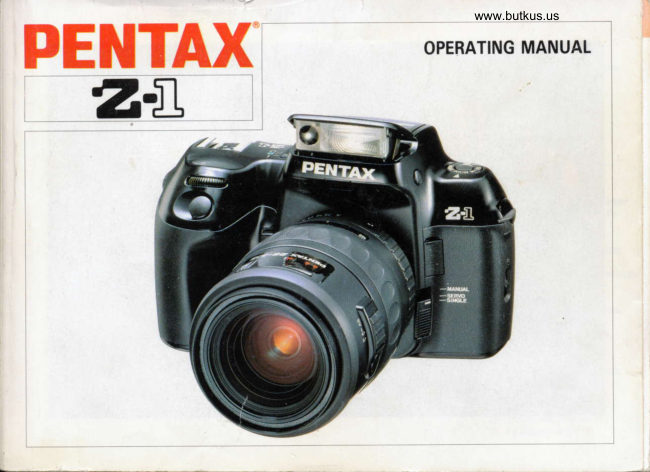
Pentax Z-1 User manual
User manual for Pentax Z-1. 119 pages in English. Read the original PDF, download or print a copy without registration.
119 pagesEnglish7.2 MB PDF
Loading your manual…Open PDF directly
Document details
- Brand
- Pentax
- Model / document
- Pentax Z-1
- Document type
- User manual
- Language
- English
- Pages
- 119
- File size
- 7.2 MB
- Category
- Film cameras
- Document date
- Not specified in catalog
Search available document text
Find a term, then jump to its page in the original PDF. Image-only pages may not be searchable; check the PDF for exact wording and diagrams.
Page 2 · Read text
Welcome to the exciting vrorld of pentax autofocus
 SLR photography! This camera is an autofocus 35mm      Commercially available lenses and accessories
 SLR camera featuring 18 different pentax exclusive      produced by other manufacturers are not made to
 functions, a power zoom mechanism, and one-touch      our precise specifications and therefore, may
 switching between three programmable modes. lt's      cause difficulties with - or actual damage to - your all a photographer could wish for in an automated     Pentax camera. We do not assume any
 camera.                                                              responsibility or liability for difficulties resulting from
                                                            the use of lenses and accessories made by other With an easy-to-use power zoom lens action, this       manufacturers.
 camera gives the photographer complete control over
 magnification and focal length.
 Highlights of this camera are:
 . Predictive Autofocus
 . Multi(8)-Segment Metering
 . Interval timer
 . Multiple exposures of up to g frames
 . Choice of multi(B)-segment metering and spot
  metering
 Please read this operating manual thoroughly before
 use.
                 _, -\
                                   -v-    T:i -      -f-rtre
The names of the working parts are shown on the front           =and back flaps, so keep them unfolded for quick
reference.
View original page 2Page 3 · Read text
www.butkus.us          TABLE OF CONTENTS

LCD panef indication              .....;..................... 2     Using the shutter-priority AE mode
Viewfinder indication                               .......... 3    Using the aperture-priority AE mode               ... 50
Easy to use! (for beginners)                            Using the hyper manual mode               ............ 53
Cameras and lens mounts             ....................6     Using the manual (bulb) mode               ............ 56
Camera functions available with various lenses ...,.. 7    About exposure compensation  ........................... 58
How to use this guide ....                                  ..... I     Selecting a drive mode                                ...... 59
                                                     Using the auto bracketing mode ......................... 62
BASIC OPERATION (PREPARATIONI                     Using the multi-exposure mode               .......... 64
Attaching the camera strap.......             ...........9     Using the interval shooting mode ........................ 65
Inserting 'the battery                         ................  1 0     Using the 12-second-delay  self-timer mode .......... 68
Mounting the lens                                .........,... 12     Using the 2-second-delay  self-timer mode ............ 69
Adjusting the viewfinder diopter            ............ 14     Using the triple-frame self-timer mode ................. 70
Using the shutter release button             ............ 15     Extended power zoom functions ......................... 71
Main switch operation                              ....... 15     Using the zoom-clip mode .......             ........,..72
Film loading ............                               ......... 16    Using the image size tracking mode           ....74
Unloading the film                         ................20    Using the zoom effect mode              ..............77                                                        Using the built-in flash (RTF)              .............. 80
BASIC OPERATTON (SHOOTINGI                           Pentax'functions  I Ef I                         .....84Using the basic exposure mode               .......... 22     Setting the film speed (lSOl manually ................. 94
Basic drive modes                               ............. 24     Stopping the electronic beep               .............. 95
Using zoom lenses                          ............26     Using a Pentax dedicated external flash .............. 96
Holding the camera                         ...........29     Contrast-control flash photographv  ..................... 99
Selecting an autofocus mode               ............. 30     Accessories .............                               ....... 1O0
Autofocusing                                ...3O     Accessories (optional) .............               ........ 100
Using the focus lock function ............................. 30     Soft case
Taking a picture                                ............... 34
Using the built-in flash (RTF)              .............. 34   SOME BASIC PRINCIPLES OF PHOTOGRAPHY
About "Red-Eye"                               ............. 36     Effects of aperture and shutter speed ................ 1O2
                                                  Depth of field                                 ................. 104
ADVANCED OPERATIONS                            About the infrared index .......               ........... 105
Focusing on a subject manually              .......... 37
Hard-to-autofocus subjects            ................40    OTHERS
Switching metering modes             .................41      Precautions on battery
About memory lock ......                                  .... 4'l     Taking care of your camera .............             . 1OB
Sefecting an exposure mode               .............. 42     Troubleshooting .......                                ....... 1 10
Using the hyper programmed AE mode ...............44     Specifications ...........                               ...... 112
Using the programmed AE mode                ........ 46    Warranty policy                                          .. 116
View original page 3Page 8 · Read text
(For Besinners)          EASY TO USE!

    1. Battery installation                                 2. Mounting the lens


   Open the battery chamber cover and put in a battery      Attach the lens to the camera body with the red index
    (2CR5) according to the markings (+, -  ) on the camera     marks on the camera body and the lens mount aligned
    base. (See page 10.)                               Then turn the lens fully to the right, until you hear a
   Remember to re-latch the cover to secure the batterv_       clicking sound. (See page 12.)
    3. Positioning the apenure ring        4. Selecting the powel zoom          5. Selecting the basic exposure


      www.butkus.us
    Hold the aperture-A-lock button in      Slide the power-zoom  ring forward      Set the main switch to I I     I (green
    and turn the aperture ring to the [A]       until it clicks and IPOWER ZOOM]       position). (See page 15.)
    position. (See page 23.)              can be seen on the too of the lens.
                                          Ensure that the auto-zoom switch is
                                            at [Pl. (See page 27.1
14)
View original page 8Page 9 · Read text
www.butkus.us

6. Film loading                                         7. Selecting the autofocus mode


Open the back cover of the camera, drop in a roll of film,     Set the focus mode switch to tSlNGLEl. (See page 30.)
align the end of the film leader with the red mark, and
close the back cover. The film should advance to the first
frame automatically. (See page 16.)
8. Composing with the power zoom ring                9. Focus on subject and shoot
While looking through theWviewfinder, turn the power     Aim the AF frame I r r I at your subiect and press
zoom ring to obtain the subiect size you want. (See         lightly on the shutter release button to lock focus.
page 26.)                                              (See page 34.) Depress the shutter release button
                                                                       fully to expose frame.
* lfthemodedial issettolEBo-l,theshutterwill                                          notrelease.Useanothermodesettingwhenyouaretakingphotos.^rq)
View original page 9Page 10 · Read text
CAMERAS AND LENS MOUNTS

                Mount                           Lens type                     Camera name
        (A) Krrz-mount                      Pentax-FA lens                 z-1lPz-1, z-1otPz-10
        (B) Krr-mount                       Pentax-F lens                          SFXH/SF1ru. SF7/SF10
        (C) Kr mount                       Pentax-A lens                       Super-A/Super Program,                                                                                   P30ru/P3r. P30r
        (D) K-mount                       Pentax-M lens and Pentax lens       LX, K1000
         (E) Screw mount              SMC TAKUMAR |ens, etc,             ESII, SP


    (A) through (Dl are K-mount (bayonet) lenses.
    (A) and (B) are autofocus lenses.
     (C) through (E) are manual-focus  lenses.
     (E) is an old screw mount lens. Mount Adapter K is needed for use on this camera.
    (A) through (C) are lenses with an "A (auto)" position on the aperture ring. Pentax-FA lenses have the following
    attachments in addition to those of the K-mount lenses. Pentax-FA lenses can be used with existing K-mount cameras.
    . Power supply contacts
    o AF couoler                                                        K-Mount Lens Compatibility Chart    . Lens-information  contacts
                                    Krrz-mount lens
                                o Power supply                                                      Krr-mount lens                                        contacts
                                                 . AF coupler         . AF coupler       Kr-mount lens
                                o Lens                 . Lens-                . Lens-
                                          information         information         information      K-mount lens
                                        contacts           contacts           contacts

@
View original page 10Page 12 · Read text
HOW TO USE THIS GUIDE

This guide is divided into the following sections to help you make best use of your camera:


                                                           !. BASIC OPERATION (PREPARATION}
                                                             II. BASIC OPERATION (SHOOTINGI

                                                                      III. ADVANCED OPERATIONS

                                    IV. SOME BASIC PRINCIPLES OF PHOTOGRAPHY
                                               V. OTHERS


.  lf you want to begin taking pictures with this new camera as soon as possible, read sections I and ll, "BASIC
  OPERATION (PREPARATION)" and "BASIC OPERATION (SHOOTING)." These sections introduce only the basic
  functions of this camera -  details can be found in the following sections.. Be sure to read "BATTERY PRECAUTTONS" (page 107), "TAK|NG CARE OF YOUR CAMERA" (page 1081, and
  "WARRANTY POLICY" (page 1161 before using your camera.


                                                                                                                                                                                                                                                                                                                       I
View original page 12Page 14 · Read text
(2} INSERTING THE BATTERY
D
 @
     Lc)o
   !m    !
     =oz,
   !-d!
 u
  =o
 = www.butkus.us

     1. Open the battery cover by sliding the release lever in
        the direction of the arrow.
     *  This camera will not operate without a baftery. Be sure
        to use the specified lithium battery (2CR5).
     2. Insert the battery electrode-end  first. Make sure thar
         the battery polarity matches the markings (+, - ) on        the camera base.
     3. To close the battery cover, apply pressure while
       moving the release lever back to its original position.


@
View original page 14Page 16 · Read text
(3I MOUNTING THE LENS
Dr
      ED2
                C'ottDio-
  =F!  u
    jo
  =

      1. Remove the cap from the body mount Q and the rear     2. Align the red index marks on the camera and lens
          lens cap @ as shown in the illustration.                 mount, attach the lens to the camera body, and turn
                                                                                                              it fully to the right until you hear a clicking sound.      * The body mount cap protects the camera against
         scratches and dust at the factory. For storage after
         purchase, an optional accessory called the "Body
        Mount Cap K" is available.
      *  To prevent unexpected operation of the FA zoom lens
          while you are mounting  it, ensure that the main switch
       isattO      l.
View original page 16Page 18 · Read text
(4I ADJUSTING THE VIEWFINDER DIOPTER
t1                                                 2
 @
    Ioo
          !ilv
   jo
 =
      !T6!   )/-   lt    t                                                 ,    \9)r/rn/            I
   =o = w@1

      1. Aim the camera at a bright object. While looking    2. Alter adjustment, reattach the Eyecup by sliding  it
         through the viewfinder, move the diopter adlustment       down the accessory mounting grooves on both sides
          lever to the left or right until the autofocus frame         of the viewfinder.
           [ , , ] appears to be clearest.                                                         * To attach the Eyecup Fo, slide it down the grooves
      r    lf the viewf inder is fitting with an Eyecup Fo, remove       on both sides of the viewfinder.
              it by sliding it upward before adjusting the diopter
                                                           (diopters).     *  The adiustment range is + 1.5D to - 2.5D
View original page 18Page 20 · Read text
I7I FILM LOADING
t1
  E
                                     Film cartridge
           Lcto!mv
   =o
          =E-tm!
    t
   =o
                     DX-mark  =    Film(lSO speedrating)
     * We suggest that first you operate this camera with     2. To open the camera back, slide the back-cover-release
        no film loaded to become familiar with its operation.         lever in the direction of the arrow.
      1. When DX-coded film is used, the correct film speed     3. Hold the film cartridge with the protruding end down
            is automatically set for the camera. This camera can       and slide the top end in first.
         set a Dx-coded film speed within the range ISO 25
        to lso 5000.                                      *  Before loading the camera with film for the first time
     *  The shutter curtain is a high-precision mechanism, and          afterprotectivepurchase,card openas shownthe camerain the photo.back andTakeremovecare notthe
            is very delicate. Accidental contact with the shutter        to touch the shutter curtain.
         curtain while loading film can damage  it.
     * Do not expose the film to direct sunlight during
          loading.
     *   lf a non-DX-coded film is used, manually set the film
        speed (lSO) as described on page 94.
 @
View original page 20Page 26 · Read text
{1} USING THE BASIC EXPOSURE MODE


                                                         This camera offers an advanced range of automatic
                                                            exposure modes. For easy picture-taking, select the basic
                                                     Programmed AE mode by turning the main switch to the
                                                        green position ( I    ). For the uses of other exposure
                                                        modes, see the respective explanations on page 42.
                                                        *  In the Programmed AE mode, the camera
                                                                        automatically selects the combination of aperture and
                                                                     shutter speed, allowing you to take pictures simply
                                                         by pressing the shutter release button.
      II. BASIC OPERATION
            (sHoorrNG)


@
View original page 26Page 30 · Read text
(3} USING ZOOM LENSES

      The zoom function allows you to make the subject appear
        larger (telephoto) or smaller (wide anglel in the viewfinder.
      Turn the zoom ring to the desired position and press the
       shutter release button.

        The                                                          scale              smaller                     number                     the                          shown                                               in the zoomD   *         window,                  the                      wider                                       Conversely,                            the angle.                                                  the larger
     qt     the number, the more magnified the image.
      *  Using a Pentax-FA zoom lens with this camera allows
         you to use the power zoom (electronic zoom) function.                 Lc)o!m-t
      oz,  *  Using a conventional Pentax-F lens on this camera
          U'-oo    means only the manual zoom function can be used.
    6)=


 @
View original page 30Page 32 · Read text
D
  @
     Loo
       !lrt  E
   =o2
          (tt-oo
    z.=  Using the Manual Zoom Function   6)                                                           1. Pull the power zoom ring toward the camera body until      *  Pentax-FA zoom lenses can be zoomed as manually       IPOWER ZOOMI is hidden.
               if the power zoom ring position is changed. In the
         manual zoom mode, these lenses act like conventional     2. Turning the power zoom ring to the right makes the
         Pentax-F lenses.                                              subject appear larger (telephoto) and turning  it to the
                                                                                       left makes the subject appear smaller (wide angle).
                                                                       Select the desired focal length manually.


 @
View original page 32Page 34 · Read text
(6} AUTOFOCUSING     FI SELECTING AN AUTOFOCUS MODE

    The focus mode switch
     has three positions, as
    shown in the illustration.
     For autofocus operation,
       set the focus mode switch
r    to ISINGLEI or [SERVO].
      For basic shooting, choose
- g the ISINGLEI mode.
    2o  o  Focus Modes
      !mt
       {  O-   [vrrrvLLl[SINGLE]:'
  = When the shutter release button is pressed, the lens
  6=  automatically focuses. As soon as the subject is in focus,   www.butkus.us  $ the shutter is released. For normal use, select this
    I   Position.                                           Aim the AF frame I t r ] at your subject.    6)=
     O [SERVO]:                                                                       lf the mode dial is set to [lllo=], the autofocus         lf the shutter release button is held at the halfway                                                                       function is not engaged. For normal use, set the mode       position, the lens focuses continuously to follow the                                                                                dial to another position.       subject. The predictive autofocus function is effective in
       this mode.                                                                        lf your composition does not allow the AF frame
                                                                                                     at the subject, use the focus lock                                                                        aimed                                                                                     I t r  ] to be     o [MANUALI:                                                                       (Page                                                                                         32.)                                                                      function.     You          can focus on a subject manually. Select this position
     when the subject is difficult to focus. (See page 40.)


 @
View original page 34Page 36 · Read text
Shooting in the Single Autofocus Mode                   Using the Focus Lock Function
     (Focus Mode Lever at ISINGLEI.I                        The camera focuses on whatever is in the AF frame I t t  ]
     *  The shutter is not released until the subject comes into       in the center of the viewfinder.  lf your composition does
          focus.                                              not allow the AF frame I r r ] to be placed over the
     *  Press the shutter release button halfway down. While     subject, use the focus lock function.
           t O  I is on, the camera-to-subject  distance is fixedD     (focus lock). See "Using The Focus Lock Function'"     *  Set the focus mode switch to [SINGLE].   q,     *  Once t O  1 is lit in the viewfinder, the focus is fixed.   c2      To focus,on something else, let go of the shutter
     c)o.o      release button, aim the camera again. and return the
   mt     shutter release button back to the halfway position.     *  Even  if you quickly press the shutter release button
      =oz,       fully down, the shutter is not released until the subject
       comes into focus.
     *  The predictive autofocus function is not active in this        v,-oo     mode.
   6)==
      Shooting in the Servo Autofncrrs Mode
      (Focus Mode Switch at [SERVO].I
     * The shutter is released whether or not your subject
             is in focus.  lf the shutter release button is held in the
         halfway position, the camera continuously focuses on
         anything within the AF frame I t t  ].     * The Servo Autofocus mode allows sharp pictures to
         be taken of moving subjects because of the predictive
        autofocus function.
     *  In the Continuous Drive mode ( [ o:t ].displayed on
         the LCD panel), the subject may be out of focus in the
            first frame.
     * The focus lock function is not active.
View original page 36Page 38 · Read text
(8I USING THE BUILT.IN FLASH (RTFI    (7I TAKING A PICTURE


                                                                                                                             ,1I                                                                                  Av Y.5
          gLoott
     =o-
     When the shutter release button is pressed halfway down,    The Flash Recommendation  Indicator I [ll     I       @-oo      the shutter speed and aperture setting are displayed  in
   =e  the viewfinder and on the LCD panel. To release the      In the Hyper Programmed, Programmed, or Aperture-      shutter, gently press the shutter release button fully      Priority AE mode, the flash recommendation indicator
     down. The camera automatically winds the film and       t ttl   I in the viewfinder and t  t     I on the LCD panel may
      increments the exposure counter by 1.                        blink if the shutter release button is pressed halfway. This
        .   lf the mode dial is at [GEo=], the shutter will not    Manualindicatormodemay whenalso blinkthe shutterin the Shutter-Priorityrelease button isoressedor Hyper
          release. For normal use, set the mode dial to another     halfwav in backlit situation.
           position,
      *   lf the subject is dark or backlighted, the flash
        recommendation indicator t ttl   I blinks, advising use
           of flash. (The t  t    I indicator also blinks on the LCD
          panel.  )
      * When flash is recommended bv the indicator I [l]   l,
        use the built-in flash.
 @
View original page 38Page 40 · Read text
Notes on Flash Usage                               About "Red-Eye"
       Uneuitable Lens Warning                          The so-cafled "red-eye etlect" occurs when taking
      With tho F or FA lenses listed below and other F or FA     pictures with flash in a dark environment, and  it is caused
       lenses not suitable for use with the built-in flash, [  |    I    by light reflecting off the retinas of subjects' eyes. You      on the LCD pahel and I tfl  I in the viewfinder will blink     cannot completely avoid  it, but  it can be reduced by takingD  when the shutter release button is pressed halfway down     your pictures in a brighter place or by shooting wide angle
                                                                                                a zoom lens. When using     Ev,  after the flash has been charged.                              at a closer distance when using                                                                 a Pentax dedicated flash unit, red-eye can also be reduced
      Lenses wider than 35mm                                 by positioning the flash as far from the camera as possible.
     Macro lenses           C)ottD
       lgnoring this warning and taking a picture will reeult in    3-    ut   vignetting in the four corners of the frame or semicircular
       vignetting at the bottom of the picture. For lenses other
      than FA and F lsnses, these indicators do not blink.    C,oo-
                              you can suppress discharge           '  Uaing a Psntax function,
           of the flash  if an inappropriate lens is used. (See Page
           89.t
           '  Do not use a lens hood as it may obstruct the path
          of the light coming from the flash.
      r When shooting at a focal length of 35mm, do not take
           pictures at a distance less than 1m because light may
        be distributed unevenly.
      r  With FA 28 - 1O5mm zoom lenges, use of the built-in
           flash in the wide-angle range (4Omm or shorter focal
          lengthl may result in semicircular vignetting at the
         bottom of the frame.
View original page 40Page 42 · Read text
rI

                                                         * When the subject comes into focus, the in-focus
                                                                         indicator I O  I ln the viewfinder lights up and an
                                                                       electronic beep is heard. The beep can be turned off
                                                                  by clearing [ .rtl lfrom the LCD panel. (See page 95.]
                                                             Using the Snap-in Focus Function
                                                                                                              lf the focus mode switch is at [SINGLEI when a Ke- or
                                                          K-mount lens is used together with the optional "Cable
                                                                                                (snap-in focus shooting).D                                                             subjectSwitch F,"comesthe shutterinto focusis automatically released when a
    trt                                                           1. Use a Ka- or K-mount lens.
       2. Looking through the viewfinder, turn the focusing ring       2. Set the focus mode switch to tSlNGLEl.          z,omc,o!     while holding the shutter release button halfway   t     down.                                                              3. Focus at the point where you wish the subject to be                                                              taken as it passes by.
       3. When the subject comes into focus, the in-focus     =o26          indicator t O  1 in the viewfinder lights up. Press the      4. Using the Cable Switch F, press the shutter release
         shutter release button fully down to take the picture.         button fully down.
      When using the Krr- or KAF2-mount lenses, you can       c. The camera releases the shutter automatically when
          also use this method  if the focus mode switch is set        the subject comes into focus at the point selected.
        to IMANUALI.
                lf an old type screw-mount lens is used with a Mount
       Adapter K, the in-focus indicator  I O  ] in the
         viewfinder cannot be used.

 @
View original page 42Page 46 · Read text
(41 SELECTING AN EXPOSURE MODE

           lf the aperture ring is at [Al, setting the main switch to
        I  I   I (full-feature position) allows any exposure mode            To the left         To the right
        available on this camera to be selected. The aperture need
       not be manually changed  if you switch exposure modes.
                                                                    Hyper programmed AE
      Switching the Exposure Mode

       This camera has six exposure modes. Set the mode dial
       to [MODE]. Fotating the Tv direct dialto the left or right                    Programmed AE
       while holding down the mode set button willchange the
      exposure mode in the direction of the arrow. For details
       of each exposure mode, see the related page.p                                                                                           Shutter-priority AE
   E
      -c,  m
                                                                                        Aperture-prlorlty AE          C'ott
        6-u,                                                                         Hyper manual


                                                                       Manual (bulbl
View original page 46Page 51 · Read text
Y
                                                                       www.butkus.us

      I


                                                    Tv -?'-
                               lL  o;{;':, '.v.   rtll
                                                                                 t
                                                                                                  c
      3. Pressing the shutter release button halfway down will     *  Exposure Warning                                                                  =c,          turn on the display of shutter speed and aperture                                                                                                                                                                                              ntr,o
          setting in the viewfinder and on the LCD panel.                    lf the subiect is too bright or dark, the information        !d7
      *   lf the aperture ring is at [A] when the main switch  is         indicatorsas shown ininthetheviewfinderillustration.andUseon thean LCDND filteroanelifblinkthe        _toz,
          set to I I    l, this mode is selected automatically.         subject is too bright. Use flash if the subject is too  @
      *  Using a Pentax function, you can change the program         dark.
            line from the normal program to the Program Action
           (high-speed-shutter-priority), Program Depth (depth-
             of -f ield-priority), or MTF (Modulation Transf er
          Function) Program. (See page 86.)


                                                                                                          Zn\q,
View original page 51From the M. Butkus archive. Original publisher and archive notices are retained.
Check the model and edition against your equipment.
PDF verified 2026-10-10.