Film cameras
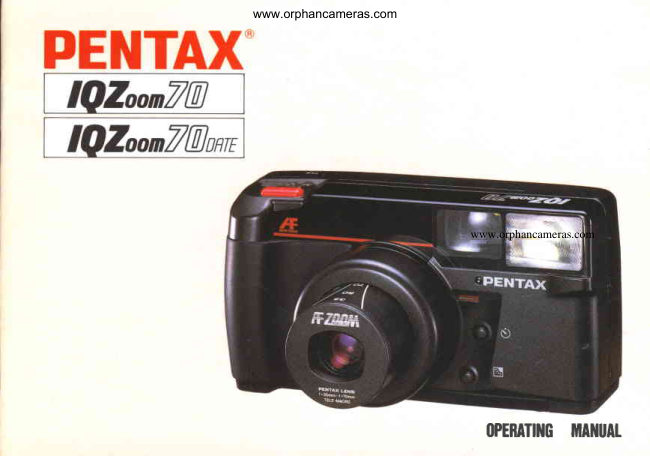
Pentax Zoom 70 / Zoom 70 date User manual
User manual for Pentax Zoom 70 / Zoom 70 date. 33 pages in English. Read the original PDF, download or print a copy without registration.
33 pagesEnglish2.6 MB PDF
Loading your manual…Open PDF directly
Document details
- Brand
- Pentax
- Model / document
- Pentax Zoom 70 / Zoom 70 date
- Document type
- User manual
- Language
- English
- Pages
- 33
- File size
- 2.6 MB
- Category
- Film cameras
- Document date
- Not specified in catalog
Search available document text
Find a term, then jump to its page in the original PDF. Image-only pages may not be searchable; check the PDF for exact wording and diagrams.
Page 2 · Read text
www.orphancameras.com

Thank you very much for choosingthe     Names of workingr t r , : : parts1 t                                                                                         : : : t : . , ; " , 1 ; ;  2
world'sfirst fully-auto35mm leaf-shutter     Battery insertion and check                  4
camerato integratea macro-to-telephoto    F i 1 m . . . . . . . . . . .                            6
power zoom, zoom finder and zoom      Film loadinS ................                   7
flash. lts auto-focus,auto-exposure,auto-     How to hold camera  ..............             9
film-speed-setting,auto-film-loading,au-      Viewfinder displayand shooting range        1 0                                                Green/red lamps and flash switch            1 1
to-winding/rewindingand auto-flashcon-      Operating 35 - 70mm zoom lens            1 2
trols will certainly help you enfoy fine      Unloadingfilm ............                   1 3
photography for many years to come.      Taking ordi nary pictu res                   1 4
lf you own the DATE model,you will        Fla sh p h otogr aphy........                    1 5
always be able to rememberthe days      Taking macro pictures                      1 8
you took thosepictures.                       Fo cu s-lo ck shooting  ( F L)                 20
Beforeyou start usingthis camera,please     E xp o su re com pensation                  22
read this operatingmanual carefullyso       Self-timer                             23
that you can operatethe cameraproperly      Strap and soft case                      24
from the first roll of film.       ,,               TakingDate modelcare of your camera ...............      2528
                                                  Specifications.............                 30
                                               Warranty policy                        32
View original page 2Page 3 · Read text
www.orphancameras.com

      CAUTIONS                                     Main switch and LCD window's displays
           o This camera is powered by one 6V lithium                       fv'f'01
            battery, or four "AAA"  size alkaline batter-
             ies. The Ni-Cd battery is not compatible.                  r The lens protector automatically opens or                  -/Oza
           closes by turning the main switch on or off .
        Do not open it manually.
                  r When film is not in the camera,f lash does
           not  f ire, nor does the cartridge mark appear
              in the LCD window, nor does the macro
           function work.                     o Main swi tch: To operate the camera, turn this
                                                               switch on by setting it as shown above.
         The shutter cannot be releasedif or when:     @ Macro-focus-setbutton: When shooting in the
          o the battery is not  in the camera or  it is          macro mode, align the main switch with the
           incorrectly inserted in the chamber, or  it is           $1 mark while pushing this macro-focus-set
          exhausted.                                      bu tton.
          o the main switch is off .                o Battery mark: This mark lights up when the
                     t you shoot a subjct more than one meter            battery gets weak.
            t3.3  ft.) away, with  the  lens set  in  the     o Cartridgemark: When f ilm is loaded into the
         macro mode.                                   camera and the back cover is closed, this mark
          o the lens is in the zooming action.                   appears,and it also f lickerswhen the f ilm
                 r  the flash is being charged, or the recycle           rewindingis completed.
          time becomesmuch longer than usual.        o Film-trarrsportmark: This indicatesthe f ilrn
                     .  the film  is being rewound, and the film                is being wound or rewound.ll          rewind has just been completed.            o Exposure counter: This indicateshow many
                                                                  pictures were taken.:f
View original page 3Page 6 · Read text
BATTERY INSERTION AND CHECKwww.orphancameras.com                                           ff


1. Open the battery-chambercover by sliding            3. When using alkaline batteries,first fold down
      it in the direction of the arrow. To insertthe            the alkalinebattery guide plate and insert
   lithium battery, unfold the alkaline battery             the batteriesthrough the guide'sholes making
   guide plate as well.                                  sure the (+) and (-) sidesare correctly placed
2.  Insert the lithium battery into the chamber            as indicated on the guide plate. Do not remove
   correctly as indicated and close the cover.              the plastic tabs/earsin each battery guide hole
                                                     as they keep the batteriessecurely in place.
This camera is powered by one 6V lithium battery:
Panasonic/NationalBR-P2, CR-P2p or Duracell
                                            X  Battery CheckDL-223A, or four "AAA"-size alkaline batteries.                                              As you turn the main switch on as shown above,
                                                     the lensslightly extendsand simultaneously
o Manganesebatteriescan also be used, but they         the lens protector opens, which indicatesthat
are not recommendedbecausethey have far less        the battery is properly loaded. lf they don't,
battery life than the alkalineor lithium battery.        reload the battery.
4
View original page 6Page 8 · Read text
F I L M                        www.orphancameras.com                                        ff
         D X F I L M

                                                                  o o o o o o o o 6 J ; ;              CotorFil,n  CoWf'tn.'

               36.,o .qx
                                                                                  DX-information panel

This camera is designedto use DX-coded film with       o  lf non-DX film is loaded by mistake,the film
an ISO rating from 50 to 1600, and when such film     speed is automatically set to ISO 100, no matter
is loaded,its film speedis automaticallyset in the      what the f ilm speedis.
camera.                                            o When high-speedfilm with an ISO rating of
                                                   over 1600 is loaded into the camera,the film speed
o When buying DX film, make sure the package          is automaticallyset to 1600.
bearsthe "DX" mark or that the catridge has           o Specialf ilms like 35mm Instant Reversal
a DX-informationpanel.                             Film cannot be used.
                                                    o  lf a wide-anglepicture is taken in a very bright
                                                    place outdoors using highspeed f ilm, it tends to
                                                be overexposed.Use such f ilm indoors or in
                                                    a dark place.
View original page 8Page 9 · Read text
LOADING              www.orphancameras.comffi"'" I


1 . Open the back cover by sliding the back cover       o Be sure to load or unload the film in a shady
   releaselever in the direction of the arrow.            spot, or shield the camera and film from direct
2. Placethe film cartridge into the f ilm chamber        sunlightwith your body. While doing this, take
   by first fitting its flat side on the top of the          care not to put dust, stains,etc. on the lens.
   rewind shaft.


                                           X Do not bend these DX-information pins, and
                                                   keep them free from dirt, dust or scratches.
View original page 9Page 10 · Read text
www.orphancameras.com


                                                                                  Slack


3.  Pull the film leaderout far enough to reach         o Make sure the film is taut as illustrated. lf there
   the film roller O  Align the tip with the f ilm           is any slack left'in the film, take it up by pushing
   leaderend mark €)                                 the film back into the cartridge.
                                                    o  lf the f ilm leaderend is extremely bent, straighten
o Make sure the film perforations properly engage          it or cut off the bent portion.
the sprocket teeth O
o Also rnake sure the f ilm is properly placed
between the guide railsO


8"
View original page 10Page 11 · Read text
www.orphancameras.com}IOW TO HOLD CAMERA                  {t
                                                    #

                                                 Hold the camera f irmly. Take a relaxed stance,
                                                       with your feet spread.Brace your elbows against
                                                   your body. Support yourself by propping yourself
                                                          or the camera againsta wall, tree, table, etc. When
                                                  usingflash with the cameraheld vertically,keep
                                                     the flash on the upper side. Do not hold the zoom
                                                       lens. Do not place your f ingersor hair on the
                                                  autofocus window, flash. sensorwindow, etc.
                                               Always pressthe shutter button gently, holding
                                                   your breath. Cameramovement is responsiblefor
                                                unsharp pictures.
4. Closethe back cover and the film will auto-
   matically advanceto the first frame. (Even if
   there is no film in the camera,the motor will
   work for one or two secondsas you close the
   back cover.)
5. When the exposuredounter reaches"1," the
      f ilm automatically stops advancing,with
   the LCD window displaying as above.


o lf nothing appearsin the LCD window,  it
indicatesthat the f ilm is not properly loaded and
should be reloaded.
o The film transport mark (ftf  ) flickers simul-
taneously when the film advancesproperly.
View original page 11Page 13 · Read text
GREEN/RED LAMPS AND FLASH www.orphancameras.comSWITCH


                                                        I   w
 As you pressthe shutter-releasebutton half-way,        o When the green lamp f lickers (indicatingyou
 the lamps O and () above will glow or  f licker.         cannot shoot) in ordinary or macro shooting,
 (When the f ilm is not in the camera,these lamps        the camera-to-subjectdistance is beyond the
 neither glow nor f licker.)                                effective shooting range.Adjust the camera-to-
                                                      subject distanceso that the green lamp glows.
 O  Green Lamp                               (When the distance is extremely short, the green
   When it glows, you can take a picture.             lamp may not f licker.)
   When it flickers,you cannot.
 O Red lamp
   When it glows, flash is ready to fire.,,,
$'' When it flickers, flash is being charged.
 O  Flash switch
   As shown above, set this switch at AUTO.
    For details,refer to pages15 - 17 on flash
    p hotography.

                                                                                                 1 1
View original page 13Page 16 · Read text
,,i.$i,fr  TAKING ORDINARY PICTURES (Effectivewww.orphancameras.comRange: one meter/3.3 ft. *  infinity)                                                                                                                                                                                                                           i:Biffi


1 . After turning the niain switch on, compose the       o Generally,set the flash switch at AUTO. When
   picture by moving the zooming lever to either       the subject is dark, the camera is automatically
   side, and bring the autofocus f rame ( O  ) on        switched to  f lash photography, making the red
   the nrain part of your subiect.                   lamp glow.
2. Pressthe shutter button half-way and make         o  lf you wish to changethe subfect after focusing,
   sure the green lamp glows. lf  it flickers,the         do not forget to repressthe shutter button.
   subject is too close to the camera. Make the
   camera-to-subjectdistancea little longer.
3. Pressthe shutter button completely to release
   the shutter. (The film will automatically
   advanceto the next frame.)
View original page 16
Page 19 · Read text
www.orphancameras.com


    FLASH-OFF POSITION (OFF}

I           ffi
     As you set the flash switch at OFF and refease
     the shutter, the flash does not fire but you can
     shoot at a slow shutter speed.
    You should set the camera at this poiition when
     shooting night scenes,or especiallywhen shooting
       in theaters,museums,etc. where the use of flash
       is not permitted.
                                                              Battery  life

                                                                            One 6V  lithium     Four AAA-size  alkaline
     o Even if you pressthe shutter button half-way
    when flash is set at this position, the red lamp            24-exposure Approx. 22 rolls      Approx. 14 rolls
     does not glow.                                            36-exposure  Approx. 14 rolls     Approx.9 rolls
     o When the subject is dark, the shutter speedgets         (When flash photography and non-f lash shooting are made
     so slow that you should hold the cameraf irmly             on a 50-50  basis, with fresh batteries and at normal
      or use the tripod to prevent camera shake.                 temperatures and humidity.)
View original page 19Page 20 · Read text
TAKING MACRO PICTURES tEffsctivawww.orphancameras.comRarrgra:0.6  l\. orrg rneter/Z *  3.3 ft.l


                                                             1. Align the main switch with the macro-focus
                                                      index (.l2r) while pushing the macro-focus-set
                                                          button.
                                                To cancel the macro setting, iust move the main
                                                       switch off the macro-focusindex.
When the lens is set for macro shooting, the area
surrounding the picture area f rame turns green,
indicating you are ready to shoot in the macro
mode. When the subject is about O.6 meters (2 ft.)
away, compose the picture within the red-dotted
frame shown above as a guide.                        o In this type of photography or close-range
                                                  photography, the autofocus frame is off the center
                                                              of the picture area,so use the focus-lock technique
                                                  describedelsewhere,compose the picture and
                                                   then shoot.
View original page 20Page 21 · Read text
www.orphancameras.com


2. The effective macro shooting range is 0.6 -
   one meter (2 -  3.3 ft.). Pressthe shutter
   button half-way, make sure the green lamp
   glows, and then releasethe shutter. (When film
    is not in the camera,the green lamp does not
   glow.)


o When the camera-to-subjectdistance is not
proper, the green lamp flickers as a warning. When
the distanceis too short, the green lamp will light
up solidly,which is an error.
o  lf the distanceis more than one meter (3.3 ft.),
the green lamp flickers and moreover, the shutter
cannot be released.
View original page 21Page 22 · Read text
www.orphancameras.com


lf you shoot without placing the autofocus             1 . When taking a picture of two persons,f.or
frame ( O )on the main part of the picture as            example, first bring the autofocus f rame ( C  )
shown above, only the background will be in focus.       on one of the two.
When the main subject of your picture is off the        2. As you pressthe shutter button half-way,
autofocus frame in the center of the viewfinder,           the green lamp on the lefthand side of the
use the focus-locktechnique.                             viewf inder eyepieceglows, and focus and
                                                 exposureare temporarily locked.


20
View original page 22Page 23 · Read text
www.orphancameras.com


                                                 Hard -to-autofocus subiects
                                             The autofocus system of this camera is highly
                                                       precise,but  f ike many other autofocus cameras,
                                                      the system is not almighty and may not properly
                                                   focus on certain subjects.In such a case,use the
                                                     focus-lock technique on a subject near and
                                                      equidistant from the actual one. The subjectswhich
                                                    are hard to autofocus are:

                                                             1. Black objects like hair, etc. which are hard to
                                                              reflect light (infrared).
3. While pressingthe shutter button half-way,           2. Wire netting, latticework, iron exercise-bar,etc.
   reaim the camera or recomposethe picture,           3.  Flickering light sourcessuch as neon signs,
   and releasethe shutter.                                                             f luorescentlamps, TV images,sunlight coming
                                                     through the trees, etc., or any subject illuminated
                                                     by these light sources.
                                                              4.  Glass,mirrors, car bodies, etc. which are glossy
                                                 and reflective.
                                                              5. Fast-movingobjects like trains.
                                                              6. Water jets, surface of water, smoke, flame,
                                                           fireworks, etc. which are formless.


o During focus-lock operation, you cannot zoom.
o You can cancel the focus lock by just releasing
your finger off the shutter button.
                                                                                    21
View original page 23Page 24 · Read text
EXPOSURE COMPENSATION    www.orphancameras.com


                                                             Uncompensated               Compensated


When you take a portrait with a blue sky or                     r When shooting the back-lighted subiect, be
something bright like snow in the background,          careful not to make the sunlight directly hit
the person will usually be underexposed.The           the lens.
exposure-compensationtechnique helps avoid it.        o When making the exposure compensationin
Releasethe shutter while keeping the exposure-        a dimly-lit place, the shutter speed is so slow
compensation button  ( E   l depressed.                   that you should hold the camera firmly enough
                                                               to prevent camera shake.
                                                    o When flash is used,this exposure-compensation
                                                  technique cannot be used.


22
View original page 24Page 25 · Read text
SELF.TIMER                  www.orphancameras.com


Use the self-tamer when you wish to get yourself          2.  In a dark or dimly-lit place, activate the self-timer
into the picture.                                              after making sure the red lamp next to the view-
                                                             finder eyepiece (flash-readyindication) lights up.
1. Depressthe shutter button while keeping the self-     When the red lamp flickers, the safety device
   timer button $  depressed.When the self-timer       keepsthe self-timer from working. (When the
   lamp (red) lights up, you can releaseyour  f inger         flash switch is set at AUTO or ON)
      f rom the self-timer button. In about ten seconds,
   the shutter will be released.A few secondsprior
    to the shutter release,the lamp starts f lickering,     o Keep the camera fixed, using a tripod, or in
   indicating the shutter will soon be released.       some other ways.
                                                                                       r Use the focus-lock technique so that the subject
                                                can be focused on without fail.
                                                    o The self-timer operation can be interrupted by
                                                         either redepressingthe self-timer button or turning
                                                      the main switch off.
                                                                               23
View original page 25Page 27 · Read text
www.orphancameras.com  I'ATE IWOI'EL
                                                                                                                                                                                                ', "     The DATE model is made to record the dates up      OPERATIONAL PRECAUTIONS
  .    to the year 2OO9on the pictures. The date and       When shooting
     time were set when the battery for the dating unit       o When the data-imprinting section of your picture
J      *"r  installed in the factory, so you will have to             is very bright without any dark object, the recorded
I     adjust them in your country.                         data cannot be seen clearly. Try to see the datat .
                                                           section and the white or bright object do not overlap
                                                   each other.
                                                         o The data "Year-Month-Day" and "Hour-Minute"
                                                      cannot be imprinted at the same time.
                                                         o As you releasethe shutter, the word "PRlNT"  in
                                                            the display window  f lickers for a few seconds,
                                                              indicating the completion of the data imprinting.


                                                                Battery
                                              One 3-volt lithium battery built in the back cover
                                                 powers the clock and data display. lt should last
                                                       about f ive years, although the life may differ,
                                                    depending on how often it is used or how it is
                                                             stored. lf the clock does not work properly or the
                                           LCD displaysare not seenclearly, it indicatesthat
                                                            the battery is getting weak. so pleasehave it replaced
                                                       by your nearest,authorized Pentax servicefacility
                                                       as soon as possible.Do not try to replaceit by
                                                            yourself. The DATE is designedto work properly
                                                                         in the temperature range of about 50" - OoC.
                                                                                             25
View original page 27Page 29 · Read text
www.orphancameras.com


Switching the mode                                     Correcting the second
Each time you depressthe MODE button O  witn        1. Depressthe SELECT button @, and ":"  will
your fingernail, the mode in the data-display                           f licker.
window O switchesf rom "Year-Month-Day" to         2. Depressthe ADJUST button @ according to
"Month-Day-Year" to "Day-Month-Year" to "Day-        a time-signal,and " "' will stop f lickering
Hour-Minute" (A- or P-Hour:Minute)to "OFF."              for an instant, setting the second to zero.
Stop depressingthe button when the desired mode      Correcting "Hour:Minute"  and "Year-Month-Day"
appearsin the window. "OFF"  indicatesno data are     1. Make any digit or digits of the hour, minute,
imprinted.                                               year, month, and day (which you wish to
                                                           correct) f licker by depressingthe SELECT
Correcting the data                                      button O
r Depressthe SELECT button O  at first, and the       2. Set the digit or digits correctly by depressing
display will switch from any mode to                      the ADJUST button O
"Hour:Minute"with the ":" mark flickering.Each        Year = 85 - 09 (1985 - 2009)
time you depressthe SELECT button @, the f licker    M o n t h = 1 - 1 2
moves from "i"  to "Minute" to "Hour"  to "Day"        D a Y = 1 - 3 1
to "Month"  to "Year." Make the display you wish       H o u r = O - 2 3 ( A o r P , 1 * 1 2 1
to correct, flicker.                          M i n u t e = 0 0 - 5 9
o Depressthe ADJUST button O  for changing         Correcting "Art' "P," and "Hour:Minutg"
the digits of the display you wish to correct. The         1. Set the display to "Day-Hour-Minute" by
digit advancesone by one each time you depress         depressingthe MODE button O
the ADJUST button O    lf you keep it depressed,      2. Keep depressingthe ADJUST button O  for
the digit will, in a second or two, advance                a few seconds,and "Dav"  will switch to "A"
co ntinuouslY.                                                                     ( a . m . )o r " P "  ( p . m . ) .
                                              E x a m p l e :1 O   1 5 : 3 0 - + P  3 : 3 0

                                                                               27
View original page 29Page 31 · Read text
www.orphancameras.com


       Shooting outdoors in winter presentsa problem       6. When mounting your camera on a tripod, make
        since batterieswon't function  if they get too            sure the tripod screw is no longer than 5,5mm,
        cofd. f n cold weather carrv your camera under         which is the depth of your camera'stripod
        your coat or jacket to keep the batterieswarm.          socket. lf you use a longer screw. you will
       The temperaturesat which this camera slrould          possibly puncture the tripod socket, after which
        function properly are approx. 50" - -10oC.             the camera will not function properly.
       Sudden changesin temperature will often cause      7. Do not place the camera with the zoom lens
        moisture to condenseinside or outside your          down without turning the main switch off ; other-
       camera.This is a possiblesource of rust, which          wise, the zooming mechanism may be seriously
      may be extremely harmful to the mechanism.         damaged.
        Furthermore, if the camera is taken from a warm                                            LCD  ( Liquid-crystal displayl       temperature to a sub-freezingone, further                                                                                               r When the LCD is exposed to a high temperature of      damagemay result from the formation of icelets.                                                      about 60"C, it may blacken, but when the tempe-       Thus, sudden temperature changesshould be                                                          rature falls, it will return to normal,       avoided as much as possible.As a guide. a                                                         o The LCD may also slow down in responseat lower       temperature change of 10oC should be allowed                                                       temperatures,but  it is one of the LCD's         to take place gradually over a period of at least                                                                 characteristics,not a defect.       30 minutes. lf this is not possible,keeping the
       camera in its caseor bag will help somewhat in      LCD-backup power source
        minimizing the effects of a rapid temperature      When the battery is removed from the camera for
       change.                                     replacementwith the f ilm in midroll, the menrory
        Vibration experiencedwhen you are traveling         circuit for the LCD works for about 20 minutes, but
          in a car, plane, or ship, can causescrewsto           the new battery should be inserted immediately. lf
        loosen. To minimize this problem use foam-       I  ' "   the camera is left without the new battery for more5.I        rubber padding about one inch thick to line         than 20 minutes, the exposure counter will be reset
        the bottom of your camera bag.                 and then indicate"1."
                                                                                         ""29l[
View original page 31From the M. Butkus archive. Original publisher and archive notices are retained.
Check the model and edition against your equipment.
PDF verified 2026-10-10.