Film cameras
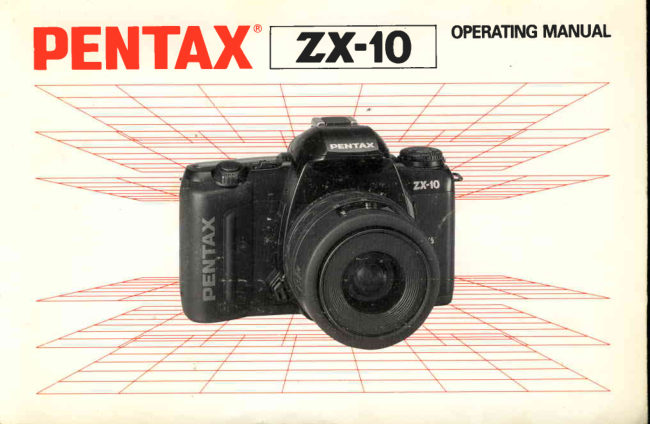
Pentax ZX-10 User manual
User manual for Pentax ZX-10. 98 pages in English. Read the original PDF, download or print a copy without registration.
98 pagesEnglish7.6 MB PDF
Loading your manual…Open PDF directly
Document details
- Brand
- Pentax
- Model / document
- Pentax ZX-10
- Document type
- User manual
- Language
- English
- Pages
- 98
- File size
- 7.6 MB
- Category
- Film cameras
- Document date
- Not specified in catalog
Search available document text
Find a term, then jump to its page in the original PDF. Image-only pages may not be searchable; check the PDF for exact wording and diagrams.
Page 2 · Read text
Congratulationson your purchaseof this camera ano    lcon indicatorsused in this manual
welcometo the excitingworld of Pentaxautofocuspho-
tography!This compact and light weight camera is an                                                     Operation direction                 -autofocusSLR camerathat offers higher levels of so-
phisticationand performance Incorporatinga broad
range of advanced technologiesand highly accurate     Automatic operation                { r r f
automation,this camera will perform superblyfor the
most exactingphotographer.                              Attention
The major featuresof this cameraare:
o Multi (3-point) autofocussystem                 Lamp blinking
. Smart oicturemode
. Automatic on/otf  flash function with the built-in     Correct
  flash poppedup                        o
                                                           IncorrectThe cameraexplainingin this operatingmanualfeatures             X
the panoramafunction and data function.
Readthis instructionmanualcarefullyto get a full ex-
planationof operations before use.                         ---f             Lensesand accessoriesproducedby other manu-
                                                        facturersare not made to our precisespecifica-
                                                          tions and thereforemay causedifficultieswith, or
                                                        actual damageto, your Pentax camera. We do
                                                       not assumeany responsibilityor liabilityfor diffi-
                                                            cultiesresultingfrom the use of lensesand ac-   'F                                cessoriesmade by other manufacturers.
The namesof the camera'sworking parts are listed on
the front and back flaps in this operatingmanual.Keep
the flaps unfoldedfor quick referencewhile readingthis
manuat.                         www.butkus.us
View original page 2Page 4 · Read text
NAMESOF WORKINGPARTS II

O Shutter curtain
€) Viewfinder eyepiece
@ Eyecup Ps (p.45)
@ Panoramalever (p.50)
€) Exposurecompensationbutton (p.66)
G) Film information window
O Pressureplate
@ Back cover
0  Film leaderend mark (p.23)
@ Battery chamber cover screw
  (p.14)
                       (p.14)o Batterychambercover
@ Sprocket(p.23)
@ Tripod socket
@ DX-informationpins (p.23)
@ Film chamber


                                                                                 ( D        - o


                               www.butkus.us
View original page 4Page 5 · Read text
FOR SAFE USE OF YOURCAMERA

Although we have carefully designed this camera for safe operation, please be sure to follow
precautions given on this page.

 A   Wenftf lNG This mark indicates precautions that, if not followed, could result in
                serious injury to the operator.
 A  CAUTION This mark indicates precautions that,  if not followed, could result in
               minor or medium injury to the operator or damage to the equipment.

A wnnrulruc              A cnurroru. The electronic circuits inside the camera contain    o Do not use the flash near anyone's eyes, as it may
  high voltage working parts. Never attempt to disas-      hurt them. Be particularly careful with the flash
 semble the camera yourself.                        around infants.
o Never touch internal parts of the camera if they be-    o Never try to disassemble,short or rechargethe bat-
 come exposed from dropping the camera or for       tery. Also, do not dispose of the battery in fire, as it
 some other reason,as there is danger of an electric    may explode.
 shock.                                                                     r Removethe batteries from the camera immediately
. Wrapping the strap around your neck is dangerous.         if they become hot or begin to smoke. Be careful not
 Make sure that small childrendo not get the strap     burn yourselfduring removal.
 caught aroundtheir neck.
o Do not look directly at the sun through the camera,
 as viewing the sun for may damage your eyes,
  and,/or Parts of the camera.
. Be sure to store batteries out of the reach of chil-
 dren.Seek medical assistanceimmediatelyif acci-
 dentally swallowed.
View original page 5Page 6 · Read text
PRECAUTIONSFORYOURCAMERA

 Your  Pentax  camera    is  a   high-precision      Precautions   for  storaEe
 mechanism. Handle   it with  great  care.                          . Avoid leaving the camera for extended periods in
                                                        places where the humidity and temperature are very
 Precautions when  taking  pictures                     high, such as in a car.
  r Do not use the camera where  it may come  in con-     o Do not store the camera in a closet with mothballs
  tact with rain, water, or any other liquid, because       or in an area where chemicals are handled. Store  it
  the camera is not weather, water, or liquid resistant.        in a place with good dry air circulation to prevent
  Should the camera get wet from  rain, splashing      the growth of fungus.
  water, or any other liquid wipe  it off immediately
  with a dry soft cloth.                                 Precautions   for  proper  care
 . Do not drop the camera or allow  it to  hit solid ob-         . Never touch the shutter curtain or mirror with your
  jects. lf the camera suffers a shock or impact, take       finger or any other object.
   it to a Pentax service center for inspection.                         . Use a blower and lens brush to remove dust accu-
o Be careful not to subject the camera to strong vibra-      mulated on the lens or viewfinder.
  tions, shock or pressure. Use a cushion to protect          . Never use solvents such as paint thinner, alcohol or
  the camera when carrying  it in a motorcycle, car,     benzene to clean the camera.
                                                       o Electrical problems may often be caused by water,  boat, etc.
. Condensationon the interior or exterior of the cam-        dirt or dust  at points  of  electrical contact. Also
  era may be extremely harmf ul to the camera mecha-      check for battery leakage, traces of  dirt or grease,
  n rsm as  tt may ca use  rust. Fu rthermore,   if  the       or corrosion due to salinity or gas. lf you cannot cor-
 camera is taken from warm temperature to a sub-       rect the problems, have your camera inspected at a
  freezing one or vice versa, the formation  of icelets      Pentax service center. Repairs of this nature are not
 may cause damage. In such a case, put the camera      covered under  the  terms  of  the  warranty  and
  into a case or plastic bag so that any changes in      charges may be assessed.
 temperature difference is minimized. Do not remove
   it from the bag until temperature has stabilized.
o Regular size color prints may cut off what appearswww.butkus.us on the extreme edges of the film frame. Compose
 your picture with a margin of safety at the edges.
View original page 6Page 7 · Read text
p                    PRECAUTIONSFORBATTERY

        Other precautions                                     o Use two 3V lithium batteries (CR2 type)
                    . The temperature  range  at which  this camera         o Misuse of the battery can cause hazards such as
           functions properly is 50"C to -10o C (122"F to 14          leakage, overheating, explosion, etc. The battery
                  " F ) .                                                    should be inserted with the " *"  and "-" sides fac-
          o A camera which has been submerged  in water            ing correctly.
           usually cannot be repaired.  lf such an accident         o Battery performance may be temporarily hindered
           should occur, it is advisable to contact a Pentax             in low temperatures, but will recover in normal
           Service Center immediately.                              temperatures.
          o To maintain optimum performance,  it is recom-         o Keep a spare battery  on hand  for  replacement
         mended that the camera be inspected every one          convenience when  shooting outdoors  or while
             or two years. lf the camera has not been used for            traveling.
          an extended period, or is being prepared for an im-         o lf the built-in flash is used continuously, the bat-
            portant photographic session, it is recommended            tery may become warm, but  it does not mean that
             that you have the camera inspected or test shoot           the battery is faulty; it is one of the battery's char-
            with  it.                                                          acteristics.
          o Repairs deemed necessary due to usage of this         o Replace the batteries at the same time. Do not
           product in an industrial or commercial application          mix battery brands, type or an old battery with a
         may not be covered  under the  terms  of  the         new one. lt may cause explosion or overheating.
          Pentax warranty.
                   . The PENTAX warranty provides only for the re-
             pair  of  defects  in  materials  or workmanship.
         Damage of any kind cannot be repaired at no
          charge under the terms of the warranty.  lf the dif-
              ficulty is caused as a direct result of the product
           being used  in  conditions  as  outlined  in  the
           "Precautions for Your Camera" section or any
           other operation contrary to the instructions out-
            lined in this manual, charges will be assessed and
           a repair quotation will be provided.
View original page 7Page 11 · Read text
LCD PANELINDICATION

  M@iltEtErgrE fo@             '"J-Fr=E

                                                                             All indicationswill not actuallyappearsimul-
                                                           taneouslyas shown.

M     : MeteredManual Mode (p.62)                   lso             : Manual-setfilm speed(p.71)
$      : GreenOperationMode(p.S3)          w EE6'b: Shutterspeed
lEl   : Portrait Program Mode (p.54)                                                           : Batteryexhaustionwarning (p.17)
fif    : LandscapeProgram Mode (p.55)              n" 8.8    : Aperturevalue
lVl   : Close-upProgram Mode (p.56)                                                         : Exposurecompensation(p.66)                          v3
lKl  :Action ProgramMode (p.57)                                                              rt[                 : AudiblePCV signal(p.67)
                                                                                          (p.2 ,25) +    : Flashinformation(p.37,39)             o___      : Film status information
<D  : Red-eyereduction flash indication (p.4O)        8.8            : Exposurecounter.(p.?4)^eqd Exposure                                                         compensationvalue (p.66)
El    : Automaticflash function information(p.42)
                                      LCD (Liquid-CrystalDisplay)
                                       When the LCD is exposedto high temperaturesover ap-
                                                   proximately60"C, it may blacken,but when the tem-
                                                   peraturenormalizes,it should return to normal.
View original page 11Page 13 · Read text
EASYTO USE (For beginners)
1. Loading the batteries                             2. Attaching the lens


Open the battery chamber cover by using a coin. Load     Align the red indexes on the lens and camera. Turn the
two  batteries (CR2 type) according to  the markings     lens to the right until  it seats with a click. (See page
(+,-)   on the battery chamber cover. (See page 14.)      1 8 . )
3. Positioningthe aperture ring   4. Setting the mode dial         S.Turning on the power
 00000


While holding down the aperture-    S e t t h e m o d e d i a l t o   t @ ] .       ( S e e     S l i d e t h e m a i n s w i t c h  t o   I O N  ] .
A-lock button, turn the lens aper-     page  28.).  The  Smart  Picture      (See page 20.)
ture  ring to the   t A    l  posrtron.    Mode will be set.
(See page 27.)
View original page 13
Page 15 · Read text
CAIT'IERASAND LENS MOUNTS
Lens Mount and Camera Body Compatibility Ghart
      Mount Type              Lens Type                        Gamera Model
     (A)  Karz-lrloUht           Pentax-FA lens           MZ-1Orlzx-l  O,MZ-',/ZX-',2-1 p./PZ-l ,,2-1,/PZ-l
                                                   Z-1O,/ PZ-l O,Z-2O,/PZ-ZO,2-7O,/ PZ-7O
     (B)  Kne-ITloUnt           Pentax-F lens              SFX*,/SF 1 *, SF7,/SF 1 O, SFX/SF-I
    (C) Kn mount            Pentax-A lens               Super-A,/ Super Program, P3O*,/P3*,
                                                      P30r
    (D) K-mount            Pentax-M lens             LX,Kl OOO
                          and Pentax lens
    (E) Screw mount      SMC TAKUMAR lens      ESII,SP
(A) through (D): basic K-mount (bayonet) lenses.
(A) and (B): autofocuslenses.
(C) through (E): non-AF (manual-focus)lenses.
(E):A screw mount lens can be fitted to the camera (A) through (D) with the optional
    Pentax "Mount Adapter K".
(A) through (C): have -A"(auto) positionon the lens aperturering.
Pentax FA lenses incorporate new  contacts  to  ex-
change information between the camera and lens for
power zoom. Pentax FA lenses operate on existing K-
mount cameras. Pentax FA lenses incorporate new con-                          K-Mount Lens Gompatibility
tacts as follows:                                 Krrz-mountlens
                                                           r Power supply contacts
                                                                      . AF coupler              Kar-mount lens
o Power supply contacts                    r Lensinformation                    . AF coupler                                                                                                Ke-riloullt                                                                                             lenso AF     coupler                                      contacts                  o Lens-information                                                                                                                                                             I                                                                               Lens-information                                                                            contactso                                                                                    K-mount lens  Lens-information                   contacts                                                                                     contacts
View original page 15Page 17 · Read text
HOWTO USETHISOPERATINGMANUAL
This manualis organizedinto the following sections,allowingyou to optimizethe use of the camera:


       BASIC OPERATION                                     IIT.ADVANCED OPERATIONS
       (PREPARATION)Page 13 - 26                    Pase 43 - 87


                                    II . BASIC OPERATION                            [V. OTHERINFORMATION
                   (SHOOTING)Pase 27 - 42                   Page 88 - 96


                                                                                  'BASIC
 .  lf you want to begin taking pictures with this new camera as soon as possible,read section I and ll,
 oPERATION(pneplnArloN)' and'BASICOPERATION(SHOOTING).'
  Thesesectionsintroduceonly the basicfunctionsof this camera.More detailedinformationcan be found in section
    lll and section lV.
View original page 17Page 19 · Read text
Q) LOADINGTHE BATTERIES
                                        2

E
g
o
o
!mu
_-{
oz
!um!    N
I
     1. Open the battery chamber cover by using a    2.Load two 3V  lithium batteries (CR2)=oz
       coin, etc. as shown in the illustration.            equivalent as shown in the illustration.
View original page 19Page 23 · Read text
(3) ATTACHINGTHE LENS
     1                                   2-
  E
  2o
    o!mu
  -{
  oz
   Tam
 T
 u
       1. Removethe body mount cap O and rear lens    2. Align the red dots on the camera and  lens   Io3     cap @ as shown in the illustration.               mount, attach  the  lens to the camera  body,
                                                     and turn  it fully to the right  until you hear a
       e The body mount cap is designed to protect the cam-        click.
        era against scratches and dust at the factory. For stor-
        age, the optional accessory "Body Mount Cap K"  is    o Ensurethat the camera'smain switch is in the [OFF]
         available.                                              positionbeforeattachingan FA zoom lens to prevent
                                                     unexpectedoperationof the lens.
View original page 23Page 25 · Read text
(4)OPERATII{GTHESHUTTERRELEASEBUTTOI{(5)TUNililGOI{Tl|EPOITER
    The shutter release button has two positions.
D     Depressing at down halfway  (first  position)
 E    turns on the exposure meter and autofocus sys-
  Lo   tem. Depressing it fully (second position) re-
 o   leases the shutter. When taking a  picture,
   ! m   depress the shutter release button gently to
   I    prevent camera shake.
  =oz      r Before loading a roll of film, slowly depress the shutter
  Tum        . releaseThe LCDbuttonindicationto learnstayswhereon thefor firstaboutposition10 secondsis.  !         after the button is released from the halfway position.
 T      Depressing the shutter release button down halfway
 _-{   keeps the LCD indicator on.                                                                                               the marn oz                                                          1. The power  is turned ON when
                                                        switch is moved to the right.
                                                2.The power is turned OFF when the matn
                                                        switch is moved to the left.

                                                                                                                               . When not in use, ensure that the main switch is set to
                                                                    the OFF position.          Not pressed    Pressed0mhalfway    Pressedfully
                             down           down
                                           (first position)    (second position)
View original page 25Page 27 · Read text
Q) FILM LOADING
    We suggest  that you  first  operate  the camera
m     with no film loaded to become familiar with  its
 E    operations.
  Io                                    Ra
     Automatic film speed setting
      This camera is designed to use DX-coded films   o!mu      with ISO ratings from 25 to 5000.
  Io 2        . When DX-codedfilm is used,the correct film speedis
       automaticallyset for the camera.lf you use a non-DX
  !vm'o     codedfilm, you can set the film speed manually.See
      page71.
 T        . Beforeloadingfilm for the first time after purchase,
      open the back cover and removethe protectivecard.                                                                   1. To open the back cover, slide the back cover     DO NOT TOUCH THE SHUTTERCURTAINS.  Io3                                                           release lever in the direction  of the arrow.
                                                        2.Place the film  cartridge  in the  film chamber
                                                        as shown  in the illustration.                                              't
                                                        o Always load and unloadfilm in the shadeor by using     F
                                                         your body to shadethe camera.                                           I
                                                                                                                                                                  (
View original page 27Page 31 · Read text
3
ry

 @
  2o
   o!m
   t
 _{
  oz
  !um
 T
 T

       3. Open the back cover and remove the film.           * Rewinding a film in mid-roll  =oz
                                                                                                         lf you wish to unload the film before exposingall the
      o A roff of 24-exposure film takes about 13 seconds to    frames,use this function.
        rewind.
      o Before opening the back cover, check that   I O  ]  is    Set the main switch  to  the ON  position, and
        b l i n k i n g .                                         then  depress  the  mid-roll  rewind  button  by
      o The shutter may be released a frame or more after the    using the protruding  part of the strap clamp.
        specified number of frames have been used as indi-
        cated by the number of frames on the film cartridge.       r Do not depressthe button with an object having a
       However, those extra frames may be lost in process-     sharptip.
         ing. When you take important  pictures, rewind the         . Before opening the back cover, check that  I O  ]  is
         film when the film reaches the number of frames indi-     blinking.
        cated on the film cartridge.
View original page 31Page 37 · Read text
.  lf a power zoom lens  is attached, three zooming
                                                           speeds are available. Turning the power zoom  ring
                                                                                    fully to the right or left zooms the lens quickly. Turning
                                                                                                                          it slightly gives you slow operation. At an intermediate
                                                                         position, the lens zooms at medium speed.
ffire                                                                o Zooming the lens with the power zoom function auto-
  E                                                                    matically focuses the lens on the subject. However,
   I                                                                             for final focusing, depress the shutter release button
   C)                                                             halfway down to focus the subject.  o     !                                                              o When the main switch  is set to    I OFF  ]  while a  m     I  0c0000c                        Pentax-FA zoom lens equipped with the power zoom
                                                                      function is in use, the lens automatically retracts to its
                                                                     shortest physical length.    =oz
  o   Using the Power Zoom Function

       1. Push the power zoom ring forward until the
                                                                            An FA zoom lens without        Ioo=zo     words IPOWER ZOOM] appear beneath the
       power zoom ring.                                                                the power supply contacts
       2. Turning the power zoom ring to the  right                               are shown  in the  illustra-
       makes the subject larger (telephoto) and                                   tionpowerdoeszoomnotfunctionhave  the(ie:
        turning  it  to the  left makes the  subject                         FA 28-70 zoom  t,/4  AL
        smaller (wide angle). To stop zooming, re-                                 lens).
        lease the power zoom ring.
View original page 37Page 39 · Read text
(5) SELECTINGTHE AUTOFOCUSMODE


--          0
  E
  Io                                         0)
   o!m
   t
    Ioz
  U'   Set the focus mode switch to  I AF ].
       o For autofocus operation, set the focus mode switch to
             I A F ] .      IooIzo    Whenyou depressthe shutterreleasebuttonhalfway
       down, the lens automatically focuses.
             . See page 46 for manual focusing.
View original page 39Page 41 · Read text
3. To release the  shutter,  gently  depress  the     Predictive Autofocus  Mode
        shutter  release button  fully.                 When the camera sensessubject movement during the
                                                         autofocus operation, the camera will  automatically
     o The shutter cannot be releasedif the subject is out of     switch the focus mode to the predictive autofocus
I       focus.                                    mode to measure the speed of a moving subject, and
D         . Depress the shutter release button halfway down.    predict where it will be at the moment of shutter release
 E     While [O]   is on, the camera-to-subjectdistance is     to maintain sharp focus on the subject.
 2o      fixedyour finger(focusofflock).the shutterTo refocusreleaseon anotherbutton. subject, lift        .  lf the subject is moving too fast, the shutter may not
o    o When using the SMC Pentax-F Soft 85mm t,/2.8      be released.
 !m,      lens, set the aperture between t,/2.8  and f ,/4.5. See
 Ioz     page 49 for more details.
 o-oo=zo
View original page 41Page 45 · Read text
1


-D

 E
 6
 o
   o!mu
  =oz
 o    Red-eye Reduction  Flash Function            How to set
      This camera includes a red-eye reduction flash function,     1. Push the flash pop-up button to activate the
      which  reduces  the  red-eye phenomenon   utilizing      flash.
       preflash. In this mode, the preflash is discharged just    IooIzo                                                            2. Depressthe multi-function button until [<D]      before the shutter is released which reduces the diame-                                                 appears on the LCD panel.        ter of the pupil of the eye. Then the main flash is dis-
      charged while the pupils are smaller, which  in turn
      reduce the red-eye effect.
                                      How to cancel
                                                 With the built-inflashpoppedup, depressthe multi-
                                                      functionbuttonuntil [<E] disappearson LCDpanel.
View original page 45Page 47 · Read text
E-
 E
 o
 o
 o
  !nr
   I
  =oz
 o   AUTOMATICFLASH FUNCTION                 o In the Smart PictureMode and PictureMode,the flash
      This is a convenientbuilt-in flash mode that the flash       will only dischargewhen the subjectis in a low light or  Ioo_-{  dischargesonly when it is necessaryeven if the flash is      backlitcondition.
 zo     in the popped-upposition.                            o Depressthe multi-functionbutton with the built-in
                                                                flash in its popped up position.lf the button is de-
    How to set                                       pressedwith the built-inflash in its retractedposition,
       1. Push the flash pop-up button  to activate the      the PCV audiblebeep mode will be switchedon.
               f lash.
      2. Depress the multi-function  button  until  [El]    How to cancel
       appears on the LCD panel.                      With the built-inflash in its poppedup position,depress
                                                           the multi-functionbutton until [El]  disappearson the
                                          LCD panel.
View original page 47Page 49 · Read text
D--
  0
    zom
  0    1 " Consecutive-Frame Mode                              2. Self-Timer  Mode
      Consecutivepicturescan be taken by holdingdown the    The self-timer mode delays the shutter release, and  is     oTm
   v    shutter releasebutton.                                     useful for taking group shots that include the photogra-
                                                                   pher. The shutter will be released about 12 seconds
     How to set                                                    after the shutter release is depressed.     =ozo   Set the drive mode switch  to  [Elr:].
                                                 How  to  set
             . The camerafocuseson the subjectframe by frame in    1. Set the drive mode switch to [rD].
         this mode.
      o The shutter cannot be releasedwhile the built-inflash
           is being charged.
View original page 49From the M. Butkus archive. Original publisher and archive notices are retained.
Check the model and edition against your equipment.
PDF verified 2026-10-10.