Film cameras
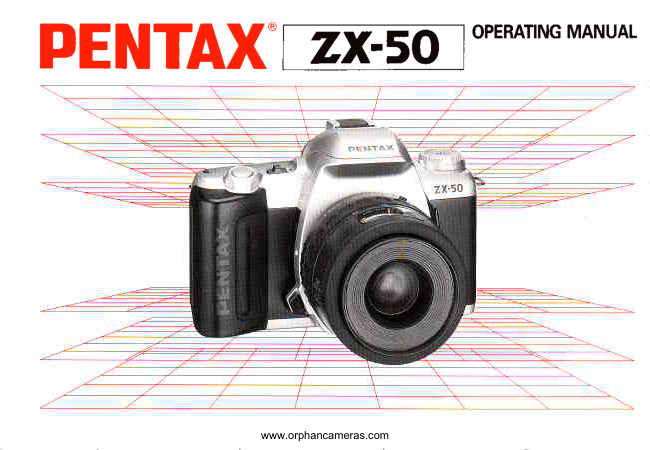
Pentax ZX-50 User manual
User manual for Pentax ZX-50. 100 pages in English. Read the original PDF, download or print a copy without registration.
100 pagesEnglish5.7 MB PDF
Loading your manual…Open PDF directly
Document details
- Brand
- Pentax
- Model / document
- Pentax ZX-50
- Document type
- User manual
- Language
- English
- Pages
- 100
- File size
- 5.7 MB
- Category
- Film cameras
- Document date
- Not specified in catalog
Search available document text
Find a term, then jump to its page in the original PDF. Image-only pages may not be searchable; check the PDF for exact wording and diagrams.
Page 2 · Read text
Congratulationson your purchase of this camera and     lcon indicators used in this manual
welcome to the exciting world of Pentax autofocus pho-
tographyl This compact and light weight camera is an                                                            Operation  direction                   -autofocus SLR camera that offers higher levels of so-
phistication and performance. Incorporating a broad
                                                  Automatic operation         arrIrange of advanced technologies and highly accurate
automation. this camera will perform superbly for the
most exacting photographer.                                   Attention

Read this instruction manual carefully to get a full ex-    Lamp blinking
planation of operations before use.
       4-                                                           -----)                                                       Correct                        o
                                                                                                       I ncorrect                             X   i:==A
The names of the camera's working parts are listed on      Lenses and accessories produced by other manu-
the f ront and back f laps in this operating manual. Keep       facturers are not made to our orecise soecifica-
the f laps unfolded for quick referencewhile readingthis       tions and therefore mav cause diff iculties with, or
manuat.                                                   actual damage to, your Pentax camera. We do
                                                           not assume any responsibilityor liabilityfor diffi-
                                                                   culties resulting from the use of lenses and ac-
                                                         cessorres made by other manufacturers.
View original page 2Page 4 · Read text
FOR SAIF.E.,lUl$:E:',::.'o:'F.:..l...Y.o:UlR,,',:,l..C

Although we have carefully designed this camera for safe operation, please be sure to follow
precautions given on this page.

 A  WARNING This mark indicatesprecautionsthat, if not followed, could result in
               serious injury to the operator.
 A  CAUTION This mark indicatesprecautionsthat, if not followed, could result in
              minor or medium injury to the operator or damageto the equipment.

A wnnrutruc               A cnurtoru
. The electronic circuits inside the camera contain         . Do not use the flash near anyone's eyes, as  it may
  high voltage working parts. Never attempt to disas-       hurt them. Be particularly careful with  the flash
 semble the camera vourself.                          around infants.
. Never touch Internal parts of the camera if they be-         . Never try to disassemble, short or recharge the ba1-
 come exposed from  dropping the camera or  for       tery. Also, do not dispose of the battery in fire, as it
 some other reason, as there rs danger of an electric     may explooe.
 shock.                                                                                              . Remove the batteries from the camera immediatelv
. Wrapping the strap around your neck is dangerous           if they become hot or begin to smoke. Be careful not
 Make sure that small children do not get the strap      burn yourself during removal.
 caught around their neck.
. Do not look directly at the sun through the camera,
 as viewing the sun for an extended period may dam-
 age your eyes.
. Be sure to store battenes out of the reach of  chil-
  dren. Seek medical assistance immediatelv if acci-
  dentallv swallowed.
View original page 4Page 5 · Read text
::lI li    PRECAUTIONSFORYOURCAMERA C

     Your Pentax camera is a high-precisionmecha-   Precautionsfor storage
     nism. Handle it with great care.                                         . Avoid leaving the camera for an extended period in
                                                               places where the humidity and temperature are very
     Precautionswhen taking pictures                    high. such as in a car.
        o Do not use the camera where  it mav come  in con-         . Do not store the camera in a closet with mothballs
           tact with  rain, water. or any other liquid, because       or in an area where chemicals are handled. Store  ir
          the camera is not weather, water, or liquid resistant.        in a place with good dry air circulation to prevent
        Should the camera get wet from  rain, splashing      the growth of fungus.
          water, or any other liquid wipe  it off immediately
          with a drv soft cloth.                          Precautionsfor proper care
        o Do not drop the camera or allow  it to  hit solid oo-     o Never touch the shutter curtain or mirror with vour
           jects. lf the camera suffers a shock or impact, take       finger or any other object.
                 it to a Pentax service center for inspection.            o Use a blower and lens brush to remove dust accu-
               . Be careful not to subject the camera to strong vibra-      mulated on the Iens or viewfinder.
           tions, shock or pressure. Use a cushion to protecr     o Never use solvents such as paint thinner, alcohol or
          the camera when carrying  it in a motorcycle, car,     benzene to clean the camera.
          boat. etc.                                                                                         . Electrical problems may often be caused by water,
        o Condensation on the interior or exterior of the cam-        dirt or dust  at points of  electrical contact. Also
         era may be extremely harmful to the camera mecha-      check for battery leakage, traces of  dirt or grease,
        nism as  it may cause  rust. Furthermore,  if  the       or corrosion due to salinity,or gas. lf you cannot cor-
        camera is taken from warm temperature to a sub-       rect the problems, have your camera inspected at a
         freezing one or vice versa, the formation of icelets      Pentax service center. Repairs of this nature are not
       may cause damage. In such a case, put the camera      covered under the  terms  of  the  warranty  and
           into a case or plastic bag so that any changes in      cnarges may De assessed.
         temperature difference is minimized. Do not remove
                it from the bag until temperature has stabilized.
               . Regular size color prints may cut off what appears
        on the extreme edges of the film frame. Compose
         your picture with a margin of safety at the edges.
                                         www.orphancameras.com
View original page 5Page 6 · Read text
PRECAUTIONSFORBATTERYUSAn'

       Other precautions                                                                        . Use two 3V lithium batteries (CR2 type).
                  . The temperature range at which  this camera                 . Misuse of the batterv can cause hazards such as
                                                                                         The battery                                                                                                                  etc.          functions properly is 50'C to -10.C (22'F    to          leakage, overheating, explosion,                                                                                                                                         "-"                                                                                                                                                   "           1 4 ' F ) .                                                 should be inserted with the   l-" and    sides fac-
                  . A camera which has been submerged  In water            ing correctly.
           usually cannot be repaired. lf such an accident                 . Battery performance may be temporarily hindered
          should occur. it is advisable to contact a Pentax             in low temperatures, but will recover in normal
           Service Center immediately.                              temperatures.
                  . To maintain optimum performance,  it is recom-         o Keep a spare battery on hand for replacement
         mended that the camera be inspected everyone         convenience when shooting outdoors or while
            or two years. lf the camera has not been used for            travel Ing.
          an extended period, or is being prepared for an im-                  .  lf the built-in flash is used continuously,the bat-
           portant photographic session, it is recommended            tery may become warm. but it does not mean that
            that you have the camera inspected or test shoot           the battery is faulty; it is one of the battery's char-
           with  it.                                                     actenstrcs.
                  . Repairs deemed necessary due to usage of this                  . Replace the batteries at the same time. Do not
          product in an industrialor commercial application         mix battery brands, type or an old battery with a
         mav not be covered under the terms  of  the         new one. lt may cause explosion or overheating.
          Pentax warrantv.
                   . The PENTAX warranty provides only for the re-
            pair of  defects in materials or workmanship.
        Damage of any kind cannot be repaired at no
          charge under the terms of the warranty. lf the dif-
             ficultv is caused as a direct result of the product
          being used  in conditions as  outlined  in  the           "Precautions                             for Your Camera" section or any
           other operation contrary to the instructions out-
           lined in this manual, charges will be assessedand
           a repair quotation will be provided.
View original page 6Page 8 · Read text
Namesof workingparts   """               "Flaps   T u r n i n go n t h e p o w e r                  " " - " " " " " " " " '2 O
Safe use of your camera               "'lnside cover   U s i n gt h e D a t aB a c k                    " " " " " " " " " " " 2 1
Precautionsfor your camera               """"""1      F i l ml o a d i n g                                     " " " " " " " 2 2
Precautionsfor batteryusage""""  " """"""""""'2      U n l o a d i nf igl m " " " "   " '                    " " " " " " " " " 2 5
Practicalshootingguide """""                 """"  3            . Rewindinga film in mid-roll              """'26
                                             """"4Tableof contents
L C D o a n e inl d ica t io n                " """   """"""6          ff B A S f CO P E R A T T O( NS H O O T I N G ) '. . . " " " " " '2 7 - 4 5
V i e w f i nd einr d ica t io n " ""            """""""""'7     U s i n gt h e G r e e nO p e r a t i oMn o d e   " " " " " " " " " " " '2 7
Easyto use!(For beginners)              """"""'B      Settingthe Single-FrameDriveMode" "  """ """"29
Camerafunctionsavailablewith variouslenses' ""10    Usingzoom lenses "'
H o w t o uset h is o p e ra t ingmanual"""-""""""""'12     H o l d i n gt h e C a m e r a "'                   " " " " " " " " " " '3 2
                                                 Selectingthe AutofocusMode     '    " """     ' """""33
f. BASfCOPERATTON(PREPARATION) .......13-26  T a k i n ga p i c t u r e" " " '                                         ' " " " " " "     " " 3 4
Attachingthe camerastrap ""  """   "   ""'  """   " 13           . FocusLock Function               """""""   36
Loadingthe batteries               """"   """"   "14    Basicoperationof the Built-inRetractableTTL Flash
    . W h e nt h e b a t t e ryis e xhausted""""""""""""17             ( R T F ) . . ' . . . . . . .                                  " " " " " " ' 3 7
At t a c hin gt h e le n s                    " """  """"  """1B             . Red-eveReductionFlashFunction """"""""'43
Operatingthe shutterreleasebutton """"""""""'20         o Automaticflashfunction              """""45
View original page 8Page 10 · Read text
LCD PANELINDICATION

  M@rElErgtE?-P_4
                  Et     lso   'ii,J,:.-,,--r-Iv_^                  I  l Z         Hf_r

M      : MeteredManualMode (p.64)                ISO             : Manual-setfilm speed(P.73)
@N : GreenOperationMode(p.55)                   1y looa      : Shutterspeed
lE     : PortraitProgramMode (p.56)                    a                  : Batteryexhaustionwarningip.l7)
lI      : LandscapeProgramMode (p.57)              A v i P           : A p e r t u r e v a l u e
lVl   : Close-upProgramMode (p.58)            %                 : Exposurecompensation(P.68)
lKl   : Action ProgramMode (p.59)                             .rrt              : AudiblePCVsignal(p.69)
 +    : Flashinformation(p.37,38)                       O---             : Film status information(p.24'25)
 (E   : Red-eyereductionflash indication(p.43)          e 0              : Exposurecounter (p.2a)                                                        and Exoosurecompensationvalue (p.68)
E[l   : Automaticflash function information(p.45)                                           LCD (Liquid-Crystal Display)      (Smart f lash information)                                            When the LCD is exposed to high temperatures over ap-
                                                      proximately 60"C,  it may blacken, but when the tem-
                                                         oerature normalizes, it should return to normal.
View original page 10Page 12 · Read text
EASYTO USE (For beginners)
1. Loading the batteries           2. Attaching the lens              3. Turning on the power


Openthe battery chambercover by using  Align the red indexeson the     Slidethe mainswitchto ON (See
a coin Load two batteries(CR2 type) ac-  lensand cameraTurnthe lens    page20.)
cordingto the markings(*,  -)  on the  to the right until it seatswith a
battery chambercover (See page 14.)    click (Seepage 18.)
4. Positioning the aperture ring                                             5. Setting the mode dial


              \A121611

While holding down the aperture-     Be sure to set the lens aperture       Set the rirode dial to  [ @D   ]  (See
A-lock button, turn the lens aper-       ring tothe    I A  ] position.            page 28 ). The Green Operation
ture  ring to the    4   I  position.                                  Mode will be set
(See page 27.)
View original page 12Page 13 · Read text
6. Loading film
              a


Open the back cover, insert a roll of film, align the end    Set the focus mode switch to  I AF ] (See page 33 )
of the film leader with the red mark, and close the back
cover. The film should advance to the first frame auto-
matically (See page 24.)
8. Composingthe scene with the zoom ring        9. Focus on the subject and shoot


While looking through the viewfinder, turn  the zoom    Focus I  t    ]  I on the subject.Depressthe shutter re-
ring to the right or left until you obtain the desired com-    leasebutton fully to take a photo (See page 34.)
position. (See page 30.)
                                     www.orphancameras.com
View original page 13Page 15 · Read text
Notes:
 *  1. As an F and FA Soft lens do not havethe A positionon the aperturering. a correct exposuremay not be ob-
     talned.
 * 2. A correct exDosuremav not be obtarned.
 * 3. Lenseswith a maximumapertureof I,/2.8 or Iarger.(See AF Adapteroperatingmanual.)
 * 4. Manualfocusingusingthe focus indicator(Fl) (O)  in the viewfinder.
 * 5. Lenseswith a maximumapertureof f /5.6  or larger.
 * 6. The bar graph in the viewfinderdoes not light up-
 . The A, F, and FA lensesare the bayonetmount lenses.
 . The A, F, and FA lenseshave "A" (auto) positionon existingK-mountlenses.
 . The screw mount lens CANNOTbe used to this camerabecausecorrect exposureswill not be obtained.


                                    www.orphancameras.com
View original page 15Page 16 · Read text
-lirHOW       TO USETHIS OPERATINGMANUAL
        This manual is organizedinto the following sections,allowing you to optimize the use of the camera:


                           I . BASIC OPERATION                                               ]II. ADVANCED OPERATIONS
             (PREPARATION)Page 13 - 26                   Page 46 - 89


                                                 II . BASIC OPERATION                            IV. OTHERINFORMATION
                          (SHOOTING) Page 2? - 45                  Page 90 - 99


                                                                                           "BASIC              .lf  you want to begin taking pictures with this new camera as soon as possible, read sectton I and  ll,                                       "BASIC                                        OPERATION (SHOOTING)'"        OPERATION (PREPARATION)" and
        These sections introduce onlv the basic functions of this camera. More detailedinformation can be found in section
                  lll and section lV.
View original page 16Page 17 · Read text
(1]ATTACHII.|GTHECAIIERASTRAPEil


BASICOPERATION
(PREPARATION)                                                         Fit the  strap  on the camera  as illustrated.

                                                                                          . There is a pocket on the strap so you can store the
                                                   finder cap. release socket cover, hot shoe cover or any
                                             other small accessorv as illustrated.


                         www.orphancameras.com
View original page 17Page 18 · Read text
(2) LOADINGTHE BATTERIES
    1


@
U'
o
!m7
-l
oz
!tm
!
7
     1. Open the battery chamber cover by using a    2. Load two 3V  lithium batteries (CR2)=oz
       coin, etc. as shown in the illustration.            equivalent as shown in the illustration.
View original page 18Page 22 · Read text
(3) ATTACHINGTHE LENSG
 n       1                                   2  -

   @
     2o
   o
     !m
     7
       =oz
       Tam

          I
    {          1. Remove the body mount cap (D and rear lens    2. Align the red dots on the camera and lens    z          cap @ as shown  in the illustration'              mount, attach the lens to the camera body,
                                                 and turn  it fully to the right until you hear a
                . The body mount cap is designedto protect the cam-      click.
          era againstscratchesand dust at the factory For stor-                               "Body         age, the optional accessory     Mount Cap K" is         . Ensure that the camera's main switch is in the [OFF]
          available                                                  position before attaching a lens  to  prevent  unex-
                                                                oected ooeration of the lens
View original page 22Page 24 · Read text
(4)OPERATINCTHESHUTTEHRELEASEBUTTOI|($ TURI{II'|COl|THEPOl'llER
     The shutter release button has two positions'   1                  2-      Depressing it down halfway  (first position)
  @    turns on the exposuremeter and autofocus sys-
    2o   tem. Depressingit fully (second position) re-  o   leases the shutter. When taking a  picture,
     !mu   depress the shutter release button gently to      prevent camera shake.
  =
  z       . To preventcamerashake,depressthe shutterrelease
         !      buttongently
   Im        . Before loading a roll of film, slowly depress the shutter
       !       release button to learn where the first position is
       !          . The LCD indication stavs on for about  1 0 seconds
       -l       after the button is released from the halfway position
    oz     Depressing the shutter release button down halfway     1. The power is turned ON when the  main         keeos the LCD indicator on.                          switch is moved to the right.
                                               2.The power is turned OFF when the  main
                                                          switch is moved to the left.

                                                                                                                                  . When not in use, ensure that the main switch is set to
                                                                     the OFF position.                pressed    Pressedhalfway ImPressedfully m,hNot                          down          down
                                       .           (first position)   (secondoosition.
View original page 24Page 25 · Read text
(6)         USINGTHE DATA BACK
 lf you purchased the DATE model, read this
section,

The DATE model recordsdata informationon your pho-
tographsclearlyon each frame that you expose
At each pressof the DATE button as shown in the illus-tration,the mode on the LCD panel of the Data Bacr                     trl    r   affili
switchesas indicatedin the chart                         tU     *.6'j':J                                                                                     - * '                                                                                                                        l ,.  I M ] on the LCD indicates"Month".
o When the shutter is released,the bar mark [-   ] in the
 displayblinksfor a few secondsto indicatethat the
 data has been imprinted                                                               . L -- -- -- J indicates that no data will be imprinted.
                                                         o lf there is a white or yellow object in the corner of the
                                                               picture where the data is imprinting, the data may oe
                                                                          difficult to read When composing your photograpn,             t*;ffi\                                                                          try to avoid brightly-colored subject in that corner
                                                         o To adjust the data, see page 75.
   f--=r                                                  o The data back operates on a 3V lithium battery  lf the
                                                         data imprinted on the picture or the data displayed on   I I   ,l'lfll
         H o u r                                       the LCD panel become weak or invisible, the batterv
                                              may need replacing. To replace the battery see page                  IE                                                             74.
                                                         o See page 75 for more detail.


            \lq i616----------r'Month      Dav year
                                   www.orphancameras.com
View original page 25Page 26 · Read text
O) FILMLOADING
     We suggest that you first operate the camera-       with no film loaded to become familiar with its
   @    operations.
     a'
   o
   o   Automatic film speed setting
    !m   This camera is designedto use DX-coded films
   v    with ISO ratings from 25 to 5000.   -{
    oz      . WhenDX-codedfilm is used,the correctfilm speedis
        !     automaticallysetfor the camera.lf you usea non-DX
    Im    codedfilm,you canset the film speedmanuallySee
           !     page73.
   u   o Beforeloadingfilm for the first time after purchase,
         ooen the back cover and remove the protective card.                                                              1. To open the back cover, slide the back cover        Ioz    DO NOT TOUCH THE SHUTTER CURTAINS.                                                       releaselever in the direction of the arrow'
                                                    2.Place the film cartridge in the film chamber
                                                    as shown in the illustration.
                             i..                                                                                                 . Always load and unload film in the shade or by using                                        i
                   li                                                 your body to shade the camera.
                                        i
                      :
View original page 26Page 30 · Read text
3


  @
        tt
   o
   o
         !
   m
         !
    -
   z
       Tmt
       I
       -l
         3. Open the back cover and remove the film.        x Rewinding a film in mid-roll   z                                                                                                            lf you wish to unload the film before exposingall the
               . A roll of 24-exoosurefilm takes about 13 secondsto    frames.use this function.
         rewind.
               . Before openingthe back cover, check that  I O  ]  rs    Set the main switch  to  the ON  position, and
         b l i n k i n g                                         then  depress  the  mid-roll  rewind  button  by
        o The shuttermav be releaseda frame or more after the    using the protruding  part of the strap clamp'
          specifiednumber of frames have been used as indt-
         cated by the numberof frames on the film cartridge    o Do not depressthe button with an object having a
        However,those extra frames may be lost in process-    sharptip
           ing. When you take important pictures, rewind the        . Before opening the back cover, check that  I O  ]  rs
                  f ilm when the f ilm reachesthe numberof framesindi-     blinking.
         cated on the film cartridge.
View original page 30Page 31 · Read text
(1)USll'lGTHEGREEl'l0PERATI0I'I[l|0DE@

            0         000w
il BASICOPERATION
      ( S H O O T I N G )
                                           For easy picturetaking,use this mode.You simply de-
                                           oress the shutter releasebutton The camera selects
                                              the best combinationof aperture and shutter speed
                                           automatically

                                          Confirm that the lens aperture ring is set to the  - A .
                                                 position.
                                                                                  lf the aperture ring is set to a position other than the
                                    A position, a correct exposure may not be obtained'

                                 How to set
                                                    1. Turn the lens aperture ring to the   I A  ] posi-
                                                      tion as shown  in the illustration.
                                                                                       . To move the lens aperturering to the  I A  ] position,
                                                turn the aperture ring while holding down the
                                             aoerture-Alock button on the lens                             www.orphancameras.com
View original page 31Page 34 · Read text
(3)           USINGZOOMLENSES
                                                    Using the zoom function makes the subject ap-
                                                      pear larger (telephoto)  or smaller (wide angle)
                                                                      in the viewfinder. Turn the zoom ring to the de-
                                                            sired position and depress the shutter  release
                                                           button  to take a picture.
@                                                                                                           . The smallerthe numbershown in the zoom scalewrn-u,
o                                                   dow, the wider the angle. Conversely,the larger the
o                                                   number,the more magnifiedthe imageappears.
!mu                                                      o The lmageSizeTrackingMode,Zoom ClipMode,Auto                                            Zoom Effect Mode and Power Zoom function do not
=oz                                                      operatetached. with this camera even if an FA lens is at-    Telephoto
o
Ioo
Izo


    Wide angle
View original page 34From the M. Butkus archive. Original publisher and archive notices are retained.
Check the model and edition against your equipment.
PDF verified 2026-10-10.