Film cameras
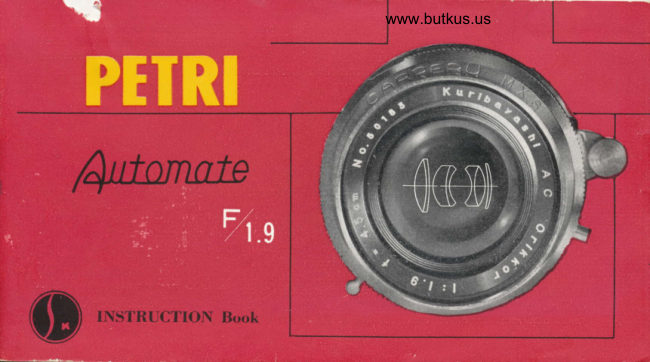
Petri Automate F1.9 User manual
User manual for Petri Automate F1.9. 43 pages in English. Read the original PDF, download or print a copy without registration.
43 pagesEnglish7.2 MB PDF
Loading your manual…Open PDF directly
Document details
- Brand
- Petri
- Model / document
- Petri Automate F1.9
- Document type
- User manual
- Language
- English
- Pages
- 43
- File size
- 7.2 MB
- Category
- Film cameras
- Document date
- Not specified in catalog
Search available document text
Find a term, then jump to its page in the original PDF. Image-only pages may not be searchable; check the PDF for exact wording and diagrams.
Page 2 · Read text
i=
                           trilf"*rrtcted  PETRI factofimployS"  fi'"r,
                              camera craftsmen in Japan and has the finest and most
                         modern equipment for manufacturing high  precision
                              cameras and optical accessories.


  The new PETRI AUTOMATE  is the latest in a long line of high precision PETRI cameras
 that have been received with enthusiastic appraisal over the past forty years, Although the
PETRI camera is relatively young in the camera world it should be noted that one o{ its first
creations, a single lens reflex camera, won the highest rewards at a national camera exhibi-
tion held in Japan. With such an auspicious beginning PEf'RI has continued to produce high
precision cameras of all types and have incorporated into the new PETRI AUTOMATE
 the finest and most modern of designs and construction that have been the culmination of our
 fruitful experience. The engineers, designers and skilled cruftsilrcn at PETRI are of th.e highest
calibre, and hazte produced in the PETRI AL4'OMA'| D  .r. c.tnxet'(r zahich is on pur with the
finest and most adranced carneras that are madc in t.he ruorld todtty.
View original page 2Page 3 · Read text
firl                                               www.butkus.us
                i                                                                          '\*


          . This booklet provides you with complete information regariling the features, capabilities and         instructions                       ooerating                   for                            the PETRI AUToMATE p.opJ.ly. Ft"u"u ."ua it carefully before             your        taking                           pictur"."                           fi..t
          -       The new PETRI AUTOMATE was designed to bring you a camera that would cause no con-       fusion to operate, be sturdy in constructioi, beautiful ir-design uni ui-t-rrl"u-e time be capable        of-taking ciear and sharp picture under the most adverse
          'fhc ease zaith zahich the. shutter sl>eed and aperture opening"orrJitiorr..can be set,-the smooth efortless
       operation of the fihn zuinding leaer,-the crear and brigt* inage yiu-oi-oy,  see thriish  the
       r?n9e,.fn4q-'-the easv to read firm counter,-the smootioperatiig;"i;ii"ob,-th"r"  ani other          s.i,mpli.fied                          together                                  u,ith                features                                                  its superim lens a.nd, ,hitte, *iik" the pE1,RI AUT1MATE        the (um.erq,               you ltave                            alzaays                                          desired.
View original page 3Page 5 · Read text
FF

                                                                                                                                              -?'i:1r:i!ll.]!s
              Guarantee
                                        Date:(D             This PEfl,l.o-.ro
     is fultv quaranteed aqainst material and mechanical defects.
      lf this'cimera at anv iime durine two years purchase shuuld
    nrove de[ectivc.or does not fuiction bropeily due to defe.
      i-rive material or rtorkmanship, return it-in irriginal condi-
     tion. and (h,: crtncnr rvill be repaired or replaied rvithout
    chalgc.
     rAcToRY & EXPORT OrtlCE TEt (88) 2085 4s59                                                                               :    Ji      No l, UMEJIMA-MACHI, ADACHI-KU,
                TOKYO, JAPAN
    KURIBAYHSHI CAMERA
                         'NDUSTRY, 'NC.
View original page 5Page 7 · Read text
I

          I  ORIKKoR LENS, cot-oR CORRECTED   7 syNCHRo swrrcH
     2  SYNCHRo TERMINAL                                  8  BACK CoVER LoCK
     3  SIIUTTER SPEED DIAL                                 9  coUPLED RANGE FINDER
     4  IRIS DIAPHRAGM RING                             I O DISTANCE DIAL
     5  DEPTH oF FIELD DIAL                        I T  SELF-TIMER
     6  HELIcoID FoCUSING LEVER
View original page 7Page 8 · Read text
www.butkus.us


      FILM INDICATOR
         SHUTTER RELEASE BUTTON


            FILM SPOOL
    COG WHEEL    PRLSSURE PLATE
View original page 8Page 9 · Read text
-gta**-      PJLRI          dry-


I  FILM wINDING LEvER        4  ACCESSORY CLIP
2  SHUTTER BUTToN            5  FILM REWINDI}.IG KNOB
3  FILM cr.)UNTER
View original page 9
Page 10 · Read text
www.butkus.us

                     cAR,PER,U tl.X.S.


CARPERU shuiter
 The CARPIIRU shr.rtter is constructed
with the same extrentc car€' that goes into
the making of  ir fine u'rrtr.'h.  It.; liz'L' ltlude
ttcliotr !r'ir'.r  .\'//r/ tt(aru'dlt, rctlings   fi'0tn
 I  lrt  1,'l()() s(t'ottt1. ttnt/  irtclrttlts u  bullt
.stttirtu.  It  ulso ltus tt  lttti/l-itt   .sL'l.f--lintr'r-
arttl  i s tqrri />/>r'tl rt'itlr .\1I.S  .s.t'ttclt rotti :tl  it.ttt
which is aclalrtable to  all  kincls of  flash
bulbs and electrt-rnic  flash.
View original page 10Page 11 · Read text
GARPERU shutter fealures:
1. Sensitiae release actiott. Never sluggish or sticky.
2. Faultless Pr-ontor type constructiort. Tested 2,000 times to insure
    foolproof operation.
3. Sturdy inner built setting leaer zuhich adaances tlrc filnt sinutlttuteously
   with the setting of the shutter.
4. Most a<laanced and accurate MXS syncln'onizatiott  cottstruction.
5. Illodern and beautiful styling und destgn.
View original page 11Page 12 · Read text
www.butkus.uslc
          |azrI
    J
sl
o
Y
             ORIKKOR lens
=sl                       tiveThefilmaccuracyis frequentlyof any 35enlargedmm cameramanylens timesshouldandbe veryimperfectionshigh as thehardlynega-o                       visible on the small negative will readily be seen on the enlargement.
                         7'ht OIIIKKOII   lrtts t'otttltittt's tht.fincst o/ tl>ticul ir,gredietrt.s tt,ith t/ttt tno.;t
                       udz,ancul ktttntltdgc ol o/'tt.ituI tttgi ttt't:r'irt1g t.o bring \,ou u Irns thul  u,ill
                         lulp yoir lo tukt l.ltosc t.r'uc to li/e piclttes  t.ltut. 1,ott zt,ilI t'herish lb'u  !i/r:tinte.
View original page 12Page 13 · Read text
ORfKKOR, Fll.g 45mm lens
  The ORIKKOR F/f.g 45 mm lens of your PETRI AUTOMATE  is composed of seven elements
and has been thoroughly tested to conflrm to the highest standards in the world optical industry'
It has been pnfected only after considaable reseorch ard. erperiment atd produces superior results
in fidelity, shmpness, ui1-rn;ty and. macimum light adrnission'  It has been especillly dc:i!."edlor behind. the shutter action and prod.uces the fitust and clearest pictures both in color attd bloh
atd uhite.
View original page 13
Page 14 · Read text
www.butkus.us


  As your PETRI AUTOMATE is a highly mechanized and sensitive
camera, extreme caution and care in handling is recommended at all times.You will have many opportunities to take ivonderful shots and to ;;.ladisappointment in your negatives, you must avoid mistakes when takino
yo!.rr pictures. Become thoroughly familiar with your PETRI AUTOMATE
before attempting your first-picture.  'I'r-y operating it  zuitt, norttt;;;;;it,
get the {eel oJ' it.- practice thc_settittgs, andJbllozu carefully thi opct-atingirtstructions in  tltis booklet. Remember always that llthough apqy !e designed to take fine pictures, it cannot do so withou"t the "u-erip.operhelp from you.
View original page 14Page 17 · Read text
l5                FI tM COUNTER,
;ITM COUNIER
  Cock the camera by turning
                     and press                   lever the     film winding
                  Repeat                                  this     SEIIING IHE EXPOSURE (A)       SETIING THE EXPOSURE (B)           button. the shutter
 operation again, then turn  film      Turn the iris iever to  the      Turn shutter speed dial to
 winding lever only and you are     required lens opening.           the required shutter opening. ready to snap your first Picture.                                                   ^\'ofc.'   ]\t   ttot  tttt')t  tlreThe number "1"   will  appear                                                                                          slt tt l.l t:r'     .sf ta:tl   diul    uf  l cr
 opposite the  black  indicator                                                                                                    slt trttt:t' is cr,,ckul.
 point on the film counter.
     .\irlr'.'    ll'lrr:tt,',tt'ki ttg crtttt'
  .|'(t   (t(/i'rt)t('t'  li/ttt'it    ittttittt!
                                                    L()  I t"i'r t' llrll.t'. ttttli/  il   .sl()f'r,
  ittstrt'r' lit//   (t(/i'(tti('('l)tt'tt1  ()/


                www.butkus.us
View original page 17Page 18 · Read text
www.butkus.us


               How To
                        Hold Your PETRI
                                   AUTOTIATE
l-3l-                                                   It  is- important to learn how to hold the camera
                                               pro_perl-v before taking your picture.
                                 Camera must be held steady and as near to the                                  eye as possible.
                              Be sure that you see all four sides of the rar.tre
                                       _fi"do aitdoan-on the fr"*  of 3tour cdmra urtin
                           Pedng through the ryQiece ott ihe brck. Q,srnesss
                                your picture u'ell within the four sides of rinse                                hnder window. Photographs here show corre-ct
                                            rvays of holding your PETRI AUTOMATE camera.
View original page 18Page 19 · Read text
Look through  fhe Finder to compose the
  Photogrophic  Field.
1. The Picture at left shou's how to hold your canrcra   properly in e horizontal position. Hold cantera     '/irtity           2gtittst cheek dnd frecp yotrt' arnts close to
    yotn' sides to insure steadiness.
                                         posiqio4 for hold'2. The picture at right shows proper'positiori.   tng ftrmo-u tn d  rerticul                 Ilol d  cunterrt
   Jirmly ugttittst foreltead. Turn the helicoid range    finder lever until images appear as one, then gently
   and firmly press the shutter release buttcn.


                        \\'rong             Correct
View original page 19Page 20 · Read text
www.butkus.us


  Remember that no matter how well a camera is designed or constructed  it cannot take perfect
pictures without the aid of the human eye.  Il'hL:n. corrtl>osirtg .yotn' />it'ttt71t g.t:t J,gur eJe  tlor^e
t:rtttttg'lt lo tltc  z'itttt.fittdcr (\tefie(c so tltut ),ou c.t,t. see all Jbur sidcs oJ'the rut4:Lt Jirttler u,itttltnu
ul Iltc sttttte tittttt. (lf   -l,r.ttt zt,t,ur glus.sc.s yorl ,rtdy  lt.n,e to retttot,e r.ht:nt.) ('oittf>ssg ,ugy?- lrictp?.1,
u'rll  u'ithitt  lltesr./tttu' sidr's.  'l'trrtt htIicoit!  rutts't .fintlcr let,cr ttnlil  intttgt itt   t.t:tttt,r-  trl>1tg111-5  ,^.
(;i,e. Hold camera steadl' and then gently but firmly press the shutter release button.
View original page 20Page 21 · Read text
The Self Timer
 The built-in self timer is available whgn you- wish to includeuo"irlfi  in the pi.tuie with your family or frie.nds, or if you                                                         timer. place                                     using                                                 self                                    the                          Whetr                      portrait.           u Jeifi""irf,"i.          -.t"                                                      available.any                                                    is not                                      tripod                           or                                                if a           upon                   a'tripod,vour camerait";;"-;il;    J  i"r"itut!  tik" a table oi desk will serve. ;lftcr
iiii';   ,,i'iit-1t:utttt-hc shuttu-relt,rtsr, 3tou ltrtz'r'altottt 1O sacoruls to gct to.yttur
'ptr,'rir)           oJ' tltt: ,u,,,r'i'rr- h,Jbre the .sltutto' gols  .".fl .!'y itsclf'                                                                           elec''-i-h" SJtf fi-"r   is available ior all types of fiash bulbs,
tronic"\to\r,,-'-fii-irl1l;r,ryand strobe flashes.                                    L'trttttot be used zuith -the shuttct' set a't            ,,8."
View original page 21
Page 22 · Read text
www.butkus.us


fhc Lorgc Collbrc Lcnr And Thc Expoturc
  Your camera may have the finest lens made in the world but if it is not adjusted properly the picture you take will be very disap.pointing. Oar and                    -under _ecposure gan bc avoided by ipply;gcaution and knoutledge a all times. stttdy the relatiottsiip iA;";the        opninq     lens-             9nd the shuttr s?eed zoh{ch i,il_rhl      l*g"             calibre lens                             thc most                        that ii                                                 criiical"W;ii;'i^p-ront                                                    yoo,                                                   o;                                                         frtPETRI     AUTOMATE                  camera.                             Don't                                   attempt                                                                  picture                                        to t"ku                                    auntil you have extreme confidence that your settings and composi-tion are entirely correct.
View original page 22Page 23 · Read text
21
     Aliernote Settlngs
            It is possible to get the same etposure on
      film zaith altqnate settings of your lens open-
I      ingaid andin theshuttertakingspeed.of sharpThispictures,is an inztaluableespecially
        action shots where the settings most favorable
        to the conditions can be choien. The follow-
I      ing table shows the various shutter speeds
       that will allow the same exposure at the
        specified lens openings.
                Example: A lens opening of               TABTE                  F/1.9 rvith a shutter setting of
                 1/100 sec. will  affect the same
                   exposure on film as a lens opening
                                                                                                                           r/1001 l/501 l/25  r/l0lrislt/2lrI                 of1/50F2.8sec.,withor aalensshutteropeningsettingof. F14of
                and shutter setting of lf25 sec.,                                                  r/2slr/r0lll5  lr/2                  '  '  'i j:t  and so on u..oss the table. Re-I                '   t ". i"   nember tha,t stopping dozun ottc
                      diztision in the lens oPening re-
                 quires a doubling of erposure
                     time.                                    *T{iolrlzlr
View original page 23Page 24 · Read text
www.butkus.us


  tr|'ow a---oUI
 o
             Seosonoble Settings
                   Refer to the guide here which shows the  pt.uft,t- l,,n.s ()/,t:)tru.q..\ rIootro                               tt)t(l .rltull(  t'  .;t'llitt.qs  u/tf;/ir.r,1,1,, lltt- tltt,  i,ttt.iotr.s  .{{i/.{..,,//.s of  lltt,  .\,t,ttr.
                                     ttt'.s.s tll  .sttltirt'l tutr/ kitttl of  1,,rt'kyt'r,tntt/. Remember that utmost  |aoo                                  'lt/.itr.t! ntt'ttl s i.'i1/  i'(u'-\, i)t (t('( ()t'(l(tu('t, it,illt l/tr, /intt' of  ,1,,.1,. /tt-tt1/tt-
|a                care must be taken to prclperly expose each of the pictures in your
             35mm roll because corrections for over or under-exposure cannot
               be made when your roll film is'developed.
View original page 24Page 26 · Read text
www.butkus.us
GARPERU tl. X. S. Shutter
  The CARPERU lvixs Shutter is provided with svnchronization
for practically all types of flash bulbi and electronic fish equipment.+MEDIUM (No. 5,25 and Bantunr 8) typeflash bulbs may 6e used
to make flash pictures at all shutter speeds. When using these bulbs,place the SYNCHRO SWI'TCH on the M Position.
*FAST (^9M SF' and SS) type bulbs synchronize perfectly at tlu
shutter sfeeds from 7 to 7l5O sec.
  When-using-these bulbs'the SYNCHRO SWITCH is placed on
the X fosition.
|ELECTRONIC FLASH EQUIPMENT may be used for synchrad-zation at all shutter speeds by Placins the SYNCHRO SWITCH on
the X position.
View original page 26
From the M. Butkus archive. Original publisher and archive notices are retained.
Check the model and edition against your equipment.
PDF verified 2026-10-10.