Film cameras
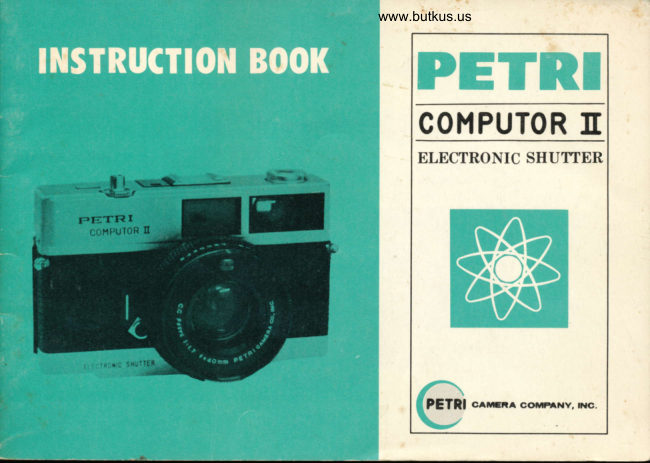
Petri Computor II Electronic Shutter User manual
User manual for Petri Computor II Electronic Shutter. 33 pages in English. Read the original PDF, download or print a copy without registration.
33 pagesEnglish6.9 MB PDF
Loading your manual…Open PDF directly
Document details
- Brand
- Petri
- Model / document
- Petri Computor II Electronic Shutter
- Document type
- User manual
- Language
- English
- Pages
- 33
- File size
- 6.9 MB
- Category
- Film cameras
- Document date
- Not specified in catalog
Search available document text
Find a term, then jump to its page in the original PDF. Image-only pages may not be searchable; check the PDF for exact wording and diagrams.
Page 6 · Read text
www.butkus.us
.  DESCRIPTION OF PARTS


         tLrcnoilc sNunfn

 1 CdS Cell                    Screw Thread for         11 Film Rewind Crank
 2 Neck StraP Ring               Cable Release           12 Distance Scale
 3 Self-timer                   7  Shutter Release Button     13 Focusing Ring
 4 Exposure Counter         8  Orange Lamp              l4 Guide Number Ring
 5 Shutter Lock                 I  Accessory Shoe          15 Film Speed Ring  _ 5 _
                               10  Cordless Flash Contact     16 Film Speed Index
View original page 6Page 8 · Read text
www.butkus.us


23  Film Cassette Chamber                26  Battery Compartment
24  Sprocket                              27  Tripod Socket
25  Take-up Spool                       28  Film Rewind Button
View original page 8
Page 20 · Read text
www.butkus.us

O HOW TO HOLD PETRI COMPUTOR tr
The format of your picture is deter,mined by the position in
which you hold the camera. Holding the camera in a horizontal
position will result in a horizontal format. Holding in a vertical
position will result in a vertical format. Blurring in a picture  is
often caused by camera shake at the moment of exposure.Practice holding the camera and releasing the shutter so you        rlII
can take pictures without jarring or shaking  it.
Use the following three simple rules for taking a picture to
avoid camera shake;

        1.    Before releasing the shutter, take a deep breath
        and hold it until the picture has been taken.
       2.    While taking the picture, hold the camera firmly
          with both hands and press the back against your
           face and forehead as firmly as possible.
       3.    Squeeze the shutter release button, do not prod or
          tap it. Practice squeezing until you can release the
            shutter without the slightest quiver.
View original page 20Page 32 · Read text
www.butkus.us


FOR BLACK & WHITE FILM:
                                                                                                                  ni                                    +"      T,
 FILTER FILTER
  TYPE  FACTOR   COLOR                  PURPOSE

      Y1          1.5X          Light Yellow    Landscapes, snow, clouds. Renders yellow and green
                                                               lighter.
    Y2     2X        Medium Yellow  Gives stronger effect than Yl.
    YA3    4X         Orange        Haze distant views. Renders yellow and red lightbr,
                                            blue darker, distant objects clearer.
      R1     8X        Red           Hazy distant views. Renders red lighter, blue and green
                                                  darker. Gives stronger effect than orange filter.
     PO0        2.5X        Green           Landscapes, snow, clouds. Renders green lighter. Red
                                            (complexion) and blue darker. Recommendable  for
                                                       portraiture.
     POl     4X        Medium Green   Gives stronger effect than PO0.

                                                             -31-
View original page 32From the M. Butkus archive. Original publisher and archive notices are retained.
Check the model and edition against your equipment.
PDF verified 2026-10-10.