Film cameras
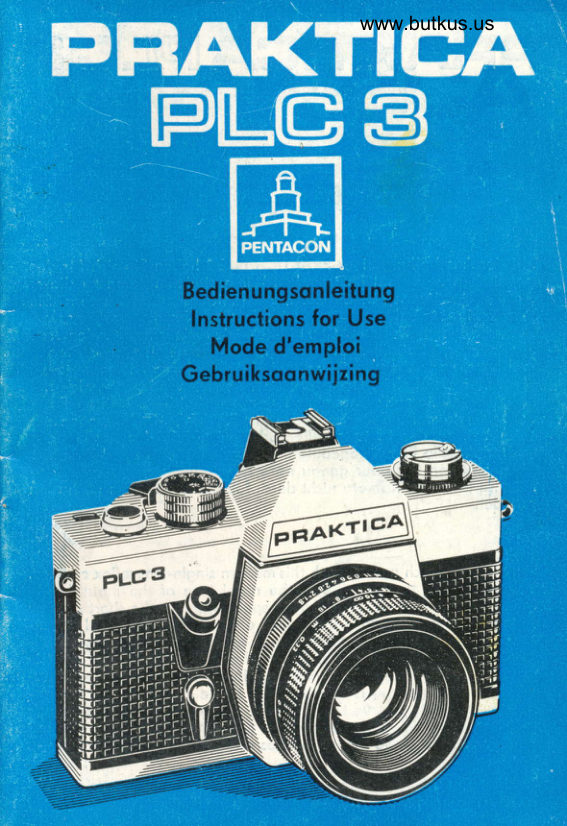
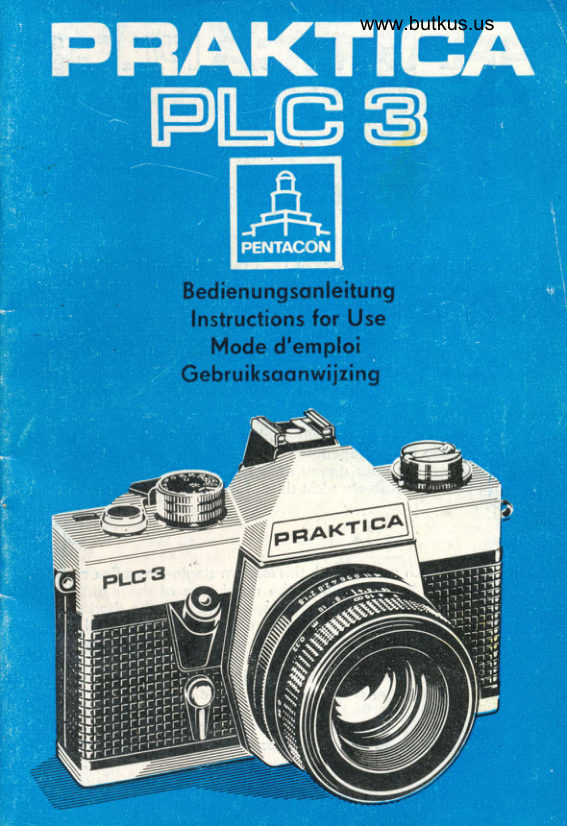
Praktica PLC3 User manual
User manual for Praktica PLC3. 41 pages in German. Read the original PDF, download or print a copy without registration.
41 pagesGerman7.3 MB PDF
Loading your manual…Open PDF directly
Document details
- Brand
- Praktica
- Model / document
- Praktica PLC3
- Document type
- User manual
- Language
- German
- Pages
- 41
- File size
- 7.3 MB
- Category
- Film cameras
- Document date
- Not specified in catalog
Search available document text
Find a term, then jump to its page in the original PDF. Image-only pages may not be searchable; check the PDF for exact wording and diagrams.
Page 2 · Read text
PTAKTICAPLGE


 Mit der Anschoflung einer PRAKTICA pLC 3 hoben Sie sich fijr den
 technischen  Fortschritt entschieden. Wir grotulieren lhnen zu dieser
Wohl und wtinschen lhnen viel Freude mit der neuen Komero. Sie
 rongiert in der Spitzengruppe ihres Typs und hot Konstruktionsvor_
 teile, die lhnen nur PENTACON bietet: Die elektrische Blendenwert_
 r..ibertrogung ermoglicht die Innenlichtmessunq bei offener Blende
 und hellstem Sucherbild. Sogor bei NohoufnoFmen mit ouszugsver-
 l_cingerndem Zubehor. Dos vergroBert den Anwendungsbereici der
 Belichtungsoutomotik enorm u;d domit notiirlich oucF lhren Foto-
 erfolg. Viele weitere Einrichtungen der pRAKTICA pLC 3 troqen mit
dozu bei, so der Metollomellen-SchlitzverschluB,  dos groB"e helle
 Sucherbild, die Filmeinlegeoutomotik sowie Objeltive und Zubehor.
 Bitte, orbeiten 5ie ober lenou noch der Bedienungsonleitung, do-
 rnit lhre wertvolle Komero- nicht durch folsche Hond6obung Scioden
 erleidet.


We wish you much success with this modern sinqle-lens reflex comero.
You will enjoy the benefits of the novel typl of the metol-blode
 focol-.p1one.shutter,  its high shutter-speed  stobility, the short synchro
speed for electronic flosh exposures, ond, whot  ii of speciol impor-
tonce the internol light metering ot full operture with the conti_
nuously bright finder imoge. This is the odvontoge of the electric
diophrogm control. Meosurement of shutter speed, diophrogm nu-
merol, ond film speed is coupled;it is in the centre-weighted mon-
ne.r so thot pictures true to the object will be obtoined.-Before you
will stort procticol work we beg you to corefull reod these Instruc-
tions for Use to ovoid disodvontoqes ond trouble with vour comero.
2
                                     s
View original page 2Page 3 · Read text
www.butkus.us Bedienteile der FRAKTICA PLC 3
 1 FilteronschluBgewinde
 2 RLickspulknopf
 3 Steckschuh mit Mittenkontokt
 4 Belichtungszeiten-Einstellknopf
 5 Sponnhebel
6 Drohtousloser-AnschluBgewinde
7 Ausloser
8 Auslciser  f iir Selbstousloser
9 Selbstousloser-Sponnhebel
 Control Elements of the PRAKTICA PLC 3
1 Filter threod
2 Rewind knob
3 Accessory shoe with centre contoct
4 Shutter-speed  diol
5 Cocking lever
6 Coble releose threod
7 Shutter releose
I Self-timer releose
9 Self-timer cocking lever
El6ments de monoeuire du PRAKTICA PtC 3
1 Filet pour le roccordement des filtres
2 Bouton de rebobinoge
3 Griffe d occessoires ovec contoct centrol
4 Borillet des temps de pose
5 Levier d'ormement
6 Filet de roccordement du d6clencheur souple
7 D6clencheur
I D6clencheur du retordoteur
9 Levier d'ormement du retordoteur
Bedieningsorgonen  vor\ de PRAKTICA PLC 3
l  Filterschroefdrood
2 Terugwikkelknop
3 Flitsschoen met middenkontokt
4 Sluitertijdenknop
5 Sneltronsporthendel
6 Aonsluiting voor droodontsponner
7 Ontsoonner
8 Ontsponner voor zelfontsponner
9 Hendel voor zelfontsponner

4
                              $
View original page 3Page 4 · Read text
5  4


 6
 7
  8I                                                          Digitally signed by Mike Butkus
                                                      DN: cn=Mike Butkus, o=Butkus camera manuals, ou=butkus.
                                                              email=mike@butkus.org,                                                                         c=USMike Butkus           org,Date:                                                                  2023.12.24 14:50:47 -05'00'


 lm Text der Bedienungsonleitung sind die Hinweiszohlen ouf die
 Bedienteile in ( ) gesetzt.

 The reference numbers for the control elements ore put in poron-
 theses ( ) in the text of this monuol,    ,

 Dons le texte de ce mode d'emploi, les chiffres indiquont les el6-
 ments de commonde dont  il est question sont mis entre poronthdses,
 ( ).

 In de tekst zijn de cijfers die noor de diverse bedieningsorgonen
 verwijzen, tussen hookjes gezet ( ).
View original page 4Page 5 · Read text
www.butkus.us
  10 Morke filr Filmempfindlichkeitseinstellung
  11 Skole fiir Filmempfindlichkeit
. 12 Umscholter fi.ir die Blendenfunktion
  13 Entfernungseinstellring
    1 4 Schcirfentiefenskole
    1 5 Blendeneinstellring
  16 Umscholter ftir Belichtungsoutomotik
  17 Rrickspulkurbel
  18 Symbole f[]r Messen mit Offen- und Arbeitsblende
  19 Morke filr Belichtungszeiteneinstellung
  20 Bildzcihler


  10 Film speed mork
  11 Film speed indicotor
  12 Diophrogm operotion selection switch
  13 Distonce setting ring
  14 Depth-of-field scole
  15 Diophrogm setting ring
  16 Selector for outomotic exposure
  17 Rewind cronk
  18 Symbols for meosuring ot full ond ot toking operture
  19 Shutter speed setting mork
  20 Exposure counter


  10 Repdre de 169loge sur lo sensibilit6 du film
  11 Echelle de sensibilit6 du film
  12 Commutoteur de fonctionnement du diophrogme
  13 Bogue de mise ou point
  14 Echelle de profondeur de chomp
  15 Bogue des diophrogmes
  16 Commutoteur pour le systdme d'exposition outomotique
  17 Monivelle de rebobinoge
  18 Symboles pour lo mesure d pleine ouverture ou d diophrogme
    de trovoil
  19 Repdre pour le 169loge du temps de pose
  20 Compte-vues

  6
View original page 5Page 6 · Read text
12

                                                                              11
      www.butkus.us                                            10


10 Merkteken voor het instellen von de filmgevoeligheid
1 1 Filmgevoeligheidsschool
12 Schokeloor voor outomotisch of kiesstop diofrogmo
13 Ring voor ofstondsinstelling
1 4 Scherptediepteschool
15 Diof rogmoring
16 Schokeloor voor belichtingsmeter
17 Terugwikkelslinger
18 Symbolen voor meting met open of gesloten diofrogmo
19 Merkteken voor het instellen von de sluitertijden
20 Beeldteller
View original page 6Page 7 · Read text
www.butkus.us
21 Okulorfossung mit Zubehorwechselstelle
22 Riickspulmitnehmer
23 Potronenroum
24 Sto hllomel len-Schl itzverschl u B
25 Filmtronsportrolle
26 Holtebockchen
27 Aufwickelspule
28 Morke zum Filmeinlegen
29 Fongbiigel


21 Oculor mount with occessories  fitting
22 Rewinding cotch
23 Cortridge chomber
24 Metol-blode focol-plone shutter
25 Film tronsport sprocket
26 Supporting element
27 Toke-up spool
28 Film looding mork
29 Wire brockets


21 Monture de I'oculoire ovec odoptoteur d'occessoires
    intercho ngeo bles
22 Entroineur de rebobinoge
23 Comportiment d cortouche
24 Obturoteur focol d lomelles d'ocier
25 D6biteur dent6
26 Chevolet de retenue
27 Bobine de bobinoge
28 Repdre de mise en ploce du film
29 Etrier de retenue
I
View original page 7Page 8 · Read text
m.


                25 26 27 28 29


21 Oculoirvotting
22 Terugwikkelos
23 Houder voor filmcossette
24 Stolen lomellensluiter
25 Filmtronsportrol
26 Filmgeleider
27 Opwikkelspoel
28 Merkteken voor filminleg
29 Filmbeugels
View original page 8Page 9 · Read text
www.butkus.us


                                                          31
                                           30

           1ff.lTu;:;tttn,
        ffijr!;:*;:

      1:


30 Stotivgewinde
31 Blitzlichtnippel
32 Riickspulousloser
33 Botterieroum mit Botterie

30 Tripod threod
31 Flosh contoct
32 Rewind releose knob
33 Bottery comportment with bottery

30 Ecrou de pied
31 Roccord d flosh
32 D6clencheur de rebobinoge
33 Comportiment d botterie ovec botterie

30 Stotiefschroefdrood
31 Flitskontokt
32 Deblokkerknop voor terugspoelen
33 Botterijruimte met botterij

10
View original page 9Page 10 · Read text
Rtickwond iiffnen
Riickspulknopf (2) bis zum horten Anschlog noch oben ziehen. Do-
durch wird die Rtickwond entriegelt und konn oufgekloppt werden.
Bildzcihler (20) springt dobei outomotisch in die Ausgongsstellung
zu riick.


Opening the comero bqck
Pull the rewind knob (2) up to its hord stop. This unlocks the bock
which con now be hinged open. The exposure counter (20) is outo-
moticolly reset to its zero position.


Ouvrir le dos de l'opporeil
Tirer le bouton de rebobinoge (2) vers le hout, jusqu'd lo but6e. Le
dos de I'opporeil est oinsi d6verrouil16 et peut 6tre robottu' A celq,
le compte-vues (20) revient outomotiquement en position z6ro.


Achtenrond openen
Terugwikkelknop  (2) tot oon de oonslog noor boven trekken. Hier-
door-wordt de ochterwond ontgrendeld en kon opengeklopt worden.
De beeldteller (20) springt hierbij outomotisch terug op 0.

                                                                                 11
View original page 10Page 11 · Read text
www.butkus.us


Film einlegen
Filmpotrone einlegen. Fongbtig el (29) dtirfen nicht noch oben ste-
hen, ggf. om gercindelten Spulenteller verstellen. Filmzunge bis zur
gri.inen Morke (28) ziehen, unter dos Holtebockchen (26) schieben.
Zcihne der Filmtronsportrolle (25) miissen in die Filmperforotion  ein-
greifen.
Bei storker Filmkrtimmung einen Fongbiigel durch Drehen om Spu-
lenteller ouf den Film ouflegen. Rtickspulknopf  (2) wieder eindri.ik-
ken, ggf. dobei drehen.


lnserting the film
Put the film cortridge into the cortridge chomber, ond observe thot
the wire brockets (29) do not point upwords, Adjust ot the knurled
spool disk, if required. Pull the film leoder out to the green mork
(28) ond poss it under the support element (26). The teeth of the
film tronsport sprocket (25) must engoge the perforotion of the film'
 lf the film tends to bend heovily, bring one of the wire brockets on
to the film by rototing the spool disk. Depress the rewind knob (2)
ond rotote it, if necessory.

 12
View original page 11
Page 12 · Read text
R[ickwqnd schlieBen
 Rrickwond on der Riegelseite gegen den Komerokorper  dri.jcken. Sie
 verriegelt sich selbsttcitig,


Closing the comero bock
The comero bock locks outomoticolly when being pressed to the
comero body on the lotch side.


Fermeture du dos
Presser le dos du c6t6 du verrou contre le corps de I'opporeil.  ll se
verrou     i I le outomotiquement.


Achterwqnd sluiten
Aon de zijde von de terugwikkelknop dichtdrukken; de ochterwond
vergrendelt zich outomotisch.

14
View original page 12
Page 13 · Read text
www.butkus.us


Aufnohmebereitschoft  herstellen
Der Sponnhebel (5) besitzt einen Leerhub von etwo 15o und konn
so in die Bereitschoftsstellung gebrocht werden (Griflsicherheit bei
Serienoufnohmen). Sponnhebel  (5) vollstcindig bis Anschlog schwen-
ken, zuri.ickftihren und Komero mit Ausloser (7) ouslos6n. Vorgong
wiederholen und onschlieBend nochmols sponnen. Der outomotische
Bildzcihler (20) zeigt jetzt die Bildzohl 1 on.


Cocking the comero
The cocking lever (5) hos on idle stroke of obout 15 deg. till   it
reoches the reody position (eose of operotion for series exposures).
Swivel the cocking lever (5) fully to the stop, return  it, ond releose
the comero by octuoting the shutter releose (7). Repeot the process,
ond subsequently, cock the shutter ogoin. The outomotic exposure
counter (20) indicotes now exposure  1.

                                                                     15
View original page 13Page 14 · Read text
Filmempfindlichkeit  einstel len
Fi.ir die Belichtungsoutomotik muB der Empfindlichkeitswert des
Films eingestellt w;rden. Rcindelring des Belichtungszeiten-Einstell-
knopfes (?) onheben und drehen, bis die DIN- oder ASA-Zohl ouf
der'Skole (11) der weiBen Morke (10) gegenlibersteht. Beim Los-
lossen rostet der Rcindelring ein.
Setting the film speed
The outomotic exposure control requires setting of the film speed
volue. Lift the knurled ring of the shutter-speed diol (a) ond rotote
it till the DIN or ASA number morked on scole (11) stonds opposite
the white mork (10). Releose the knurled ring to moke it engoge'
R6gloge sur lo sensibilit6 du film
L'exposition outomotique n6cessite le 169loge de I'opporeil en fonc-
tion de lo sensibilit6 du film employ6. soulever et tourner lo bogue
molet6e du borilett des temps de pose (a) de lo monidre que le
chiffre DIN ou ASA correspondont de l'6chelle (11) se trouve plocti
en foce du repdre blonc (10). Lo bogue s'engrdne oussit6t qu',elle
 est rel6ch6e.
 Het instellen von de filmgevoeligheid
De filmgevoeligheid von de ingelegde film wordt op de sluitertij-
 denknop (4) ingesteld.
De buitenste g-kortelde ring von deze knop dient oqrfroog getrok-
ken en gedrooid te worden tot de gewenste DIN-ASA woorde op
de schoJl (11) zichtboor wordt, Als u deze gekortelde ring losloot,
 wordt hij outomotisch vergrendeld.
                                                                     17
View original page 14Page 15 · Read text
www.butkus.us


 Belichtungszeit einstellen
 Symbol  I         fUr Aufnohmen mit Elektronenblitz  (co. 1/1ZS s),
 Einstellung B        fUr Longzeitbelichtung.  VerschluB bleibt so longe
                      geoflnet, wie der Ausloser gedri.ickt wird.
 1 s bis 'l/"15 s       (orongeforben) fiir Aufnohmen bei geringer
                      Objekthelligkeit. Stotiv erforderlich,
 1/30 s bis 1/1000 s  (weiB) frir Aufnohmen bei guter Objekthellig-
                             keit.
 Belichtungszeiten-Einstellknopf (4) drehen, bis gewiinschte zohl
dem orongeforbenen Dreieck gegeniibersteht.


Setting the shutter speed
Symbol  J          for toking pictures with electronic flosh
                   (obout 1/125 sec.)
Setting B          for extended exposures i the shutter remoins
               open o.s long os the shutter releose is being
                    pressed
1 to 1 /15 sec.      (oronge coloured) for toking pictures of weok
                    brightness; tripod is recommlnded
1 /30 to 1/1000 sec.  (white) for toking pictures of unobjectionoble
                     brightness.
Rotote the shutter-speed diol (a) till the required number stonds
opposite the oronge-coloured triongle.
r8
View original page 15Page 16 · Read text
Blendenzohl einstellen
Die Blendenzohl om Blendeneinstellring (15) des Objektivs der
Morke ouf der Objektivfossung gegeniiberstellen. Bei Objektiven mit
outomotischer Druckblende (ADB) bleibt die Blende dobei voll ge-
oFfnet. Erst beim Auslosen schlieBt sie sich ouf den eingestellten
Wert und oflnet sich sofort noch dem VerschluBoblouf. Durch Um-
stellen des Umscholters fiir die Blendenfunktion von A (Automotik)
ouf M (Monuell) (12) konn die Schcirfentiefe im Sucherbild kontrol-
liert werden.


Setting the diophrogm number
Turn the diophrogm setting ring (15) on the lens till the diophrogm
number is opposite to the mork on the lens mount. With lenses
hoving on outomotic pressure diophrogm (ADB) the diophrogm
remoins fully open, closes to the set volue when the shutter releose
is pressed ond opens ogoin in the some instont the shutter hos run
off. The depth of field con be checked in the viewfinder by chonging
the diophrogm operotion selection switch (12) from A (outomotic
operotion) to M (monuol operotion).

20
View original page 16
Page 17 · Read text
www.butkus.us


R6gloge du nombre d'ouverture
Plocer le nombre d'ouverture de lo bogue des diophrogmes (15) de
I'objectif en foce du repdre sur lo monture de l'objectif, Pour les
objectifs ovec diophrogme d pr6s6lecteur outomotique (ADB), le
diophrogme reste compldtement ouvert pour ne pos se fermer sur
lo voleur pr6s6lectionn6e qu'ou moment du d6clenchement et s'ouv-
rir imm6diotement oprds le fonctionnement de I'obturoteur, En chon-
geont le commutoteur de fonctionnement du diophrogme (12) de A
(outomotique) o M (monuel) on peut contr6ler lo profondeur de
chomp sur l'imoge de vis6e,


Diofrogmo instellen
De diofrogmowoorde op de diofrogmoring (15) op het oronje merk-
teken instellen.
Bij objectieven met een outomotisch diofrogmo (AD) blijven de dio-
frogmolomellen volledig geopend. Alleen tijdens de opnome sluit
het diofrogmo zich op de ingestelde woorde en goot hierno direkt
weer open.
Door de schokeloor (12) op M (kiesstop) te zetten, kon de scherpte-
diepte in de zoeker gecontroleerd worden.

                                                                           21
View original page 17Page 18 · Read text
PFIAKTIGA-a


     www.butkus.us


Kontoktbohnen                 Schwinge                           Kontoktstifte
                                 fUr Blendenoutomotik
Contoct poths                 Rocker mechonism for          Contoct pins
                              outomotic diophrogm
                                  control
Voies de contoct                 Coulisse pour lo com-           Tiges de contoct
                        monde outomotique
                         du diophrogme
Konto ktstri ps                 Brug voor                       Konto ktstif ten
                              outomotisch diofrogmo
Belichtungsqutomotlk
Die Belichtungsoutomotik mit elektrischer Blendenwertilbertrogung
ermoglicht dos Lichtmessen bei voll geoflneter Objektivblende und
domit strohlendhellem Sucherbild. Die Objektive mit elektrischer
Blendenwertiibertrogung besitzen entsprechende Kontoktstifte.  Es
ist jedoch ouch moglich, olle tibrigen Objektive ohne Blendenelektrik
mit dem PRAKTICA-GewindeonschluB zu verwenden. Die Messung
erfolgt donn mit Arbeitsblende, wobei dos Sucherbild mehr oder
weniger, je noch gewcihlter Blende, verdunkelt wird.
 Fi.ir beide MeBmethoden bieten sich zwei Verfohren on:
o) Vorwohl der Belichtungszeit und MeBobgleich durch Vercindern
   der Blendenzohl
b) Vorwohl einer bestimmten Blendenzohl und Abgleich durch Ver-
    cindern der Belichtungszeit.

22
View original page 18Page 19 · Read text
www.butkus.us


Automotic exposule control
The outomotic exposure control is connected with on electricol
tronsmission of the diophrogm volues thus enobling light metering
ot fully       _gpel operture, ond consequently with o uright viewfinde-r
imoqe, The lenses provided with the electricol tronsirission of the
diophrogm volues ore fitted for this purpose with contoct pins.
It is, however, olso possible to use ony other renses without the
electric volue tronsmission provided they hove the pRAKTIcA lens
threod.             . Metering is then mode on toking operture, with the
viewfinder imoge somewhot dorkened o..olding to the selected
o pertu re.
Both the methods of light metering offer two possibilities:
o) preselection of shutter speed ond corpensotion by ortering the
   diophrogm volue,
b) preselection of o certoin diophrogm number ond compensotion
   by oltering the shutter speed.

                                                                23
View original page 19Page 20 · Read text
Messen mit Offenblende - bei Belichtungszeitvorwohl
Umscholter frir die Belichtungsoutomotik  (16) mit seiner Morkierung
ouf dos Symbol El stellen. Umscholter fiir die Blendenfunktion (12)
om Objektiv ouf A stellen. Belichtungszeit om Einstellknopf (4) vor-
wcihlen, Ausloser (7) bis zum filhlboren Druckpunkt eindrricken und
den Blendeneinstellring  (15) drehen, bis der im Sucherbild sichtbore
MeBwerkzeiger ouf der Mitte der Kreismorke steht. Steht der Teiger
im Bereich ,,*", entsteht eine Uberbelichtung, im Bereich ,,-" eine
Unterbelichtung.


Metering with open operture ond preset shutter speed
Set the selector mork for outomotic exposure control (16) to the
symbol  fl   . Set the diophrogm operotion selection switch (12) ot
the lens to A.
Preset the shutter speed ot the shutter-speed diol (4), Press the
shutter releose (7) until you note o perceptible resistonce ond rotote
the diophrogm setting ring (15) until the meter needle visible in the
viewfinder in centred in the circulor mork. As long os the meter
needle is in the f  ronge, on overexposure will be obtoined, while
 in the - ronge, on underexposure will result.                                                        {t
                                                                25
View original page 20Page 21 · Read text
www.butkus.us
     Metering with open operture ond preset diophrogm number
   I   The selector for outomotic exposure control (16) is set to symbolfl   .
i     Set the diophrogm operotion selection switch (12) ot the lens to A.     Set the diophrogm number ot the diophrogm setting ring (15). Press
     the shutter releose (7) to o point of perceptible resistonce ond turn
     the notched shutter-speed diol (a) (no intermediote volues) till the
     meter needle is centred in the circulor mork. ls the meter needle in
     the *  or - ronges, over- or underexposures, resp. will be obtoined.    When exoct setting is not possible with this method, moke the fine
     odjustment by oltering the diophrogm number which ollows for inter-
     mediote volues, too.

    Mesure d pleine ouverture et pr6s6lection du nombre d'ouverture
    Commutoteur pour le systdme d'exposition outomotique (16) sur
    symboleEl  . Commutoteur de fonctionnement du diophrogme (tz.
    en position "A'. R6gler le nombre d'ouverture d lo bogue des dio-    phrogmes (15). Appuyer sur le d6clencheur (7) jusqu'd ce que l'on
     sente une r6sistonce, et tourner le borillet des temps de pose (4),
    en respectont lo succession de crons d'orr6t (les voleurs interm6di-
     oires n'6tont pos odmissibles), jusqu'd ce que l'oiguille de l'6l6ment
    de mesure soit venue se plocer ou centre du repdre circuloire, Lo
     position de I'oiguille dons lo ploge f   effectpe lo surexposition,
     celle dons lo ploge - lo sous-exposition,     Si l'on ne porvient pos d obtenir le 169loge exoct,  il fout proc6der d
    une correction pr6cise d I'oide de lo bogue des diophrogmes qui,
      elle, peut 6tre 169l6e sur des voleurs interm6dioires,

    Het meten met een von te voren gekozen diofrogmowqorde
    De schokeloor voor de belichtingsmeter (16) op symbool fl   zetten.
     Schokeloor (12) op het objectief op A zetten.
   De gewenste diofrogmowoorde op de diofrogmoring (15) instellen.
    Ontsponner (7) licht indrukken en de sluitertijdenknop (4) zu dro-
     oien, dot de in de zoeker zichtbore noold precies in het midden von
     het merkteken stoot (niet op tussenwoorden instellen). Wonneer u                                                                                        .-    de noold bewust noor f   zet, ontstoot een overbelichting, noor
    een onderbelichting. Indien u de noold niet exoct in het midden von
     het merkteken kunt krijgen, kunt u dit met de diofrogmoring (15)
     corrigeren.

                                                                    27
View original page 21Related documents and language editions
From the M. Butkus archive. Original publisher and archive notices are retained.
Check the model and edition against your equipment.
PDF verified 2026-10-10.