Film cameras
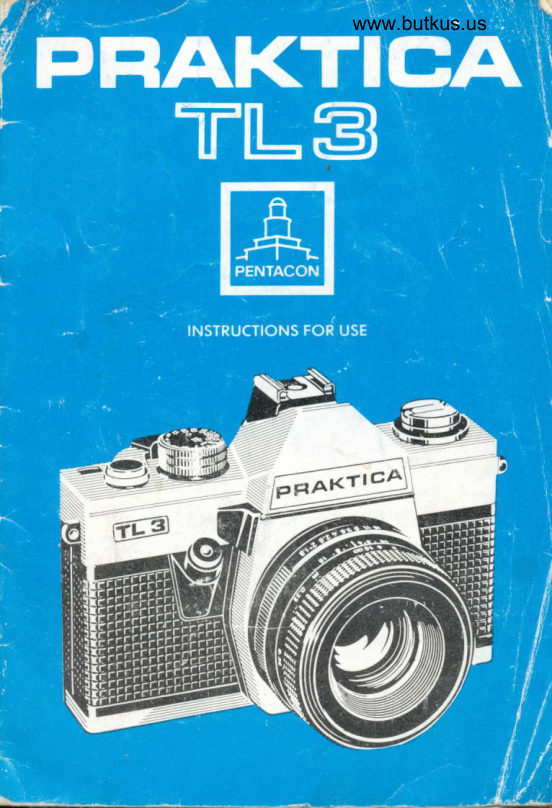
Praktica TL3 User manual
User manual for Praktica TL3. 20 pages in English. Read the original PDF, download or print a copy without registration.
20 pagesEnglish4.5 MB PDF
Loading your manual…Open PDF directly
Document details
- Brand
- Praktica
- Model / document
- Praktica TL3
- Document type
- User manual
- Language
- English
- Pages
- 20
- File size
- 4.5 MB
- Category
- Film cameras
- Document date
- Not specified in catalog
Search available document text
Find a term, then jump to its page in the original PDF. Image-only pages may not be searchable; check the PDF for exact wording and diagrams.
Page 2 · Read text
/TI                                                        i PEAKTIGA TfN-3
t,IYl


  We wish you oll success with this modern reflex comero. You own
  o comero with the novel metol-blode focol-plone shutter which
   mokes it possible to obtoin moximum shutter speed stobility ond
   minimum synchronizotion time for electronic flosh photogrophy.
   The comero works on the through:the-lens light metering system
    with the shutter speed, diophrogm number, ond film speed being
    coupled. Metering is occording to the centre-weighted LC method
   ond fully true to your motif. Before you stort snopping owoy hop-
     pily will you pleose reod these instructions for use corefully. You
    will ovoid trouble with the comero ond disoppointments with the
     pictu res.
                                                                                                                                                                         ,.,i
                                                            .G'#
View original page 2Page 3 · Read text
www.butkus.us
I


             Control Ports of the PRAKTICA TL 3
            1 Shutter speed diol
           2 Metering key
           3 Shutter releose with coble releose socket
          4 Folding rewind cronl<
           5 Rewind button
           6 Accessory shoe with flosh centre contoct


     In the following instructions the numbers of the obove elements
    ore given in porontheses,


JL
View original page 3Page 4 · Read text
14
15
                                                                      1l
 Mike Butkus   Digitally                                                     DN:ou=butkus.org,Date:cn=Mike2024.03.31signedButkus,email=mike@butkus.org,by09:29:53Mikeo=ButkusButkus-04'00'camera manuals,c=US                                                       10


 7 Shutter speed mork   18 Metol-blode focol-plone shutter
 8 Ropid wind lever     19 Film sprocket
 9 Exposure counter     20 Support
 10 Film speed mork     21 Toke-up spool
 11 Film speed diols     22 Film looding mork
12 Diophrogm operotion  23 Wire brockets
    selection switch      24 Eyepiece mount with occessory
 13 Distonce setting ring       holder
 14 Depth-of-field scole   25 Rewind releose
 15 Diophrogm ring      26 Bottery comportment with
 16 Rewind cotch               bottery inserted
 17 Cortridge chomber    27 Tripod threod
View original page 4Page 5 · Read text
Venmo @mike-butkus-camera  Ph. 2083
PayPal Name  Lynn@butkus.org      www.PayPal.me/lynnbutkus
View original page 5
Page 7 · Read text
Opening the comerq bock
Pull rewind button (5) up to the stop, the bock is unlocked ond is
hinged open. The exposure counter  (9) resets to zero outomoti-
colly.


 Film looding
 Insert the cortridge ond observe thot wire brockets (23) do not
stond upwords, Turn ot the knurled spool disk, if required. Pull
the film leoder to the green mork (22) ond poss it under support
(20) so thot the teeth of film sprocket (19) engoge in the film
 perforotion.
Should the film be heovily worped, put o wire brocket on it by
turning the spool disk. Push rewind button (5) in ogoin by turning
 it o little, if necessory.
View original page 7
Page 8 · Read text
www.butkus.us


Closing the bodr
The bock locks outomoticorty when you press it to the comerobody ot the lotch sioe.


Cocking ond winding
Ropid wind lever (B) hos o deod stroke of obout 15 deg. tiil the
5wivelI::ll'limlever ",lgggur,(8) to the(Thisstop,mokesmove itforbocksoferyond"i;;ri;releose theer'porur"s.1comero
                                                     ondt':.,rh,,ypfl,9.or.:ringby cockingth,e sh,utterthe comero.reteose.Thetsi.outomoticnepeoin*;;essu*poruru counterlv, wtl now reod exposure  1.
View original page 8Page 9 · Read text
Film speed setting
Automotic control demonds setting of the film speed' Pull the
knurled ring of the shutter speed diol (1) up ond turn it till the
DIN or ASA titm index on diol (11) meets the white mork (10).
The ring locks ot the desired volue when releosed.


 Shutter speed setting
 Symbol A      br electronic flosh photogrophy (obout 1/125 sec)
 Setting B        for time exposures; the shutter remoins open os
                 long os the shutter releose is pressed
 1 sec to  1/15 sec (oronge) for low light photogrophy; o tripod is
                  required
 1/3e sec to        (white) for sotisfoctory light photogrophy
 1/1sss sec
Turn shutter speed diol (1) till the desired speed motches the
 oronge triongle.
View original page 9Page 10 · Read text
www.butkus.us


 Diophrogm setting
 Set the desired diophrogm number on diophrogm ring (15) of the
 lens opposite to the mork on the lens mount.-when'renses  with
 outomotic pressure diophrogm (ADB) ore used, the diophrogm
 remoins fully open ond closes to the set volue only when the
 shutter releose is pressed. As soon os the shutter hos finished
 running'down, the diophrogm opens ogoin.
 Depth-of-field con be cheiked-olreody on the viewfinder imoge
 when      _the diophrogm operotion seleciion switch (12, is turn6d
 from^A (outomotic) to M (monuol), or by octuoting the metering
 key (2).
 Automqtic exposure control system
 There ore two modes of light metering to opply:
 1. Metering by oitering the diophrogm number ot the lens with
    pre-selected shutter speed (the preferred method for generol
    objects in sotisfcrctcry iight).
 2. Metering by oltering the shutter speed ond pre-selected dio-
   phrogm number (recommended for low light photogrophy with
   o certoin depth-of-field  requ.ired).
 Metering ot pre-selected shutter speed
Set the shutter speed, press metering key (2) ond turn diophrogm
ring (15) till the pointer visible in the viewfinder is centered in the
circulor mork. overexposure is indicoted with the pointer resting
in the f  ronge, while underexposure  is indicoted in the - ronge.Turning of the ring opens or closes the diophrogm occordingly Tor
boloncing object brightness with the combinotion of Jhutter
speed, diophrogm opening ond ASA/DlN film speed.
View original page 10Page 11 · Read text
Metering of pre-selected diophrogm number
Set the diophrogm number, press metering key (2) ond turn shut-
ter speed diol (1) till the pointer visible in the viewfinder  is
centered in the circulor mork. Overexposure is indicoted with tlre
pointer resting in the f  ronge, while underexposure  is indicoted
in the - ronge. Do not try to set ony intermediote shutter speed
between the indexed positions. Should you not succeed in ottoining
o perfect bolonce, you con moke o precise correction by turning
the diophrogm ring (which moy, of course, be set to intermediote
volues, too).

Metering with lenses without outomotic diophrogm
Lenses of this kind ore used in the following woy:
Set the diophrogm to its smollest diophrogm number, focus the
lens ond bolonce the system by stopping down.

Ronge of the outomotic exposure control system
Outside the ronge (given in the below toble) the rnetering system
is ineffective ond the pointer is in its rest position below the
circulor mork in the "-"  ronge. Metering connot be mode with
the shutter set to "B" or symbol /.

                                                  time
       DIN          ASA                               s
        't2.  . .13        12...16                1 . . .rl,r,
     14...16        20...32                1 . ' .1lzto
     17...19        40...65                  1...l/soo
      20               80                      1 "   ' 1/''ooo
     21 ...23        100.,. 165                    1lz'  ' .1lrcoo
                    200. ,.330                    1lo. . ''lrcoo
                                                                                   t/toqo_     27 ,..29       400. . . 660                 1la'.'
     30...32        800.,. 1300                 1/rs...t/''ooo
     33                      1 600                            llzo'  ' .'lrcoo

                             #
View original page 11Page 13 · Read text
unshorp                        shorp
Focusing on the microprism screen
Moximum shorpness is ottoined when the imoge in the micro-
 prism screen oreo is cleor ond does not flicker.

Circular groundgloss qreo
Turn the distonce setting ring of the lens mount until the imoge
oppeors cleor ond distirrct rvithin the groundgloss field,
This is the method to clroose in mocro ond microphotogrophy ond
when using lenses with o relotively smoll operture (diophrogrn
volue higher thon 4).
View original page 13
Page 14 · Read text
Depth-of-field scole                www.butkus.us
The depth-of-field covered by o certoin diophrogm setting con be
reod on scole (14).
Exomple: Distonce 3 metres, diophrogm number 8,
           depth-of-field extends from 2 metres to 5 metres.
For odditionolly checking the depth-of-field in the viewfinder,
depress metering key (2) ond set the diophrogm operotion
selection switch (12) to M, resp. infrored photos require o slight
correction of the focus; let the determined distonce meet the
infrored mork on the lens.


Releosing ond cocking
Pleose note before pressing the shutter releose:
1, The signol is visible in the viewfinder on the left; comero not
   reody for snopping -  swivel the ropid rewind lever (8) to the
    stoP,
2. For shutter speeds of 1|rc seconds ond slower use o tripod ond
  o coble releose. Press shutter releose (3) smoothly but not
   suddenly right ocross the eosy going section. Swivel the lever
   ogoin for cocking ofter exposure.
View original page 14Page 15 · Read text
Film chonging
Observe the exposure counter for the number of pictures you con
toke with the film in your comero (12, AO or 36 exposurei;. Afte,
the lost exposure, press rewind releose (25) (it locks), tilt the
folding rewind cronk (4) out of rewind button (5) ond turn it not
too fost in the direction of the orrow (indicoted on the cronk (4)).
You will feel the end of rewinding by o somewhot increosed
resistonce with subsequent eosy running. Pull the rewind button
up to the stop, unlock the comero bqck ond toke the cortridge
out.
 Note: Should you hove exposed o few more fromes thon specified
     on your film pocking it might be possible thot the ropid
      wind lever con only be turned portiolly. Do not use force
        in this cose but rewind the film.
View original page 15Page 16 · Read text
www.butkus.us


 Lens chonging
Any lenses hoving the  internotionol M 42x1 PRAKTICA threcrd
con be used. Grip the lens body ond unscrew in counter-clock-
wise direction; screw in the other lens in clockwise direction to
 the stop,


Flosh photogrophy
The PRAKTICA TL 3 hos been designed for synchronizo-
tion of floshbulbs ond electronic flosh units. Flosh units provided
with o centre contoct ore pushed into qccessory shoe (6). Set
the shutter speed diol either to *. or t.
The firing circuit is closed only during the period of the shutter
running down. Observe the guide number of the flosh unit ond
moke the operture or distonce colculotion (use the colculotor
disk of the flosh unit).
View original page 16
Page 17 · Read text
,l|ffi

The use of flqshbulbs
For fost burnir-rg floshbulbs the speed diol is set to tlre symbol t
or to o shutter speed longer thon 1/3s sec,


The use of electronic units
Synchronizotion is only ot the symbol f which corresponds to o
shutter speed of obout 1/rzs sec. Longer shutter speeds con be set.
View original page 17
Page 18 · Read text
www.butkus.us


Bottery replocement
The outomotic exposure control system is powered by o mercurl
oxide bottery type PX 625 or onother type meeting the some
specificotion, of o roted voltoge of 1.35 V.
Unscrew the cover of tlre bottery comportment (26) with o coin
note the plus (*) ond minus (-) morks, insert the bottery cor'
rectly ond screw the cover of the bottery comportment in ogoin
Bottery service life is obout 2 yeors,
 Don't rechorge old botteries, don't put them into the fire!
There is donger of explosion!

Core of the comerq
Operotion occording to instructions ond proper core ore essen-
tiol preconditions for troublefree function of this precision instru-
ment. Protect it from shocks, blows, dust ond moisture; cleon
cortridge ond spool comportments, film trock ond comero bock
with o soft brush in suitoble intervols, Do not excert ony pressure
onto the shutter blodes ond do not touch them with your fingers.
Dust the mirror with o soft brush only if obsolutely necessory.
Cleon the bottery contoct ends in intervols of 6 months ond
remove the bottery from the comero when not required for o
longer time. We recommend to protect the comero in cold
weother. When not used shut the eyepiece by meons of the
delivered protective cop.
The PRAKTICA TL 3 is ovoiloble with vorious lenses.
View original page 18
Page 19 · Read text
Pleose observe the recommendotions contoined in this booklet.
Hcndling the comero corelessly or controry to instructions moy
leod to domoges which, we regret to soy, ore not covered by our
g uo ro ntee.
Our consistent efforts to improve our products moy leod to some
slight deviotions of the PRAKTICA TL 3 from the present detoils,


PRAKTTCA SERVTCTNG/REPATR

Although your Proktico  left the foctory in excellent condition, occidents con
(ond unfortunotely do) hoppen. In the unlikely event thot your comero
does need the ottention of our foctory troined mechonics, pleose toke  it to
the deoler from whom you purchosed   it or send  it direct to...
Comero Service Deporfment,                                                              i
C.Z. Scientific Instru ments Li mited,
Elstree Woy, Borehomwood, Herts WD6 INH

                                                                      {
View original page 19From the M. Butkus archive. Original publisher and archive notices are retained.
Check the model and edition against your equipment.
PDF verified 2026-10-10.