Film cameras
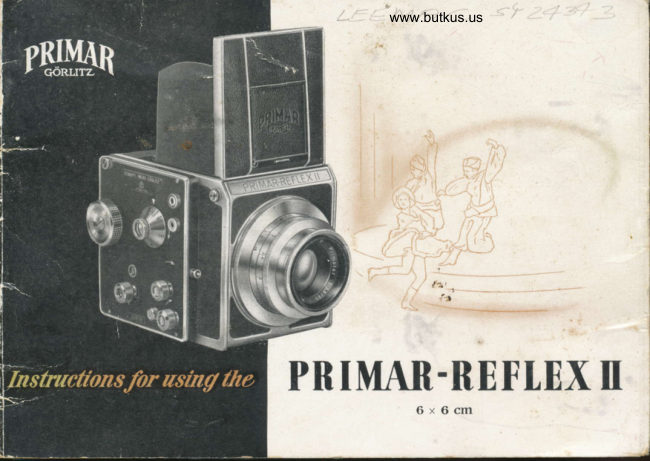
PRIMAR-REFLEX II User manual
User manual for PRIMAR-REFLEX II. 19 pages in English. Read the original PDF, download or print a copy without registration.
19 pagesEnglish4.4 MB PDF
Loading your manual…Open PDF directly
Document details
- Brand
- Primar-Reflex
- Model / document
- PRIMAR-REFLEX II
- Document type
- User manual
- Language
- English
- Pages
- 19
- File size
- 4.4 MB
- Category
- Film cameras
- Document date
- Not specified in catalog
Search available document text
Find a term, then jump to its page in the original PDF. Image-only pages may not be searchable; check the PDF for exact wording and diagrams.
Page 2 · Read text
In these instructions you will find a chart showing the part num'
bers of the camera. Turn this leaf over, ancl you will have the
chart with the numbers before you. a most convenient help in
readine the instructions.
View original page 2
Page 3 · Read text
www.butkus.us

 The PRIMAR REFLEX il 2%X2%,, \6x6 cm)
 is a one-lens reflex camera taking all 2%X3y4' (6X9 crn) roll fihns 120, giving 12
 exposrrres 2%X2l/+" (6X6 cm). Single exposures can be made with the PRIMAR
 REFLEX II on cut film or plates in2%X2%" (6X6 cm) holders.These vRrious forms of .se
 rnake the PRIMAR REFLEX II an ideal carncra, also for the professional photograqrher.

 The PRIMAR REFLEX II possesses all the advantages of a moclern precision-buik camera:
 'fhe one-lens reflex system gives guarantee for perfect sharpness in focusing. it eliminates
 Parallax error when Lrsihg leh6es of the most varied focal Iengths, without expensive
 f,eeessories. The image can be viewed up to the moment of releasing the shutter. Also,
the PRIIIAR REFLEX II  is equilrped with a synchronized focal-Plane shrrtter allowing
for sl.reeds up to 1/rcor;th secohd? shutter wind and film-rransport are coupled, there is a
locking device against double and blank exposures, the lenses are interchangeable.

If your PRItrIAR REFLEX II pictrrres are to bc a real success nnd source of pleasure, care-
frrlly follow the instrrctions siven in this hooklet.

                                                L
View original page 3Page 7 · Read text
I. Loarling tht'  Filrrr
Before inserting the film in the PRIil{AR REFLEX II. never forget first to put the film.
eounting rneehanism out of action. Press the knob (B) ollliquely downward in the direction
of the camera front. Open the camera bar:k (l-r) by pressing the catcfi (d), first haekward as
far as it will go, antl then downward. ul)on whidr the camera bac'k will spring ol)en. ln
orcler to prevent the light hood from opening at the same time, one hantl shoulcl slightll'
                                                                                                                     1).l)ress the light hood eover while the other harrtl is openirrg the catc*r (see ill.
                                           After the ('arnera back (l'r) has heen fully
                                                           ,rperrecl ancl left hanging down, the film-
                                             carrier (ill. 3) can be taken out of  tht:
                                                ('amera body. But first the shtrtter-winding
                                             krrob (6) has to be lnrlled out as far as it
                                                    will go (see ill. 2).

                                      The .'ssential parts of the fihn-carrier (ill. 3)
                                               are thefilm-pressure lllate, the film-rollers (A),
                                                       trvo flat springs (B) (whidr can be bent av,ay
View original page 7Page 8 · Read text
www.butkus.us
                                                   ln.2
 so as to enable the knolrs on thern to  lr,,
 insertetl irr the lroles irr the film spools). arrtl
 the atlvanr.t'-rnecharrisnr (C), a rnilled rvirrtlirrs
 knob.
The part of  the advarrce-methanism  (C)
 whidr is on the irrnt,r side of the  filrrr
 t:arrier is fitted with a key to engage in the
 slit of the empty slrool. In the following thc
 errrpty spool is called "rt'r.eiving spool"., arrr)
 the spool with thc, urrexposed film "feedirrg
 syrool ".
Vhen the receiving sllool is lleing put into
the carrier and the k"y of the atlvanee-
rnechanism (C) engages in the slit of the
spool, bend the  flat  spring (Bl on  tht,
ollposite side outrvard trntil the knob in the
spring can slip into the rotrnd hole of thc
receiving sllool.

                                                                 Ilt.3
View original page 8Page 9 · Read text
In. 4
                                           Carefully remoye the gumstrip from the
                                             feeding spool, making eure that no pieces
                                         of the gumstrip remain hanging about ort
                                       the epool. They might get caught in the
                                                                'When                                              shutter and cause trouble.       the gum-
                                                  strip hae been removed, insert the feeding
                                                  spool into the film-earrier, as ahown in ill.4.
                                Now unroll ae mrrdr of the protective paper
                                on the film spool as is needed to etretdr
                                              across the film-rollere and the film-pressure
                                              plate to the receiving spool. Fix the paper
tongue into the long slit in the receiving spoolo and tighten the paper strip by turning
the advance.medranism (Co ill.3) to the right.
Place the film-carrier into the camera, pulling out the knob (6) beforehand. This knob-        1                                                                                                                                                ,{
medraniem has two short pins on the inner'side of the eamera, and rvhen the knob  is
released into its oiiginal position again, these pine have to snap into trvo opposite holes
in the advance-medranism (C) of the film-carrier. Should they not snap in immediately,
juet turn the knob (6) a little further on until the pina meet the holee. It ie important
that the film-earrier has been properly pressed into the camera bod-v.
View original page 9Page 10 · Read text
www.butkus.us

 .\tlvarrce the krrob (6) slorllv  irr ortler to tttitkc strrt'tlrat  the filrns is being trarrsported
 corre<'tlr'.
 If  this is the case. r'orttitttte tttrrtitril the krtob rrntil the arljoining strip of the filnr  j  rr s t
 lrtcornes vi: ilrlr. rrntler the  f ee<ling spool (set arrow  in  ill. ir). Irnnretliately stop trrrnitrg lhe
knoll and <'lose tlre  ('anlera back 15) lrv
pressing the nriddle of its top edge.
Prrt the filrn-r'orrnting  lner{ranisrn irrlo actiorr
ts  follor,r's: 'frrrrr the knolr (B) to thr' le  f  t
(in the dirlctiorr of the arrow) as far as it
 rvill $o, anrl  tht'rr  l)r('ss tlris  sarn(' krrolr
rrprvartl torvartl thc hack. Yorr rvill  s('('irr
the filrn rvintlow (7) that tht. r'orurter starrtls
tt   "ll".
Novv rotate thr' filrn-lrarrslrort  arrtl shrrttt'r-
l'intlin;r  krroh (6) to thc  r i g h t  rrntil   it
stolts hard. (A soft stop will  fir,st lrc noticr.rl.
lrrrt this rll{.ans that onlv thc  sltrrtter. has
lret'n n orrrrtl antl not  ]..et the film.)      'f hc
slttttter is norr'rr'orrnrl. tht'rnirror   sel. arrrl
the film trarrsportetl I'or tlrc first  exposrrrr'.
'-ffre rrrrlnlr,'t' " 1" al)l)r'ars in thr. filrn-rvirrrlorv.
View original page 10Page 12 · Read text
Iil. r0           www.butkus.us

extent, the foregrorrnd and ba&ground. The
degree of sharpness can be gathered frorn
the depth-of-sharpness table (F, ill. 9)' and
can be chedced on the ground glass screert.
The distance is next to the red mark ou
the depth-of-sharpness  table. To the right.
next to the diaphragm, you can tell from
which distanee onward there will be suf-
licient  sharpness, and to the  left  of  thc
                         rnark  vou   will
                      be able to see ull
                             to which distance
                         the     sharllness
                                      rvill   readr.
                        For exarnple: (see
                                ill.9) Vith Primotar f/3.1-r focal length  Bi-r mm     distance 13'["
                                   (l rneters)    diaphragm B: sharprness from about  l0' (3 meters)
                          to 20' (6 rneters).-
                         5. The Technique of Exposing
                   The PRINIAR REFLEX II is held in the hand at rvaist'level
                          (see ill. ll). and is steadied by means of the nedrstrap supplied
                                  rvith the camera. the loops of whidr are slipped onto the knobs (16)
                     and tightened by a sharp upward pull (ill. 10). The fastening
                         of the strap at all -[ corners serves to avoid tilting the camera.

                                                          lll.  ll
View original page 12Page 13 · Read text
Ilt. r2
For the use of the magnifving lena the camera has to be
hrought close to the eye, Bo aB to get an enlarged view of
the whole screen image (eee. ill. l2). For sports and action
shots you have the direct-vision frame finder (see section 2).
Hold the camera up to vour eye and view your subjeet
through the eye-piece (3) (see ill. I3). The open square of
the eye-piece must be in exact line with the square of the
front frame.


                                                                                                                                                                                                                                                                                                                                                      i6. Releasing the Shutter
The shutter ie releaeed by pressing the shutter release
knob (12). In order to avoid blurring the pieture, the knob
muet be pressed firmly antl evenly without jerking. \ffhen
 set at B the shutter remains open aB long as the knob (I2)
 ie preeeed down. For time exposures at T the shutter
 opens when the release knob (12) is preseed the firet time
 and closes again on second presture.
                                                                                                                              ilt. r3
View original page 13Page 15 · Read text
automatically be advanced to the next frame, the shutter will be cocked, the mirror  set.
and the film-counting medtanism put into action.
Neither when loading nor when advancing the film is  it necessary to observe a number                             i
window. This is a very important feature. At the end of 12 exposures press the knob (8)
obliquely downward toward the front, and the remaining piece of film can easily be rolled
up onto the receiving spool. The knob (6) offers no resistance when being rotated.
Besides the knob (6) turning very easily, you will notice a difference in the whizzing sound
rvhen the whole of the film has been rolled onto the receiving spool.
The film is taken out of the camera in the same sequence as it was loaded (see section 1),
:  open the camera bad< (5) _- pull out the knob (6)   remove the film carrier   removc                                                                     -                                 -the receiving spool with the exposed film    remove the feeding spool, which is norv                                                          -empty, and insert it on the receiving side of the carrier.
                                                                                                 I          'll.  Single Erlrosrrrts
As already mentioned at the beginning. single exposures can be made with the PRIMAR
REFLEX  II on cut films or on plates in 2rAxzrA'  (6x6cm)  holders.
Open the light hood and the camera back, remove the film carrier as described in section  l.
and close the camera bad< again. Press the latdr  (I,  ill. 16) to the right and draw the tilm-
sliding frame (K,  ill. 16 and l?) out of the camera. (Store the film-carrier and the film-
View original page 15Page 17 · Read text
Ill. l6
                                               slid irril      f ra rnt'    t'a ref rrllv  to   lvo id   da tna ge  to         t h ent ).
                                                 .\ 2y;X2%"  (6X6  r'rn) dark slidt'('an now be iuserted in
                              the slit  (ill. fB) and the lat<'h (I,  ill. f6) pushed to the left.
                                       rvhert'rrporr the cover of the dark slide ('an l)e prrlled orrt.
                        As soon as the exl)osrrres has lreerr uratlt'. sliyl the <'over itt
                              again anrl prrsh the latch 1I) to theright. Irr prrlling orrt the
                                    tlark  r,lirle. rlo rrot catch holtl of the ('over alotre. brrt also
                                 grip the litlle  flap (L"  ill. lB).
                              Before rnaking the lirst exl)osure with a dark slide. the filIn-
                                    corrntirrg rnechanistn has to lre put  itrto workirtg <'otrditiotr
                                   in thr  sanl(' nlallller as if vorr were rtsitrg a roll  filrn. Therr
                                                                                                     l rrrn thtr slrrrtter-winding knob  utltil   it  stops hartl so tlta  I
                               the rrrrmbt'r  I  will al)l)ear itr the filrn lvinclow alrtl the shrrtter
                                              rvill he cockerl.
                                        Iior  t.ve11'  f ollowirrg ('xl)osrlre to lle tnade rvith a tlark  slirle
                              the shrrttcr is wortttd    eitht'r llefore or aftt'r  t'harrgiltg the
                                   rlark slidc  - -- l,t'  ttrrnilrg the wirrtling knolr  ulrtil   it  stol)s
                                     ha rtl.
                                                               Ill. l7
12.  \r'lrraling  the  \lillor
\\'itir  vorrr PRI\lAR  Rtll.'Lltx    ll  rou a.e ol,le to  obst'rve
vorrr inrage ()n the grorrnrl glass s('reen lry bringing the
ttrirror inro the re{lex position lrrrt without iraving to  r,r'ind
the shutter. Jrrst trrrn the rnirror-st'ilirrg knob (10) to the
right. arrtl the rnirror will  fall into tlrt.foctr.-ing;losition  alrd
rt rnain fixt rl.
                                                                                                             Il,, la
View original page 17Page 18 · Read text
www.butkus.us


How  to take eare of  vorrr Camera

An everready case is availahle to protect yorrr PRIMAR REFLEX  II. This
 case will never he in your way! on the other hand,  it  will always protect
your camera against damages from outside. The camera should remain in
 the ease. and always with the lens screwed in. To keep the camera clean,
 use only a very soft-haired hnrsh, and make sure that the parts that come
 into touch rvith the film are especially clean. The mirror sllould be dusted
 with the softest of bnrshes, and that only very rarely. Never touch the
 mirror  or the lens surfaees with your fingers. Even hreathing on the
 mirror will cause damage. f)o not interfere in any way with the mechanism
 of your camerae and do not apply oil or greace to the movable parts We
 are ready at any time to give advice or information with regard to the
PRIXIAR REFLEX II.


                                                   d
View original page 18From the M. Butkus archive. Original publisher and archive notices are retained.
Check the model and edition against your equipment.
PDF verified 2026-10-10.