Light meters
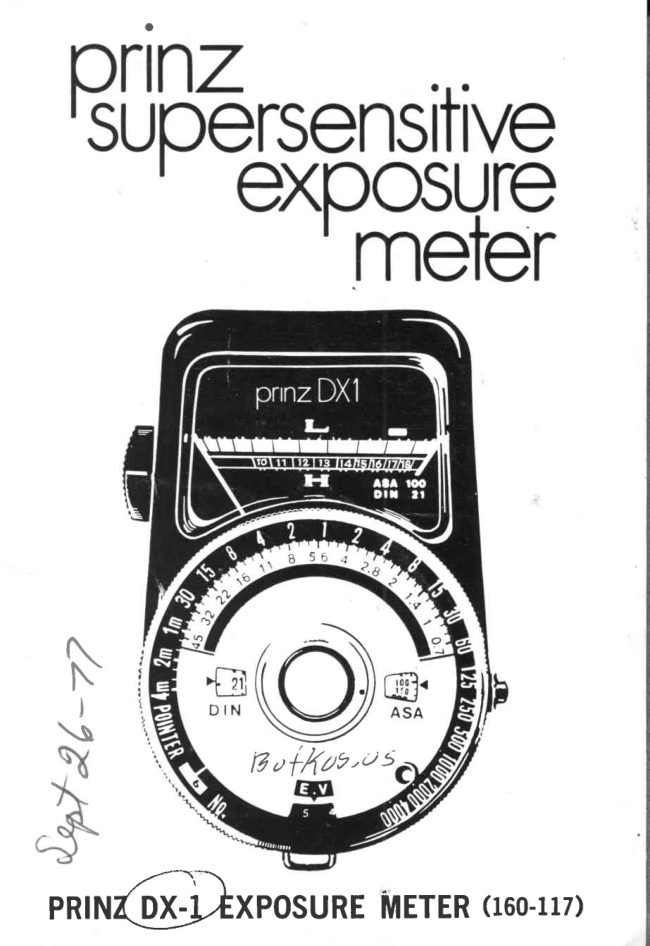
Prinz DX-1 lightmeter User manual
User manual for Prinz DX-1 lightmeter. 7 pages in English. Read the original PDF, download or print a copy without registration.
7 pagesEnglish0.9 MB PDF
Loading your manual…Open PDF directly
Document details
- Brand
- Prinz
- Model / document
- Prinz DX-1 lightmeter
- Document type
- User manual
- Language
- English
- Pages
- 7
- File size
- 0.9 MB
- Category
- Light meters
- Document date
- Not specified in catalog
Search available document text
Find a term, then jump to its page in the original PDF. Image-only pages may not be searchable; check the PDF for exact wording and diagrams.
Page 4 · Read text
DESCRIPTION
   l.  CdS Cell Window           1 4 . A S A S c o l e
  2. White Diffuser (for         1 5 . D I N S c o l e
     lncident Light Meosure-     16. Operoting Button
    ment)                      1 7 . O u t e r D i o l
  3.  Indicotor                   1 8 .  I n n e r D i o l
  4. LV Window                 19. EV-LV Number Window
  5.  Bottery Tesl Mork           20. lndicotor Window
  6. Low Setting                21. Neck Strop Eyelet
  7. High Setting               22. Off Mork
 L  Zero Position               23. low Mork
  I.  Coverter Switch            24. Hish Mork
 10. Index                      25. Zero Adiustment Screw
 I l.  Shulter Speed Scole        26. Bottery Cover
 12. Aperlure Scole             27. Botlery Test Bulton
 1 3 . C i n e S c o l e                 28. ConversionToble

                                                                                                                                                                                                         I


SPECIFICATIONS       - Reflected ond incident lisht
meosurement method...                      ;
Acceptonce Angle: Approx 40 degrees
SensitivityRonge: EV O to EV l8  ot ASA IOO
Low Ronge: EV 0  to EV 9.
High Ronge: EV l0  to EV l8
Wirh Needle Lock Button (Operoting Button) ond Bot-
tery Tesler.

SCALE    Shutter speed: From 4  minutes to 1/4OOO
            s e c .
          Aperture scole: From  f O.7 to  f  45.
                                                .|8.         EV-LV Scole: From -4   to
        ASA Film Speed: From 6  to 6400.
         DIN Film Speed: From 9 to 39.
          Cine Fromes: From  I  to 64 per second.

                                                                         "'Si
View original page 4Page 6 · Read text
INC IDENT
INCIDENT LIGHT READING
When in q setting with normol light, such os  in  the
studio, you moy use the incident light reod ing system.
 Point the meter from the subiect to the  light source,
 by covering the white diffuser  (Z) on the CdS wind-
dow   (t ) , ond  f ollow the procedure mentioned obove.


           LIGHT READING  INCIDENT LIGHT READING


CHECK THE BATTERY
The check the condition of the mercury bottery, push
both the Bottery Test Button (27), ond  the Op"roting
Button (t O) , ot the some time. The pointer (g) should
move to, ond stoy within, the Bottery Test Mork   (t S) ,
or  to the right of   it.   lf  the pointer does not move,
View original page 6Page 7 · Read text
f{I
  check  the bottery to see  if   it hos been inserted cor-               I+
   rectly.   lf  the pointer stops  io  the  lef t  of  the  Test
  Mork  (5) , then the bottery must be reploced.
  When replocing the bottery, unscrew the Bottery Cover
   (26) , ond insert the bottery with the positive plus  (+)
   side focing the cover.                                                                   J+
                                   4


 ZERO ADJUSTMENT
   In the event thot ihe pointer does  not  return  to  the
  Tero position (8) on the  scole, use o  smoll screw
   driver ond turn Adiustment Screw  (ZS) slightly, until
   pointer returns to zero position.     i
   In this cose, index (tO)  to the Off  mork  (ZZ) on the
  Converter Switch  (9), ond keep pushing the Operoting
  Button (tO) m on the right side of  the meter.


 cAurtoN                                    i
  When  not in use,  set  the  Conv€rter  Switch  (g)  to
  OFF mork  (24), or remove the bottery. The DX-l m
  meler  is o sensitive instrument ond should be proteted
  from shock, high  temperotures ond humidity.  ft  will
  give you excellent service, if hondled with core.


                                                      Printed in Jopon
                            www.orphancameras.com
':!,!
View original page 7From the M. Butkus archive. Original publisher and archive notices are retained.
Check the model and edition against your equipment.
PDF verified 2026-10-10.