Film cameras
Quantaray QDA modules User manual
User manual for Quantaray QDA modules. 11 pages in English. Read the original PDF, download or print a copy without registration.
11 pagesEnglish1.2 MB PDF
Loading your manual…Open PDF directly
Document details
- Brand
- Quantaray
- Model / document
- Quantaray QDA modules
- Document type
- User manual
- Language
- English
- Pages
- 11
- File size
- 1.2 MB
- Category
- Film cameras
- Document date
- Not specified in catalog
Search available document text
Find a term, then jump to its page in the original PDF. Image-only pages may not be searchable; check the PDF for exact wording and diagrams.
Page 1 · Read text
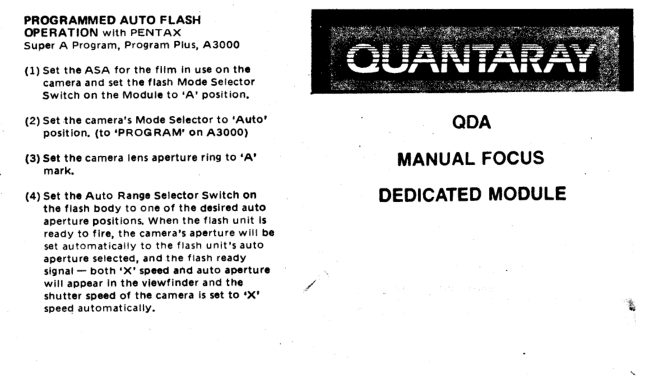
PROGRAMMED AUTO FLASH
OPERATION wlth PENTAX
Sup€r A Program, Program Plus, A30OO
(1) S€t tha ASA for the  f llm In use on thG
   camera and set the  f lash Mode Selector
   Switch on the Module to 'A' position.
               Mode Sclcctor          camera's(2) Set.the                                   to 'Auto'               ODA    position.                        on A30OO)              (to ,PRoGRAM'
(3) Sst the camera lens ap€rturo ring to 'A'           MANUAL FOCUS   mark.
(4) Set th. Auto Rangc selector swltch on           DEDICATED MODULE   the  f lash body to one of the dcslred auto
    aperture positions. When the  f lash unit ls
    ready to  f lre, the camera's apcrture will be
    set automatically to the  f lash unitrs auto
    apertur€ Selected, ancl the  f lash reacly
    signal - both 'X' spced and auto apsrturg    will appsar in the vlewf inder and the
    shutt€r speed of the camera it sct to rxt
   speed automaticallY,
View original page 1Page 2 · Read text
OPERATING INSTR UCTIONS
                 PRINTED IN HONG KONG).1 1
                                               *"                  (bi At TTL Auto Operation tor OGllc.tcd  REDUCED PdITER MAITIUAL FLASH
  At Manual Flash Op€ration, you can set the            TTL Cameras
   flash unit's Mode Selector Switch to '1116'                      (t) set INDEX line of the ASA/DlN tllm
   pow€r position, which will give you faster                      selector switch to the ASA/DlN 3p€€d
   recycling time and more number of tlashes.                     of th6 tilm in.use.
    It ls us€ful for close-up works and the
   shooting with motor-drive  f llm winder (up to                  (2) Focus on your subtcct tnd notc thc
   2  f rames per secon<l). Gulcte number at thlS                  .        flash to subject distanc€'   fower power settlng B I/4 ot the tull powsr
   guide number (please see Guide Number                        (3) Locate the lens aperturc you wlsh to
   Table in the Operating Instructlons of thc                      use for TTL Auto Operation and rtad
   flash unit)                                                      the ctistance opposlte this selocted
                                                                   aperture to check whether the  f lash to
                                                                     subject clistanc€  is within auto range.
                                                                                                        lf  it is, set the aperturo on your camera.
  USING THE EXPOSURE CALCULATOR
   (a) At Normal Auto Operation for Stanclarcl                 (c) At Manual Flash Opcration
    SLR Cameras.                                                  (1) Set INDEX line of the ASA/DlN
       (1) Set INDEX llne of the ASA/DlN  f ilm                     serector switch to the ASA/DlN speed                                                                                                                                                                                                              f ilm in usc.       '     selector swltch to the ASA/DlN spced                    of the
          of the  f ilm in use.
                                                                                 \      (2) Focus on your subject ancl note ths                                                                       -               f lash to subjsct distancc' Locats this       (2) Read along the auto line (blue or
         ycllow or green according to your auto                   distance on th€ distrnca scale.
         range setting selectecl) and  f ind th€
         corresponding f-number for auto                        (3) Reacl the aperture opposita this
          operation. set this ap€rture on your                      distance and sct the t'number on your
         camera.                                                 camera.
                             www.butkus.us
View original page 2Page 3 · Read text
FLASIf O€DtcATtoil                                        PARTS IDENTTFICATION
  Tfi,s ..a5n L- : requires Interchangeabte
 Dec;cares ','ldule to  f it the following                                            Flash & Module ded;cated             rnatrng cameras  f or dedicated  f lash                                                                                         ntact Points operat                                                 Movable Attachlng          ion.
                                             Hook

 NON.AF MODULES:
 O MODULE CN is for CANON
      A-1., AE-1, AE-l program, New F-1,
   lY  1, AL-l, AT-t, T5o, T7O .  MODULE ML Is for MINoLTA                   R€iess€
          XG                      Series,                                                       8-::;n  for                      X7OO, X570, X37O    I?!9ries, _   MODULE                       ror pENTAX                            :s a          PX                                                  D€taching                                                       Module               Computer Sensor'
    ln=-3-te.- ','E-F, r.lrl, L!G. iX, Suger A
 _ l-q1r;,:, R+grar:: 9sus, A3O$S, e:r.ta  }}ODTJLE ilX  is r"- rrlixGri                 NON.AF MODULE CN:
  F= :   FE:. FA. =G, FitA, FGZA,   N23CO
O MODULE RC is for RIcoH
O ^  XR-Serles,MODULE YSKR-Serles,is.Tor YASHICAXR-9, XR-X,/XR-M
    F X-Ser jes
                                         Mike Butkus                                   Digitallya II1ODULE Oll is for OLYMPUS                                                                                                             DN:email=mike@butkus.org,Date:cn=Mike2024.03.31signedButkus,by14:04:20Mikeo=ButkusButkusc=US-04'00'camera manuals, ou=butkus.org,
     Oti!:.. Ol.'!2, ciP.{2N, OM:.O, OM4, OMF,   c"'G. crtzs, or,+Pc
                                                   Flash ModeO *ICDULE ST ;s ;oT STANDARD sLR
     ca,-,eaa5                                           Selector Switch                        Hot-Shoe
View original page 3Page 8 · Read text
]{ORMAL AUTO FLASH OPERATION
 WITH CANON AV.I, AT.1, AL.I,
 New F-1 (Aperture Priority AE Mode)
  (1) Set the ASA for the  f itm in use on both
    camera ancl f lash unit and set the  f lash
   mode 3el€ctor switch on the Module ,At
     po sit io n.
 (2) Set the shutter speed dlal to any bpeed
    other than,B'.
 (3) Set the auto range selector switch on the
          f lash body to one of the desired auto
    apertu re posit ions.
 (5) When the  f lash unit is'ready to flra, ,ready'
     signal appears in the viewflnder (please see
    your camera,s owner manual  f or details of
    viewf inder display) and the shutter speed
    of the camera is set to ,X' speed auto-
    mat ically.
 (4) Set the camera's.aperture manually to the
    flash unit's auto ap€rture selectad at (3).
 NOTE:
 (1) When using this  f lash unlt with lens other
    than FD lenses or oth€r standard lens€s,
    both shutt€r speecl (X-synch) and auto
    aperture must be s€t manually.
{2) When uslng wlth New F.t wtthout battery,
    set the shutt€r  cilal to  I   mark.
(3) whcn using wlth the AE.l, program, thc
      f  mark may bllnk momentarlly arier
    5hutter r€leassr which is not an automailc
        f lash exposure conf irmailon signal, but
   only means that the  f lash  f ired.
(4) When using wiil. the A-1, AE-1, th€
   aperture indlcation in the vlewfind€r may
    dlffer from th€ F-stop selected on thc
    flrsh. Thls does not affect the €xposure.   P.9
View original page 8Page 9 · Read text
PROGRAMMED AUTO FLASH
OPERATION With CANON A.1, AE.l
AE-l Prqgram, T5O, T70
New F-l (Shutter priority AE Mode)
 (1) set the ASA for the fitm in use on both
   camera and  f lash unit and set the  f lash
    mocle selector switch on the Module to    .4'position.
(2) Set the shutter speed ctiat to any speed
    other than.B'.
(3) Set the camera's FD lens aperture ring to
   'A'mark.
{4) Set the auto rangc s€loctor swltch on thc
    flash body to one of the desired auto
   aperture positions. When the  f tash unit is
   ready to  f ire, the camera,s aperture will
   be set automatically to the flash unit,s
   auto aperture selected, and the  f lash
   ready signal appears in the camera's view-
        f inder (Please See your camera's  o.t'/ner manual
    for details of viewf incler clisplay) ancl also
   the shuttsr speed of the camera  is set to
    'X' speed automatically.
                            www.butkus.us
View original page 9Page 10 · Read text
NOFMAL AUTO FLASH OPERATION
With MINOLTA XD Series, XG Series, X37O
With PENTAX ME-Super, ME-F, MV, MG, p3N
with NtKoN FE, EM, Fc2o
with oLYMPUS OMIO, OMF, OMG
With RICOH XR-Serles, KR.Series
With YASHICA FX.Series
(1) Set thc ASA for the fitm In uss on thc
   camera ancl sot the  f lash Mode Selector
    swltch on tho Module to .A' position.
(2) Set the cam€ra's Mode Solector to .A'
   Auto posltion.
(3) Sot the Auto Range Setector Switch on
   the  f lash bocty to one of the desired auto
   aperture positions.
(4) Set the camera's ap€rture manually to the
        f lash unit's auto apertur€ selsctod at (3).
(5) When the tlash unit is ready to flre,
    'ready'signal apptars in the viewfinder
    (pleasc see your Cam€ra's Owner Martual
   tor cletails of viewtind6r display) and the
   shutt€r speod of the camera  is set to .X'
    speccl automatically.
 r With NIKON FM2, the shutter speed of
   thc camera shoulcl be set to X2OO or
   slowsr position,
View original page 10Page 11 · Read text
P.10
NoRMAL AUTo ruAiH oPERATtoN
with Other SLR Camera                                             .,,
 {1} Set the ASA for the film in use on the
   camera and set the  f lash Mode Selector
   Switch on the Moclule to ,A'auto posiilon.
 (2) Set the shuttor sp€€d of the camera to ,X,.
(3) Set the Auto Range Sslector Swltch on
   the  f lash bocly to one of the desired auto
    aperture positions.'
(4) Set th€ camera's aporture manually to the
    flash unit's auto aperture selected at (31.
MANUAL FLASH OPERATION
(1) Set the ASA.for the  f ilm in usepn the
   camera ancl set the flash Mode Selector
    switch on the Module to 'M' manual
    poslt io n.
(2) Set the shuttcr spccd of the camera to
.   'X' synch speecl.
(3) Focus on your subject and noto the flash.
    to-subject distance. Using the Exposure
    Calculator to find the proper lens aperturc
    (please read 'USING THE EXPOSURE
  cALCULATOR')
(4) Set this aperture on your camera.
CALCULATION OF F.NUMBER WITHOUT
USE OF THE EXPOSURE CALCULATOR
                 Guldc Number (ft.)
F-NUMBER =
                   D istanca (tt.)     p.13
                          www.butkus.us
View original page 11From the M. Butkus archive. Original publisher and archive notices are retained.
Check the model and edition against your equipment.
PDF verified 2026-10-10.