Film cameras
Quantary QDA AF Dedicated Module User manual
User manual for Quantary QDA AF Dedicated Module. 13 pages in English. Read the original PDF, download or print a copy without registration.
13 pagesEnglish1.0 MB PDF
Loading your manual…Open PDF directly
Document details
- Brand
- Quantary
- Model / document
- Quantary QDA AF Dedicated Module
- Document type
- User manual
- Language
- English
- Pages
- 13
- File size
- 1.0 MB
- Category
- Film cameras
- Document date
- Not specified in catalog
Search available document text
Find a term, then jump to its page in the original PDF. Image-only pages may not be searchable; check the PDF for exact wording and diagrams.
Page 1 · Read text
www.butkus.us


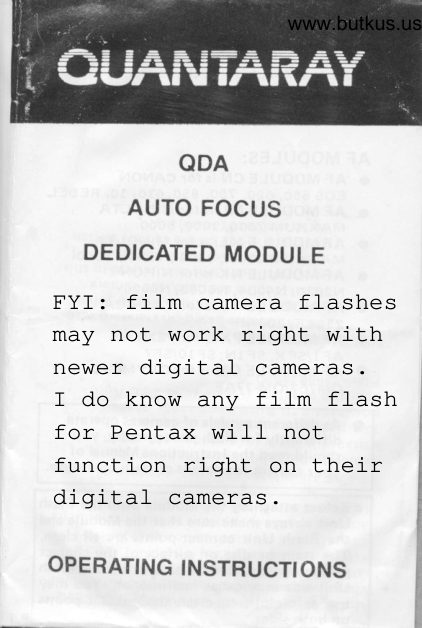
        QDA
     AUTO FOCUS
  DEDICATED MODULE

FYI: film camera flashes
may not work right with
newer digital cameras.
I do know any film flash
for Pentax will not
function right on their
digital cameras.

OPERATING INSTRUCTI ONS
View original page 1Page 2 · Read text
FLASH DEDICATION
This flash unit requires Interchangeable
Dedicated Module to  f it the following
dedicated mating cameras  f or dedicated  f lash
operat io n.

AF MODU LES:
O AF MODULE CN is foT CANON
   Eos 650. 620,750, 850,630, 10, REBEL
O AF MODULE ML is for MINoLTA
  MAXXUM 7000, 9000,5000
O AF MODULE MLi is for MINoLTA
  MAXXUM 7OOOi, 3000i, 5000i, 8000i
O AF MODULE NK is  f or N IKON
   N2020, N4004, N8008, N6006
O AF MODULE YS is for YAsHlcA
   230AF. 200AF
O AF MODULE PX is for PENTAX
   AF 1/SFX, SF lN, SFlO/SF7
O AF MODULE OM i5 fOr OLYMPUS
   oM707/OM-77A.F
o As different models of cameras operate
    differently for  f lash photography, you
   should read the Instructions Manual of
   your camera for details of  f lash operation.
r Before attaching the Module onto the Flash
  Unit always make sure that the Module and
  the Flash Unit contact points are all clean.
  The stain or dirt on surface of the contact
  points on the Module side or on the Flash
  Unit side may cause malfunction. You may
  use soft cloth to clean the contact points
  on both sides.
View original page 2Page 5 · Read text
ATTACHING AND DETACHING THE
DEDICATED MODULE
l. To attach the module, position the right'
    side f ixed attachment hook onto the  f lash
    unit and thcn push tlre left-side of the
   module upward until the left'side movable
   attachment hook clicks into position'

                     The right-slde fixed
                         attachment Hook


The left-slde
 movable
 attachment Hook


 2. To detach the module, press the button
    on the left-side of the module and while
     pressing the button, detach the module'

                                                P.3
View original page 5Page 6 · Read text
AF ILLUMINATOR FOR AUTOFOCUSINGwww.butkus.us
When the camera's operating button is pressed
 halfway, the AF illuminator is automatically
 activated when required, with low-contrast
 in low light. This illumination enables the
 camera's autofocus system to dcterm ine  f ocus
.status and adjust the lens.
The AF llluminator enables autofocusing with
 subjects up td about 16 feet away. This
distance is for autofocusing only, when
focusing manually,  f lash photograph  is
posslble up to Auto Flash range of the
aperture selected. (Please refer TTL Auto
Flash range table).

NOTE: The working range for the AF
         llluminator is based on standard test
       method with a 5O MM lens. lf longer
         focal lengths are used, the camera
      66y not focus lens accurately.  In this
         case or whenever focus signals blink,
         set focus fnode of the camera switch
        to M and focus manually.


                                               P.4
View original page 6Page 7 · Read text
IMPORTANT NOTES:
   O WHEN ATTACHING THE MODULE\      ONTO THE FLASH UNIT OR
lt     DETACHING THE MODULE FROM
      THE FLASH UNIT, ALWAYS MAKE
      SURE THAT THE POWER OF THE
      FLASH UNIT HAS BEEN SWITCHEDOFF.
  O DO NOT ATTACH THE FLASH UNIT
\     TOMODULETHE MODULEIS MOUNTEDWHILEONTHETHE CAMERA.
       .  WHEN MOUNTING THE FLASH
      UNIT WHICH HAS BEEN
     ATTACHEO TO THE MODULE
       ON-TO TFlE CAMERA, ALWAYS
     MAKE SURE THAT THE POWER OF
      THE FLASH UNIT HAS BEEN
      SWITCHED OFF.
  O USE THE DEDICATED MODULE
       OI.JLY WITH THE DESIGNATED
      MATING CAI,4ERA. USING IT
     WITH NON.MATING DEDICATED
     CAMERA MAY CAUSE DAMAGE
     TO THE CAMERA, THE FLASH
       UNIT, THE MODULE OR ALL
        It is important to follow the above
      instructions. Otherwise,  it may cause
     damage to the  f lash unit, the module,
      the camera or all.


                                                  P.5
View original page 7Page 8 · Read text
PROGRAMMED MODE TTL AUTO www.butkus.usFLASH
OPERATION
1. Set the camera's Mode to a ,pROGRAM'
   exposure mode and set the  f lash unit,s
   Mode to .TTL' position.
2.* When the  f tash unit is ready to  f ire, the
   ready signal LED .X-sync.' speed will
   appear in the view finder and the shutter
   speed of the camera is set to this ,X' speed
   automatically. The camera will also auto-
   matically select the optimum aperture.
3. Press camera's operating button halfway
   to autofoous. To hold focus, keep the
   operating button pressed halfway. When
   focus signals in the viewfinder blink, set
   focus mode of the camera switch to M and
   focus lens manually.
  NOTE:
    (a) Make sure that the subject  is within the
       autof lash range of the programmed
      aperture (please refer to the TTL Auto
      Flash Range Table)
  * (b) with N tKoN N2O2O/N4OO4 (with
    NIKKOR lenses), set and lock lens
      aperture at m inimum aperture  ( largest-
         f-n u m ber)
   (c) When used.with MTNOLTA MAXXUM
 ,    70OO set to shutter-priority (S) mode,
      operation will be the same as in
     Program P-mode.
   (d) When used with CANON EOS set to
      the depth-of-f ietd mode with the flash.
     ON, the mode  i.s automatically
      switched to the Program mode.
View original page 8Page 9 · Read text
STIUTTER.PRIORITY MODE TTL AUTO        A
 FLASH OPERATION                                           FI
With the MINOLTA MAXXUM 9OOO in                         l.
 shutter-priority S-Mode and the  f lash unit in
'TTL' mode, any shutter speed trom 7/250 to
30 sec. can be set and aperture  is set auto-                 Z.
matically to F5.6. TTL autoflash metering                3.
controls exposure based on this aperture
set t  i ng.
With the CANON EOS 650/620 in Shutter-
Priority AE TTL mode and the  f lash unit in
'TTL' mode, the X-sync. shutter speed can be
set bctween l/25O sec. to 30 sec. with the                4.EOS 620 and between 7/I25 sec. to 3O sec.
with thc EOS 650. The aperture  is set auto-
matically.


                                                           Nl


                               P.7 P.8
View original page 9Page 10 · Read text
www.butkus.us
   APERTURE PRTORITY MOD€ TTL AUTO
    FLASH OPERATION
     1. Set the camera's Mode to .A' auto
        exposure mode and set the  f lash unit's
      mode to ,TTL' position.
     2. Set the lens aperture you wish to use.
     3. Focus on your main subject and refer to
        the Exposure Calculator to check that the
         subject  is within the autoflash range of the
        aperture selected. lf not, move closer or'
        use a larger aperture. (Please refer to the
      TTL auto flash range table in the
        Operating Instructions of the flash unit).
     4. When the flash unit is ready to  f ire, the
        ready signals LED 'X-sync.' speed will
       appear in the view-finder and the shutter
        speed of the camera is set to this ,X,
        speed automatically.
   NOTE: When used with CANON EOS, if a
              smaller apertu re is set in the dark or
            low light conditions, the auto-
               matically-set shutter speed will be
              conrparatively  slow. Please be caref ul
             of camera-shake and use a triood.
          The camera-shake warning does not
           sound when the  f lash is turned on.


[\

                  PRINTED IN HONG KONG P.8
View original page 10Page 11 · Read text
MANUAL MODE TTL AUTO FLASH
OPERATION
For back-lit subjects or in low light, slower
X-sync. speeds can be set to increase back-
ground exposure while maintaining normal
exposure of the main subject i.e. to fill in
shadows and balance li9htin9.
1. Set the camera's mode to 'M' manual
   mode and set the  f lash unit's mode to
   'TTL' posit ion.
2. S€t the camera shutter speed manually
   to a f lash X-sync. speed or slower speed
   and the lens aperture you wish to use.
3. Focus on you main subject and refer to
   the exposure calculator to check the
   subject is within the autoflash range of
   the aperture selected. (Please refer to the
  TTL autof lash range table in the Operating
    lnstructions of the flash unit).


                                              P.9
View original page 11Page 12 · Read text
MANUAL FLASH OPERATION www.butkus.us
      1. Set the camera's mode to 'M' manual
        mode and set the  f lash unit's mode to 'M'
            posit ion.
      2. Manu ally set the camera shutter speed to a
                       f lash X-sync. speed.
      3. Focus on your subject and note the flash-
           to-subject distance. Using the exposu re
          calculator to find the proper lens aperture
          (Please refer to "USING THE EXPOSURE
       cALcULATOR").
      4. Set this aperture on your camera.
!{
Er''       CALCULATION  OF F-number without
..,        use of the exposure calculator:
fl|lrr                 G uide N umber (Ft)
ihr     F-Number =                  oir"on."    1n,1
                          FLASH          POWER               MANUAL    LOWERTt                             you                                     can set th'e                 Flash operation,         Manual      At
i{      flash unit's Mode Selector Switch to'1/16'
I     power position, which will give you faster       recycling time and more number of  f lashes."1t           lt is usef u I  f or close-up works and the
 ,     shooting with motor-drive  f ilm winder (up to
H    2 frames per second). Guide number at this
      lower power setting  is 7/4 ot the full power
      guide number (please see Guide N.umber
      Table in the Operating  I nstructions of the
       flash unit).


                                                   P.10
View original page 12Page 13 · Read text
USING THE EXPOSURE CALCULATOR
      (a) At TTL Auto Operation for Dedicated
      TTL Cameras
          (1) Set INDEX line of the ASA/DlN film
            Selector Switch to the ASA/DlN speed
            of the  f ilm in use.
          (2) Focus on your subject and note the
             flash to subject distance.
          (3) Locate the lens aperture you wish to
            use for TTL Auto Operation and read
           the d istance opposite this selected
            aperture to check whether the flash to
            subject distance is within auto range.
                  lf  it is, set the aperture on your
              ca me ra.
      (b) At Manual Flash Operation
          (1) Set INDEX line of the ASA/DlN
            Selector Switch to the ASA/DlN speed
           of the  f ilm in use.
         (2) Focus on your subject and note the
                          f lash to subject distance. Locate this
           distance on the distance scale.
         (3) Read the aperture opposite this
           distance and set the f-number on your
           camera.


I


                                                           P.1 1                                       l
View original page 13From the M. Butkus archive. Original publisher and archive notices are retained.
Check the model and edition against your equipment.
PDF verified 2026-10-10.