Film cameras
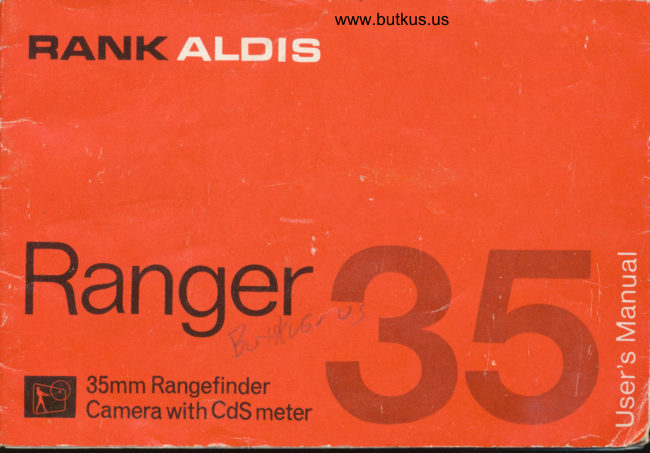
RANK ALDIS Ranger User manual
User manual for RANK ALDIS Ranger. 19 pages in English. Read the original PDF, download or print a copy without registration.
19 pagesEnglish2.9 MB PDF
Loading your manual…Open PDF directly
Document details
- Brand
- Rank
- Model / document
- RANK ALDIS Ranger
- Document type
- User manual
- Language
- English
- Pages
- 19
- File size
- 2.9 MB
- Category
- Film cameras
- Document date
- Not specified in catalog
Search available document text
Find a term, then jump to its page in the original PDF. Image-only pages may not be searchable; check the PDF for exact wording and diagrams.
Page 4 · Read text
www.butkus.us
,..it pqys off  atn better pictures


 @ Film Speed Rins      @ Accessory Clip
 @ Focusing Ring       @ Rewind Knob
 O Shutter Speed Ring    @ Viewfinder
 @ Exposure Volue Window   @ Synchro-flosh Socket
 @ lens Setting Ring     @ Bock Cotch
 @ CdS Photometric Eye    @ Botlery Comporlment Cover
 @ Shutter Releose Bulton    @ Rewind Releose Button
 @ Exposure Counler Diol    O Tripod Socket
 @ Film Wind Lever      @ Viewfinder Eyepiece
 @ Exposure Mefer Scole    @ Exposure Meler Swirch
View original page 4
Page 5 · Read text
congrcrtulnfionsl
  You now ou)n, a eernera
                             years        you'll be proud of fo,
  It's ecsy for the beginncr or the professionol to toke exccllcnl picturcs with
  this fine comero...Here's why  t
  .  Built-in CdS lighr meter for eosy exposure settings...iust reod the number off the
    meter scole ond set the lens ot thot some number
  .  Fost f:2.8 lens...focuses from 3 feet to infinity
  . Coupled rongefinder...helps you focus precisely for exlro-shorp pictures...iust
    line up lhe imoges
  .  Bright-frome viewfinder with porollox morkings...see the entire outline of your
    piclure ol o glonce
  . Seyen shutter speeds...from l/4 second to  | 1250 s,lus "Bulb"
  . Single-stroke film wind lever...counts exposures, cocks shutter ond prevenls
   double exposure
  . Hondles ASA speeds of l0 to 400
  . Synchronized for flosh bulbs ond electronic flosh...occessory clip ottoched
  . Hinged bock for eosy looding ond unlooding
View original page 5Page 6 · Read text
www.butkus.us
    looding


Alwoys lood your comero in subdued light.
Use ony type of 35mm film, color or block ond
white.

   t To open comero for looding, push up the Bock
    Corch (Pl.
 2 Push up Rewind Knob (M, by pushing up shoft
     inside comero. Pfoce film cortridge into comero
      (protruding end down) ond push &wn on Rewind
    Knob. Turn knob slightly until it snops into
      ploce.
View original page 6Page 7 · Read text
toke-up spool 3 Advonce the Film Wind Lever (J) until the slit in the film
    is on top.Pull the topered end of the film ocross the comero oock ond
    insert it into the toke-up spool sllt.
   Use your finger to keep film touf os you wind it by turning the spool
   or by odvoncing the Film Wind Lever. Before closing the comero, odvonco
    the Film Wind Lever once or twice lo moke sure the {ilm per{orotions
    ore engoging the sprocket wheels. (Depress the Shutter Releose Button (G)
    ofter eoch full stroke of the Film Wind Lever.)
                                                            securely. 4 Shut bock of comero ond moke sure it locks
                                                                   (stort). 5 Turn the Exposure Counter Diol (H) to "S"
 6 Advonce lhe Film Wind Lever twice, depressrng the Exposure Butfon eoch
    time. Advonce the lever once more ond lhe Exposure Counter Diol is
    outomoticolly set of "1" ond you're reody to toke your first picture. The
    diol moves one mork eoch time you odvonce the film ond indicoies how
   mony exposures hove been mode.
Nolc: After the slock hos been token up in the film cortridge, the Rewind
   Knob.should turn eoch time you odvonce the Film Wind Lever. This provides
  o check on whether or nol your film is winding properly.
View original page 7Page 9 · Read text
Film Speed Ring (A) to the ASA roting of the film in use. (Grosp              I Turn the
              lhe smoll button olcngside the ring ond turn the ring until the correct ASA
          '      number is opposite the butlon). Unless the ASA setting is mode, the shutter
                                                                                       index      '        speed ond fens opening seltings will be incorrecl. The exposure
                 '   number of ony film you use con be found in the insiruclions included with
             ihe film.                       '
lt2Set,theShulterSpeedRing(c)o|these|lingrecommendedinthefi|min-
                                                                                 oppositell             structions..simpty turn rhe ring until the recommended number is
                white morker. Moke sure it"  ring is firmly sel ot o click stop.
                                                                                 ond              :h"'60" lt/io-second) is the shuller speed recommended for normol oction
            poses with mcsl fllm, t/zsc -second for oclion.
       g Point the co,rero ot your subiect, moking sure thot nothing blocks the{r i         gdS Pnoto,,rretrig Eye (F) onC depress Expcsure Meter Swltch (U). Look ot the
             Exposure Meter Scole (K) qnd nole the number the needle indicotes.


Ir
\-
View original page 9Page 10 · Read text
www.butkus.us


           Lens Setting Ring (El until the yellow-oronge exposure volue number4 Turn the
  obtoined in Step 3 oppeors in the Exposure Volue Window {D}.
   Thot's oll there is to it! The ovoiloble lighr hos now been meosured ond
  you've set your comero for on occurote exposure, with no guesswdrk in-
   volved
    lf you wont to know the f:stop of which your comero is now set, simply
  look ot the colored number oppo.site the white morker on the Lens Setting
  Rins (El.                                               \     ut
                                               (El con't be turned for enough to ollow    lf you find thot the Lens Setting Ring
  the correct number to oppeor in the Exposure Volue Window (Dl, shift the
  Shuiter Speed Ring (C) to o higher or lower setting. lf, ofter trying this
  odiustment, the correct setting still connot be mode, then light is insufficient
  to obtoin good'pictures with the film being used.
                                                                                                                                                                                                 't 4"  No?c: When shooting ot o lower  shutter speed ("30", " 1 5", "8",
  or "B") use o tripod or other firm support to prevent comero movement
  which blurs the picture.
View original page 10Page 12 · Read text
www.butkus.us
F
&F       viewing ond focusing               ffirffi
$t
              Bright-frome Outline
          As you look through the Viewfinder Eyepiece (f), note the colored lines of the      I.lI
              bright-frome outline. These lines indicote the limits of the picture ond only obiects
      'l            inside the lines will oppeor in your picture.   I
           Note the porollox indicotor (right-ongle mork) in the upper left hond corner of
             the bright-frome outline. When shooting close-ups of five {eet or less, keep the
              subject within the limits indicoted by this mork.
              Focusing
           The smoll colored circle in the center of the bright-frome outtine is the coupled
                                                      precise focus on your subject. Just    II           rongefinder imoge. This guides you to o
              lurn the Focusing Ring (B) untif the two rongefinder imoges merge into one. Or,    i                 if you prefer, estimote the distonce ond turn the Focusing Ring (B) until the   I
             estimoted distonce is opposite the white morker. Pleose note thot there is o
N           "meter" scole for convenience when using in other countries {l  meter equols
             opproximotely 3ri  feet). The oo mork indicotes inf inity.I

n,
View original page 12Page 14 · Read text
www.butkus.us


                    ocao      6ia, ,o


e
                            focused on the subpct, look ot the depth of field dots iustI        Wilh your comero
          behind the distonce morkings on the Focusing Ring tB). Note thot the dots
 ,        ore cofor-coded lo motch the vorious f:stop numbers on the Lens Setting Ring
            lE). For instonce, f'8 is yellow. Therefore, the two yellow dots iusl behind
        the Focusing Ring indicote the depth-of-field limits for f'8. The distonce
          opposite ihe dot on  . the lef t indicotes the "neor" limit of the depth of   f ield.
         The distonce opposite the some colored dot on the right indicotes the "for"
             limir of rhe depth of  f ield.
          Exomple
        The Lens Setting Ring (E) is set ot f'8.  The Focusing Ring (B) is set on l5
r           feet. The depth of field dots indicote depth of  f ield is from opproximotely I  feet
           lo neor  inf inity. Therefore, oll obiects forther ihon I  feet from your comero will
        be shorp in the picture.


                                                                                                                                                                             I
                                                                                                                                                                                                                                                                                                                                                                                                                                                  ,l!l
View original page 14Page 16 · Read text
t!
                                      www.butkus.us                                                                                                                                         :{

                                                                                                                                                                                            t{                                                                                                                                                                                                                                                                                                                                       t'
 lmportont: l[, ol end of rof  f of fifm the Film Wind lever ioms port woy fhrough
              ils slroke, do not force. Push in the Rewind Releose Button lo  free
            lever so its stroke con be completed.
                 ll iommed lever is forced, the fifm moy breok or become detoched
          from the cortr idge.   lf this should hoppen, the comero must be opened
            in the dorkroom if  film is to be soved.

      flcsh picfures
                                    *
- Your comero's shutter mechonism is synchronizeo to offow use of either flosh
 bulbs or electronic frosrr. srmply plug the connector  cord of your flosh unit into
 the Synchro-flosh socket (ol ond ottoch the unir fo the Tripod Socket (S) or
                              (L). Accessory Clip
 For fens ond shutter speed setiings, follow the instructions with your film, flosh
 bulbs or {losh unit.
Do not ottempt lo use the Built-in Exposure Meter for flosh pictures.
View original page 16Page 17 · Read text
filrers                       scrcw-in type, diometer 40.5mm.


 For speciol eflects ond cclor correction, filters ore essentiol. Londscope photo-
                                                                                           plont grophy with blue sky o;rC cloud effects, seosides shots, ond picture of
  life, oll colf for filters.

 Filters for block ond white film
   SL {pole pink) mokes outdoor pictures cleorer
  UV (pole yellow) brings out the most noturol color
 " Y2 {yellow} brings out clouds
                   mokes blue subiects ore rendered dorker  . 02 {dork oronge)
         (y.ellow greenl for moking outdoor portroits, flowers ond flesh tones more  . YG
     noturol                                                                                                                                                                                                                                                            i
                                                               I
View original page 17Page 18 · Read text
www.butkus.us
comerq


Reod oll instructions corefully
Get ocquointed with your comero...before you go on o trip or toke pictures
of o speciol event, lry o proctice cortridge of film
Keep lingers ond neckstrop cleor of lens ond CdS photometric eye
Protect your comero from dust, dirt ond rough hondling
Do not expose comero or film to excessively high temperotures, such os might
occur in closed outomobile under o hot sun
Do nct store comero with cocked shutter...this ploces unnecessory tension on
the shutter mechonism (ofter lost picture of the doy, don't odvonce Film Wind
lever, there is obsolutely no donger of o double exposure. since the lever musl
be odvonced before the Exposure button will work)
Hove exposed film processed promptly for best results
View original page 18
Page 19 · Read text
Distributed by
Rank Photographic
P.O. Box70
Great West Road
Brentford
Middlesex
England                                                                                             Printed in Korea
View original page 19
From the M. Butkus archive. Original publisher and archive notices are retained.
Check the model and edition against your equipment.
PDF verified 2026-10-10.