Film cameras
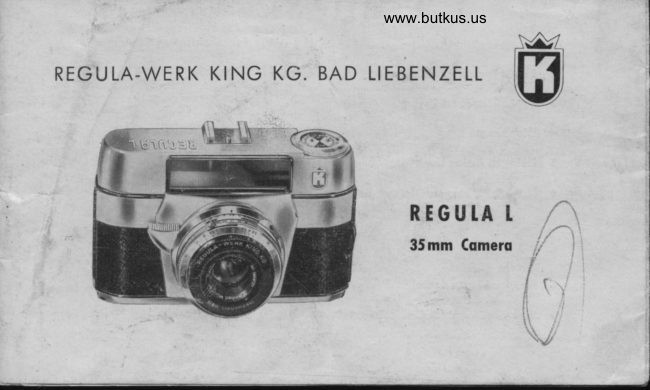
Regula L User manual
User manual for Regula L. 20 pages in English. Read the original PDF, download or print a copy without registration.
20 pagesEnglish2.6 MB PDF
Loading your manual…Open PDF directly
Document details
- Brand
- Regula
- Model / document
- Regula L
- Document type
- User manual
- Language
- English
- Pages
- 20
- File size
- 2.6 MB
- Category
- Film cameras
- Document date
- Not specified in catalog
Search available document text
Find a term, then jump to its page in the original PDF. Image-only pages may not be searchable; check the PDF for exact wording and diagrams.
Page 3 · Read text
1  Accessory Shoe                 1O Synchronizolion Conlocl

                                                                      Bufton2  Bright Frome Viewfinder              11 Rewind Lock
                                12 Film Speed Indicotor3  Ropid Tronsport Lever
                                13 Rewind Knob4 Diophrogm Ring
                                14 Shutter Speeds5  Deloyed Acfion Lever
                                15  Sefting Bulton for Diophrogm
6 Mork for Disfonce, Diophrogm
                                16 Body Lock
   ond Speed
                                17 Disfonce Ring
7  Releose Bullon                                18 Shutter Speed Ring
I   Depth-of-Focus Scole                19 Sfeinheil-Cqssor  f/2.8, 45mm lens
9  Screw-in Mount{or Coble Releose        20  Film Counfer
View original page 3Page 5 · Read text
Deor Regulo friend  !

           You ore now the proud owner of o REGULA cqmero, ond your photo
               deoler ond the mqnufocturer wish you every success. The cqmero hos
               been designed ond builf lo lhe highesl precision stondords, ond this meons
              complefe reliobilify.

             The following insfrucfions ore designed fo help you ovoid moking errors.
                Pleose reod lhem. ll's for belter lo be sofe lhon sorry.

              Wirh the comero in front of you, reod fhese insfruclions corefully. Use fhe
                   illusfrofion to locole fhe vorious porls of the comero, ond where possible
              hondle fhe porfs menlioned. The good worker olwoys fomiliorizes him-
                   self with his tools.
View original page 5Page 6 · Read text
www.butkus.us
LOADING THE FILM
Only use films of good nome    here, your                              -pholo deoler will help. The comero                                                      is design-
ed lo occepf slondord 35 mm film cosseiles
(24 x 36 m m) 20 or 36 exposu res   Block-ond-                              -While or Colour. Choose o shody spot                                         -not brighl sunlighl. (o) To insert the film,
firsl pull oulwords lhe body lock (16), open
lhe comero bock ond press or pull the
rewind knob (13) up, os for os it will go. This
enobles you to inserl the film cossefie into lhe
emply spoce lhot remoins.
(b) Push the rewind knob down to its originol
posilion. At times, it moy hove to be turned
slightly.
(c) Fold inwords, oboul r/r inch of the end
View original page 6
Page 7 · Read text
of the film. Insert fhis end into fhe slot of the toke-up spool. Turn the toke-up spool so lhot
 lhe film is tighfened ond ensure thol lhe tronsporl wheel engoges firmly in one of lhe
 perforotions. This is very importont, for if the film is not otfoched firmly to lhe toke-up
 spool, no photogrophs will be token!
 (d) Close  f he lid firmty. lt will ,,click" into pfoce.
 (e) Now thot film is looded inlo the comerq, two blonk exposures must be mode before the
 film is in lhe correct posilion for "shooling". To do this, rhe following steps must be loken:
Turn  f he fronsport lever (3) forword wif h o steody movemenf of your Right Thumb until it
slops' At the some lime oscertoin thof the rewind knob is turning ogoinst lhe orrow. This
ensures thot fhe film is being tronsporfed correcily. Allow rhe tronsport lever lo glide to
 ils normol position  (il lhe lronsporl lever is blocked in ony woy, press the releose bulfon).
Now press fhe releose button (7) ond repeof the some operof ion once ogoin. At lhe third
movemenl of the tronsporl lever, the film will be in the correcl position for your firsf expo-
sure' Turn the film counter (20) fo 20 or 36 occording fo the tengfh of film. The counler will
lhen outomoticolly show the remoining number of exposures.
View original page 7
Page 9 · Read text
(f) Your REGULA comero hos o double-exposure prevenlion device, ond lherefore it is
 impossible to moke  f he error of photogrophing two differenl subiecis on  f he some negofive.
Also it incorporoles o double-lronsport prevention device:- this meons ihol you connol
 ronsporl lhe film wilhout releosing the shufter. lf you connot releose the shulter, you hove
lo tronsport lhe film. Nol only lhot      if you hove nof lurned lhe tronsport lever enough, it                                      -must be turned once ogoin    buf you do not loose ony film!                              -
(g) The next 3 sfeps ore eosy    Sel lhe distonce (17).-  Set the diophrogm (4) ond the                                  -
exposure fime (18). Buf lef's exploin lhe new light-volue Pronfor-SVS Shutter.

PRO NTO.SVS S H UTTE R
gives you o ronge of speeds from 1 to r/aco seconds. These speeds con be set before or
ofter lhe film tronsport hos been furned.  lt is not possible to use "in befween" speed
settings. N. B. speed selting 39 :r/so second. When using "8" (Bulb), lhe shulter will remoin
View original page 9
Page 10 · Read text
www.butkus.us

open os long os the releose butlon is pressed down. For speed setfings longer iho,n r/ro
second, we recommend thot you use o relioble lripod, ond olso o coble releose, which
screws into lhe fhreod of the body releose buiion. Incidenfolly, shufter is cocked oulomoli-
colly when the film is tronsporfed. The M-X lever (8) normolly stoys on X. To use the "M"
selling, refer fo  f he exposure tobles lisfed on lhe corton contoining your flosh bulbs.
For deloyed oclion lhe lever is sel to "V"   ond lhis is only possible qfter the shutter is                                              -cocked. Afler  f he shutfer is releosed, you hove 6-8 seconds ovoiloble before  f he phoiogroph
is foken. The lever will  f hen oufomoticolly return to "X".


DIAPH RAGM & EXPOSU RE SETTI NGS
The REGULA comero wilh Pronfor-SVS Shutfer hos the odvontoge thof the diophrogm
ond shutler mechonisms ore coupled by the light-volue sysfem. Here ore some hinls obout
fhis new system. You probobly know fhot you will olwoys get on evenly exposed negotive

6
View original page 10
Page 11 · Read text
Clulch Lever
            Indicotor Arrow
for Diophrogm ond Speeds
            Diophrogm
             Shutfer Speeds
         Shutter Speed Ring

             Dislonce Scole
         MXV Lever
      Depth-of-Focus Scole


          Light-Volue Scole
        Indicolor Arrow for
                   lighl volues


                                                    www.butkus.us
View original page 11Page 12 · Read text
www.butkus.us
 by closing lhe diophrogmtlz slop, providing of course thot you lengthen fhe shulter speed
lo  f he some extenf.
A selling oI l ltzssec. ot f 2.8 would correspond to                                                                                                            1/rs sec.                                                                     1/oo sec. of t 4 or l lzosec. of f 5.6, or
of f 8,r/esec.otf11 orr/asec.otf l6.Thesefiguresillustrotefhotthisrelofionof  diophrogm
lo shutter speed gives exoctly the some exposures. This relotionship is known os "lighf
volue" ond in the exomple shown "lighf volue 10".

To sel the light volue, the following oction is token:
Press in ihe clulch lever ond sef lhe red LV number lo the red orrow by moving the ring
lo the left or right. For very high LV reodings,  if will be necessory to move fhe knurled
shulter-speed ring (18)    lhis is only possible by pressing in the clutch lever. Hoving set                          -
fhe LV reoding, il is only necessoryto decide on the best combinolion of shulterspeed ond
diophrogm which will suit your subiect ond produce fhe most suitoble depth of field.

8
View original page 12
Page 13 · Read text
Wif h lhe REGULA comero, it is olso possible lo sef  f he diophrogm ond shutter independently
             of the LV setting. This is, once ogoin done, by pressing in the clufch lever ond lurning lhe
          opproximote  rings to their correct selting. Moke sure thoi lhese rings ctick into position. So,
           should you wonf to oller fhe shufter speed, the diophrogm will chonge outomoticolly  in ihe
           correct rotio.
        The green numbers connof be set    ihey only indicofe exposure in full seconds or o                                                   -
            cerloin diophrogm setling, e,g.4 seconds ot f 8   such on exposure con only be obfoined                                                                -
           ol "B" selting, ond holding the releose down for seconds.t
T     PRONT() SHUTTER   r,                                r
           gives you the following speeds: B, 1lzs, llso, llroo ond r/zoo sec. All speed ond diophrogm
           sellings click into posilion. When setting the diophrogm, furn lhe diophrogm ring G) bV
         moving   f he block knob (15) up- or downwords.
View original page 13Page 14 · Read text
www.butkus.us
 It is not necessory to cock the shulfer. This is done outomolicolly when the film is lronsporled.

 For deloyed oction press lhe lever (5) in direction of the mork for distorce. This con be
done before or ofler  f ronsporling the film. However, once set the detoyed ociion, you hove
lo releose the shutter. There is no olher woy lo remove the selflimer lever fo its originol
 position.


DEPTH OF FIELD.

                                                                                                                                                                                                                                                                                                                                                                                                                                                   ' ,:i
This is purely dependenf on lhe diophrogm selting. The more you close your diophrogm
(lhe higher lhe number), the greoter the deplh of field. lt olso becomes greoler, os lhe
disfonce from the subiecf increoses.

1o
View original page 14Page 15 · Read text
To moke  il simple for you, o depfh-of-field scole (g) is provided obove the disfonce ring
(17). This shows, on eilher side of fhe cenfre mork,the figures { 2.8 fo f 16. Now follow
fhese lwo exomples:

1. Set fhe diophrogm ring fo g ond lhe dislonce ring to 20. On the depth-of-field scole (left)
ol f 8 the distonce ring reods "lnfinify" ond on lhe scole (righl) lhe dislonce shown is
opproximolely "l0feel".This meons, lhoi ot f 8 focussed on "20 feet" fhe photogroph  will
produce good focus befween "10 feet" ond "lnfinily".

2. Set the distonce ring lo 8, leoving the diophrogm ring ot 8. At f g, you will see thol lhe
focus ronge lies between "12 feef" ond "6 feel".
In fhese fwo exomples, you will see fhe imporfonce of depth of field. Now, il is simple lo
decide on ony depth of field ot ony distonce or ony diophrogm seffing.


                                                                                                    11
View original page 15Page 17 · Read text
F LAS H  ..S H C'TS  ''
When purchosing o flosh gun, osk your deoler for his odvice. lt will be fiifed inlo fhe
occessory shoe (1 ) of the comero, or wifh certqin lypes on to o brocket or orm. The conloct
of fhe synchronizofion cord will fhen be slipped on fhe synchronizotion conlocf of the
comero (10).
All Pronlo ond Pronlor-SVS shulters ore synchronized for bulbs on 1-r/soth, for electronic
flosh on oll speeds.
The Prontor-SVS shutler mokes  it possible fo use flosh bulbs ot short shufler speeds from
i/colh lo r/roofh os well. For fhis {ull synchronizotion fhe "M" setting of lhe MXV Lever is
required. ln this posilion deloyed-oction shofs ore impossible. For exposures of r/ro s€c.
ond longer os well os for electronic flosh,  f he synchro lever is to be sef ot "X" or if you
wonf fo be in the piclure yourself, sef it to "V". Every corfon of flosh bulb is supplied
wilh full informofion on shulter sefting, guide numbers ond fhe flosh-fo-subiect  dislonce.

                                                                                            13
View original page 17Page 18 · Read text
www.butkus.us
                                   REWINDING   THE  FILM
                                    When lhe film counter (20) reoches "O", the
                                                         film is {ully exposed, ond if is now necessory
                                                      to rewind lhe fllm bock into fhe cossefte.
                                             With your left   f humb, press the lock button
                                              (11)on the bottom of the comero, ond keep
                                                                                         it pressed during the rewinding operolion.
                                               With the right hond pull out the rewind knob
                                          somewhol until lhe first click stop ond turn
                                                the rewind knob (13) in lhe direction of the
                                                orrow,  until lhe film  is rewound into the
                                                          cosselle. When ihe film is olmosl completely
(                                          overcomerewound, oeosilyslightondresistoncesmoolhly,will bybeonfelt.exlrolt is
                                                       revolulion of the rewind knob   ond ot this
                                              stoge the end o{ the fllm hos-  left loke-up
                                                        spool.
          \                            Open the bocl< of the comero, pull out the
                             t*                               rewind knob ond remove the film cosselte.
View original page 18Page 19 · Read text
REGULA ACCESSORIES                                                   B.
A full ronge of occessories  is ovoiloble for your REGULA comero:
1. A beoutiful Leofher Ever-Reody Cose which olwoys prolects your comero.
2. A voriety of Filters for use wilh Block-ond-While or Colour Film. Conversion Filters for
   using Doylighf Colour Film in orlificiol light, ond vice verso.
3. Close-up Altochmenls for flowers, insects, copying, efc.
4. Sunshode   o very essenfiol occessory.              -5. Tripods
For full deloils conlocl your photo deoler or wrile to fhe Distributors. They ore ot your
service ot oll time.

Core
Treof lhe comero corefully. Do nol touch ihe lens with yourfingers.  lf fhis hoppens,  it must
be cleoned ot once wilh o piece of cleon, oflen-woshed linen, lens-cleoning   f issue or o high-
quolity chqmois.
An oir blower or comel-hoir brush will olso remove dusl from lhe lens or lhe inside of the
comercr. lf the comerq is not to be used for some lime    releose lhe shufler                                                          -

                                                                                                                                                                                                                                 ,!                                     15
View original page 19From the M. Butkus archive. Original publisher and archive notices are retained.
Check the model and edition against your equipment.
PDF verified 2026-10-10.