Movie cameras & projectors
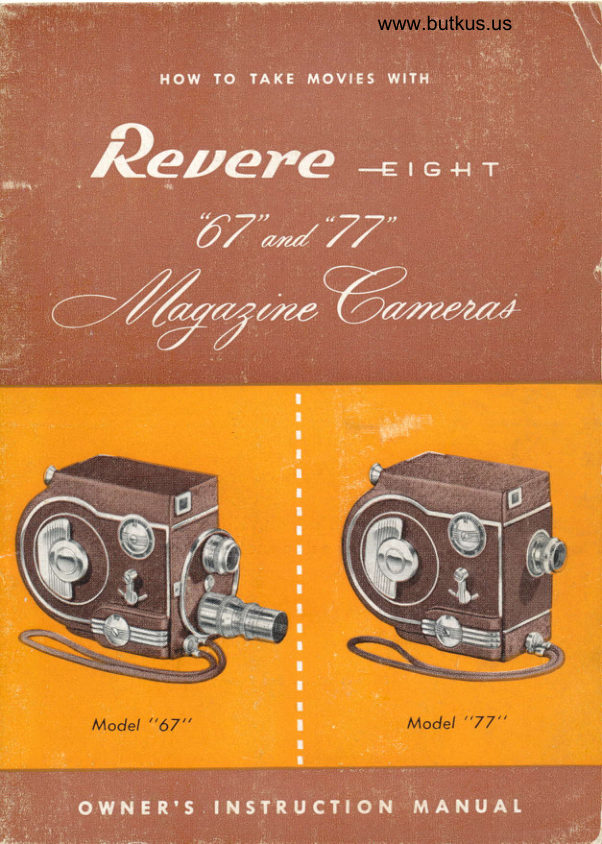
Revere Eight - Model 67 and 77 User manual
User manual for Revere Eight - Model 67 and 77. 29 pages in English. Read the original PDF, download or print a copy without registration.
29 pagesEnglish5.1 MB PDF
Loading your manual…Open PDF directly
Document details
- Brand
- Revere
- Model / document
- Revere Eight - Model 67 and 77
- Document type
- User manual
- Language
- English
- Pages
- 29
- File size
- 5.1 MB
- Category
- Movie cameras & projectors
- Document date
- Not specified in catalog
Search available document text
Find a term, then jump to its page in the original PDF. Image-only pages may not be searchable; check the PDF for exact wording and diagrams.
Page 2 · Read text
@ion-Ca^d-
                  o

A Revere Registrcrtion ccrrd. is included"with your
cqmerct.
Pleqse print the seriql number which you will find
inside your cqmerq on the lower right hqnd corner
of the etched instruction plcte on the drqwer.
Plecse give complete informcrtion requested on the
cqrd, and to insure qccurcrcy please PRINT.
Send card within ten dcrys qfter mcrking purchase
to the Revere Cqmercr Company, 320-336 Ecrst
Twenty-first Street, Chiccrgo, Illinois. This is im-
portont. The gucrrqntee does not go into effect until
you mail the registrcrtion ccrrd.

   REYERE CATIERA COMPAilY
                     Generol Offices ond Foclory                                                                i
     320-336 Eosi Twenty-First Streel    o    Chicogo 16, lllinois


Copyright 1949, Revere Comerq Compony                       Printed in U.S.A.
View original page 2Page 3 · Read text
www.butkus.us

         FOREWORD

qUPREME oI Cine Eight Comerqs. Rever e "87" dnd, "77"
TJ -   cre the proud result ol yeors ol engineering to qchieve
a Magczine Cqmerc of outstqnding Revere quclity. Hand-
somely designed cnd expertly built in true Revere trcdition,
it oIlers the very newest ond simplest in movie cqmerq
operction.
  Locding Revere "67" qnd "77" wit}r film mcgczines is so
ecsy c child ccn do it. "No Threcding"   you ccn quickly                                          -chonge from color to Blcck & White without loss of lilm.
  Numerous other innovcitions include    continuous run
.    single lrqme exposure lor titles cnd trick shots
Provision lor coble control      Built-in telescopic view
finder  . . . coated lenses  . . . Iootcge indicctor . .  exposure
chqrt. Five speeds, with either l2.7mm F 2.8 Bcusch & Lomb
(Universcl Focus) or l3mm F 1.9 Wollensqk (Focusing Mount)
Coqted Lenses for Model "67"; ond l3mm Wollensok F2.5 or
l3mm Fl.9 Wollensqk (Focusing Mount) or Vz" Fl.9 (Fixed
Focus) for Model 77.

   It's ecsy to toke good movies with the Revere "67" qnd
"77", stqrting with your lirst mcgczine oI lilm, if you follow
these simple instructions. Know your cqmerd. Give it the
proper qttention by referring to these instructions from time
to time cnd you will produce the linest movies eosily.

               REVERE CAMERA COMPANY
                 -2-
View original page 3Page 5 · Read text
Digitally signed by Mike Butkus
                                                        DN: cn=Mike Butkus, o=Butkus camera manuals,
                                                              ou=butkus.org, email=mike@butkus.org, c=US   Mike Butkus  Date: 2023.04.26 13:51:50 -04'00'

1.  View Finder                      6. Sofety Wrist Cord
                                                         \/2" 8 2.8 or F I.9 Lens2.  Adjustcble FootcAe Meter         7.
                                 8. lL/2" E 3.5 Telephoto Lens3.  Winding Key
                                 9. Two-Lens Turret Hesd
4.  Opercting Lever
                                    I0. Etched Rectcngle for Use
5.  Speed Control                          with  I Vz" Telephoto Lens
View original page 5Page 6 · Read text
www.butkus.us


 flr


I  View Finder                    5. Speed Control
2. Adjustcble FootcAe Meter        6. Wrist Cord
                                7. Lens3. Winding Key
                                  10. Etched Rectcngle Frcmes lleld
4. Opercting Lever                         tor lYz" Telephoto Lens
View original page 6Page 7 · Read text
HOW TO LOAD IHE CATNERA
  The film mcgazine should never be exposed to direct sunlig-tt.
 When handling  it out-doors, keep it in cqrton or in subdued light.


                                  fo lood:
                                    Turn knob to "open" posi-                                               I                                                                     '   tion qnd slide open the Iilm
                                       drqwer.


Inserl lilm mogozine-with
proper side up, mqrked,
"This Side Up For First
Exposure"-toward the
Iens in drcwer.
View original page 7Page 9 · Read text
GEI{ERAI. CAITIERA INSTRUCTIONS
  To mqke good movies with your Revere "67" ot "77" Mcgczine
eijht Ccmeri, it i" necessqry to iomilicrize yourself with the cqmerq's
construction cnd oPerction.
                                                                                    to  First, exqmine the outside ol your ccmerq' It is odviscble
memorize the nqmes of the controls-qnd parts referred to in this book.
3"" p"g". g and 4. Leqrn to: (l) look through the_Vie-w Finder; (2) turn
na;,r"tdUte Footcge Meter; (3) wind motor with Winding Key; (4) stort
*oiot with operlting Lever; (5) set speed control dial; (6) fqsten
d"f.ty Wrist iota; (7i rotqte Lens Bqrrel; (9) grqsp Lens _Bcrrels and
;;1;  t"net Hecd; (10) sight through Etched Rectongle in View Finder
Ior use with TelePhoto tens.
  wtNDlNG SPRING MOTOR-Before winding spring be sure thqt
opercting lever (See Page 4) is in neutrol position'
  oPERATING LEVER-For titling cnd still shots opercting Lever mqkes
Single Frqme exposure when pushed Iotwqrd'
  For Normql run pull Operoting Lever Bqck to crpproximatelY one-
 hall walt Point.
  For Continuousi run pull lever aII the way back.
  Be sure to releqse Opercting tever to neutrql position belore
 rewinding.
   FIVE SPEEDS-Revere "67" or "77" Magazine Camercs (Ire provided
 with live speeds, 12, 16, 24, 32,48 lrqmes per second.
   These qre embossed on the plote locqted on the side ol the cqmera,
 (See Poge 3 or 4).
   Fasf Motion-set qt 12.
  Normcl speed-set qt 16, Ior tcking 16 pictures or frqmes per second.
  Semi-Slow-set qt 24.
   Inferrnedicte-set ot 32.
  SIow Motion-set at 48, the subject will cppeor on the screen to
 be moving one-fourth of the tcking speed. Trick shots mcy be obtoined
 by using this speed.
View original page 9Page 10 · Read text
www.butkus.us

          THE VIEWFI]IDER
   The viewfinder on your Revere Model "67" or "77"
 Magqline Eight Ccmeiq is pcrcllcx corrected qnd glcre-
 free.         provides- yoll yith crr ecsy view of your sriblect           ,It qnd the size of the field which wiil cppeqr in your p,ro-                                  -c                ,,Iiqlf- i""lq$-picture when you ore using   stqndq?d inch" lens. Remember, however, sublects closer thqn
 four feet from the cqmerq cqnnot be centered qccurotely
 with the viewfinder. when tcking extreme croseups, th6
 subject must be centered with ihe center of thL iens by mecsurement.
  You will find the etched rectcngle in the center of
 the front viewfinder element helpfrl in centering your subject. This rectgng.le is qlso oJ grect vqlue [o -you
 y!.i,using        inCh.teleph-o-to leris, becquse it givesyou the exqct".|Y"size of field which will be projecte-d on your screen.

         DEPTH OF FOCUS
    FOR FOCUStilc ilout{T  t EilsES
  On             ond 22 crre Depth of Focus Tqbles to be      -pcAes_2Ieonsulted when ugiag                        _R_evere Focusing Moupt lenses,such qs the Yz inch F l.g, the one inch? z.s i.r.plioio,
qnd the lYz inch F 3.5 telephoto. The Depth of Focus
tqbles give you the distcnce in front of cnil behind the
point of_focus within which oll subjects will be in sharffocus.                  distqnce is the necreri airi""ce in      -Hyperfgcql
:hqrp to-cus when the lens is focused qt infinity. If the
lens is focused on. the hyperfoccr distqn";; tt: ;;pth
                                                      .ne-trctf                  .will                  then extend from ;  fii"ithe^o,.f "lgphyperfocusfocus to                      infinity.
View original page 10Page 11 · Read text
THE FOOTAGE INETER
  The Footcge Meter qutomqticclly registers_the num-
ber of feet of exposed film in the mogczine. Plcce this
diql qt "0" cfter locding cctmerq, crnd cacin to "0"
when magczine is turnedbver qnd cqmerq is reloqded.
 When Meter registers 25 feet, the end of the film
hqs been reqched. The mcgczine should then be
turned over for second run, qfter which mcrgozine
should be removed for processing.
   If the mcAczine is chqnged before being completed,
mqrk the slale on the mcgcrzine to qgree with the
recding on Footqge Meter. When mcgczin_e is cacin
in plcce, Footage-Meter should be set qt the footcge
indiccted on the magczine scqle.
   If c mcrgqzine should be replcced with qnother qfter
only one-side hqs been entirely exposed, indicqte
plcinlv on the dicl on the side of the mcgcrzine mqrkedt'This -Side         Up". This will prevent double exposure.

          PLEASE NOTE THE
    FOIIOWING SPECIAT FEATURE:
  In the event that you hqve stqrted to take pictures
cnd hcrve fqiled to set the Footqge Meter properly, o
visible Window is provided (See Fig. A, Pcge  I I) which
plcinly shows q notched hub" When hub is revolving,
film is being trcnsported ond cctmerq is in operction.
When hub ceqses to revolve, 25 feet of film hqs been
completed. This visible notched hub wiII tell you ct
ony time whether or not cqmerq is operating properly.
View original page 11Page 12 · Read text
www.butkus.us

  HOW TO SET THE I.ENS DIAPHRAGTI
  The lenses used on Revere cqmerqs are cpproxi-
 mctely 13 mm. or "hqlf-inch" lenses. Stqndqrd F 2.5
 crrd F 2.8lenses qre Universql or fixed focus type, which
 meons focusing for distqnce is not necessqry, except cs
 described below. If equipped with F 1.9 focusing mbunt
 lens footqge must be cldjusted to your needs. This lens
 hcs dicphragm openings or stops calibrqted on the ro-
 tcting             bq_rrel. The purpose of these openings                                                              is to         _1"-rr                                            -As control the volume of exposure light to the-film.     the
 size of. the opening or stops is increqsed, the volume
oJ expo_sure light is increqsed. The drcwing below
shows the relqtive opening of the dicphrqgm itops.

    Fg.s 4    5.6  8   11    16 oooooo
         REIATIVE OPEttilNG OF DtApHRAGil STOPS
 When Universql Focus           Pictures will be in shqrp focus
  stops, listed below, ore          Irom distances, listed below, to
                                             infinity.
      F 2.5 or F 2.8                        8.35 leet
         F 3.5
         F4                                    5.2
                   .r o.b                                  3.7
         F8                                    2.6
              Fil                                   1.85

  Auxilicry portrqit lenses                        1nqy be used'when subjectsqre neqrer the cqmerq thcn the qbove distqnces.
Importcnt:_ viewfinder cqnnot be used with qccurqcy
when working qt shorter distqnces thqn 4 feet from
subject to ccmrerc; subjects must then be centered with
center of lens by mecsurement.
                     -10-
View original page 12Page 13 · Read text
EXPOSII{G rHE Flttul
   It is vitqlly importqnt thqt the correct lens cperture            -usedopening be      in order thct tlre film mcy be prop-
eily exlosed. The setting of the lens crperture opening
is determined by two fqitors: first, the bmulsion speed
of the film whi'"ft i" being used in the cqmerc, qnd
secondly, the qmount of Iight on the subject.
  The emulsion speed rcting on eqch film is merely o
compqrative number or fqctor set   by the exposure                                  -uPmet6r mcrnufqcturers to denote differences between
film emulsions qnd the rcpidity with which eqch film
cccepts the light to whicli it ii exposed. Before you
cqn mcke c p-roperly exposed picture y9u must know
the propet rdting of thqi film.- If you-do not use qn
expoiur-e meter, you must use qn exposu-re guide for
thdt porticulqr fifin rating. Since color films qnd the
more populcr blqck qnd white pcnchromqtic films qre
                                            l-                                       -l
View original page 13Page 14 · Read text
www.butkus.us
rated by Weston qt q fqctor number 8, on pqge 18,
 w_e hqve prepcred qn exposure guide for this speed
 film. On the sqme pqge, you will find qn exposure
quidg for film having q Weston rcting of 32. You
should study both of these exposure guides, qnd test
yourself by studying the light conditi,ons on severql
 different_                Then figure out which in your opin-           fu_bjects.ion would be the proper exposure for eqch lubjecl.

        1IGHTTNG THE SUBIECT
   Light is qs importcnt in photogrophy as gasoline is
to qn cutomobile. Alwcys remember, to mqke good
pictures, you must properly expose the film. The rapid
rise in popularity of color film mqkes it imperative thot
you give- cctreful thought qnd study to lighting condi-
tions qnd the exposure of your film.
  Lighting is of vitcl importcnce regcrrdless of which
film you use. When workinq with blqck ond white film
the fbrm cnd shape of you-r subjects qre mqde more
interesting by shqdows. The excct reversql of this is
true_ when you qre working with color film. When
working with color film the colors of your subjects-qndprovide                qnd produce the shcpe        _the contrqst,form of the subject. Shqdows, especiclly hecvy blcck
shqdows, should be cvoided.
  For best results with color film, the source of light
should be qlmost directly behind the cqmerq. A f[ot,
front lig}-rti+S on your_ subject is the best. Side lighting
or_bqck lightin_g should be avoided when working witfi
color films, unless_you use a reflector to throw li{ht up
into the dqrkened qreos of the subject. Also qvoid
mcking outdoor exposures of people with c bright sun
                         -t2-
View original page 14Page 15 · Read text
directly overheqd. The sUn, in this position, mqkes
                                              These 4""p shqdows qround the eyes cnd the neck. d9"p shqdows ccn only be iemoved through the use
 of q reflector. You will find thct some of- your best
 results with colored pictures will be obtqined when
 the sky is lightly ovbrcqst or when your subject is
 in open shqde, receiving light from the sky but not
 directly in the sun.
 A grect deql more ccre must be exercised in deter-
mining the proper exposure for color film thqn is re-
quired with black ond white film. This is becquse
color film hqs considercbly less lqtitude for exposure
error. Incorrectly exposed pictures will be slighlly off
color and they will lqck clarity qnd shcrpndss.  - The
exposure guide for colored film on pcge 20 should be
studied with extreme cqre. The bcsic exposures given
in the tqble qre bqsed on the use of froht lighting as
described qbove. When it is qbsolutely nec6ssary to
use side lighting on the subject be sure-to use ct l-eqst
one dicrphragm opening lcrger thqn for front lighting.

        FITTERS FOR CO1OR FI1II
HAZE FITTER                                                                             i
  When working with regular color film outdoors, no           l
                                                                                                                                                                                    Ifilter is necessary for cloie ups and medium close up
"shots". When tcking distcrri shots of lqndscqpes or
over wqter it is qdvisqble to use q haze filter. Atmos-
pheric hqze or ultrc-viqlet light hqs q tendency to
photogrcph qs violet. This h&e tends to mqke your
pictures fuzzy or indistinct, becquse the ultrq-\iiolet
light is more prevclent in extremely distqnt scenes,
snow scenes, wqter scenes cnd those tqken at high
                     -13-
View original page 15Page 16 · Read text
www.butkus.us

       qltitudes. When taking such scenes the hccze filter will
      improve the color rendition.
        Also, on q grqy dcy and in the shqde, the lig-ht-is
       colder in tone.- f,iking color pictures under such light-
      ing conditions is usuqlly not qdvisqble; however, q
     hc?e filter used under fhese conditions will help to
      bring cbout q wqrmer tone to the colors.f
Qlii    TYPE A FITTER FOR COTOR FILM|,]
        Indoor color film is different from regulcr dcrylight
       color film. It is especiclly prepared for use with white
       photoflood lights. This film connot be used in sunlight
      6r dcylight uhless o Type A filter is used on the lens.
       This speticl filter is required to chonge thg quolity of
      dcylight to thct of regular photoflood illuminqtion;
       thelefbre the color of the filter is redish yellow. It is
      not necesscrry to use the hqze filter when using the
     Typ" A filter. When using the Type A filter with in-
      door color film outdoors, the speed rcting of the film
       is then the sqme qs thqt given the regulqr outdoor
      color film. When using the indoor color film with
       photofloods, it is not necessqry to use cny filter.
        Regulcr color film, prepcred especiclly f9r use in
       daylight, cqn be used with regulcr white photoflood
        lights, if the proper blue filter is used in front of the
       lens. The use of the blue filter is not prccticcl becquse
!      of the effect of the filter on the speed of the film. The
      speed of the film is cut down to less thqn hclf when
      the blue filter is used. Reqsonqbly good results cqn
     be obtqined with day light color film by using blue
      photoflood lights. With these blue lights no filter is
      required. Blue photoflood lights qre especiclly useful
     when there is q combination of doylight qnd qrtificiol
         light.
                                -t4-
View original page 16Page 17 · Read text
FII.TERS FOR B1ACK A]ID WH|IE FTtfiI
 YETTOW FITTERS
  The filters for blcck qnd white film cre mqde in
 vcrying degrees of yellow, red, green ond blue. The
 most popular filter, qs well qs the most useful, is the
 yellow f!lt"t. There qre mqny shodes or intensities of
 yellow filters, but the most wiitely used is the "medium
 yellow" Iilter. The_ yellow filter lielps the lens to pene-
 tr_cte mist, fog cnd hqze. It helps to shorpen up your
 pictures_ by giving _better detqil especially i"  s-frdaea qrecrs. It reduces the glore from sun, wqter or sqnd.
 It clso tends to dqrken-the blue oJ the sky sufficiently
 to qllow the white clouds to stqnd out molre ncturoily.

 RED FITTER
  Another populcr filter is the "red" filter. This filter
 is olso qvqiloble in q vqriety of intensities of the color.
  The red filter is used fof more drqmotic effects. It
 dqrkens the blue sky more thqn the yellow filter. It
 will help bring out more detcil in subject mqtter in
the dcrker colors_such cs purple, dork ied, ond deep
shodows. It is clso helpful when toking pictures  iir
bright sun light qnd on lnow cnd woterl
                                                thct you   , Ylr.l you p'urchqse c filter it is importqntobtqin informotion crs to the "filter fqct6r,,. When ,r"irrgq filter, it is necessqry to_ increase the exposure. The
filter fcctor, which shbuld be supplied bi the mqnu-
fqcture.' of the filter, will tell you hbw *.t"i more light
is necesscry when using thci pcrticulqr filter.
  Remember,  .'  filter will mqke objects of its own
goJor photogrcph cs white, and objecfs of the opposite
color will photogrcph qs dqrk grcry or blqck.
                     -15-
View original page 17Page 18 · Read text
www.butkus.us
   PIANNTNG AND TAKTI{G PTCTURES
  Alwoys plcn interesting pictures thqt tell c story.
Your first movies will likely be of the children, the
fcmily and your close friends. Alwcys qvoid qny
ottempt to mqke the subject qct, or pose in front of the
cqmerq. Hqve them relcu< qnd act nqturql. Never tcke
pictures directly into the rqys of the sun. Before high
noon or ecrly qfternoon is the ideql time to tqke
movies. Don't make the mistqke of "clipping" scenes
too short, keep the cqmerq opercrting long enough on
eqch scene. When q short scene is projected upon
the screen it flqshes on cnd off so quickly it is difficult
for the eyes to grosp the mecrning of the imcge. You
should never run less thon Ly2 to 2 feet of film on
eqch scene, qt times you will use c longer period,
depending on the importqnce of the subject. You cqn-
not conveniently toke pictures and wqtch the footcae
meter ct the sqme time, however you cqn eosily mem-
orize operating time   IT TAKES ABOUT 5 SECONDS                     -           OF FILM. TIME EACH SHORTTO RUN I FOOT
SCENE FOR AT TEAST EIGHT SECONDS.
  Close-up scenes cnd portraits qre interesting qnd
qdd to the vqriety ond interest of your reels. CAU-
TION   Be sure the entire subject or fqce you wish to
      - seen in the center of the finder. Only whot istqke is
seen in the view finder will be recorded on the film.
The only exception to thct stqtement is when you qre
taking extreme closeups of less thqn 4 feet, then it will
be necessqry to center subject with center of lens by
meqsurement. (See pcge l0 for closeup locusing limitc-
tions while using universql focus lens.)
                     -16-
View original page 18Page 19 · Read text
BRIEF COURSE IN IIOVIE.TIAKIIIG
 t. Loqd cqmerq per instructions.
 2.  Set footqge meter to ZERO.
 3. Check Speed Control Diql (should remqin qt 16
   frames for normql movies).
 4. Now wind Cqmera.
 5.  Set Lens Diophrcrgm to proper position.
 6.  Hold Camerq steody. This is importont. For extreme
    crccuracy, c tripod mqy be used. However, qs most
   Movie Cqmerqs qre held by hand, the REVERE "67"
   qnd "77" Mogazine Ccmreiqs qre so designed thqt
   q firm, steody grip is ecsily obtqined. Sciety wrist
   cord should be securely cround the left wrisi. This
   qssists you in obtcining steadiness qnd prevents
   dropping cqmerq.
7.  Sight through the Viewfinder. Press operqtins lever
   cnd you're mqking movies. Its' os simple q-" thqt.

          TIT1ES A]ID SPIICII{G
                       yep_r story cnd mcke your pic-. Titles help you tell                                                          -thetures more interesting. Titles mcry be spliced- into
film qt any desired plcce. You lqn mqk. your own
titles or purchqse them from your photogrophic decler.
       you have tqken severql reels of pictur€s, you .Whenwill wqnt to splice them together cnd pl&ce                                                                 -      them'qllon one or more Revere 30O foot reels.  Splicing your
films with c Revere curvqmqtic splicer ii ecsf. 'Askyour deqler.
                         -t7-
View original page 19Page 20 · Read text
www.butkus.us

        EXPOSURE GUIDES

      FOR DAYLIGHT USE WiTH KODACHROME
         OR ANY FILM RATED WESTON 8

Camera Set at                       Briqht    Over-
  16 Frames     Bright   Hazy I Open      cast     Deep
 Per Second     Sun    Sun  I Shade   Cloudy   Shade
 Basic        Between  Between lBetween  Between  Between
 Exposure      F8 & FIl  Fs.6&F8lF3.s&s.6  3.5 & 5.6  2.s &
 Liqht Sub.       Ftl       F8       Fs.6      F5.6      F3.5
Dark Sub.       F8       F5.6      F3.5       F3.5      F2.5

 Side Lisht     F5.6 to 8

Back Light    F3.5to5.6

           FOR DAYLIGHT USE WITH
              rILM NATED WESTON 32
  mera Speed                       Bright    Over-
  16 Frames     Briqht    Hazy    Open      cast     Deep
 Per Second     Sun     Sun     Shade   Cloudy   Shade

Basic        Between  Between  Between  Between  Between
Exposure     I1&16   8&ll    5.6&8  5.6&8  4&5.6
 Liqht Sub.      Fr6      Fll       t8       F8       Fs.6
Dark Sub.       FII       F8       F5.6      Fs.6      F4
Side Light     8toll
Back Lieht  | 5.6 to 8
                    -18-
View original page 20Page 21 · Read text
EXPOSURES WITH FIOOD1IGHTS
  Molion pictures of Iine quclity mqy be mqde indoors
at night with Color or Blqck-crrd-White FiIm. There qre
only cr few detqils to consider for mcking satisfactory
indoor pictures. Follow the Photoflood Exposure Guide.
Be sure of proper light distribution qnd use proper
exposure stop on lens. Also follow these suggestions.
    lst. Arrange lights so they come from different directions
   this brecks up strong shqdows cnd gives finer detqil to the-
   pictures. II you cre using two Mqzdq lcmps   plcce one on  eqch side oI cqmerq, this will give crn even- distribution oI
    light on subject.
   2nd. Use white photofloods with bright reflectors. Number I
   photollood bulbs hove a rqted life of two hours. Number 2
   photollood bulbs hcve o rqted life of six hours ond will give
    slightly more thqn twice the illuminqtion of the number I bulbs.
  To conserve lomp life, turn them out when scene is complete.
   3rd. Direct some light behind the subject to lighten the bqck-
   ground.
   4th. Eliminqte bright rellections glorinq into the cqmerc Jens
      rellections will fog pictures.   -
   Sth. Loccte lomps higher thcn subject. The liqhts should flood
   the subject. Tqke care that lcmps do not show in picture. De-
   termine this by looking through view finder.
   6th. When p-ossible use c tripod for indoor pictures, or rest
  cqmerc on tcble or stqnd    to keep cqmerc stLcdy.                              -
   7lh. Remember the distqnce between the ccmera ond subject
  does not aflect the exposure.  It is the distance from lighi to
   subject thqt is importont. Do not crowd your subjects. stqnd
   well bqck with cqmera to include os mulh of the subject as
   desired, but of course the rellectors must not show in linder.
   8th. Follow the PHOTOFTOOD EXPOSURE GUIDE. Tcke cmpte
   time qnd excellent results will follow.
                     -19-
View original page 21Page 25 · Read text
PICTURE DEFECTS

PICTURES      Cqused bv shcking of cqmerq when
UNSTEADY:       tcking scenes. Prcrctice more, or if un-
               cbie to hold stecdy   use c tripod.                                     -
PICTURES        Usuclly cqused by dirty lens, dirt under
NOT SHARP:     gate preventing contqct, or lens not
                resting qgqinst seqt.

PICTURES      Under exposed film. Due to improper
TOO DARK:      lens stop used, or if tqken inside    in-                  sufficient qrtificicl light wqs used. -

PICTI'RES      Over exposed film. Due to improper
TOO TIGHT:      lens stop used, or if tcken inside    too           much qrtificicl light wqs used.  -

EDGES OF       Finger or object obstructed lens bqrrel
PICTURE       when picture wqs tqken.
BLACK:

EDGES OF      Cqmerq locded in too brillicnt light. To
PICTURE        qvoid edge-Iog, film mcrgazine should
TIGHT OR      be kept in cqrton cnd hcndled in sub-
CLEAR:        dued light.
The qbove defects qre bcsed upon reversible film thqt
hqs been developed cnd processed-meqning negctive
picture reversed into q positive picture.
                     -23-
View original page 25Page 26 · Read text
www.butkus.us
         THI]IGS TO REIUIEIUIBER
 l. Alwcys remove rubber lens ccp before tcking pic-
    tures.
 2. Cleqn cqmerct lens at regulcr intervals with dry
    lintless cloth or tissue.
 3. Wind cqmerq qfter eqch exPosure.
 4. PIqn pictures before operating cqmerq. Mqke sure
   everything is in reqdiness.
 5. Follow exposure instructions when - setting lens   stops. Shutter speed I/30 second ot 16 frqmes.
 6. Check lens before eqch scene to see that it hcrs not
   been qccidentqlly moved from proper setting.
 7. Hold cqmerct stecdy. Brace it agcinst your -fqce,   foreheqd or stqtionary objects. Use Sqfety Cord.
 B. Pqnorqming (sweeping cqmerq from left to right)               -crvoided.   should be       When necessqry it must be
   done very slowly qnd steadily, otherwise, pictures
    will qnnoy the qudience when projected.
 9. When tcking "slow motion" scenes cqution sub-
    jects to move ncturclly.
10. Don't ottempt to tqke pictures in poor light.
II. Hold cqmercr verticolly   never tilted sidewcys.                            -
12. Don't oil cqmerq   send to factorY.                      -
View original page 26From the M. Butkus archive. Original publisher and archive notices are retained.
Check the model and edition against your equipment.
PDF verified 2026-10-10.