Film cameras
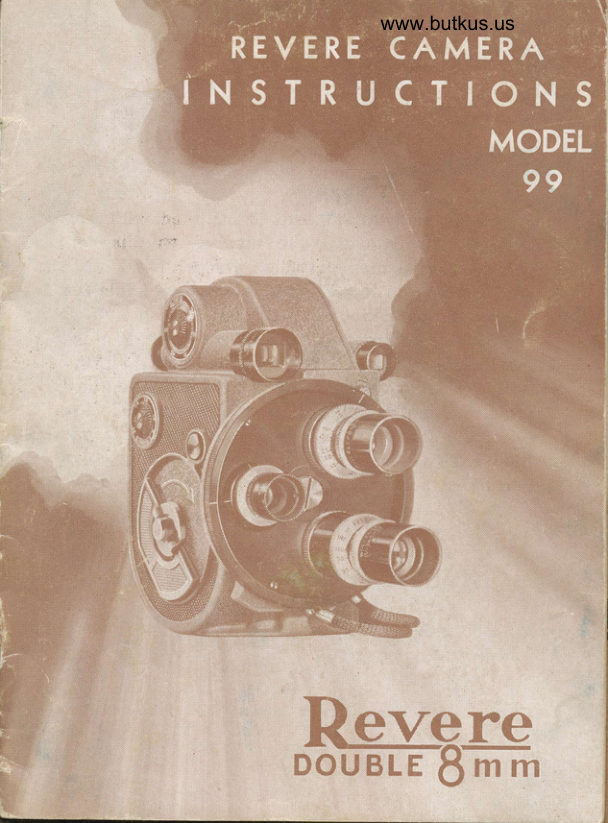
Revere model 99 - double 8 User manual
User manual for Revere model 99 - double 8. 37 pages in English. Read the original PDF, download or print a copy without registration.
37 pagesEnglish7.0 MB PDF
Loading your manual…Open PDF directly
Document details
- Brand
- Revere
- Model / document
- Revere model 99 - double 8
- Document type
- User manual
- Language
- English
- Pages
- 37
- File size
- 7.0 MB
- Category
- Film cameras
- Document date
- Not specified in catalog
Search available document text
Find a term, then jump to its page in the original PDF. Image-only pages may not be searchable; check the PDF for exact wording and diagrams.
Page 2 · Read text
4tgLstz.atton CooJ
           o

A Revere Registrction cqrd is included with your
ccrmercr. Pleqse check the number on this card
with the seriql number which you will find inside
your cqmercr on lower left side of center plcrte iust
below toke-up spindle. Aty vqriqtion in number
should be noted on your card. Plecse give complete
informction requested on the ccrrd, qnd, to insure
qccurcrcy, plecse PRINT. Send cqrd within ten dcys
qfter moking purchase, to the Revere Cqmerq
Compcny, 320-336 Ecst Twenty-first Street, ChiccAo,
Illinois. This is importont. The gucrontee does not go
into effect until you moil the registration cqrd.

  REVERE CAMERA COMPAI{Y
                   Generql Ollices crnd Fcrctory
  ,            320-336 East Twenty-lirst Street
                  Chiccrgo, Illinois

Copyright 1946, Revere Cqmero Compony        Printed in U.S.A.
               _AA                                    -

                        \r                                                                      Jt
View original page 2Page 3 · Read text
www.butkus.us

     FOREWORD
    The Revere ccrmercr compcrny desires thqt you obtoin
    Irom your ccrmercr the highest possible degree ol
    pleosure and sqrislqction. Knowing thct it is foremost
     in your mind to give your cqmer., proper qttention crnd
     to produce the finest movies ecsily, Revere hcs pre-
    pcred this instruction book for your in{ormqtion qnd
    guidcnce.
    These instructions c,,e written in  non-technico/ lqn-
    guqge. The illustrcrtions ctre recdily understqndcble
   qnd should be relerred to while recrding. you will lind
      it beneficiql to hqve your cqmerq in front of you cs
   you recd this book. It will help you become fqmiliqr
    with the simp/e threcding mechqnism, the diqrs, lens,
    exposure guide qnd other parts before cttempting to
   loqd cnd operote your
                          "o*.ro.
      It's ecsy to tqke goodmovies with the "Revere,, stcrting
    with your lirst roll oI film iI you will follow these simple
    instructions. vt/e believe you will enjoy recrding this
   book ond will wcrnt to refer to it from time to time. To
   know your cqmercr better will give you .,n even deeper
    cppreciction of it.
                  REVERE CAMERA COMPANY.

                                        --l-


4
View original page 3Page 5 · Read text
GENERAT CAMENA INSTRUCTIONS
This book gives instructions for the use of the Revere
Turret B Comero, Model 99.
To moke good moving pictures  it is necessqry for you
to fomiliorize yourself with your cqmerc construction
qnd operction. First exqmine the outside of your
comerq. It is odvisoble to memorize the nCImes of the
controls ond ports referred to in this book. See Pqges
3, 4, and 5. Leorn how to do the foilowing: wind the
motor with the \Minding Key (l), slide the Operotins
Button (2), turn the Speed Control Diol (3), turn the
Adjustoble Footose Meter (4), look through the View-
{inders (5 cnd l4), rotqte the Lens Borrels qnd rotqte
the Turret Head (11) os expicined on Poqe 4.

Then open the comercr door os exploined on the bottom
of Pcqe 5. Recd Poge 6 ond leqrn the nomes of the
various pcrrts inside your comero. The instructions
regqrding loqding, relooding, unlooding qnd other
generql photogrophic matters found in Pcges 7 to 23
inclusive should be reod corefully
View original page 5Page 7 · Read text
HOW TO OPERATE TTIE TUIiNET HEAD
The Revere Model 99 Cqmera is equipped with a 3
lens turret hecd. As stqndcrd equipment the turret
heqd hqs one F2.8, L2.7mm. screw type lens mounted
qnd two screw type cqps. To mount three lenses (qs
illustrqted Pcge 3) remove the two lens ccrps in the
turret heqd qnd instqll the cdditionql lenses. See Bcrck
Cover for cdditionql lenses fitted for Revere Turret. To
cover the grectest rcnge of picture opportunities, we
recommend thqt two Telephoto lenses, I inch o;nd Iy2
inch be obtqined qs the qdditioncl lenses, or for fqster
speed lens use the F1.9. To set qny one of the lenses
into photogrophing position, grqsp qnd rotqte the turret
heqd to the left or right. When the turret hecd is
rotated there is q noticeqble click qs eqch lens seqts
and locks into q correct photogrdphing  position, which
is cqused by the spring tension of the roller index
                                                                                                                                                                                                            .mechcrnism. Opposite eqch lens on the                                   rim of the
turret hecd is cin index mqrk. When thd index mqrk
"lines-up" with the Lens Position Morker (13), see
Poge 3, the lens is clwcys in position.
      THE OPENATING BUTTON
  The opercting button (No. 2, Po;ge 3) is conveniently
plcced on the side of the cqmercr. To stqrt the cqmerc
mechqnism, pull the button bqck qs fqr cs possible.
To stop the mechqnism, releqse the button. It will
immediqtely return to the neutral position, reqdy for
instqnt use.
 BE SURE TO WIND FULTY AFTER EACH SCENE.
Then the cqmera will be recdy to opercte whenever
you wcrnt to tqke pictures. The mqin spring is q "non-
set" type, so leqving  it fully wound will not impcir its
operction in ony wqy.
                        -4-
View original page 7Page 9 · Read text
HOW TO LOAD THE CAMENA
Locding the film is a simple operotion ond with c little
                                                           2S-foot,prcrctice it ccrn be crccomplished quickly. A
double-width Bmm. film is used in Revere 99 cqmerqs.
Pictures qre mqde on only one-holt the width of the
Iilm when the lilm is ,.,n thtorgh the cctmercr the first
time. In order to expose the film completely  it is neces-
scrry to run the lilm through the cctmerq twice. When
the film is processed, the laboratory slits the lilm down
the middle cnd splices the two pieces together and
returns the lilm to you qs cr S0-foot reel of Bmm' Iilm'
Always locrd or unload the ccrmercr in subdued light, or
 if necesscrry, in the shcde of the body. Never lood or
unload the camercr in direct sunlight.
To Locd the Cqmercr: Give the winding key severql
turns. Hold or lcy the camerc on its side ond open the
door. Remove the empty spool. Be sure the edges of
the spool <lre not bent os they will couse the Iilm to jcrm.
 II of crny time the empty spool becomes dcrmcrged,  it
should be straightened or reploced with ct new one. II
dust or film emulsion is found inside of cqmerq (on
center plcte or in film gcte), remove it by blowir,'g or
brushing it out. This should be d91" frequently- to
keep film from being scrqtched while it is pcssing
through lilm gate. To open film gcte see- illustrqtion
on pqge seven. To cleqn lens, unscrew from mount
ond wipe with soft, lintless cloth. Hqndle lens with
cqre. Dbn't let your fingers touch the lens elemerits.
Finger prints crnd other foreign substcrnces on lens will
bring qbout indistinct pictures.
View original page 9Page 11 · Read text
GUIDES "c "


           Placing film on Trock Under Guides "C"
Plqce the film ogoinst the cperture plcte with the upper edge oI
the Iilm positioned under the guide pins "C" qs illustrqted qbove,
and with the shuttle tinger locqted in cr perlorqtion hole. Close the
tilm gcte cs illustroted below. Be sure the lilm does not slip out of
place while closing the gote. Pull 3 or 4 inches oI Iilm through closed
gote to be sure of proper film plccement in gote.


            View Sboriag Cfosing ol Film Gste
View original page 11Page 13 · Read text
Hold toke-up spool with llonge locing you thot is morked with on
qrrow qnd with the wording: FILM WHEN ON THIS SPOOT IS ONLY
HAIF EXPOSED. Insert 3 or 4 inches of the leqder (Iilm) into the
slot in the hub oI the spool, qs illustrqted on poge 9. Wind 4 inches
ol lilm qround the spool qnd then ploce spool on spindle with qrrow
ond wording locing you. Hond turn the spool (Clockwise) to wind up
the slqck oI the leqder.


      View Showing Camera Loqded-Closing Door

Keep comerc open-then slide opercting button qnd run obout eight
inches of film to determine  iI threoding is correct ond iI lilm is secured
to take-up spool. Close cnd lock cqmerq door. Wind the spring motor
        key clockwise. Be sure speed control diol'is set at 16 lor-turningnormql speed. To poss exposed lesder or threqding portion oI lilm,
slide opercting button ond run oll one loot oI lilm. Set lootoge meter
of zero. Your cqmercr is now ready lor use,
View original page 13Page 14 · Read text
www.butkus.us
          THE FOOTAGE METEN
       set the fiootaqe meter qt zero olter eqch loodinq by      turning it lett or right. The footqge                                     meter qutomqtical---rrrere                                               -tilm      ly indicctes the number of feet of                   qre
     qbout three to four feet of "leqder" film"""a.on eqch end
     of ecch 25 {oot roll of doubre Bmm film. buring thea:,/    proce..:sing of the film, most of the ',lecder,, wiit Ue     cut off leoving cpproximotery 50 {eet of      Bmm   tI  i      film.                                "rpt=ed
       Don't run cll of the fihir on to the take up spoor,     unless yoil crre                           to remove the ,p."f from the                     lecd_1    ccmerq. The spring-rike qction of the fiim mcy force       it to. portiolly u11oll, ond part of the fil;  *;i   bulge    out from under_ rhe protegJl"g flonges oi trr"' icke ,ip
     spool.- This might c_guse the-edges-of thelil*  to be-                 When                                in                                 q.s&te prcce,                                                                             rifrrt                                                *r,"r.     ::T:,lls,l],{?_ss..d,rs sutticienily subdued,                          run                              bqlance                                    bt titm                                       on to                                                      toke    up spool.
           THE VIEWFINDENS
     The viewfinders,,see pcrge 3, qre-provided to give    you qn gcrsy view gf                                qndio show yo,, f,o,,                          {o"T,:ubject,   much of your subjecl will be in the proy""1ua picture.
     use the l2.smm viewfiender {or o1 pi"t,rres tqken
    with stqndqrd "hqlf-inch" lens. use tfii"-"""i'-front    with            mqsk (see knurled ,irrg     "i.*finderof         -specicl    viewfinder                 for                                                                  pic-                   ,lowering    tures         taken               with                one qnd_maqkc hqrf.inirichptdce)telephotofor allrens.
   Use the 25mm viewfinder (on door) f;;-;lf-pictures    tqken with one inch telephoto lens.
      viewfinders ccnnot be used for extreme croseups,
    where.subject is less thcn four feet from ;;;";;.   Then
    the subject must be centered with        oi r""" [y    meqsurement.                             ""rrt"i-
                              -  ll -
View original page 14Page 15 · Read text
THE IEI.ISES AND THEIR USE
  The stqndqrd size lens for qll 8mm cqmerqs, is the
"hqlf-inch" lens. The Model 99 Revere Turret Camerq is
"custom-fitted" with qn F2.8 universql focus lens before
it leqves the fqctory. This lens is qutomqticclly in focus
Ior crll subjects from q certqin distqnce in front of lens
to infinity. (See tcble below)
  The one qnd q hclf inch telephoto lens will bring
subjects up to one-third their qctuql distqnce. The one
inch telephoto lens brings subjects up to one-hqlf their
qctuql distqnce from cqmerct. Both of these lenses
cre equipped with focusing mounts.
  Eqch of the lenses hos diaphrcgm openings or stops
cqlibrqted on the rotqting lens bqrrel. The purpose of
these mcrkings is to indicqte the qmount of light that

    F3.5 4    5.6  8   11    16 oooooo      NETATIVE OPENING OF DIAPHNAGM STOPS
 When Universql Focus lens       Pictures will be in shcrp locus
  stops, listed below, ore used:      Irom distcrnces, listed below, to
View original page 15Page 17 · Read text
LIGHTING THE SUBIECT
i  fiqht is qs importcnt in photogrcphy cs gosoline isto qi outcmobil-e. Alwcys remember, to mqke gooq
pictures, you must properly expose the film. The ropid
iise in populcrity of color film mqkes _it imperqtive
thot yori iive coreful thought cnd stgdy to lightingcondilions-qnd the exposure of your film.
  tighting is of vitql importcnce reg-oJdless of which    -youfilm     use. When working with blqck qnd white
film fhe form qnd shqpe of your subjects qre mqde
more interesting by sh-qdows. The exqct reversql of
this is true when you qre working with color filrn.
When working with- color film the -colors of your sub-jects provide ihe contrqst, qnd produce- the shcpg S"9iotm bt the subject. Shqdows, especiolly hecvy blqck
shqdows, should be cvoided.
  For best results with color film, the source of light
sl:ould be qlmost directly behind the cqmerq. A flqt,
front lighting on your subject is the best. Side lighting
or bock lighting should be cvoided when workingwith color iilms, unless you use q reflector to throw
light up into the dorkened qreqs of the subject. Also
qvoid making outdoor exposures of people with  ct
bright sun directly overhead. The sun, in thjs
*oke= deep shcdows qround the eyes qnd the-position,neck.              I
                                                                                                                                                                                 IThese deep shqdows ccn only be removed through
lhe use of o reflector. You will find thot some of your        I                                                                                        Ibest results with colored pictures will be obtqined
when the sky is lightly overcqst or when your subject
 is in open shqde, receiving light from the sky but not
 directly in the sun.
View original page 17Page 18 · Read text
www.butkus.us
   A. grect deol more cqre must be exercised in deter-
 mining th.". plgpe_r exposure {or color film thon is re_ qurred wrth black ond white film. This is beccuse color Iilm hos                            ress lotituae toi exposure                 ,considerob.ry error. Incorrectly                   _exposed pictures will be sligh^try      and they wiU lqck cicrity                The"ri 99lor exposure guide for colored film-on""d;h";i"""..pcrge 24 should be
 studied with extreme cqre. The bqsic 6*p"r"r"s given
 in the toble are bqsed on the u_se of fro'nt hthtiriq o; described qbove- when it is qbsotrt"iv-"*'Essory lo
 use side lighting on the subject be sure'tt;;;  ot reost
 one diaphrcgm opening larger thon for i;i    righli;q.
        F:IITERS FON COTOR FIIM
 HAZE FILTER
  when working with regulcr coror firm outdoors, no
 filter' is Eecesscry,for        ,rpr o'a medium crose up "shots". When h-ki-"g_distcni"l+     shots of fc"J=cqpes or
 over wqter it is cdviscble to use q hqze filter. At*o"- pheric hqze or ultrq-vioret light hos o t"rrJ"rr"y to
photograph cs violet. This hole tends to mqke iro,rigi$r1r9s fuzzy or indistinct, becquse the urtrq-violet
rlght rs more prevorent in extremely distant scenes,
snow scenes, wqter scenes qnd those tqken at high
cltitudes. when tcking such scenes the hqze filter wilrimprove the color rendition.
            qtg{               doy                  cnd                            in the shqde,                                       the                                                    light-light_iscolder^^*ti_":in_":tone."              Tcking                        color                             pictures                                under                                           such
ing conditions is usuolly ,roi qdviscble;  t o*".r"rl o
hqze filter used under ih"". conditions will help tobring qbout cr wqrmer tone to the colors.
                     -15-
View original page 18Page 19 · Read text
TYPE A FNTER FOR COTON FILM
  Indoor color film is different from regulcr dcylight
color film" It is especiclly prepcred for use with white
photoflood lights. This film cqnnot be used in sunlight     J
or dcylight unless c Type A filter is used on the lens.
This special filter is required to chcnge the quclity of
daylight to thqt oI regulcr photoflood illuminqtion;   $
therefore the color of the filter is redish yellow. It isnot necessqry to use the hqze filter when using the     lType A filter. When using the Typ" A filter with
indoor color film outdoors, the speed rcting of the film
is then the sqme qs thct given the regulcr outdoor
color film. When using the indoor color film with
photofloods, it is not necessqry to use cny filter.
  Regulcr color film, prepcred especiclly for use in
dcylight, cqn be used with regulcr white- photoflood
lights, if the proper blue filter is used in front of the
lens. The ussof the blue filter is not prccticcl becquse
of the effect of the filter on the speed of the film. The
speed of the film is cut down to less thqn hqlf when
the blue filter is used. Reqsonqbly good results cqn
be obtqined with dcry light color film by using blue
photoflood lights. With these blue lights no filter is
iequired. Bhie photoflood lights are elpeciclly useful
when there is cr combincrtion of dcylight cnd qrtificial
light.
                                                                                                                                                                                                  ,I
                                                                   I  FII.TERS FOR BTACK AND WHITE FIIT'I
                                                    T
YEttOW FNTERS
  The filters for blqck qnd white film cre mcde in
vcrying degrees of yellow, red, green cnd blue. The
                  -16-
View original page 19Page 20 · Read text
www.butkus.us
     most populcr filter, cs well qs the most useful, is the
      yellow filter. There ctre mqny shcrdes or intensities of
      yellow filters, but the most widely used is the "medium
 t     yellow" filter. The yellow {ilter helps t!"  Iens to
      penetrcte mist, fog cnd haze. It helps to shorp_9n up
     your pictures by giving better detcil especiclly in II     shqded qreqs. It reduces the glcre from sun, wqter or
 \I     scnd. It qlso tends to darken the blue of the sky
       sulficiently to qllow the white clouds to stqnd out more
       ncturclly.

    RED FITTER
        Another populcr filter is the "red" filter. This filter
        is qlso qvqilqble in q vqriety of intensities of the color.
       The red filter is used for more dramctic effects. It
      dqrkens the blue sky more thcln the yellow filter. It
       will help bring out more detail in subiect mqtter in
      the dqrker colors such cs purple, dqrk red, qnd deep
     shqdows. It is clso helpful when tcking pictures in
      bright sun light qnd on snow qnd wqter.
      When you purchqse c filter it is importqnt thct you
      obtqin informqtion qs to the "filter fqctor". When
      using cr filter, it is necessqry to increqse the exposure.              -filter     The        fqctor, which should be supplied by the
1     mqnufqcturer of the filter, wiII tell you how much more
I      Iight is necesscry when using thct porticulcr filter.       Remember, cr filter will mqke objects of its own
       color photogrcph cs white, cnd objects of the opposite
      color will photogrcph qs dqrk grcy or blclck.
                           -17 -
View original page 20Page 21 · Read text
PIANNiNG AND TAKING PICTUBES
  Now that you know how to locd your cqmerq, cdjust
the footqge meter qnd set your lens for proper exposure
of the film, you qre ready to stqrt plcnning cnd taking
pictures.
  Weil planned pictures qre qlwqys more interesting
to qn qudience. Whenever possible, try to tell c story,
insteqd of just shooting qt rqndom. For vqriety, it is
View original page 21
Page 22 · Read text
www.butkus.us
     well to mix up your "shots" between close up scenes,
    medium close ups cnd cr few distcnt scenes. When
     toking pictures oI people, you should concentrqte on
     close ups. When tcking close up pictures, remember
4     to keep in mind the limitqtions of the lens so thqt the
     pictures will be in focus, ond the limitotions of the
     viewfinder so you will get cll of the subject you wcnt
      in the picture.

     Be sure to hold the cqmerc stecdy. Do not move
     the cqmerq from left to right unless it is cbsolutely
     necessqry. Let the subjects move in to or out of the
      picture, but don't try to follow them. "Pcnning (moving
     cqmerq from side to side) or following moving objects
     tends to blur the bockground, ond becquse of the
    movement  it is even difficult to keep the moving subject
     sharp qnd distinct.
      Every scene should be qt leqst one qnd a hclf to
    two leet of film in length. Scenes of shorter length,
    when projected on a screen, will flqsh on qnd off so
     ;'quickly thot it will be qlmost impossible for the eye
      to identi{y the subject mqtter. Since you ccrnnot watch
     the footoge dial while tcking pictures, it is qdvisqble
      Ior you to count the number of seconds thot the cqmercr
     is running for eqch scene. It tqkes five seconds to
     run one foot of film. Expose each scene qt leqst eight
     seconds. Be sure to wind the spring motor qfter eoch
     scene.
View original page 22Page 23 · Read text
HOW TO TTNTOAD AND NETOAD THE
            CAMERA
  Only one hclf of eqch 25 foot roll of double gmm
film is exposed qt q time. Before the entire roll cqn
be completely exposed, recdy lor processing, it  is
necessqry to reverse the film qnd run it through the
cqmercr cAcin.
  After qll of the first hqlf of the roll hqs been run on
to the tcke up spool, open the cqmercr in only subdued
light qnd remove the spool from the tqke up spindle.
Be sure to hold the film on the spool so thqt it will not
unwind. To reloqd to run the second hclf of the film,
remove the empty spool from the top spindle. Turn
over the spool, which is now filled with film, so thqt


    Rethreoding Operction - Showing HaMxposed FiIm Being
                 Ploced on the Upper Spindle
                  -20-
View original page 23Page 24 · Read text
www.butkus.us
 the printing is on the bottom. Plcce the fuil spool on the
 top spindle, qnd follow the regulqr loqding instructions
 on pages 6 to 10.
   After the second hqlf of the film hqs been run
 through the cqmerq qnd completely on to the tcke up
 spool, remove the spool cnd place in contqiner sup_
 plied by the film mqnufqcturer. Mqil the film to the
 neqrest processing loboratory, qs directed in the in-
 structions on or in the film ccrton.

       THE CAMERA SPEEDS
  sixteen frqmes per second is the normcl speed ct
which the cqmerq should be run. The Revere ccrmerq
                                                      gzis provided with {ive speeds, 8, 12, 16, 24, and
frames per second. The cqmerq mqy be run at cny
of these speeds by setting the speed dicl (number 3
on pcrge 3) ct the desired speed
 when taking pictures qt fqster thqn the normql
speed of 16 frqmes per second, cnd projecting the
pictures qt the normql speed, the qction of moving
objects appeqrs to be slowed down. speed 24 on the
ccmercr is used for semi-slow motion, and speed 32 is
used for slow motion. Speeds B cnd 12 hcve the oppo-
site effect to the fqster speeds when tcking pictures r
of moving objects. The qction is speeded up during
projection.
                      -2t -
View original page 24Page 25 · Read text
When usrng cqmerq speeds other thqn normcrl, you
   must remember thot the exposure of the Iilm hqs qlso
   been chcrnged. Consult the tcble in the middle of this
   pqge. You will see that less light is reqching the film
    qs the speed oI the ccrmercr is increqsed. If qn exposure
   meter is used be sure to set it for the shutter speed
    indicqted below.

       Frqmes oer second       Shutter speed          Conversion
          8 speed          l/llvz  ol second     Reduce I  stop
                                                                                                                           aa           1t./2               t2             l/26Vq "     "
                lo           I/35  "    "        Normql
              24                                    | /52t/z                Increqse Y2 stop
                                                                                                                             trl              32               r/70

           TITTES AND SPTICING
       Titles alwcys mqke your pictures more interesting,
   becquse they help you tell your story. Titles mcy be
    spliced into the film ct cny desired place. You cqn
   mqke your own titles or you cqn purchqse them from
   your photogrcphic decler.
    When you hqve tqken severql reels of pictur€s, you
r   will wqnt to splice them together cnd plcce them qll
   on one or more Revere 300 foot reels. Splicing your
    films with q Revere splicer is ecsy. Ask your deqler.
View original page 25Page 28 · Read text
www.butkus.us
   EXPOSUNES WITH PHOTOFLOODS -
  Motion pictures of fine quclity mqy be mc49 indoors
ct night with Color or Blqck-qnd-White Film. There qre
only q few detqils to consider for mcking sctisfocto_ry
indoor pictures. Follow the Photoflood Exposure Guide.
Be sure of proper light distribution qnd use proper
exposure stop on lens. Also follow these suggestions:
    lst. Arrange lights so they come from dillerent directions-
   this breoks up strong shqdows ond gives finer detqil to the
   pictures. II you cre using two Mazda lcmps-plcce one on
   eoch side oI ccmerq, this will give on even distribution oI
   light on subject.
   2nd. Use white photofloods with bright rellectors. Number  I
   photoflood bulbs have a rqted lile oI two hours. Number 2
   photollood bulbs hqve cl rqted life of six hours cnd will give
    slightly more thqn twice the illuminqtion of the number I bulbs.
  To conserve lomp lile, turn them out when scene is complete.
   3rd. A light colored bockground should be used. Direct
  some light behind the subject to lighten the background.
   4th. Be sure there ore no bright rellections glaring ino the
    co;mercr lens-rellections  will fog pictures.
   sth. Locqte lcmps higher thon subject. The lights should
   Ilood the subject. Tqke care thot lcmps do not show in pic-
   ure. Determine this by looking through view finder.
   6th. When possible use c tripod for indoor pictures, or rest
  csmerc on toble or stqnd-to keep cqmerq steody.
   7th. Remember the distqnce between the cqmerc ond subiect
   does not qffect the exposure. It is the distance from light to
   subject thqt is importcnt. Do not crowd your subiects. Stond
   well back with cqmero to include qs much of the subject os
   desire.d, but oI course the reflectors must not show in finder.
   8th. Follow the PHOTOFTOOD EXPOSUFE GUIDE. Tqke
   ."-ple tirne snd ercellent results will lolldw.
                      -25 -
View original page 28Page 33 · Read text
PICTUNE DEFECTS
PICTURES       Ccrused by shcrking oI cqmercr when
UNSTEADY:      toking scenes. Proctice more, or if un-
              cble to hold steady-use q tripod.
PICTURES       Usuolly cqused by dirty lens, dirt under
NOT SHARP:    gote preventing contoct, or lens not
                resting ogcinst seqt.
VERTICAL.     Coused by dirt ond Iilm emulsion on
SCRATCHES     cperture plate or film gqte, thcrt hcrrd-OR STREAKS              ens qnd scrcrtches the film cs it speedsON   PICTURES:
             through the 9qte. Alwoys crnd fre-               quently clecrn gcrte qnd trcrck plcte.
PICTURES      Under exposed Iilm. Due to improper
TOO DARK:      lens stop used, or if tqken inside-in-
                 sufficient crtificiql light wqs used.
PICTURES      Over exposed film. Due to improper
TOO LIGHT:     lens stop used, or if token inside-too
           much ortiliciol light wcrs used.
EDGES OF       Finger or object obstructed lens bcrrrel
PICTURE       when picture wcrs tqken.BLACK:
EDGES OF      Camero locrded in too brilliant light, or
PICTURE              Iilm wcrs permitted to unreel whileLIGHT OR                                 (       threoding. Keep spool tightly woundCLEAR:              c:nd lood in subdued light to qvoid
                edge-log.

fhe above delects qre bcrsed upon reversible lilm lhct hcs been developed
-.d  procesged-meaning negat;ve picture reversed into q poritive  piclure.
                  -30-
View original page 33From the M. Butkus archive. Original publisher and archive notices are retained.
Check the model and edition against your equipment.
PDF verified 2026-10-10.