Film cameras
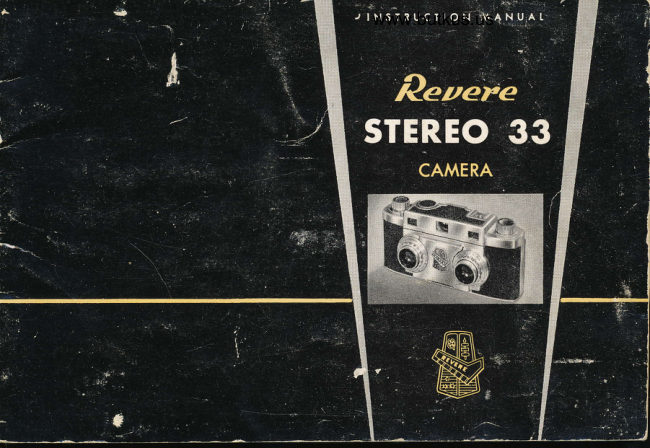
Revere Stereo 33 User manual
User manual for Revere Stereo 33. 17 pages in English. Read the original PDF, download or print a copy without registration.
17 pagesEnglish8.1 MB PDF
Loading your manual…Open PDF directly
Document details
- Brand
- Revere
- Model / document
- Revere Stereo 33
- Document type
- User manual
- Language
- English
- Pages
- 17
- File size
- 8.1 MB
- Category
- Film cameras
- Document date
- Not specified in catalog
Search available document text
Find a term, then jump to its page in the original PDF. Image-only pages may not be searchable; check the PDF for exact wording and diagrams.
Page 3 · Read text
REGISTRATION  CARD


                A Revere Registration Card is includgd with
                           your Revere Stereo Camera. On this eard please
                    PRINT the serial number you will find on the
                        bottom plate of the camera. Also, PRINT the
                          complete information requested on the card.
                        Within ten days after making purchase, send
                           card to:

                         REVERE CAMERA COMPANY
                              320 Eost Twenly-first Slreel               Chicoso 16, lllinois
                          This guarantee does not go into efrect until you
                           mail the card.


Copyrighl Revere Comero Compony                                                                                       Printed in U.S.A.
View original page 3Page 4 · Read text
www.butkus.us


          FORWARD


Stereo-pictures have opened a new era in photography.
Now you can have pictures of your family, your
friends, scenes from wonderful vacation trips, all in
glorious color and the breath-taking realism of third
dimension.
Iflith your Revere Stereo Camera you will easily make
these pictures.  ft is a precision instrument that will
pro-duce superb stereo.transparencies. For the design
and rnanufacture of this camera Revere has drawn
upon years of experience in producing America's finest
camera equipment. Since extreme precision is so basic
in stereo.carnera construction, ouf many years of ex-
per_ience_ assures you precision engineering combined
with highest quality materials and-workmanship.
Know you-r camera. By carefully following the instruc-
tions in this book you will easily produce excellent
stereo-transparencies.
View original page 4Page 6 · Read text
www.butkus.us


                     ACCESSORY MOUNTING BRACKET
                                RANGE TINDER TOCUSING KNOB


                                                             COVER I.OCK


RANGEFINDER EYEPIECE

                   VIEWFINDER EYEPIECE
                     PARAI.LAX CORRECTOR

                      -5-
View original page 6Page 7 · Read text
f  slid" Co"ur Lock io
                     OPEN, Remove comero
                                 cover.


3  Revolve sprockel until dot befween sprocket          4  Trrn Winding Knob
teeth is belween orrows.                                        counter - clockwise until
                                                        itslopsond...revolve
View original page 7Page 8 · Read text
www.butkus.us


   5  lnserl film leoder se-
    curely into slot of Toke-
   up spool. Film will not      6 Drow film corlridge ocross film  chonnel ond
    qdvonce  if film slips oul        drop cortridge into recess. Push down  Rewind
    of slot.                          Knob.


                                                                               I  Close Cover. Slide Cover Lock lo
                                      IOCK position. Press Shufter Re-
                                                       leose ond odvonce film. Press Shuf-
                                                               ter Releose ond odvonce film q sec-
                                               ond fime. Press Shutter Releose ond
                                                    odvonce film o third time. You ore
                                                   r:+w reody for first exposure. Set
                                                     Exposure Counter Diol to l.  (Turn
                                                  Exposure Counler Diol clockwise
                                                                   only. ) When odvoncing film Re-
                                          wind Knob will lurn only ofter
7  Insert  Cover hinge                             slock in film cortridge hos beeninlo hinge  rece ss,                                      token up.
View original page 8Page 9 · Read text
I  Set proper shutter speed and lens open.
                                                                          ing. A convenient exposure guide has been
                                                            placed on the bottom plate of the camera.
                                        When other combinations of shutter
                                                           speeds and lens openings are desired, use
                                                               of a light meter is recommended.
                    EXPOSURE GUIDE                      Type A, indoor film, rated ASA 16, may
                     Doylighl Color Film ASA l0                        also be used for sunlight exposures with                 -                              -                    Daylight conversion filters. Vith  this
                                                         combination the exposures are the game
                                                        as recommended for Daylight color film
Subiecl                                                         rated ASA 10.
Li sht                                                     Alu:ays set the calibration marks ol the
Averoge                                                       shutter speed, selected, directly in  line
Sub iect                                                                u:ith the ind,ex rnark on the lront of the
                                                                      cafnera.Dork
5ub iect

  Set Parallax Corrector as required. For subjects lo-
  cated from l0 feet to Infinity the BLACK line is
  aligned with the BLACK dot. For distances of 3 to
  l0 feet the Parallax Corrector should be rotated to
  the left until the RED line is aligned with the RED
  dot.

                                 -8-
View original page 9Page 10 · Read text
www.butkus.us


                                     3 Look through Viewfinder Eyepiece.
2 Look through the Rangefinder Eyepiece. Se-         Uoncentrate on framing the main object
lect th-e main object in your picture. Adjust           Jo -giye the desired composition. The livel                                                     bubFle, when visible at any point alongRangefinder Focusing Knob untif the double-im.
age    blends           into one image. The subject is now          prodircethe bottomstereoof thepaireviewfinderfree of tilt.rfindow,This LIim.wiil          foeus.in sharp                                                             inates eyestrain when viewing stereo pic.
                                                                   tureg.
                                               Hold camera firm and steady when press.  OUT OF FOCUS       IN FOCUS              ing Shutter Releaee Button.

                 ,ry
                       4l

         t$

                               -9-
View original page 10Page 11 · Read text
Your Counter will indicqfe when
the film is completely exposed.
Film pqckoged for Stereo use
only should show 20 exposures.
The stondord 20 or 36 exposure
roll should shovr l6 or 29 stereo
exposures  respectively. CAU-
TION: Do not odvonce film be-
yond fhe recommended number of
exposures. Overwinding    will
breok film loose from Rewind
Spindle ond require removing
film in dork roonr.
                                 2  Rewind film into corlridge until fhe Rewind Knob furns
I   Trrn Exposure Counter Diol              very freely. Turn Rewind Knob ot leosl one more full lurn.clockwise  until the R lines up
with the RED index dot.


                                                   4   Pull up Rewind Knob ond remove
                                                                         film cortridge. To relood ot lhis point,
                                                                   begin with Step 3. poge 6.


                         -10-
View original page 11Page 12 · Read text
www.butkus.us

          ,I,IOUNTING FITTERS
The Itevere Stereo Carnera has filter retaining
rings built into each leus barrel, assuring perfect
filter alignmeni and eliminating the need for
bulky accessory fiIter mounts. The filterso v:hen
in place, thus becorne an integral part of the
camera.
The lens barrel will accept Series IV mourrted
filters

To mount the filters remove the Filter Retaining
Ringsr lay the filters in place, and reassemble the
Filter Retaining Rings. Tighten the Retaining
Rings enough to hold the filters firmly, but not
too tight.
Use the filters recorrlllrended bv the filn-r manu-          FILTER RETAINING RINGS
facturer.

The lenses of the llevere Stereo Cautera are deeply recessed into the lens barrel, thus elinrinating
the necessity for using a lens shade under normal lighting conditions.

                                            -ll    -
View original page 12Page 13 · Read text
FTASH SYNCHRONIZATION
                                              Flash pictures are easy to make with your Re-
                                            vere Stereo Carnera. For your convenience the
                                              shutter has been internally synchronized for
                                                Class "Mo'and'oF" flash lamps and Strobe lights.
                                    Mount the flash unit in one of the two methods
                                                       illustrated on the following page. Select the pro-
                                            per shutter speed and lens opening according to
                                              the directions for the tytrle of lamp you are using.


TYPE OF IA'ITP                      SHUTTER SPEEDS


                                                                                        1                                                       /25, onty       rrM"                             T, B, I /2,1 / 5,1 /10, Closs                             Mqrked in RED on Shutter Speed Ring

 Closs 'rF'l                            Alf ShutterSpeeds Except 1/200

 Strobe lights                                All Shutter Speeds   (Closs Xl

                       -12-
View original page 13Page 14 · Read text
www.butkus.us


           MOUNTING THE FTASH UNIT
There are two types of flash units which may be used with the Revere Stereo Camera.
              a. Side mounting type.
              b. D-irect mounting type fitting into Accessory Mounting Brachet. (See
                      illustrations above.)
Check the follorving:
                       l. Be sure the terminal of the flash unit is in contact with the insul-
                  ated button in the Accessory Mounting Braeket.
              2. Always insert flash lamp after flash unit has been mounted.
                                   13 _                              -
View original page 14Page 15 · Read text
DEPTH.OF.FIEtD
Shutler speed  I /!i  ss6end-overoge subiects-4 lo 5        Depth-of-field can be computed with the aid
inch silver or sofin finish refleclor.                         of the two groups of f-numbers found out-
                                                     side the rangefinder dial. For example:  If
                With flosh gun qtloched lo comero,       the rangefinder reads 4 feet, and the chosen
                    focus rongefinder diql on subiecl, ond       aperture is f/8, note that the f/B on the left
                   reqd " FEET" morked in RED. Correcl ex-       side lines up with the RED 3, and on the
                    posure  is indicoted below lhe RED num-        right side f/B lines up with the RED 6. This
                      bers. For exomple:  lf rongefinder diol        'rneans that a subject focused at 4 f€et and
                    indicotes 6 feel, correcl lens opening      exposed at f/B will be in critical focus be-
                    setting is f/8.  Diol is compuled for      tween 3 and 6 feet. If greater depth is de-             SM or SF flosh bulbs wilh indoor color                                                               sired, a smaller f-stop with increased expo.
ftlm. Short peok flosh performonce mqkes this fype bulb      sure is necessary. TIIE DEPTH-OF-FIELD                    qclion.                                                  required.                                               is                                                  filter                                speciol          stopping                 Noideol      for                                                                                        CRITI.                                                REFERENCE                                                FOR                                     SCALE                                                   IS A                                                        bulbs,                                                 flosh                                  film                                   5                                with                                No.                indoor                       color      exposingWhen                                                                    TO                                                 USERS                                                     PLAN                                       WHO                                        STEREO                                CAL                                                       rendif                                                                ion.                                               color                                     for                                       correcf               recommended                      is   EK8                 I C               filteron                                                                                                   DI-                                                        THIRD                                         MOST                                          OUT                                              OF                                               TTIE                                  GET                 qn                                                     follows:                                  Expose                                          os                                             filter.                    EKgID                use           bulbsFor   No.25                                           MENSIO'N PHOTOGRAPHY.
                                                DOUBTE EXPOSURE FOR TRICK EFFECTS
                                          To rnake an intentional double exposure on
                                            a stereo pair, proceed as follows. Make the
                                                                            first exposure in the usual manner. Reset the
Allhough nol recommended for best resulls, doylighl       shuttefwith the External Set Lever and make
color film moy be exposed with 58 or 258 blue tinted       the second exposure. Double exposures are
flqsh bulbs os lhe moin lighl source. Exposures ore lhe       special photographic efiects which demand
some os indicoted on rongefinder diol computed for       careful planning for best results.
SM-SF flosh with indoor color film.
As in ouldoor phologrophy, expose light subiects th                SINGLE FRAME EXPOSURE
stop less ond dork subiects  I  stop more.              To make a single frame exposure, cover oneCoution: Since bulbs moy sholler when floshed. use o       lens and expose the first frame. Reset the
 cleor prolective shield over lhe refleclor os o sofel'y       shutter with External Set Lever. Cover the
 meosure. Do nol flosh lomps in on explosive otmosphere.       other lens and expose the second frame.
View original page 15Page 16 · Read text
www.butkus.us


 TIGHT SW     BUTTON
                                                REVERE STEREO 22 VIEWER

                                                    The Revere Stereo.22 Viewer is a quality op.
                                                                   tical instrument.  It has fine achromatic
                                                   matched lenses, interocular adjustment, and
                                                                right and left focusing knobs. The built.in
                                                            illumination Bystem assures sharpness, bril.
                                                                        liant color and depth pereeption. Adults and
                                                            children alike will find ir easy to operate.
                                                    Vith the large light switch button the view.
                                                               ing of many slides will not be tiri4g. Made of
                                                                    strong, durable, Iight weight plastic. Illumin.
                                                                ation is provided by two Bize ,oD', batteries                                            INTEROCUI.AR                                                         SPACING  and a single balb. Accessory Transfonner                                               ADJUSTMENTFOCUSING IKNOB                                                                Unit, Model 222: Operates bn ll0 Volt, 60
                                                           Cycle A.C. current. Recommended as batterv
               ACHROMATIC VIEWING TENSES                    replacement for continuous viewing.

                        EVEREADY CAMERA CASE
                 A  fine,, _top_ grq{e, cowhide earrying                             case with shoulder strap. Has dron
                                  front for instant use. Fits on tripod.
View original page 16From the M. Butkus archive. Original publisher and archive notices are retained.
Check the model and edition against your equipment.
PDF verified 2026-10-10.