Film cameras
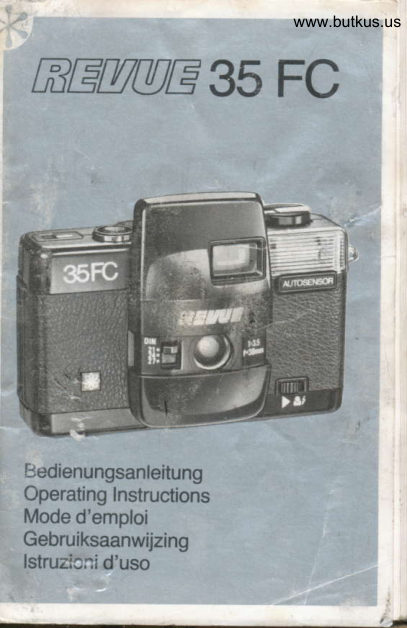
Revue 35 Fc User manual
User manual for Revue 35 Fc. 49 pages in German, French, Italian, Dutch. Read the original PDF, download or print a copy without registration.
49 pagesGerman, French, Italian, Dutch2.7 MB PDF
Loading your manual…Open PDF directly
Document details
- Brand
- Revue
- Model / document
- Revue 35 Fc
- Document type
- User manual
- Language
- German, French, Italian, Dutch
- Pages
- 49
- File size
- 2.7 MB
- Category
- Film cameras
- Document date
- Not specified in catalog
Search available document text
Find a term, then jump to its page in the original PDF. Image-only pages may not be searchable; check the PDF for exact wording and diagrams.
Page 1 · Read text
www.butkus.us

   :?t        It      5t-lt    't//t/  l  il-./til '"1          = 35 FC


l:.edienungsanleitung
Operating Instructions
Mode d'emploi
Gebruiksaanwijzing
lstruzi::i d'uso
View original page 1
Page 2 · Read text
D)l 1t l//l  ll  ll E                u  n1l 1l t//(                    /l 1       35 FC


!:edienungsanleitung
Operating Instructions
N4ode d'emploi
GeDruiksaanwijzing
lstruzi:ni d'uso
View original page 2
Page 5 · Read text
Merci de faire un don de 2,50 € pour soutenir ce site via E-bay ... www.PayPal.me/butkus


Als u deze handleiding nuttig vindt, doneer dan $ 3 aan https://www.paypal.com/paypalme/butkus


Bitte spenden Sie 2,50 Euro, um diese Website über E-Bay zu unterstützen ... www.PayPal.me/butkus
View original page 5
Page 8 · Read text
www.butkus.us
       Bedienungselemente:
    @ Batteriegehdusedeckel
           Filmtransporthebelt   @
    @ Objektivabdeckung
    @ Ausloser
;   @ Rrickspulknopf
   @ Kamerartickwand
   @ Filmpatronenfach
   @ Rrickspulachse
   @ Filmaufwickelspule
    @ Zahnrad f0r Filmtransport
    @ Bildziihlwerk
   @ Filmempf indlichkeits-Einstellschieber
    @ Grtine Kontrollanzeige
   @ Rote Kontrollanzeige  frir Blitzbereitschaft
   @ Elektronenblitz
       (9 Suchereinblick
   @ Rtickspulf reilauf knopf
   @ Rtickspulkurbel
    @ Objektiv
    @ Sucher
    @ Nah-Blitz-Schalter
       Einlegen der Batterien:
        Batteriegehausedeckel @ dffnen (Abb. 1).
        ZweiMicro-Batterien (Best.-Nr. 2629) wie im Bat-
         teriefach angezeigt einlegen (Abb. 2).
                                                  7
View original page 8Page 9 · Read text
Hinweis: Nur Alkali-Batterien verwenden.
 Schwache Batterien mtissen ausgewechselt wer-
 den. Wird die Kamera ldngere Zeit nicht benritzt,
 sollten die Batterien entnommen werden.


 Einlegen des Films:
 Filmtransporthebel @ leicht spannen. Die Objek-
 tivabdeckung @ springt dann auf und der Aus-
 l6ser@ ist entriegelt (Ab.b.3+4).
 Riickspulknopf.@ herausziehen und Kamera-
 rtickwand @ offnen (Abb. 5).
 K|einbi|dfilmpatroneindasFi|mpatronenfach@
 einlegen. Rrickspulknopf wieder eindrticken und               '
 etwas drehen, bis die Filmpatrone  in den Schlitz
 der Spulenachse @ einrastet (Abb. 6).
 Filmanfang etwas herausziehen und in einen der         !
 Schlitze der Aufwickelspule @ einfrihren.
 Filmtransporthebel@  spannen, damit die Zdhne
 des Filmtransportzahnrades @ in die Filmperfo-
 ration eingreifen (Abb. 7).
 Kamerartickwand schlieBen.
 lm Bildztihlwerkfenster @ erscheint nun der
 Buchstabe ,,S" (fLir Start) (Abb. 8).
 Wechselweise Ausloser drticken und Filmtrans-
 porthebel@ bedienen, bis im Bildzdhlwerk@ die
 Zahl ,,1" erscheint (Abb.9 + 10). Der Film ist nun
 richtig eingelegt.
8
View original page 9
Page 10 · Read text
www.butkus.us         Einstellen der Filmempf indlichkeit:
         Auf der Filmverpackung  ist die jeweilige Film-
          empfindlichkeit  in DIN und ASA angegeben.  Ftir
         diese Kamera konnen Sie 21-. 24- und 27-DlN-
         Filme (ASA 100,200 und 400)verwenden.
         Objektivabdeckung durch leichtes Spannen des
         Filmtransporthebels @ offnen und Filmempfind-
          lichkeitseinstellschieber @ auf den DIN (ASA)
         Wert des verwendeten Films stellen (Abb. 11).
        BeiVerwendung von Filmen einer anderen Emp-
           findlichkeit wird der Schieber auf den Wert einge-
             stellt, der der Empfindlichkeit des verwendeten
         Films am niichsten kommt.

        Belichtung:
          lhre Kamera ist mit folgenden Funktionen ausge-
           stattet:
         Filmempf indl ich keits- Ei nstellung, grri ner Leucht-
        anzeige ftir ausreichende  Lichtverhdltnisse und
          als Blitzbereitschaftsanzeige,  U nterbelichtu ngs-
        anzeige (rote Leuchtanzeige), automatischerr       Blitzzuschaltung bei ungentigenden  Lichtver-
          hdltnissen, automatischer Batterieabschaltung.
         Bei Offnen der Objektivabdeckung  schaltet sich
        automatisch die Stromversorgung  ein.t
       Kamera auf das Motiv richten.
          Bei ausreichenden Lichtbedingungen leuchtetdie
          grrine Bereitschaftsanzeige @ (Abb. 12).
F
View original page 10Page 11 · Read text
Bei nichtausreichenden  Lichtverhdltnissen schal-
 tet sich die rote Kontrollampe @ ein. Gleichzeitig
 beginnt sich der Elektronenblitz aufzuladen So-
 bald der Blitz @ aufgeladen  ist, leuchtet zusiitz-
  lich die grrine Bereitschaftsanzeige  auf  . Das Blitz-
 gerdt ist einsatzbereit und der Blitz wird bei Betd-
 tigen des Ausldsers ausgelost (siehe ,,Blitzauf-
 nahmen"). Die rote Kontrollampe@brenntweiter,
 um zu signalisieren, daB Blitzbetrieb eingestellt
  ist.
 Wird das Blitzgerdt geladen (sowohl die grtine als
 auch die rote Kontrollampe leuchten auf), die
 Kamera aber auf ein helles Motiv gerichtet,  ftir das
 kein Blitz benotigt wird, so schaltet sich das Blitz-
 system automatisch wieder aus und die rote Lam-
 oe erlischt.
 Zusammenfassung:
 Grtlne Kontrollampe - Kamera ist aufnahme-                            bereit
 Rote Kontrollampe - Warten, bis das grtine                            Licht aufleuchtet
 Rote und grrine
                    Kamera ist blitzbereit Kontrollampe        -

 Bleibt die Objektivabdeckung  ldnger als 40 Se-
 kunden otfen, ohne daB fotografiert wird, dann
 schalten sich die Leuchtanzeigen automatisch
 aus, um unnotigen Batterieverbrauch zu ver-.
 meiden.
t0
View original page 11Page 12 · Read text
www.butkus.us        Durch leichtes Drrlcken des Auslosers vor der
          niichsten Aufnahme werden Sensor und Leucht-
         anzeige wieder aktiviert.
        Nach der Aufnahme, Objektivabdeckung  in der
          Mitte nach unten drucken und einrasten lassen,
         damit die Stromversorgung ausgeschaltet  wird.
         Entfernungsei nstel   I ung  :
           lhre Kamera ist fabrikmdBig auf beste Ergebnisse
         im Bereich von 1,5 m bis unendlich eingestellt.
         Eine Entfernungseinstellung  erribrigt sich
        Hinweisl Nicht ndher als 1.5 Meter an das Motiv
         herangehen!

        Tageslichtaufnahmen:
         Vor der Aufnahme, Filmtransporthebel spannen.
           Prtifen, ob grune Kontrollampe leuchtet. Bildaus-
           schnitt festlegen u. Ausloser sanft durchdrrlk-
l.        ken.
        Der Film wird korrekt transportiert, wenn sich bei
         Betdtigen des Filmtransporthebels der Rrickspul-
F        knopf dreht. Bei locker aufgewickeltem  Film dreht
          sich der Rtickspulknopf  evtl. erst nach 2 oder 3
        Aufnahmen, sobald der Film wieder gestrafft  ist.
        Nach der Aufnahme, Objektivabdeckung zum
         Schutz des Objektivs und der Schonung der Bat-
          terien stets schlieBen!

                                                                          il
F
View original page 12Page 13 · Read text
Blitzaufnahmen:
Bei Innen- oder AuBenaufnahmen unter nicht
ausreichenden Lichtbedingungen  leuchtet zu-
ndchst die rote Anzeige auf (siehe ,,Belichtung").
Das Blitzgerdt beginnt sich dann aufzuladen. So-
bald sich die grtine Kontrollampe einschaltet,  ist
das Blitzgeriit geladen.
Die Kamera  ist blitzbereit, wenn sowohl die grtine
als auch die rote Anzeige leuchten.
Empfohlene Entfernungen fur Blitzaufnahmen:
       DIN 21 ,(ASA 100): 1,5-3,0 m
       DIN 24 (ASA 200): 2,0-4,5 m
       DIN 27 (ASA a00): 3,0-6,0 m
lm Nahbereich (0,7 bis 1,5 m) ist - unabhdngigvon  :
der Filmempfindlickeit - zusdtzlich der Schalter
@ in Richtung Blitzsymbolzu schieben und bei
den Aufnahmen  in dieser Position zu halten
(Abb. 15).
Bei ausreichenden Lichtverhdltnissen  wird der
Blitz automatisch abgeschaltet, so daB nur noch
die grrine Anzeige brennt. Als Aufnahmeentfer-
nung kann dann wieder 1,5 m bis unendlich ver-
wendet werden.
Achten Sie darauf, daB der Elektronenblitz wdh-
rend der Aufnahme nicht mit dem Finger abge-
deckt wird, da die Bl itzleistu ng dadurch gem indert
wird.


12
View original page 13Page 14 · Read text
www.butkus.us Filmentnahme:
 Die Zahl der belichteten Aufnahmen  ldBt sich im
 Bildzdhlwerk kontrollieren.
 Sobald der Film vollig belichtet ist, ldBt sich der
 Filmtransporthebel nicht mehr betdtigen. Versu-
chen Sie nicht, den Film gewaltsam weiterzu-
transportieren, da dies die Kamera beschddigen
oder den Film zerreiBen wrjrde.
Zum Rtickspulen des Films zundchst Objektivab-
deckung in der Mitte nach unten drricken und ein-
rasten lassen. Dann Ruckspulfreilaufknopf @ ein-
drticken (Abb. 13) und Rrickspulkurbel@ am
Rtickspulknopf @ ausklappen. Ruckspulknopf
nicht herausziehen, da hierdurch die Kamera-
rrickwand geoffnet wrirde. Zum Rtickspulen des
Filmes Riickspulkurbel  in Pfeilrichtung drehen
(Abb. 14), bis ein leichter Widerstand zu spriren
ist (Film lost sich von der Aufnahmespule). Nun
noch etwas weiterdrehen,  bis die Rrickspulung
merklich leichter geht.
Rrickspulknopf @ hrausziehen, Kamerarrick-
wand offnen und Filmpatrone entnehmen. Film
unverzriglich zum Entwickeln einschicken.
Bei SchlieBen der Kamerarr.ickwand kehrt das
Bildzdhlwerk automatisch  in seine Ausgangs-
position zurrjck (,,S").


                                                     t3
View original page 14Page 15 · Read text
Technische Daten:
Filmtype:      Kleinbildformat 24x36 mm
objektiv:                      3i,tij8,?il:vorrvergtitet'
                          1/tzs Sek.VerschluB:
MeBzelle:     Fur Leuchtanzeige und
                   automatische
                     Blitzzuschaltung
Sucher:        Durchsichtssucher
Blitzgerdt:     eingebaut
 Filmtransport: ,    Schnelltransporthebelmit
                    Doppel belichtu ngssperre
Spannungsquelle:  2Alkali Batterien
                    (2x1,5 V Micro)
Abmessungen: 117x71x51 mm
Gewicht:      230 g (ohne Batterien)


l4
View original page 15Page 16 · Read text
Operating Elements:         www.butkus.us
@ Battery compartment cover
@ Film advance lever
@ Front lens cover
@ Shutter release
@ Film rewind knob
@ Camera back cover
@ Film compartment
@ Film rewind spindle
@ Take-up spool
@ Film advance sprocket
@ Frame counter
@ Film speed selector
@ Green control indicator
@ Red control indicator (flash)
@ Electronic flash
@ Viewfinder eyepiece
@ Film rewind release button
@ Rewind crank
@ Lens


                                                                                                                                                                                                                                                                                                                 a@ Viewfinder
@ Close-up flash switch
Inserting the batteries:
Open the battery compartment cover @ (Fig. t).
Insert two micro batteries (item no. 2629).
Observe the battery polarity shown inside the
battery compartment  (Fig. 2).                                                 15
View original page 16Page 17 · Read text
Note: Use alkaline batteries only. Weak batteries
 must be replaced. Remove the batteries  if the ca-
 mera is not likely to be used for an extended period
 of time.
 Loading the camera:
 Slightly cock the film advance lever @. This will
open the  f ront lens cover @ and unlock the shutter
 release @ (Fig.3+4).
 Pull out the film rewind knob @ and open the ca-
mera back cover (Fig. 5).
 Insert a 35 mm film cartridge into the film com-
partment @. Push the film rewind knob in again
and turn  it a little until the film cartridge
engages with the film rewind spindle @ (Fig. 6).
Slightly pull out the film leader and insert  it into
one of the slots on the take-up spool @.
Cock the film advance lever @ so that the teeth of
the film advance sprocket @ engage with the film
perforation (Fig.7).
Close the camera back cover.
The frame counter @ now shows the letter "S"
(Start)(Fig.  B).
Alternately depress the shutter release and ope-
rate the film advance lever untilthe figure "1"
appears in the frame counter (Fig. 9 + 10). The
film is now correctly loaded.

l6
View original page 17
Page 18 · Read text
www.butkus.us
 Setting the film speed:
The DIN/ASA speed of the film used is specified
on the film pack. Your camera accepts DIN 21,24
and27 film (ASA 100, 200 and 400).
Open the front lens cover by cocking the film
advance lever @ slightly and set the film speed
selector @ to the DIN (ASA) sensitivity of the fitm
used (Fig. 11).
When using films of speeds other than specified,
set the selector at the speed nearest to that of
your film.
Exposure control:
Your camera's exposure system includes the fol-
lowing functions:
Film speed setting, green control indicator for
satisfactory lighting conditions and for signalling
flash readiness, under-exposure warning (red
control indicator), automatic activation of flash in
case of insufficient light and automatic timer for
saving the batteries.
The power supply is activated by opening the
front lens cover.
Aim the camera at the subject.
Under good lighting conditions, the green control
indicator@  lights up (Fig. 12).
lf the lighting is not sufficient, the red control indi-
cator @ will start glowing. At the same time, the

                                                 17
View original page 18Page 19 · Read text
electronic flash automatically starts charging.
When the flash @ is charged the green control
 indicator additionally lights up. The flash unit is
 now ready for operation and the flash will be fired
 upon depression of the shutter release (see
 "Flash photography"). The red control indicator@
 stays on to remind that the flash is going to be
 used.
  lf the flash is charged (both the green and the red
 control indicators are lighted) but the camera  is
 directed towards a bright subject which does not
 require flash, the flash circuit is automatically dis-
 connected and the red indicator goes out.
 Summary:
 Green control indicator - Camera ready for                           shooting
                         Wait for the green Red control indicator -                             control light to come
                       on
                     Camera ready for Red and green         - control indicator            flash operation
  lf the front lens cover stays open for more than 40
 seconds without taking a picture, the control indi-
 cators are automatically turned off to avoid un-
 necessary battery drain.
 Slight depression of the shutter release before
 taking the next picture will re-activate the sensor
 and the control indicators.

l8
View original page 19Page 20 · Read text
www.butkus.us
        After shooting, depress the front lens cover in the
       middle and allow  it to lock in place so that the
      power supply is disconnected.
      Focusing:
       Your camera is factory set for best results at 1.5 m
F       to infinity. So there is no need for focusing.
      Note: Do not approach the subject closer than
        1.5 m!
       Daylight photography:
       Before shooting, make sure to cock the film ad-
      vance lever.
      Check the green control indicator, frame the pic-
       ture in the viewfinder and gently depress the
       shutter release.
      The film is properly advanced  if the film rewind
      knob rotates while the film advance lever is ope-
                      film                                                     film                               is                             lf the                       loaded loosely,                                         the                                              rewindI      rated.knob may                  not                                       few                            rotating                          start                                before a                                         exposures
      have been taken.
        After shooting, close the front lens coverto protect
       the lens and to save battery power.
      Flash photography:
     When taking indoor oroutdoor pictures underpoor
        lighting conditions, the red control indicator lights
      up (see "Exposure control"). The flash unit then
        starts charging.  lt is fully charged when the green
       control indicator glows.
                                                         t9
View original page 20Page 21 · Read text
The camera is ready for flash operation as soon
 as both the green and the red indicators glow.
 Recommended distances for taking flash shots:
       DIN 21 (ASA 100): 1 .5-3.0 m
       DIN 24 (ASA 200): 2.0-4.5 m
        DIN 27 (ASA a00): 3.0-6.0 m
 When taking flash pictures in the close-up range
 (0.7 to 1.5 m), make sure to slide the switch @ in
 direction of the flash symbol and hold  it in this
  position, no matter which sensitivity the loaded
 film has (Fig. 15).
 Under good lighting conditions the flash is auto-
 matically turned off so that only the green indi-
 cator is lighted. You may then again use a shooting
 distance of 1.5 m to infinity.
 Make sure not to cover up the electronic flash
 during exposure as this will reduce the flash out-
 put.
 Unloading the camera:
 The number of exposures taken may be checked
 in the frame counter.
 When you have taken the last picture, you willfeel
 a stiff resistance on the film advance lever. Do not
 force  it any farther, as this would damage the ca-
 mera or tear the film.
 To rewind thefilm, first depress the front lens cover
  in the middle, and allow itto lock in place. Then
 press the film rewind release button @ (Fig. 13)
20
View original page 21Page 22 · Read text
www.butkus.us
and unfold the rewind crank @ on the film rewind
knob @. Do not pull out the rewind knob as this
would open the camera back cover. Now rewind
the film by turning the rewind crank in direction of
the arrow (Fig. 14) until a slight resistance  is ncited
(thefilm leader  is releasedfrom thetake-up spool).
Go on turning carefuly until you note that the film is
completely rewound.
Pull out the film rewind knob @, open the camera
back cover and remove the film cartridge. Have
the film developed without delay.
The frame counter automatically returns to its
starting position ("S")when the camera back
cover is closed.


                                                      21
View original page 22Page 23 · Read text
Technicaldata:
Film type:       35 mm film (24x36)
Lens:          F 3.5/38 rnm, fully coated,
                 3 elements, fix-focus
                          1/res sec.Shutter:
Sensor:         for control indicators and
                   automatic activation of flash
Viewfinder:   Opticaldirect viewfinder
Electronic flash:  built-in
Film advance: Rapid wind levelwith double                         '   exposure prevention
Power supply:  2 alkaline batteries
                   (2x1.5 V micro)
Dimensions: 117 x71x51 mm
Weight:       230 g (without batteries)
View original page 23Page 24 · Read text
www.butkus.us
       Elements de commande:
    @ Couvercle du compartiment-piles
    @ Levier d'armement
    @ Volet protecteur d'objectif
    @ D6clencheur
    @ Bouton de rebobinage
    @ Dos de I'appareil
    @ Compartiment-film
    @ Axe de rebobinage
    @ Bobine r6ceptrice du film
    @ Debiteur dent6 pour le transport du film
    @ Compteur de vues
  !   @ Curseur de r6glage des sensibilit6s
    @ Signalvert
    @ Signalrouge "Flash pr6t"
  ,  @ Flash 6lectronique    @ Oculaire de vis6e                   '
    @ Bouton de d6brayage du rebobinage
    @ Manivelle de rebobinage
    @ Objectif
    @ Viseur
    @ Commutateur de flash pour gros plans
I       Mise en place des pites:
                      le couvercle du compartiment@ (fig. 1) etI      Ouvrez
I        introduisez deux micro-piles  (r6f. 2629) commetvl     indiqu6 d l'int6rieur du compartiment  (fig. 2).
View original page 24From the M. Butkus archive. Original publisher and archive notices are retained.
Check the model and edition against your equipment.
PDF verified 2026-10-10.