Film cameras
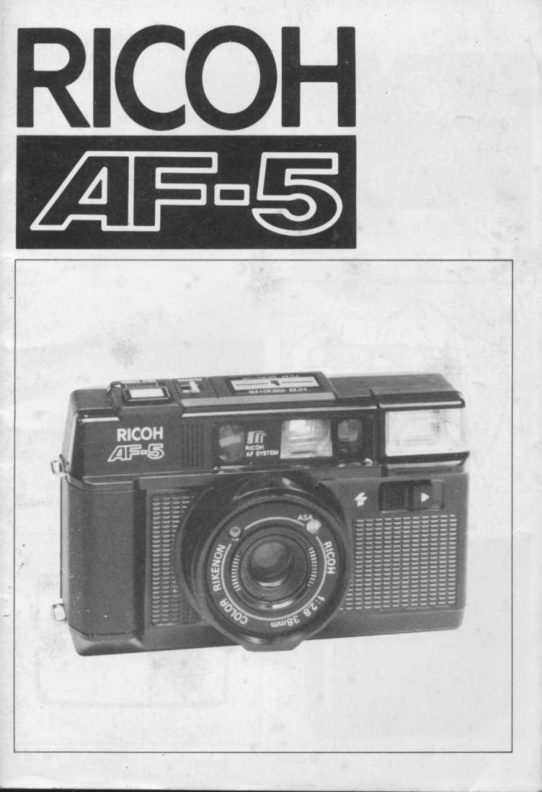
Ricoh AF 5 User manual
User manual for Ricoh AF 5. 54 pages in German, French, Spanish. Read the original PDF, download or print a copy without registration.
54 pagesGerman, French, Spanish3.7 MB PDF
Loading your manual…Open PDF directly
Document details
- Brand
- Ricoh
- Model / document
- Ricoh AF 5
- Document type
- User manual
- Language
- German, French, Spanish
- Pages
- 54
- File size
- 3.7 MB
- Category
- Film cameras
- Document date
- Not specified in catalog
Search available document text
Find a term, then jump to its page in the original PDF. Image-only pages may not be searchable; check the PDF for exact wording and diagrams.
Page 2 · Read text
Mike Butkus Digitally DN:email=mike@butkus.org,Date:cn=Mike2025.01.21signedButkus,by20:13:44Mikeo, ou=Butkus.org,Butkusc=US-05'00'View original page 2
Page 9 · Read text
www.butkus.us

PARTS
 1. Viewfinder
 2. Distance Measuring Window
 3.  Film Monitor/Exposure Counter
 4.  Film Rewind Switch
 5. Shutter Release Button
 6.  Self Timer Switch
 7. Strap Eyelet
 8.  Photocell
 9. Shutter Release Lock Button
10. Lens
1 1. Film Speed Ring
'12. Film Speed Window
13. Flash Unit Switch
14. Built-in Flash Unit
15. ViewfinderEyepiece
16. Flash Ready Lamp
17. Film Rewind Shaft
18. Film Chamber
19. Battery Compartment Cover
20. Film Guides
21 .  Film Rewind Release Button
22. Tripod Socket
23. Sprocket
24. Film Take-up Spool
25. Film Check Window
26. Finger Rest

we are most gratified that you have selected the RlcoH AF-S. All you
have to do is point the camera at the subject you wish to photograph
and press the shutter release button. Focusing and exposure are done
automatically.  In addition, film loading, advance and rewinding are also
View original page 9
Page 10 · Read text
automatic, so that everyone can enjoy this easy to use camera.
Please read these instructions carefully before you use the camera.

INSERTING THE BATTERIES
This camera will not operate unless the batteries are inserted. lt is im-
portant to install the batteries properly.
1. Push the Battery Compartment Cover in the direction of the arrow
  @    to oPen. (Fig. 1)
2. Insert two batteries. checking that the @ and O on the batteries
    are lined up correctly, according to the polarity diagram inside the
    battery compartment. (Fig. 2)
3. Close the Battery Compartment Cover by pushing  it in the direction
    of the arrow. (Fig. 3)

Batteries to use
Two Alkaline penlight batteries or
Two Manganese penlight batteries.
O Do not use Nickel Cadmium batteries.
a  Please remove the batteries from the camera when you do not use
    the camera for a long period of time.

CHECKING THE BATTERIES
Remove the Lens Cap before you check the batteries.  lf the lens cap is
left on, a safety device will operate to prevent the Shutter Release But-
ton from being activated.
*  Make sure the Shutter Release Button is not pressed in when you
    are removing the lens cap, as a frame may be taken in error.
1. Cover the Photocell (small glass window next lens) with your hand,
   and press the Shutter Release Button in halfway. (Fig. 4)
2.  ff the red Camera Shake Warning Signalf' in the Viewfinder blinks,
    then the batteries are in working order. (Fig. 5)
    ln normal temperatures  (at 2O"C and with new Alkaline batteries)
View original page 10Page 11 · Read text
www.butkus.us

without using the Flash Unit, approximately 7O rolls of 36 exposure
film can be taken. lf the Flash Unit is used for every frame, then 7 rolls
of 36 exposure film can be taken. Please change both batteries to new
ones of the same kind in the following cases:
A. The red Camera Shake Warning Signal Qaoes not blink when you
    have covered the Photocell with your hand and the Shutter Release
    Button is oressed  in.
B. The shutter cannot be released (remember to remove the Lens
    caP)'
c.  The Flash Ready Lamp takes more than 30 seconds to light up.
D. The Film Advance or Film Rewind does not operate.
E.  The batteries have been in the camera for more than one year (even
    without using the camera, batteries will run down naturally).
    Generally. in cold conditions, the capacity of the batteries de-
    creases, and in some cases, the camera may not operate properly.
   You should either warm the batteries or keep a spare set in your
    pocket, inserting them just before you use the camera. lncidentally,
    batteries that have lost their capacity in cold temperatures, will re-
   cover in normal temperatures, so do not throw them away.

LOADING THE FILM
1. Push the back cover lever downwards in the direction of the arrow
    {l$    to open. (Fig. 6)
2. Load the film in the Film Chamber. (Fig. 7)
3. Pull out the film leader and place it over the Film Take-up Spool.
    Please see that the film is within the white Film Guides. (Fig. 8)
     (Fis. 9) (Fig. 1o)
4. Push the back cover shut so that the back cover lever is back to its
    original position. (Fig. 1 1)
5. Press the Shutter Release Button to advance the film until the
   number '1'appears in the Exposure Counter window. lf no number
   appears in the Exposure Counter window, the film is not loaded
    correctly. Please reload the film. (Fig. 12)
View original page 11Page 12 · Read text
The Film Monitor is a mechanism ensures that if the film is not
    advancing correctly, the Exposure Counter will not move forward.
o  Always avoid direct sunlight when you load the film.
oa     lf the film is removed from its carton and left in high temperatures
    or humidity before it is loaded,  it may not advance to the end of the
     film.

SETTING THE FILM SPEED
1. The film speed is indicated on the outer packaging of the film:
     e.s. ASA 1OO (lSO 1OOl21'l
     ASA 4OO (lSO 4Oo/27") {Fig. 13)
2. Turn the Film Speed Ring to set the speed of the film you are using
     in the center of the Film Speed window.  (Fig. 1a)
o  Please set the Film Speed Ring to click stop positions. Do not use
   mid-way positions.

VIEWFINDER                                                                   i    1. Field of View Frame
    2. Parallax Correction Marks
    3. Flash Ready Lamp
    4. Auto-Focus Frame
    5. Zone Marks
    6. f  Camera Shake Warning Signal (Fig. 15)
1. Field of View Frame
   The subject such as people or scenery that you wish to take should
   be set within this frame.
2. Parallax Correction Marks
   When taking a picture of a subject that is between 1 - 12 m (3-4
     ft) away from the camera, it should lie within these marks' Any-
    thing outside the marks will not be included in the picture even
    though you can see it through the viewfinder.
View original page 12Page 13 · Read text
www.butkus.us

3.  Flash Ready Lamp
  When the flash is fully charged and ready for shooting, this lamp
     will light up.
4.  Auto-Focus Frame
   The Auto-Focus Frame focuses automatically on the subject that
     lies within  it.
5.  Zone Marks
   These marks indicate the focusing distances. When the  I   mark
    blinks, then the subject is too close to the camera. You should
   move further away from the subject.
6. Camera Shake Warning Signal
       lf this lamp blinks when the Shutter Release Button is pressed half-
    way, then you should change toflash photography.

SHOOTING ON AUTO-FOCUS
1. Set the subject you wish to take within the Auto-Focus Frame in
    the center of the Viewfinder. (Fig. 16)
2. When you press the Shutter Release Button halfway, the Zone
   Marks will light up to indicate the focusing distance.  lf the   i
   mark blinks, you should move back a little as the camera is too
    close to the subject.  (Fig. 1 7)
3.   lf the Camera Shake Warning Signal does not light, gently press
   the Shutter Release Button in fully to take the picture. The film will
   advance automatically as soon as the shutter has been released.
    (Fig. 18)
    Please be careful not to cover the Distance Measuring Window at the
    front of the camera accidentally, as the focusing will not be correct.
   Please keep the Distance Measuring Window clean so that the fo-
   cusing is accurate. lf it gets dirty, please wipe it clean with a soft
    cloth.
   There may be rare cases where the subject cannot be properly fo-
    cused.
View original page 13Page 14 · Read text
(For instance, subjects that do not reflect light well, glossy subjects,
    or subjects taken through glass.)
Shooting Distance
For subjects that are less than 1 m away from the camera,  it is not pos-
sible to obtain a sharo focus.

PRE-FOCUS SHOOTING
When the subject you wish to focus on is outside the Auto-Focus
Frame, or if the subject is difficult to focus on, you should use the 'pre-
focus'feature.

When the subject is outside the Auto-Focus Frame
1.  lf you want to photograph two people, there may be cases where
    neither of them can be set within the Auto-Focus Frame in the
    center of the Viewfinder.  lf you release the shutter, the background
    will be in focus, and the people which are the main subject will be
    out-of-focus. (Fig. 1 9)
2. Move the camera so that one of the people is within the Auto-
    Focus Frame. (Fig. 2O)
3. Press the Shutter Release Button halfway so that the Zone Mark
    lights up and the focusing distance is indicated. Keep your finger
    pressed down on the Shutter Release Button. (Fig. 21  )
4. Return the camera to its former position so that both people are in
   the Field of View Frame, then press the Shutter Release Button ful-
     ly to take the picture. lFig.22l

When the subject is difficult to focus on
1. When you take subjects that are difficult to focus on, find another
    subject at about the same distance from the camera. Use that sub-
    ject in the same way as described above.
O When you remove your finger from the Shutter Release Button, pre-
    focusing will be cancelled, so you can then go on to focus again as
   many times as you wish.

                             -6-
View original page 14Page 15 · Read text
www.butkus.us

REWINDING THE FILM
When the end of the film has been reached, an electronic sound will be
emitted. Please rewind the film immediately.
1. Push the Film Rewind Release Button on the underside of the cam-
    era. (Fig. 23)
2. Push the Film Rewind Switch on the top of the camera in the direc-
    tion of the arrow. (Fig.24l
3. As you rewind the film, the Exposure Counter will run backwards.
   When the "S" appears in the Exposure Counter window, slide the
    Film Rewind Switch back to its former position. Film rewinding is
   now completed and you can unload the film. (Fig. 25)
a  Do not open the back cover until the "S" has appeared  in the Expo-
    sure Counter window.

FLASH PHOTOGRAPHY
Change to flash photography when the Camera Shake Warning Signal
(f\  in the Viewfinder blinks when the Shutter Release Button is
pressed halfway.
1. Push the Flash Unit Switch in the direction of the arrow ) and the
    Flash Unit will pop up turning the power source on automatically.
     (Fig. 26)
2. Check that the Flash Ready Lamp in the Viewfinder is lit, then take
    the picture. (Fig.27l

Flash photography distance
Shooting range: 1 m/3.3  ft - 4.3 mll4.1 ft (ASAI 00)
                1 m/3.3 ft-5.2ml17  tt (ASA4OO)
                 1.4 m14.6 ft - 5.5 m|18.2  ft (ASA10OO)
a  Always push the Flash Unit back in when not in use.  (lf it is left up,
    the batteries will wear out faster.)
O   lf the Shutter Release Button is kept pressed halfway with the Flash
    Unit on, the Flash Unit will not be charged. Allow the flash to
    charge by removing your finger from the shutter release.
                           -7  -
View original page 15Page 16 · Read text
O Be careful not to put your finger in front of the flash window.
O  lf the Shutter Release Button is pressed before the Flash Ready
   Lamp lights up, the picture will be under-exposed.
o  You can use the Flash Unit as a fill-in light for daytime photography
    too.

USING THE SELF-TIMER
1. Slide the Self-Timer Switch fully in the direction of the arrow.
     (Fig. 28)
2. When the Shutter Release Button is pressed, an electronic sound
    will be emitted. The shutter will be released about 1O seconds
     later. (Fig. 29)
3. When you have finished using the Self-Timer, please slide the Self-
   Timer Switch back to its former position. (Fig. 30)
O  lf you wish to cancel the Self-Timer, slide the Self-Timer Switch
    back to its former position.
o When using the Flash Unit together with the Self-Timer, press the
    Shutter Release Button only after the Flash Ready Lamp is lit.

OTHER FEATURES
1. Shutter Release Lock
   When the lens cap is put on, the shutter will be locked. This is a
    convenient mechanism that prevents you taking a picture with the
    lens cap in place, or releasing the shutter by mistake.  (Fig. 31)
2. Film Check Window
   You can confirm whether a film is loaded or not by looking through
    the Film Check Window. (Fig. 32)
3. Diooter Correction
   There is a Diopter Correction Adapter to enable people who are
    near or far sighted to see more clearly through the viewfinder.
    Please use the Diopter Correction Adapter for the RICOH SLR cam-
    eras.  lt slides on the Viewfinder Eyepiece. (Fig. 33)
View original page 16Page 17 · Read text
MAJOR SPECIFICATIONS

Type:        I
      35 mm lens shutter type with automatic focusing
Lens:
      38 mm F2.8 Colour Rikenon lens, 4 elements 3 groups filter
       diameter 46 mm
Focusing:
       Automatic focusing with pre-focus facility.
        Distance measuring (shooting) range 1 m - oo
Shutter:
       Programmed A type electronic shutter.
self-timer:
         Built-in. Operating delay of approx. 10 secs.
Viewfinder:
       Albada type with bright frame viewfinder (with parallax correc-
        tion marks). Magnification: 0.46 X Field of View 83%, Diopter
       Correction Adapter can be attached.
Viewf inder information  :
         Field of View Frame, Parallax Correction Marks, Auto-Focus
      '   Frame.Lamp. Zone Marks, Camera Shake Warning Signal. Flash Ready
Exposure Adjustment:
      With Cds Photocell, Exposure Coupling Range EV6 - EV17
      (ASA 1OO)
Film Speed Range:
     ASA25 - ASA lOOO
Film Advance/Rewind:
       By electric motor with Film Check Window
Film Loading:
      RICOH Auto-Load svstem
View original page 17Page 18 · Read text
Exposure Counter:
        Additive, reversed when rewinding
Built-in Flash:
       Flash photography by turning of Flash Unit Switch
Guide Number:
           1 2 (ASA  l OOlm. Exposure adjustment through flash-matic
       system.
lnterval between flashes:
      About 7 seconds
Number of shots possible:
      With new Alkaline batteries (under normal temperatures of
       2O"C)-
      Without using flash unit: more than 70 rolls of 36 exposure
         film.
     When using the flash unit repeatedly: more than 7 rolls of 36
       exposure film.
Power Source:
      2 penlight Alkaline batteries
  or 2 penlight Manganese batteries
       (Do not use Nickel Cadmium batteries)
Dimensions:
      129 mm (Wlx 79 mm (H)x 55 mm (D)
Weight:
      330 g (without batteries)

Specifications and appearance of this camera are subject to change
wrthout notice.


                                                                                                                                                 ti
View original page 18Page 19 · Read text
www.butkus.us

NOMENCLATURE
 1. Viseur
 2.  Fen6tre de mise au point automatique
 3.  Contr6leur de film / Compteur d'images
 4.  Commutateur de rembobinage
 5.  Bouton du d6clencheur
 6.  Bouton d'armement du d6clencheur automatique
 7.  (Eillet pour bandoulidre
 8.  Cellule
 9.  Bouton de verrouillage du d6clencheur
1O. Objectif
1 1. Bague d'6chelle de sensibilit6
12. Fenetre de sensibilit6 du film
13. Commutateur du flash incorpor6
14. Bloc flash incorpor6
15. (Eilleton de vis6e
16. T6moin de recharge du flash
17. Manivelle de rembobinage
18. Logement du chargeur de film
19. Couvercle du logement des piles
20. Guides film
21 .  Poussoir de d6brayage dentrainement
22.  Filetage pour tr6pied
23. Roue dent6e d'entrainement
24. Bobine r6ceotrice du film
25. Fen6tre de contrOle du film
26. Repose-doigt

Vous venez de s6lectionner  le RICOH AF5 et nous vous en sommes
reconnaissants.
Tout ce que vous devez faire est de diriger votre appareil vers le sujet
choisi et d'appuyer sur le bouton du d6clencheur. La mise au point et le

                         11-
View original page 19Page 20 · Read text
r6glage de I'exposition se font automatiquement. De plus. le charge-
ment du film, l'avancement et le rembobinage se font aussi automati-
quement; par cons6quent, tout le monde pourra appr6cier la facilit6 de
maniement de cet appareil. Ne pas oublier de lire attentivement ces
instructions avant d'utiliser l'appareil.

MISE EN PLACE DES PILES
Cet appareil ne fonctionnera que lorsque les piles seront mises en pla-
ce.
ll est donc important de placer les piles correctement.
1. Repousser  le couvercle du logement des piles dans le sens indiqu6
    par la fldche @    pour l'ouvrir. (Fig. 1)
2.  Introduire 2 piles en contr6lant que le O et le O sont align6s cor-
    rectement comme repr6sent6 sur le sch6ma  i  l'int6rieur du loge-
   ment des piles. (Fig. 2)
3. Fermer le couvercle du logement des piles en le poussant dans la
    direction de la fldche. (Fig.3)
Choix des piles
Deux piles alcalines de type UCAR E 91 ou 6quivalent
O Ne pas utiliser de piles au cadmium-nickel
O  Retirer les piles si l'appareil n'est pas utilis6 pendant un certain
   temps.

CONTROLE DES PILES
Retirer le couvercle de l'objectif avant d'essayer les piles. Si vous
oubliez le couvercle de l'objectif, un m6canisme de pr6vention est en
place et emp6chera  le fonctionnement du d6clencheur.
*  Veillez d ne pas appuyer sur le bouton du d6clencheur en
    retirant le couvercle de I'objectif, ceci entrainerait une prise de vue
    intemoestive.
1 .  Couvrir la cellule (petite fen6tre d c6t6 de l'objectif) avec la main, et
   appuyer d mi-course sur le bouton du d6clencheur.  (Fig. 4)

                         -12-'
View original page 20Page 21 · Read text
www.butkus.us

 2. Ouand le signal rouge Q clignote dans le viseur, ceci indique que
      les piles fonctionnent. (Fig. 5)
     Par temp6rature normale (2O'C et avec les piles alcalines) 7O pelli-
     cules de 36 poses peuvent 6tre prises si l'on n'utilise pas le flash.
    En cas d'utilisation du flash pour chaque photographie, on ne pour-
      ra prendre que l'6quivalent de 7 bobines de 36 poses.
     Changer les piles dans les cas suivants:
 A. Si, aprds avoir couvert la cellule avec la main et appuy6 d mi-course
     sur le bouton du d6clencheur le signal rougeQne clignote pas.
 B. Si l'obturateur ne se d6clenche pas (ne pas oublier de retirer le cou-
     vercle de l'objectif).
 C. S'il faut plus de 30 secondes pour que le t6moin de recyclage du
     flash s'allume.
 D. Si l'entrainement du film ou le rembobinage ne s'effectue pas.
 E. Si les piles sont rest6es pendant plus d'un an dans l'appareil (mdme
      si I'appareil n'a pas 6t6 utilis6 les piles se d6chargent naturellement
-    dans le temps).
 O  Par temps froid, la capacit6 des piles diminue, et parfois l'appareil
    ne fonctionnera pas correctement.  ll est recommand6 de r6chauf-
      fer les piles ou d'avoir des piles de rechange et de les ins6rer avant
      l'utilisation de l'appareil. Incidemment   il arrive que les piles ayant
    perdu leur capacit6 par temps froid puissent la r6cup6rer d temp6ra-
     ture normale; par cons6quent  il est pr6f6rable de ne pas les jeter.

 CHARGEMENT DU FILM
 1. Pousser le levier du dos de l'appareil vers le bas en direction de la
     fldche {!}    pour ouvrir. (Fig. 6)
 2. Introduire le film dans le logement de cartouche du film. (Fig. 7)
 3. Tirer la languette amorce et la placer par-dessus la bobine r6ceptri-
    ce du film. Assurez-vous que le film est bien introduit d l'int6rieur
    des lignes guides blanches. (Fig.8)
 4. Refermer le dos de l'appareil afin que le levier se retrouve dans sa
     position d'origine. (Fig. 9)
                              - 13
View original page 21Page 22 · Read text
5.  Appuyer sur le d6clencheur et avancer le film jusqu'd l'apparition du
   num6ro "1" dans le compteur d'images. Si aucun num6ro n'appa-
      rait, le film est mal bobin6. veuillez recommencer l'op6ration.
     (Fig. 1O)
   Le contr6leur de d6roulement du film est incorpor6.  ll se d6clen-
    chera si le film n'est pas bobin6 correctement. Le compteur d'ima-
    ges n'avancera pas si le film n'est pas bien introduit.
     Eviter l'exposition directe d la lumidre quand vous chargez l'appa-
       reil.
    Si le film est retir6 de son emballage et laiss6 d haute temp6rature
    ou d l'humidit6 avant le chargement,  il se peut que le film s'arr6te en
    cours du d6roulement.

REGLAGE DE LA SENSIBILITE DU FILM
1. La sensibilit6 du film est indiqu6e sur son emballage:
    soit: 1OO ASA (lSO 1OO/21  ")
       4OO ASA (tSO 4OO/27  ') (Fig. 1 1)
2. Tourner la bague d'6chelle de sensibilit6 et centrer votre sensibilit6
   dans la fen6tre jusqu'5 l'obtention du cran d'arr6t. (Fig. 12)
    Attention si vous prenez une photo en plein soleil avec un film
      1 OOO-ASA: risque de surexposition.
*  Ne pas placer la bague de r6glage sur une position interm6diaire.

VISEUR
   1. Cadre de vis6e
   2. Repdres de correction de parallaxe
   3. Lampe t6moin du flash
   4. Zone pour mise au point automatique
   5. Symboles de mise au point                                                                    ri   6. ,f T6moin de vitesse lente (Fig. 13)                                              $t                                                                                                                                                                                                                                      qIltl
1. Cadre de vis6e
   Les sujets tels que personnages ou paysage que vous voulez photo-         il
    graphier doivent 6tre cadr6s d l'int6rieur du cadre de vis6e.

                                 14
View original page 22Page 23 · Read text
www.butkus.us

2.  Repdres de correction de parallaxe
    Lors de la prise photographique entre 1 m -  1 ,2 .  (3 - 4 ft) le sujet
   doit se trouver d I'int6rieur de ces repdres. Ce qui sera d l'ex-
    t6rieur des repdres n'apparaitra pas sur la photo m6me si vous le
   vovez dans le viseur.
3.  Lampe t6moin du flash
   Ouand le flash est charg6 et op6rationnel cette lumidre s'allumera.
4.  Zone de mise au point automatique
    Le systdme de mise au point automatique se r6glera sur le sujet qui
    se trouve d l'int6rieur de cette zone.
5.  Symboles de mise au point
   Ces symboles nous indiquent les distances de mise au point.
   Ouand le symbole  I   clignote, cela signifie que le sujet est trop
    prds de l'appareil.   ll faut donc vous 6loigner du su1et.
6.  T6rroin de vitesse lente
    Si le voyant clignote quand vous appuyez d mi-course sur le d6clen-
    cheur, c'est que vous devez utrliser le flash.

PRISE DE VUE EN MISE
AU POINT AUTOMATIOUE
1. Cadrer le sulet d photographier dans la zone de mise au point auto-
    matique. (Fig. 1a)
2. Ouand vous appuyez d mi-course sur le d6clencheur I'indicateur de
   mise au point s'allume pour vous indiquer les distances appareil-
   sujet Si ce symbole I   clignote,  il vous faut reculer un peu car
    votre appareil est trop prds du sujet. (Fig. 15)
3. Si le t6moin de vitesse lente ne s'allume pas, appuyer franchement
    sur le bouton du d6clencheur pour prendre la photo.
    L'entrainement du frlm se fera automatiquement dds que le d6clen-
    cheur sera lib6r6. (Fig. 16)
o  Faites attention d ne pas couvrir incidemment  la fenGtre de mise au
    point plac6e devant l'appareil photographique, ceci en effet, modi-
     fierait votre mise au ooint.

                                    15
View original page 23Page 24 · Read text
Garder la fen6tre de mise au point propre. afin que la mise au point
    puisse fonctionner correctement. Si la fenetre est sale, la nettoyer
    avec un morceau d'6toffe propre et souple.
    Cette mise au point automatique s'effectuera sans aucun probldme
    sauf en quelques cas trds rares comme par exemple, lorsqu'il s'agit
    d'un sujet qui ne refldte pas la lumidre. d'un sujet brillant ou d'un su-
     jet photographi6 d travers une vitre.
    Distance de prise de vue
        ll est impossible d'obtenir une mise au point nette pour les sujets
    qui se trouvent distants de moins de 1 m de l'appareil.

PRISE DE VUE PAR
PREMISE AU POINT
Ouand le sujet d photographier  est en dehors de la zone de mise au
 point automatique ou si la mise au point du sujet est particulidrement
 difficile   il vous faudra effectuer la prise de vue par "mode de pr6mise au
 point".
Ouand le sujet est en dehors du cadre de mise au point
 1. Si vous avez d photographier deux personnes  il se peut que ni l'une
     ni l'autre n'apparaisse d l'int6rieur de la zone de mise au point auto-
    matique. Si vous actionnez le d6clencheur l'arridre-plan sera mis au
.   point et les personnages, qui sont le sujet principal, appa-
     raitront flous. (Fig. 1 7)
2. D6placer l'appareil de manidre d ce qu'un personnage se retrouve d
     l'int6rieur de la zone de mise au point. (Fig. 18)
3. Appuyer d mi-course sur le d6clencheur, le symbole s'allumera et la
    distance de mise au point sera indiqu6e. Garder  le doigt appuy6 sur
     le bouton du declencheur. (Fig. 19)
4. Remettre I'appareil dans sa position de d6part afin que les 2 per-
   sonnages se trouvent dans le cadre de vis6e et appuyer sur le d6-
    clencheur pour phtographier.  (Fig. 20)
View original page 24Page 25 · Read text
www.butkus.us

         Oifficult6s de mise au point du sujet
      Ouand vous avez un sujet difficile d photographier, trouver un autre
:       sujet d distance 6gale de l'appareil et utiliser ce sujet comme d6crit
         ci-dessus.
   O Ouand vous retirerez votre doigt du d6clencheur, la pr6mise au
            point sera annul6e; de ce fait vous pourrez mettre au point autant
           de fois que vous le d6sirez.

     REMBOBINAGE DU FILM
       Ouand le film est termin6, un son 6lectronique est 6mis. Veuillez rem-
        bobiner de suite votre film.
      1. Pousser le bouton de d6brayage d'entralnement  plac6 sur le des-
           sous de l'appareil. (Fig. 21)
      2. Actionner  l'interrupteur de rembobinage plac6 sur le dessus de l'ap-
              pareil dans le sens de la fldche. lFig.22l
      3. Pendant que vous rembobinerez le film le compteur de prise de
          vues tournera d reculons. Quand le "S" apparaitra dans la fen6tre
         du compteur d'images. remettre l'interrupteur de rembobinage en
           sa position initiale.
          Le rembobinage 6tant maintenant termin6 retirer le film. (Fig. 23)
   O Ne pas ouvrir le dos de l'appareil tant que le "S" n'est pas apparu
           dans la fen6tre du compteur d'images.
      PRISE DE VUES AU FLASH
         Utiliser le flash lorsque. le bouton du d6clencheur 6tant press6 i mi-
        course. le voyant de vitesse lente situ6 dans le viseur s'allume.
      1. Pousser l'interrupteur du flash et le flash sera 6ject6 en entrainant  la
           mise sous tension. (Fig.2al
      2. S'assurer que le t6moin de recyclage du flash s'allume dans le cadre
          du viseur et prendre la photographie.  (Fig. 25)
       Distance de prise de vue au flash
        Port6e d'6clair du flash: 1 d 4,3 m (3,3 e 14,2 ft) 100 ASA
                               1 it 5,2 m (3,3 d 17,2 ft) 4OO ASA
                                  1,4 e 5.5 m (4,6 it 18,2 ft)  l OOO ASA
                           -17-
View original page 25Page 26 · Read text
O  Veiller d pousser l'interrupteur du flash en position "arr|t" en cas de
   non utilisation. En cas d'oubli les piles s'6puiseront plus rapide-
    ment,
O Si le bouton du d6clencheur est maintenu press6 A mi-course,  le
    flash ne se recyclera pas. Laisser  le flash se recharger en retirant  le
    doigt du bouton du d6clencheur.
O  Faire attention d ne pas mettre les doigts devant la fenGtre d'6mis-
    sion de l'6clair du flash.
O  Si le bouton du d6clencheur est press6 avant que le t6moin de re-
    cyclage ne s'allume.  la photo sera sous-expos6e.
   Vous pouvez utiliser le flash incorpor6 comme lumidre d'appoint
    pour photographier de jour.
UTILISATION DU DECLENCHEUR AUTOMATIOUE
1. Actionner l'interrupteur du d6clencheur automatique en direction
   de la fldche. (Fig. 26)
2. En appuyant sur le bouton du d6clencheur vous provoquerez un son
    6lectronique. L'obturateur se d6clenchera dans les 1O secondes qui
    suivent. (FiS.27l
3. Ouand vous en avez termin6 avec le d6clencheur automatique, re-
   pousser le bouton de celui-ci en sa position  initiale. (Fig. 28)
O  Si vous voulez annuler le d6clencheur automatique une fois en ac-
    tion, repousser l'interrupteur de celui-ci en sa position de d6part
    pour l'annuler.
O En cas d'utilisation simultan6e du flash et du d6clencheur automati-
    que, n'appuyer sur le d6clencheur qu'une fois le t6moin de recyclage
    allum6.

AUTRES CARACTERISTIOU ES
1. Bouton de verrouillage du d6clencheur
   Ouand on laisse le couvercle sur l'objectif l'obturateur est bloqu6.
   Ceci est une s6curit6 pratique qui vous emp0chera de prendre des
   photos si vous avez laiss6 le couvercle sur l'objectif ou si vous avez
    actionn6 l'obturateur par erreur. (Fig. 29)
View original page 26Page 27 · Read text
www.butkus.us


            de controle du film. (Fig. 3O)
        3. Corrections dioptriques
           Vous trouverez un adaptateur de corrections dioptriques pour les
           myopes et les hyperm6tropes qui vous permettra 6ventuellement
               d'avoir une vue plus nette dans le viseur.
               Utiliser cet adaptateur de corrections dioptriques congu pour les
              appareils RICOH Reflex. Cet adaptateur se glissera sur l'eilleton de
              vis6e. (Fig. 31)

        PRI NCIPALES CARACTERISTIOUES

         Type:
             35 mm. Moddle d'obturateur d'objectif avec mise au point auto-
                matique
          Objectif   :
                   Objectif couleur Rikenon 35 mm F2,8 4 6l6ments en 3 groupes.
                 Diamdtre de filtre 46 mm
        Mise au point:
                Mise au point automatique avec possibilit6 de pr6mise au point.
             Champ de prise de vues: 1 m d l'infini
         Obturateur:
                 Coturateur i programrnation 6lectronique moddle AE
        D6clencheur automatique   :
                  Incorpor6, se d6clenche dans les 1 O secondes qui suivent.
          Viseur:
               Type Albada avec vis,6)ur d cadre lumineux et repdre de correc-
                   tion cie la parallaxe. Agrandrssement 0,46 X
             Champ de vue 83 9/o. On peut y ajouter un adaptateur de cor-
                  rections dioptrtques

t
View original page 27From the M. Butkus archive. Original publisher and archive notices are retained.
Check the model and edition against your equipment.
PDF verified 2026-10-10.