Film cameras
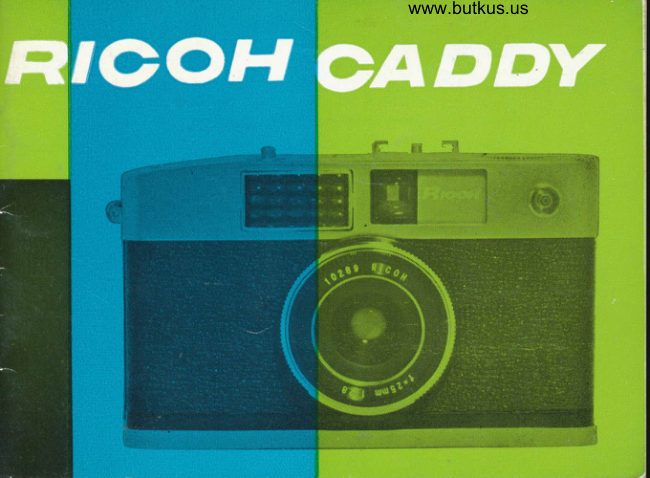
Ricoh Caddy User manual
User manual for Ricoh Caddy. 33 pages in English. Read the original PDF, download or print a copy without registration.
33 pagesEnglish6.8 MB PDF
Loading your manual…Open PDF directly
Document details
- Brand
- Ricoh
- Model / document
- Ricoh Caddy
- Document type
- User manual
- Language
- English
- Pages
- 33
- File size
- 6.8 MB
- Category
- Film cameras
- Document date
- Not specified in catalog
Search available document text
Find a term, then jump to its page in the original PDF. Image-only pages may not be searchable; check the PDF for exact wording and diagrams.
Page 2 · Read text
I
  The RICOH CADDY is onother "GREAT"
oddition to ]he long line of  precision
cqmerqs by the RICOH CO.. LTD. The pocket-
oble RICOH CADDY is the result of RICOH
's skilled experience ond up-to-dote outo-
mqtion   f ociliries.
  This MIGHTY MIDGET cqn be used un-
noticed onytime ond onywhere. As o CANDID
CAMERA, in the true sense of the word, the
regulor size 35mm cqmero does not even
opprooch the condid versorility of  the
remorkoble RICOH CADDY.
  The relioble ond ropid light volue expo-
sure setting system gives ABSOLUTE MASTERY
of not only block ond white but otso lcolor
photogrophy where   exocting exposure
control is o must.
View original page 2
Page 3 · Read text
www.butkus.us


Lens              RICOH f /2.8 25mm. lens
Shutfer              Seikosho B,%----l/25Oth of o second
             X Contqct
Flnder                 Bright Frqme Finder
                        Porollox Correction Morks
                        Mognificotion 0.46
Exposure Meter   Light Volue Direct Reoding Exposure
                      Meter
Fllm Advonce       Knob-type Film Advonce Self-cocking
                      (Double Exposure Prevention Device)
Fllm Gounter        Automotic Exposure counter
Slze               69Xll2x33.5mm.
Welghr            390 groms
View original page 3Page 4 · Read text
Venmo @mike-butkus-camera  Ph. 2083
PayPal Name  Lynn@butkus.org      www.PayPal.me/lynnbutkus
View original page 4
Page 6 · Read text
@ Wrist Strop Fitting
            @ Exposure Light Window
            @ Lens
            @ Finder
            @ Synchro Flosh Terminol
            @ Automotic Exposure Counter
                       @) ASA Film Exposure Index Scole
            @ t-igttt Volue Numbers
            @ Exposure Meter Window
            @ Exposure Meter Needle
            @ Shutter Releose Button
            @ Focusing Ring
            @ Shutter Speed Setting Ring
            @ Uigtrt Volue Setting Ring
                               (Diophrogm Setting Ring)
              @ Accessory Shoe
               @ Film Rewind KnobMike Butkus                        Digitally                                                               DN:email=mike@butkus.org,Date:cn=Mike2023.04.28signedButkus,by14:56:21Mikeo=ButkusButkusc=US-04'00'camera manuals, ou=butkus.org,
View original page 6Page 7 · Read text
www.butkus.us
 @ Finder Eyepiecc
 @ lSl  Film Exposure Index
     Setting Diol
@ film Rewind Button
@ Tripod Screw-in Hole
@ Bock Cover Releose
     Cotch
@ Rewind Spindle
@ Sprocket
@ Toke-up Spool Slot
@ Film Advonce Knob
@ Film Pressure Plote
View original page 7Page 9 · Read text
www.butkus.us
                                                                                | ) Pull out rhe BACK COVER RELEASE
                      CATCH ro open the BACK COVER (Figure  I ).
                               2) While depressing the FILM REWIND
                       KNOB, turn the KNOB counfer-clockwise ond
                                            it will iump out for eosy hondling (Figure 2).
                      Now, pull on the FlLlv\ REWIND KNOB ogoin
                                                               (Figure 3).TOADING         ond insert the film cortridge
RICOH CADDY

  AVOID DIRECT SUNLIGHT
  ALWAYS LOAD AND UN-
 LOAD FILM IN SUBDUED
  LIGHT OR SHADE
  Ploce the comero on your
lop or on some soff, thick
moteriol  to  prevent ony
domoge or shock lo  ony
port of the cqmero mecho-
nism.
View original page 9Page 10 · Read text
3) After rhe KNOB is pushecj in so thol                                            f;tgg
the filnr cortridge oxle ond the REWIND
SPINDLE crre enqoged properly, turn the
KNOB in  the directiorr of  the  orrow
(Figure 4)  which siopr rht'KNOB   frorrr
poppurg oul.
    lf the REWIND SP INDLE orrd the    f ilrn
ccrrtridqe oxle ore nol errqoqed properly_
turn lhe KNOB c! litrle

      rH        ti
             ,lt
View original page 10Page 11 · Read text
www.butkus.us
                              4) Turn the FILM ADVANCE KNOB
                                    until the TAKE-UP SPOOL SLOT oP-
                           peors on iop.  Insert the exPosed
                            film strip tongue firmlY inro this
                        TAKE-UP SPOOL SLOT (Fisure 5).
                              In this cose, if the KNOB refuses
                          to move, press the SHUTTER RELEASE
                      BUTTON ond turn the KNOB ogoin
                          to bring rhe SLOT out on toP.


www.butkus.us
View original page 11Page 12 · Read text
5)As you work the FILM ADVANCE
KNOB, moke doubly sure the film
perforotions ore firmly ond properly
engoged. lf this KNOB is turned
until it comes to o stop in the
direction of the orrow (Figure 6!,
the film is wound ond the SHUTTER
RELEASE BUTTON is outomoricolty
cocked. So, ofter pressing the BUT-lON, odvonce the film ogoin with the  l*t.',*
FILM ADVANCE KNOB to  moke
sure ogoin thqt the film perforotions
ore properly engoged qnd then
releose the BUTTON once more.
  6) Wipe off ony dusr or finger-
print morks on the BACK COVER                        fl''
PRESSURE PLATE with o soft gouze
or brush qnd then close the BACK      I
COVER sently.  The  COVER
cotches by merely pressing on  it.
View original page 12
Page 13 · Read text
www.butkus.us

             7) At this stose, the AUTOMATIC EXPO-
        SURE COUNTER indicoies "S" or "START"
           (Figure 7.).  As the first 4 or 5 fromes
        ore likely to be exposed to light, odvonce
        the film 5 or 6 times with the FILM
       ADVANCE KNOB.
          At this point, the COUNTER will indicote
         "1" (Figure 8). From this number photo-
         grophs con be token.


t2
View original page 13Page 16 · Read text
l) Turn the ASA FILM EXPOSURE
INDEX SETTING DIAL until the ASA
number of the film con be seen in
the bottom right hond corner.
  For exomple, when using Kodoch-
rome II  which hos on exposure
index of ASA 25, turn the ASA FILM
EXPOSURE INDEX SETTING DIAL
until the ASA 25 oppeors (Figure 9).
 2) Turn the SHUTTER SPEED SETTING
RING ond set the shtter speed with
the red mork. For exomple, if the
shutter speed 1/l25th of o second
is selected, then motch the number
125 on the SHUTTER SPEED SETTING
RING with the red mork (Figurel0).
View original page 16
Page 18 · Read text
4) For generol doylightphotogrophy, odiust the
shutter speed ot  | 25. Use shutrer speeds of 250
or 125 for sports, snopshots ond bright scenery.
125 or 60 ore best suited for group ond portroit
photogrophy. In such o monner, the shutter
speed is first set ond the light volue is odlusfed
occording to the EXPOSURE METER but sometimes
the number on the LIGHT VALUE SETTING RING
will not motch fhe Y mork in relotion to the
brightness of the subiect moteriol. This mis-
motch indicotes thot the shulter speed is not
oppropriote. In this cose, turn the SHUTEER
SPEED SETTING RING so the mork will motch
the light volue indicoted by the EXPOSUREMETER.
  For lhose desiring furlher informotion or ropid
photogrophy, refer to "Adiusling Focus."
  For detoiled instruclions on RICOH CADDY
exposure setting mechonism, reod fhe following
Pqges.

                                                                               t7
View original page 18Page 19 · Read text
www.butkus.us
       5l The "8" (or BULBI on         is obtoined by fhe combinotion of these
     the SHUTTER SPEED SETTING      two importont foctors.
    RING meons thot ihe shutter         6) A  light volue expresses with one      will remoin open os long os                                number the correct relotionship between      the SHUTTER RELEASE BUTTON
                                                                       speed     is depressed. This "BULB"       the lens opening ond the shutter
      is used in moking exporures      necessory for  correct exposure under
     of over I second.            o certoin light condition. This relotion-
      The number 4 meons I  of       ship is expressed in the following toble.
    o sesond    250  I /2fith     of o second, etc.
      The numbers on the botlom
    Of thc LIGHT VALUE SETTING
    RING indicote the lens opening
     (figure l3l. The smoller the
    number ihe lorger the dio-
     phrogm opening ond the omo-
     unt of light entering the lens
      increoses. Conversely, lhe lor-
     ger the volue, the smoller the
     lens opening ond the omount
    of light entering the lens de-
     creo3es. The correct exposure                                                                                                                                               !i,itirii,*tliiiiiiiSi,l..ii!i.lii
IE
View original page 19Page 21 · Read text
www.butkus.us
       7) Among the light volue numbers        8) The RICOH CADDY EXPOSURE
                                                                                           ref lected lighf    seen in  the EXPOSURE METER    METER is of the                                          type so the generol rule is to meo-   WINDOW, the red-colored number                                       sure by pointing the cqmero qt   1 con be seen when the ASA FILM                                     the subiect mqteriol. But, when
    EXPOSURE INDEX SCALE is set ot    photogrophing people ogoinst o
   ASA 12. lf the NEEDLE indicotes      bright bockground, iry to get close
     4, it meons lock of light ond indi-    enough to the subiect moteriql so
     cotes lhot no phoiogrophs con be    o true reoding of only the reflected                                               light from the subiect moteriol  is    token under fhis light condition.  In                                               obtqined.      ihis cose, o long time exposure cqn                                               Also, when photogrophing o dis-
    be used with "8" (or BULB) or by     tqnt or ponoromic scenery, be core-
     increqse in lighting or by  using      ful of the bright skylight. The
     flosh equipment.                            electric eye, being especiolly sensi'
      At ASA 100 the light volue 17,     tive to the brightest light source,                                     the relotively dork lond oreo  is     ot ASA 2OO 17 ond 18 ond ot ASA                                              lioble to turn out underexposed.    1OO 17, l8 ond 19 ore colored      Therefore, point your csmero slightly
    red.    lt  is very rctre thqt  the    downword ond meosure the light
    EXPOSURE METER indicotes such      volue. In toking photogrophs ogoinst
    numbers but when it does, o  Y2    the light, qvoid direct light from
      filter must be ottqched to  the     entering the EXPOSURE LIGHT
     lenr fo restrict lhe omount of lighl    wrNDow.20
View original page 21Page 22 · Read text
Focusing is done opproximole eye meosurement. Meorure
      the distonce of the subiect with your eye ond odiust fheoz
     FOCUSING RING by motching the number with the red mqrk.
       For close-up photogrophy odiust the number "2" (2 meters)
       with the red mork (Figure l4l, "5" with the red mork for
       snopshots ond INFINITY(oo) with lhe red mork for  distont
       scenery. These respective morks will give your phofogrophyI|n3Iolr       cleor focusing.
View original page 22Page 23 · Read text
www.butkus.us
  DE PTH . OF . FIELD
                The depth-of-field brings the foreground ond bockground
               into one cleor imoge ond so it implies depth.
               The depth-of-field increoses qs the lens opening becomes
             smoller ond decreoses os the lens opening becomes
                 lorger.
              The focol length of ihe RICOH CADDY lens is o short
           25 mm. ond so possesses o very deep depth-of'field
           ronge.  This mokes constqnt odiustment of focus most
                unnecessory.
              For exomple, qs shown in the depth-of-field tqble
             below, if the distonce remoins ot  rr5'r ond the lens
            opening set ot  F /5.6 or obove,  f ocus odiustment is
              olmost unnecessqry.
                        \       Distance,                    2m      5m       @                    ep"", u""
            F 2.8    1.58-2.74m 2.99- r5.25  7. 11- q
            F s.6    r.23-5.28  1.88- o    3.22- oo
                                                                           oo                   Fll       O.97 - a    1.37-a     1.89-22
View original page 23Page 24 · Read text
Looking through the finder, o bright
                 gold-colored frome con be seen. This
                 gold-colored bright frome fromes the
               oreo thot will be photogrophed. So,
             moke sure the subiecr moteriol is well
                  within this bright frome.  ln the cose
               of close-up photogrophy, frome the
                  subiect moteriol within the two gold-
                colored lines (porollox correcfed morks)
                   inside the outer frome (Figure l5).
    THE
PROPER
    usE
    OF
    THE
 FI NDER                                                              23
View original page 24Page 25 · Read text
I'NPORTANCEwww.butkus.usOF
    SYSTEMATIC PHOTOGRAPHY
            In order to ovoid missing thot phoio of o
          lifetime, devise o  systemotic photogrophing
          procedure.
                            I ) Determine the Shutter Speed
           2) Reod off the Light Volue indicoted by rhe
       EXPOSURE METER.
           3) Adiust Lighl Volue for Correct Exposure
           4) Advonce the Filml,ltit, "i*i           5) Adiust Focuslli;'fu&           6) Frome your Subiect Moteriol through the
              FINDER
           7) Releose the SHUTTER RELEASE BUTTON.
            In pressing the SHUTTER RELEASE BUTTON,
       be extro coreful not to moke ony unnecessory
        movements of the comerq becouse qny move-
        ment of the comero is likely to produce blur-
        red photos. To prevent this, olwoys press the
        comerq body firmly ogoinst the fqce wiih your
        orms iommed solidly ogoinst your chests or sides
         (Figure l6).  In toking photogrophs qt shutter
         speeds lower thon  I /30ttr of o second, steoriy
        your comero with o tripod or ploce  it on sonre
           flol steody surfoce.
View original page 25Page 26 · Read text
UNLOADING RICOH CADDY
  UNLOAD FILM UNDER SUB.
DUED LIGHT OR SHADE
  After the entire roll of f.lm hos
been completely exposed, the
f ilm is rewound bock into its
originol cortridge. The FILM
REWIND KNOB is turned in the
opposite direction of the orrow
mork. Ihe FILM REWIN|) KNOB
will then pop up outomoticolly.
Next, while pressing down on
rhe FILM REWIND BUTTON, turn
the FILM REWIND KNOB in the
direction of the orrow mork ond
rewind the exposed film(Figure  I 7).
  Afte; the film hos been com-
pletely rewound, the resislonce
of the FILM REWIND KNOB will
suddenlT become very light. After
moking o double check to moke
sure the film hos been completely
rewound, open the BACK COVER           www.butkus.us
cnd romove the exposed film.                                           25
View original page 26
Page 28 · Read text
EXPOSURE IN FLASH PHOTOGRAPHY
         Through lhe use of the versotile RICOH FLASH UNIT, flosh phologrophy
          is within the reoch of o beginner. The RICOH CADDY shutter hqs qn " X "
     SYNCHRO FLASH IERMINAL which synchronizes with oll speeds when using
     o electronic flqsh,    /30th of o second with M Clqss bulbs qnd up to                                  -l                 | /l25lh of o second with F Closs bulbs.
        Ihe vitql foctor in oll flosh photogrophy is exposure. The exposure  is
       determined by the brightness of the floshbulb or  light source ond the
       distonce between the cqmero ond the subiect moteriol. This relotion is
       simply represented by o guide number. The guide is olwoys cleorly given
      when you purchose the flqshbulbs.  lf you divide this guide number by the
        distonce of your comerq from the subiect, the resultont onswer will be
       your correct exposure. Conversely,  if you divide the guide number by the
     F siop, you will obtoin the distonce.
       The RICOH FLASH UNIT hos on EXPOSURE CALCULATOR buih-in. By
        odiusting the guide number on the CALCULATOR, the proper lens opening
      con be deternined ot o glonce.
           Insert the two-pronged end of the flosh unit cord into the flosh unit plug-in
      hole qnd the other end to the comero SYNCHRO FLASH TERMINAL.
W                                                                          27
 s
   l
View original page 28From the M. Butkus archive. Original publisher and archive notices are retained.
Check the model and edition against your equipment.
PDF verified 2026-10-10.