Film cameras
Ricoh Shotmaster AF Super User manual
User manual for Ricoh Shotmaster AF Super. 20 pages in English. Read the original PDF, download or print a copy without registration.
20 pagesEnglish2.0 MB PDF
Loading your manual…Open PDF directly
Document details
- Brand
- Ricoh
- Model / document
- Ricoh Shotmaster AF Super
- Document type
- User manual
- Language
- English
- Pages
- 20
- File size
- 2.0 MB
- Category
- Film cameras
- Document date
- Not specified in catalog
Search available document text
Find a term, then jump to its page in the original PDF. Image-only pages may not be searchable; check the PDF for exact wording and diagrams.
Page 2 · Read text
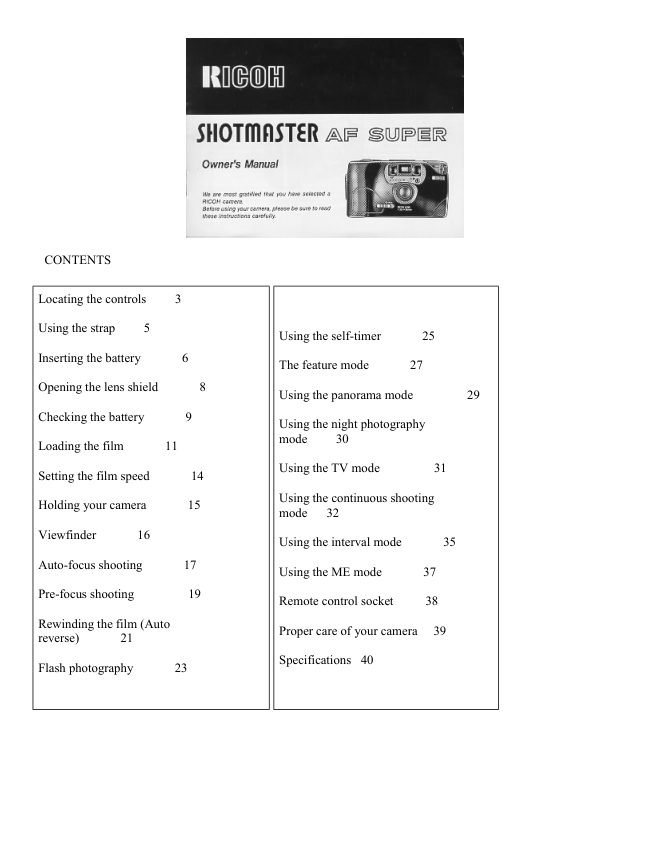
CONTENTS


Locating the controls     3

Using the strap     5
                                        Using the self-timer      25

Inserting the battery      6
                                     The feature mode      27

Opening the lens shield       8
                                        Using the panorama mode         29

Checking the battery      9
                                        Using the night photography
                                  mode     30
Loading the film       11

                                        Using the TV mode         31
Setting the film speed       14

                                        Using the continuous shooting
Holding your camera       15
                                  mode   32

Viewfinder      16
                                        Using the interval mode       35

Auto-focus shooting       17
                                        Using the ME mode       37

Pre-focus shooting         19
                                     Remote control socket     38

Rewinding the film (Auto
                                           Proper care of your camera  39
reverse)      21

                                               Specifications  40
Flash photography      23
View original page 2Page 3 · Read text
www.butkus.us


INSERTING THE BATTERY


                     The camera will not operate unless the battery is installed. It is important
                            to make sure that the battery is installed correctly. 1. Push the Battery
                      Compartment Cover Latch by a pen etc. in the direction of the arrow and
                            pull open the cover. (Fig. 3)

                             2. Insert the 6 volt lithium battery, checking that + and - on the battery
                           are lined up correctly according to the polarity diagram inside the battery
                        compartment. (Fig. 4)

                             3. Close the Battery Compartment Cover by pushing it in the direction of
                           the arrow. (Fig. 5)


                       * When the battery is inserted correctly, the Battery Condition Mark
               WE appears on the LCD Control Panel when the Lens Shield is opened.
                              (Fig. 6)

                       * When replacing the battery, do so as quickly as possible, and avoid
                         having film inside the camera.

                       * Do not remove the battery from the camera unless it is to be replaced
                         with a new one.


Battery for use

Lithium battery (6 V) Panasonic CR-P2DR
View original page 3Page 4 · Read text
OPENING THE LENS SHIELD


                              1. Open the Lens Shield by sliding the Lens Shield Switch toward the
                      mark of (A (opening). (Fig. 7)

                       * You can only fire the camera when the Lens Shield is completely
                          open.

                       * To avoid tripping the shutter inadvertently and wasting battery power,
                        always keep the Lens Shield closed when you are not taking pictures.

                       * When the Lens Shield is closed, the Battery Condition Mark will
                           disappear to conserve the battery power.


* Opening the lens shield while pressing the shutter release will release the shutter.

CHECKING THE BATTERY


                                1. The battery icon symbol is displayed on the LCD Panel when the
                              battery power is sufficient. (Fig. 8)

                                2. When the battery is nearly exhausted, the ~ symbol will appear.
                               (Fig. 9)
                                     If there is film in your camera, finish the roll as soon as possible and
                             obtain a new battery.

                                3. When the battery is completely exhausted, the c symbol will be
                             displayed. (Fig. 10)

                          Replace with a new battery.

                        * Cold temperatures will reduce battery efficiency. In freezing
                            weather, the ~ symbol may turn off and only the can or c symbol may
                       show in the LCD panel. When the camera returns to normal
                             temperature, the Battery "All Right" symbol should reappear. If you
                             are taking pictures in cold weather, keep the camera warm and take it
                            out only when you need it.

                        * When the empty battery symbol is shown in the LCD Panel, don't
                           use the flash.


* If the battery voltage is insufficient, the shutter may not release or the film may not advance completely. In
the following cases, replace the battery:

1) When the battery mark displays only the outside of the frame (no black in battery icon).
View original page 4Page 5 · Read text
www.butkus.us

 2) When the shutter does not release.

 3) When it takes 10 or more seconds for the Flash Ready Lamp to light.

 4) When film advance and rewind cannot be done.

 5) When the self-timer does not function.

 6) When the battery has been in the camera for 5 years or longer.

 LOADING THE FILM


                        Always avoid direct sunlight when loading the film.

                                 1. Push the Back Cover Latch downwards to open. (Fig. 11)

                                 2. Load the film cassette into the Film Chamber and pull out enough
                              film leader to extend over the mark of the film leader position ( - ).
                                (Figs. 12.A, 12-B)


Mike Butkus                                  Digitally                                                                       DN:email=mike@butkus.org,Date:cn=Mike2023.05.17signedButkus,by15:11:20Mikeo=ButkusButkusc=US-04'00'camera manuals, ou=butkus.org,


 3. Please make sure that the film is within the Film Guides (Fig. 13), and that the film is not slack. (Fig. 14)
View original page 5Page 6 · Read text
4. Press the Back Cover shut so that the Back Cover Latch returns to
  its original position. The film is automatically advanced until number
 "1" appears in the LCD Panel. As soon as you close the Back Cover,
  the LCD Panel will show the following signs. (Fig. 15)

  1. Film Cassette loaded Symbol

  2. Film Advance Symbols (these symbols will flash in sequence
 toward the right to tell you the film is winding.)

  3. Exposure Counter


5. If the film has not advanced correctly and is not taken up onto the
Film Take-up Spool, the Film Cassette Loaded Symbol, the Film
Advance Symbol and Exposure Counter will blink for about 30 sec.
(after 30 sec., they appear without blinking but start to blink when the
Shutter Release Button is pressed and the shutter can not be released).
Please reload the film by following steps 1--4 shown above. (Fig. 16)

* Whether there is film in your camera or not can be confirmed by
either the Film Loaded Window or the cartridge symbols in the LCD
Panel. (Fig. 17)

* Do not use special-purpose films such as 35 mm Instant Reversal
Film, etc. because your camera may not be able to transport and expose
them properly.

* You can load film in your camera although the Lens Shield is closed.
However, the LCD display is not shown.
View original page 6
Page 7 · Read text
www.butkus.us


SETTING THE FILM SPEED


                DX coded films are provided with black-and-silver patterns
                          corresponding to film speeds which the camera reads and automatically
                                sets. Your camera accepts DX films with speeds ranging from ISO 100
                             to 1600.

                           Please check whether the film has a DX code system or not. (Fig. 18)

                   When using a film with DX code, setting the film speed is not
                           necessary. Your camera automatically makes the correct film speed
                               setting.

                   When using a film without DX code, your camera will automatically set
                                  itself to ISO 100.


HOLDING YOUR CAMERA


                              1. Use both hands to steady your camera. (Figs. 19, 20)

                              2. Be careful not to place your fingers over the lens, flash, or focusing
                       windows. (Fig. 21)

                       * When holding vertically always position it with the flash at the top.
View original page 7Page 8 · Read text
VIEWFINDER (Fig. 22)


                              1. Field of View Frame:
                      The subject (such as people or scenery) that you wish to take should be
                               set within this frame.

                         Parallax Correction Marks:
                   When taking a picture of subject that is between 0.8 m-- 1.2 m (2.6--4
                                      ft.) away from your camera, the subject should be positioned within
                            these marks. Anything outside the marks will not be included in the
                             picture even if you can see it through the viewfinder.

                     Auto Focus Frame:
                      The auto-focus system focuses automatically on any subject that
                          appears within this small circle.


AUTO-FOCUS SHOOTING


                               1. Set the subject you wish to take within the Auto-Focus Frame in the
                             center of the Viewfinder. (Fig. 23)

                               2. When you press the Shutter Release Button halfway, the AF monitor
                              will light up. If the AF monitor blinks (When the subject is closer than
                            0.8 m (2.6 ft.)), you should move back a little as your camera is too
                             close to the subject. (Fig. 24)

                       * The AF monitor may light steadily if the subject is 0.4 m (1.3 ft.) or
                             closer to the camera Releasing the shutter in this case will result in an
                            out of focus picture. Therefore, let go of the Shutter Release Button
                        and adjust your distance to make sure the subject is at least 0.8 m (2.6
                                       ft.) away from the camera. Then point at the subject once again and
                             press the Shutter Release Button.


3. Gently press the Shutter Release down to take a picture. The film will advance automatically after the shutter
teas been released.

* Avoid pressing the Shutter Release Button too abruptly to avoid camera shake or possible misoperation.

* Please be careful not to accidentally cover the Distance Measuring Windows at the front of your camera, as
this will cause the incorrect focusing.

* Please keep the Distance Measuring Windows clean so that focusing is accurate. If they get dirty, they should
be wiped clean with a soft cloth.
View original page 8Page 9 · Read text
www.butkus.us

* There may be rare cases where the subject cannot be well focused. (For instance, dark subject that do not
reflect light well, glossy subjects, or subject taken through glass.) In the cases, it is best to use the Pre-Focus
technique to "lock" the focus on a more "normal" subject at the same distance. While holding focus, turn your
camera back to the original subject and shoot. (See PRE-FOCUS SHOOTING for more details.)

PRE-FOCUS SHOOTING


                   When the main subject you wish to focus on is not within the Auto-
                        Focus Frame, or if the subject is difficult to focus on, then you should
                         use pre-focus shooting.

                  When the subject is not within the Auto-Focus Frame:
                              1. If you want to photograph two people, there may be cases where
                             neither of them can be within the Auto-Focus Frame in the center of the
                          Viewfinder. If you release the shutter then, only the background will be
                             in focus, and the people, who are the main subject, will be out-of-focus.
                              (Fig. 25)

                              2. Move the camera so that one of the people is within the AutoFocus
                        Frame. Press the Shutter Release Button halfway so that the AF
                        Monitor lights up. Hold your finger in that position on the Shutter
                          Release Button. (Fig. 26)

                              3. Now return the camera to its original position so that both people are
                             in the Field of View Frame again, and press the Shutter Release Button
                              fully to take the picture. (Fig. 27)


When the subject is difficult to focus on:
1. When you are photographing subjects that are difficult to focus on (such as a black dog, glossy surface or
behind glass), find another subject at about the same distance from the camera. You can pre-focus on that
subject in the same way as described front page.

* If you are shooting through a window, aiming the camera at a slight angle to the glass usually avoids any
direct reflection of auto-focus beam.

* When you remove your finger from the Shutter Release Button, the pre-focused condition is cleared, so that
you can pre-focus again as many times as you wish.
View original page 9Page 10 · Read text
REWINDING THE FILM (AUTO REVERSE)


                              1. After the end of the film has been reached, the film is automatically
                        rewound.

                              2. The film rewind is indicated by three dashes flashing in sequence
                       from right to left and the counter gives a subtractive reading. (Fig. 28)

                              3. When the film is fully rewound, the motor stops automatically and
                        "E" is displayed in the LCD Panel, you can now open the Back Cover to
                         unload the film. (Fig. 29)


                       * If you wish to rewind the film before the end of the film is reached,
                        push the Manual Film Rewind Button with a pen, etc. (Fig. 30)

                       * The shutter release is locked when "E" is displayed.

                       * When removing film, the rewind mechanism may occasionally
                           operate briefly as the Back Cover is opened. This is not abnormal.

                       * The rewound film will still have part of the film tongue protruding out
                           of the film cartridge. (Fig. 31)
View original page 10Page 11 · Read text
www.butkus.us


FLASH PHOTOGRAPHY


                              1. If flash is required, the Flash Unit automatically pops up when the
                             shutter Release Button is pressed halfway and its power source
                           automatically turns on. (Fig. 32)

                              2. Release the Shutter Release Button completely and wait for the Flash
                      Ready Lamp to become lit. Then take the picture. (Fig. 33)

                                  (If the Shutter Release Button is then pressed before the flash is ready,
                            the shutter will be released immediately after the flash becomes fully
                           charged.)

                              3. When you have completed flash photography, please be sure to push
                            the Flash Unit down. This turns off the flash power source and
                          conserves your battery. (Fig. 34)


                       * After the Flash Unit pops up, it will take about 2 seconds to charge.
                         For the next 5 minutes, flash recharging will continue to allow a
                           constant flash capability. However, to prevent battery drain, if no flash
                             pictures are taken for 5 minutes, flash recharging will stop and the Flash
                      Ready Light will go off. Even after recharging stops, when the Flash
                         Unit is left popped up, it will start to recharge again when the Shutter
                          Release Button is pressed halfway.

                       * Recommended flash shooting range 0.8 m~3.2 m (2.6~10.5 ft)

                       * Be careful not to put your fingers in front of the flash window. (Fig.
                         35)

                       Daytime Synchronization
                   When taking pictures of backlit subjects, the camera automatically
                        compensates for the lighting situation. If the subject is backlit and is at
                               least 3 meters from the camera, the Auto Back Light Control (ABLC)
                             will be activated. If the subject is within 3 meters of the camera, the
                            strobe pops up automatically and compensation is done via daylight
                           synchronization. Thus, even with backlit subjects, trouble-free, natural-
                          looking pictures can be taken. (Fig. 36)
View original page 11Page 12 · Read text
USING THE SELF TIMER


                              1. Press the Self-timer Button. The Self-timer LED on the front of your
                        camera will light for approximately 8 seconds. Then, the LED will blink
                             for about 2 seconds to indicate that the shutter will release soon. After a
                                total 10 seconds have elapsed, the shutter will release. (Figs. 37, 38)

                       * If you wish to clear the self-timer once it has started, close the Lens
                           Shield or press the Self-timer Button again.


Using the Self-timer for Flash Photography:

a. The Flash Unit will pop up automatically when the Self-timer Button is pressed if there is insufficient light.

b. Wait for the Flash Ready Lamp to light.

c. Press the Self-timer Button again (the camera will focus) to make the exposure as described above.

* For backlit subjects within 3 m from the camera, the Flash Unit will pop up automatically.


Using the Self-timer for Pre focus Photography:


                                 a. Select the subject you wish to pre-focus on. Move the camera so that
                                          it is in Auto-Focus Frame.

                               b. Press the Shutter Release Button halfway down to adjust and lock-in
                            the focus.

                                 c. While holding the Shutter Release Button halfway, press the Self-
                           timer Button to activate the self-timer.

                               d. The focus will remain fixed at the locked-in distance until the
                         photograph is taken.
View original page 12Page 13 · Read text
www.butkus.us


THE FEATURE MODE


                          This camera has a variety of operating modes which permit you to
                         widely express your creativity. These modes include Panorama, Night
                          Photography, TV, Continuous Shooting, Interval, and Multiple
                        Exposure (M.E.).

                        These modes may be used together with flash photography, self-timer,
                           and/or remote control picture taking, allowing you to fully and
                             precisely obtain the photo image you seek. Or you can experiment, and
                           discover pleasantly surprising results. These modes are to stimulate
                         your imagination and creativity. By all means, use this compact Ricoh
                 SHOTMASTER AF SUPER camera to capture the unlimited kinds of
                        images the world has to offer.


* To change operating modes, simply press the Mode Button. Each time it is pressed, the camera will be set to
the next mode. (Fig. 39)
You can confirm that the desired feature mode is in effect by checking the LCD Panel which displays the
current feature mode. The following symbols are used for the respective modes as listed below. For detailed
operation of each mode, refer to their respective sections in this operating instructions.


Feature mode symbols (Fig. 40)
View original page 13Page 14 · Read text
USING THE PANORAMA MODE (Not sure if processor can still do this)


                     By using Panorama Mode to shoot landscapes or long-distance
                                objects, you can achieve even sharper images. (Refer to sample
                              photo.)

                                1. Press the Mode Button until the ~ mark appears in the LCD Panel.
                          Then, press the Shutter Release Button to take a picture. (Fig. 41)

                        * The lens will focus at infinity (oo) when the shutter is released.

                        * The Flash Unit will not pop up even though the light may be
                                 insufficient.

                             (Since the flash will not reach the subject anyway, battery power is
                             conserve).


* The Flash Unit will not fire even if the Flash Ready Lamp is lit.
(Since the flash will not reach the subject anyway, battery power is conserved.)

* To cancel the mode, press the Mode Button to set the camera to normal mode (when the LCD Panel displays
no mode symbols) or close the Lens Shield.

* To use the self-timer in this mode, press the Mode Button until the camera is set to the Panorama Mode, then
press the Self-timer Button.


USING THE NIGHT PHOTOGRAPHY MODE


                       This Night Photography mode lets you easily shoot breathtaking evening
                     panoramas that take advantage of natural illumination. (Refer to sample
                         photo.)

                           1. Press the Mode Button until the ~q mark is shown in the LCD Panel.
                      Then, take a picture. (Fig. 42)

                    * The lens is set to 00 automatically and the exposure will be made on
                        condition that,


          ISO             SHUTTER SPEED                  f~stop
            100                           1/4 sec.                           3.5
View original page 14Page 15 · Read text
www.butkus.us


* The Flash Unit does not pop up under the Night Photography Mode.

* To use the self-timer in this mode, press the Mode Button until the camera is set to the Night Photography
Mode, then press the Self-timer Button. Using a tripod, or other suitable firm support, is recommended to
prevent camera shake.

* To cancel this mode, press the Mode Button until the LCD Panel shows no mode symbol, or close the Lens
Shield.

* If flash is up, it will not work.

USING THE TV MODE


                    Use this mode to shoot the screen of a computer monitor or television.
                         (Refer to sample photo.)

                            1. Press the Mode Button until the ~ mark is displayed on the LCD Panel.
                       Then, take a picture. (Fig. 43)

                     * The Flash Unit does not pop up under the TV Mode.

                     * When taking pictures in the TV Mode, the shutter speed will be 1/30
                           sec. and the F-stop will be 4.

                     * For TV Mode photography, a slow-moving TV picture will turn out
                           clearer than a fast-moving one. Using a tripod is also recommended to
                         prevent camera shake.

                     * To use the self-timer in this mode, press the Mode Button until the
                      camera is set to TV Mode, then press the Self-timer Button.


* To cancel this mode, press the Mode Button until the LCD Panel shows no mode symbol, or close the Lens
Shield.

* If flash is up, it will not work.
View original page 15Page 16 · Read text
USING THE CONTINUOUS SHOOTING MODE


                           This mode allows you to shoot continuously as long as the shutter is
                              pressed.

                     You can accurately capture the continuous action of car races,
                            competitive sport events, and even the movements of an infant
                            without missing any important moments. (Samples 1, 2, 3: See next
                              page.)

                                1. Press the Mode Button to set your camera in the Continuous
                           Shooting Mode. Confirm that the Hi mark appears in the LCD Panel.
                                (Fig. 44)


2. Press and hold down the Shutter Release Button. Your camera will continuously take pictures at a rate of one
frame per second as long as the Shutter Release button is held down. (Fig. 45)

3. Press the Mode Button to cancel the Continuous Shooting Mode. Confirm that the Hi mark disappears on the
LCD Panel.

* If you want to cancel the Continuous Shooting Mode before taking any picture, press the Mode Button again
until the mode marks go off, or close the Lens Shield.


                        Combining the Continuous Shooting Mode and the Self-timer:
                                  1. Set your camera to the Continuous Shooting Mode.

                                  2. Press the Self-timer Button. Your camera will wait 10 se coeds,
                              then shoot two sequential frames.

                                  3. Push the Mode Button to cancel the Continuous Shooting Mode.
                           Confirm that the Hi mark disappears on the LCD Panel.

                        Combining the Continuous Shooting Mode and the Flash:

                                  1. Set your camera to the Continuous Shooting Mode.

                                  2. Press the Shutter Release Button halfway down.

                                  3. If the amount of light is insufficient, the Flash Unit will pop up
                               automatically

                                  4. After the Flash Ready Lamp lights, press the Shutter Release
                            Button to make the exposure.
View original page 16Page 17 · Read text
www.butkus.us

5. Continue shooting by holding down the Shutter Release Button. Your camera will automatically make
another exposure each time the Flash Ready Lamp relights.

6. Press the Mode Button to cancel the Continuous Shooting Mode, and push the Flash Unit down to the
original position.


Combining the Continuous Shooting Mode with the Self-timer and Flash:

1. Set the camera to the Continuous Shooting Mode.

2. Press the Self-timer Button. If the amount of light is insufficient, the flash will pop up automatically.

3. When the flash is fully charged, again press the Self-timer Button. The Self-timer LED will light.

4. The Self-timer LED will remain lit for 8 seconds and then start to f lash for 2 seconds. After a total of 10
seconds have elapsed, the shutter will release.

5. As soon as the Flash Ready Lamp comes on again, the shutter release a second time.

6. Cancel the Continuous Shooting Mode and push the Flash Unit down to the original position.

USING THE INTERVAL MODE


                            This mode closes the shutter in 60-second intervals.

                      You can enjoy the use of this mode in a variety of applications, such
                              as the wildlife observation of animals or birds where you need to
                           keep a certain distance or the growth records of plants.

                           (Samples 1, 2, 3: See next page.)

                                 1. Set your camera to the Interval Mode. (Fig. 46)

                                 2. Press the Shutter Release Button. After 60 seconds, the shutter will
                                 release. Then, your camera will automatically make another exposure
                            every 60 seconds until the Interval Mode is cancelled.

                                 3. Press the Mode Button to cancel it, or close the Lens
                            Cover. Confirm that the (60) mark disappears.


* When the Interval Mode is activated by pressing the Shutter Release Button, the symbol that was displayed on
the LCD Panel will blink (Fig. 47)

* At the end of the roll, your camera will automatically rewind the film and reset to the normal condition.

* You can also release the shutter during the Interval Mode.

(If the Interval Mode is not cancelled, the shutter will be released again 60 seconds after it was last released.)
View original page 17Page 18 · Read text
* When in the Interval Mode, if the surrounding lighting is insufficient, the
                            Flash Unit will pop up automatically and the Interval Mode will be activated
                                 after the flash is charged and ready. Pictures will then be taken with flash.
                             All pictures will be taken with flash unless the mode is cancelled or unless
                              there is sufficient lighting and the Flash Unit is pushed back down.

                        * To cancel the Interval Mode, press the Mode Button or close the Lens
                              Shield. If the mode is cancelled with the Mode Button, the camera will not
                            switch to the next M.E mode. It will be set to normal mode instead. To set it
                               to the M.E mode from the Interval Mode, use the Mode Button again to
                                select the M.E mode.

                        * If the self-timer is used in the Interval Mode, the self-timer will operate
                                       first. Then after that first picture, succeeding pictures will be taken
                            according to the Interval Mode.

                           (These photographs were taken with the camera in the Interval Mode.)


USING THE MULTIPLE EXPOSURE (M.E) MODE


                       The multiple exposure capability is used to take several different images on
                              the same film frame.
                            Multiple exposures can be easily produced with this mode, so exercise your
                            imagination to create your own original photographs. (Refer to sample photo.)

                                1. Set your camera to the M.E Mode. The M.E symbol will be displayed on
                              the LCD Panel. (Fig. 48)

                                2. Press the Shutter Release Button to make the first shot, and make second
                            exposure.

                                3. Press the Mode Button to cancel the M.E Mode. Then, the film will be
                      wound automatically Confirm that the "M.E" disappears. (Fig. 49)

                        * The Exposure Counter will not advance during multiple exposure
                           photography.

                        * When you ask camera shops to print your pictures, please tell them that
                             multiple exposures were taken. If not, they may take them for "accidental"
                           double exposures and not print your shots.

                        * To use the self-timer in the M.E Mode, first use the Mode Button to select
                              the M.E Mode. Then press the Self-timer Button.

                        * The flash can also be used to obtain various special effects.
View original page 18Page 19 · Read text
www.butkus.us


REMOTE CONTROL SOCKET


                          This camera is equipped with a Remote Control Socket. Various
                        methods of remote control can be used by plugging an (optional)
                              infrared sensor, audio sensor, remote controller, etc.. into this socket. A
                       50 cm electronic cable release cord, and a 10-meter extension cord, are
                             available from Ricoh as options for use in remote control photography

                         Typical installation
                               1. Remove the cover of the Remote Control Socket to connect your
                         remote controller. An extension cord can be used for taking
                          photographs at a distance from subjects. (Fig. 50)

                               2. Set the camera, aim at the subject and gently press the remote
                             control switch. The natural expressions of subjects can now be
                           captured from a distance. (Fig. 51)

                       * Before inserting or pulling out a cord into/from this socket, close the
                        Lens Shield. If the Lens Shield is left open, the shutter might
                             accidentally be released.


Mini Tripod II (Sold separately)
Lightweight, compact, and easy to carry around. For self timer, interval, and slow shutter speed picture taking.

PROPER CARE OF YOUR CAMERA


                          * If there is dirt on the lens or Distance Measuring Windows, do not touch
                             with fingers. Use a blower to blow the dust away, or wipe the surface
                               gently with a soft cloth.

                          * Camera malfunction can be caused by shock, humidity, salt etc. After
                              using the camera at the beach or places where there are chemicals, wipe it
                                  carefully.

                          * Take care not to expose the camera to sudden changes in temperature, as
                              they may cause condensation on the lens, or other malfunctions.

                          * Do not expose the camera for a long period of time in extremely high
                               temperatures, such as in your car or on the beach, as this may ruin your
                                  film, or cause other malfunctions.

                          * When using a tripod, do not try to force a long screw into the socket. The
                            screw length should be less than 5.7 mm (1/4 ")

                          * Do not place the camera near equipment that has strong magnetic fields
                            such as a television or radio.
View original page 19Page 20 · Read text
MAJOR SPECIFICATIONS: RICOH SHOTMASTER AF SUPER

Type: 35 mm lens shutter type with automatic focusing

Lens: 35 mm f3.5 Ricoh lens 4 elements, 4 groups

Focusing: Automatic focusing with pre-focusing facility. Distance measuring (shooting) range: 0.8 m (2.6 ft) -
 Distance less than 0.8 m (2.6 ft): AF monitor lamp blinks

Shutter: Programmed AE type electronic shutter, 1/4--1/400 sec.

Self~timer: Built-in electronic type with self-timer lamp. Operating delay of approx. 10 sec.

Interval Timer: Photography at 60 sec. intervals

Viewfinder: Al bade type with bright-frame viewfinder. Magnification 0.47X. Field of view 84%

Viewfinder Information: Field of view frame, parallax correction marks, auto-focus frame

Exposure Adjustment: Programmed automatic exposure adjustment with automatic back light control system.
Exposure coupling range EV5.6--17 (ISO 100)

Film Speed Range: ISO 100--1600. Compatible with DX-code system

Film Advance/Rewind: Automatic film advance and rewind. Automatic 1st. frame setting.

Automatic film reverse at the end of film.

Film Loading: Ricoh Auto-Load system

Exposure Counter: Additive, counts down during film reverse LCD Display: Film loaded, film advance,
exposure counter, film reverse and reverse completion, battery condition, landscape mode, night scene mode,
continuous mode, interval mode, multi-exposure mode, TV mode

Built-in Flash: Electronic flash automatically activates in dim light and backlight

Interval Between Flashes: About 2 sec.

Power Source: 1 lithium battery, CR-P2DP (6 volts) or equivalent

Dimensions: 121 mm (W) x 67 mm (H) x 44 mm (D)

Weight: 220 9 (without battery)

Specifications and appearance of this camera are subject to change without notice.
View original page 20
From the M. Butkus archive. Original publisher and archive notices are retained.
Check the model and edition against your equipment.
PDF verified 2026-10-10.