Film cameras
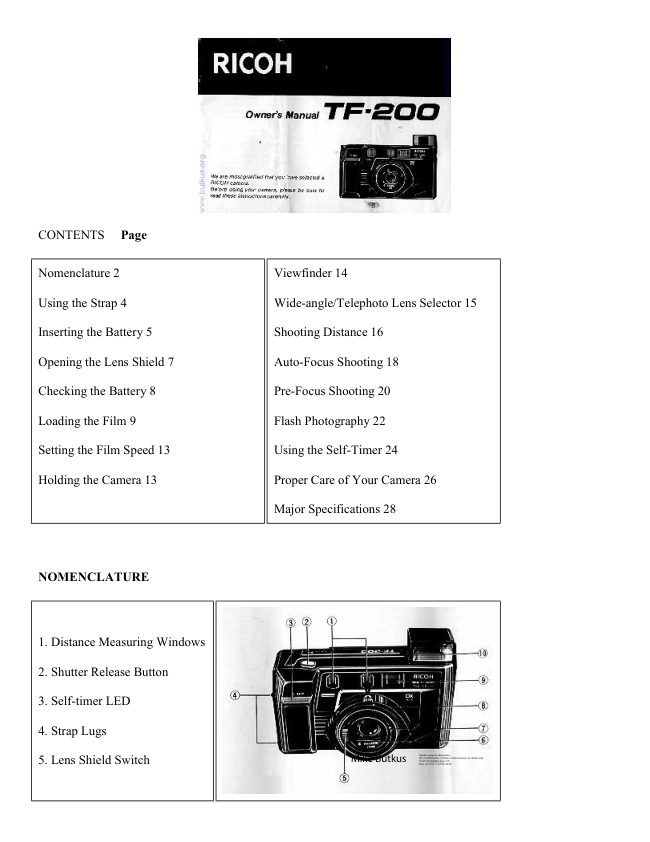
Ricoh TF-200 User manual
User manual for Ricoh TF-200. 15 pages in English. Read the original PDF, download or print a copy without registration.
15 pagesEnglish1.3 MB PDF
Loading your manual…Open PDF directly
Document details
- Brand
- Ricoh
- Model / document
- Ricoh TF-200
- Document type
- User manual
- Language
- English
- Pages
- 15
- File size
- 1.3 MB
- Category
- Film cameras
- Document date
- Not specified in catalog
Search available document text
Find a term, then jump to its page in the original PDF. Image-only pages may not be searchable; check the PDF for exact wording and diagrams.
Page 2 · Read text
CONTENTS  Page


Nomenclature 2                           Viewfinder 14

Using the Strap 4                          Wide-angle/Telephoto Lens Selector 15

Inserting the Battery 5                     Shooting Distance 16

Opening the Lens Shield 7                 Auto-Focus Shooting 18

Checking the Battery 8                     Pre-Focus Shooting 20

Loading the Film 9                         Flash Photography 22

Setting the Film Speed 13                 Using the Self-Timer 24

Holding the Camera 13                     Proper Care of Your Camera 26

                                      Major Specifications 28


NOMENCLATURE


1. Distance Measuring Windows

2. Shutter Release Button

3. Self-timer LED

4. Strap Lugs

                                                                                                                                                                                                                                                                                                                     DN:email=mike@butkus.org,Date:cn=Mike2023.05.17signedButkus,by15:20:38Mikeo=ButkusButkusc=US-04'00'camera manuals, ou=butkus.org,5. Lens Shield Switch                                    Mike Butkus              Digitally
View original page 2Page 3 · Read text
www.butkus.us


6. Lens Shield

7. Photocell
                                            14. Film Rewind Shaft

8. Lens Selector (wide-angle/telephoto)
                                            15. Film Chamber

9. Viewfinder Window
                                            16. Film Guide

10. Built-in Flash Unit
                                            17. Manual Film Rewind Switch

11. Viewfinder Eyepiece
                                            18. Tripod Socket

12. Camera Shake Warning/Flash Ready
                                            19. Battery Compartment Cover
Lamp

13. Flash Switch


20. Battery Compartment
Cover Lever

21. Back Cover

22. Film Loaded Window

23. Back Cover Lever

24. Self-timer Button

25. LCD Control Panel


USING THE STRAP

Attaching the strap (Figs. 1, 2) Pass the strap end through the camera's Strap
Lugs and fasten it in the strap buckle.
View original page 3Page 4 · Read text
INSERTING THE BATTERY


The camera will not operate unless the battery is
installed. It is important to make sure that the battery is
inserted correctly.

1. First, open the Back Cover by pushing up on the Back
Cover Lever, and then push the Battery Compartment
Cover Lever in the direction of the arrow and pull open
the cover. (Figs. 3, 4)

2. Insert the 6 volt lithium battery, checking that the +
and-- on the battery are lined up correctly according to
the polarity diagram inside the battery compartment.
(Fig. 5)

3. Close the Battery Compartment Cover by pushing it in
the direction of the arrow. (Fig. 6)

* When the battery is inserted correctly, the Battery
Condition Mark appears on the LCD Control Panel. (Fig.
7)


Batteries for Use


Lithium battery (6V) DURACELL DL223A, PANASONIC
BR

P2P or equivalent

* Please remove the battery from the camera when you do
not use the camera for a long period of time (more than 3
months)
View original page 4
Page 5 · Read text
www.butkus.us


OPENING THE LENS SHIELD


1. Open the Lens Shield by sliding the Lens Shield
Switch down toward the mark of (< (opening). (Fig. 8)

* You can only fire the camera when the Lens
Shield is completely open.

* If the Lens Shield is opened while the Shutter
Release Button is pressed down, a frame will be
exposed.

* To avoid tripping the shutter inadvertently and
wasting battery power, always keep the Lens Shield
closed when you are not taking pictures.


CHECKING THE BATTERY


A 6 volt battery is required to power the camera. If half
of your pictures are taken with flash, the battery will
expose about 1,000 frames. If you use 8 rolls of 24-
exposure film a year, the battery should not need
changing for about five years.

When the battery is completely exhausted, the Low
Battery Warning Mark C appears on the LCD Control
Panel. Please replace with a new lithium battery.


1. If the     mark is showing in the LCD Control Panel, the battery is in good condition.


2. If only the     mark is showing, the battery is nearly exhausted (under normal temperatures) and has only
enough power left to expose the remaining film in the camera. In this case, be sure to change the battery after
you are through exposing the roll in the camera. (Fig. 9)


* Cold temperatures will reduce battery efficiency. In freezing weather, the      mark may turn off and only
the     mark may show in the LCD Control Panel. When the camera returns to normal temperatures, the

Battery "ALL Right" Mark       will reappear. If you are taking pictures in cold weather, keep the camera
warm and take it out only when you need it.


* When appearing the     mark in the LCD Control Panel, don't use the flash.
View original page 5
Page 6 · Read text
LOADING THE FILM


Film to use (Fig. 10)

* Use 35mm roll films that are marked with the
letters "DX" on the box and cartridge.

* Do not use special-purpose films such as 35mm
instant reversal film, etc. because the camera may not
be able to transport and expose them properly.

* If non-DX film is loaded into the camera, the
camera will automatically set itself to ISO 100.

1. Open the Back Cover To open, hold the camera
bottom side up and push the Back Cover Lever
downward. (Fig. 11)


2. Load the film

Load the film by sliding the film cassette down into the
Film Chamber and pull out the film leader to the ***
mark. (Figs. 12, 13)

Please make sure that the film is within the Film Guides.
(Fig. 14)

Press the Back Cover shut so that the Back Cover Lever
returns to its original position. The film is automatically
advanced until the number "12, 20, 24 or 36" appears in
the LCD Control Panel (depending upon the film
length).

* Always avoid direct sunlight when loading the film.
View original page 6
Page 7 · Read text
www.butkus.us


3. Close the Back Cover (Fig. 15)

As soon as you close the Back Cover, the LCD
Control Panel will show the following signs:

(1 ) Camera Loaded Mark.

(2) Film Advance Mark. (This mark will race toward
the right to tell you the film is winding.)

(3) Exposure Counter. After prewinding is completed,
the film will set itself for the first shot and the counter
will show you the number of pictures you can take
with it (the number of exposures left on the film).


* If the Film Advance Mark does not move, the counter number does not appear and the camera will not fire -
the film is not loaded properly. Open the back and repeat the above loading procedure.

4. At the end of the roll the camera will automatically stop, the counter numbers will disappear and the Film
Advance Marks will disappear.

5. Check the Film Loaded Window (Fig. 16)
The Film Loaded Window will show you at a glance the type of film that is loaded in the camera as well as its
speed and the number of exposures it contains.


Mid Roll Rewinding If you wish to rewind the film
before the end of the roll is reached push in the rewind
button on the bottom of the camera. A pen can be used
for easy access. (Fig. 17)


* You can close the Lens Cover when the film is being rewound.

SETTING THE FILM SPEED
 Automatic film speed setting DX films are provided with black-and-silver patterns corresponding to film
speeds which the camera reads and automatically sets. Your camera accepts DX films with speeds ranging from
ISO 50 to 1600.

* If non-DX film is loaded in the camera, the camera will automatically set itself to ISO 100.
View original page 7
Page 8 · Read text
HOLDING THE CAMERA (Fig. 18)

1. Use both hands to steady the camera.

2. Be careful not to place your fingers over the lens, or focusing windows.

3. When holding vertically always position with the flash side up.

VIEWFINDER


1. Look through the viewfinder Wide-angle (Fig. 19)
Telephoto (Fig. 20) Bright Frame (Figs. 19-A, 20-(A)
Close-up Correction Marks (Figs. 19-(B), 2 -(B)

* The field of view through the Viewfinder will
automatically expand or contract to suit the lens you are
using.

* If your subject is 1.5 meters (5 ft) or more away from
the camera, your picture will contain everything you see
within the Bright Frame regardless of which lens you
are using. (Figs. 19-(A), 20-(A)

* If your subject is between 1.0 (3.3 ft) and 1.5 (5 ft)
meters from the camera, your pictures will contain only
the area seen within the Close-up Correction Marks.
(Figs. 19-(B), 20-(B)


2. Auto-Focus Frame (Fig. 21-(A)
The auto-focus system focuses automatically on any subject that appears within this small square.

3. Zone Marks (Fig. 21-(B)
These marks indicate the focusing distance. When the autofocus indicator pointer stays in the striped area, the
subject is too close to the camera. You should move further away from the subject.
View original page 8
Page 9 · Read text
www.butkus.us

WIDE ANGLE/TELEPHOTO LENS SELECTOR


1. Switching lenses
Your camera's wide and tele lenses let you select the
composition that best suits your subject. Exposure
control, focusing, and film advance are automatic. Set
the lens to wide-angle. (Fig. 22)

To set the lens to wide-angle (38 mm focal length), turn
the Lens Selector all the way to the left
(counterclockwise) until you feel a click.

Set the lens to telephoto. (Fig. 23)

To set the lens to telephoto (65 mm focal length), turn it
all the way to the right (clockwise) until you feel a click.


* When changing lenses, please make sure you do not have your fingers near the moving lens components.

* The shutter won't trip unless the Lens Selector is fumed as far as it will go either to the left or right.

SHOOTING DISTANCE (Fig. 24)


For subjects that are less than 1 m (3.3 ft) away from the
camera, it is not possible to obtain sharp focus.

1. When the Shutter Release Button is depressed
slightly, the Auto-Focus Indicator Pointer will point to
the     for subject 1.0 m--1.2 m (3.3 ft--4.0 ft). If you
are closer than 1 m (3.3 ft) away from your subject, the
pointer will stay in the striped area in the viewfinder.


If you are much closer than 1 m (3.3 ft) the pointer may move to any of the positions.

2. The · symbol will appear for subject 1.2m--1.7m (4.0 ft --5.6 ft) away.


3. The    symbol will appear for subject. 7m - 2.6m(5.6ft --8.6 ft) away.


4. The    symbol will appear for subject 2.6 m--5.0 m (8.6 ft --16.5 ft).


5. The a    symbol will appear for subjects 5.0m -oo (16.5 ft - oo).
View original page 9
Page 10 · Read text
As you can see, there is slight degree of overlap in the distances covered by the zone marks. This will not cause
any focus problems. Your camera has focusing zones that assure maximum sharpness at any focusing distance.

Note: Due to the above mentioned overlap, you may occasionally notice that the needle may move from one
figure to another even though the subject distance did not change. This does not mean that your camera has
focused improperly. It just means that an "in-between" zone has been selected.


AUTO-FOCUS SHOOTING


1. Set the subject you wish to take within the Auto-
Focus Frame in the center of the Viewfinder. (Fig. 25)

2. When you press the Shutter Release Button halfway,
the Auto-Focus indicator (pointer) in the Viewfinder
will point to one of the Distance Symbols
corresponding to the distance of your subject. If the
Auto-Focus Indicator does not move out of the striped
area on the right, you are too close to your subject.

You should move at least 1 m (3.3 ft.) from your subject
for proper focusing. (Fig. 26)

3. Gently press the Shutter Release Button down to take
the picture. The film will advance automatically, as
soon as the shutter has been released. (Fig. 27)

After shooting, the film will automatically advance to
the next frame and the Film Advance Mark in the LCD
Control Panel will move to the left.


* Please be careful not to cover the Distance Measuring Windows at the front of the camera accidentally, as this
will cause incorrect focusing.

* Please keep the Distance Measuring Windows clean so that focusing is accurate. If it gets dirty, it should be
wiped clean with a soft cloth.

* Please keep your fingers and camera strap away from the fens front and Flash Lampface.

Notes: Though rare, the lens may not be able to focus itself properly in the following cases:

1. If the subject is backlit (light behind the subject); if the subject is illuminated by a very bright light source; if
the subject is illuminated by strong reflected light, such as light reflected from the front windshield of a car.

2. If the subject is a black of dark object that cannot reflect enough light.

3. If the subject is photographed through a glass window.
View original page 10
Page 11 · Read text
www.butkus.us


4. If the Auto-Focus Frame is aimed at a strongly reflective object such as a mirror or metallic surface.

In these cases, it is best to use pre-focus to "lock" the focus on a more "normal" subject at the same distance.
While holding focus, turn the camera to the original subject and shoot.

(Also see PRE-FOCUS SHOOTING.)


PRE-FOCUS SHOOTING


When the main subject you wish to focus on is outside of
the Auto-Focus Frame, or if the subject is difficult to
focus upon, you should use pre-focus shooting.

When the subject is outside the Auto-Focus Frame:
1. If you want to photograph two people, there may be
cases where neither of them can be set within the Auto-
Focus Frame in the center of the Viewfinder. If you
release the shutter then, only the background will be in
focus, and the people who are the main subject will be
out-of focus. (Fig. 28)

2. Move the camera so that one of the people is within the
Auto-Focus Frame. Press the Shutter Release Button
halfway so that the indicator pointer moves and the
focusing distance is indicated. Hold your finger in that
position on the Shutter Release Button. (Fig. 29)


3. Now return the camera to its former position so that both people are in the Field of View Frame again, and
press the Shutter Release Button fully to take the picture. (Fig. 30)

When the subject is difficult to focus on:

1. When you take subjects that are difficult to focus on, find another subject at about the same distance from the
camera. You can pre-focus on that subject in the same way as described above.

* When you remove your finger from the Shutter Release Button, the pre-focused condition is cleared, so that
you can pre-focus again as many times as you wish.

Note: The RICOH TF-200's meter locks in the correct exposure at the same time that the Shutter Release Button
is depressed. (This is especially useful for pre-focus shooting.)
View original page 11
Page 12 · Read text
FLASH PHOTOGRAPHY


1. If the underexposure warning lamp turns on (Fig. 31)

Press the Shutter Release Button about halfway down, if
the Underexposure Warning Lamp (red lamp) turns on,
you should use flash to take your picture.

2. Switch on the flash (Fig. 32)

(1) Just push the Flash Switch to the left. The Built-in
Flash Unit will pop up and the flash will start charging.

(2) In about three seconds, the Flash Ready Lamp (same
as the Underexposure Warning Lamp) will turn off to tell
you the flash is ready for firing.


* The shutter will not trip until the Flash Ready Lamp turns off.

3. Flash shooting range (Fig. 33)

Film Speed (ISO)

(B) Wide-angle Lens

(C) Telephoto Lens


Using the flash as fill-in light

On bright sunny days when your subject is backlit (light
source is behind your subject), you will notice that your
subject is too dark (shaded). An excellent way to brighten
the dark picture is to use a flash. This is known as "fill
flash". Simply turn on the flash, and take the picture for
beautiful results. (Figs. 34, 35)

* After you are through taking your flash pictures, be sure
to push the Built-in Flash Unit down.
View original page 12
Page 13 · Read text
www.butkus.us


If the Flash Unit is left in popped up position for more than an hour, the red lamp will turn on and the shutter
will not trip when you press down the Shutter Release Button. In such cases, wait about three seconds (after you
have depressed the shutter release button) until the red lamp turns off before taking your picture.


USING THE SELF-TIMER


1. Turn on the Self-timer (Fig. 36)
Press in the Self-timer Button on the back of the camera.
The Self-timer LED will turn on and blink slowly to tell
you the camera is in the Self-timer mode. (it will blink
once a second and continue for 60 seconds).

2. Start the Self-timer
To start the 10 second self-timer, press down the Shutter
Release Button. (Fig. 37) (Pressing down the Shutter
Release Button will also focus the lens on your subject).


* To turn off the Self-timer, just press in the Self-timer Button a second time or close the Lens Shield.

Please note: Once you press down the Shutter Release Button, however, there's no way you can stop the Self-
timer.


3. Reading the self-timer signals (Fig. 38)

(A) 60 sec. (start it within 60 sec.) ) 10 sec. , D (7-sec.... 3-
sec.)

(1 ) As soon as you press in the Self-timer Button, the Self-
timer LED will turn on and blink slowly at the rate of once a
second, and continue blinking for one minute.

(2) If you press in the Shutter Release Button within one
minute after turning on the Self-timer, the Self-timer LED
will stop blinking and show a steady light for seven seconds.
It will then start blinking rapidly at the rate of three times a
second.

(3) Three seconds after the Self-timer LED starts blinking
rapidly, the shutter will trip to take your picture and the Self-
timer LED will turn off.
View original page 13
Page 14 · Read text
* The Self-timer will turn itself off if you don't use it within one minute after it is activated.

* If you are taking flash pictures with the Self-timer, be sure to wait until the Flash Ready Lamp turns off before
pressing in the Self-timer Button.


MAJOR SPECIFICATIONS

Type: . 38/65 mm lens shutter type with automatic focusing Lens: 38 mm f3.5 3 elements/3 groups 65 mm f6.0
6 elements/6 groups

Focusing: Automatic focusing with pre-focus facility Distance measuring (shooting) range: 1 m (3.3 ft)--no
Distance less than 1 m (3.3 ft): pointer stays in striped area. (out of focus warning)

Shutter/Aperture: Programmed AF type electronic stutter, 1/6--1/1500 sec. speed. Aperture f3.5--f27

Self-Timer: Built-in electronic type with LED indicator. Operating delay of approx.10 sec.

Viewfinder: Albada type with adjustable bright-f rame viewfinder for telephoto and wide-angle (with parallax
correction marks). Magnification: Telephoto 0.61x, Wide-angle 0.39x, Field of view 83%.

Viewfinder Information: Field of View Frame, Parallax Correction Marks, Auto-Focus Frame, Zone Marks
and Auto Focus Indicator

Exposure Adjustment: With SPD photocell. Exposure coupling range: Telephoto EV 7.5 --EV 18.5 (ISO 100)
Wide-angle EV 6-EV 17 (ISO 100)

Film Speed Range: ISO 50--ISO 1600 Compatible with DX-code system

Film Advance/Rewind: By a built-in motor. Automatic prewinding system.

Film Loading: RICOH auto-load system

Exposure Counter: Countdown system

LCD DISPLAY: Film loaded. Film advance. Film reverse completion. Number of remaining exposures on
film. Battery low warning.

Built-in Flash: Activated via Flash unit switch. (Daylight fill flash possible)

Flash range--Telephoto 1.0--3.0 m (3.3--10 ft.) with ISO 100 film.

Wide-angle 1.0--5.0 m (3.3--16.4 ft.) with ISO 100 film

Guide Number: 14 (ISO 100m). Exposure adjustment through flashmatic system

Interval Between Flashes: About 3 seconds.
View original page 14
Page 15 · Read text
www.butkus.us

Number of Shots Possible: If half of your pictures are taken with flash, the battery will expose about 1,000
frames: and if you use 8 rolls of 24-exposure film a year, the battery should not need changing for about five
years.

Power Source: 1 Lithium battery DL 223A, BR-P2P (6 volts) or equivalent.

Dimensions: 135.5 mm (L) X 72 mm (H) X 52 mm (D) (5.3" X 2.8" X 2")

Weight: 39Og. (13.7 oz.): (without batteries)

~ Specifications and appearance of this camera are subject to change without notice.
View original page 15
From the M. Butkus archive. Original publisher and archive notices are retained.
Check the model and edition against your equipment.
PDF verified 2026-10-10.