Film cameras
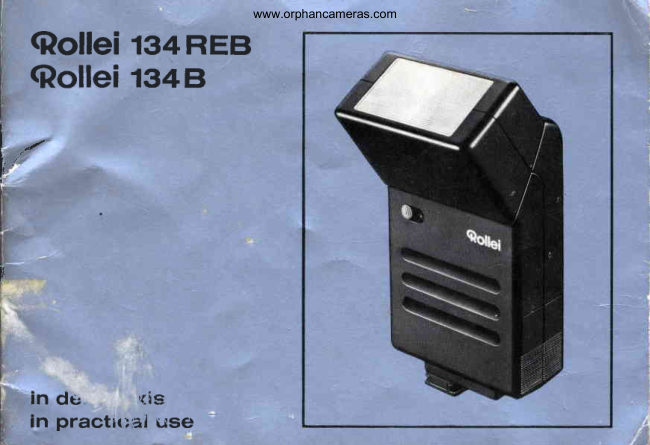
Rollei 134 REB / 134 B User manual
User manual for Rollei 134 REB / 134 B. 24 pages in German. Read the original PDF, download or print a copy without registration.
24 pagesGerman1.2 MB PDF
Loading your manual…Open PDF directly
Document details
- Brand
- Rollei
- Model / document
- Rollei 134 REB / 134 B
- Document type
- User manual
- Language
- German
- Pages
- 24
- File size
- 1.2 MB
- Category
- Film cameras
- Document date
- Not specified in catalog
Search available document text
Find a term, then jump to its page in the original PDF. Image-only pages may not be searchable; check the PDF for exact wording and diagrams.
Page 1 · Read text
www.orphancameras.com
  <Rollel       tg+REB
  Qollei rs+e
l-
lttt

r


    in de,      qls
    in practir:al use
View original page 1Page 2 · Read text
www.orphancameras.com


Inhalt                                 Seite  Contents                         page

Einzelteileund Funktion                  2  Componentsand function              20
Schnellkursusfi.irEilige                  2   Brief crash course                    20
Batterieneinsetzen                      5   lnserting batteries                   23
Geriit anschlieBen                      5   Connectingthe unit                   2g
Kameraeinstellen.                      5  Camera setting .                      23
B lit z e nm i t Ro lle i-V a rio -C omouter*....    6   Flashingwith Rollei-vario-computer*   ..  24
B l i t z e n o h n e R o l l e i - V a r i o - C o m. p. .u. .t .e r  7   Flashingwithout Rollei-vario-computer. .  25
Netzbetrieb                            7  M a i n s o p e r a t i o n                         . . . . . . . .   2 5
Batterien wechseln                   B  Changingbatteries                   26
NC-AkkuslaCen .                                              I   RechargingNC accumulators.. .          26
Zubehor                                                               I   Accessories                         27
Tips zur Blitzpraxis                  10   Practicalflash hints.                  28
Abhilfe bei Bedienungsfehlern         16  Handlingfaults and remedies          34
D a t e nu n d Za h le n .                   18   Specification                        36
Beim Lesen bitte erste und leizte Umschlaq- When reading,please open the first and last
seiteausklappen.                           cover leaf.
Angaben,die ausschlieBlichfiir 134REB gelten  Items applicableto 134 REB only are marked
sind durch * bezeichnet.                   by an asterisk+.
View original page 2
Page 4 · Read text
www.orphancameras.com


Mike Butkus Digitally                                          DN:email=mike@butkus.org,Date:cn=Mike2025.01.06signedButkus,by13:22:47Mikeo, ou=Butkus.org,Butkusc=US-05'00'
View original page 4
Page 7 · Read text
f
                                 www.orphancameras.com
Components   and  functlon
 1   Cover for battery/accumulatorcompart-  22   Charger type D, charging time approx.
     ment                                  15 hours
 2    Foot for accessoryshoe of camera,      23   Charging lock at switch position "On,l,
 3    Flash cord release,also manual firing           also switch-on lock during charging
 4    Flashcord                          24   Manual firing, also flash cord release
 5    Flash cord outlet                    25    Tripod screw 1/4"
 6    Hot shoe contact                    26    Quick charger type F, charging time
 7    Film speed setting slide                      approx. 4 hours (not shown)
 8    Film speed scale
 9    Film speed index
10*  Sensor
11*   Slidefor sensor
12*   Selectorswitchfor shootingaperture       Brlef  crash  course
13*  Red index for shootingapertureand                               O  Insert batteries: Draw and open cover 1     maximum range                                             as to  fig. B. Insert 4 dry batteries (e. g.14   Aperturescale
                                                Mallory Mn 1500 or Varta 7244) or 4 NC15    Meter/feetscale                                            accumulators(e. g. Varta 501 RS) according16   Turning reflector
                                                       to diagram. Close cover 1 and press tight.17   On/Off switch                                                           I
18   Red mark for switch position "On"     O  After inserting dry batteries the flash unit
19   Ready indicator light                             is ready for use; NC accumulatorsshould                                                                                                      *20   Chargercord                          be charged before initial use to compen-
21   Chargercord outlet                       sate for their inevitable self-discharge-+
                                          page 26.

20                                                                                                                        -t".                 ,;;.*"                                                                    ':.ilfl{r-
View original page 7Page 8 · Read text
www.orphancameras.com
    O Cameras with hot shoe: Push foot 2 into   *  Set shooting aperture selected on camera;
                                                               range: approx.16 in. -  10 ftrft,      this shoe -+ fig. C.                         note shooting    O Cameraswithout hot shoe: Push foot 2 into      or 2-20 tt/0.4-3 m or 0.6-6 m with reflector
          this shoe -+ fig. D. Pull flash cord release3     16 in normal position,not turned.
          to the right, connect flash cord 4 to ouilet    When   f lashing without computer, cover
i        5 and to cameraX contact.                   sensor10 by slide 11 +  fig.A.
     a  Set shutter speed with between-lensshutter o Move switch 17 to the  left and wait for
        as required up to r/zsosec, with focal plane     ready indicator 19 to come oh -+  fig. A.
             . shutter in accordancewith camera instruc-    Do not mask sensor 10* when releasing.
         tion book (if in doubt t/eosec).                                  O  After use and before idle periods, reset
     a  Set film speed with slide 7 on scale I to A      switch 17 to "out" position to save energy.
        index 9 -+ fig. E.                       Do not fire the last flash eventuallystored
        *  Switch on Rollei-vario-computer:Uncover     (so retaining quick readinessfor flashing
        sensor 10 by slide 11 -+ fig. A.                next time).
        Set selector switch 12 to one of the two red  o Remove alkali-manganese dry  batteries
               I  marks13 (do not use an intermediateset-     before  longer  idle  periods  to  prevent
          ting). Read off shooting aperture at scale     corrosiondamages.
       14 and appropriate maximum range at    NC accumulatorsare leakproof and can
        scale 15 below red index 13 -+ fig. E.         be left inside flash unit.


                                  ,,;i#                                                   -sk-.      J*          o#rrdl&                                     ,.1*r          21
View original page 8Page 9 · Read text
www.orphancameras.com
 Rollel 134 REB                      ',                 i             Rollel 134 B
 A high performance unit with all the refine-  The counterpart of the above without RE-
 ments offered by modern flash electronics:     computer, but with the same versatility and
Optimumpower ensuredby rational,computer-  reliability:
 controlled energy metering with super-fast  a precisionproduct of the usual Rollei quality
 recycling time and high flash capacity; uni-   at a reasonable price for all fields of classic
versal applicationprovidedby turning reflector,  flash photography.
selectablepower sources and quick charging;
 convenient to  use by choice of  shooting  We wish you pleasure and success with these
 aperture and working range;  reliability of  new flash units.
 function in continuoususe ensured by Rollei
 precision-                                  Rollei-Werke
                                         Franke& Heidecke
a top  quality flash unit with the technical
features of tomorrow.


22
                ,d$&tkL*x**                           **hMeu         ;'u.M*xr.'l;,...
View original page 9Page 10 · Read text
www.orphancameras.com
Insertlng   batterlea                                            :   Connectlng   the  unlt
Either 4 standard 1.5 Volt-AA type dry bat-   Cordless flashing
teries (e. g. Mallory Mn 1500 or Varta 7244)or   for cameras with "hot shoe" contact in acces-
4 NC accumulators1,2 Volt (e. g. Varta 501 RS)  sory shoe: Push foot 2 into this shoe +  fig. C.are necessary--> Technical data on page 37.
                                             Flashing with synchronizing cord
Never use batteries or accumulatorsof same                                                     for cameras with flash outlet socket:, Pushsize but higher voltage as this will cause                                                 flash unit into accessoryshoe of camera.deterioration of performance or damage to                                                Pull flash cord release3 to the right, connectflash unit.                                                flash cord 4 to outlet 5 and to camera ouilet
Draw and open cover 1 as shown in fig. B.   socket +   fig. D. Centre contact 6 is discon-
lnsert batteries (accumulators)according to   nectedby insertedRolleiplug.
diagram.Close cover 1 and secure.           Disconnection:Pull release3 outward.so dis-
                                         chargingthe unit.After inserting dry batteries,the flash unit is
ready for use.
                                     Camera  settlngNC accumulators must be recharged before
initial use to compensatefor their inevitable  Synchronization(if adjustabte) with X  (l)
self-discharge after prolonged storage -+    setting.
page 26.                                            Shutter speed set according to camera in-
                                              structions:
                                          With lens shuttersany setting, up to ]/zsosec;
                                               with focal plane shutter usually 1/eoorrleo sec.

                                                                       23             ,';iii:d:,"    ,,'i;*;                                                                  :g*&,
View original page 10Page 11 · Read text
www.orphancameras.com

Flashlng  wlth  Rollel-varlo-computer    {<  O  lf desired, turn and engage reflector 16
                                             as shown in fig. F, or release flash unitO Set film speed used with slide 7 on scale                                             from the camera, hold  it  vertically and
   8 to A index 9 +  fig. E.                       point with sensor in the required direc-
O Switch on Rollei-vario-computer:Uncover     tion ->  fig. G. For this purpose use the
  sensor 10 by slide 11 +   fig. A.               coiled flash cord (extendingup to 125 cm)
   Set shooting aperture: Engage selector      --> paee 27.
   switch 12 to one of the two V red marks 13.     Furtheroperationas describedabove -  bul
  Red index 13 indicatestwo different shoot-    maximum range is no longer applicable-->
   ing apertureson scale 14 and on scale15      hint @.
   the maximum range in each case.                                                '17                               O Switch on flash unit: push switch   to the
O With  reflector  in  normal  position  set       left (red mark 18 visible) and wait until the
   shooting aperture indicated on camera,     ready indicator 19 comes on.
   read off maximum range indicated and                               O  During  prolonged  idle  periods  switch   note.                                                           off flash unit to save energy: remove switch  Example -+  fig. E: 100 ASA  / 21 DlN,                                         17 to the right (red mark 18 not visible).Do
   shooting aperture f/5.6, maximum range                                                not fire the last flash eventuallystored (to
   a p p r o x . 6 m / 2 0 t t .                                                    retain quick readiness for   f lashing next   For this film speed  it  is also possible                                                  time).
   to  select shooting aperture f/11 with a
  maximum range of approx. 3 m / 10 ft, see
   also hints @ and @.


24     &d#*t        ,*r*.lr;,*                                                                ...-,,';,:,&a,s;]\iu;"*,rt;.1
View original page 11Page 12 · Read text
www.orphancameras.com

     Flashlng without  Rollei-varlo-computer      Malns  operatlon  (AC only)
      * Disengagecomputer: Cover sensor 10 by  O Required is a type D charger (optional
       slide11.                                     accessory).
   O Set film speed as describedon page21.    o Remove alkaline dry batteries from flash
                                                            unit; but leave NC accumulatorsinserted.   O Read off aperturecorrespondingto
       distance(betweenf lash unit and subject)on  o Check mains voltage and charger + page
       scale 14 or 15 and set on camera.              26.
   O Example ->  fig. E: 100 ASA  / 21 DlN,  a Connect charger cord 20 to outlet 21, char-
        f/11, flash-to-subjectdistance 3 m  / 10ft;      ger 22 to mains socket  (if necessary by
      see also guide numbertable/ hint @.          means of extensioncable) +  fig. H.
   O  Further operation as when flashing with  o  For mains operation leave switch 17  in
       Rollei-vario-computer.                           "out" position. Wait for ready indicator 19
                                                            to come on: on mains oPeration after
                                                    approximately30 sec.F


l


                 ? . .                 ,.,&m.u*:{#..,                 ,;*x;&l**fg;:@*;,                            :rrx,'i:,.atii4!fu,'   *,*,r*llWarrgl';       *!*&&,,
View original page 12Page 13 · Read text
www.orphancameras.com

Changing  batterles                        Only type C or type F charges are suitable
                                         on AC power supply; voltage shown on cfiar-Alkali manganese dry  batteries are  nol                                              ger must agree with mains voltage available. rechargeableand must be exchangedas soon
as recycling time increasesto approx. 30 sec  On normal type D chargerswith voltage selec-
+  fig. B.                                              tor: set slot betweenthe plug pins to the mains
Batteriesshould be exchangedas completeset   voltageavailablewith a coin.
of four only. Known makes in fresh condition                                           Quick chargers type F -> Separdteinstructions,will ensure optimum flash operation."Alkali-                                          as used for other Rollei flash units also.manganese"cells, mostly sold as "alkaline"    'Mn"or         type, are  highly recommended Connection for cfiarging
(minimumself-dischargeif stored or not in use   with type D charger
for longer periods).                        Leave NC accumulators in flash unit, set switch
                                        17 to "out" position (red mark 18 and char-
Recharging  NG accumulatorg   (AC only)   ging lock 23 not visible).Conneot normal type
                                 D charger 22 to outlet 21 and to mains socket
Ched< mains supply                            -+ fig. H.
NC accumulatorsonly are rechargeable.Alka-
line dry batteries, however, should never be
charged to prevent them from damaging the
flashunit.


26
          -,..i;.1--;;,.+:.     *      :
View original page 13Page 14 · Read text
www.orphancameras.com

     Charglng tlme with type D charger              Acceeeorles
      Afler normal discfiarge: as soon as recycling  Flash cords
     time increasesto approx.30 seconds, recharge  Available according to length and plug type in
     as soon as possible for about 15 hours to   the following models (+  fig. Jl R  :   Rollei
      retainreadinessfor flashing.This ctarging time   plug, N =  standard plug, L   :   Leica .'|M"
    may (occasionally)be exceeded by up to 500/o;  plug):
     frequent overchargingmay, however, damageffi                                               Description                   Plugtype     the NC accumulators.                                            Gord 40 cm r                R + N     After full discharge: if ready indicator 19 no                                             Cord 40 cm o                R + R     longer comes on (for example after forgetting                                                  Coiled cord 35/125cm r          R + N
      to switch the unit off), recharge as soon as                                                Coiled cord 351125cm o         R + R     possiblefor approximately20 hours.                                                  Coiled cord 35/125cm r          R + L     After short idle periods up to a few weeks:                                            Gonnector                 R + R
     before using  f lash unit again recharge for                                                Extension cord 300 cm          R + R     approximately20 minutes,flashing a few times                                                                                r For Rollei SL 35 and for cameras of other     with manual release button 24 while this is                                             makes,
     taking place. This will reform the flash capa-   o for  all Rollei cameras except SL 35 and      citor and the unit will then be fully ready to                                         A 26,     flash again.                                                              for Leica cameras. series "M".     After prolonged  idle  periods: recharge for                                          The distance between flash unit and camera     several hours every few months to compensate                                            can be increased with extension cords and      for gradual self-discharging (typical of  all                                                connectors.     accumulators).
     Charging time with type F charger approx.   Other accessories
     4 hours (+  special instruction).               available from your Rollei dealer -+ page 37.
        ,M*:;xMrn,.                                                                     :/&,'.,,l@Ss,Bicrsl*,,,                       ,fsk                 J
View original page 14Page 17 · Read text
www.orphancameras.com                                    I
                                                                                                                      }@ Bounce flash                @ Guide number for manual operatlon
Advantage: soft  illumination without  hard   (G.No. =  aperture x distance in m or  ft) as
shadows.                                     function of  the  film speed in accordance
With horizontal format shots turn reflector 16   with the followingtable:
into its 600 rest position being the optimum for                                 ASA       12  16 20  25  3 2 4 0 5 0 6 4
bounce flash +  fig. F; with  vertical format                                 D t N        1 2  1 3  1 4  1 5  1 6 1 7 1 8  1 9
shots: Turn reflector as said above, detach                               G . N o .m     1 2  1 3  1 5  1 7 19 21  24  27flash gun from camera and hold  it vertically                                          G.No. ft     39  44  49  56  62  70  79  88(with sensor *) in direction of subject -+ fig. G.                                  ASA       80 100 125 160 200 250 320 400
Using 134 REB with computer *:  In normal  D I N       20  21  22  23  24  25  26  27
living rooms select the larger shooting aper-  G.No.m     30  34  38  43  48  54  60  68
ture, but stop down camera by one f/stop, and   G.No.ft     98 112 124 140 158 176 200 224
operate in close-up range only; between 0.4                                   ASA         500 640 800 1000 1250 1600and 3 m / 16 in. and 10 ft.                                 D I N          28   29   30   31   32    3it
Using 134 B, or 134 REB without computer:  G.No.m       76   86   96  108 120 136
According to subject condition, open camera  G.No.ft       250  280  316  352  400  448
aperture more than indicated at scale 14,                                                    In extreme cases (very high and dark orapprox. 2-21/z stops in normal bright living                                             very small and  bright rooms, absence ofrooms; approx. 3 stops in large dark rooms                                                  reflectionin the open, macro photographyetc.),of unusualheight.                                              the  table  is  only  approximately correct;
Since the brightness of the flash is not fully   several  pictures  at  different apertures are
used with bounce flashing, films of higher  recommended.
speed are recommendedto obtain favourable
camera apertures.

gl
                                                                                                         ' . , , ; ; , t . q ,                           t , t .          , ,                   ,:rl*ffi'                    *ir          ;;^r.**:.
View original page 17Page 18 · Read text
www.orphancameras.com
   @ lltuminationof subject area         @ Utilizlng ultra-short flash duration *
    The wideanglereflector will automaticallyserve  Switch on Rollei-vario-computer.Reduce flash-
      for good illuminationwith all distancesabove  to-subject distance in accordance with the
     1 m I 3t/z ft. When taking close-upsbelow 1 m /   ranges given in hint @. Setect light back-
      3t/z tt. distance,detach flash unit from camera  ground (and also if possibletight subject).At
    and point to center of subject.                the shorter flash-to-subjectdistancesthe flash
     With bounce flash (and reflector in 600 posi-  duration is reduced to approximately1l2A00O
      tion) always align sensor * towards center of   sec (to,r).
     subject.                                   Colour casts will not occur even at these ultra-l*ll
   @ Flash reflections                           short flash durations.
    Avoid shooting angles where reflectiveobjects  For extremely rapid motion sequences: use
      will reflect the flash directly into the camera  open flash method-+ hint @ and suitablecon-
     lens or sensor *, as this would lead to false   tactor which is tripped by the subject itself at
    exposures.Select camera positionand arrange  the decisive moment.
     flash unit so that frontal reflectionsfrom panes @ Flashing with camera shutter open
     of  glass, mirrors or  polished surfaces are     (Open flash method)ll     avoided.                                    permits amongst other things repeatedflashes
                                                     within a prolonged time exposure to obtain
                                                 special effects (e.9. "double exposure,,,illu-
                                                mination of  halls without excessively bright
                                                   overall illuminationetc.): use flash unit and
                                          camera (on tripod) separately, open camera
                                                   shutter and fire with manual releasebutton 24.


                                                                        31                                                  ll.,-      ;iitia*                    ,""*#i:t{,i                       .-&#-+-.                                                     ;ft#md-".
View original page 18Page 19 · Read text
www.orphancameras.com                                                                                                                        i
@ Fill-in flash in daylight                     Without computer: switch off computer * and
(with reflector in normal position)             read off the aperture corresponding to the
producesbetter modellingin the shadowsand   flash-to-subjectdistance. For this purpose de-
more brilliantcolours.                      termine suitable shutter speed with exposure
                                            meter.With computer *:  determine shutter speed/                                           Set this shutter speed (where permissible)onaperturecombinationsaccording to available                                                         I                                              the camera. On the camera however, reducelight  with  an  exposure meter. Determine                                              the aperture measured by one f/stop. Result:suitablecombinationaccordingto permissible                                          as above when operating with computer.shutterspeed of the camera and shootingaper-
ture availableon the flash unit. Set shutter  Example:50 ASA / 18 DIN film, fastestpermis-
speed on camera and appropriate shooting  sible shutter speed ]/eosec, subject distance
apertureon the flash unit, but stop the camera  3 m / 10 ft, aperture read off f/8, meter reading
                                                r/oosec at tl8, shutter speed set r/oosec, aper-down by one aperture.Result: noticeablefill-
in, daylight-to-flashratio in the shadows 1 :1.   ture set on cameraf/11.
                                       per-                                                 technique *:                                                          Fill-in                                                                   controlled                                 fastest                                                                                               filling-in                21 DIN                                                 / film,Example:        100 ASA                                                                                       with                  It.                                                    "light                                     aper-                                                 dispensing",                                                     whereby                                                                          flash                     1y'aos€c,                            shooting                                                                               illumination             speedmissible        shutter
tures availablef/5.6 or t111,meter reading r/oo  is reduced to such extent that only slight fill-in                                                                                                                                                                     ft                              ]/ao                               sec, shooting   is obtained according to  pictorial require-sec at f/5.6,shutter speed set
apertureselected f/5.6,apertureset on camera  ments.
t/8.                                      Example: 200 ASA / 24 DIN film, shooting
                                            aperturesselectablel/8 or f/16, meter reading
                                                       r/rzs                                               sec at  f 16, shutter speed set r/rzs sec,
                                            apertureset on camera f/16, shooting aperture
                                                 set however, tl&.

32
                                                                     -dde#,                                                ,,o&:,.     .,        *,e*l:;xuii{M;
View original page 19Page 20 · Read text
www.orphancameras.com
@ Multiple flash                @ Communalflashes
Synchronizedflash shots with several Rollei  Even when several photographers are using
units: connect flash cord to each flash unit,  flash at the same time your Rollei flash unit
use a multiple adaptor on the camera flash  can be fired with or wiihout computercontrol.
socket.                                The function of the unit is not affected by
With computer *:  set up flash units so that  extraneousflash (built-inextraneousflash bar-
                                                       rier).their sensorsdo not pick up direct light from
the other flash units. Select shooting apertures @ Recfiargingabroad
of the units according to the illuminationre-   In some cases different voltages and mains
quired.                                    plug systemsare used abroad.
Without computer: two flash units used fron-  As a precautiontake with you a suitablechar-
                                           ger or an adaptor for the charger plug fortally at the same range will yield twice the
light, therefore use the next smaller f/stop.  using a connection cord with the local type                                            plug.When used at different ranges (e.9. second
flash acting as a fill-in): read off the aperture @ Care and maintenance
for the range of the main flash.             Remove batteries from flash unit if not in use
@ Flash sequences *                              for longer periods.Clean reflectordiffuserand
are made possible by unusually short recyc-  dust flash unit externally. Keep battery/accu-
ling times of approx. 0.3 sec at close-up range   mulator poles and contacts inside of cover free
of around 1m  /  31/r tt. Example: 100 ASA  /   from oxydes.
21 DIN film, working aperture tl\.6, obtainable
number of flashes with fresh batteriesor fully
chargedaccumulatorsapprox.5 per sequence.


                                                                       33
                             .ai:.';liil$,,:                                      .*h..,.. ,**iidlb,                                                       $*.,.   :r";,,;,-rr"..!,uls.
View original page 20Page 22 · Read text
www.orphancameras.com


     Fault         Possiblecause          Remedy             Remark
             Room reflectionmissingor  Open aperture         About 1-2 stops outdoors,
                    insufficient(reflector                            about 1/z-11/zstops in
                      in normalposition)                                largedark rooms
     Pictureunder-
               Bouncelight with        Open aperture          2-3 stops according    exposed
                wrong aperture          +  hint @                 to conditionsroom
                  Signallamp not noticed   Do not flash before
                                           signallamplightsup
     Picture      FP- or M-settingused    U s e X ( / ) s e t t i n g      FP- or M-settingfires
    unexposed                                                        flash too early
                  Shutterspeed for focal     See instruction        With focal plane shutters     Picturepartly                 planeshuttertoo short     manualof camera       usuallynot shorterthan r/eo    exposed                                                                           or ]/soseC.
     Picture       Frontalf lash reflection    Changeviewpoint      Especiallywith window
     partiallyor                             and/orflash direction   panes,polishedfurniture,
     entirely                                                                 tiled walls etc.
     burntout


                                                                                  35
[       '**                             "  -; --- . -,:.---       .,;,
View original page 22Page 24 · Read text
www.orphancameras.com
Flash capacity
     on dry batteriesapprox.    120-2000 +                 120
     on NC accumulatorsapprox. 70-1500+                 70
     on mainssupply           u n l i m i t e d                  unlimited
Flashduration(t0.,)with computer approx.1/qoo-1lzoooosec                                        '/4oo                                   Sec             approx.r/aoosec     lesscomputer           apprOX.
A n g l eo f i l l u m r n a t i o n          approx.45'x 60o             approx.45ox 60'
Sensoracceptanceangle        a p p r o x . 1 5 '
                 o            approx.5500K              approx.5500KColourtemperature
Dimensionslessfoot            approx.75 x 35164x 127 mm    approx.75 x35164x127 mm
                                     3 x 1 3 / a( 2 1 l z l x 5 i n           3 x 1 3 / a( 2 1 1 2 ) x 5 i n
Weight                        approx.300 g / 1O1lzoz.       approx. 290g I 1011toz.
Powersources                 4 Alkali manganeseAA type dry batteries1.5V,
                                   e. g. MalloryMn 1500,Varta 7244 and similar             or
                              4 NC accumulators1.2V, e. g. Varta501 RS and similar  or
                      AC mainssupply
Type D charger                    for charging NC accumulatorsinside flash unit, full charge
                                      in approx. 15 hours, with/less voltage selector; electrically
                              safe by disconnectingtransformer,protectionclass ll
Type F quickcharger              for external charging of NC accumulators,full charge in
                              approx. 4  hours, voltage selector 100-1 30/200-240 V;
                                  electrically safe by disconnectingtransformer,protection
                              classll
Accessories               Case for flash unit and accessories,type D charger,type F
                              quick charger, various flash cords, flash cord extension,
                                 flash cord connector

* depending on shooting aperture and subject distance
o corresponding to average daylight
                                                                                37
View original page 24From the M. Butkus archive. Original publisher and archive notices are retained.
Check the model and edition against your equipment.
PDF verified 2026-10-10.