Film cameras
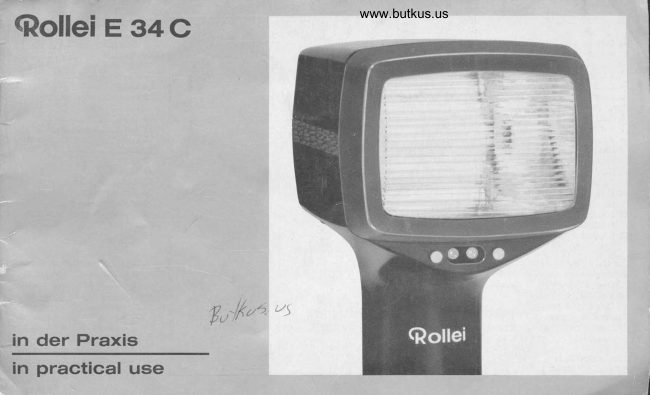
Rollei E 34c User manual
User manual for Rollei E 34c. 18 pages in English. Read the original PDF, download or print a copy without registration.
18 pagesEnglish2.9 MB PDF
Loading your manual…Open PDF directly
Document details
- Brand
- Rollei
- Model / document
- Rollei E 34c
- Document type
- User manual
- Language
- English
- Pages
- 18
- File size
- 2.9 MB
- Category
- Film cameras
- Document date
- Not specified in catalog
Search available document text
Find a term, then jump to its page in the original PDF. Image-only pages may not be searchable; check the PDF for exact wording and diagrams.
Page 4 · Read text
anschlieBen                                  www.butkus.usConnecting the unit


Vor E      rauch empfiehlt sich ein ca. lSsttin-                                                          Prior to first use, recharging for about 15 hours
 diges N    laden (Seite B).                                                                                                   is advisable (page B).
Ansetzen      Gerdtehalters (nur ein                                                                  Fitting the holder (only required for initialderlich): Spa  schraube 15 mit Schra            ffiFP                           assembly): Slack off the tensioning screw 15
 durch Linksd  en losen, Halter /16 auf den                                              by turning anti-clockwise with a screw driver,
 Handgriff 9 sch     und Sp      aube so                                          push the holder 16 over the handgrip 9 and
weit festziehen. d   sich der H         riff im Halter                                                      tiEhten the tension screw until the handgrip  is
 noch drehen IdBt.            mschraube 17                                                          just able to rotate in the holder. Assemble with
 dabei nach vorn                 chtet ist, ergibt                                                    the clamping screw 17 facing to the front or the
 sich aus der beque         ndhabung.                                                                        rear, whichever is more convenient.
Kameraschiene 18 an   auben (siehe auch                                         Screw on the camera bracket 18 (see also
 Seite 14).                                                                          page 14).
Klemmschraube 17         ausdrehen,  Blitz-                                                   Fully unscrew the clamping screw 17, push
gerdt mit Halter auf        18 schieben und                                               the unit with holder onto the bracket 18 and
Klemmschraube  f                                                                                       tighten the clamping screw.
Durch die Bohru                 gewunschter                                                            lnsert a cable release in the required direction
 Richtung ein Dr   tausloser frihiUn, um die Ka-                                               through the hole 19 to permit releasing the
mera am Blitzodrd auszulosen.                                                        camera while connected to the flash unit.
Verriegelung    eindrticken, Synch   kabel 20                                               Press in spring lock 8, plug flash cord 20 into
mit Anschlu  6 und Kamera-Synchro    ippel 21                                                            outlet 6 and into camera socket 21.
verbinden.
                                                                                              Synchronising setting: Where the setting is ad-
                                                                                                                      jrrstable, always move it to the X (l)  position.
xrc)                                                                                              Selecting the shutter speed: Follow the recom-
Wa       VerschluBzeit: Angaben der Kame                                               mendations in the camera instruction book.
G     chsanweisung beachten! Bei Schlitzver..-                                                                           lf in doubt use 1/30 second with focal plane
        in Zweifelsfdllen 1/30 sec, bei Objektiv-1,.                                                        shutters, or any speed up to 1/500 second with
       Itissen beliebig bis 1/500 sec.       L                                                 between-lens shutters
                                                                                                                                                3
View original page 4Page 5 · Read text
litzen mit Gomputer
                 o   rehschalter 1 auf A:Automatik  stelle
                 o    eil am Blendenrechner 2 auf DIN-
                               Wert des Films stellen.
            O Blen\e in roter Kreismarke 3 (bei     fge-
                                    setzt    Graufilter in Marke 14) abl    n, an
                            der Ka      einstellen und bei di    r Film-
                              empfind           it stiindig beibeha
                          SDlN:504         konstante
                          Blende 5,6  (bei aufges          Graufilter
                            Blende 11.    e auch Seite/6).
                              Batteriebetrieb
            O Zum Einschalten        ter  nach oben (rote
                          Marke sichtbar).
            O Blitzbereitschaft b        einen des Leucht-
                                signals 5.
            O Aufnahme.
            O Zum Ausschalten          4 nach unten (rote
                                      fi4arke unsi
                           Netz- und Duplex                                     ist auch mit Co  puter moglich   iehe Seite 5,        o   o                                 rechts).         Eo
                                     Blitzdauer:      ca. 1/600 bis 1/30000
                                         Bllitzfolgezeit    nach automatisch  ei            ter Ener-=o                  giestufe;    i   riblichen Aufnahmebereich bis   4m:
                                 2 sec, bei   roBerer Entfernung bis ca. 6 m    4 sec
                                 (bei voll   fgeladenem  Akku).
                                    (ohne Nachladen): im Entfernun
                                       4 m ca. 110 Blitze, {lber ca. 4 m ca. 60 Bl\ze.
                                           ere Vorteile: automatisch richtige Belichtung
                                                   r Blendeneinstellung im Blitzabstand zw
                                        40 cm und 6 m. Verringerung der Blitzdauer mit
                                         Blitzabstand.
View original page 5Page 7 · Read text
{ Flashing with comPuter
            O Turn the selector switch 1 so that it points
                                 to A :  Automatic.
            O Set the arrow of the aperture selector 2 to
                            the appropriate ASA or DIN rating of the
                                   film used.
            O Read off the aperture inside the red index
                      3 (or index 14 when using neutral density
                                            filter). Set this aperture on the camera and
                             use this setting always with that film speed'
                             Example: 50 ASA :  18 DlN, constant apert-
                            ure f/5.6 (f/11 when using neutral density
                                            filter, see page 16 also).
                             Battery operation
            O To switch on, move the switch 4 up (red mark
                                         visible).
                  o When the signal lamp 5 lights up, the unit
                                        is ready to flash.
                 o Take the picture.
                 o To switch off, move the switch zl down (red
                          mark not visible).
                          Mains and combined (duplex) operation                                                                                                        7,        o   o      is possible with computer also (see page
                            R. H. side).
                              Flash duration (to,r): Approx. 1/600-1/30000 second'
                                 Recycling time (battery fully charged) : As to automatic=o             energy rating, at usual distances below approx'    =c
                      13 teet about 2 seconds, at  distances beyond
                               approx. 13 feet about 4 seconds.
                              Flash capacity (without recharging)' within a '13 feet
                             range approx.  'l'lO flashes, but 60 flashes at distances
                              of mors than 13 feet.
                                Special advantages: Automation for correct exposure
                                without any aperture ad justment -  at subject                              distances between approx.16 inches and 20 feet'
                        The shorter the flash distance, the shorter becomes
                           the  f lash duration.
View original page 7Page 8 · Read text
{ Flashing without computer                         www.butkus.us
 O Turn the selector switch  'l so that it points
     to $ :  full-power, or V :  half-power.
 O Set the arrow of the aperture selector 2 to
      tlre appropriate ASA or DIN rating of the
      film used"
 O Use the aperture read off opposite the
     appropriate flash-to-subject distance.
     Examples: 50 ASA :  18 DlN, flash distance
     10 feei, full-power: tl11 (20O ASA : 24 DlN,                                                                                                { Mains and combined (duplex) operation
      flash distance B feet, half-power: I/22).                                                          (permissible only with A. C. and the battery
                                                                                                               inserted!)
  Battery operation                                  O Plug charger cord into outlet 7 and connect
 O To switch on, move the switch 4 up (red                                                  charger plug to the mains supply (after
     mark visible).                                                                                              setting  it to the appropriate mains voltage - C When the signal lamp 5 ligths up, the unit                                                   see page B).
       is ready to flash.                                   O With duplex operation, move switch 4 up.
    Level automation serves for economic                      O The unit is ready to flash when the signal
     current consumption and for constant volt-                                                   lamp 5 lights up.
    age at flash capacitor.                                 C Take the picture.
 O Take the picture.                                   O To switch off, disconnect the charger plug
 O To switch off, move the switch 4 down (red                                                    (and move the switch 4 down, when using
    mark not visible).                                                                             duplex operation).
                                                                                                         FIash duration (to,r): Approx. 111 000 second at half-
  FIash duration (to,r): Approx. 1/1 000 second at half-                                                       power, 1/600 second at full-power-
  power. 1/600 second at full-power.                                                                                 Recycling time (battery fully charged):Mains operation
  Recycling time (battery fully charged): about 2 sec-                                                       at half-power about 15 seconds, mains operation ai
  onds at half-power, about 4 seconds at full-power.                                                            full-power about 30 seconds; duplex operation at
  Flash capacity: Approximately 110 flashes per charge                                                       half-power about 2 seconds. duplex operation at
  at half-power, 60 flashes at full-power.                                                                           full-power about 4 seconds.
                                                                                                                   Flash capacity: Unlimited.  Special advantages: Makes smaller apertures possible               0   for greater depth of field. This mode of operation is                                                           Special advantages: The unit yields an infinite num-
  adaptable to difficult subjects.                                                                               ber of flashes, irrespecive of the battery charge.
                                                                                                                                                 7
View original page 8Page 10 · Read text
einige Male abblitzen. Damit ist Bl                       www.butkus.usis then reformed and unit fully ready to flash
      nsator nachformiert und Gerdt ohne V                                                    again without loss of battery capacity.
 lust    Akkuladung wieder voll blitzbereit.
                                                                                                      After longer idle periods: Recharge unit after
 Nach            Nicfitgebraudr: Gerdt     Ab-                                                                                             every few months to compensate for gradual                                                      -
 stand     einigen Monaten nachladen,     sich                                                        self-discharging (typical of all batteries).
 alle Akku  allmdhlich selbst entladen.
          g

Laden auf Reisen                                                                          Charging during travel
Auf Auslandsreisen ist     nter mit abweichen-                                     When travelling abroad various types of plug
den Steckersystemen      rechnen. Als Vor-                                                  sockets may be found. As a precaution it is
sichtsmaBnahme em      es sich. ftlr den                                                    advisable to take with you a suitable adaptor
Ladestecker eine          Kupplung mitzu-                                                     for the charger plug to connect the charger
nehmen, um daran lin Ve   ndungskabel mit                                                  through an extension cord to a local type plug.
landesUbl ichem Ste6ker zu


Akku                                                     Changing the battery
Bei N   - oder Ladebetrieb erst Lad                                                        With mains operation or when charging, discon-
ziehe f (!), dann Schraubkappe 10 losen                                                     nect charger plug first (!), then unscrew cap
Akk  11 herausnehmen. Ersatzakku einsr                                                10 and take out battery 'l'1. lnsert new battery
        auf Pluszeichen in Schraubkappe)l                                                        (plus pole pointing to plus marking inside cap).
     ubkappe 10 wieder anbringen.                                                                           Refit cap 10 and screw tight.
View original page 10Page 12 · Read text
@  ndirekter Blitz (bounce flash)                              www.butkus.us@ Bounce llash
Au        abschalten. Um das Objekt indirek                                                  Switch off automatic system. For indirect sub-
zu    euchten, Blitz gegen die Zimmerd                                                             ject illumination point the flash at the ceiling:
 richt    Kameraschiene festhalten und Ger                                                      Hold the camera bracket and tilt the flash head
die g   iinschte Raststellung kippen. Ka                                                            to engage in the required position.
je nach    fnahmeverhdltnissen entspr     nd                                     Use a larger lens aperiure on the camera
stdrker a   enden (meist 2-3 Stufen).                                                                  (usually 2-3 steps), according to the prevailing
Die Auto         ist nicht benutzbar. da   ie Sen-                                                        conditions.
soren die He  iqkeit der Zimmer         statt der                                          The automatic system cannot be used, as the
Objekthelligk   messen wurden.                                                               sensing cells would measure the brightness of
                                                                                                  the ceiling and not of the subject.


@ Blitzspiegelungen                              @ Flash reflectionsAuf nahmerichtungen        iden, bei denen                                              Avoid shooting in directions where reflecting
spiegelnde Objekte       Blitz direkt in die                                                   surfaces can throw the light directly back into
Kamera reflektieren (F     bei automatischem                                               the camera (with automatic flash control this
Blitzen: Unterbelicht       rch Messung des                                           leads to underexposure because the unit
gespiegelten Blitzl     es).                                                                  measures the very intense reflections). Choose
Standort so wdhl     d Blitz    anordnen, daB                                            a viewpoint and arrange the flash to avoid ha-
starke   f rontale Spi   elungen a    eschaltet sind                                                     ving strongly reflecting surfaces in front of the
(Glasscheiben,    egel oder          Fldchen).                                         camera (window panes, mirrors or polished
                                                                                                             surfaces).


@B       nd und Aufnahm
Unter Vfrwendung eines Verldngerung   abels                    @ Flash distance and taking distance
konne   Blitzabstand und Kameraabstan   un-                                              Flashto-subject distance and camera-to-
abhd  gig voneinander gedndert werden.     B-                                                   subject distance can be varied independently
    nd ftir die richtige Belichtung (BlendQn-                                           by using a flash extension cord. For calculat-
     rl) ist der Abstand zwischen Blitz und Au\-                                                    ing the correct aperture refer to the flash-to-
  megegenstand.                        \                                                     subject distance.

                                                                                                                                                                                      11
View original page 12Page 13 · Read text
utzen extrem kurzer Blitzzeiten                  am Tage                    'echnisclre Daten
       atik einschalten. Blitzabstand verri          zur    fhellung der Schatten: Blendenrechn
(bis     . 40 cm), hellen Hintergrund und           abl    an Kamera jedoch ndchstklein                                                                                                                                      mit vol        a-lichst       helles Objekt wdhlen. Mit kfl          Blend  6ffnung und hierftir zugehorige
Blitza         verktirzt sich auch die B             schl       (nach Belichtungsmesser)  ei      len.          Umsctaltung von Halb- auf Vol   iergie,
bis zu ca.  /so ooo S€C.                             Ergebnis  Gesamtmotiv wird normal          tet,             itzsperre und Regelautomatik    r kon-
Blitzmitte     Hauptobjekt richten,        it die                   so weit verringert, d   Schat-    stante                 r-Spannung.                                                                                                                                                            : 34 bei Vollenergie,     bei Halb-Sensoren       bildwichtigen Berei   messen    ten nur                llt, aber nicht voll       leuchtet
(bei klein     Objekten konnten     ligkeitsun-    werden.                                         energie     18-DlN/50 ASA-Farbfil    ).                                                                                   Com              : Blendeterschiede     mgebung die      ng beein-                                                       bei
flussen).                @ Blitzen mit          Gerdten                    5,6 fUr F       18 DIN/50 ASA.                                                                                                                                       nachDunkle Objekte $pr hellem        nd erfor-    Synchronisierte                 mit mehreren                   bei Com            je
dern deshalb      rechende  Aufblenden; im    Rollei-Gerdten: D   Kabel an         Blitzgerdt    Blitzabstand u                2 oder 4 sec;
entgegengesetzten              weiter abge-    in gleicher Stecke   e (mit    icher Richtung    bei manuellem                      ie ca. 2 sec,
blendet werden.                          der Kabelf0hrung)      schl    n. lm Kamera-    Volfenergie ca. 4
Storende Farbstiche       auch bei diesen   Kontaktnippel einen                        ver-    Blitzdauer (to,r):                           ca.
extrem kurzen Zeiten n    t auf.                 wenden.                                       1/6@-1130 000 sec.,                  Betrieb
F[ir extrem schnell      fende Bewegungs-   Bei eingeschalteter      matik: automatisch    Halbenergie ca.         sgc,  Vollenergie ca.
phasen: Offenbl        und geeigneten richtige Belichtung'          Blitzgerdte so auf-    1/600 sec.
Kontaktgeber ben            , der    entscheidenden     stellen, daB ihre               icht vom direkten   Anzahl der Blitze               ng: Halbener-
Moment vom Obje   selbst      elost wird.        Licht der tibrigen         Ate          Bt werden.    gie ca.110 Blitze,              ca. 60 Blitze.
                                                  Bei abgeschal                          Blitze fron-
                                                          tal aus gl       Abstand   I       die doppelte    0,4 bis 6 m.
                                                          Helligkeit, d      ndchstkleinere   lende benut-
                                                                                                                                                                                                          1                                         zen. Bei       rschiedlichem     nd (2. B.                                ca.
@ Blitzen     offenem                          zweiter Bl    als Nebenlicht):     e fi.ir den                 ca. 55000 K     reuscheibe
(                                                BlitzabstapU des HauPtblitzes
ermoglicht  uch mehrfaches Blitzen   i   erhalb                                         NC-Akkui 12V / 0,5 Ah, am Netz
ldngerer        lichtung zum Erzielen vo  Effek-
ten und   ricks (2. B. ,,Doppelgdngera
          leuchten von Sdlen usw.): Bl
und     a getrennt verwenden, Kam
       dffnen und Blitze durch Handauslosu
zu

12
View original page 13Page 14 · Read text
@ Using ultra-short flash durations     @ Multiple flash         www.butkus.usTec*rnical specifications Switch on automatic system. Reduce the flash   Synchronised flash shots with several Rollei
                                                     light    units: Attach the flash lead to each unit with distance - down to 16 in., choose a background and if possible a light object. With   the plug in the same orientation  (i. e. with the   Electronic computer flash unit with full auto-
 a shorter flash distance, the flash duration is    lead coming out of the plug in the same direc-    matic change from half- to ful!-power, stray light
 also shortened to a minimum of about t/go ooo    tion). Use a multiple adaptor in the flash socket    barrier and power level automation for constant
 second.                                              of the camera.                                    flash capacitor voltage.
 Point the centre of the flash at the main sub-   With automatic system switched on: For auto-   DIN guide-number in feet (meters): 110 (34) at
 ject to ensure that the sensing cells measure a    matically controlled correct exposures, set up    fulf-power, 73 (22) at half-power (for color film
 significant subject area. With smaller objects   the units so that the sensing cells of each   50 ASAi 18 DtN).
 contrasting surroundings could otherwise in-   receive no direct light from any of the other   Working aperture for computer operailon: f/5.6
 fluence the cells. So for dark subjects against    flash units.                                           for 50 ASA/18 DIN color film.
 a light background use an appropriately larger   With automatic system switched off : Two   Becycling time: Gomputer operation 2 or 4 sec,
 aperture, or stop down in the opposite case.      flashes from the front at the same distance   depending upon subject distance and reflec-
 For extremely fast movements use the open    yield twice the light, so use the next smaller    tivity; manual operation: 2 sec at half-, 4sec at
 flash method and a suitable firing contact    stop. With flashes at different distances (for    full-power.
 which is triggered at the right moment by the   example a second one serving as fill-in light),    Flash duratlon (to 0.1 peak): Computer
 subject itself.                            use the aperture worked out for the flash   operation: 1/600 to 1/30,000 sec; manual
                                                 distance of the main flash.                       operation: 1/1,000 sec at half-, 1/600 sec at@ Open flash                                                                                             full-power. This method allows series of flashes during a
 long time exposure to obtain special effects @ Communal flashes                         Flash capaclty: approx. 60full-, or 110 half-                                        Even when several photographers are using   power flashes. and trick shots. Use flash and camera separat-                                                   flash at the same time, your unit still controls   Distance range with computer operation: ed, open camera shutter, and flash by manual                                        your exposure automatically. lts stray light   approx. 16 inches to 20 ft: (0.4 to 6 m).  f iring.                                                  barrier prevents other flashes from affecting    lllumlnatlon angle: approx. 600.
@ Fill-in flash in daylight                        the automatic control system.                  Acceptance angle of twin sensot: approx. 150.
To relieve shadows: Find required aperture                                                Color temperature: approx. 5,5000 K (reflector
                                                                                                                    d iff user color-corrected). from calculator, bul$el camera tCX%t smallel                    u t-f-stop.-and use appropriate shutter speed (as        F,htrt                            Battery/drarging : Mai nten an ce-f ree n ic.kel-cad-
 to exposure meter).                                                            mium battery 12V / 0.5 Ah, AC line charger.
 Result: Whole subject is correctly exposed, but                                           Dlmenslons: Height : 10 inches (25.4 cm), share of flash reduced so far that shadows                                                 depth : 4,4inches (11.2cm),width : 3.4inches
 are relieved only, however, without being fully                                                                (8.7 cm).
 lightened.                                                                                     Welght: approx. 30 ounces (8,+0 g).
                                                                                                                                               13
View original page 14Page 15 · Read text
Zubeh6r                                                     Accessories
 Universalschiene  fiir Kleinbildkameras*                                                            Universal bracket for miniature cameras*
 Die Stativschraube 24 ]tr;Bt sich nach Wu                                                The tripod screw 24 can be inserted in any of
den viet Gewindebohrungen  versetzen,  um                                                  the four threaded holes as required, to attach
 das Blitz$erdt -  je nach Lage des Win                                                        the flash unit in the most convenient position handgerechl links oder rechts der Ka       be-                                                          to the right or to the left of the camera (depen-
 festigen. Stdttt parallel zur Kamera   nn die                                                    ding on the location of the angle piece). Instead
 Schiene auch'schrdg angesetzt wer       , so daB                                               of being parallel to the camera, the bracket
                                                                                       r  [sprechend                                           can also be attached at an angle, so that the das Blitzgerdt'?5 - im Halter
 gedreht -  seitlich,vor die Kamera  uckt.                                                          flash unit 25 -  appropriately turned in the
                                                                                             holder -  is positioned laterally to the front of                                                                                                  the camera. Kameraschiene mit                     fiir
 Spiegelreflexkameras'6 x 6, 4  4 und                                                                             Camera bracked with base plate for 21ltx21lt GroBbildkameras*                                                                                                 or 1s/"x 15/s inch (6 x 6 or 4x4 cm) Zur Befestigung des Bli      iites rechts neben                                                                                                          reflex cameras and for large-format cameras* der Kamera ldBt sich di      iene von der Bo-                                                                          To attach the flash unit at the right-hand side oenplatte 26 abschrau    und umsetzen.                                                                                           next to the camera, the bracket can be un- In beiden Lagen ist        ein ein Vorschwen-                                                                                      screwed from the base plate 26 and reversed.
                                                                                             In both positions the bracket can also swing
                                                                                                     forward: Slack off the inner screw 27, unscrew
                                                                                             the outer screw 28 and use the second thread zen. Das nach  '/rn geruckte Blitz$grdit 30 l€iBt                                                                                  29 to secure. When swung forward, the flash der Bedienun  noch mehr Handfreiheit.                                                                                                     unit 30 leaves still more handling space for Bei           bter Bodenplatte Rann die                                                                                                             operation. Schiene a   rdem am Rollei-Pistolenhfiff ftir                                                                                           With the base plate removed, the bracket can Rolleif lex     Rolleicord benutzt werden (groBe                                                                                                    also be mounted on the Rollei pistol grip for the Bohrung                                                                                                                 Rolleiflex and Rolleicord (using the large hole).
                                                                                           * Generally suitable also with cameras of other
                ll verwendbar. Bei abweichendem Ka-                                                         sizes. Where the camera has a larger tripod
   rAgewinde wird das mitgelieferte Reduzier- \.                                                  bush, screw in the bush adapter included with
 stUck eingeschraubt.                                                                       the bracket.

 .1+t
View original page 15Page 16 · Read text
Zubeh6r                                           www.butkus.usAccessories
 (ameraschiene fiir Rollei 35                                                       Camera bracket for Rollei 35
 trir,gen Kontaktschuh 31 der Rollei 35 wird zuf                                                           First push the round flash connector 32 into
 ers't. der runde Kontaktnippel 32 eingeschp-                                               the accessory shoe with flash contact 31 of
 ben,'lgn dem nach Anschrauben der Schiehe                                             the Rollei 35. After attaching the bracket 33,
33 da$. Blitzkabel 34 angeschlossen wird.                                                    connect the flash lead 34.
Achtung: 'Nur bei angesetztem (nie bej'losem)                                                  Caution: Connect or detach the flash lead
 Kontaktnippel das Blitzkabel anschlidBen und                                                  only with ihe connector in place (and never
abnehmen    !                                                                                                    loose).


                                                                                                   Flash leads
 Blitzkabel                                                                                Both the 16 inch cord and the 14 inch coiled
Sowohl das 4O-cm-Kabel als auch das Spiral-                                           cord (extending to 50 inches) are available
kabel 35/125 cnh sind je nach Kamerasynchron-                                                        either with a standard plug 35, a Rollei type
nippel mit nsrmalem Stecker 35, gesichertem                                                    locking plug 36 or a Leica-plug, according to
Rollei-Stecker 36 und Leica-Stecker  liejerbar.                                                    the type of camera socket.
Der Abstahd zwischen Blitzgerdt und'Kamera                                        The distance between the flash unit and the
kan n m i!8-m-Verldn geru n gskabel n (gesi'b[rerte r                                               camera can be increased with 10 feet extension
Stecker) und Kupplungsstticken erweitert\.wer-                                                cords (carrying a locking plug) and coupling
den. Zum Losen der Steckerverbindung:-4m                                                       pieces. To release the plug, depress the key
Kupplungssttlck die seitliche Taste gi  ein-                                         37 at the side of the coupling piece and at
drijcken und gleichzeitig den jetzt entriegelten.                                               the same time pull out the plug 38 which is
ptecker 38 ziehen.                                                             now free.
                                                                                                                                                          15
View original page 16From the M. Butkus archive. Original publisher and archive notices are retained.
Check the model and edition against your equipment.
PDF verified 2026-10-10.