Film cameras
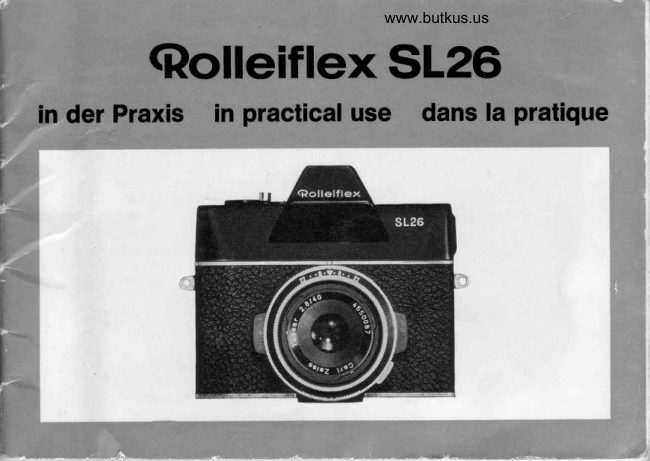
Rolleiflex SL26 User manual
User manual for Rolleiflex SL26. 41 pages in German, French, Spanish. Read the original PDF, download or print a copy without registration.
41 pagesGerman, French, Spanish2.3 MB PDF
Loading your manual…Open PDF directly
Document details
- Brand
- Rollei
- Model / document
- Rolleiflex SL26
- Document type
- User manual
- Language
- German, French, Spanish
- Pages
- 41
- File size
- 2.3 MB
- Category
- Film cameras
- Document date
- Not specified in catalog
Search available document text
Find a term, then jump to its page in the original PDF. Image-only pages may not be searchable; check the PDF for exact wording and diagrams.
Page 3 · Read text
www.butkus.us
Rolleiflex   SL 26                            Rolleiflex   SL 26
A single-lensmirror reflex camera                        - un appareil reflex mono-obiectifSL
with interchangeablelenses and therefore        (Single-Lens),mais avec objectifs
a particularlyextensivefield of application.      interchangeables,donc avec un domainede
A camera with a CdS exPosuremeter            prise de vue trds 6tendu,
    "through             the lens" measurementand              - un appareil avec posemdtreCdS,with
continuousexposure check in the viewfinder.    mesure int6rieur€-d travers I'objectif'
A camera with a mirror reflex finder               et contr6leconstantdans le viseur,
in which you can see the subject and                    - un appareil avec viseur reflex,
the depth of focus at the same time.            dans lequel vous observezen mdme temps
A camera for the practical 126 size film cassette,   le sujet et la nettet6 169l6e,
so simpleand convenientto load.                          - un appareilutilisantle chargeurde films
                                            126,a mise en place si commode et si simple,A precisioncamerawith Rolleiquality
for easy successfulphotography.                         - un appareilde pr6cision6s "qualit6 Rollei'
                                           pour r6ussirfacilementde belles photos.


We hope that your camera will reward you
with splendid photographsand              De la joie et de belles photos vous souhaitent
a great deal of pleasure.                          les
Rollei-WerkeFranke& Heidecke                 Rollei-WerkeFranke & Heidecke


                                                                                                                                                                                                               ,
View original page 3Page 5 · Read text
lnhalt


Seite
 6  Laden der Kamera
 8  Belichtungeinstellen
1 0 Schdrfeeinstellen
1 2 Auslosen
1 4  Film weiterschalten
1 4 Filmentnahme
1 6 Objektivwechsel
    Tips frir die Praxis:
1 8 @ Momentbelichtung
20 @ Zeitbelichtung
22 @ Blendevorwdhlen
24 @ Schiirfentiefe
26 @ Richtigbelichten
28 @ Batteriewechsel
30 @ Blitzlichtaufnahmen
32 @ Objektiv-Zubehor
34 @ Umgangmit der RolleiflexSL 26
36 Zubehor
38 Schdrfentiefe-TabelIen      -
View original page 5Page 6 · Read text
www.butkus.usContents                                Table  des  Mati€res


Page
 7  Loading camera                           7  Chargementde I'appareil
  I  Adjusting exposure                                                 I  R6glagede la lumination'11    Focusing                              11 R6glagede la nettet6
13  Shutter release                         13  D6clenchement
15 Advancingthe film                       15 Avancementdu film
15 Removingfilm                          15 Enldvementdu film
17 Lens changing                         17 Changementdes objectifs
    Practical hints:                              Conseilspour la pratique:'19  @ Instantaneousexposure                19 @ lnstantands
21 @ Time exposure                       21 @ Poses longues
23 @ Pre-settingdiaphragm                 23 @ Pr6s6lectiondu diaphragme
25 @ Depth of field                                            ,    25 @ Profondeurde champ                                                                 "27 @ Correct exposure                     27 @ Expositioncorrecte
29 @ Changing battery                     29 @ Remplacementde la pile
31 @ Flash exposures                     31 @ Prises de vue flash
33 @ Lens accessories                     33 @ Accessoiresd'objectif
35 @ Care of your RolleiflexSL 26            35 @ L'entretiendu RolleiflexSL 2b
37  Accessories                            37  Accessoires
38  Depth of field tables                     38  Tableaux de profondeur de champ

                                                                                                                                 I
View original page 6Page 7 · Read text
Laclen   <ler  Karnera
                                                                             '12                                                                      oder 20 Aufnahmen                                                 mit Kassettenfilm 126 fur
                                            (Markenfabrikatewerden besonders empfohlen)

                                 Riegel (1) nach oben schieben-  bis zum An"
                                    schlagl Rrickwandvoll aufklappen-  bis zum
                                Anschlag (2)! Kassetteeinlegen (3). Rtickwancj
                               beim SchlieBen(4) durch festes Andruckenver-
                                     riegeln.
                               Durch wiederholtevolle Schaltbewegungendes
                               Hebe!s(5) den Film transportieren,bis im Ziihl-
                                     fenster (6) die Bildzahl 1 stehenbleibt(Schalt-
                              schwungin jedem Fall bis zum Anschlagdurch-
                                                                      f uhren).
Mike Butkus             Digitally                                                       DN:email=mike@butkus.org,Date:cn=Mike2021.09.28signedButkus,by16:39:52Mikeo=ButkusButkusc=US-04'00'camera manuals, ou=butkus.org,
                                      Be d in g u n g fur das Einlegen oder Wechseln der Kassette
                                               u n d d a s SchlieBen der Rr ickwandist die Biegelstellung( 1)
                                               a m o b e re n Anschlag. ( SchlieBt die Ruckwand nicht, so
                                  mu B d e r Ri egel er neut nach oben geschoben und die
                                     Ru ckwa n d vor dem SchlieBen nochm als voll  [!] geoffnet
                                                  rverde n)
                                       B ls zu r B e e ndigungdes F ilm tr anspor tsist im Sucher die
                                Wa rn ma rke(7) sichtbar :,,Auslosergesper r t!"
                                       A u ch we n n Sie  ofter schalten als notwendig, ver lier en
                                       S ie ke in Bild: Es gibt bei der Rolleiflex SL 26 weder
                                               L e e rb ldi e r n och Doppelbelichtungen.
View original page 7Page 8 · Read text
www.butkus.usLoading    catrrera                     Chargement    cie I'appareil
with 126 film cassettes for 12 or 20 exposures (films of    avec un film en chargeurs 126 pour 12 ou 20 vues (les
well known brands are particularly recommended).           films de grandes marques sont recommand6s)

Push catch (1) upwards as far as  it will go.   Pousser le verrou (1) vers le haut -  jusqu'A la
Fully open the back of the camera as far as  it   but6e! Ouvrir compldtementle dos -  jusqu'd la
will go (2). Insert cassette (3). Close and lock   but6e (2)! lntroduirele chargeur(3). Fermer et
the back (4) completely by pressing it to the   verrouillerle dos (4) en I'appuyantfortement.
camera.                                       Faire avancer le film  i  l'aide du levier d'avan-
Advance the film by repeatedly operating the   cement (5) par mouvementsd fond de course,
lever (5) until the figure 1 comes to a complete  jusqu'd ce que le num6ro d'imagr 1 reste dans
stop in the film counter window (6). (Move the   la fen6tre du compteur (6). (Terminercependant
lever all the way until it swings back.)               la dernidre course du levier).


The cassette cannot be inserted or changed and the back   On ne peut introduire le chargeur et fermer  le dos que
of the camera cannot be closed unless the catch is  in     si  le verrou est pouss6 jusqu'tr  la but6e sup6rieure (1).
 its top end position (l). (When the back does not lock     (Si  le dos ne ferme pas: pousser de nouveau le verrou
repeat pushing catch upwards and fully  Il] opening the    vers  le haut et ouvrir encore une fois  le dos compldte-
back before closing  it again).                           ment avant la fermeture).
The warning mark (7), indicating that the shutter release   Le signal (7) reste visible jusqu'ir la fin de I'avancement
is locked, will be seen in the finder until the winding-on   d u film: .D6 c lencheurbloqu6!'
of the film has been completed.                    M6me si  le levier fait quelques courses de trop, aucune
Even  if you operate the film advance lever more than   image n'est perdue: Avec le Rolleiflex SL 26 -   ni plages
is necessary, you  will  not waste film;  in the Rolleiflex    vides, ni doubles expositions.
SL 26 there can be neither blank negatives nor double
exposures.


                                                                                                                                                                                                                                                                                                       j
View original page 8Page 9 · Read text
Beliclrtt'rng    einstel   len
                                     Ring (1) drehenund die EewunschteBelichtungs-
                                              zeit  auf  den  lndex  einstellen (einrasten
                                         lassen).
                                      lm Sucher den gewunschtenBildausschnittim
                                 Auge behaltenund mit den beidenGreiftasten(2)
                                   den Zeigerin die Mitteder Kerbe (3) frihren"


www.butkus.us

                                         Da mit  ist zur vor gewdhlten Belichtung$zeitdie  r ichtige
                                            B le n d e e in gestellt. Die Z eiger stellungauf die M itte der
                                              Kerbe ergibt einwandfrei belichtete Aufnahmen.
                                                     LeiBt sich der Zeiger nicht bjs zur Kerbe fuhren, so er-
                                                     fordern die Lichwerh€iltnissedie Vorwahl einer anderen
                                                    Bel i chtungszeit"
                                              Durch Veriinderung der  Zeigerstellung zum. Rand der
                                              Kerbe kann eine erwunschte Belichtungskorrekturvon ca.
                                                      2/3 Blendenstufenauch unmitteibar eingestellt werden: Frtr
                                                   Unterbelichtung giii  ejer untere und  ftir Uberbelichtung
                                                    der obere Rand der Kerbe.
                                      Mo me n tb e lichtung:T io                                                          @.
                                             Ze itb e lich tung:       f ,p                                                          @.
View original page 9Page 10 · Read text
www.butkus.usAdiusting    exposLrre                      Fl6glage   de  la  lurnination
Turn ring (1) to set the desired exposure time   Tourner la bague (1) et amener (enclencher)le
against the index mark (make sure that it clicks  temps de pose voulu sur I'aiguille.
 i n ) .                                        D6terminerdans le viseur le cadrage de I'image
Frame the desired picture in the finder and by   d6sir6e et, au moyen des deux toucheslat6rales
means of the two buttons (2) set the pointer   (2), amener I'aiguilleau milieu de I'encoche(3).
to the centre of the notch (3).


The correct aperture  ls thus adjusted for the preset ex-    Le  diaphragme  est  ainsi  correctement  169l6  pour  le
posure time.  lf the pointer is in the centre of the notch,   temps de pose pr6s6lectionn6. La position de  I'aiguille
you are assured of a perfectly exposed picture.             au  milieu de  l'encoche garantit des vues parfaitement
 lf the pointer cannot be brought  into the centre of the    bien exposdes.
notch, the  lighting conditions make  it necessary for a    Si  I'aiguille ne peut €tre amen6e jusqu'd I'encoche, c'est
different exposure time to be preset.                     que les conditions d'6clairage n6cessitent la pr6s6lection
By varying the position of the pointer in relation to the    d'un autre temps de pose.
edge  of  the notch, correction  of exposure by about 2/3   En d6plagant I'aiguille du posemdtre du centre de  I'en-
stops can also be made direct when desired. The bottom    coche vers un bord de  celle-ci, on peut aussi effectuer
edge of the notch will  give under-exposureand the top    directement une correction de la lumination d'environ 2/3
edge over-exposure.                                      graduations de  diaphragme: Pour une sous-exposition,
                                                         d6placer                                                                                  I'aiguille                                                                              vers  le                                                                                  bord                                                                                                      inf6rieur                                                                                            de  I'encoche,             exposure:                          HintInstantaneous                       @.                                                                     et pour une                                                                                     vers                                                                        surexposition,                                                                                                                le                                                                                        bord supdrieur,                          HintTime     exposure:                       @.
                                                           lnstantan6s:Conseil @.
                                                       Poses:     Conseil                                                              @.


                                                                                                                   ,d
View original page 10Page 11 · Read text
Sclrdrfe    einstellen
                                     Kamera am Auge behalten und durch Drehen
                                        des Frontringes(1)
                                        entwederin der Suchermittedie getrenntenBild-
                                          konturen(3) zusammenftihren(5)
                                          oder im groBen Kreisfeld das zerrissene,flim-
                                      mernde Bild (2) auf klare Schdrfeeinstellen(4).


                                        Am S ch n ittbild senkr echter M otivlinien ( Hduser , Biium e)
                                                                       la Dt sich d ie  r lchtige Einstellung am genauesten beob-
                                                          achten (5).
                                                     Ablesen  der  Schiirfentiefe an  der  Entfernungsskala:
                                                          rip (O.
t 0
View original page 11Page 12 · Read text
www.butkus.usFocusing                                 R6glage   de  la  nettet6
Hold the camera against the eye and by turn-   Tenir I'appareilcontre I'eil et tourner la bague
ing the front ring (1),                            frontale (1) jusqu'd ce que l'image d6calee (3)
either adjust the split section of the image (3)  au centre du viseur soit amen6e en super-
in the centre of the finder so that the two parts   position (5)
line up (5),                               ou que I'imagefloue (2) du grand champ circu-
or adjust the unsharp,distorted picture (2) in the   laire devienneparfaitementnette (4).
farge circular area to obtain a  clear, sharp
picture (4).


Any vertical lines  in the subject (buildings, trees) will    La mise au point se juge le mieux dans I'image decalee (5)
enable correct focus to be observed most accurately (5).     des lignes verticales du sujet (maisons, arbres).
Reading depth of field from the focussing scale: Hint                                                         Lecture de  la profondeur de champ sur  l'6chelle des                                         @.
                                                           distances: Conseil                                                             @.

                                                                                                                                                      t l
View original page 12Page 14 · Read text
www.butkus.usShutter    release                          D6clenchernent
Press the shutter release button (1) fully down   L'appareil 6tant en position stable, appuyer sur
while holdingthe camerasteadY.                    le d6clencheur(1).


Because of the square size of the image, the camera is    L'image 6tant carrde, la position de  I'appareil pendant
always held  in the same position. Hold the camera in     la p rise d e vue est toujour s la m €m e. Saisir I'appar eil
both hands and steady it against the head. The two middle   avec les deux mains et, pour assurer sa position stable,
fingers can simultaneously operate the side buttons (2)    I'appuyer contre  la  t6te. En mdme temps,  les  deux
in a seesaw movement and adjust the exposure pointer   medius peuvent actionner les touches lat6rales (2) et
without moving the camera from this position.               1 6 9 le r l' a iguille du posem dtr e en position de pr ise de
A wire release can be screwed in  if desired.                vue, sans changer la position des mains.
                                                Un flexible peut Ctre viss6 dans le d6clencheur.

                                                                                                                                                      t 3
                                              J
View original page 14Page 15 · Read text
Filrn  weiterschalten
                             Nach der Aufnahmeden Schalthebel(1) bis zum
                              Anschlagund zuruckfuhren.
                                      Das Verschwinden der Warnmarke (2) im Sucher bestatigt
                                                die erneute Aufnahmebereitschaft


www.butus.us
                                          Fi I rnentna    Jr rrre

                                             Bei erneutem Schalten nach der letzten (12" oder 20.) Auf-
                                    nahme verschwindet die Warnmarke (2) nicht. Der Aus-
                                                    !6 se r b le ib t gesper r t -   eine doppelte Anzeige, daB der
                                            Film a b g e la ufenist.
                                     Mit wiederholtenvollen Schaltbewegungendes
                                 Schalthebels(1) den Film aufspulenund imZahl-
                                    fenster das Verschwindendes Filmendesbeob-
                                  achten.
                            Ruckwand offnen und Kassette zum Wechsel
                             entnehmen.
                                      K a sse tte n icht unnotig dem Sonnenlicht aussetzen und
                                 m6 g lich st b ald zum Entwickelngeben.
View original page 15Page 16 · Read text
www.butkus.us
   A<lwancing    the   filrn                   Awancernent     <lu  filrn
    After taking the picture, move the film advance  Aprds la prise de vue, amener le  levier (1)
    lever (1) as far as  it will go, and then back   jusqu'ir la but6e et le ramener en arridre.
    again.                                              La  disparation du  signal  (2) dans  le  viseur confirme
    When the warning mark (2) in the viewfinder disappears,   que I'appareil est de nouveau pr€t d fonctionner.
     the camera is ready for use again.


    Flernowing     filrn                          Enldwernent      dt'r  filrn

    When the film  is advanced after the  last exposure (l2th    Lorsqu'on actionne le  levier aprds  la  derniere (12dme
      or 20th), the warning mark (2) will continue to be visible.   ou 20dme) image, le signal (2) ne disparait pas. Le de-
    The shutter release  is locked, so that in these two ways    cle n ch e u r reste bloqu6 -  une double indication que le
     you are warned that the film has been finished.               film e st te rm in6.
i    Continue to operate the film advance lever (1)   Enrouler le film par plusieurs mouvementsdu
    to finish winding the film, and note when the   levier (1) et observer dans la fen6tre de comp-
II   end of the film is no longervisiblein the counter  teur la disparitionde la fin du film.
I   window.                                       Ouvrir le dos et retirer le chargeur pour le rem-
I   Open the back of the camera and remove the   placer par un autre.
I   cassetteso that the camera can be reloaded.      Ne pas exposer le chargeur au soleil sans n6cessit6 et
i    Do  not expose the cassette unnecessarily to  sunlight,    le faire d6velopper aussi rapidement que possible.
I    and have it developed as soon as possible.
I
I                                                                                                                                                            t 5I
It        .                                                                                      ",
View original page 16Page 17 · Read text
Otriektivrrveclrsel
Bei gedruckterTaste {1) laBt sich das Tessar
2,8140mm durch Linksdrehenabnehmenund
gegen die Pro-Tessare4lBOmm oder 3,2/28mm
austauschen:
Roten Punkt an roten Punkt setzen i2) und das
Obiektivdurch Rechtsdreheneinrasten"


B e i g l e i c h e l E i n s t e l i w e i s ek 6 n n e n S i e  n r i t d e m    l a n g
brennweitigen Pro-Tessar 4i80 mm das Motiv etwa dop.
o e it so g ro l l w!e bei der Nor m alaufnahm efotogr afier en,
o h n e n d h e r her anzugehen-
o cie r mit d em weitwinkligen Pr o- T essar '3,2/28m m das
B licK e lci in H0he und Br eite des F or m ats um etwa die
Hiilfte erweitern, ohne mit  der Kamera nach ruckwdrts
a u swe ich e nzr r m ussen
View original page 17Page 18 · Read text
www.butkus.us    Lens  changing                             Changerrrent     des   obiectifs
   When the button (1) is pressed, the 40 mm   La touche (1) 6tant appuy6e, on peut enlever
    Tessar f/2.8 lens can be removedbyturninganti-   le Tessar 2,8140mm, en le tournant i gauche,
    clockwise and replaced by the 80 mm f/4 Pro-   et le remplacer par un Pro-Tessar4/80 mm ou
    Tessar or 28 mm t13.2Pro-Tessar.                3,2/28 mm:.
    Set the two red dots (2) against one another  Mettre en regard les deux points rouges (2) et
    and engage the lens by turning clockwise.        faire enclencherl'objectif d droite.


     With the camera set  in the same way, by using the long   Avec  le m6me 169lage, le Pro-Tessar i  longue focale
      focus 80 mm  Pro-Tessar f14 your  subject  will  appear   4/80 mm reproduit le m6me sujet d une 6chelle deux fois
      twice as big as with the normal lens, without  it being    plus grande que I'objectif normal, sans qu'on s'en rap-
     necessary to go nearer the subject;                        proche davantage.
      or with the wide angle 28 mm Pro-Tessar f 13.2the height    Et  le Pro-Tessar grand angulaire 3,2128 mm  6largit de
     and width of the field of view can be increased by about    moiti6 environ le champ d'image du format en hauteur
       half without having to move away from the subject.            et en largeur, sans avoir d reculer avec I'appareil.

                                                                                         1 7
I               )..
View original page 18Page 20 · Read text
www.butkus.usPractical     hints                        Gonseils  pour   la pratique


O  Instantaneousexposure            O  Instantan6s
      "click"             figures 500 to 2 on the exposure time scale    Les nombres crant6s 500 a 2 de  l'6chelle des distancesThe
represent fractions of a second. Intermediate values can-    indiquent des fractions de seconde. Les valeurs  inter-
not be used.                                             m6diaires ne sont pas utilisables.

The choice of an adequately short exposure time  is one    Le choix de temps de pose suffisamment courts est une
of the factors determining the sharpness of the picture.     des conditions de la nettet6 de I'image.
In  order  to  avoid  the  effects  of camera shake, 1/30th   Pour ne pas bouger en op6rant d main libre,  le 1p0 s
second is the longest permissible exposure for a hand-    est la plus longue pose admissible. Pour plus de s0ret6,
held camera. Exposures of 1/60th and 1/125thof a second   on utilise de pr6f6rence 180 et 11125s.
are more reliable and should generally be used.           Pour les scdnes en mouvement, -  poses d'autant plus
For moving objects, the higher the speed of movement   courtes que  le mouvement est plus rapide, afin d'6viter
the shorter the exposure should be  in order to  avoid     le "flou du mouvement'. Temps de pose les plus longs
unsharpness due  to movement. As  a rough guide, the    (d titre  d'indication): sports 1p00, enfants courant 1/250,
following should be the maximum exposure times used:   marche rapide 1/125, promenade lente 1/60 ou  -   d une
sports shots 1/500, children running 1/250, brisk walk    certaine distance  -   1/30 s. En effet, en rdgle g6n6rale,
1/125,strolling walk 1/60 or (from some distance) 1/30sec.     la  certitude d'une reproduction nette d'un mouvement
The general rule is: the greater the distance from which you   augmente avec la distance de prise de vue. D'autre part,
take your shot, the more likely you are to obtain a sharp    le danger du flou de mouvement diminue, lorsque le sujet
picture of the movement. In addition, the danger that a    en mouvement est photographi6 de face (et non de c6t6).
moving object will appear unsharp is less  if the photo-
graph is taken from the front, instead of from the side.
                                                                                                                                                      t 9
View original page 20Page 21 · Read text
@  Zeitbelidrtung
                                                  FUr Zeitbelichtung wird die Einstellung "B" benutzt. Der
                                                        Ausl6ser wird f0r die Dauer der Belichtung gedrtickt.
                                                           Steht der Belichtungszeiger auf Mitte der Kerbe, so  er-
                                                                fordert die richtige Belichtung bei "8" 1 sec'
                                                                 LiiBt sich bei Einstellung ,8"  der Zeiger nicht bis zur
                                                    Kerbe f0hren, mufJ ltinger als    l  sec  belichtet werden.
                                                               Mit entsprechend langer Zeitbelichtung konnen Sie daher
                                                    auch  bei  ungiinstigen  LichWerhtiltnissen  fotografieren
                                                                      (2. B.  niichtliche StraRen, angestrahlte Gebaude, Feuer-
                                                               werk).
                                                        Bei Zeitbelichtung empfiehlt es sich, einen Drahtausl6ser
                                                   und ein Stativ oder eine sonstige feste Auflage der Ka-
                                                  mera zu benutzen.


                 Automatisch ablaufende Momentzeiten                                 Zeitbelichtung
1/s00   1t250  11125
                                miifJige
            Bewegungen                                     ruhende Motive (Stativ!)
View original page 21Page 22 · Read text
www.butkus.us   @  Time exposure               @  Poses longues
                                            "8"                                                          is used. The shutter   P o u r la p ose longue, utiliser le 169lage.B'. M aintenir       For time exposures the setting
      release button is held down throughout the exposure.         le d6clencheur appuy6 pour la dur6e de la pose.
            lf the exposure pointer stands in the centre of the notch,    Si  l' a ig u ill e du posem dtr e est au m ilieu de I'encoche,la                                  "8"                                              is 1 second.                 pose correcte en .B'  est de  I seconde.       the correct exposure for
            lf the pointer cannot be moved as far as the notch at the   S i,   I' o b tu rateur 6tant 169l6 sur .B',    I'aiguille ne peut
        'B"            setting, the exposure must be longer than 1 second.    6tre amen6e sur  I'encoche,   il  faut exposer  plus  de
      By means of time exposures of suitable length you can    1 seconde. Avec des poses suffisamment longues, vous
       therefore  also  take  photographs  under  unfavourable   pouvez donc photographier m6me dans des conditions
       lighting conditions (for example streets at night, illuminat-   d'6clairage d6favorables (par ex. rues nocturnes, monu-
      ed buildings, fireworks).                          me n ts illu m in6s,feux d'ar tifice) . I      For time exposures it  is advisable to use a wire shutter   En pose,   il  est recommand6 d'utiliser un d6clencheur
      release and a tripod or other firm support for the camera.    flexible  et  un  pied ou  une  autre assise ferme pour
                                                                                                                       I' a p p a re il.

l ;


                          Automatic instantaneous exposure times                            Time exposure
                                  lnstantan6s automatioues                                      Pose
         t/500  tPessssssssssssssslll2r  )   lly    1p0 l_w___    ttg    114   112    |
                      fast                   I   moderate
            movements        movements                         stationary subjects (use tripod)                                                       I                          Mouvements                       Sujets immobiles (sur pied!)            Mouvements                                                       I                rapides                I   mooeres
                                                                                                                   2lJL
View original page 22Page 23 · Read text
@ Blende vorwahlen
                                         Verlangt es das  Motiv, kdnnen Sie am  lndex  (1) auch
                                             die Blende vorwtihlen (Taste 2) und den Belichtungszeiger
                                       durch Drehen des  Zeitringes  (3)  in  die  Kerbe  fUhren.
                           Um  einen  einrastenden Zeitwert  zu  benutzen, wird   -
                                                     falls erforderlich -  das endgiiltige Einstellen des Zeigers
                                             mit  den  feiner  gestuften Rasten der  Blende  (Taste Z)
                                        beendet.
                                        Die  Blendenvorwahl wlrd  vor  allem  benutzt, wenn  er-
                                       hohte Scheirfentiefe erw0nscht ist (Tip @).

                                       Die Blende schlieRt sich mit zunehmender Blendenzahl.
                                      Dabei . verringert  sich  die wirksame Lichtmenge mit  je-
                               dem  vollen  Blendenwert um  die  Htilfte, so  daR  die
                                          eforderliche Belichtung zu verdoppeln ist. Als  Beispiel:

www.butkus.us
                                           Bfende      2,8         5,6                            t   l           t o
                                       Zeit        1/60  1/30  1/'tS  1/8   114   1/2   (B) 1 sec
View original page 23Page 24 · Read text
www.butkus.us   @  Pre-settingdiaphragm           @  Pr6s6lectlon du diaphragme

            lf the subject so  requires, you can also preset the  dia-    Si  le sujet  I'exige, vous pouvez aussi pr6s6lectionner le
     phragm (button 2) against the index mark  (l) and bring   diaphragme (touche 2) d I'aide du repdre triangulaire (1)
      the  exposure pointer  into  the  notch  by  turning  the     et amener I'aiguille du posemdtre dans l'encoche par
      exposure time ring (3). lf the exposure time set does not    rotation de la bague des temps de pose (3). Pour utiliser                                               "click"      exactly correspond to one of the                                                time settings,   une valeur de pose crant6e, parfaire -    s'il y a lieu -   le
      the final adjustment of the pointer should be made by   169lage de  I'aiguille avec les crans de diaphragme plus
     means of button (2), as the diaphragm click settings have    fins (touche 2).
      a finer graduation.                                     La pr6s6lection du diaphragme est utilis6e surtout lors-
      Pre-selection of  a diaphragm aperture  is used mainly   qu'on d6sire une profondeur de champ accrue (conseil
     when increased depth of field is desired (Hlnt                                              @).      @ , Rlu s lo in) .
                                                           Lorsque la valeur de diaphragme augmente, l'ouverture
     The higher the f/number, the smaller the diaphragm aper-   de  I'objectif diminue. La  quantit6 de  lumidre efficace
       ture. The effective amount of  light  is reduced by  half   diminue de moiti6 avec chaque graduationde diaphragme,
      from one f/numberto the next, so thatthe requiredexposure   de sorte que le temps de pose doit €tre doubl6. Exemple:
                                                -  Examples:t  time must be doubled.

      Diaphragmaperture f/  2.8  4   5.6   8  11  16 22         Diaphragme          2,8  4   5,6     I       ll   16  22
     Time                1/60 1/30 1115 1/8 114 1f2 (B) 1 sec.   Temps de pose      1/60 1/30 1115'tlB 114 112 (B) 1 s.


 II
 i


                                                                             23
View original page 24Page 25 · Read text
@  Schdrfentiefe
Auch  in  einem  gewissen  Bereich  vor  und  hinter  der
eingestellten Entfernung wird das Motiv  in -ausreichender
BilJscharfe wiedergegeben. Diese Zone  der  "Schiirfen-
tiefe" ist auf der Entfernungsskala angezeigt:
Die beiden Marken der benutzten Blende (beiderseits des
Index) bezeichnen auf  der  Entfernungsskala den  scharf
erfafjten Aufnahmebereich.
Beispiel A:
Blende 11, Einstellung 2 m, Schairfentiefevon 1'5 bis 3 m'
So kdnnen Sie  f0r  die  benutzte Blende den  Schiirfen-
bereich ablesen oder f0r die gewUnschte Scharfentiefe die
erforderl iche Blendenvorwahl ermitteln.

Auf der Schlirfentiefe-Skala  sind durch Zahlen und Punkte
nur  die  Blenden 22  bis  5,6 (22 bis 8 beim Pro-Tessar
4/80 mm)  bezeichnet. Bei  kleineren  Blendenzahlen be-
grenzt sith  die Schiirfentiefe auf engere Bereiche, die auf
der Entfernungsskala nur geschiitzt werden kdnnen.
 Reichliche  Scharfentiefe  ist  vorteilhaft  vor  allem  bei
Schnappschtissen und Sportaufnahmen,' wenn der genaue
Abstand im voraus nicht bekannt ist.
FOr Fernsichten liefert die Scharfentiefe-Anzeige die ein-
fache Einstellregel: oo-Marke auf die Marke der benutzten
Blende einstellen. So  erzielen Sie  die  grdflte Schtirfen-
ausdehnungbis in den Vordergrund.
 Beispiel B:
 Blende 16 ergibt Schiirfentiefe von 2 m bis m (unendlich)'
View original page 25
From the M. Butkus archive. Original publisher and archive notices are retained.
Check the model and edition against your equipment.
PDF verified 2026-10-10.