Film cameras
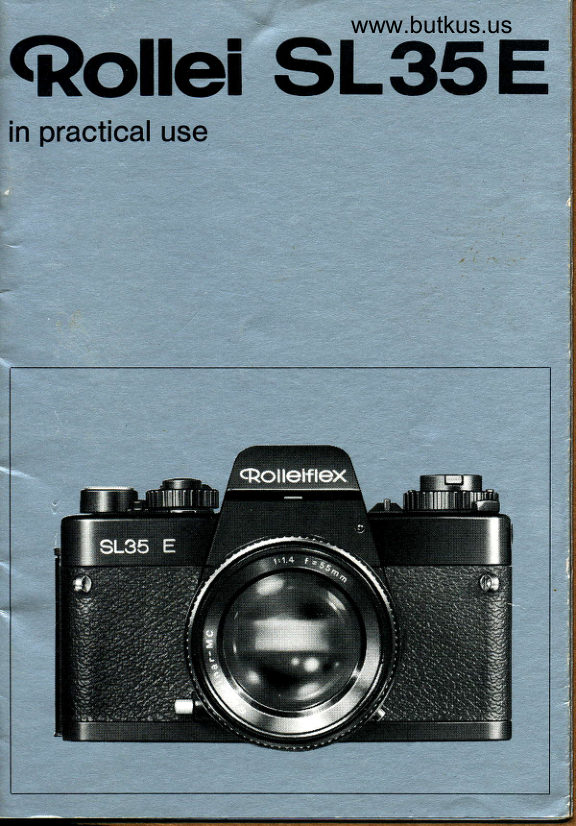
Rolleiflex SL35 E User manual
User manual for Rolleiflex SL35 E. 25 pages in English. Read the original PDF, download or print a copy without registration.
25 pagesEnglish8.6 MB PDF
Loading your manual…Open PDF directly
Document details
- Brand
- Rollei
- Model / document
- Rolleiflex SL35 E
- Document type
- User manual
- Language
- English
- Pages
- 25
- File size
- 8.6 MB
- Category
- Film cameras
- Document date
- Not specified in catalog
Search available document text
Find a term, then jump to its page in the original PDF. Image-only pages may not be searchable; check the PDF for exact wording and diagrams.
Page 6 · Read text
www.butkus.us
 Gontrols and componentr
 1 Camera back locating pin
 2  Film pressure plate
 3 Camera back, with film tab holder
 4  Eye cup, also eyepiece mask
 5  Hot shoe with flash centre contact
 6  Battery check mark (BC -  battery check) 7  Battery check button (green)
 8  Rewind knob
 9  Cover disc for continuous exposure correction
10 Rewind crank, folding
11 ASAJDIN setting window
12 ASA/DIN setting lock
13 ASA/DlN setting index
14 Self-timer setting lever
15 Self-timer lock index
16 Red LED signal for setf-timer and battery check
17 Aperture scale port
18 Red dot on camera bayonet
19 Camera bayonet
20 Depth of field scale
21 Aperture and distance index
22 Infrared index (red)
23 lnterchangeablelens
24 Aperture ring
25 Camera diaphragm plunger
26 Instant return mirror
27 Stopdown pin for checking depth of field and working aperture measure-
    ment
28 Shutter speed lock
n   Right-hand neck strap lug
30 Camera back bottom hinge
31 Frame counter window
32 Shutter release lock index (red)33 Shutter release lock
U  Camera back top hinge
35 Cable release socket
36 Shutter speed dial (fast exposures = white, slow exposures and B =     orange, X for flash exposures -  yellow, A for automatic exposures =
37 Shutterred)     release formed as combination button for battery switching,
     metering (first pressure), meter reading memory (second pressure) and
     releasing
38 Shutter speed dial index
View original page 6Page 7 · Read text
39 Compartment for film cassette
40 Film spool engagement lug
41 Eyepiece mount, also location for eyepiece accessories
42 Interchangeable eyepiece lens
43 Setting lever for film rewind (mark R), and for multiexposure (mark M)
44 Filln advance and shutter cocking lever
45 Film transport sprocket
46 Film holding clip (white)
47 Knurled flange for film loading
I    Drive cam for motor winder
49 Camera base with camera number, origin and marking
    (B -  battery, MD = motor drive)50 Fitting hole for motor winder
51 Oscif lating leaf focal plane shutter
52 Battery compartment
53 Tripod bush 1/4"
U  Motor coupling cover (MD)qq Locking button of bayonet mount (red)
56 Battery compartment cover (B)
57 Lens diaphragm plunger
58 Distance scale in meters (white)and  feet (green)
59 Lens bayonet
60 Focusing ring
6'1 Red dot on lens bayonet
62 Lug for aperture simulator
63 Signal contacts for motor winder
M  Left-hand neck strap lug
65 X flash cable terminal
66 Film speed setting disc in ASA (orange)and DIN (white)
View original page 7Page 8 · Read text
www.butkus.us

                            xaF!(


                                                         www.butkus.us

                   ct
 Before taking your first piciure
Make a note of the serial numbers
Camera bodies and lenses have serial numbers which should be noted and
 kept in a safe place. These numbers will help you in recovery or proof of
ownership in case of loss.


 Insert battery
 Undo cover 56 by turning anti-clockwise with a coin. Rub batteries on both
 sides with a cloth to remove any oxidation. Insert battery in battery compart-
 ment 52 with the plus sign facing outwards (corresponding to the plus sign in
 the cover)-->fig. C. Do not touch the battery poles when doing so. Screw
 cover in position again and tighten gently (in an emergency cover 54 will also
 fi0.
You should use new 6 V silver oxide batteries such as Malory PX-28, Varta
V 28 PX or equivalent makes of other manufacrurers.
 Check battery voltage

 Depress lock button 28 and engage shutter speed dial 36 at A or set between
 1/1000 and 16 sec.
 Briefly depress button 7, diode 16 illuminating red indicates sufficient battery
 voltage-->fig. [.


4
View original page 8Page 9 · Read text
E
fmporfant: Battery life is 1 - 2 years, but replacement every year is recom-mended.  lf out of use for any considerable periods keep the battery in a safe
place away from the camera. Remove spent battery immediately. After prolon-
ged periods out of use clean battery as described above.

Fitting the lens
Depress red locking button 55, release cap 67 from camera bayonet 19 by tur-
ning anti-clockwise-->fig. E. Pull front and rear caps off the lens (the former
by depressing the two catches). Fit lens 23 so that the red dot 61 on the lens
bayonet is opposite red dot 18 on the camera bayonet, then lock by turning
clockwise to fullest extent.

Changing the lens

Here as well depress the red locking button 55 and release the lens as shown
in fig. E. The "quick bayonet mount" of the lenses permits particularly fast
single-handed changing: the right hand unlocks button 55 with the index fin-
ger and at the same time releases the lens. When fitting the interchangeable
lens both red dotgmust be in alignment.
lmporlant As far as possible change the lens in the shadow of your body,
avoid bright sunlight and dust. When changing the lens do not touch instant
return mirror 26. When no lens is fitted insert cap 67 into camera body. Fit
front and rear caps on interchangeable lenses when not in use.
View original page 9
Page 10 · Read text
www.butkus.us


               00000090


               oooooooooooooo00S-


                                                     F

Loading the film
Depress shutter speed lock 28 and engage shutter speed dial 36 at X (slow
soeeds would make film advance difficult for the first exposure). Release ca-
mera back 3 by pulling rewind knob 8 and open--->fig. F. Pull out rewind knob
to its fullest exterit and load film cassette. Turn rewind knob until it can be
pushed in again. Turn knurled flange 47 until one of the white film holding
clips 46 is on top. Pull film leader out of cassette and engage in the top hol'
ding clip.
Turn knurled flange in direction of arrow in order to secure the film leader,
move shutter release lock 33 right over to the left. Move lever 44 over to its
fullest extent and allow to spring back, then fully depress shutter release 37.
Repeat this process until the film perforations engage on both sides of
sorocket 45. Close the camera back and ensure that the catch engages.
Window 31 now indicates that the film is loaded but cannot yet be used:- S
(Start). Continue to operate the shutter release and cocking lever alternately
until the figure "1 " appears under the index.
Check for correct film advance: the frame counter will only count  if the film is
correctly loaded and advanced! The rewind knob 8 will also rotate as the film
is advanced (with 20 and 12 exposure cassettes or short lengths of bulk film
possibly only after several exposures). For this reason do not hold the rewind
knob while operating the lever 44.
The film tab holder at the camera back 3 can serve as an indication of the film
loaded.
View original page 10Page 11 · Read text
G                          H
 Setting the film speed

 Set     cover disc 9 with window 11 to the speed of the film loaded. Depress lock '12.and_allow-setting                     disc 66 to engage with the previously set value against
 index 13-->fig. G.
 ILg ?l_l,l ratings are in white and the ASA ratings in orange, the dots represent
 DIN/ASA intermediate values. The range of adjustment-is from 15 to 3g DIN
 and from 25 to 6400 ASA.
 Note:..constant exposure correction  (for example effective for all exposures
on a film) can be obtained by turning setting disc and cover disc--->Hint 2.
 Locking the shutter release
 Engage.release lock 33+fig. F against red index 32. shutter release 37 is
now locked, thus preventing inadv6rtent switch-on the electonic syii"..
Move setting lever 14 to index 15 to prevent unintentional self{imer exposures
as well.

Fitting the eye cup
As shown in.fig. H, push eye cup 4 to its fullest extent onto eyepiece mount 41
from above. ln this position the viewfinder window is open ahd'screened from
extraneous light when shooting; at tie same time the camera back is also
locked to prevent unintentional opening. Eyepiece 42 is closed by pushing the
eye cup.upwards  (e.9. for.long time exposures without constanfly checking
the viewfinder image-->Hint  5).
View original page 11Page 12 · Read text
www.butkus.us


                                                            J
The eye cup can if necessary be folded back against the eyepiece. Inter-
changeable           eyepieces                   from + 4 lo -4 dioptres are available as an accessory                    defects.to   correct eyesight

Fitting the neck strap

Pull neck strap 68 as shown in fig. J with the seam facing inwards through the
loops on the non-slip attachment and then through the rings of lugs 29 and64.
Secure ends at required length. Move non-slip attachment to center of neck
strap length.
Before cach erposure

Unlock shutter release
Move lock 33 right over to the left and engage.
Holding the camera conectly
is made practically automatic by virtue of the functional shape and logical
arrangement of the camera controls:
For horizontal format pictures
Hold the camera with the right hand - index finger on shutter release 37-->fig. K. The left hand is held round the lens and also sets the range and
aperture. Keep the eye close to eye cup 4, thus firmly supporting the camera
on your forehead.
View original page 12Page 13 · Read text
For vertical format pictures
Turn the camera round through_90'  as shown with the same g.rip. This position
allows the fastest changeover from vertical to horizontal form'at, but according
to requirements other camera positions are possible or more practical, foi
example holding the camera above your head in a crowd or held down with
your arm outstretched for unobserved snapshots.
Selecting picture area and locusing
These operations are usually carried out simultaneously in practice, the
picture area or the depth of field predominating according to the subject.
Point camera at subject, hold camera straight and without tilting. When
looking centrally into the viewfinder eyepiece  all four corners of the viewfinder
image should (with normal eyesight) be fully visibte.
Align split-image rangefinder 70 or microprism spot 71 or ground glass screen
72with the most important section of the picture area. Turn focuising ring 60
until the picture section appearing distorted in the rangefinder is straightened,
or the unsharp or flickering image is sharply defined-->fig.  L.
According to subject and exposure conditions the focusing aids should be
used as follows: rangefinder 70 (diagonal distorted partial image) for rapid
focusing on subjects with distinct outlines;
microprism spot 71 (sharp definition, clear transition from sharp to unsharp)
forsporting events, reportage and snap shots as well as for spacious subjecid
with graduai transition;
View original page 13
Page 14 · Read text
www.butkus.us


ground glass screen 72 lor general focusing of important off-center sections
of the picture, and for close-ups, macro, micro and copying work where sharp-
ness is checked right up to the edge of the frame (uniformly bright illumi-
nation from the center to the edge by virtue of super-fine Fresnel lens
structure).

Selecting the aperture

Turn aperture ring 24 and set required aperture against index 21--->fig.M. The
setting ring has click stops for each aperture, but any intermediate positions
can also be used. The aperture set is reflected directly from the lens and is
visible in window 74--->fig. L underneath the viewfinder image.-
Typical values for aperture settings according to brightness, film speed and
subject:
tl11-22 in bright daylight in summer, for seaside and mountain shots or for
high and extra-high speed 200-6400 ASA tilms; t18-22 for increased depth of
f ield; f/2.8-5.6 for shutter speeds with rapid movem ent; tll .4-2.8 for low depth of
field; f/4-8 for slow to medium speed 25-160 ASA   f ilms; tl1.4-4 tor dim lighting,
interior shots, mist and rain.

                                                . only with original lenses fitted directly
10                                        into the camera bayonet.
View original page 14Page 15 · Read text
3 ge-rs                 1
                                  2


                  M


                                                   N
Exposure metering with LED automatic control
After selecting the aperture, move cocking lever 44 to ready position-->fig- M.
Depress shutter speed lock 28 and engage dial 36 in A = automatic position.
Uniock shutter release 37 with lever 33. Point camera at subject and align
center of viewfinder with center of interest. First of all only take up the first
pressure on the shutter release -->fig. N.
The shutter speed now measured will be indicated in the viewfinder by a red
LED* signal on scale 73:
one LED tignting up = indication of shutter speed directly opposite, in case of                              LED's illuminate                 two adjacent           speedsintermediate                                                       (or LED->fig.indicationO.   below 1/1000                        up simultaneously               75 lightingA//   LED's in row
sec at plus) -->fig. P - warning signal - measured exposure time is outsiderange of cameral the pre-selected aperture must be corrected with ring 24:
largter aperture with dim light, smaller aperture with very bright light.

Exposure metering with LED follow-up system
With pre-selected  shutter speed
Depress lock 28 and set dial 36 with required shutter speed to index 38. Fast
speeds from 1/1000 to 1/60 sec are white, slow speeds from 1/30 to 16 sec are


  LED = Light Emitting Diode
View original page 15Page 16 · Read text
www.butkus.us


orange. Settings from 1/1000 to 1/2 sec are shown as fractions of a second,
settings from 1 to 16 sec in whole seconds. The setting dial does nof have
click stop engagement at these speeds.
With pre-selected aperture
Select the required aperture as described with ring 24; the f-number  is
displayed underneath the viewfinder image.
Point camera at subject and take up the first pressure on the shutter release,
then note viewfinder displays: shutter speed setting is indicated by continu-
ous illumination of the adjacent LED's-->fig. O.
lf, in addition, as a warning signal another shutter speed or the plus symbol or
the whole row of LED's starts to flash ->figs. Q and R, there is a danger of in-
correct exposure: change aperture and/or shutter speed until this flashing
stops.

The interval between continuous light and flashing signal of one or two LED,s
(between 16 and 1/1000 sec)also indicates the difference between the selec-
ted and the measured shutter speed->fig. Q; thus, for example, it is possible
to obtain interitional over- or underexposure. Here, a change of one shutter
speed or f-number corresponds in each case to half or double the exposure.


12
View original page 16
Page 17 · Read text
www.butkus.us


                      s                         T

Open aperlure or working aperture measurement
Exposure is measured with original lenses fitted directly into the camera
bayonet at "open aperture", i.e. without depressing the stopdown pin (these
lenses have an aperture simulator as can be seen by lug 62).
When using lenses without aperture simulator (e.9. lenses for VSL 1, M 42
lenses with adapter, lenses of other makes) or when using extension tubes,
bellows and adapters, measurement should be carried out at "working
aperture":depress stopdown pin 27 until it engages-->fig. S. Simultaneous
illumination or flashing of all LED's (with otherwise correct setting) indicates
incorrect setting of the stopdown pin if lens without aperture simulator or no
lens inserted at all. Working aperture measurement is also possible with origi-
nal lenses, either with or without automatic control.
Shooting
Hold camera firrn and steady,  if possible with support and ensure a firm
stance - then fully depress shutter release 37 past first pressure and past
 second pressure - the picture will be ideally exposed at the shutter speedindicated by continuous  illurnination.
Multi-erposures
Prior to every multi-exposure operation ensure lhat lever
44 is returned lully into its rest position against. its slop. see fig. U.
Set lever 43--+fig. U to "M" and fully cock lever 44 as usual. Then depress  re-
lease button 37 which will then expose a second time on the same frame. For
every further exposure required repeat this procedure as above.

The lever 43 always resets automatically when releasing the shutter. lt is also
reset by tipping slightly on the release button.

                                                                             13
View original page 17Page 18 · Read text
www.butkus.us
Using cable release
With lono exoosures, as from about 1/30 sec screw cable release into socket
is     ri" tiipoo or'firm camera support. Time exposures-->Hint  5'
   "'"J
Using the self-timer
Set lever 14 to index "10"-->fig. f . Fully depress shutter release slowly.a.nd
iiidiuttv, thJred diode 16 ligh'is up. When the button is released the delay
ii;;;   ib sec starts to run;1he red diode 16 extinguishes when exposure
cominences.
To interrupt the self-timer: during the delay time depress the shutter release
 igiii-^"{ keep it depressed. Aestart delay time by letting go the shutter
 release.
To switch off the self{imer: move setting lever to .  before the delay time
 starts to run.
The self-timer should also be used for hand-held shots of stationary objects at
t6plec and over to permit eiposure with minimum camera shake.
 floi",tn" self-timer is inoperative when the shutter is set to X and B--+Hint 3.
 After each orposure
 Let go the shutter release and (aft_q the shutter action) fully cock lever 44 and                                                                         the                                                              s.eqlr.ence.keep                                                      rapid                                                   in                       Wnen shooting                                                   lti.               back  af          ipring    foi,-tii                    --tig.                                                                               in a single ope-                                                be                                                   actuated                                               lever can                   your                               cocking                      eyelthe            up to         held iamera
 i"tio"     in ita'ges'anO when not in use-should be returned to the stop'-Before
 iong"rlnte*iti"i       Uetween shooting secure shutter release with lock 33.
 The frame counter 31 indicates how many exposures haVe been taken on the
 fitm loaded". The 20th and 36th exposure (corresponding to 20 and Qp exposu'
 ie tifriiare marked in orange, the intermediate readings being indicated by
 siroies. nner the 36th exposure, according to film length and wiether the lea-
 Oein". been fully used up, it is sometimes possible to expose further frames.'                                                                                  (do Wn"n tnese additional frimes are used the :   will appear in the window
 not use force as this may cause scratching or even tearing of the film).
 Note:the frame counter only works with loaded and advanced film and with
 ih;;;;ra  back ctosed; when the shutter is next cocked  it springs back to


                                 * multiexposures are, however, not counted at all

 14
View original page 18Page 19 · Read text
u
After the last erposure
Securd shutter release, engage lock 33 against red index. Set rewind lever 43
to R-+fig. U. Unfold rewind crank 10 and turn in direction of arrow until the
resistance from the film tension ceases. When rewinding the film the frame
counter also runs back and finally stops at "S" (rewind check) - the filmleader remains oufslde the cassette.  lf the film is wound back further the "S"
                                                                                                 re-will    continue              to              appear
                  pull                     - the'10.filmFullyleaderopenis lnsldethe camerathe cassette.back 3.afterPushit upspringsormove                 up crank      eye cup,                                                                                         -open, putt rei,vinO knbb out to its fuIest extent and'remove the cassette.
The film should be removed at least in the shadow of your body, bright sun-
light and dust should be avoided.
Practical hints

   Memory metering
Norrnal condition: subject illuminated from the front or diagonally from the
                                                                                 areside -  highlights and heavy shadows are absent, light and dark areasbalanced.
Special condition: high brightness contrast between main subject and sur-
roundings -  backlit shots, persons in bright sunlight in front of areas of snowor ice, mediterranean beach scenes etc., center of interest being only a small
part of overall picture area (e.9. portraits not filling the frame against the sky as
background).


                                                                              15
View original page 19Page 20 · Read text
www.butkus.us


Measurement from the actual exposure position would lead to incorrect expo-
sure. A.remedy can be the following
Closeup reading: Take the camera close up to the subject until the mdn sub-
ject mainly or completely   f ills the viewfinder. Measure the exposure, then take
up second p,'essure on the shutter release and hold down--->fig- N, in order to
keep the correct reading now taken;then take the picture from the original po-
sition.  lf a close-up reading is not possible we recommend the
Substitute measurement: Point the camera at a similar subject  (if necessary
the back of your own hand) with normal range of brightness and uniform illu-
mination (you can also use a "grey card" available from photographic dealers
for this purpose). Measure the exposure, keep reading by taking up second
pressure with shutter release, then expose according to this reading.
   Continuous exposure conection
Depress lock 12 and turn setting ring 66 (together with cover disc 9)allowing_
to 6ngage-->fig.  V. In case of over-exposure  turn in direction of +, in case of
                    in direction ofundereiposure                             point-. Theto theexposurenext; thewill innerbe correcteddots correspondby 1/3 lightto      from one engagementvalue
half or double and the outer dots to 1/4 or 4 times exposure.
Note: any position of engagement can be used even past the dots marked on
the cover disc.
The continuous exposure correction  is advisable when all exposures of a se'
ries or of a complete   f ilm should intentionally be over- or underexposed  (at va-
riance with the rated speed).


16
View original page 20Page 21 · Read text
www.butkus.us

            W                     x
    Exposure with flash
 Fit flash unit wth center contact in hot shoe 5-->fig. W. Fit flash unit without
center contact by means of the flash bracket to tripod bush 53. The necessary
flash cord between flash unit and camera shouid be connected to flash termi-
nal 65-->fig. X. When using a flash cord synchronization the hot shoe will no
longer be live.

Set shutter speed dial 36 correctly: for flash bulbs or flash cubes set to 1/30 to
16 sec -  for electronic flash with a flash duration below 11800 sec, set to X or
between 11125 and 16 sec; for electronic flash with a flash duration over 1lB0O
sec, set to 1/60- 16 sec.
fmportant: Electronic flash exposurcs with setf-timer should only be made at
settings between 11125 and 16 sec, as on X setting the electronic system and
thus the self-timer as well are switched off. check the setting seleited using
the red LED display in the viewfinder!
Flash exposures are also possible on automatic setting where the shutter
speed indicated in the viewfinder  is no faster than 1/125 sec for electronic
flash, and not less than 1/30 sec for flash bulbs or cubes.
View original page 21Page 22 · Read text
www.butkus.us


                           tb'6ili'g'rs   w

                                                Y

   Depth of field
Direct assessment: depress stop-down pin 27 until it engages-->fig. S, thus
stopping aperture down to the pre-selected f-number' The expected depth of
fielij can then be directly assessed on ground glass screen 72 (normally only
possible in bright conditions where the aperture is not too small).
Reading lrom the depth of field scale: here from the aperture set on scale 20 it
is oossible on either side of index 21 to read off the depth of field zone on
scale 58-+fig. Y.
Example:55 mm Rolleinar-MC f/1.4, stopped down to f/1'1, focused on 10 m
(30 ft), depth of field from approx. 4,5 m (15 ft) to o.
Reading from tables: the depth of field table supplied at request contains  all
necessary details with scale reading examples.
With infrared tilm (of maximum sensitivity at 770 nm): first focus as usual.
Then, read off the distance against index 21, fit infrared filter and reset
distance read off against infrared index 22-->fig' Y.
   Time exposures
Mount camera using tripod bush 53; according to the type of tripod mounting
use the spacer supfltieO between camera base and tripod to prevent possible
                                         pan                                                                              will facilitate                                             and                                  head o_r                                                                                        tilt head                        and socket              A ball            the lens.jamming bf'atignment.                                                            provides                                                                               addi-                                                          self-timer                                               35;                                            the                                  into socket                        release                 cable         Screw
 tional protection against vibration when the shutter is released.
 Note: In poor light do not take the reading too quickly as the response time of
the measuring system becomes somewhat longer'


 18
View original page 22Page 23 · Read text
After exposure measurement, mask viewfinder eyepiece off from extraneous
light by pushing up the eye cup  if exposure is to take place without continu-
ous checking through the viewfinder.

With electronic exposure
the longest exposure time is 16 sec; if in the process the whole LED row re'
mains illuminated, the correct exposure time should be determined by multi'
plication as follows:
Without electronic exDosure
Example: 100 ASA tilm,  f 12.8, illumination of LED display indicates exposures
time over 16 sec. Move setting disc 66 to higher film speed by doubling the
ASA values until continuous  illumination of the LED row ceases. lf the ASA
rating found in this way is 400 ASA, the correct exposure will be 4 x 16 = 64
sec at t12.8, 128 sec at tl4 etc. Here, a double ASA value will mean always
doubling the exposure time.
The exposure time determined in this way should be considered as an approx-
imate value and increased by approx. 25 to 50 %o (or even more!), as the film
reacts with decreasing  sensitivity in the case of long time exposures  ("recipro-
city failure").
Engage shutter speed dial at B, keep shutter release depressed during expo-
sure or secure with lock. lt is best to use a cable release with locking device.
6  erporrr" in case of battery failure
When the camera is in continuous use (such as for example with sequences)
check battery voltage frequently and change battery at the proper time.  lf no
replacement battery'is available, switch off automatic control, set shutter
speed dial to X or B. These two speeds are mechanically controlled and re-
main in operation even in the event of battery failure.
aJ  Care ol the camera

Cleaning
regularly, at frequent intervals according to use: remove lens from camera and
pull off eye cup, remove battery. Fully open camera back 3, push locating pin 1
down, remove camera back from hinge mounts 30 and 34.
Clean camera and accesssories inside and out with camel hair brush and rub'
ber blower. Clean the outside parts with a soft dry cloth, glass components
with lens cleaning tissue. Do not allow your fingers to come in contact with re-
turn mirror 26,camera interior or the segments of focal plane shutter 51. Clean
ever-ready case or holdall and lens cases by blowing and brushing out.

Storing
of your camera only with the shutter uncocked and the battery removed when
not in use.


                                                                       19
View original page 23Page 24 · Read text
www.butkus.us
Factr and flgurrr
Type: Compact 24x36 mm single lens reflex camera with TTL'metering at full
aibrture and electronic automatic shutter speed control operating by apertu-
re pre-selection.
Equlpment Rollei QBM-bayonet for interchangeable lenses, lens adapters,
extension tubes and bellows;
combined shutter cocking and film advance lever, double exposure and blank
frame lock, multiexposure setting;
detachable back with film tab holder;
combination button for battery switching, exposure metering, meter memory
reading and shutter release;
lockable cable release sockel, self-locking stopdown pin for working aperture
metering and depth of field check;
camera provided for motor drive, auto winder as accessory;
self-zeroing forward and reverse counting exposure counter, also actlng as
film advance and rewind check;
1/4" tripod bush, neck strap lugs.
Vlewlinder system: Pentaprism, instant return mirror;
a interchangeable bright focusing screen with diagonal split-image view-
finder, microprism ring and ground glass screen with Fresnel lens;
achromatic interchangeable full-figure viewfinder eyepiece, field of view 93",
with mount for viewfinder accessories, sliding fold-back eye cup acting as
eyepiece mask;
shutter speed scale with optoelectronic  display using 1&digit GaAsP LED
 row, over- and underexposure warning signal, warning signal for incorrect set'
ting of stopdown pin, reflected aperture indication*;
low power consumption by virtue of time/multiplex-control  of LED warning
signals.
Exposure measurement Through-the-lens system with silicon photo diode,  in-
tejral and center-weighted, metering program switched on by combination
 button;
alternatively open aperture or working aperture metering according to lens
equipment and connection;
 filin bpeed setting from 25€400 ASA/1$39 DlN, exposure correction disc, digi-
 tal meter memory reading by combination button;
 measuring range with 100 ASA/21 DIN film and f/1.4 lens exposure value (EV)
 1-18 or 0.5-32,0@ cd/m'?or 0.&100,000 asb'
 Focal plane shutten Vertical acting metal oscillating leaf design, electronical'
 ly controlled speeds 1/10@16 sec, mechanically  controlled speeds X (with
 1/125 sec) and B, partially locked shutter speed dial with 4colour marking;
 shutter release direct by combination button or cable release, indirect with
 self-ti mer; self+esetti ng m u lt icxposure lever.
View original page 24
Page 25 · Read text
Sell-limer: with electrical function, activated by combination button, delay
       time of 10 sec displayed by LED on camera front;
       cancellation of time delay before release.
       Flash synchronization: By X hotshoe contact or X cable contact socket on
      camera body, hotshoe contact dead when cable connected;
       synchronization 1/125 to 16 sec for electronic flash, 1/30 to 16 sec for flash
I       bulbs or cubes, automatic flash lock when shutter speed to fast; synchroniza-
        tion optionally with or without automatic exposure control and also with self
        -timer.

      Power supply:  '1 6V silver oxide battery e.g. Mallory PX 29, Varta V 28 pX or
       equivalent types, for all electr. measurement and control functions; current
     consumed only when combination button depressed, switchon prevented by
       locked combination button.
      Dimenslons: 135 x 86 x 49 mm/5.31 x 3.39 x 1.93 in without eye cup and lens,
       135 x 86 x 99 mm/ 5,31 x 3.39 x 1.97 in with eye cup and 50 mm f/1.8 lens.
      Weight: 540 g/19.05 oz without eye cup, battery and lens, 7@ 9/26.81 oz with
      eyecup, battery and 50 mm f/1.8 lens.
       fnterchangeable lenses: Wideangle lenses of 14 mm/f g.S" ,21mmlf 4, 28 mmff       2.8, 35 mq{ 2,8; standard lenses of 55 mm/f 1.4, SO mm/f 1.8; telephoto
       lenses* * of 85 mm/ t 2.8, 105 mm/f 2.8, 135 mm/f 2.8. m mm/f 3.5.
       Accessories+: Lens hoods and filters.
      Retroadapter, microscope adapter, M 42 adapter, set of extension tubes;
      bellows;auto winder.
     Supplementary lenses, right-angle viewfindbr; interchangeable focusing
      screens, interchangeable eyepieces, folding eye cup.
       Ever-ready case, caps for camera body and lenses; carrying strap, non-slip
      shoulder oad.


     aby Rollei service
          - with original lenses
            ' Fisheye lens with 4 built-in filters       **        with built-in sliding lens hood
     *  in some cases included with camera and lenses
      Technical modifications and inclusion of accessories reserved
View original page 25From the M. Butkus archive. Original publisher and archive notices are retained.
Check the model and edition against your equipment.
PDF verified 2026-10-10.