Film cameras
Samsung AF 220 User manual
User manual for Samsung AF 220. 23 pages in German, French, Spanish, Italian, Dutch. Read the original PDF, download or print a copy without registration.
23 pagesGerman, French, Spanish, Italian, Dutch4.9 MB PDF
Loading your manual…Open PDF directly
Document details
- Brand
- Samsung
- Model / document
- Samsung AF 220
- Document type
- User manual
- Language
- German, French, Spanish, Italian, Dutch
- Pages
- 23
- File size
- 4.9 MB
- Category
- Film cameras
- Document date
- Not specified in catalog
Search available document text
Find a term, then jump to its page in the original PDF. Image-only pages may not be searchable; check the PDF for exact wording and diagrams.
Page 1 · Read text
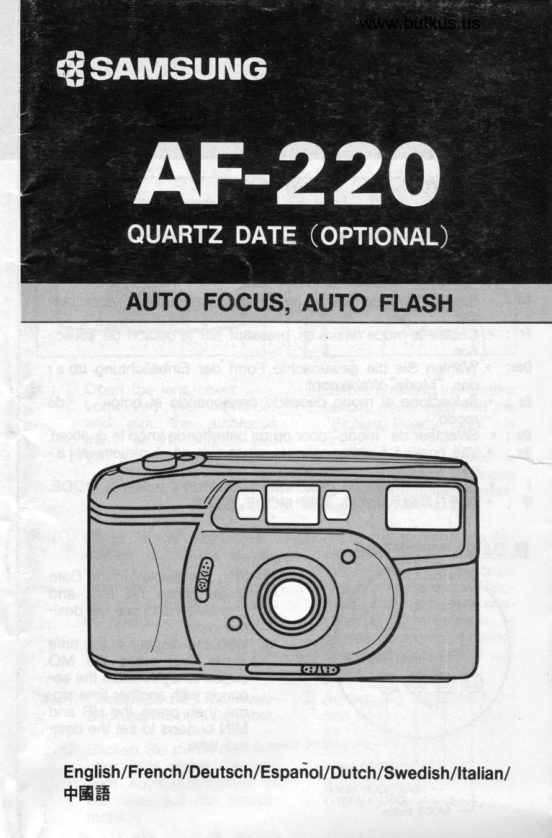
www.butkus.us


    AUTO FOCUS, AUTO FLASH


   E"@-)


English/French/Deutsch/Espanol/Dutch/Swedish/ltalian/
+E#
View original page 1Page 2 · Read text
Frame Counter


                                            Digitally signed by Mike Butkus
                                 DN: cn=Mike Butkus, o=Butkus camera
                                    manuals, ou=butkus.org,Mike Butkus email=mike@butkus.org, c=US
                                       Date: 2022.04.20 14:27:04 -04'00'


              Self-Timer Lamp
      Electronic self-Time indicator
View original page 2Page 4 · Read text
Bitte spenden Sie 2,50 Euro, um diese Website über E-Bay zu unterstützen ... www.PayPal.me/butkusView original page 4
Page 5 · Read text
En ; C Open the battery chamber     12,) Insert batteries in the cor-         cover.                              rect position and close the
                                         cover. lt will click.


       i C) Ouvrir le couvercle des pil-   (2) Placer les piles correcte-
         es.                        ment puis refermer le cou-
                                              vercle.


Deu; (D Offnen Sie die Batteriefa-    (2) Legen Sie die Batterien in
       chabdeckung.                 der richtigen Position ein,
                                 und schlieBen Sie das Bat-
                                                teriefach, Es klickt beim Ei-
                                               nrasten.


Es ; C Abra el gompartimento de  2 Coloque las pilas en posi-        las baterias.                 cion correcta y cierre la
                                         tapa. Oir6 un "Click"
View original page 5Page 6 · Read text
www.butkus.us
Du ; O Open de batterij-deksel. @ Plaats de batterijen op de
                                                  juiste wijze en sluit de dek-
                                            sel. Uhoort een 'klik'


Sur; O 6ppna locket  till batterika- @ Ldgg  i batterierna pA kor-    mmaren.                    rekt sdtt, stdng batteriluc-
                                  kan och se till att den klic-
                                      kar fast.

|    ; O Aprite  il vano porta-pile. @ Inserite le batterie nella co-                                               rretta posizione e chiudete
                                                                     il coperchio.


S ; O tTrfigt&H        @ flere#,l'EmE!{nE&ffi
                        L€n#.


   In     . Ensure polarity( +/- )of batteries is correct.          . Do not use a Nickel-Cadmium battery.
          . Remove the batteries when the camera is not in use
          for more than two weeks.
   Fr    .Assurez-vous du sens de la polaritrides piles (+/*)          . Ne pas utiliser des piles Cadmium/Nickel.
          . Retirer les piles si vous n'utilisez pas I'appareil fniq
        uemment.
  &u    . Achten Sie auf die richtige Polung(+/-) der Batterien.
           . Verwenden Sie keine NC-Akkus.
          . Nehmen $ie die Batterien aus der Kamera, wenn sie
          fur langer als zwei Wochen nicht benutzt wird.
  s      . iEtE;tBt +/-+fitEEErE8!.
          . A€ttJ{frffil{iH €,&.
          . H{fiBE:'lEEFfi A^m{f;H+Hl#H, Eggn*fl+€ttH$, E
     HHH#A.
View original page 6Page 7 · Read text
to
                     .@

En ; Q) Open the back cover using back cover release knob.
    €) Place the film in the film chamber and pull the end of the
        film out, until it reaches the tip position.
      Make sure that the film rests flat between film guides.
       l-s) Ctose the back cover until you hear the click sound. The
        film will automatically advance to the first frame and you
          will see "1"on the frame counter.

Fr ; O Ouvrir le dos de I'appareil.
  @ frleOOie la bobine dans son logement puls tirer sur le film
      jusqu'a la bobine receptrice.
  e Fermer le dos de I'appareil. Le film avancera automatique-      ment jusqu'ala premiere vue. Vous pouvez contr6ler le
      hnn fonctionnement du chargement en verifiant que le co-
       mpteur de vues affiche "1".

Deu; O Offnen Sie die RUckwand mit dem Entriegelungsknopf.    fO Legen Sie die Filmpatrone  in das Fach, und ziehen Sie den
        Filmanfang bis zur Markierung.
       Achten Sie darauf, dap der Film flach liegt.
  e  Drticken Sie die RUckwand zu, bis sie mit einem Klicken
         einrastet, Der Film wird automatisch vorgespult, bis die "1"
      im Bildzeihlwerk erscheint.
View original page 7Page 8 · Read text
Es ;O Abra la tapa posterior mediante el cigrre.www.butkus.us
  @ Coloque el carrete y estire de la pelicula hacia afuer4 ha-
         sta alinearla con la marca de film. Asegrirese que la pelic
       ula quede completamente plana entre las guias.
  @ Ciene la tapa posterior hasta oir un "Click" la pelienla avan-
       zara automdticamente hasta el primer fotograma y en el co-
       ntador aparecer6el no 1.

Du ;O Open de achterwand met behulp van de ontgrendelknop.
  @ Plaats de film in het filmcompartiment en trek de aanloopst-
      rook zover uit de cassette tot hij in de aangeduide positie
  .      ligt. Zorg er voor dat de film vlak tussen de filmrails  ligt.
   €) Siuit de achterwand en druk hem aan tot U de'klik' hoort.
      De film wordt nu automatisch getranspor teerd tot het eerste
       beeld voor staat, de opname-teller geeft nu 1 aan.

Sw ; O 6ppna bakstycket med dess spdrrknapp.
  @ Lagg ned filmen  i filmkammaren och drag ut filmen tills den
       nA r laddningsmiirket.
        Fcirvissa dig om att filmen ligger plant i filmbanan.
  @ Stang bakstycket sA att du hdr ett klickljud. Filmen matas       framlutomatiskt   till fdrsta rutan och du ser "1"  i filmriik
         neverket.

  iO Aprite  il dorso della fotocamera usando la levetta di blocco.
  @ Inserite  il caricatore nell'apposito vano e fate uscire la coda
         della pellicola fino a portarla nella posizione indicata. Assicu-
         ratevi che la pellicola sia ben tesa sulle guide.
  @ CniuOete il dorso della fotocamera. La pellicola avanzera au-       tomaticamente  fino al primo fotogramma e vedrete "1" sul
        contafotogrammi.

                                                                                            fl 3HH*]F*1      ; e {fH HHEff tt
  @    fl +,4 h+ft  ,r. 16 h' +, +8,4 H H! H-lFtn H EEffi {nE, FEE JE H 7L
     R&m[nAi&EHtH#.
  @ Ff,rH#chEf]l  /S.HFIJ "*"H!-H +H#hfrFl,.
      ffiF#_tR, /$.El#Eh'=+*tltt€5|j   " r "        'E€'f*Eff

  The camera will automatically set its film speed when you
   use DX-film of ASA(f$O) 100l4m. ft is also possible to use
   ISO speed 200 film, which will give similar result to 1ffi speed.
View original page 8Page 9 · Read text
Picture Ready Light


                               (J Before pressing the shutterEn ; Q open the lens cover.   €) Look into the viewfinder       button, make sure that the
     and aim the autofocus       "Picture Ready Light" is
      frame at the subject that       on.
      you want to be in focus.      As soon as the shutter  is
                                           released. the film advances
                                            to the next frame automati-
                                                   cally.
Fr ;Q Ouvrir le volet protecteur.  @ Avant d'appuyersurle dd-
  @ Amener le viseur pres de     clencheur, assurez-vous
       votre oeil, puis alaide du      que I'appareilest mis sous
       cohmateur, viser le sujet       tension. Aprds avoir effec-
      que vous desirez prendre       tue la prise de vue en rela-
     en photo.                     chant le d6clencheur, le
                                            film se positionne automa-
                                      tiquement pour la vue sui-
                                              vante.

Deu;  C Offnen Sie die Objektivab- @ Achten Sie vor dem Auslci
       deckung mit dem Schieber.      sen darauf, daP das Signal
                                         fUr "Auslcisebereitsc haft "
  @ Bticken Sie durch den Su-       leuchtet. Nach der Auslds
       cher, und zielen Sie mit     ung transportied der Film
     dem AutofokusmeBfeld in       automatisch weiter zum nb
      der Mitte zuf das Haupt-     "chsten Bild.
         motiv.
View original page 9Page 10 · Read text
www.butkus.us
Es ;e Abra la tapa del objetivo.  @ Antes de presionar el dis-
  @ Vire a.trari6s del visor y      parador, aseg[rese de n'te
         dirija el cuadro de autoen'       elpiloto de cdmara prepa-
      fogue hacia el sujeto que      rada estd encendido,
      desee enfocar.               pespues'cula    de la to m?, la Peli                                      avanza al prox  i m o
                                    fotograma autom6tica me-
                                                  nte.

ou ;e Open de lensbeschermer.  @ Voordat U nu de ontsPank'  @ rijr door de zoeker naar     nop indrukt moet U even
       het onderwerp dat U wilt       controleren of het flits-klaar
        fotograferen en plaats de      lampje brandt, zo ja, druk
       autofocus-iirkel op  dat       rustig de ontspanknop he-
        deel dat U scherp wilt heb-       lemaal in waarna de sluiter
        ben.                        wordt ontspannen en de
                                          film automatisch naar het
                                    volgende beeld wordt get-
                                      ranspor teerd.

  r; O 6ppna objektivskyddet.  O FOrvissa dig om att kontrol'
   @ ritta i sdkaren och pla-      lampan 6r tdnd innan du
        cera auto-fokusrutan ov        trycker ned avtryckaren.
        er huvudmotivet.        Se snart slutaren tryckts
                                 ned matas filmen fram auto
                                         matiskt  till ndsta ruta.

                                                                                                                                                                                                  J
    ; O Aprite  il copriobiettivo.    @ Prima di scattare, assicura-
 @ Guardate all'interno del mi-       tevi che la spia di pronto-
       rino e centrate il soggetto      lampo sia accesa. Dopo lo
      che volete sia a fuoco nella       scatto, la pellicola avanza
       cornice  dell' autofocus.          automaticamente al fotog-
                              ramma successivo.

     ;  o tlr#$H-eF#         o t*Tf*F1zffi, FFriE-#  ffi
  @T W=oW,*f+ffHHSfFtE      fffitFrr\EE6efgFftE. H
       w*+a#.                          /s.f*Tt*Fiz 1#, tE hfi eflr
                                            HliiE-tF.
View original page 10Page 11 · Read text
result will be disap-En ; C  ff you take the picture of above view, the        pointing because the camera will focus on the building
  @ fo avoid this, aim the autofocus frame at the subject you
      want to be in focus.
  O Press the shutter button halfway. Be careful not to press
       the shutter button all the way down as this may give an
       unwanted picture.
        Keeping the shutter button pressed halfway, recompose pic-
        ture as desired.
                                                                   ci-des-fr  ; e Prendre une photo dans les conditions montrties      sous vous risquez fortment d'dtre dticu car I'appare-il
       aura effectue une mise au point sur le building.Afin d'6v
           iter, cet inconv6nient, viser le sujet de votre photo.
  @ nppuyer l6gerement sur le dticlencheur(a mi-course)ne
      di  enfonc6r plus loin car le risque d'une photo rat6e       est a envisager.
  @ Garder la pression a demi sur le d6clencheur puis reca-
        drer le sujet selon votre choix.
        Prendre une photo dans ies conditions montrees ci-dessous
        ynis riegner fnrtement d'A tre decu car I'ennareil auto effe-
       ctue une mise au point sur le building.
                                                          ist das Ergebnis unbefriedi-Deu;  e  Bei einem Foto mit diesem Motiv
       gend, da das Gebiiude, auf das es nicht ankommt, scharf
        abgebildet wird.
  @ Um so etwas zu vermeiden, zielen Sie mit dem Autofokus-
       meBfeld auf das HauPtmotiv.
  @ Drucken Sie jetzt leicht auf den Ausldser, aber nicht zu
         fest, sonst wird ausgeldst.
       Halten Sie den Ausldser angetippt, und legen Sie den gewu      "nschten                 Bildausschnitt fest.
View original page 11Page 12 · Read text
www.butkus.us
Es ; @ Si no cumple la recomendacio;r  anterior sobre el enfoque,        el resultado ser6 una fotografia borrosa ya que tomara
         la distancia del fondo.
  @ Para prevenirlo,  dirija la camara hacia el sujeto que desee
         enfocar.
  @ presione el disparador fasta la.midtad. No lo presione total-
       mente ya que disPararia la camara.
  @ tvtantemiendo presionado el disparador hasta la mitad, reen'
       cuadre hasta conseguir la toma deseada.

Ou ; O Als U een foto maakt zoals hierboven getoond, zal het resul'
          taat teleurstellend  zijn omdat de camera automatisch scherp
          stelt oP het gebouw.
  @ Om dat te voorkomen moet U de autofocus-cirkel richten
      op dat deel van het onderwerp dat U scherp afgebeeld wilt
        hebben.
  @ Druk vervolgens de ontspanknop voorzichtig half in' Zorg
        er voor dat U de ontspanknop niet per ongeluk helemaal
         indrukt want dan heb U ongewild toch een foto gemaakt'
         Terwijl U dus de ontspanknop half ingedrukt houdt, maakt
     U de gewenste comPositie

Sw ; O Om du tar din bild av ovanst6 ende motiv, blir den misslyc'
       kad dA kameran fokuserar mot byggnaden.
  @ fCir att undvika detta, placera auto-fokusrutan 6ver det vi-
         ktigaste i bilden.
  O frycf ned avtryckaren till hf,lften, Var fdrsiktig sA att du
         inte trycker ned avtryckaren helt f6r att undvika oavsiktlig
        exPonering.
      Ha ll avtryLkaren nedtryckt  till hdlften och komponera  bil'
       den PA dnskad sdtt.


                                                                          risultato                                                                                                                      il                                      sopra illustrato,                 una foto                               al paesaggio       Se             scattate|   ;' O-                                                         fuoco                                         metteri                                      la fotocamera                   perch6                                a              deludente      sara
           I'edificio.
      - @ per evitare questo, inquadrate   il soggetto che volete mettere
      a fuoco.
  @ Premete leggermente il pulsante di scatto, Fate attenzione
       a non prem-ere  il pulsante di scatto fino in fondo per evitare
         di scattare una foto imPrevista.
        Mantenete  il pulsante di scatto leggermente premuto, inqua'
         drate di nuovo come desiderate.
View original page 12Page 13 · Read text
x o
       F@

en ; C The flash will work automa- @ Rfter the picture readY light
          tically in Poor lighting con-         is on, press the shutter but-
         ditions.                               ton.

Fr ;C Le flash entre automatique- @ Oes que la diode de mise       ment en action des que la      sous tension est allumee,
         lumiirre est insuffisante.          appuyer sur le d6clencheur.

Deu; @ Wenn das Licht nicht aus- @ Wenn die Aufnahmebereit-
         reicht, schaltet sich der       schaftsanzeige  aufleuchtet,
         Blitz automatisch zu.          kdnnen Sie ausldsen'

                                                              - @ Desputis que el Piloto deEs ; C El flash trabaja automdt  i       camente en condiciones de      cdmara lista est6 encen-
       baja luminosidad.                dido. presione el disPara-
                                              dor.


                                                                                           la- Du ;C De flitser zal automatisch  @ Wacht tot het flits-klaar        afgaan als er te weinig licht     mpje aan is en druk dan
              is.                        de ontspanknop  in.
View original page 13Page 14 · Read text
www.butkus.us
                                             Tryct< ned avtryckaren efterSw; O Blixtens avtyras automati- @
        skt i svagt lius.                   att kontrollamPan har t6n
                                                            ts.

                                                                   di Pronto-| ;O  ll flash si inserir6 automati- @ Dopo che la spia      camente in caso di scarsa     lampo e accesa, Premete
        illuminazione.                                  il pulsante di scatto.
S ; O Atftf,rF,eH!{ERT,  AffilA @ #t*ffitafiEfrlk *&Tf*
        f;efrrrl                          P1*Eht.

                        *f|ffifr*BE&f'be
    Film Sensitivitv (ASA/|$O)         100           400
    Flash .si$.ance (Meter)          1.5-3.0        1.5-4.0


 En ; Exceeding the recommended flash distances may give an under-
    exposed Picture.
 fr  ; in d6passant les limites autorisries du fiash vos photos acront
    sous exposees.
 Oeu; f"f-otive auperhalb der angegben Blitzbereiche werden unterbeli'
      chtet
                      H *6!FHHEIHE*E)6TE +  ; ffiUfIXHAfIfiFEETFI*E


 S  : O ffi7Etf,4$ffrT#, tE HrkHlHHHAtil*E.
  O ft#tS.F3EtEttr6lE{F   5 5fi+sF :+{*r:cngm rt+f*FsrgggT) uft,rETT#86!
        HHH.
        ix'+wm*ng!il3HE,'lt'ftltftffil#E  ffiFtEffiEtlm.
View original page 14Page 15 · Read text
En ;O Stioe the self-timer lever @ You can cancel the self-ti-
     down and then press the      mer by sliding the self-timer
       shutter button. The self-ti-        lever. Be sure to return the
      mer lamp will be illuminated        self-timer lever to the "up"
        for about ten seconds be-       position to resume normal
       fore the picture is taken.         picture taking.

Fr ;C Appuyer sur le bouton du @ L'annulation du retardateur
        retardateur ouis actionner      s'effectue en remontant
        le declencheur. La lampe       tout simplement le bouton
     du redardateur s'allumera     du retardateur.
      pendant environ 10 secon-
      des avant que la photo soit
         prise.


Deu; @ Schieben Sie den Selbs- @ Oer Selbstausldserablauf
        tausldserhebel nach unten,     kann durch Hochschieben
      und drUcken Sie den Au-     des Hebels gestoppt wer-
        sl(ber. Das Selbstauslds        den. Vergessen Sie nicht,
        ersignal leuchtet fUr c a.       ihn vor normalen Aufnah-
       10 Sekunden, bis die Auslo     men wieder nach oben zu
      "sung erfolgt.                     schieben.
View original page 15Page 16 · Read text
www.butkus.us
!s ;O Deslice hacia abajo la pa- @ Puede cancelar el autodis-
       ianca del autodisparador y      parador deslizando la Pala-
       presione el disparador. La     nca hacia arriba. Asegdr
       lSmpara del autodisparador      ese de retornar la Pdanca
     se iluminar6 proximadam-      hacia arriba para tomas
      ente diez segundos antes       normales.
     de la toma.

Du ;O Schuif de knop van de zel- @ U kunt de zelfontspanner
       fontspanner naar beneden        voortijdig uitschakelen door
      en druk vervolgens op de     de knop weer naar boven
       ontspanknop. De zelfonts-       te schuiven. Denk er overi-
       panner lamp zal gedurende      gens om dat U die knop
    10 sec. gaan branden,    ook naar boven moet
     waarna de opname ge-      schuiven als U weer ge-
      maakt wordt.               woon (dus zonder gebruik
                                    van de zelfontspanner) wilt
                                 gaan fotograferen.

Sw; O Skjut sjdlvutldsararmen @ Ou kan koppla ur sjdlvutld
       nedA t och tryck ned avtry-       saren genom att skjuta upp
       ckaren. Sidlvutlds a r la m-       sidlvutldsararmen. Se till att
      pan lyser under ca tio se-       fdra tillbaka armen  till sitt
       kunder innan bilden expo-      6vre ldge f6r att A tergA  till
         neras.                        normal fotografering.

  ;O Abbassate la levetta dell' @ Potete disattivare i auto-
       autoscatto e premete  il pul-       seatto facendo scorrerc  la
       sante di scatto. La spai si       levetta dell autoscatto. As-
        illuminera per circa 1O sec.       sicuratevi che essa sia rF
      prima dello scatto.               portata sulla posizione su-
                                       periore per poter scattare
                                                                              i                 mormali foto.

    ; o HTEIEI*&'I, l}+rfrt'. @ zrfftH HtEeff+, Eilt+HtEa*       EffS'S.ETf*F1'Etr         6!14 fltEEFIt
View original page 16Page 17 · Read text
gn ; C Push the film rewind switch @ ns soon as the rewinding
        in the direction shown by       is finished. the motor will
       the arrow. (towards "R")        automatically stop.


fr  ; C Pousser le bouton de r6em- @ o6s que le r6embobinage
       bobinage dans la direction      est termin6, le moteur s'
     de la flOche(vers R)             arr€te automatiquement.


Deu;   e  Drticken Sie den RUcks- @ Oer Film ist zur0c k g e s-
        pulschalter in Pfeilrichtung        pult, wenn der Motor sto-
        (nach"R" )                            ppt.


Es ; C Presione el botop de re- @ oet mismo modo cunado       bobinado y deslicelo en el     acabe el rebobinado  el
        senti do de la flecha.          motor se parard automdt
                                         icamente.
View original page 17Page 18 · Read text
www.butkus.us
Du ; O Druk de terugwikkel-scha' @ Zodra het terugspoelen vo'
        kelaar in de richting van de        Itooid is zal de motor auto-
          pijl (naar 'R")                  matisch stoppen en kunt U
                                 na het openen van de ach'
                                    terwand de film uitnemen.


Sw; O Skjut strdmbrytaren for  fi- @ Motom stannar automatiskt
        lmA tergivning i pilens rikt-        efter avslutad A terspolning.
      ning. (t  riktning mot        'R")


  ;O Premete  il qulsante di riav- @ ttton appena  il riawolgime-      volimento nella direzione       nto ti completato, il motore
       indicata dalla freccia (ve-        si ferma automaticamente.
       rso "R")

    ; o EEHS[hiX, {8ttffitrfr6! @ H{sJHFFl{f, Fi*f;efr.1F       fi6l,L "R"{fil.                      ll.
View original page 18Page 19 · Read text
(YR.MO.DAY MODE)   (HR.MI MODE)
 (Ex) May 1,92)            (Ex) 23: 59)     (NO IMPRINTING)


      . Select the mode desired by pressing the mode selection but-
Fr;  . ton.Choisir lemoded6sir6en  pressant sur lebouton de s6lec-
         tion
Deu;   . Wdhlen Sie die gewUnschte Form der Einbelichtung Ub e r
      den "Mode"-Wahlknopf.
Es    . Seleccione el modo deseado presionando el boton  de
      modo.
Du   .  Selecteer de 'mode' door op de betreffende knop te drukken.Sw    . Vdlj Onskad funktion genom att trycka pA funktionsvdlja   -
         ren.
I     . Scegliete  il sistema desiderato premendo  il pulsante MODE.
+     . igtSEHERHir\tirtB+, EE+* MoDE iE +ffi.
I DATE IMPRINTTNG
                          En ;O With the display in the Date
                                Mode, press YR, MO, and
                                Day buttons to see the desi-
                                  red date.
                                                                 in                                                         the time                                                 display                                         the              @ witn         YR . MO. DAY                                             press                                      MO                              mode,                                                       first                                             the
                                      button to synhronize the se-
                                 conds with another time sig-
                                            nal, then press the HR and
                             MIN buttons to set the desi-
                        DAY'MINUTE button fed time.
View original page 19Page 20 · Read text
-  -//'
                                    www.butkus.us
fr ;O Afficher le mode date puis appuyer le bouton YR-MO et
     DAY et choisir la date voulue.
  @ Afficner b mode time puis appuyer sur le bouton 'MO" pour
       synchroniser les secondes,  la minute ne changera pas pen-
       dant une trentaine de secondes. D6pass6, 30 secondes, la
       minute suivante s'affichera.

Deu; O Wenn der Datums-Modus in der Anzeige erscheint, drUc
      ken Sie die YR, MO und Day-Tasten, um die gewUnsch'
       ten Werte einzustellen.
  @ Wenn der Zeit-Modus in der Anzeige erscheint, drUc k e n
        Sie zuerst den Mo-Knopf, um die Sekunden mit einem ande-
       ren Zeitsignal zu synchronisieren. DrUcken Sie dann die
      HR-und MIN-Kndpfe, um die richtige Zeit einzustellen.

B ; O Cuando el display presente el modo tiempo, presione Mo
       para sincronizar los segundos con la correcta, des puse
       pulse HR y MIN para buscar la hora correcta.
  @ Cuando presiona MO los minutos no avanzan si los legun
      dos est6n entre 0O-29, solamente avanzar6un minuto si se
       encuentran entre 30'59

Ou ; O Met de display in de 'date'-functie moet U op de YR(jaar),
      MO(maand) en DAY(dag) knop drukken om de gewenste
      datum in te stellen.
  @ tvtet de display in de 'time'-functie moet U eerst op de MO-
      knop drukken om de seconden te synchroniseren met een
       ander tijds ignaal om vervolgens met de HR(uur) en Min(mi-
       nuut) knoppen de gewenste tUd in te stellen.

Sw; O Vid indikering av datum-funktionen, tryck YR, MO och Day
       knapparna fdr att stdlla in dnskat datum.
  @ Vid instdllning i denna funktion, tryck fdrst in "MO" knap-
      pen fdr att synkronisera med annan tidssignal, tryck ddr
        efter in HR och MIN knapparna fdr att stdlla in dn skad
           tid.
| ;O Con  il display sul sistema "DATA", premate  i pulsanti Anno,
       Mese, g'iorno alla data desiderata.
  @ Con  il display sul sistema "ORA", prima premete il pulsante
     'MO" per sincronizzate   i secondicon un altro segnale orario,
       poi premete i pulsanti 'HR" e "MlN" per impostare I'ora
        desiderata.
View original page 20Page 21 · Read text
En ;O Remove the battery cham-    .2) Remove the old battery and
        ber cover with a small Phil-        insert a new one with the
           lips ( Cross-Type )screwd   ri -      plus(*) side up.
          ver.                                       i3,) Press the cover into place
                              and fasten with the atta-
                                    ching screw.

Fr ; e Enlever le couvercle pile a  (D Enlever la pile usag6e at-
         I'aide d'un petit tournevis      mettre la neuve le signe        cruxiforme.                 (*)en haut.                                   -                               €, Puls revisser le couvercle.

Deu; @ Entfernen Sie die Batterie-     (2,) ttehmen Sie die alte Batte-
       fachabdeckung mit einem       rie heraus und legen Sie
      kleinen Kreuzschlitzsch-      eine neue mit der (+)-
         raubenzieher.                    Seite nach oben ein.
                               €) Ortict<en Sie den Batterie-
                                       fachdeckel wieder zu, und
                                  drehen Sie die Schraube
                                      wieder fest.
Es ; C Saque la tapa de bateria    (D Cdmbie la pila y coloque
     con un destornillador de       la nueva con el polo*ha-
      es trella.                       cia arriba.
View original page 21From the M. Butkus archive. Original publisher and archive notices are retained.
Check the model and edition against your equipment.
PDF verified 2026-10-10.