Film cameras
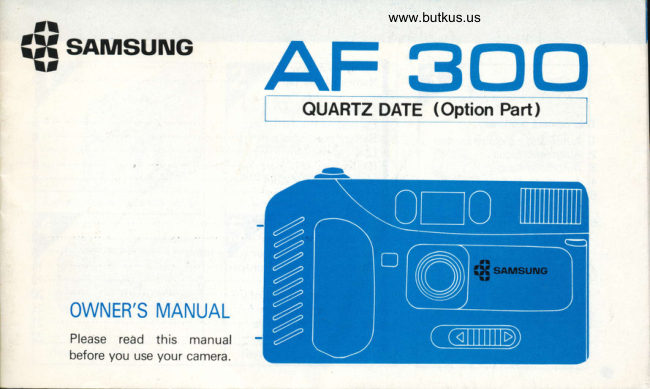
Samsung AF 300 User manual
User manual for Samsung AF 300. 26 pages in English. Read the original PDF, download or print a copy without registration.
26 pagesEnglish3.5 MB PDF
Loading your manual…Open PDF directly
Document details
- Brand
- Samsung
- Model / document
- Samsung AF 300
- Document type
- User manual
- Language
- English
- Pages
- 26
- File size
- 3.5 MB
- Category
- Film cameras
- Document date
- Not specified in catalog
Search available document text
Find a term, then jump to its page in the original PDF. Image-only pages may not be searchable; check the PDF for exact wording and diagrams.
Page 1 · Read text
www.butkus.us  tt
   snMsuNGiH  tt    AFQUARTZ DATE3OO(Option                            41,                                                 l


    OWNER'S MANUAL
       Please read this manual
         before you use your camera.
View original page 1Page 3 · Read text
www.butkus.us


Putting in the barreries (p.5)          Loading the film (p.7)             Taking pictures (P.10)


                                                                                                  i-lolH d d


 Rewinding the film (P. 14)         Removing the film (P 14)           Date imprinring(p 15)
View original page 3Page 4 · Read text
Bitte spenden Sie 2,50 Euro, um diese Website über E-Bay zu unterstützen ... www.PayPal.me/butkusView original page 4
Page 5 · Read text
Autof ocus
       wrndows
      Viewfinder
       wrndow
  Frame counter
   Shutter button


      Strap hook

      Strap ring                           Id
              Qrrrn                                                                     ens cover slroer

       Handgrip

o
View original page 5Page 7 · Read text
Use two 1.5V AA-size alkaltne
    or manganese battefles.


                            OOen the battery            6lnsert batteries with + and -                            1                                                          I cover.                       /-ends as shown and snap the
                                                                       cover shut. mm
    'Do not use N Cd batteres

   When to change the batteries                  .You try to 'ew,nd the fr'r., d.d :he -notor stops
    The batteries should be replaced when:              before the film counter reaches "S".
    .The green lamp is out.                                  {Please do not open the back cover. Just change
    .You can't rewind the  f ilm after photographing      the batteries.)
o
View original page 7Page 8 · Read text
www.butkus.us


OThe batteries may leak and   @Using the camera when it is    @Even though the batteries are
  ceuse. damage when:              very cold hinders its perfor-       new, the frequency and charge
  oYou use different kinds of       mance.  lt is a good idea to       up intervals for the flash can be
    battenes.                                           ' prepare extra batteries when         different from the normal tech-
  oYou use old and new bat-      using the camera in cold       nical specif ications accord-
    teries together.                    weather.                           ing to the kinds of batteries
  o + and - ends of the bat-         Take care to keep your camera        used,brand differences, and the
   teries have been DUt in the      and batteries warm.               age of the batteries.
   battery chamber incorrectly.                        @ Do not heat the batteries or put
                                                           them into a fire.
                                          @ Keep the batteries away   f rom
                                                         the children. lf your child
                                                                           swallows a battery,consult your
                                                                             ooclor.


                                                  o
View original page 8Page 10 · Read text
www.butkus.us


                                               l'?UlJ",frnOf                         sgsz                                                             ff 38f rS0 r00 2t'
                                      CF        txP.
                                                          O          o
rrClose the back cover of the
J.ururu so that it snaps shut.     oThe film speed number tells you  oWhen you buy film for the Sam-                             how sensitive the film is to light.   sung AF-300, look for the "DX"  The camera will automatically                          The higher the number, the  mark on the box. lf you use  advance the film to the first                                              "DX" film, the camera will  frame. You are now ready to       greater the sensitivity.
   take pictures.                                                          automatically adjust to give you                                                         the correct exposure.  lf you
                                                            can't find "DX" film. use
                                                         ISO(ASA) 100 film.
                                      o Tne "DX"  f ilm autcmatic control range  for this camera
                                           rs ISO 100. 20rJ, 400 and 1000.
                                     Please be srrre that your  f ilm speed is In that range.
                                                    @
View original page 10Page 12 · Read text
www.butkus.us


.O.         jffi,W
      Make sure that the thrng that         Press the shutter button   Holdrng the camefa
       you want to take a picture o1         /-slighI.lv,^        so the green lamp  oBe carelul so that nothrng  falls
           is in the center of the picture.           turns on.                         in front of the lens when You
                                                       (a) lf the red lamp turns on, wait    take a picture. Picture can be
                             a moment for the flash to    spoiled when fingers, hair, or the
                                            charge up.                    camera strap falls in front of the
                                                       (b) lf the red lamp does not turn    lens or the light meter cell.
                                        nn  nrcss thtr qhilllpr  hrttton  rWhen you take vertical Pictures
                                                               fully down to take the picture.    with the flash, the flash should
                                                                    be on top.


                                                   @
View original page 12Page 13 · Read text
o Let the shutter button pop   7 When you take pictures at      ; When you are finished taking  J back up after taking the     'tnight or in dim light, the flash   C pictures, close the rens cap.
       picture. The camera will auto-         will automatically go off.           This will protect your lens,
      maticallv advance the film to                                               prevent unintended shots, and
     the next frame.                   Please refer to the chart below.       help your batteries to  last
                                        Film speed      Flash range             longer.
                                       (ASA/rSO)                 f eet     meters
                                          100      J.O-     | l. /   1.1-3.5
                                     200    4.5-16.4    1.4-c
                                       400     6.5-19.6   2-6
                                                                                           1 000     10-19.6   3-6


o
View original page 13Page 14 · Read text
www.butkus.us

*  lf you block the autofocus wndow with your       * Some subjects are hard to focus on. When you
      f ingers or hair when taking pictures, the things         want to take a picture of one of the things listed
  that you want to take a picture of will be out          below, you can still do it, but in order to make
  of focus.                                            the picture come out right, you need to focus
                                           on something else that is the same distance
                                              away then use the focus lock to maintain the
                                                         focus, re-aim the camera and shoot. Hard-to-
                                                     focus items include:
                               O ltems that have a bright light in the background.
                             @ Fireworks, smoke, or similar floating objects.
                             @ Shining or glossy surfaces such as a car body
                                                     or the surface of water.
                                            @Objects behind' glass windows.


                                                 @
View original page 14Page 15 · Read text
-When you are taking pictures in dim light, be sure to
              check whether the flash-wait lamp turns on.
   :A:     -!/.-


                                                                   11 Keeping the shutter button slightly          1 Aim the camera al the object                     I that you want in focus.                       Jpressed, recompose your picture
                                                         as desired.
                r; Press the shutter button slightly.
          Z(The green lamp will turn on.)              7 Hold camera steady and genlly            o Be careful not to press the shutter                   Lt press the shutter button   f ully down
               button fully to avoid taking an
                unexpected  picture.                                   ;- Focus lock can be released by
                                                                                   !   lifting your finger lrom the shutter
o                                                                   button.
View original page 15Page 16 · Read text
www.butkus.us

After taking all the pictures on a roll of film. vou will want to remove
the film and get it developed. This is done like this
                                                   /_( fi-sll \                         \Erl

                                                          *  lf the motor stops before the
                                                                                film counter counls down to
  Push the rewind switch be   1 When the rewinding is fini-        the "S" starting position, you  neath the camera in the direc    Lshed, the motor will auto         should change the batteries.
  tion shown by the arrow. As the      matically stop. Check to make         In this case, do not open the
     f ilm is rewound, the   f ilm       sure that the film counter        back cover until the batteries
  counter will count down to the      shows the "S" start position.      are replaced and the rewind-
 "S" starting position. A 36       Then open the back cover           ing completed.
 exposure roll of film takes       and remove the film.            * When you push the rewind about 40 seconds to rewind.                                                                           switch, be careful not to push
                                                                                                                                                       it too hard. This might damage
                                                                   your camera.
View original page 16Page 18 · Read text
www.butkus.us

  (11 Selection mode                 (2),Checking the position of the    (31 print indicator
                                   Date imprinting(YR .MO.DAY MODE)
 {Ex) July 26, 88
   E8 iEE
                      ,5H       f,-F               T       -59     tt
(NO IMPRINTING                                                               .  lf tne Date was imprinted when
                                           . Through the finder, you can        the camera's shutter was releas-
                               check the position where the       ed, the word "PRINT" will ap-
                                      Date imprinting  will appear on the       pear for two to three seconds  in
Pressing the button changes       picture.                             the liquid crystal display.
mooes In sequence shown above.
Select the mode desired.


                                                 @
View original page 18Page 19 · Read text
(41 Setting Date
                                            ,/:---\     * Date may be difficult to read  if                           l{*.'tl                                                   -5ell          imprinted                 on                         bright, white or in a                 il?3L-        nonuniform                       area.       @     *  This unit is designed for use be-
        tween 50o and -'l0oC (approx.          120o and '15"F). At temoeratures         ril!00fi          IilEf;0fi
        above or below this range the      (HR.MrN MODE)                (YR.MO.DAY MODE)
         Date mav be difficult to read.                                  o With the display in the time    o With the display in the Date
     * The date imprinter  is powered by        mode, first press the MO button     mode, press YR, MO, and DAY
         the Ouartz Date's battery.                                                   to synchronize the seconds with      buttons  (in any order) to set the            lf the battery is not correctly
          installed or fully exhausted, no        another time signal, then press      desired date.
          display will appear.                  the HR and MIN buttons  (in eit-
                                               her order) to set the desired time.
                                  o When the MO button is pressed
                                  to synchronize the seconds,
                                    the minute will not change as
                                             long as the seconds are between
                                 O0and 29. lt will advance to
                                      the next minute if the se-
                                           are between 30 and 59.o                            conds                                                                                                                                                  I
View original page 19Page 22 · Read text
www.butkus.us


OBe careful to keep from spill-   @Using the camera when it is   @ Do not use your camera to take
   ing anything on the lens or light       very cold, hinders its perfor-       repeated flash pictures when
  meter cells.  lt is a good idea to      mance.  lf you plan to take pic-     the temperature is above
  keep your camera lens cap on,       tures when the temperature  is      lyoF (400c).
  whenever the camera is not in      below 45oF(7oC) take care to                                                  @The film will not be rewound   USE.                              keep your camera and batteries                                                             though you push the rewind
@lf you have trouble with your      warm.                             switch when:
  camera please take  it to a Sam-   @Be particularly careful not to       oThere is no film in the camera.
  sung dealer or distributor, or       take your camera from a very     oThe back cover is ooen.
  back to the store where you      cold place directly to a very      oThe film rewindinq has been
  bought it. Do not try to take     warm place. This may cause                       f inished.
  the camera apart or to repair       moisture to condense on the                                                 @You can not use72 exposure   it yourself. The camera con-        inside of the camera.                                                                                                          roll film polaroid film with this
  tains a high voltage curcuit that                                                                    camera
  could be hazardous.
@Keep your camera safe from
  sudden shocks or vibration. lf
  you drop your camera  it is a
  good idea to have it checked
  before usino it.

                                                 @
View original page 22Page 24 · Read text
www.butkus.us


Camera type      35mm Lens Shutter Type Full Auto Camera
Film           35mm Film
Screen Size       24mm x 36mm
Lens              Samsung 35mm F3.8, 3 elements in 3 groups, angle of view
Focusing              Active focus system: Focus locks when shutter release button is depressed
                       partwav.
Finder               Type: Reverse-Galilleo Albada type, Bright frame Attached Magnification: 0.45
                   Frame Coverage: B5% (on the subject of 9.Bft)
                      Eyesight: - 1 Diopter (center)
                          Indications: Auto focus frame, picture area frame
                     Short distance, Photo correction mark
                        Parallax correction mark, Flash-wait lamp, Normal operating indication larnp
Light Sensor        cds
Shutter            Programmed Electronic AE
Exposure Control     Auto: Range from EVlO to EV16 (lSO 100)
                    Auto exposure control

                                               @
View original page 24Page 25 · Read text
rer5*

           Film Windrng      Auto winding by the motor inside (1 comma/sec.)
           Film Rewinding     power rewinding by the motor inside. Motor stops automatically
                       when rewinding is finished.
           Film Loading       Auto loading type (The film counter reaches E automatically,
                       when vou shut thebackcover.
            Flash             oAuto flash
                           oAuto flash lighting in low light conditions
                                  (lower than EV10 + 1EV)
                                oFlash-wait lamp (Red). turns on when flash is not
                               adequately charged.
                                                          Ordinary          Flash
           Battery life                         Batteries     Picture taking     Photos           Remarks
                                                Alkali Mn      35 rolls       12 rolls                         24 Exp                               Mn         17 rolls       6 rolls        According to the
                                                Alkali Mn      25 rolls       B rolls               testtng                         36 Exp                                  Mn         12 rolls       4 rolls          our company
          Back Cover          Hinge type
          Lens Cap         One touch open type can start charging and photographing
                               Closing locks shutter and lens  @
View original page 25Page 26 · Read text
www.butkus.us


                Batteries        Two AAM or Mn batteries or AAM. Alkaline batteries cells of the same
                                  kind (1 .5V x 2:3V)
             Other Features     The green lamp turns on when voltage is normal.
                           The green lamp turns off when voltage is low.
                                 Attachable strap.
                Size                131.1x 73.5 x 47.Smm
             Weight             9.35 ounces (2659): excluding batteries
             Frlm Speed         Auto set by DX code(Range ISO 100,200,400 and 1000)
                Settrng              Set to ISO 100  if the frlm has no DX code.

          Functions of Date Back
         Dateimprinting  : yEAR.MoNTH.DAy/HoUR.MtNUTE/No tMpRtNTtNG
)          Auto calendar
          and quartz clock : AUTOMATIC CALENDAR (Automatic adjustment for long and short months and leap
                                    years,
                     OUARTZ DIGITAL CLOCK  ( Average error: + 3 seconds/day  1
          Power                   I One 3V lithium cell (JlS CR2025) power clock and liquid crystal display (LCD)

                                                       @
View original page 26From the M. Butkus archive. Original publisher and archive notices are retained.
Check the model and edition against your equipment.
PDF verified 2026-10-10.