Film cameras
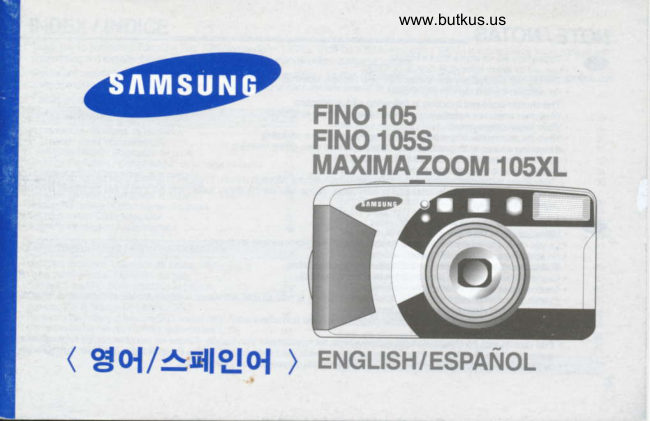
Samsung FINO 105 Samsung Maxima Zoom 105XL User manual
User manual for Samsung FINO 105 Samsung Maxima Zoom 105XL. 52 pages in English. Read the original PDF, download or print a copy without registration.
52 pagesEnglish7.5 MB PDF
Loading your manual…Open PDF directly
Document details
- Brand
- Samsung
- Model / document
- Samsung FINO 105 Samsung Maxima Zoom 105XL
- Document type
- User manual
- Language
- English
- Pages
- 52
- File size
- 7.5 MB
- Category
- Film cameras
- Document date
- Not specified in catalog
Search available document text
Find a term, then jump to its page in the original PDF. Image-only pages may not be searchable; check the PDF for exact wording and diagrams.
Page 1 · Read text
www.butkus.us

                  F|NO l(F
                 F|NO lqts
                MAXIMA ZOOM I(FXL


( gou*q|Eo{   ENGLISH/ESPAfrOL                      )
View original page 1Page 5 · Read text
www.butkus.us


                    En                                          Es
       1         Fucbon mode selection button                      Bot6n de selecci6n de los modos de funcionamiento
    2         Flash mode selection button                        Boton de seleccion de los modos del flash
    3          Shutter button                                     Disparador
    4         Exposure sensor                               Sensor de exoosici6n
    c          Self-timer lamo                              Ldmpara del autodisparador
             (Red-eye Reduction Lamp)                      (Ldmpara de reducci6n de los ojos rojos)

    6        Lens                                               Objetivo
    7        VieMinder                                           Visor
    I        Back cover release knob                           Palanca de aperlura del respaldo
    q        Autofocus windows                                  Ventanillas del autofoco
    10     LCD panel                                      Panel informativo LCD

                                                                     Flash\11          Flash
View original page 5Page 7 · Read text
www.butkus.us


                     En                                            Es\
       1           At rtofocus indicato(Green LED)                         Indicador  del autofoco (diodo verde)
    2         Flash indicator (Red LED)                               Indicador  del flash (diodo rolo)
    3         Eyepiece                                          Ocular
    4          Diopter adjust dial                                          Dial de ajuste di6ptrico
    5         Film cfieckwindow                                     Ventanilla de comprobacidn de la pelfcula
    6         Tripod socket                                 Rosca para el tripode
    7        Date selection button(Q.D. model only)                Bot6n de seleccidn de la fecha (sdlo modelo e.D.)
   8        Power button                                       Boton de conexion/desconexi6n
    I      Zoom button(Wide)                                  Boton del zoom (angular)
    10     Zoom buttonfl-ele)                                  Botdn delzoom (tele)
    11        Mid+ollrewind button                                Boton de rebobinado a mitad de rollo
    12        Strap eyelet                                  Enganche de la correa
\13              Date record window(Q.D. model onty)                  Ventanilla de grabacion de la fecha (solo modelo e.D.)         ./
View original page 7Page 11 · Read text
www.butkus.us                                                                                                                                                                 Ii


                  En                                            Es
 11        Film rewindino  indicator                              Indicador de rebobinado de la oelicula
12       Film loading check indicato(E mark)               Indicador de carga de la pelicula (simbolo E)
          Focal length                                       Longitud local
  4       Exposure munter                                Contador de exposiciones
 5      Fuzzy shooting                                      Fotografia  inteligente  (logica ditusa)
 o      Self-timermode                            Modo autodisoarador
         Double  sefi-timer mode d)$                 Modo autodisparador  doble O$
18      2sec.delayedshutterrelease  [j                Autodisparador con 2 segundos de retardo 6
 19      Continrcus sfrooting                              Fotos en serie
n      Multiepcure shooting                           Exposiciones  m0ltiples
2'l      Landscaoe mode                       Modo paisajes
22        Battery condfi on indicator                           Indicador de la carga de la pila
23        Film loading indicator                                Indicador de carga de la pelicula
24      Exposure unit(EX)/                            Unidad de exposici6n (EX) /
        Seconds(s)when interval shooting or Bulb mode    Segundo (s) en el modo de disparo a intervalos o posici6n B
25       Focal length unit                                Unidad de longitud focal (mm)
zo       Minutes(m) when interval shooting                  Minutos (m) en el modo de disparo a intervalos
27      Film advance mark                         Simbolo de avance de la pellcula                                                                                                                       ,/
View original page 11Page 12 · Read text
Venmo @mike-butkus-camera  Ph. 2083
PayPal Name  Lynn@butkus.org      www.PayPal.me/lynnbutkus
View original page 12
Page 13 · Read text
LOATXNG THE BATTERY/COLOCACION DE LA PILA


 aD  .  Open be bafiery danrber cover ry F€s{sng he hole wih a ccin as shoryn abotre'        .  Ins€d a new battery and be sur€ lo phce  it h h€ @tr€ci posllim.
  -     .  Cloee the baltery dnrber covEr unlil you lnar  il dkJc
     NOTE.  Use CR-'123A or DL-123A battery only.
        .  B€ su|€ to place  it h t|e cotFct posi[on.
        .  The camera will automalinlly ttm tp porer ofr utttst nd used in 3 minutes.
           The operatkrn  lirn of t|isfunclin b $fi€ctbdtattgo Hlotrying fp condlion.        .     il you'r€move and mflace tre battery  r,vtren a film is in fp camen, the film will pmain in the same
           frame bdomhking outh€ batbry.
 A.     Abradconpaltimkrnb&ladhpr€[$mandodorificioconunarnonedahlycomosemuesfraenddbuir.        .  lnsg|te una fih nuora y aseg0rcse de olocada en la posirih orecta"        .  C:iene el ompadimiento  de h fih hasia que su€ne un dic. -
      NOTAS.  Ulilice unkannenle plas CR-123Ao DL-1234        .  Aseg0rese de qr h coloca en su podddn cori€cb.        .  La drnara se Ciesconeaa automdicam€nfie d no se usa diranfio 3 minubs. Elti€rnpo de findmamlento de €sta funddn ed6 erFlo a
        .  camtiosSii exrae dependen<by iartia h dlade qlandola condcidnh cemarade uso.estA cargada con un dlo <le pdlala, 6sta parnaneerA en d n*vno fdograma €n €l que
12        se €nconda  ant6s de otbaer  la f,ila
View original page 13Page 14 · Read text
www.butkus.us
CHECKING THE BATTERY/COMPROBACION DE LA CARGA DE LA PILA
        (@                  (@
                           1. Normal ooeration                                                    1. Funcionamiento  normal
                                       - The battery condition indicator does not appear.                - El indicador de la carga de la pila no aparece.

                          2. The indicator appears half way.                          2. El indicador aparece por la mitad
                                   - You can still shoot several rolls ol film but prepare a     -A[n puede fotografiar varios rollos de pelicula
                    new batterv.                                               pero prepare una pila nueva. I
                          3. The indicator  blinks.                                       3. El indicador parpadea.   \                          - Replace the battery.                                                         - Cambie la oih.


Gil   NorE
            ' Do not remove the battery while using the camera. Tum  off the power when you replace the battery   .         . Have extra battery available   if you are using the camera outdoors  in a cold weather.
         . Battery performance  is reduced in low temperatures.
          . The battery will function normally again when the temperature retums to normal.
ail  NorAS
         No exttaiga  la pila mientras est6 utilizando la cdmara. Descon6ctela cuando cambie  la pila.            '
             ' Tenga una pila nueva a mano siempre que utilice la cSmara en exteriores o a bajas temperaturas.         . El rendimiento de la pila se reduce a bajas temperaturas.
         . La pila funcionar6 normalmente de nuevo cuando  la temperafura welva a la normalidad..
                                                                              13
View original page 14Page 15 · Read text
LOADING THE FILM / COLOCACION DE LA PEL1CULA


                                                                      www.butkus.us


                       back @rr€r by s$dng tte release loob as shovrn aboc. (D   1. Opfi h€           2. lrced a d d frn in the filn drar$er. tb nd frx€ he flm itb pc*ilim.
           3. tu0tre€rddheflmtofie*nlirpc{t[onas$orvn&ra.  lfyouharcpdl€dtteflmhoht,pwindfieffnalitrle.
              Thefilm $odd  lioflat

           1. D€slcalapahncadeapefunadel  te+akJopanddfut0yomsemuestraardO{osoble€6taslln€6. (D          2. lrreft un rclo de pelfqda en el conrpqlfnktnb de h pdhfa No frre  la p€llqla  al lntoddda
           3. lim dd fital de h pel{cia hasia q.r  la runb de la n{ena deecarm soba la botfu tecepbre hl y corn se rrrsfra en el ff*1.
               Sliha exrafdo dqna*da pdiqrs, r€bobin€la tn pooo. La p€aiole deberd fnaltordutay€d[rada"


14
View original page 15Page 16 · Read text
www.butkus.us

 4        5         6 gffi#ffir*


          4.            Close                     back                                you hear                           corer until             he                                                    sound.                                   tp tlkjC(O                             will                                                                      film                     flip          5. The                       automatknlly                               advance                                                    untilthe                                                        counter rcads'1'.
          6. The camena detecb  if a film is mis-loaded and tte ? mark will llash in tp LCD sfiilst locking the shutter.
          Open tp camena back copr and mpeat trc film loading operalbn.
      NOTE. The carnera automalielly  seb fn film speed for ISO 5G3200 DX film.        . When you tlse non-DX  film, tp camera will autornati:ally sd fte film geed at ISO 100.        . Do not load tp film in direcl sunlight
         4. Ciere el tespaklo hash que esardp un dic.(O         5. la pdlaft avanzar6 automdli:arnente hasta que elcontadorde h pellanh tnarque'1'.
         6. La cdmara detecta $ h pdfuh ede md caryada. Si es el caso, el sfmbolo "B paryadead en d panel infomdirc LCD y
               el dsparador se bloqrcare. Abra el lespaldo de h c6mana y rqih h operairh de catga de h pelfanh.
       l{oTAs.  La cdmara 4usta aubmdticamente h sensitrilidad de h pelict& para pellanhs con c6dlgos DX erfre 50 y 3200 lSO.        . Cuando utilice una pella& sin c6digos DX, h cdmana ajustarA automdtiinrBnte h s€nsittli&d de la pelfala a 100lSO.        .   l,l,o cargue h pellqlh bap h luz drccb del sol.                                                                            15
View original page 16Page 18 · Read text
www.butkus.us
HOLDING THE CAMERA /COMO SUJETAR LA CAMNNA
                                            *                                  hord he camera steadly, especiarly  trhen          O    ififfi&'H,ffiffifdg:  ^.                                                  . nrfoulecaneras[apnyourwn$.   I,f,                   fI
  IffiA        ffiI]'ruflffjffiirpirlure)oroneelbor('errinrflrture)shoudbehen-.              -    .?-k                      ffi                            l" _           'Keepyoureyedcetotpviewfinderurtrenusingtrcamqa
                        tffiffiEill"#,m,ry,Firffir*H:trft#   Wt-!mffi                                                    .                                  il"iffiHffir  prru* wih flash, he flash shor.rrd be above t," r€ns.
          p.?F guq(O   x                                           c6rnara, suj6tela fimemente, especialnnnte orando                  hngitrJdes! repklacl6lfocales largasde ta(tele).          _utlce         . Sujele  la corea de la cdmara a su mufieca.
             ' Apoye jp dos qdo6 (paa haoer una fcftografia hoizonhl) o uno solo (para tracer una
          fdografia vedinl) en su crrrpo.
         . Mantenga  el ci: pegado  al visor arando  utilice su cdmara.
      rroTAS
           ' Evite obstruir  el objewo cuando reali:e una fntografia. Las inrdgenes pueden amliname
      onndo un dedo, el pelo o la conea de la cdmara anelguen  freriie del b$efivo, et sensor
            tle eposil6n o las ventanillas  del autofoco.
          .                                                                       6sre deberd quedar        $empre9ygt eng{iceh paltetotoOratg,ssuperior delg. objeWo.q$ict6n  verricat y ditice et flash,         !p

                                                                             17
View original page 18Page 19 · Read text
TAKING PICTURES / COMO FOTOGRAFIAR
              (@    . Aim the Autofocus frame at ttre subject.
                                             . Press he shutter button half way down. The lens is focused when the green lamp tums on.
                                             .  lf the subject  is 1m(3.28tt)  or closer, he green lamp blinks quickly and the shutter locks.
                                             . Press the shutter button gently to avoid camera shake.        'a                        . The film will automatically  advance  atter shooting and he frame counter  will advance.

    lliil     .  Situe el recuadro del autofoco sobre el sujeto.            . Presione  el disparador  hasta la mitad. Cuando  el rnotivo se encuentre coneclamenle enfocado,  la ldmpan verde se iluminard
   -        . Si el suieto se encuentra a un metro de distancia o mds cerca, la ldmpara verde parpadear6  rdpidamente y el disparador se
            . bloqueard.Presione  el disparador hasta el fondo para hacer la fotografia.
             . La pelfcula avanzard automdticamente despu6s de realizar  la foto y el contador de exposiciones  avanzard
                 6       . The camera can focus on subiects between 1.0m(3.28tt) and infinrty.                                          . Flash automatically  fires to provide conect exposure  in low light.
                                               . \MrcnWIDE you: 1.G5.0m(3.28-16.4ft)gess tp strutbr fuilmTELEhalf way: 1.G2.0m(3.28€.56ft)down in br l(frl trc Red LED will tum on  if fp flash is    q          -       . Flash coverage (lSO 1m)
                                           tulVdnrged.
 (@   . La cdmara puede enfocar sujetos entre 1 metro de distancia e inlinito.            . El flash se disparard automdtiramenle en condiciones de luz escasa para conseguir una exposici6n conecta.
             . Alcance del flash (1Ct0 ISO)
          ANGUI-AR: 1-5 metros TELE: 1-2 metros.
             . Cuando presione el disparador hasta la mitad en condiciones de luz escasa, el diodo rojo se iluminar6 si el flash est6
18         completamente  cargado
View original page 19Page 20 · Read text
www.butkus.us
   a!ilf NorE
            The Red                   LED                              blin[s.rapidlywhen                                                                                      (Shutter                                                    the flash                                                                               is not                                                                                        fully charged.                                                                                             locks                                                                                                       automatically)                     '                                                                                                                                                                                                                                                    '            When                     Red                     the                       LED blinks slowly, use                                               a tripod                                                                                     su-pport                                                                    or stelOy                                                                                             to avoid                                                                      camera                                                                                shake.                     '
                   ' In order to avoid camena shake, hold the camera steadily and press the shutter button gently, particularty when using longer
                 . focalTo takelengths(telephoto).clear pictures with flash, refer to the above llash covenoe.
 (@ NorAs,' Atter taking pictures, tum the camera  off. This  will protecl the leris and prevent unintended  shots.
                   ' El diodo rojo parpadeard rdpidamente cuando el flash no este completamente cargado  (el disparador se bloqueard
               automaticamente).
                    ' Cuando eldirdo rqp parpadee lentanrente, utilbe untrf@ o wpte la crlrnan finrenente pana evihr h teprdacirh de h misrna.
                   ' Para evitar la trepidacion de la cdmara. sujetela firmemente y presione el disparador'con cuidado, particularmente  cuando
                    utilice longitudes focales largas  (tele).
                   ' Para realizar lgtogralias nitidas con flash, remitase a la gama de alcance del flash de la pdgina anterior.
                   ' Despu6s de fotografiar, desconecte la cdmara. Esto prolegerd el objetivo y evitard  realizbr disparos  involuntarios.
ADJUSTING THE DIOPTER / AJUSTE DIOPTRICO
                                                After pushing the TELE zoom button, tum the diopter adjust dial until the viewfinder display            (@    '
                                                       . Thisbecomesdial willclear.help you get clear viewfinder  adjusting  to your eyesight. (1mt\
                                             Despuris de presionar  el boton del zoom TELE, gire el dial de ajuste di6ptrico hasta que vea            (@    '
                                          con lotal claridad y nitidez la pantalla del visor.
                                                . Este dial le ayudard a ajustar  la nitidez del visor a su vision r/
                                                                               19
View original page 20Page 22 · Read text
www.butkus.us
. Si desea enfocar un sujeto que no se encuentra en el centro de la foto, utilice la funci6n de bloqueo del
  enfoque tal y como se describe a continuacion.
 1. Apunte la camara con el recuadro del autofoco sobre el sujeto.
.2. TengaPresionecuidadoel disparadorde no presionarhasta la mitad.el disparador(El diodohastaverdeel fondose iluminardpara noo realizarparpadearduna fotolentamente).involuntariamente.
.3. SujeteMantengafirmementeel disparadorla cdmaraapretadoy presionehasta lael mitaddisparadory vuelvasuavementea encuadrarhastala imagenel fondo.como desee.
.  El bloqueo del enfoque podrd cancelarse en cualquier momento con solo levantar el dedo del disparador.

Algunos motivos son dificiles de enfocar.
1. Motivos con una iluminacion muy brillante al fondo.
2. Los fuegos artificiales y el humo.
3. Superficies brillantes y pulidas, como puede ser la superficie de un coche o la superficie del agua.
4. Motivos que se encuentran tras una ventana.
View original page 22
Page 24 · Read text
REWTNDING THE FILM /coMo REBoBINARwww.butkus.usm pel6culA
 1 . AUToMATTc REWINDING  / REBoBTMDo nwouArco


                                                                           r\            r€:.rj               1ffi

          After taking all the pictures on a roll of film, the camera will automatically rewind the film. The motor stops when the(@    '
         rewinding  is completed.
             ' When the rewinding  is completed, the backcover and film indicator on the LCD will blink at the same time.
            '  lf you press the Power button during film rewinding, the rewinding  is interrupted  until the Power button is released.
(@ 'Cuando se acabe de exponer la pelicula, la cAmara la rebobinard automdticamente. El motor se detendrd cuando se
        haya completado  la operacion de rebobinado.
     'Cuando se haya completado el rebobinado,  el respaldo y el indicador de pelicula del panel informativo LCD
        parpadeardn  al mismo tiempo.
       'Si presiona el boton del conexion/desconexion  durante  el rebobinado de la pelicula,  el rebobinado se interrumpe hasta
       que deje de presionar el bot6n de conexi6n/desconexi6n

                                                                          23
View original page 24Page 25 · Read text
2. MID'ROI.I REWNDING  / REBOBIMDO A MTTAD DE ROUO
                                              . To rewind ho film in the mklde ol a rdl, pmss the winding buthn.
                                -     NOTE                                              .   tf the nrcftor slops bftle he LCD shows ?reflm tn batery.                                              . Do nct open.tp back corer untilthe bdtery b Fphced.
                                              .                   la pelfcula a la mitad, presione el bot6n de                    (D                                        [il&$::inar
                                              .TOTASSi el motor se detiene antes de que el panel informativo LCD
                                              . muesfrel,lo abna el606,lespaHocambiedoh hdladtnara hasta que lnya camUado h fih.


24
View original page 25Page 27 · Read text
RFPLACTNG THE BATTERY OF THE DATE(Q.D. MODEL ONLY)/
 coMo CAMBIAR LA ptLA DEL FECHADOR (SOLO MODELO O.D.)


     @                       (@
. When the display of the date becomes too laint to read, the        . Cuando la pantalla del fechador sea dificil de leer, deberd
. batteryUnscrbwshouldand openbe replaced.ihe batterv chamber cover as shown above.          . cambiarDesalomillela oilay abra la tapa del compartimiento de la pila tal y
. Take out fre old battery and ihsert a lresh one, with tre positive(+)      como se muestra en el dibulo.
  side uo.                                                                         . Extraiga la pila gastada e'introduzca una nueva, con el polo
. After reolacinq the batterv, reset the date.                                     positivooositivb  (+)(+) haciatiacia-aniba.aniba.
. Power burce-: One coin type 3V litfrium battery(Jls CR-2025)             . Despu6sDespu6s dede reemplazarreemplazar  la pila, vuelva a aiustar  la fecha.
. Battery life:Approx. 3 yeait                                                     r FrFuentercnte dede anproia'energla: rrn;una pila de  litio tipo boton de 3V (JlS CR-
.NOTEThe dale may be difiicult to read il  il is imprinled on a bright or       . 2025\.Duracion de la pila: aprox. 3 aios.
  nonuniform aiea of the picture.                             NOTAS
. The unrt is designed  for use between 50t and -10t (122'F and       . La lecha podria resultar dificil de leer si estd impresa en una
  14"F). At lemperatures above or below this range, the date may       drea iluminada o no uniforme de la lotooraffa.
  be diffrcuh to rbad.                                                                  . La unidad estd disefrada para ser utilizlada entre 50t y -10t.
. The OuarE Date is equipped with an automatic calendar which      Con lemperaturas  superiores o inferiores a las indicAdas, la
  requires no adiustment throuqh the vear 2019. Once set, the        fecha podria ser dificil de leer.  calbndar automatically  advarrcds tre date, adjusting  for long and       . El QuarE Date estd equipado con un calendario automdtico que
  short rnonths and leap years.                                  no requiere ninq[n aiuste hasta el afro 2019. Una vez aiustado,
                                                                         cal6ndario                                                                                           a"utonidtico                                                                                   avanza                                                                             el                                                                                                                   la fecha v'  la aiusta en ros                                                             meses                                                                                            largos, cortos                                                                                             y en los                                                                                            aios bisiestos.26
View original page 27Page 30 · Read text
RED.EYE REDUCTION /REDU@6N DE LOSoJOS RoJOS- AWO O                              www.butkus.us
                  (@       '                                                        . louThe ca1red-eyeselectphenomenonthis mode byispressingmost likelythe toFLASHoccurbuttonwhen oneyou time.take portrait pictures             '
                                                        . withTo reduceflash inred-eyelow light.in flash portraits, use the Redcye reduction mode.
                                                        .NOTEWhen you press the shutter button hatf way, lhe Red€ye reduction lamp will light
                                                           up. After you press the shutter button  fully, the flash will fire.

liil    . Podra seleccionar este modo presionando el
        bot6n FLASH una vez.
        . El len6meno de los ojos rojos aparece, sobre
         todo, cuando se realizan relratos con flash en
         condiciones de luz escasa
        . Para reducir la posibilidad de los ojos rojos en
        los retratos con flash, utilice el modo de             (AUrO FLASH)                        (RE}EYE REDUCTION)
         reducci6n de los ojos rolos.                                (FLASH AUTOMdTTCO)                    IReOUCCTOru Oe IOS OJOS ROJOS)

     NOTA
         . Cuando presione el disparador hasta la mitad, la ldmpan de reducci6n de los ojos rojos se iluminard. Despu6s de presionar el
         disparador  hasta  el fondo,  el flash se disparar6.


                                                                          29
View original page 30Page 31 · Read text
BAcK-LtcHT coNTRoL /coNTRoL DEL coNTRALUz-Altro + A
                                      :I::ffi1trJ#*il:rff;g8,'s:ifilillfii:j#x3lffi,$llf;:,unoundinssand   F,   -_l @
                                                 o This will balance the dark areas of your subject with strong background  light.        I      \.rN_            | ffi                                    |          tetposure@mpensation:+1.5EV)
                                            )3"tl,.rr,roavoiddirectsunriohtonrherens. I   EIH  O    ll wJ.Notethattheref|ectionofstroigback|ightsuchasdirectsunshinemaycause||ares
                                             on the picture.

      Podr6              seleccionar                          este modo presionando el
          FLASHD  . boton                   dos veces.
       . Utilice este modo cuando el suieto se
      encuentre poco iluminado en comparaci6n
      con lo que le rodea y cuando  la distancia
      sea demasiado grande como para utilizar  el
        flash.
       . De esta forma se equilibrardn las dreas
      oscuras del sujeto iluminado intensamente
       por detr6s. (Compensacion  de la exposici6n:
     EV +1.5).                                                                                                       (WITH BACKLIGHT CONTROL)
                                                                                                       <Con conm  del contsalu>
View original page 31Page 33 · Read text
SHOOTING MODE / MODO DE EXPOSICION
(@      . You can selecl the shooting mode by pressing the MODE button.
    t;F_]tttl            liql     _rr-Lll

                                                                                                                                 I       | -lre..-3i'-il
                                                                                                         Self-tirner                   il                                                                                                                  Double self-timer    il            t*t*-*r4"                                                            lffiNaQrdr                          il EmltlqbrlbdTrdr(Uo             Fogdhnoild
                                                                                                 Interval shootrng     Effi]TSnap shooting    EEFfigdhahh&   I             rtrfio
           . After you take- a picture with a particular shooting mode, the camera will reset lo the normal photography mode automatically.  (ln
         case ol 2 seconds delayed shutter release, Fuzq,Porlraif   , Continuous and SNAP Shooting the camera wiil remain in the
        same mode.)


32
View original page 33Page 35 · Read text
sELF-TTMER / AUToDTsPARADoRO
         @  .. YouYou cancan selecttake a thispicturemodeof yoursellby pressingby usingthe MODEthe self-timer.butlon one time.
                                                                          . After selecting the self-timer mode, press the shutler button.
                                                                          . The self-timer lamo tums on lor 7 seconds and blinks for 3 seconds  before
                                                          the shutter  is released.
                                       x Use a tripod to avoid camera shake.
                  (@  . Podrd seleccionar  este modo presionando  el boton MODE (Modo) una vez.
                                                                     . Podrd tomar una lotografia de si mismo utilizando  el autodisparador.
                                                                     . Despu6s de seleccionar  el modo autodisparador,  presione  el disparador.
                                                                     . La l6mpara del autodisparador se iluminard durante 7 segundos y
                                                     parpadeard durante otros 3 antes de que se dispare  la camara
                                                                        rr Utilice una tripode para evitar  la trepidaci6n de la c6mara
View original page 35From the M. Butkus archive. Original publisher and archive notices are retained.
Check the model and edition against your equipment.
PDF verified 2026-10-10.