Film cameras
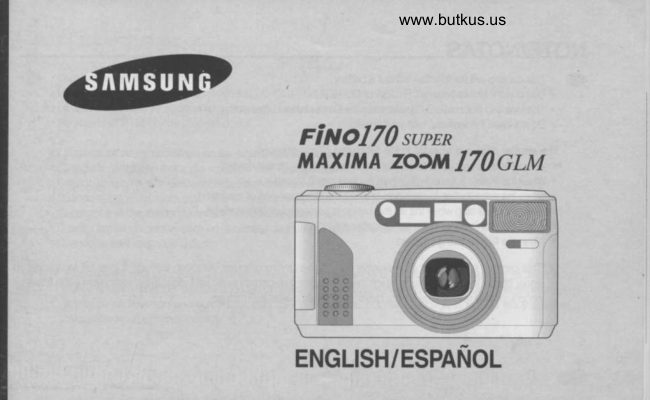
Samsung FINO 170 Super Samsung FINO 170 User manual
User manual for Samsung FINO 170 Super Samsung FINO 170. 62 pages in Spanish. Read the original PDF, download or print a copy without registration.
62 pagesSpanish8.0 MB PDF
Loading your manual…Open PDF directly
Document details
- Brand
- Samsung
- Model / document
- Samsung FINO 170 Super Samsung FINO 170
- Document type
- User manual
- Language
- Spanish
- Pages
- 62
- File size
- 8.0 MB
- Category
- Film cameras
- Document date
- Not specified in catalog
Search available document text
Find a term, then jump to its page in the original PDF. Image-only pages may not be searchable; check the PDF for exact wording and diagrams.
Page 2 · Read text
NOTE/NOTAS

         This camera will not function without a battery.GD .       . Use one 3V lithium battery(CR-123A  or DL-123A).
       . The lens cap automatically opens when the Power button  is tumed on.
       . Do not open the lens cap with your fingers.

     The shutter does not operate in the following circumstances:
         ' When the camera has no battery or when the battery  is almost drained       . When the Power is tumed off.(When the lens cap is closed.)
       . When the zoom button is operating or when the film is winding or rewinding.
        (Rewinding willstop when the shutter button is pressed during rewinding.)
       . When the film remains in the camera after rewinding.
       . When the flash is being charged.

   N This camera is controlled electronically by a built-in mioocomputer. Atthough unlikely,  it may fail to operate
         under certain circumstances  in which there is a strong electromagnetic  field (near a W, microwave  etc.).  lf this
         occurs, please remove the lithium battery and replace after 2-3 minutes.

@
View original page 2Page 3 · Read text
www.butkus.us


        Esta cdmara no funciona sin pila.@    .
         . Utilice una pila de litio de 3 V. (CR-123A o DL-123A)
          . La tapa del objetivo se abrird automdticamente  cuando se conecte  la cdmara.
         . No abra la tapa del objetivo con los dedos.

       El disparador no se accionard en las siguientes circunstancias:
          . Cuando  la cdmara no tenga pila o cuando est6 casi agotada.
     'cuando  la cdmara est6 desconectada  (cuando est6 cerrada  la tapa del objetivo).
     'Cuando  el boton del zoom est6 en funcionamiento  o cuando  la pelicula est6 avanzando o rebobindndose.
         (Si presiona el Disparador durante el rebobinado, 6ste se detendrii).
          . Cuando  la pelicula permanezca en la cdmara  despur-is de haber sido rebobinada.
          . Cuando se est6 cargando  el flash.

    N Esta cdmara estd controlada electr6nicamente por un microordenador incorporado. Aunque es improbable,
        puede dejar de funcionar en determinadas  circunstancias en las que exista un intenso campo electromagn6tico
         (cerca de un televisor, un microondas, etc.). Si esto ocuniera, por favor extraiga la pila de  litio y vu6lvala a
         colocar transcurridos 2-3 minutos.

                    @
View original page 3Page 5 · Read text
www.butkus.us

4ff Gracias por comprar una cdmara SAMSUNG
     Por favor, lea este manual de instrucciones antes de utilizar su cdmara.


                                                                                (_!,/=\
View original page 5Page 10 · Read text
1   Autodisoarador                                     16    FOIOoraila con enroque punual
   2   Sincronizaci6n  lenta                             17    Instantdneas
   3   Reduccion de oios roios                          18   Modo zoom para retratos
   4  Mes                                                                't9    l-otooralras en sene
        Posicion B (exposici6n  larqa)                      20    Indicador de pelicula carqada
      Ano                                               21    Indicador de la carga de la pila
   7   Lonoitud focal (mm)                             22    Dispara paisaies
   8   Segundos(s)                                    23   Unidad de exposicion (EX)
   o   Lonoitud focal                                24    lndicador de rebobinado de la oelicula
   10  Contador de exoosiciones                        z3    Indicador de apertura del respaldo
    11   Fecha (aflo, mes, fecha, hora)                    zo    Indicador de aviso de fallo en la carqa de la pelicula G
      tt    Indicator letras de titulado                                    Indicador de caroa de la pellcula
   13  Autodisoarador con 2 seoundos de retardo          28   Marca de impresion de fecha o titulo
   14  Autodisparador  doble
   15   Indicador del avisador
 NOTAS
  . Para mds informaci6n  relativa a la marca, consulte las pdginas (      ).  . Cuando seleccione  la funci6n de control de contraluz,  el flash se activar6 independientemente  de las condiciones de
@luminosidad del ambiente
View original page 10Page 11 · Read text
Venmo @mike-butkus-camera  Ph. 2083
PayPal Name  Lynn@butkus.org      www.PayPal.me/lynnbutkus
View original page 11
Page 14 · Read text
www.butkus.us
LOADING THE BATTERY/COLOCACION DE LA PILA
                                            -


       1. Open the chamber cover by sliding the battery chamDer cover.
       2. Insert a new battery and ensure   it is placed in the correct position.
       3. Close the chamber cover

        Abra el compartimento de la pih deslizando su tapa.@  !     2. lnserte una nueva pih y compruebe que est6 colocada en la posicion correcta.
      3. Ciene  la tapa del compartimento de la pila.


                    @
View original page 14Page 15 · Read text
(a) NOTE
            . Use one CR-123A or DL-123A  battery.
            . The camera  will automatically  turn the power off when not used after 3 minutes.
       Remove the battery from the camera when the camera  is not used for an extended  period.
           . Be sure to check the date and shooting mode when you load a new battery.
           .  lf the date or time is incorrect, please refer to page (27) and adjust accordingly.

G) NOTAS. Use una oila CR'123A o DL-123A.
           . La cdmaia se desconecta automdticamente   si no se usa durante 3 minutos. Extraiga la pila de la cdmara
        cuando no la vaya a usar durante un largo periodo de tiempo.
          ' Compruebe  la fecha y el modo de exposici6n cuando cargue una pila nueva.        . Si la iecha o la hora son incorrectas, por favor consulte  la pdgina (27) y aj[stelas convenientemente.


@
View original page 15Page 16 · Read text
www.butkus.us
CHECKING THE BATTERY/COMPROBACION DE LA PILA
       . You can check the battery  life on the LCD panel.
       . Es posible comprobar  la carga de la pila en el panel informativo LCD.
          @          @
                              r. Nolmat ooelauon                                                   1. Funcionamiento normal
                                         - The battery condition indicator does nol aooear.                    - No aparece el indicador de caroa de la oila.
                           2. The indicator appears half way.                               2. El indicador aparece por la rhitad.
                                         - The battery  life is low and you should ensure frata               - La carga de la pila est6 baja y debe comprobar que  a             replacement battery  is available.                            dispone de una pila de repuesto.

                                          - The battery is exhausted. Load a new battery.                       - La pila estd agolada, cargue una pih nueva.  ;ES         3. The indicator  blinks.                                           3. El indicador parpadea.
@ ruore              ' Do nol rcmove  ttre battery  rivhile the camera is operating, because  it may cause he camera  to malfunction.             .          Battery performance                                                     in                                          is reduced                                                                   (u-nder                                            low temperatures                                                            -10t (14'n)):Try to keep the camera warm between shots fihe batterywill        operate                  normally  again                        when the                                       temperature                                                      retums                                                                    to normal).
           . Please dispose  of the exhausted baft6ry with care.
               ' Some local authorities may require  battbries  to be disposed of separately lrom other refuse.
G) NOTAS          ' No extraiga  la pila mientras estd utilizando  la cdmara, ya que puede provocar un mal funcionamiento.
           ' El rendimiento de la pila se reduce a baias tempentuias lpoi debalb oe -toC (i4'F))  ; trate de mantener la cdmara a
         temperatura         temperatura                      normalnormal                                 entreentre                                                              pilapila                                   disparos.disparos.                                         LaLa                                                   volverdvolverd                                                      aa luncionarfunciohar normhlmentenormalmente cua'ndocua'ndo  ldli'temperaturatemperatura vuelvavuelva aa estabilizarcestabilizarse,          ror           . HOrPor                                                                   rci6n              lavor.favor,lavor. desechedesechedeseche                                 gastadasoastadas                                 laslaslas                                                      nrecarprecaucion.                                       oilaspilasoilas                                       cnncon
               ' EnEn algunas.casosalounas casos lala norm:nbrmati-va vigente eiige desechar las pilas en @ntenedores dedicados exclusivamente a ellas y separadas de
          otros desechos.
                    @
View original page 16Page 17 · Read text
LoADTNG THE FtLM/coLocActoN DE LA peilculn


       Open the back cover by sliding the release knob as shown above.@   t.EffiHHffi2. Insert a roll of film in the chamber. Do not force the film into position.
        3. The film should  lie flat.
       4. Close the back cover.  lt willclose with a'blicK'.
       5. The film willautomatically advance  untilthe film counter reads "1".
       6.  lf a film is loaded incorrectly, the LCD panel will display an "E' waming signal. (Refer to page 23 for information
          of buzzer operation.) Reload the fih following the steps shown above.
   NOTE
             . The camera automatically  adjusts for ISO 50-3200 DX film.
            . When you use non-DX  film, the camera  will set the film speed at ISO 100.
            . Load the film in subdued  lighting.
@
View original page 17Page 18 · Read text
www.butkus.us


         Deslice la palanca de apertura del respaldo para abrirlo tal y como se muestra en el dibujo sobre estas lineas.@   t.
       2. Inserte un rollo de pelicula en el compartimento  de la pelicula. No fuerce la pellcula al introducirla.
       3. La pelicula deberd permanecer  plana, tal y como aparece en los dibujos de mds abajo.
       4. Ciene el respaldo. Se cerrard con un "cliC'.
       5. La pelicula avanzara automdticamente  hasta que aparezca  "l" en el contador.
       6. Si la pelicula se ha cargado incorrectamente,  aparecerd la seflal de advertencia  "E" en el panel informativo LCD.
        (Ver pagina 24 para informacion sobre el funcionamiento del avisador) Vuelva a cargar la pelicula siguiendo los
        oasos mostrados anteriormente.
   NOTAS
           . La cdmara ajusta automdticamente   la sensibilidad de la pelicula en peliculas con c6digos DX entre 50 y 3200 lSO.
           . Cuando  utilice pelicula sin c6digos DX, la cdmara ajustard automdticamente   la sensibilidad de la pelicula a 100 lSO.
           . Cargue la pelicula en condiciones de luz suave.


                    @
View original page 18Page 19 · Read text
USING THE CAMERA/COMO UTILIZAR LA CAMARA -


         Press the Power button to tum the power on. The indicators  will appear on the LCD panel.@                     lf the camera  is not used for 3 minutes, the power will be tumed off automatically.
         While looking through the viewfinder, aim the camera at the subject and operate the zoom bunons.
         Press the"@"fiele) button to move the lens out O and press the"@"(Wide) button to move the lens in @.
          During this operation, the LCD panel shows the focal lenghs in the following sequence : 38, 45, 60, 70, 80, 90,
          100, 1'10, 120, 130, 145, 155, 170 mm.
          Pulse el bot6n de conexior/desconexi6n para conectar  la cdmara. Se activard el panel informativo LCD.@
           Si no utiliza la cdmara durante 3 minutos, 6sta se desconeclard  automdticamente.
          Mienlras mira por el visor, apunte  la cdmara  al sujeto y haga funcionar  los botones del zoom.
         Pulse el bot6n "@"fide) para aumentar la longitud focal y asi acercar los sujetos alejados, o pulse el bot6n
         "@"(Angular) para disminuir  la longitud focaly ampliar  la cobertura de la imagen.
         Durante esta operacion,  el panel informativo LCD mostrard las longitudes focales en el siguiente orden  : 38, 45,
@    60, 70, 80, 90, 100, 1 10, 120, 130, 145, 155, 170 mm.
View original page 19Page 20 · Read text
www.butkus.us
 HOLDING THE CAMERA/COMO SUJETAR LA CAMARA
         o .                                           ffi1i*ffiffifrffi"ffi;:*cameras'ieadv'especa''whenusinst                                                                                     erbow (verticarpicture)shourd  be herd     fm-l Glu.ff:, GI          /   ll             Y"€7ffi |          trgilT#?l:6:ontapicture)orone[M '6  lt AWI                                       [ffji'ii;ff;;,:ffr.#*%,rl:r;;r'il;$:ni,,t].,?il{:;
 NOTE
  'Avoid obstruciing he lens when you take a picture. Pictures can be spoiled when a finger, hair or camera strap falls in front ol the Lens,
   Exposure Sensor  or Autcfocus Windows.
    . When you take venical piclures with flash, he flash should be above the lens.

    x Pan. evitar  la trepidacion de la cdmara, sui6tela firmemente, sobre todo cuando utilice longitudes  focales largas (Iele).@         . Coloquese la mnea de la cdmara en la muieca.
                . Apoye los dos mdos (para hacer una lotogralia horizontal)  o uno solo (para hacer una fotogralia vertical) contra su cuerpo.
                  ' Mantenga el cjo pegado al visor cuando utilice la cdmara. Asi se asegurar6 un encuadre conecto. Aseg0rese de poder ver los
           cuatro lados del encuadre cuando componga su imagen.
   NOTAS
        .Evite obstruir el objetivo cuando realice una fotografia. Las im6genes pueden estropearse si un dedo, el pelo o la conea de la
        camara cuelgan delante del objetivo,  el sensor de exposicion o las ventanillas del autofoco.
             . Cuando realice lotografias en posicion  vertical y utilice el flash, 6ste deberii quedar siempre por encima del obletivo.
                    @
View original page 20Page 22 · Read text
www.butkus.us

                  G) . NOTEWhen the flash is being charged, the flash indicator (> AUTO) on the LCD
                                          panel blinks and the shutter will not operate.
                                                                       . When the Red LED blinks slowly, use a tdpod or support the camera  to avoid
                                     camera shake.
                                                            . In order to avoid camera shake, hold the camera steadily and press the
                                            Shutter button gently, particularly when using longer focal lengnhs.fl'ele)
              ' After taking pictures, tum off the camera. This will protect tfre lens and prevent Inintdnded shots.-(tf nbt used for 3
   xminutes,In such thea clse,camerathewillpowertum offwillautomatically).be tum off with zoom lens move into the Glmera automatically  while the Shutter
        _ - ^bltplis operate.   lf this occur, please tum the power on and take a picture again.^  NOTAS@
             ' Cuando se est6 cargando  el flash, parpadeard  el indicador del mismo  ( >AUTO) en el panel informativo LCD y
       no funcionard  el obturador.
            ' Cuando  el LED (Diodo Emisor de Luz) rojo parpadea despacio,  utilizar un tri5oode o apoyar  la cdmara para evitar
        sacudidas.
     'Para evitar la trepidaci6n de la cdmara, suj6tela firmemente y presione el disparador con cuidado,
        particularmente cuando  utilice longitudes focales largas (Tele).
                      de. fotografiar, desconecte  la cdmara. Esto protegerd  el objetivo y evitard realizar disparos  involuntarios.           ' Q9spu6_9
        si no utiliza la cdmara durante 3 minutos, 6sta se desconectard  autohdticamente.
   N En este caso, la cdmara se desconectard  y el zoom retrocederd  hacia la qdmara automdticamente  mientras  el
        dispandor est6 en funcionamiento.  Si ello ocuniera, por favor conecte  la cdmara y vuelva a tomar  la fotog,afia.
                    @
View original page 22Page 23 · Read text
ADJUSTING THE DIOPTER/AJUSTE DIOPTRICO
                                 Gilf  . Select the maximum zoom setting and tum the diopter adjustment dial
                                                             until the viewfinder  display becomes  clear.
          @   . Seleccione  la posicidn mdxima del zoom y gire el dial de ajuste di6ptrico
                                              hasta ver con total claridad y nitidez la pantalla del visor.


@
View original page 23Page 24 · Read text
www.butkus.us
BUZZER OPERATION
        @   The buzzer function can be selected by Buzzer                           ON/OFF button and it will operate onlyif the buzzer
                               mark appears on the LCD panel.
   --
   According to the function, the buzzer sound is as follows.
 Buzer sound                        Application
     Peek                 When you press Flash, Self, Buzzer button
   1 long beep              When Mode Dial is changed
                         When Mode Dial is not selected with Auto after the power is tumed on  3 short beeps            ::::-------:---When hand shake is detected
  3 short beeps   WamingiError  When AF Lock (shorter than minimum shooting range) occurs
                         When a film is loaded inconectly
                         When you press TdeMide button in the SNAp mode
                                          In case of shooting beyond the scope of flash range.
                                   (Refer to page 21. The function of Auto Flash zoom
                         When the                          finished
                    @
View original page 24Page 25 · Read text
FU NCf ONAMTENTO DEL AVISADOR (BUZZERI
         @    ' La funcidn del avisador se selecciona con el bot6n del avisador (Buzzer)
                                      OIIUOFF y solo funcionar6  si la seflal del avisador apareoe en el panel LCD.

   De acuerdo con la funci6n,el sonido del avisador (buzzer) es como sigue.
 Sutbai*f@)                       Aplicaci6n
   Mirada rdpida               Cuando se presiona el bot6n Flash, Self, Buzzer
   1 pitido largo        Aviso     Cuando se cambia el Dialdel modo (Mode Dial)
                                 Cuanb  el Dial & rnoe ([4ode  Dral) m e$a sdeaima& mn Auto tas mnechr h energiia
  3 pitidos cortos               Cuando se detectan sacudidas manuales
  3 pitidos cortos    Aviso/Error    Cuando tien lugr d AF Ldr (Blqueo tutoEncque) (mas mrto qw el camp de vlsim minimo)
                            Cuando se carga una pellcula incorrectamente
                            Cuando se presiona el bot6n Tele/Angular en el modo SNAP
                             En caso de fotografias tomadas mds all6 del alcance delflash
                                   (Ver pdgina 21. La funcion de compensacion de zoom auto flash)
  3 pitidos largos               Cuando se ha finalizado por completo el rebobinado
@
View original page 25Page 26 · Read text
www.butkus.us
REWINDING THE FILM/coMo REBoBINAR LA PELicuu

          @) 1. Automatic rewinding
                                                               ' After taking all the piclures on a roll of film, the Grmera will automatically rewind the
                                        film. The motor stops when the rewinding  is completed.
                                                          ' When the rewinding  is completed,  the icon (o-r.r  ) will blink. After 5 seconds the
                                icon will no longer be displayed. You may remove the film at this point. (Reter to page
                           23 for information  ol buzzer operation)
     @ t. Rebobinado automdtico
                                                          ' Cuando se acabe de exponer la pelicula, la qdmara la rebobinard automdticamente.
                                 El motor se detendrd cuando se haya completado  la operaci6n de rebobinado.
                      .Cuando se haya completado el rebobinado, parpadeard el indicador (^    '.).
                           Transcunidos 5 segundos,  el indicador desaparecerd. En ese momento podrd extraer
                                      la pelicula. (Ver pdgina 24 para informaci6n sobre el funcionamiento  del avisador)


                    @
View original page 26Page 27 · Read text
Rewind buttory'Boton de rebobinado  GD z.Mid-roll rewinding
     T                           .To rewind the film in the middle of a roll, press the Mid+oll rewind button.
  A-=-.aa,-                          Theable lilmto reloadwill bethecompletelyfilm.     rewound, ready for processing. You will not be
                      NOTE
                                                                . lf you press the Shutter button during film rewinding, the rewinding  is
                                              intemrpted  untilthe Shutter button is released.
                                                                      . lf the motor stops before the LCD shows '0", replace the battery. Do not
                                       open the back cover untilthe battery is replaced.

Gt 2. Bot6 de rebobinado a mitad de rollo
           . Pan rebobinar  la pelicula a la mitad, presione el bot6n de rebobinado a mitad de rollo. La pelicula se rebobinaril
         totalmente,  lista para su revelado. No podrd volver a cargar la pelicula.
   NOTAS
           . Si presiona el Dispandor durante  el rebobinado de la pelicula, el rebobinado se intemrmpir6 hasta que deje de
         pulsarlo.
           . Si el motor se detiene antes de que aparezca t" en el panel informativo LCD, cambie  la pila. No abra el
        respaldo de la cdmara hastia haber cambiado  la pila
@
View original page 27Page 32 · Read text
www.butkus.us
USING THE SHOOTING MODE/I'TILIZACION DEL MODO DE EXPOSICION
                            shooting mode by tuming the dial clockwise or counter-clockwise.@      ' You can select the
                ' The hmp beside "Mode Dial" indirates fre mode according to fre rotalion  of tre dial.
@      '        Podrd seleccionar el modo !e exposicion girando el dial en el sentido de las agujas del reloj o en el sentido
          contrario. Haga coincidir el simbolo seleccionado con la linea situada en el cuerpo d6 h cdman.
             ' La ldmpara junto al disco de selecci6n 'Mode Dial "indica el modo segfn la rotaci6n del disco.
           D :H:l&*lIlT#3!" rr-r :?#JHflllshootins>
             a                 [.] iw#ffi':1iih"n"*                     imffifig
                                        sAIAP           N *mmg" *"o.            :?*is"',:ls:lg

   NOTE/NOTAS
        Rfter snooting, the shooting mode will remain selected  until another mode  is chosen.@    '
          . This lamp will not light up  if the brightness  is LVl4 or more.
Gll  ' Despu6s de disparar, el modo de exposici6n seleccionado permanecerd  activado hasta que se elija otro modo.
          . Esta ldmpara no se encenderi  si la luminosidad es LV 14 o mds.
                    @
View original page 32Page 34 · Read text
www.butkus.us         AUTO REP-EYE REDUCTION/@>AUTO                                                                                 ,         REDUCCION DE OJOS ROJOS AUTOMATICA
                   lA      . In low liqht conditions, the flash  will automatically fire to obtain a suitable exposure.                              I         . You caridecrease the red€ye phenomenon  aulomatically when laking a portrail piciure  in low light.
                    NOTE
                                 .The red-eye reduction mode dramatically reduce the possible red-eye etfect by emifting rapid pre-
                                            flash to shrink the subiect's pupils belore the main tlash fres. Do not allow the subiecl to move
                                                         until the main flash has fired.
                                                            . Shooting beyond the scope of the flash range will induce the activation  of the buzzer and the zoom
                                                  lens. (applied to lhe cases ol normal shot mode A, SPOT shot mode)
                                rii      . En condiciones de escasa luminosidad, se disparard el flash automaticamenle para oblener una             Y     conedaexoosici6n.
                                                            . Podrd reducir el tenomeno de los ojos rolos automdticamenle cuando realice retratos en escasa
                                        luminosidad.
                    NOTAS
                                                            . No dele que se mueva el sujeto hasta que se haya disparado el llash principal.
                                                                  . Sacar una fotografia mes alla del alcance del llash activard la senal ac0stica y el zoom (Aplicado
                                      en casos de disparo normal en modo A, disparo en mode SPOT.)


                                                                <Auto flash>                <Wih red-eve reduction>
                                                         <Flash autom6tico>            <Con redurcioh de oios rojos>                    @
View original page 34From the M. Butkus archive. Original publisher and archive notices are retained.
Check the model and edition against your equipment.
PDF verified 2026-10-10.