Film cameras
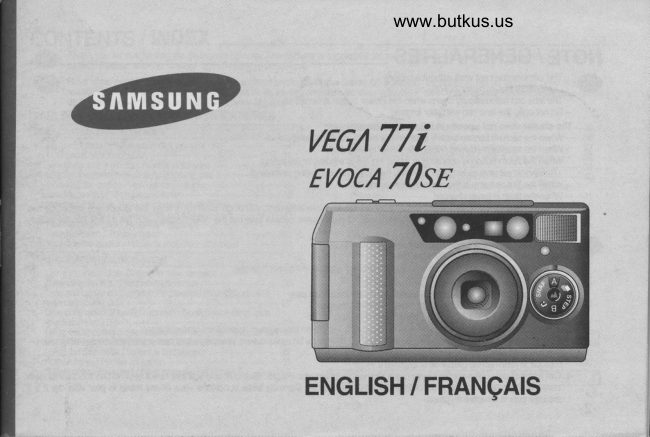
Samsung VEGA 77i / EVOCA 70SE User manual
User manual for Samsung VEGA 77i / EVOCA 70SE. 58 pages in English. Read the original PDF, download or print a copy without registration.
58 pagesEnglish12.1 MB PDF
Loading your manual…Open PDF directly
Document details
- Brand
- Samsung
- Model / document
- Samsung VEGA 77i / EVOCA 70SE
- Document type
- User manual
- Language
- English
- Pages
- 58
- File size
- 12.1 MB
- Category
- Film cameras
- Document date
- Not specified in catalog
Search available document text
Find a term, then jump to its page in the original PDF. Image-only pages may not be searchable; check the PDF for exact wording and diagrams.
Page 2 · Read text
Venmo @mike-butkus-camera  Ph. 2083
PayPal Name  Lynn@butkus.org      www.PayPal.me/lynnbutkus
View original page 2
Page 3 · Read text
NOTE / GENERALITES
altV        . ThisUse onecamera3V lithiumdoes notbattery(CR2).work without a battery.
                . The lens cap automatically opens when the power button is tumed on.
               . Do not open the lens cap with your fingers.
      The shutter does not operate  in foilowing circumstances:                                                                                                                                                                                                                                                               .ilI
                . When the camera has no battery or when the battery is almost exhausted.                . When the lens cap is closed.(When the oower is turned off)                                                                                                                                            st
              . When the zoom button is operating or when the film rs winding or rewinding.                                                                                        I
          (Rewinding will stop as long as the power button is pressed during rewinding)
              . When the lilm remains in the camera after rewindino.
                   ' When the flash is being charged.
     N This camera is controlled electronically by a built-in microcomputer.  Although unlikely, it may fail to operate under certain
          clrcumstances in which^there  is strong electricity. In such cases, please take ouithe titnium battery and put  ii oack into the battery
        chamber aqain after 2-3 minutes.
            Ce_t             appareiiphotographique                                   ne                                         fonctionnera                                              pas sans pite.@      .            Utrtrser                                             (CR-2),               une pite au tithium de                             3V
                ' Le volet d'objectif  s' ouvre automatiquement rorsque  I appareir est mis en marche.
            . Ne pas tenter d'ouvrir  le volet d' objectif manuellemenr.
      Dans les circonstances suivantes  I' obturateur ne tonctionne Das:
             . S'  il n' y a pas de pile dans l'appareil ou si elle est dticnarqee.
             . Si le volet d'objectif  est term6.( Si I'appareit est  ir l,an6t)
                ' Lorsque le zoom est en fonctionnement ou lorsque le film est en mouvement, avance ou rembobinage.
               ' (Si vous pressez la touche oN/oFF pendant le rembobinage du film celui-ci sera interrompu tant que la pression sera maintenue).                ' Si apres rembobinage le film est laiss6 dans  I' appareil
              ' Lorsque le flash est en phase de charoement.
     N Cet appareil est sous controle.6lectroiique  d'un microprocesseur int6gr6. Bien que cela soit tres rare  il peut ne pas fonctionner dans          certaines                   circonstances                                            tel                                   qu'un champ 6lectrostatique 6lev6. Dans-de telles conditions vous devei ;.1ire;L-til.  attendre 2 A 3         minutes puis                                          place.                              la remettre en -z-^
View original page 3Page 5 · Read text
I
NAMES OF PARTS / PRESENTATION DE L' APPAREIL
    .'Front/TopFace avant  / dessus


                             www.butkus.us
View original page 5Page 6 · Read text
www.butkus.us


                  En                                                      Fr
 1         Autofocus windows                                Fen6tre de I'autofocus
2       Remote Control Senso(QD model only)           Capteur de la t6l6commande(mod6le  QD seulement)
3         Shutter button                                   D6clencheur
4       Zoom button (WIDE)                           Touche de Zoom (Grand Angle)
       Zoom button (TELE)                           Touche de Zoom fi6l6obiectifl
o        Exposure Sensor                                     Cellule
         LENS                                                      Objectil
I        Power button                                 Touche ARRET/II/ARCHE
I         Flash mode selection button                    Touche de s6lection des modes flash
10        Self mode button                              Touche du retardateur
11         Self-timer lamp / Red-eye reduction lamp         Tdmoin du retardateur/
                                                      lampe de r6duction de  I' effet d'yeux rouges
12      DATE or TIME button                          Touche de s6lection de date et heure
 to        Flash                                             Flash
14       Landscape mode button                        Touche de mode Paysage
 IJ        Shooting mode dial                              S6lecteur de orise de vue
16        Viewfinder                                          Viseur
                                                                                            -5-
View original page 6Page 12 · Read text
www.butkus.us


                   En                                                  Fr
 1        Step zoom(P 35)                              Zooming par paliers(P 35)
2        Macro photography (P a7\                         Macro-photographie(P  47)
 3        Month                                         Mois
4         Bulb shooting(P 34)                        Mode pose B(P 34)
         Year                                       Ann6e
o          Interval shooting(P 46)                               Intervallom6tre(P  46)
7         Battery condition indicato(P 15)                      Indicateur d'6tat de la pile(P 15)
8         Focal length unit (mm) / Minutes(m)                 Unit6 distance focale (mm) / Minutes (m)
          Seconds(s)                                   Seconde  (s)
10       Date or caption  orint mark                        Signe d'impression de date ou de l6gende
11        a. Focal length                                           a. Distance focale
           b. Exposure counter                                     b. Compteur de vues
            c. Date(Year, Month, Date, time)                        c. Date (Ann6e, Mois, Date, Heure  )
't2      Snap shooting(P 37)                                 Prise de vue instantan6e(P  37)
13         Self-timer O (P 43)                             Retardateur O (P +St
14      2 sec. delayed shutter retease ,ii (p 45)           Retardateur 2 sec {j  {e +s)
15       Double Self-timer qt! (P aa)                      Retardateur double d6clenchement 06 (p 44)
                                                                                   -11-
View original page 12Page 17 · Read text
LOADING THE FILM / CHARGEMENT DU FILM
  1            2            3

      www.butkus.us                                                          E                                   @


afhItll!     z.1. OpenInbert thea rollbackof filmcoverin thriby cham-ber.sliding the Dobacknot coverforce releasethe film knobinto position.as shown above.
          3. Put the film under the film sensor as shown above. The film should  lie flat. (Reier to below illustrations)


          3H:t"i,53ii":iiTftr?:".339ii''S*[liJf,li"?"'.["f@   l:3.                                                         venouirrase commeindiqu6ci-dessus             Tirez  l' amorce du film iusqu' au d6tecteur de film mmme indiqu6 ci-dessus. Le film doit 6tre d plat.


 -16-
View original page 17Page 19 · Read text
ATTACHING THE STRAP / MISE EN PLACE DE LA DRAGONNE
                                                    -


                             ' Refer to the above illustrations. @
                      . Reportez - vous aux figures ci-dessus. @


  - 1B-
View original page 19Page 24 · Read text
www.butkus.us

ADJUSTING THE DIOPTER  / REGLER LE CORRECTEUR DIOPTRIQUE

          @       fl;;fi:3Ti]r"1"  rELE zoom button, tum the diopter adiustment dial until the viewfinder display
                                                                                         . This dial helps you get clear viewfinder adjusting to your eyesight.


                                                    filifi:iIlj1:cJi'3"i?3[l,I5,[:          @       . Ce                               puis toumez |a mo||ette de r6g|age dioptrique jusqu' d ce que                                                         r6glage vous permettra d'adapter le viseur a votre vue.
View original page 24Page 26 · Read text
www.butkus.us
REWINDING THE FILM / REMBOBINAGE DU FILM

                                    1.                           Automatic                                       rewinding
                                                                           . After             a?.f\7                                                 taking all the                                                                pictures on a roll ol film, the camera will automatically rewind the film. The motor stops when
                                         the rewinding is completed.
                                                                           . When the rewinding  is completed, the back cover open indrcator and frlm present indicator on the LCD will blink
                                                    at the same time.
                                    2. Mid+ollrewindinq
                                                                   . To rewind the film in the-middle of a roll, press the mid-roll rewind button.
                     NOTE
                                                                         '  lf the motor stops before the LCD shows  "0"  , replace the battery. Do not open the back cover until the battery is
                                          replaced.
                                                            . lf you press the Power button during film rewinding, the rewinding  is interrupted  until the Power button is
                                          released.
             6     1..Remb-obinageAutomatiq. L'appareil rembobine automatiquement  le film aprds que toutes les vues aient 6t6 prises. Le moteur
                                -        .Lorsques'arrdte lorsquele film leestrembobinagerembobin6 estles termin6.t6moins d' ouverture du dos et de pr6sence de film sur le LCD
                                                      clignotent en mome temps.
                                            2. Rembobinaqe d'un film non termin6.
                                                                                 . Pour rembobiner-un tilm en cours d'utilisation, appuyez sur la touche de rembobinage. ,ri:
                          NOTE
                                                                                                           ' Si le moteur s'arrote avant que l'afficheur LCD n' indique "0" remplacer la pile. N'ouvrez-pas   le dos de
                                                          I'appareil avant d'avoir remplac6 la pile.
                                                                                 . Si vous pressez la touche "Powe/'durant le rembobinage,   il s'an6te jusqu' d ce que vous ayez relAch6
                                                                   la touche.

-26-
View original page 26Page 30 · Read text
www.butkus.us
 USING THE SHOOTING MODE / UTILISER LES MODES DE PRISES DE VUE


                                                                                           |.*|                                            l-
         ffi-@-ffi
                                                          <Nqmal phdosraphp         <snap shootins/p37>                =sE*-lE=<G=.€           :;:[:il::Tff:'
      ffi.*m%m                                                                           <ContinuousW+---ffishooling/p36>                 <Slep zoofrVp35>              <8ulb shooting/p34>                                                                 <Pises de vue en @ntinu>          Zoom par pali€rs>            <Flash  magn6sique  pose B>il

                   . You can select the shooting mode by tuming the dial clockwise or counterclockwise. Set the particular icon that you want to select to the grey
               line at the too.@
     NOTE
                 . After shooting, the particular shooting mode will last until you tum to another mode.

                 . Vous pouvez choisir le mode de prise de vue en toumant  le s6lecteur dans le sens des aiguilles d' une montre ou dans  I' autre. Placez  I' icone
          conespondant sous le repdre gris.@
     NOTE
               . Le mode de prise de vue s6lectionn6 s'applique jusqu'a votre prochain choix.

 -30-
View original page 30Page 50 · Read text
www.butkus.us
REPLACING THE BATTERY 0F THE REMOTE CONTROL (Optional)/
REMPLACEMENT DE LA P|LE DE LA rEr-ECOMMANDE(Option)_


@  Replacing. Refer  to the theabovebattery.illustrations.
      NOTE. Use one lithium battery (JlS CR2025)
            . Be sure to place a battery in the correct position. The positive pole(+) has to be upside.


           Reportez-vous aux illustrations ci-dessus.
@ NOTE.
                  . Utilisez une pile lithium. (JlS CR2025  )
                  . V6rifiez que vous avez plac6 la pile en position conecte. Le pole positif (+) doit otre en haut.
View original page 50Page 51 · Read text
CARE AND STORAGE  / ENTRETIEN ET RANGEMENT
                    .  lf your camera needs cleaning, wipe  it with a soft cloth.
                      lens                             be                          . The                       should                                cleaned                                           only                                                  with                                                    the lens                                                            cleaning                                                                          tissue                                                               and fluid.@       .           Do not                      allow                           camera                                             to                                 mdke                                                            with                                                                        water.                          vour                                                  contact                                                     sand dr
                    . Keep your cahera in a dry, cool place that is free from humidity and dust.
                    . Never put it in hot places such as in a parked car, or leave  it in direct sunlight.
                       . Keep your camera safe from sudden shocks or vibration.  lf you drop your camera,  it is a good idea to have  it checked before using  it.
                       . Do not try to disassemble the camera by yourself.
                         . The temperature range in which the caritira operates properly is between 50tl and -10lt (122"F-14"F).
           .The camera performances may tall when used in very cold weather.   ll you plan to take pictures when the temperature  is below 7t(45"F),
       xtakeIt youcarehaveto keeptroubleyourwithcamerayour camera,and batterypleasewarm.take  it to a dealer or distributor, or back to the store where you bought  it.

                    . Si votre appareil doft etre nettoy6, essuyez le avec un tissu doux.
                  . L'obiectif ne doit Ctre nettoy6 qu'd   I' aide de papier et de liquide sp6ciaux.@     . Evitez que votre appareil ne vienne en contact avec l'eau ou le sable.
                      ' Rangez votre appareil en un endroit frais, propre et sec. Evitezlui  la poussi6re et  I' humidit6.
                        ' Ne le laissez jamais dans un endroit chaud, tel qu' une voiture au parking ou directement au soleil.
                        ' Evitez de soumettre votre appareil d des chocs ou des vibrations. Si votre appareil tombe   il est prudent de le faire v6rifier avant de  l' utiliser  ar
            nouveau.
                    . Ne cherchez pas a d6monter vous mOme votre appareil.
                    . La plage de temp6rature d' utilisation de votre appareil s' 6tend de 50" C a -10'C  ( 122" F- 14'F )
                    . Les performances de I'appareil peuvent d6croitre  er tds basse temp6rature. Si vous envisagez de prendre des photos par une temp6rature
               inf6rieure ir / C  ( 45' F ), 6irenez soins de le conserver, ainsi que la iile dans un endroit charid.
       N Si vous avez des difficult6s avec votre appareil, rapportezle oi vous  l' avez achet6, ou chez un revendeur ou un distributeur.


-52-
View original page 51Page 52 · Read text
www.butkus.us
TROUBLE SHOOTING  / VERIFICATIONS EN CAS DE PANNE
                 .  lf the shutter does not operate after pressing the shutter button.                          -@

                       Check point                                            Remedy                             Page
        ls the lens cover completely opened?                           Press the Power button again.                                         19
        ls the battery loaded  correctly?                                  Put  it in a correct position.                                             14
    Has  it been a long time since you used the battery?             Change the battery.                                                          14, 15


   .  ll a frame is not proper


                        Check point                                            Remedy                             Page
      Did you           compose a subject correctly retening to the piclure     Read the Viewfinder and Indicators"                                   13      area          frame?

       Did you set the cameE  to the panorama mode?                 Release the oanorama mode.                                                        .t8
     Was the Autolocus window blocked by your fingers                Be careful not to block the Autolocus window.                        20
       or hair?


                                                                                       -53-
View original page 52Page 53 · Read text
@           . si  l' obturateur ne lonctionne pas aprds avoir pless6  le ddclencheur.

                           Point a controler                                          Remede                             Paqe
     Le volet de d'obiectif  est-il compldtement ouvert?                Pressez le d6clencheur a nouveau.                                    19
     La pile est-elle bien plac6e ?                                      Placezla conectemenl                                                14
    a pile est-elle en service depuis longemps  ?                  Changez la pile.                                                t4,15


   . Si le clich6 n'est pas bon.

                           Point ii contdler                                         Remdle                             Page

    Avez-vous                       votre               cadr6                              sujet conectement a I'aide du cadre        Lisez le cfiaoitre " Vrseur et lndications '                                               '13                       ?                   viseur     appropri6            du

     Avez-vous plac6 I'appareil en mode panorama ?                  Quittez le mode oanorama                                       48
     N'avez-vous  pas obstru6 la fenetre Autofocus par un doi$          Faites attention a ne pas obstruer la fenCtre Autofocus.                20
    ou des cheveux ?


 -54-
View original page 53Page 54 · Read text
www.butkus.us
   SPECIFICATIONS  / FICHE TECHNIQUE
    ay     WPE           35mm fullv automatic lens shutter camera
                        Format    35mm DX-coded lilm, 24x36mm
                      Speed       Automatic setting  witfr DX-coded film, ISO 50-3200
          FILM         Loading      Automatic advance to the  first lrame when the back cover is closed.
                        Winding      Automatic advance, Single or Contirruous  shooting
                       Rewindino     Automalic rewindinq. Mid-roll rewindinq
              LENS            35-70mm Schneider lens, F4.5-8.1  (6 elements 6 qroups)
                                    Programmed AE electronic  focusing
            SHUTTEH              Shutter soeed  : 1/3 - 1/400 sec.
                                         Bulb mode(B shutter)  : 0.5 - 60 sec.
I                                   Programmed auto exposure
                               AE coupling range (lSO 100 film)
           EXPOSURE                       . WIDE(3smm)  : EV 5.9-17.6
I                                                                                  . TELE(70mm)  : EV 7.8-'17.6 I
                                             Real image type with autofocus frame
                                                     Field of view  : 83%
           VIEWFINDER           Magnification  : 0.39-0.78
                                                    Picture area frame mark
                                         Connection with Panorama switch
View original page 54Page 55 · Read text
v        TYPE                  Appareil photo tout automatique 35mm a obturateur central
                   Format     35mm DX,24x36mm
                     Vitesse       R6glage automatique avec les lilms DX, 50-3200 ISO
    FILM       Ghargement    Avance automatique d la premidre vue d la fermeture du dos
                Avance      Avance automatique, par vue ou continu.
              Rembobinage    Rembobinaqe automatique, rembobinaqe du film non termin6.
         OBJECTIF           Zoom 6lectrique 35-70mm  Schneider, F4,5-8,1  ( 6 6l6ments 6 qroupes  )
                               Programme AE, mise au point 6lectronique
     OBTURATEUR           Vitesse d'obturation   : 1/3- 1/400 sec.
                                         Flash magn6sique (pose B)  : 0,5-60  sec.
                                   Automatique programm6e
                                   Plage de couplage AE ( film 100 ISO )
       EXPOSITION                        . WIDE(35mm)  : EV 5.9-17.6
                                                                         . TELE(7Omm)  : EV 7.8-17.6

                                Type image r6elle avec zone autofocus
                            Champ de vision  : 83%
         VISEUR               Agrandissement  : 0,39-0;78
                                 Cadre de zone image
                                  Coupl6 au s6lecteur Panorama

-56-
View original page 55Page 58 · Read text
www.butkus.us

@
     POWER SOURCE        One 3V lithium battery (CR2)
     DIMENSIONS(WxhtxD)              1 1 1 x61 x34mm  / 4.37 v2.4x1 .34in
         WEIGHT                1809  / 6.302 (without battery)
 . Specifications are subiect to change without prior notice-
  ' All data are based on Samsung's standard test method.


        ALIMFNTATION         Une pile lithium de 3V (CR2 )
    DIMENSIONS(LxHxP)           1 1 1 r61 x 34mm I 4,37 x2,4x 1,3r'.in
           FOIDS               180g  / 6,4o2  ( sans pile  )
   . Caract6ristiques sujettes amodification sans pr6avis.
   . Donn6es techniques mesur6es selon les m6thodes de test normalisdes Samsuno.
View original page 58From the M. Butkus archive. Original publisher and archive notices are retained.
Check the model and edition against your equipment.
PDF verified 2026-10-10.