Film cameras
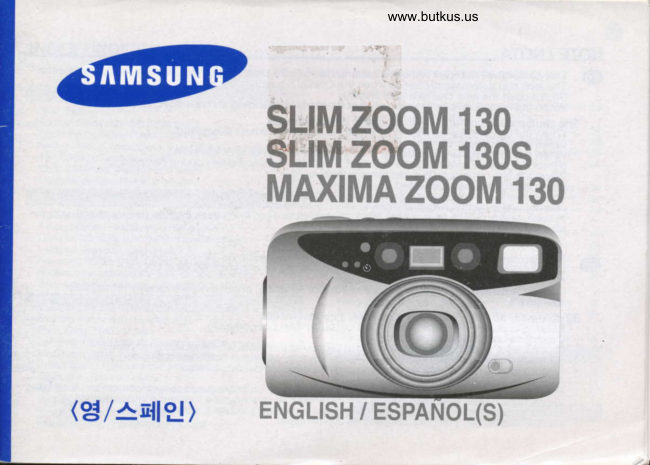
Samsung Zoom 130 Samsung Maxima Zoom 130 User manual
User manual for Samsung Zoom 130 Samsung Maxima Zoom 130. 56 pages in Spanish. Read the original PDF, download or print a copy without registration.
56 pagesSpanish8.8 MB PDF
Loading your manual…Open PDF directly
Document details
- Brand
- Samsung
- Model / document
- Samsung Zoom 130 Samsung Maxima Zoom 130
- Document type
- User manual
- Language
- Spanish
- Pages
- 56
- File size
- 8.8 MB
- Category
- Film cameras
- Document date
- Not specified in catalog
Search available document text
Find a term, then jump to its page in the original PDF. Image-only pages may not be searchable; check the PDF for exact wording and diagrams.
Page 1 · Read text
www.butkus.us

           sLrM zooM 130
                sLiltI ZOOM 130S
         MAXTMA ZOOM 130


(g/^tr{lE)     ENGLTSH / ESPANOL(S)
View original page 1Page 2 · Read text
,W.,

  NOTE / NOTA
    f[     This camera will not work without a battery. Use two 3V lithium batteries(CR-123A  or DL-123A).            . The lens cao automaticallv ooens when the ON/OFF button is turned on.   -     . Do not open the lens cap with vour finqers.
            . When thb camera has nb film, ihe shulter functions but winding and rewinding does not.
      The shutter does not function in followinq circumstances.            . When the camera has no batterv or whdn the batterv is almost exhausted.            . When the lens cao is closed.            . When the zoom button is operating or when the film is winding or rewinding.
         (Rewindinq                             will                         stop as                                 lonq                                  as                                thdON/OFF                                                       button is presseddown'               during"rewinding.)                                            th-e            . Wfren                      remAins                                        in                 the film                               camera                                                    after rewindino.
            . When the flash is beino charoed.
         .:.This camera is controlled el6ctronically by a built-in microcomputer. Although unlikely, it may fail to
         ooerate under certain circumstances in which there is strono static electricitv.
                  lri such cases, please take out the lithium batteries and putThem back into the battery chamber again
           after 2-3 minutes.
  4h   . Esta Cdmara no funcionar6 sin una oila. Use dos oilas de litio de 3V (co-123A o DL-123A).  157 . La taoa del obietivo se abre automaiicamente cuando se enciende el'boton ON/OFF.            . No abra la taob de obietivo con sus dedos.
             . Cuando la cd'mara no'tiene pelicula, el obturador funciona, aunque no el avance y rebobinado
          del carrete.
         El obturador no funciona en las siquientes circunstancias.            . Cuando la c6mara no tiene pilas-o estd gastadas casi por completo.            . Cuando la tapa del obietivo'estd cerradal.            . Cuando estd ooerando el boton del zoom o el carrete se est6 rebobinado o avanzando.
           (El rebobinado'se detendr6 durante eltiempo que se apriete el bot6n del obturador).            . Cuando la pelicula se deje dentro de la c6mara despu6s del rebobinado.            . Cuando se'est6 caroandb el flash.            . Esta cdmara estd co"ntrolada electr6nicamente mediante un micro-procesador  incorporado. Aunque es
          imorobable. ouede fallar baio ciertas circunstancias en que hav una fuerte electricidad  estdtica.
           Eri estos casos, debe sacai las pilas de litio de la cdmara v volver a introducirlas en el
         compartimento de la camera debpfes de 2-3 minutos.
View original page 2Page 5 · Read text
www.butkus.us


                     En                                            Es
 1    Zoom button(TELE)                                    Bot6n de zoom (tele) (telefoto)
2      Shutter button                                         Bot6n disoarador
       Exposure sensor                                      Sensor de exposicion
4     Remote control sensor                                 Sensor del mando a distancia
        Self-timer lamp                                                      Piloto del autotemporizador
 o     Lens & lens cap                                            Objetivo y tapa
     Zoom button(WIDE)                                      Boton de zoom (wide) (gran angular)
 I      Flash mode selection button                               Bot6n de seleccidn del modo de flash
 I      Function mode selection button                            Bot6n de seleccion del modo
1n    LCD Panel                                             Panel LCD
1l     Autofocus windows                                   Ventana de auto-enfooue
12      Finder window                                       Ventana del visor
 IJ     Rewinding button                                      Bot6n de rebobinado a mitad del carrete
14      Self-timer mode selection button                         Bot6n de seleccion de modo del autotemporizador
15     Flash                                                        Flash
16    Landscape mode button                              Boton del modo de paisaje
17     Back cover release knob                                          Pestillo de tapa posterior
View original page 5Page 7 · Read text
www.butkus.us


                     En                                            Es
      Autofocus indicator(Green LED)                             Indicador de auto-enfoque  (piloto LED verde)
z     Flash indicato(Red LED)                                    Indicador de flash (piloto LED rojo)
 .t     Viewfinder eyepiece                                     Pieza ocular del visor
4     Diopter adjust dial                                              Interrupptor de ajuste de dioptrias
5     Film window                                         Ventana del carrete de oelicula
o     Tripod socket                                          Adaptador de tripode
7     Date selection button (Q.D model onlv)                   Boton de seleccion de la fecha (s6lo el modeo Q.D.)
 d     Panorama switch                                                Interruptor de modo panoramico
I    Snap button                                           Bot6n de fotograf ia instantanea (SNAP)
10    Red eye reduction / Back light control button              Bot6n de reduccion del efecto de ojos
                                                                     Roios/control de la iluminacion
11    ON/OFF button                                        Bot6n de Encendido  / Apagado
12     Strap holder                                                   Fijador de la correa
       Battery chamber cover                               Tapa del compartimiento de la pila
14    Date record window (Q.D modelonly)                    Ventana de impresi6n de la fecha (s6lo el modelo Q.D.)
View original page 7Page 9 · Read text
www.butkus.us


                     En                                            Es
 1     Back cover                                        Tapa posterior
z     Film pressure plate                                      Tabla de apretar el carrete
      Quartz Date battery chamber cover                    Tapa del compartimiento de la pila de la fecha
4     Film sensor                                           Sensor del carrete
      Film chamber                                          Compartimiento del carrete
6    DX contact                                              Contacto de codioo DX
      Quartz Data contact pin (Q.D model only)                        Alfiler para Quartz Date (56lo el modelo Q.D.)
tt     Quartz Data contact (Q.D model only)                      Cortacto de Quartz Date (Solo el modelo Q.D.)
      Film pressure roller                                          Rollo de aoretar el carrete
View original page 9Page 11 · Read text
www.butkus.us                                                                                                                    ryr


                     En                                            Es
   1   Snao mode                                       Modo de fotografia instantanea (SNAP)
 z   Slow speed shutter release                                   Disparo del obturador a baja velocidad
 3    Selttimer, Double self-timer,                                  Autotemporizador doble, Autotemporizador,
     2 sec delaved release                                        Disparo del obturador con 2 sequndos de retraso
 4    Bcklight control                                                 Control de la luz de fondo
 5   Remote control                                                 Control a distancia
 o   Red-eve reduction                                        Reduccion del efecto de ojos rolos
 7   Flash mode indication                                           Indicador del modo de flash
 8   Back-cover open indication                                       lndicacion de comprobaci6n de avance del carrete,
      Film winding check indication                                    Indicacion de tapa posterior abierla
 9    Film rewinding indication                                 Macro de rebobinado del carrete
10   Exposure compensation                                 Compensacidn de exposici6n
11   Macro mode Super macro mode                       Modo macro. Modo suoer macro
12   Bulb mode                                       Modo de obturador abierto
 IJ    Portait mode                                      Modo de primeros planos
14   Multi-exposure shooting                                          Fotografia de exposiciones multiples
15    Intelligent shooting                                  Modo " Fuzzy'
16   Steo zoom mode                                   Modo de zoom por planos
17   Continuous shooting                                             Fotografias continuas
18    Interyal shooting                                                    Fotograf ias intervalos
19   Batterv condition indicator                                       Indicador de la carga de las pilas
20   Film loading indicator                                            Indicador de la carga del carrete
21   Focal length, Exposure counter,                                 Distancia focal, Contador de exposiciones,
      Film winding check indication                                    Indicacion del comporbacion de avance del carrete
View original page 11Page 12 · Read text
Venmo @mike-butkus-camera  Ph. 2083
PayPal Name  Lynn@butkus.org      www.PayPal.me/lynnbutkus
View original page 12
Page 13 · Read text
&,
  REPLACING THE BATTERY/ CAMBIO DE LAS PILAS


   ([    Open the battery chamber cover by pressing the hole with a pin as shown above.          . Insert new batteries and be sure to place them in the correct position.
             ' Close the battery chamber cover until you hear  it click.
     NOTE
           . Use CR-123A or DL-123A battery only.
           . Be sure to place them in the correct position.
           . You do not need to remove the batteries when the camera is not in use. This model has an
          automatic shut down that switches the camera off after 3 minutes of inactivity.
          .  lf you remove and replace the batteries when a film is in the camera, the film will remain in the same
         frame before taking out the batteries.
 @   Abra la tapa del compartimiento de las pilas presionando  el orificio con un objeto en punta, segun se
          . muesfiaIntoduzcaaniba.pilas nuevas y compruede que las ln colocado en h poslion conecta.
           . Ciene la tapa delcompartimiento de las pilas hasta oir un "dlC('.
     NOTA
             ' Utilice 0nicamente pilas CR-123A o DL-123A.
           . Asegurese de colocarlas en la posicion correcta.
            ' No tiene que sacar las pilas cuando no utilice la c6mara, ya que 6sta posee una funci6n de desconexi6n
         autom6tica, por lo que las pilas no se descargaran.
           . Sisaca las pilas y las vuelve a introducir en una cdmara cuando tiene un carrete, la pellcula quedard
        en misma posicion.
View original page 13Page 14 · Read text
www.butkus.us
BATTERY CHECK  / COMPROBACION DE LA CARGA DE LAS PILAS

                                                                        Es
                                                                                                   '1. Operacion normal No aparece el indicidor
                                                                         del estado de las pilas.

                                                                                       z. El indicador aparece con la mitad de su
                                                               tamano.
                                                     Puedo disparar varios carretes de pelicula,
                                                           aunque debe tener pilas nuevas preparadas.

                                                              3. El indicador parpadea.
  )                                                     Cambiar las oilas.


             Do not remove the batteries while using    No saque las pilas mientras este utilizando *til          i
 NOTA           the camera.Turn off the power when you      la camara, y apdguela cuando vaya a
                    replace the batteries    .                            cambiarlas.
               Have extra batteries available if vou are     Prepare pilas nuevas si estd utilizando la
               using the camera outdoors  i-n cold     cdmara en el exterior con una temoeratura        .                    weather.                           muy baja, ya que el rendimiento de las
                  Battery performance is reduced in low     mismas se reduce en bajas temperaturas.
                    temoeratures.                                Las pilas volverdn a funcionar correctamente
                   . The batteries will function normally again     cuando la temoeratura sea normal.
                when the temperature returns to normal.
View original page 14Page 16 · Read text
www.butkus.us
                                                                                                            15


                                                                                  When the film is mis-loaded  4                    ,:: --:


                   www.butkus.us


                    back,                                                                                                                                                                                                         f lim will automatically advance until the  f ilm                                           '1 cover until you hear the "Click" sound. The@  +. Close the          counter reads
       5. When the film winding stops automatically, the LCD panel shows the symbol as shown above.
    NOTE
            . The camera automatically sets the film speed for ISO 50-3200 DX film.
      When you use non-DX   f ilm, the camera will automatically set the   f ilm speed at ISO I 00.
      Do not load the film in direct sunlioht.
       ':'The camera detects  if a film is mis-ioaded and the "E" mark willflash in the LCD whilst lockino the shutter.
       Open the camera back cover and repeat the film loading operation.

                                                                                             hasta que el@  4. Cierre. la tapa posterior hasta que oiga un "click". El carrete avanzara automdticamente
-     5. contadorCuando sededetengaexposicionesautomdticamentemuestre el numeroel avance"1" del carrete, el panel LCD mostrard una marca, seg0n se
         indica arriba.

    NOTA
       La cdmara ajusta automdticamente la sensibilidad de la pelicula para carretes ISO 50-3200 DX.
      Cuando utiliza un carrete sin codigo DX, la cdmara ajustard la sensibilidad de la pelicula a ISO l0O.
      No cargue el carrete bajo la luz solar directa.
            ',' La cdmara detectard si el carrete estd mal cargado, haciendo que parpadee la marca "E" en el panel LCD
       y bloqueando  el obturador" Abra la tapa posterior de la cdmara y repita la operacion de carga del carrete.
View original page 16Page 17 · Read text
16
  STRAP ATTACHMENT / FIJACION DE LA CORREA
  f-.I l/)


          Attach the camera strao as illustrated. @
         Coloque la correa de la cdmara como se ilustra en la figura. @
View original page 17Page 18 · Read text
www.butkus.us
usrNc THE cAMERA / uso DE t.q cAnannn
                      ($    Press the ON/OFF button to turn the power on. The lens cap opens
                                  and the LCD indicator appears.
                                                . The lens cap closes and power switches off automatically after 3 minutes  if
                                                           ' theWhilecameralookingis notthroughin use. the viewfinder, aim the camera at the subject
                                                                           'W                                            . andPressoperatethe Tthe(Tele)zoombuttonbuttons.to move the lens out O and press the
                                         (Wide) button to move the lens in O.                                            . During this operation, the LCD panel shows the focal lengths in
                                    the following sequence : 38, 45, 50, 60, 70, 75, 80, 90, 100, 105, 115,
                                 130mm.

                 6     Presione el bot6n de encendido ON/OFF para encendor la cdmara.                           Se abrir6 la tapa del objetivo y aparecerdn las indicaciones del
                                      panel LCD.
                                                   . La tapa del abjetivo se cierra y la cdmara se desconecta
                                    automaticamente despu6s de 3 minutos sin usarla.
                                                   . Mientras mira por el visor, apunte la cdmara al objeto que va a
                                             fotografiar y utilice los botones del zoom.
                                                . Presione el bot6n T (telefoto) para mover el abjetivo hacia fuera O y el
                                      bot6n w (gran angular) para mover el objetivo hacia dentro @.                                                      . Cuando el objetivo se mueve hacia dentro o hacia fuera, el panel
                            LCD muestra la distancia focal de acuerdo con la siguiente secuencia   :
                                           38, 45, 50, 60, 70,75,90, 90, 100, 105, 115, 130mm.
View original page 18Page 19 · Read text
.18
  HOLDING THE CAMERA / COMO SUJETAR LA CAMARA
                      camera shake, hold the camera steadily, especially when using   (!  x In order to evoid           longer focal lengths(Tele).
              ' Hold the camera strap in your wrist.
           . Both elbows(horizontal  picture) or one elbow (vertical picture) should be held
         . closeKeep toyouryoureyebody.close to the viewfinder when using the camera.
                                                                                                                                                                                                    /a      !
     NOTE                                                                                                                                 -O
            . Avoid obstructing the lens when you take a picture. Pictures can be spoiled when
        a finger, hair, or camera strap falls in front of the lens, exposure sensor or
         autofocus windows.
           . When you take vertical pictures with flash, the flash should be above the lens.
                                 las vibraciones de la cdmara, agdrrela firme, especialmente @  . Con objeto de evitar         cuando tome fotograffas a una distancia focal mayor (telefoto).
           . Sujete la correa de la c6mara en la muneca.
       Debe pegar ambos codos (fotograffa horizontal) o uno (fotografia vertical) al
          cuerpo.
           . Mire por el visor acercando el ojo a una distancia minima del mismo.

     NOTA
             . Tenga cuidado de que no caiga nada delante del objetivo que lo tape cuando
        toma una fotografia.
              ' Las fotografias pueden estropearse cuando los dedos, pelos, o la correa de la
        cdmara caen delante del objetivo, del sensor de exposici6n o de la ventana de
           auto-enfoque.
            . Cuando toma fotografias verticales con el flash, 6ste debe estar colocado en la
           parte superior.
View original page 19Page 20 · Read text
www.butkus.us
                                                                                                                                                   rd-t
TAKING PICTURES / REALIZACION DE FOTOGRAF1AS
                                ([      . Aim fre Autofoq.rs fnme attre subrjec.t.
                                                               ' Press fre shr.rtter button half way dovl'n. The lens is foqJsed when fre green lamp                              -        tulns on.
                                                  .  lf he subject is 1m(3.28ft) or doser, tre green lamp blinks qurckly and tre shutter
                                                        locks. In his case, you €n  still Macro mode.                                                  . Press fre sfrutter birtton alltre way down to take a picture.
                                                               ' Press tp shutter button carefully to avoid camera shake.
                                                       . The film will automatically advance after shooting and the frame counter will
                                            advance.
   NOTE
       . After taking pictures, turn tle camera off. This will protect te lens and prevent unintended shob.
   N This rnodel has a 'diopter" control on the viewfinder whit*r adjusb for indivitJual eyesight requiremenb. Slide tre diopter
       confid eitpr up or down whilst looking hrough fre viewfinder to obtain tre oplimum setting.
(p   . Oirlla el encuadre de autocnfoque elobjeto que va a fotognafiar.
        Preskrne  el bot6n de dtsparo del obturador hasta la mitacl de su reconido. El objetivo comienza a enfocar y se enciende el -    .          piloto verde cuando ha quedado enfocado elobieto.
      Un obleto ente 0.45m - 1.0m ( 1.48 pies - 3.28 pies ) se puede fotognafiar con el modo MACRO c SUPER MACRO.       .         !lpiloto LED verde papadea despacio_cuando_el  objeto esl4 entn-. 0.45m - 1.0m (1.4S pies - 3.28 pies) y puede realizar
           la fotogafia en el modo automdtico MACRO o SUPER MACRO.       . Presione el bot6n de drsparo del obturador hasta elfondo para tomar la fotografia.
       . Presione didro bot6n con cuidado para evitar que la c6rnara vibre.
       . Elcanete avarvarl autom6tir:amente despu6s de tomar la fotografia y elmntador de pelicula se incrementar6 en una
        unidad.

   NOTA
       . Despu6s de realizar las fotognfias, apague la cdmara. Esto protegerd el objefuo, impedir6 que se dispare la cdmara
       inintencionadamente, y awdar6 a que las pilas duren mds tiemoo.
       lstq.mo{gto posee uri ccintolde dibpfias'en elvisor que se ajusta a cancterfsti€s indiviJuales de la visi6n delfotografo.       . Deslice el intem.rptor de mnfol de droptrfas hacia derecfra o izquieda mientas mira por el visor pam conseguir el-ajuste
       optimo.
View original page 20Page 21 · Read text
n


                                                                                                                                                                       infinity.                                                                                            and                                            The                                                          can foq,rs                                                                      on subjects between 0.5m(1.64ft)                                                 camera
                                                                                                               automatic                                                                                                           by                                                                                              be taken                                 Jtfr.v   .. The                                                         between                                                                             0.5m(1.64ft)-1m(3.38ft)can                                                            subject
                                  MACRO or SUPER MACRO MODE.
                                                                        ' Flash automatically fires to provftle conect exposure in low light.
                                                                        ' Flash coveft€e (lSO 100)
                                       WIDE  : 0.$5.0m(1.e1-16.4ft) TELE   : 0.93.0m(2.9$9.€ft)
                                                               . Wtren you press tre shufter button half way down in low light, he Red LED
                                                                               will turn on  if te flash is fully cfnrged.
          1. The Red LED blinks npidly when tre flash is not fully charued. (Shutter locls automatft:ally)
         2. When tre Red LED blinks slowly, use a tipod or stea$r support to avoid camera shake.
      NOTE
           . In orderto avoid camera shake, hold tre camen steadily and press fre strutter button genty, particularly when using
             longer focal lenghs(telephoto).
            . To take dear pictures wih flash, refer to he above flash coverage.

                                             puede ser enfocado.  \.v    Cualquier objeto enfe 0.5m (1.64 pies) y -            . Seleccione el modo macro para fotografiar objetos entre 0.5m y 1.0m (1.64pies-3.38pies)
           . Elflash se dispara automdtinmente para proporcionar la exposici6n conecta en condiciones de iluminaci6n insuficiente.
            . Cobeftun delflash con pelforla de sensibilided ISO 100  :
       GRAN ANGUI-AR   : 0.$5.0m (1.81-16.4 pies), TELE FOTO  : 0.9-3.0m (2.9S9.84 pies)
            . Si presiona el bot6n de disparo delobtundor hasta la mitad de su reconido en mndlciones de iluminacion insuficiente, se
          encender6 el piloto LED rop cuando el flash est6 totalmente caryado.
         1. El piloto LED rqo papadea r6pidamente orando el flash a0n no esta cargado (el obturador se bloquea
           automdticamente).
        2. El piloto LED rojo paradea despacio cuando es aconsejable  utilizar un trfpode para evitar que la cdmara vibre.
      NOTA
            . Con objeto de evitar la vibracion de la cdmar:a, suj6tela mn firmeza y apriete el bot6n de disparo mn cuidado,
           especialmente qrando utilice una distarrcia focal muy larga (telefoto).
           . Para tomar fotogr:affras  nilidas con elflash, consulte el cuadro que se muestra aniba.
            . Si el flash de su c6mara no funciona, cambie las pilas antes de preguntar al SeMcio Tecnico.
View original page 21Page 22 · Read text
www.butkus.us
USING THE FOCUSLOCK/ USO DEL BLOQUEO DEL ENFOQUE
                                                                             the center oJ your picture, use the         GD   lf you want to focus on a subject that is not in
                     -    1. foiusAim thelockcamerafunclionwihdescribedhe atrtofocusbelofo.frame superimposed over he target.
                               2. Press fp shutler button half way down.flhe green LED illuminates  or blinks slowly.)
                                      . Be careful not to press the shutter button all the wav down to avoid takino an
                              unwanted oicture.
                               3. Keeping te shutter button depressed, recompose your picture as desired.
                                      . Hold tp camera steadily and genty press he shutter button completely down.
                                           . The focus lock can be released ai any time by lifting your finger from tre shutter button.
                     Some subjects ae difficult to focus on.
                                                '1. ftems that have a bright light in he bac*ground.
                               2. Fireworksandsmoke.
                               3. Shining or glossy surfaces such as a car body or fe surface of water.
                               4. Subjects taken hrough windows.

                                                                                                         a       @    9i quiereenfocar un.objeto que no estd en el centro de la fotograffa que va   ,Hff,rl                tomar, use la furcion de bloqueo del enfoque que se explka abajo.
                                    1. Apunte la cdmara al objeto que quiere enfocar.
                               2. Presione el bot6n de disparo del obturador hasta la mitad de su recorrido (se
                                enciende el piloto LED verde o papadea despacio).
                                        . Tenga cuidado de no presionar el bot6n de disparo hasta el fondo, con obieto de
                                          evrtar tomar fotogralias accidentalmente.
3. Con el bot6n de disparo del obturador presionado, recomponga  la nlotografia seg[n sus prelerenoas.
 . SujeteEl bloqueola cdmandel enfoquefirme ysepresionepuede soltarel bot6npordelevantardisparoel mndedosuavidaddel bot6nhastade disparoel fondb..
Algunos objetos son dificiles de enfocar.
1. Elementos que tienen una iluminaci6n brillante en el fondo. (iluminacir5n de fondo completa.)
2. Fuegos artificiales, humo u ofos elementos suspendidos.
3. Superfnies brillantes y con reflejos, por elemplo, la canocen'a de un autom6Ml o la superfrcie del agua.
4. Obietos detnis de ventanas de bristhl
View original page 22Page 23 · Read text
ffi
  USING THE VIEWFINDER / USO DEL VISOR
        @         @                                 :ft
                                GREEN         1. Auto focus Lamp(Green LED)         1. Piloto de auto enfoque (piloto LED
                                                                                     verde)                                    . The Green LED illuminates when                                                                        El piloto LED verde se enciende                                       RED          the subject is between 0.5m (1.64ft)      '                                                    -@.                                 cuando el objeto estd a un distancia
                                                     ' The Green LED blinks rapidly when   .Elde 0.5mpiloto(1.64LEDpies)-verde-.  parpadea                                     the subject is too close @                        The shutter locks automatically.         rdpidamente usando el objeto no
      Macro             area frame    1.                                    . The Green LED blinks slowly when     ouedebloqueaser automdticamenteenfocado-El obturador(sinse            Macro                   area frame      Super    2.                                the subject is between 0.5m- 1 m     embargo, puede tomar fotografias    3. Autofocus frame                               (1.64ft-3.2Bft) and Macro or     usando el modo macro).
  N Press the shutter button   Suoer Macro mode is set   .El  piloto LED verde parpadea      half way to check the    automatically.                         despacio cuando el objeto estd entre       indication lamp.                                                                      0.5m y 1.0m y utiliza e modo macro.
                                2. Flash - Ready Lamp(Red LED)      2. Piloto de flash preparado para su
                                    . The Red LED illuminates when the        uso(piloto LED rojo) @                             flash is fully charged (in low light    .  El piloto LED royo se enciende cuando  el
    1. Recuadro de zona macro        conditions)                                       flash sea totalmente cargado.
                                                                                parpadea    2. Recuadro de auto-enfooue    . The Red LED blinks slowly when   .El  piloto LED rojo    3. Recuadro de auto-enfooue                                  using a tripod is recommended to     despacio cuando es aconsejable
      macro                        avoid camera shake.                            utilizar un tripode para evitar que Ia
  N Presionar el boton dis   . The Red LED blinks rapidly when     cdmara vibre.                                                                                parpadea      oarador hasta la mitad de     flash is not charged yet.            El piloto LED rojo
     su recorrido para compro    The shutter locks automatically.           rdpidamente cuando elflash no est6
       bar el piloto de indicacion.                                           cargado todavia.
                                                                                        El obturador se bloouea
                                                                               automdticament.
View original page 23Page 24 · Read text
www.butkus.us                                                                       *$
REWINDING THE FILM / REBOBINADO DEL CARRETE


                                                                                                                              /     T'EX                                                                                                                                                      L'

@r. AuroMATrc REwTNDTNG       . After taking allthe pictures on a roll of film, the camera will automatically rewind the film.
      The motor stops when the rewinding is completed.
       . When the rewinding is completed, the back cover and film indicator on the LCD will blink at the same time.
       .  lf you press the ON/OFF button during film rewinding, the rewinding is interrupted untilthe ON/OFF button
         is released.
@r. REBoBTNADo AUToMAnco
     Despu6s de tomar todas las fotografias y terminar un carrete de pelicula, la c6mara lo rebobina
      automdticamente.
       . El motor se detiene cuando el rebobinado ha terminado.
       . Despuds de terminar el rebobinado, las marcas en el panel LCD del carrete y de la tapa posterior
      parpadean al mismo tiempo.
       . Si presiona el bot6n de ON / OFF durante el rebobinado del carrete, 6ste se detiene y vuelve a empezar
      cuando levanta el dedo del boton.
View original page 24Page 25 · Read text
24


                                         REwTNDTNG          @  z. MID-RoLL                                                                . To rewind the film in the middle of a roll, press the rewinding button.
                             NOTE
                                                         .  lf the motor stops before the LCD shows "0" replace the battery.
                                                         . Do not open the back cover until the battery is replaced.
        z. REBoBTNADo A MrrAD DEL cARRETE oe peuicuu @           . Para rebobinar el carrete en la mitad del mismo, presione el boton de rebobinado.
     NOTA
            . Si el motor se detiene antes de que el panel LCD muestre el "0", cambie la pila.
           . No abra la tapa posterior hasta cambiado la pila.
  REPLACING THE BATTERY OF THE DATE / CAMBIO DE LA PILA
                               When the display of the date becomes too faint to read, the battery
                                          should be replaced.
                                     Unscrew and open the battery chamber cover as shown above.
                                   Take out the old battery and insert a fresh one, with the negative  (-)
                                             side up.
      www.buktus.us                           After replacing the battery, reset the date.
                                       Power source  : One coin type 3V lithium battery(JlS CR-123A)
                                             Battery life : Approx. 3 years.
View original page 25Page 26 · Read text
www.butkus.us                                                                        I


    NOTE                                                                           area of the picture'@    .- Tir; date may be difficult to read if it is imprinted o1 a bright or nonuniform
                                                                                 15"F).       . f6e un't is ddsigned for use between 50"C and -10C (120'F and
        nitemperaturei above or below this range, the date may be diff.icult to read.                                                                    no adjustment through. the year 2019'       . The euartzDate is equipped with an aritomatic calendhr which requires
       once set, the calendliiliomatically advances the date, adjusting for long and short months and leap years'
       . Cuando la visualizaci6n sea demasiado dificil para resultar legible, deberd cambiarse@     Oeiatotnitie y abra la tapa del compartimiento'de  la pila.como se muestra aniba        la pila.
       Sique la pila gastada e'introduzca una nueva con.ei polo negativo (-) hacia fuera'
                                                                         la fecha.       . Dedpu6s de cambiar la pila, vuelva a {!s!ar       . Alimentacion  : una pila de litio de 3 v(JlS CR 2025)
       . Vida utilde la pila:2 afros, aproximadamente.

    NOTA        -La               .           fecha puede resultar poco legible  si se imprime en una zona brillante, blanca o no uniforme.                                                                                                                                                               (1 20'F a 1 5'F).                                                                                   50 C a -1 0 t       . Esta unidad se na oisenSOJ pari ,tiritarla en un intervalo de temperaturas de                                                                              poco legible.       . En -uatguier temperaturiluilerior  o in{erior a este intervalo, la fecha.puede resultar
                                                                  que no requiere ningun cambio hasta el       . El modelo ,,euadz oiie; esia equipado con un calendario automdtido
             201                      9.          afro
                                 el calendario avanzarAautom6ticamente  la fecha, ajustando los meses cortos y largos y los             ueiaiustado,       Unl
          afros bisiestos.
View original page 26From the M. Butkus archive. Original publisher and archive notices are retained.
Check the model and edition against your equipment.
PDF verified 2026-10-10.