Film cameras
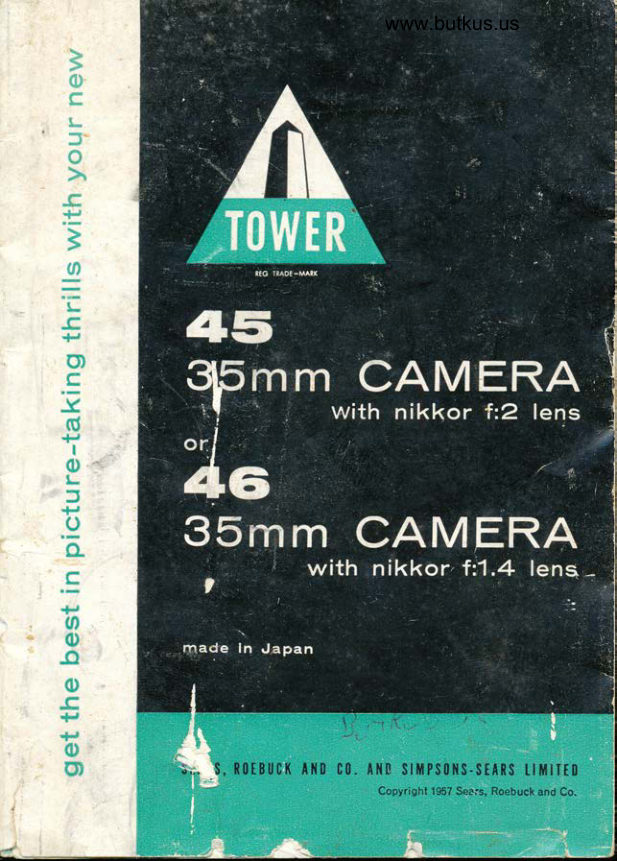
Sears Tower 45 / 46 User manual
User manual for Sears Tower 45 / 46. 25 pages in English. Read the original PDF, download or print a copy without registration.
25 pagesEnglish2.3 MB PDF
Loading your manual…Open PDF directly
Document details
- Brand
- Sears
- Model / document
- Sears Tower 45 / 46
- Document type
- User manual
- Language
- English
- Pages
- 25
- File size
- 2.3 MB
- Category
- Film cameras
- Document date
- Not specified in catalog
Search available document text
Find a term, then jump to its page in the original PDF. Image-only pages may not be searchable; check the PDF for exact wording and diagrams.
Page 1 · Read text
www.butkus.us


5,.. $, n0EBucK A1{D  C0. At{B SlMPS0t{S-StARS Lllrlllt0
                                      Copyright 1957 Sears, Roebuck and Co.
View original page 1Page 3 · Read text
outstanding features:


              e focal plane shutter permits 12 accurate speeds
             from 1 to 1/1000 second  . . . also takes time and
              bulb exposures.
             o extra focusing range of lens lets you shoot as
               close as 1B inches, perfeci for close-ups.
             o rapid film wind and shutter cocking lever speeds
            up picture-taking.                                                              I
                r coupled range and view finder assures extra                  rl
              sharp pictures.
            osynchronizes for flash bulbs and speedlights
                automatically.
             o double exposure prevention.
             o click-stop lens openings . . . for accuracy and
              convenience.
View original page 3Page 4 · Read text
www.butkus.us


you have selected


              Sears best TOWER 35mm Camera. lts many out-
              standing features assure you of a wide variety of
               photographic  thrills. As you read this booklet you
                  will become acquainted with the various parts of
               your camera. With a little practice you will be able
               to take extremely slow or extra fast pictures in
              sharp detail with color or black and white 20 or
                 36-exposur"e  film.
View original page 4Page 5 · Read text
g the camera
    o Turn camera upside down with lens facing you.
   o Lift base plate lock handle and turn left, in direc-
      tion of arrow, to "Open".
    o Lift to remove base plate.

     film

         . . . Should always be done in the shade, never in
     bright light. Use 35mm (20 or 36-exposure) color
     or black and white film.
                                            open@ n.rove take-up spoot from right side of
@   ffof O loaded film cartridge and take-up spool (as    shown in fig. 3) and insert end of film securely
     under clip on take-up spool so that glossy side of
     film is facing away from you. (Make sure that
     knurled knob on take-up spool and tip end of
     film cartridge are both in up position,) Film is
     properly attached when its perforated edge is
     flush with flange under spool's knurled knob.
@  erf r film from its cartridge until not more than 2     perforations, behind the film's bottom curved
     edge, are visible and lower gently into slot along
    back of camera (fig. a),
@  S"t camera on its base so that lens barrel is facing
     awayfrorn you. Then open back cover of camera by

                                                                         fis. 3
View original page 5Page 6 · Read text
www.butkus.us
                     hooking your thumb nail into grooved portion on
                    base of cover and lift upward (fig, 5).
                       |fl  Swing outward rapid film wind lever slowly to
                   advance film. Look through open back of camera
                    to make sure film perforations are engaging in
                       the sprocket wheels and that film is moving to the
                           right. Continue swinging outward rapid lilm wind
                     lever until it stops; then release. (Remember,
                      rapid film wind lever will not swing back unless
                   you have advanced  it completely.)
       O  Wipe off dust and fingerprints on inside of back                   cover with a soft brush, gau2e or cotton cloth.
                 Then close back cover.
       O  Replace base plate and turn lock handle right, in                        direction of arrow, to "Close".
      O   Press shutter release button. Advance rapid film                  wind lever until it stops; then release.
                     Repeat Step B to make sure that any film exposed       O                   to light, while loading camera, has been fully
                    advanced.
     @  Set exposure counter dial on zero by turning                         dial's two protruding pins in direction of arrow.
             YOU ARE NOW READY FOR TAKING YOUR
                  FIRST PICTURE.
                                  on camera's back cover, match     @  Referring to chart
              ASA pointer with your film's ASA index by turn-
                      ing center dial. This is a reminder informing youknurled knob
                   what type of film is inside camera.      clip
film cartridge
                               Ju#**s.***v*.'I!n?-;*l


                                                                                                                                                     :$s\ss:lsftsffi
View original page 6Page 7 · Read text
how to take pictu res
               holding the camera

               Two forms of pictures can be taken with your
              TOWER 35mm Camera' A horizontal picture is
                     taken when camera is held as in fig.6. The prcture
                          will be vertical when camera is held as in fig. 7.
              The right hand should always help support
                 camera and, at the same time, the right index
                      {inger should be in a position to operate shutter
                      release button. Either middle or index finger of
                     the left hand should always operate the focusing
                      lever. Holding the camera, as previously de-
                       scribed, permits a very rapid change from horizon'
                           tal to vertical pictures, and vice versa. lt also es-
                      tablishes a habit for picture-taking because the
                  same set of fingers are used to operate the shutter
                     release button and/or focusing lever in either
                        horizontal or vertical Position,

fis.6                              fig. 7


                                ffi:tl ''s*h_*r
                                                  ,
View original page 7Page 8 · Read text
www.butkus.us
 Ing

    Your TOWER camera's coupled range finder
     eliminates guess-work in focusing to obtain pic-
     tures with sharp detail.
Q   Sigl-'t through view finder eyepiece to determine    what you desire to include in picture. Keep in
    mind the main subject to be photographed.
@  Sigl''t through range finder eyepiece and focus   upon main sub.iect. Look for a yellow image
    superimposed on the view.
    Move focusing ring untrl the two images in range
     finder (fig. 8) coincide with each other (fig. 9).
   Now subject is in focus. When focusing, make
    sure that your hand does not cover any of the
    camera's front windows.
    (note: To help you obtain critically focused pic-
     tures, slightly move range finder focusing lever
     (at left of film rewind knob) until subject can be
    seen at close range for easier focusing.)
View original page 8Page 9 · Read text
{     adv &ncing film
       '{            Your camera's rapid film wind lever speeds up
                                                              cocking                                          and                         picture-taking                                     advancing                                                    film                             by{                                                                      After                                                               time.                                              same                                                       at the                                    exposure                                    for next                          shutter
                        pressing shutter release button, another picture
                     cannot be taken until you swing outward rapid
                          film wind lever. This prevents accidental double
                        exposures (taking one picture over another).
                      (note: To make intentional double exposures for
                        special effects, follow instructions given in an'
                         other section of this booklet,)

        m in ing correct exPosu res:
                      Correct exposure is determined by using the
                        proper combination of two camera settings: lens
                     opening (f/stop) and shutter speed. The proper
                       combination of those two settings depends upon
                        the subject, amount of light and type of film used.
                        For best results, use an exposure meter to deter'
                   mine proper lens opening and shutter speed.
             We recommend using TOWER Exposure Meter
                          (No. 9707).
                      lens opening
                                    . . . determines the amount of light entering the
                    camera through its lens to the film. Tne lower the
                       f/stop number, the larger the lens opening and
                      the greater the amount of light that reaches the,
                       camera's film. To adjust lens opening, turn click'
                      stop tens opening ring (at front of lens barrel)
View original page 9Page 10 · Read text
www.butkus.us
                                    slow shutter
                              Digitally signed by mike      speed dial
                        butkus
                       DN: cn=mike butkus,mike       o=orphancameras, ou=29,    slow shutter
                         email=mike@butkus.org,                     c=US              speed dial lock
                          Date: 2018.08.20 14:03:25butkus -04'00'                    fast shutter
                                  speed dial

                                   black shutter speed
                                     index marker

                                   red shutter speed
                                     index marker
                                                                              fig. 10
                 until its black dot is lined up with desired f/stop
            number on outer f/stop scale.
              shutter speed (refer to fig. 10)
                          . . . refers to a specified length of time that film is
             exposed to light.
            For fast shutter speeds (from 1125 to l/1000
            second), do the following:
              e Set slow shutter speed dial (on front of camera)
            by depressing slow shutter speed dial lock and
              turning dial to red 25.
             o Advance film by swinging outward rapid film
            wind lever until it stops; then release.
            o Lift fast shutter speed dial (on top of camera) and
              turn until desired shutter speed number is next to
             black shutter speed index marker on top of
            camera. (Always make sure that fast shutter
            speed dial sinks into position at desired setting
             before pressing shutter release button. When
              using a setting of 1/1000 second, the fast shutter
             speed dial will sink only half way.)
             (note: lt is recommended to set desired shutter
            speed after having advanced film for its next
             exposure. With this TOWER camera, however'
           you may also set desired shutter speed before
            advancing film. Just lift and turn fast shutter
            speed dial until desired shutter speed number is
              next to red shutter speed index marker.)
View original page 10Page 11 · Read text
For slow shutter speeds (from 1l15to I second
                 or when a time exposure is to be made)r a
                    tripod is usually.recommended  for all these slow
                   exoosu res.
               o Lift fast shutter speed dial (on top of camera) and
                   turn until red 25-1 is lined up with black shutter
                 speed index marker. Then set slow shutter speed
                    dial (on front of camera) by depressing slow
                   shutter speed dial lock and turn dial to desired
                       setting.
                 r Advance film by swinging outward rapid film
                 wind lever until it stops; then release.
                o At T setting (for long Time exposures), on slow
                    shutter speed dial, press shutter release button.
              The shutter will not close until you turn slow
                    shutter speed dial to 1 second.

comptring the picture
                The camera's built-in view finder shows the area  r                  to be photographed. Hold the camera level with
                  the view finder eyepiece close to your eye.

hof d camera steady and level;
             shutter release button      Oressslowlv                             'E        -f
                Avoid touching fast shutter speed dial which
                     rotates when shutter release button is pressed.


                                                                                               .,.;i*ar..-
View original page 11Page 12 · Read text
www.butkus.us


  picture-taking steps in brief:


"
    @  n"rnove cover from camera lens.
     O  fo"us on subject by sighting through range                  finder eyepiece and turning focusing ring, (Use
                 range finder focusing lever for critical focusing.)
    @ eAuunce film by swinging outward rapid film                wind lever until  it stops; then release.
    @  S"t shutter speed dial. (Be certain that film has
                 been fully advanced.)
               frrn lens opening ring to f/stop number which    @                   will meet prevailing light condition. (For best
                     results, use an exposure meter.)
     O  g"Toose the picture by sighting through view                   Ttnoer eyeprece.
    @  ffofA camera steady and tevel; slowly press                 shutter release button. Repeat Steps 2-7 for
                  taking each picture.
View original page 12Page 13 · Read text
tu
 %   w                                                                                            ".';""::;::N':ti mee xposure pictur€)s
               'ffi'
                        . . . may be taken under dull lighting conditions,
                either indoors or outdoors without a flash bulb.
           When taking Time exposures, place camera on a
                tripod or other firm support. (A tripod socket is
               provided in base of camera.)
    Q  S"t lens opening. Turn lens opening ring to
                desired setting.
   @ s"t shutter speed:            At B setting on fast shutter speed dial . . . set
             slow shutter speed dial (on front of camera) by
              depressing slow shutter speed dial lock and
               turning dial to red 25.
            At T setting (for long Time exposures) on slow
                shutter speed dial . . . lift fast shutter speed dial
               (on top of camera) and turn until red 25-1 is lined
            up with black shutter speed index marker.
              Press shutter release slowly. lf using B setting,
               shutter stays open as long as shutter release
               button is held down; at T setting, shutter will not
               close until slow shutter speed dial is turned to
              1 second.
             time exposure suggestions:
               For best results, use an exposure meter.
               o To avoid camera movement  . . . use a tripod. lt
                    is also wise to use a cable release. Unscrew and
             remove ring from around shutter release button.
             Then attach a cable release, (Leica-type, No.6741),
             equipped with a time exposure lock attachment.
               o To avoid subject movement  . , . pose your sub-
                jects in a comfortable position so they will not
               accidentally move during the Time exposure.
View original page 13Page 14 · Read text
www.butkus.us


hotog raphy


   Flash lighting helps you get sharp, clear indoor or
   outdoor pictures in color or black and white. your
  camera is equipped with two separate types of
  synchronization, ("M" and "X"), for flash ex-
   posures. "M" type synchronization  permits flash
  bulb exposures and "X" type permits electronic
  speedlight flash exposures.
  Another versatile feature of your camera is its
  automatic selection of proper type of flash unit
  synchronization when you change shutter speeds:
  For speeds llE second and sloweJ . . .
  an "X" type synchronization  is obtained for using
  an electronic speedlight.
  For speeds l/50 second and faster . .  .
  an "M " type synchronization  is obtained for using
  focal plane flash bulbs (such as, No. 6, 26, etc,).
  Connect electronic speedlight or flash gun to
 camera by inserting its plug into flash synchro-
  nization socket on back of camera.
                          pu*li's,ot
View original page 14Page 15 · Read text
flash exposure chart

             (Refer to camera's back cover)

           Here is a quick, easy way to find the correct lenrs
           opening (f/stop) for a specific shutter speed at
            various distances when using No. 6 focal plane
              flash bulbs. All you have to do is. ..
           e Match ASA pointer with your film's black and
             white or color ASA index, at left of chart, by tunn-
             ing raised center dial.
          o Determine camera-to-subject distance in feet.
            o Select shutter speed.
           o Read the chart downward under the determined
             camera-to-subject  distance in feet and you wiIl
           have the correct lens opening (f/stop) number
              lined up for each shutter speed shown on ASA
              pointer dial. (For example, f:11 is the correct lens
           opening (f/stop) number when the film's ASA
             index is 100, the camera-to-subject distance is 10
             feet and you have selected a shutter speed of
             1/tqo second. See fig. 11.)


      fig. 11
View original page 15Page 16 · Read text
www.butkus.us

ding film


        . . . should always be done in the shade, never in
     bright light.
   o Press film reversing button (button R next to
     shutter release button on top of camera).
   o Lift film rewind knob until it is just above the
    coupled range finder eyepiece and turn in di-
     rection of arrow. Continue turning until film re-
    wind knob turns freely. This is an indication that
     film is back in its cartridge.
   o Turn camera upside down so that lens is facing
     you.
   o Lift base plate lock handle and turn left, in
     direction of arrow, to "Open".
  o Lift to remove base plate.
   o Remove film cartridge with thumb and finger or
   by turning camera right-side up and tapping
   camera's base against palm of other hand to
    catch falling cartridge.
  o Place film cartridge into its container and have it
    processed immediately.
  o Replace base plate and turn lock handle right, in
    direction of arrow, to "Close".
View original page 16Page 17 · Read text
of field
            for sharp focus

                 . . . is the range of distance, near and far fronn a
         focused-upon subject, which will be in shanp
          focus. This depth of field varies with the lens
         opening (f/stop) used. Remember, the srnaller
          the lens opening the greater the range of sharp
           focus.
         Your camera is equipped with a depth of field
           scale (see fig. 12) so that you can easily read the
          range of sharp focus before taking each picture.
         The numbers on focusing ring distance scale and
          the lens opening numbers on each side of black
          locusing index comprise the range of sharp focus"
        The following example shows how to read thre
         depth of field scale: Camera-to-subject distance
              is 7 feet, exposure calls for a lens opening of f:16
          Set focusing ring at 7 feet (as shown in fig. 12).
          Look for the number 16 on each side of the black
          focusing index.
        The depth of field scale shows that objects be-
         tween 5 and '12 feet will be in sharp focus.

tig.12


                                                                              :h of
                                                                      scale


                                                         k focusing
                                                                 index
View original page 17Page 18 · Read text
www.butkus.us

    close-up photography


                 One of the outstanding versatile features of your
                  camera is that it can shoot pictures of subjects
                         at as close a range as 1.5 feet (18 inches) from the
                                                       f ilm without the aid of any accessory,  lf the lens
                     barrel is turned toward the red numbers for
                      close-up photography, the lens barrel will seem to
                   come to a stop somewhere around the number 3.5
                          feet. The focusing lever must be turned further
                       in the same direction until it is set at 1,5 feet.
                     At the red numbers, less than 3,5 feet, the range
                       finder does not couple with the lens, Therefore,
                        in making close-up pictures (3,5 to 1,5 feet), the
                     distance from the film inside the camera (indi-
                                                                     the                  cated by a horizontal line -O- beneath
              TOWER name triangle on top of camera) to the
                      subject must be measured and the focusing ring
                    must be set to that distance nunrber.
                       For taking close-up pictures, you must take into
                    account the difference in height between view
                        finder and taking lens. To make sure your picture
                   shows actual scene you desire, aim the camera
                      approximately 1/, inches higher than the area you
                       intend to photograph.
                    Here is a chart (fig. 13) showing the picture area
                     covered when photographing subjects less than
                        3,5 feet from film plane inside camera,  {ig. 13

  Measured
  Distance 1.5 ft.    1.75 ft.   2.0 ft.   2.25 ft.   2.5 ft.   2.75 tt.   3.0 ft.    3.5 ft.
Focused Upon:
  Picture 6X in.   Ttyuin. 9x in.  iOlla in.  i2 in.              li 3pzu in. \q,,i int. tl,i  in,  Area      by    by   by   by      by    by  by     by  Covered: 9Yz in.  11% in. 13r'4 in. L5% in.  18 in.    20 in.  22in. 26,Xe in,
View original page 18Page 19 · Read text
(refer to fig. 12)

    Here's what to do when using infrared film and
          f ilter:
  o Determine camera-to-subject distance.
   o Turn focusing ring until distance number, lined
    up with black focusing index, lines up with red R
    on depth of field scale.
    (For example, if camera-to-subject distance is 7
    feet and 7 is lined up with black focusing index,
    then move 7 to the right until  it lines up with red
      R.)

ke an intentional
  dou ble exposu re
     (for special effects or if flash bulb fails,)

   You may intentionally take more than one picture
    on the same film frame at various shutter speeds
    with various lens openings. Here's all you do:
    After making a regular exposure, DO NOTo advance rapid film wind lever.
    Turn fast shutter speed dial in a counter-clock-o wise direction, while it is still fully depressed,
     until it stops. Remember to hold fast shutter
    speed dial securely so that it does not slip back
    while turning.
View original page 19Page 20 · Read text
I                                    www.butkus.us
rill
I*rltI


   I

    l
    i                                   fuLkut 'u t
                   Compose the subject and press shutter release
                          button.
                  You will be able to superimpose a number of
                          pictures on one frame by repeating Steps 2 and 3.
 iq-      i               To change shutter speeds (between 1/25 and
        I                     1/1000 second), while taking more than one
                        picture on the same frame, make sure slow
                         shutter speed dial is set at red 25. Then lift fast
                        shutter speed dial and turn counter-clockwise
                            until desired speed number is lined up with red
                         shutter speed index marker.
                  To change shutter speeds (between 1/15 and 1
                       second), while taking more than one picture on
                      the same frame, make sure fast shutter speed
                              dial is set at red 25-1 . Then set slow shutter speed
                           dial by depressing slow shutter speed dial lock
                     and turn dial to desired setting.
                       Repeat Steps 2 and 3 for using either fast or slow
                         shutter speeds but remember DO NOT advance
                          rapid film wind lever.
                     caution: Occasionally, when the fast shutter
                    speed dial is turned in a counter-clockwise  di'
                           rection and set at a position half-way between the
                    numbers indicating shutter speeds, the safety
                       device automatically locks the shutter and film
                    advance mechanism. To unlock, turn the fast
                         shutter speed dial in a clockwise direction until
                                          it goes no further.
View original page 20Page 21 · Read text
e your camera's
       versatility with these
  TOWER accessories:
       accessory lenses (see fig, 14)
        Increase your picture-taking range with telephoto
      and wide angle lenses. The telephoto lens is a
       must for taking close-up pictures of distant sub-
        jects (i.e., wild animals that you can't approach
         closely, sports stars from the stands, etc.). Use a
       wide angle lens to include more of subject when
       you cannot back up far enough with your camera's
        regular 50mm lens.

fig. 14
View original page 21From the M. Butkus archive. Original publisher and archive notices are retained.
Check the model and edition against your equipment.
PDF verified 2026-10-10.